ActiveX Mastery
Elevating Your VB6 Development with Powerful Controls
Elevate your software development skills to new heights with "ActiveX Mastery: Elevating Your VB6 Development with Powerful Controls." This comprehensive guide is your key to unlocking the full potential of ActiveX Controls in Visual Basic 6.
284 pages15 chaptersFeb 6, 2025Software Development
About this book
You'll dive deep into the intricacies of creating, implementing, and optimizing these versatile components, gaining the knowledge and confidence to build more dynamic and interactive applications. From fundamental concepts to advanced techniques, this book covers everything you need to know about ActiveX Controls in VB6. You'll learn how to leverage these powerful tools to enhance user interfaces, streamline data handling, and create reusable components that will revolutionize your development process. Whether you're looking to refine your existing skills or explore new possibilities in VB6 development, "ActiveX Mastery" is your ultimate companion. By the time you finish this book, you'll have the expertise to create sophisticated, efficient, and user-friendly applications that stand out in the world of software development.
Table of contents
- IntroductionOverview of ActiveX Controls, The Importance of ActiveX in VB6 Development, How to Use This Book, Prerequisites and SetupRead below
- Chapter 1: ActiveX Control FundamentalsWhat Are ActiveX Controls?, History and Evolution of ActiveX, ActiveX Control Architecture, ActiveX vs. Other Component Technologies
- Chapter 2: Setting Up the VB6 ActiveX Development EnvironmentInstalling and Configuring VB6, ActiveX Control SDK Setup, Essential Development Tools and Add-ins, Creating an ActiveX Control Project
- Chapter 3: Creating Your First ActiveX ControlActiveX Control Basics, Defining Properties and Methods, Implementing Events, Designing the User Interface, Testing Your Control
- Chapter 4: Advanced Property TechniquesProperty Types and Attributes, Creating Custom Property Pages, Property Binding and Persistence, Implementing Property Validation
- Chapter 5: Advanced Method ImplementationDesigning Effective Methods, Parameter Passing Techniques, Handling Return Values, Method Overloading in ActiveX Controls
- Chapter 6: Mastering Event HandlingEvent Fundamentals, Creating Custom Events, Working with Event Arguments, Event Bubbling and Cancellation
- Chapter 7: User Interface Design for ActiveX ControlsCustomizing Control Appearance, Graphics and Drawing Techniques, Handling User Interaction, Implementing Accessibility Features
- Chapter 8: Data Binding with ActiveX ControlsUnderstanding Data Binding, Implementing Simple Data Binding, Advanced Data Binding Scenarios, Data Validation and Error Handling
- Chapter 9: Working with ActiveX Control ContainersUnderstanding Control Containers, Integrating Controls with Containers, Communication Between Controls and Containers, Managing Multiple Controls in a Container
- Chapter 10: Licensing and DeploymentActiveX Control Licensing Models, Implementing License Key Generation, Deployment Options and Considerations, Version Control and Updates
- Chapter 11: Performance OptimizationCode Optimization Techniques, Effective Memory Management, Multithreading in ActiveX Controls, Using Profiling Tools for Optimization
- Chapter 12: Debugging and TroubleshootingActiveX Control Debugging Techniques, Common ActiveX Control Issues and Solutions, Implementing Robust Error Handling, Logging and Tracing for Troubleshooting
- Chapter 13: Security ConsiderationsUnderstanding ActiveX Security Risks, Implementing Safe for Initialization and Scripting, Code Signing and Authenticity, Security Best Practices for ActiveX Development
- Chapter 14: ActiveX Control InteroperabilityCOM Integration Techniques, Using ActiveX Controls in Web Applications, ActiveX and .NET Interoperability, Cross-Platform Considerations
- Chapter 15: Advanced ActiveX Control TechniquesControl Subclassing and Superclassing, Creating Windowless Controls, Developing Composite Controls, Integrating with Windows APIs
- ConclusionThe Future of ActiveX Controls, Career Opportunities in ActiveX Development
- AppendixAdditional ActiveX Resources, Useful VB6 Development Tools
Introduction
Welcome to the world of ActiveX Controls in Visual Basic 6 (VB6) development. This introduction serves as your gateway to mastering one of the most powerful and versatile technologies in the Windows programming ecosystem. As you embark on this journey, you'll discover how ActiveX Controls can revolutionize your approach to creating dynamic, interactive, and efficient software applications. This chapter will lay the foundation for your exploration, providing you with a comprehensive overview of ActiveX Controls, their significance in VB6 development, and the structure of this book to guide your learning process.
ActiveX Controls have been a cornerstone of Windows development for decades, offering developers a robust framework for creating reusable components that can be easily integrated into various applications. As a VB6 developer, understanding and harnessing the power of ActiveX Controls will significantly enhance your ability to create sophisticated, feature-rich applications that stand out in today's competitive software landscape. Whether you're building desktop applications, enhancing web interfaces, or developing custom tools for enterprise environments, the skills you'll acquire through this book will prove invaluable.
Throughout this introduction and the subsequent chapters, you'll find a wealth of information, practical examples, and hands-on exercises designed to deepen your understanding and sharpen your skills in ActiveX Control development. From fundamental concepts to advanced techniques, this book is structured to provide a comprehensive learning experience that caters to both newcomers and experienced developers looking to refine their expertise in this specific area of software development.
Overview of ActiveX Controls
ActiveX Controls are reusable software components based on Microsoft's Component Object Model (COM) technology. These controls are designed to enhance the functionality and user interface of applications, particularly those developed using Visual Basic 6. ActiveX Controls encapsulate complex functionality into easy-to-use components that can be seamlessly integrated into various Windows applications, web pages, and development environments. This modular approach to software development allows for greater flexibility, code reuse, and rapid application development.
At their core, ActiveX Controls are self-contained modules that expose properties, methods, and events, allowing developers to interact with and manipulate the control's behavior within their applications. This object-oriented approach provides a powerful abstraction layer, enabling developers to leverage sophisticated functionality without needing to understand the intricate details of the control's internal implementation. The versatility of ActiveX Controls is evident in their wide range of applications, from simple user interface elements like buttons and text boxes to complex data visualization tools and multimedia components.
One of the key strengths of ActiveX Controls lies in their ability to extend the native capabilities of development environments like Visual Basic 6. By incorporating ActiveX Controls into your projects, you can significantly enhance the functionality and user experience of your applications without having to build every feature from scratch. This not only saves development time but also allows you to focus on the unique aspects of your application while relying on well-tested, optimized components for common functionalities.
ActiveX Controls can be categorized into several types, each serving different purposes in application development:
- Visual Controls: These are the most common type of ActiveX Controls, providing graphical user interface elements that users can interact with directly. Examples include custom buttons, sliders, and data grids.
- Non-Visual Controls: These controls operate behind the scenes, providing functionality without a visible interface. They are often used for data processing, communication protocols, or system integration tasks.
- Windowless Controls: A specialized type of visual control that doesn't create its own window, allowing for more flexible integration with the host application's interface.
- Container Controls: These controls can host other ActiveX Controls, enabling the creation of complex, composite user interfaces.
The architecture of ActiveX Controls is built upon the Component Object Model (COM), which defines a standard for component interoperability. This foundation ensures that ActiveX Controls can communicate effectively with host applications and other components, regardless of the programming language used to create them. The COM-based architecture provides several key benefits:
- Language Independence: ActiveX Controls can be developed in various programming languages and used in applications written in different languages, as long as they adhere to the COM specification.
- Version Control: COM's versioning system allows for the deployment of updated controls without breaking existing applications that use older versions.
- Interface-Based Programming: The use of interfaces in COM allows for clear separation between the control's public interface and its internal implementation, promoting good software design practices.
- System-Wide Integration: ActiveX Controls can leverage other COM components and system services, enabling deep integration with the Windows operating system.
As you delve deeper into ActiveX Control development, you'll discover the intricate balance between the control's internal logic and its external interface. This relationship is crucial for creating controls that are not only powerful and feature-rich but also intuitive and easy to use for other developers who will incorporate your controls into their applications. Understanding this balance is key to designing ActiveX Controls that are both functional and developer-friendly.
Throughout this book, you'll explore the various aspects of ActiveX Controls in detail, from their basic structure to advanced implementation techniques. You'll learn how to create controls that are not only functional but also optimized for performance and security. By the end of your journey, you'll have the knowledge and skills to develop sophisticated ActiveX Controls that can significantly enhance the capabilities of VB6 applications and potentially extend to other development environments.
As we progress through the subsequent sections and chapters, keep in mind that ActiveX Control development is both an art and a science. It requires a blend of technical knowledge, creative problem-solving, and a deep understanding of user and developer needs. The skills you'll acquire will not only make you a more proficient VB6 developer but also provide you with insights into component-based software development that can be applied across various platforms and technologies.
The Importance of ActiveX in VB6 Development
Visual Basic 6 (VB6) has long been a favorite among developers for its ease of use and rapid application development capabilities. When combined with ActiveX technology, VB6 becomes an even more powerful tool for creating sophisticated, feature-rich applications. The importance of ActiveX in VB6 development cannot be overstated, as it significantly enhances the language's capabilities and extends its reach beyond simple form-based applications. In this section, we'll explore why ActiveX is crucial for VB6 developers and how it can elevate your programming skills to new heights.
One of the primary reasons ActiveX is so important in VB6 development is its ability to extend the language's native functionality. While VB6 provides a robust set of built-in controls and features, there are often scenarios where more specialized or complex components are required. ActiveX Controls fill this gap by allowing developers to create or use custom components that seamlessly integrate with VB6 projects. This extensibility means that you're not limited to the tools provided by the VB6 environment; instead, you can leverage a vast ecosystem of third-party controls or create your own to meet specific project requirements.
The modular nature of ActiveX Controls aligns perfectly with the principles of object-oriented programming, which is a cornerstone of modern software development. By encapsulating complex functionality within well-defined interfaces, ActiveX Controls promote code reusability, maintainability, and scalability. This modular approach allows you to break down complex applications into manageable components, each handling specific tasks or features. As a result, you can develop more organized, efficient, and easier-to-maintain codebases, which is particularly valuable in large-scale or long-term projects.
ActiveX technology also plays a crucial role in enhancing the user interface and user experience of VB6 applications. With ActiveX Controls, you can create rich, interactive UI elements that go beyond the standard controls provided by VB6. This capability is especially important in today's software landscape, where users expect sophisticated and intuitive interfaces. By leveraging ActiveX Controls, you can create applications that not only function well but also look and feel modern and professional, helping your software stand out in a competitive market.
Another significant aspect of ActiveX in VB6 development is its role in facilitating interoperability between different software components and even different programming languages. ActiveX Controls, being based on the Component Object Model (COM), can be used not only in VB6 but also in other COM-compatible environments. This interoperability opens up new possibilities for integration and collaboration in software development projects. For instance, you could create an ActiveX Control in VB6 and use it in a C++ application, or vice versa, allowing for a more flexible and diverse development ecosystem.
The importance of ActiveX in VB6 development extends to performance optimization as well. While VB6 is known for its rapid development capabilities, it can sometimes fall short in terms of performance for certain types of operations. ActiveX Controls provide a way to overcome these limitations by allowing developers to implement performance-critical code in languages like C++ and then expose that functionality through a VB6-friendly interface. This approach combines the ease of use of VB6 with the performance benefits of lower-level languages, resulting in applications that are both quick to develop and efficient in execution.
For developers looking to expand their skill set and market value, mastering ActiveX Control development in VB6 can be a significant career booster. While VB6 itself is considered a legacy technology, the principles and practices of component-based development that you'll learn through ActiveX are applicable to modern development paradigms. Understanding how to design, implement, and integrate reusable software components is a valuable skill that translates well to other component-based technologies and frameworks used in contemporary software development.
ActiveX technology also plays a crucial role in maintaining and modernizing legacy VB6 applications. Many organizations still rely on VB6 applications for critical business processes, and ActiveX Controls provide a way to extend and enhance these applications without a complete rewrite. By creating new ActiveX Controls or integrating existing ones, developers can add modern features and functionality to legacy systems, prolonging their lifespan and improving their relevance in today's technological landscape.
The security aspects of ActiveX Controls are another important consideration in VB6 development. While ActiveX has faced scrutiny over security concerns, particularly in web contexts, understanding how to develop secure ActiveX Controls is crucial. This knowledge not only helps in creating safer applications but also provides insights into broader software security principles. As you delve into ActiveX development, you'll learn about security best practices, code signing, and safe initialization techniques, all of which are valuable skills in the wider field of software development.
Lastly, the importance of ActiveX in VB6 development is underscored by its role in fostering a community of developers and a marketplace for reusable components. The ActiveX ecosystem has led to the creation of numerous third-party controls and libraries, many of which are still actively maintained and used today. This community-driven aspect of ActiveX development provides opportunities for collaboration, learning from others' code, and even monetizing your own creations by developing and selling ActiveX Controls.
In conclusion, ActiveX technology remains a vital part of VB6 development, offering enhanced functionality, improved performance, and greater flexibility in application design. By mastering ActiveX Control development, you not only expand your VB6 capabilities but also gain valuable insights into component-based software architecture, which is applicable across various modern development platforms. As you progress through this book, you'll discover how ActiveX can transform your approach to VB6 development, enabling you to create more sophisticated, efficient, and maintainable applications.
How to Use This Book
This book is designed to be your comprehensive guide to mastering ActiveX Control development in Visual Basic 6. To get the most out of this resource, it's important to understand its structure and how to effectively navigate through the wealth of information provided. This section will outline the book's organization, offer tips on how to approach the material, and provide guidance on making the most of the examples and exercises included throughout the chapters.
The book is structured to take you on a journey from the fundamentals of ActiveX Controls to advanced techniques and best practices. Each chapter builds upon the knowledge gained in previous sections, creating a logical progression that reinforces your learning. Here's an overview of how the book is organized:
- Foundational Chapters: The early chapters focus on introducing ActiveX Controls, setting up your development environment, and creating your first control. These chapters lay the groundwork for your understanding of ActiveX technology.
- Core Concepts: Subsequent chapters delve into the core concepts of ActiveX Control development, including properties, methods, events, and user interface design. These sections provide the essential knowledge you'll need for creating functional and interactive controls.
- Advanced Topics: As you progress, you'll encounter more advanced topics such as data binding, control containers, licensing, and deployment. These chapters will help you create more sophisticated and professional-grade ActiveX Controls.
- Optimization and Troubleshooting: The later chapters focus on performance optimization, debugging techniques, and security considerations. This knowledge is crucial for developing robust and efficient controls.
- Practical Applications: Throughout the book, you'll find real-world examples and case studies that demonstrate how to apply the concepts you've learned to practical scenarios.
To make the most of this book, consider the following approach:
- Sequential Reading: While it may be tempting to jump to specific topics of interest, it's recommended to read the chapters in order, especially if you're new to ActiveX Control development. Each chapter builds on the previous ones, ensuring a solid foundation of knowledge.
- Hands-On Practice: Don't just read the examples; implement them in your development environment. Hands-on experience is crucial for solidifying your understanding of the concepts presented.
- Experimentation: After completing an example, try modifying it or expanding its functionality. This experimentation will deepen your understanding and help you develop problem-solving skills specific to ActiveX Control development.
- Note-Taking: Keep notes as you read, particularly on concepts that are new or challenging. This will help reinforce your learning and provide a quick reference for future use.
- Code Samples: Pay close attention to the code samples provided throughout the book. These are carefully crafted to illustrate specific concepts and best practices. Try to understand not just what the code does, but why it's structured in a particular way.
Each chapter in this book is structured to provide a comprehensive learning experience:
- Chapter Introduction: This sets the context for the topic and outlines what you'll learn.
- Concept Explanations: Detailed explanations of key concepts, often accompanied by diagrams or illustrations for clarity.
- Code Examples: Practical code snippets that demonstrate how to implement the concepts discussed.
- Best Practices: Tips and guidelines for writing efficient, maintainable, and robust ActiveX Controls.
- Common Pitfalls: Warnings about common mistakes and how to avoid them.
- Exercises: Hands-on tasks to reinforce your learning and encourage experimentation.
- Summary: A recap of the key points covered in the chapter.
As you work through the book, you'll encounter various types of content designed to enhance your learning experience:
- Sidebars: These contain additional information, historical context, or interesting facts related to the main content.
- Code Listings: Full code examples that you can type into your development environment and run.
- Diagrams: Visual representations of complex concepts or processes to aid understanding.
- Tables: Organized information for easy reference, often used for comparing different options or summarizing key points.
- Callout Boxes: These highlight important tips, warnings, or notes that deserve special attention.
To fully benefit from the exercises and examples in this book, it's recommended to set up a dedicated development environment for ActiveX Control creation. This should include:
- Visual Basic 6 IDE: Ensure you have a properly installed and configured VB6 development environment.
- ActiveX Control Test Container: This tool, typically included with VB6, is invaluable for testing your controls outside of a full application context.
- Version Control System: While not strictly necessary, using a version control system like Git can help you track changes and experiment with different implementations.
- Additional Tools: As you progress, you may want to explore additional tools for debugging, profiling, and optimizing your ActiveX Controls. Recommendations for these will be provided in relevant chapters.
Remember that learning ActiveX Control development is an iterative process. Don't be discouraged if you don't grasp every concept immediately. Often, later chapters will shed new light on earlier topics, so it can be beneficial to revisit previous sections as you progress. The key is consistent practice and application of the concepts you learn.
Finally, while this book provides a wealth of information, it's also important to supplement your learning with external resources. The appendix includes a list of additional references, online communities, and tools that can further support your journey in ActiveX Control development. Engaging with the wider developer community can provide valuable insights and help you stay updated on best practices and emerging techniques.
By following these guidelines and actively engaging with the material presented in this book, you'll be well on your way to becoming proficient in ActiveX Control development for VB6. This knowledge will not only enhance your VB6 programming skills but also provide you with valuable insights into component-based software development that can be applied to other technologies and platforms.
Prerequisites and Setup
Before diving into the world of ActiveX Control development in Visual Basic 6, it's essential to ensure that you have the necessary prerequisites in place and that your development environment is properly set up. This section will guide you through the requirements, both in terms of prior knowledge and technical setup, to help you get the most out of this book and your ActiveX development journey.
First, let's consider the knowledge prerequisites. While this book is designed to be accessible to developers with varying levels of experience, having a foundational understanding of the following areas will greatly enhance your learning experience:
- Basic Programming Concepts: Familiarity with fundamental programming concepts such as variables, data types, control structures (if statements, loops), and functions is essential.
- Object-Oriented Programming (OOP): A basic understanding of OOP principles, including classes, objects, properties, and methods, will be beneficial as ActiveX Controls are built on these concepts.
- Visual Basic 6 Basics: Prior experience with VB6, including creating simple applications and working with forms and controls, will provide a solid foundation for learning ActiveX Control development.
- Windows Programming: Basic knowledge of Windows programming concepts, such as event-driven programming and the Windows API, will be helpful but not strictly necessary.
If you find that you need to brush up on any of these areas, consider reviewing introductory VB6 resources or general programming tutorials before proceeding with the more advanced topics covered in this book. Remember, a strong foundation in these basics will make your journey into ActiveX Control development smoother and more rewarding.
Now, let's focus on the technical prerequisites and setup required for ActiveX Control development in VB6. Here's a comprehensive list of what you'll need:
- Visual Basic 6.0 IDE: This is the primary development environment you'll be using. Ensure you have a licensed copy of Visual Basic 6.0 installed on your system. While VB6 is no longer officially supported by Microsoft, it can still be installed and run on modern Windows operating systems with some adjustments.
- Operating System: VB6 is compatible with Windows XP, Vista, 7, 8, and 10. However, for the best experience and to avoid compatibility issues, it's recommended to use Windows 7 or later.
- Service Packs and Updates: Install the latest service pack for VB6 (Service Pack 6) and any available updates. These can typically be found on Microsoft's website or through reliable third-party sources specializing in legacy Microsoft technologies.
- ActiveX Control Test Container: This tool is crucial for testing your ActiveX Controls outside of a full application context. It's usually included with the VB6 installation but may need to be installed separately.
- Windows SDK: While not strictly necessary for basic ActiveX Control development, having the Windows SDK (Software Development Kit) installed can provide additional tools and resources that may be useful, especially when working with more advanced features.
- Text Editor: While the VB6 IDE includes a code editor, having a separate, modern text editor (such as Notepad++, Visual Studio Code, or Sublime Text) can be helpful for viewing and editing code outside of the VB6 environment.
- Version Control System: Using a version control system like Git is highly recommended. It allows you to track changes, experiment with different implementations, and collaborate with others more effectively.
- Documentation Tools: Consider installing tools for viewing and searching through VB6 and Windows API documentation. While much of this information is available online, having offline access can be convenient.
Setting up your development environment properly is crucial for a smooth ActiveX Control development experience. Here are some steps to ensure your environment is correctly configured:
- Install Visual Basic 6.0: Follow the installation instructions provided with your VB6 software. During installation, make sure to select the option for ActiveX Control development if it's not included by default.
- Apply Service Pack and Updates: After installation, apply Service Pack 6 and any available updates for VB6. This ensures you have the latest bug fixes and improvements.
- Configure IDE Settings: Open the VB6 IDE and configure your preferences. This includes setting up your preferred code editor layout, customizing toolbars, and adjusting compiler options.
- Verify ActiveX Components: Check that the necessary ActiveX development components are registered in your system. You can do this by creating a new ActiveX Control project in VB6 and ensuring that all required references are available.
- Install ActiveX Control Test Container: If not already installed, locate and install the ActiveX Control Test Container. This tool is invaluable for testing your controls during development.
- Set Up Version Control: If you're using a version control system like Git, set up a repository for your ActiveX Control projects. Configure your .gitignore file to exclude VB6-specific temporary and compiled files.
- Prepare Documentation Resources: Organize your documentation resources, whether they're offline help files, online bookmarks, or PDF documents. Having quick access to reference materials will be helpful throughout your development process.
It's worth noting that running VB6 on modern systems can sometimes present challenges due to its age. Here are some tips to ensure compatibility:
- Run as Administrator: Always run the VB6 IDE as an administrator to avoid permission-related issues.
- Compatibility Mode: If you encounter problems, try running VB6 in compatibility mode for an earlier version of Windows.
- Virtual Machine: For the most stable development environment, consider setting up a virtual machine with an older version of Windows (such as Windows 7) dedicated to VB6 development.
As you progress through this book, you may find the need for additional tools or components specific to certain advanced topics. These will be introduced and explained in the relevant chapters, along with instructions for their installation and use.
Remember, while setting up your development environment might seem like a daunting task, especially if you're working with legacy technology like VB6, it's a crucial step in ensuring a productive and enjoyable learning experience. Take the time to properly configure your system, and don't hesitate to seek help from online communities or forums if you encounter any issues during the setup process.
With your knowledge base refreshed and your development environment properly set up, you're now ready to embark on your journey into ActiveX Control development with Visual Basic 6. The following chapters will guide you through the process of creating, customizing, and optimizing ActiveX Controls, building on the foundation you've established here. Remember, the key to mastering any technology is practice and persistence, so don't be discouraged if you encounter challenges along the way. Each obstacle overcome is a step towards becoming a proficient ActiveX Control developer.
This is the end of the free sample. The full book has 15 chapters.
Want this book written for you?
Tell us your goals and background, and get your own version of this book, tailored by AI to you.


Benefits of AI-tailored books
- Read one book, not ten:
- all the Software Development knowledge you need, gathered into a single book.
- Save days of learning:
- tell us your goals, choose your topics, and the whole book is built around them.
- Learn effortlessly:
- Software Development book written for your specific background and expertise.
- Understand at a glance:
- includes charts, tables, timelines, checklists, decision trees, and more.
- Stay current:
- written the day you order it, not years ago.
- Trust what you read:
- every book is checked for accuracy, with real research when your subject needs it.
Create your unique book in 3 steps
- 1. Select your focus
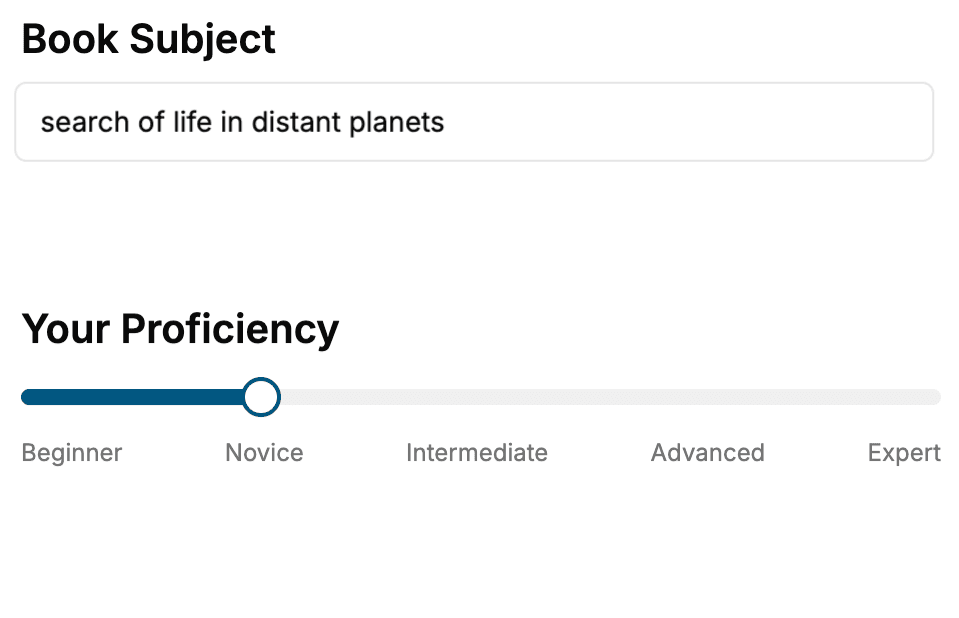
Select the focus of your Software Development book and share your background
- 2. Personalize your book
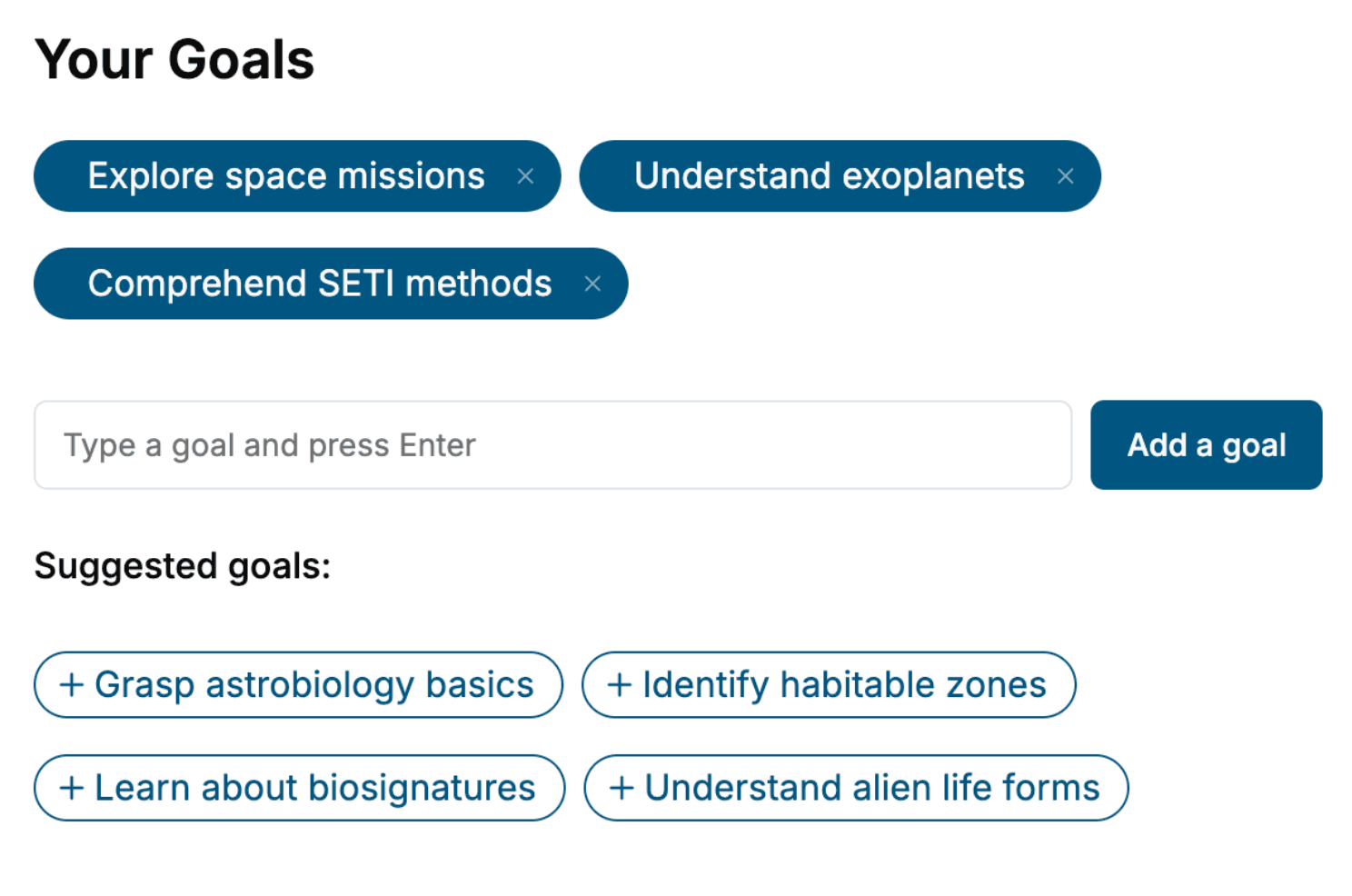
Specify your goals and choose sub-topics to include
- 3. Get your tailored book
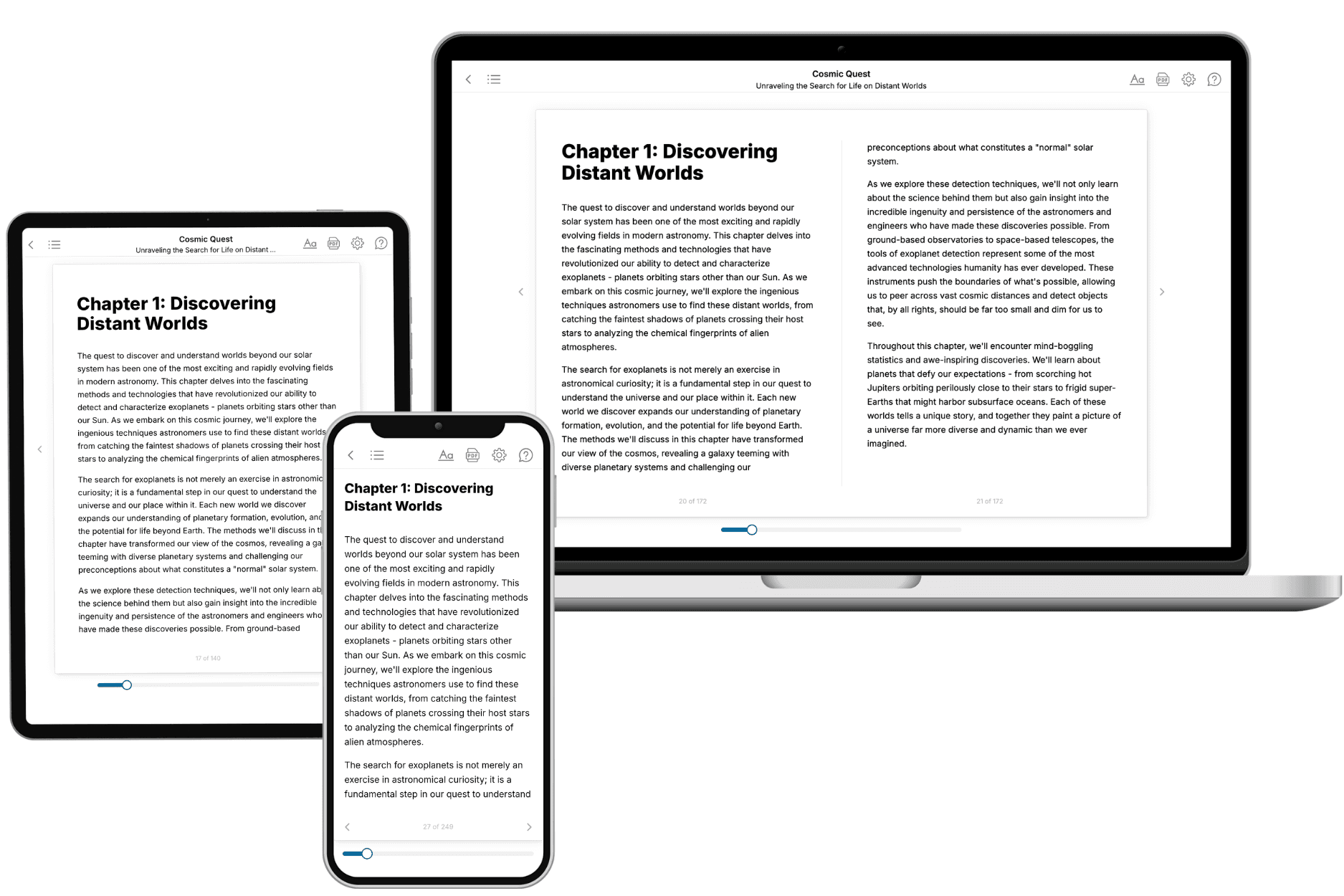
Your book is ready in 10 minutes. Read it online, download as EPUB or PDF, or send to Kindle.
Frequently asked questions
- What is TailoredRead?
TailoredRead creates complete, full-length nonfiction ebooks, written specifically for you. Tell us what you want to learn and why, and TailoredRead writes you a complete ebook on it, with charts, tables, and diagrams throughout. Read it online, on Kindle, or on any e-reader, or download it as a PDF or EPUB. Every book is written fresh the day you order it.
- How is the book tailored to me?
Before anything is written, you answer a few short questions about your goals, your background, and the topics you care about. Your book is then planned around your answers: written at your level, focused on your goals, and covering the topics you chose, instead of the one-size-fits-all book a store sells everyone.
- Will it read like generic AI content?
No. Your book isn't a chat transcript: it's planned chapter by chapter before a single word is written, told in a clear book voice, and explains ideas visually with charts, tables, and diagrams. After writing, every book goes through an editorial pass that polishes chapters so the book reads consistent from start to finish. Judge for yourself: browse thousands of sample books on our Explore Books page.
- How accurate is the content?
Our AI first checks whether your subject needs live research. Niche and fast-moving subjects are researched before writing, and the book plan and chapters are grounded in what it finds. After writing, every book goes through a quality pass that checks its facts and consistency, and researched books list their sources in a Notes section at the back.
- How long is the book?
You choose the length: Comprehensive (250-300 pages), Detailed (150-200 pages), Essential (70-100 pages), or Short (30-50 pages).
- Does the book include visuals?
Yes. Every book includes visual elements such as timelines, checklists, step-by-step guides, decision trees, comparison tables, and matrices, and many include bar charts. A typical book includes dozens of these visual elements.
- Can I read it on Kindle? What formats can I download?
Yes. Every book can be read in our online reader or downloaded as a PDF or EPUB. The EPUB can be opened with Kindle, Apple Books, Kobo, and any e-reader. The Commercial and Author licenses also include an editable Word (DOCX) and Markdown download.
- How much does it cost?
About the price of a regular ebook. The exact price depends on your book's length and complexity, from $2 for the shortest books to $35 for the most comprehensive, and it's shown when you review your book, before you commit to anything. Each book is a one-time purchase, yours to keep, no subscription. Licenses that let you share, teach, or publish your book range from $35.99 to $49.99.
- Can I preview the book before purchasing?
Before you pay, you'll see what your book will cover: the title, a detailed description, the estimated length, and the complete chapter-by-chapter table of contents, so you know what you're getting before you decide. The full text itself is written after you purchase.
- How long does it take to create a book?
About 10 minutes. You can start reading the opening chapters while the rest is still being written.