FastAPI Mastery
From Fundamentals to Advanced Techniques
Level up your web development skills with "FastAPI Mastery: From Fundamentals to Advanced Techniques." This comprehensive guide takes you on a deep dive into the world of FastAPI, equipping you with the knowledge and skills to build high-performance, secure, and scalable web applications.
83 pages4 chaptersJan 31, 2025Web Development
About this book
You'll start by mastering the fundamentals of FastAPI, including request validation, response models, and path operations. As you progress, you'll explore advanced topics such as dependency injection, async database operations, and middleware creation. With hands-on examples and practical insights, you'll learn to optimize API performance, implement authentication, and secure your endpoints. Whether you're looking to containerize your FastAPI apps, handle WebSockets, or implement API versioning, this book has you covered. By the end, you'll have the confidence and expertise to tackle complex web development projects using FastAPI, setting you apart in the competitive world of modern web development.
Table of contents
- Chapter 1: FastAPI FundamentalsIntroduction to FastAPI, Request Validation and Response Models, Path Operations and Query ParametersRead below
- Chapter 2: Advanced FastAPI ConceptsDependency Injection, Working with Pydantic Models, Middleware Creation and Usage
- Chapter 3: Database Operations and IntegrationAsynchronous Database Operations, Integrating Databases with FastAPI
- Chapter 4: Security, Performance, and DeploymentSecuring FastAPI Endpoints, API Performance Optimization, Containerizing FastAPI Applications
- Conclusion
Chapter 1: FastAPI Fundamentals
FastAPI has rapidly emerged as a powerful and efficient framework for building modern web applications and APIs. Its combination of speed, simplicity, and robust features has made it a favorite among developers seeking to create high-performance, scalable, and easily maintainable web services. This chapter will introduce you to the core concepts of FastAPI, providing a solid foundation for your journey into mastering this cutting-edge framework.
Introduction to FastAPI
FastAPI is a modern, fast (high-performance) web framework for building APIs with Python 3.6+ based on standard Python type hints. It was created by Sebastián Ramírez and first released in 2018, quickly gaining popularity due to its impressive performance, ease of use, and built-in support for asynchronous programming. FastAPI is built on top of Starlette for the web parts and Pydantic for the data parts, combining the best of both worlds to provide a comprehensive toolkit for API development.
One of the key features that sets FastAPI apart is its automatic API documentation. When you build an API with FastAPI, you automatically get interactive API documentation (provided by Swagger UI) and alternative API documentation (provided by ReDoc). This means that as you develop your API, you're simultaneously creating clear, interactive documentation that can be easily shared with your team or API consumers. This feature alone can save countless hours of manual documentation work and reduce miscommunication between frontend and backend teams.
FastAPI's design philosophy centers around developer productivity and code readability. It achieves this by leveraging Python's type hints to their full potential. When you define your API endpoints using FastAPI, you use Python's standard type annotations to specify the types of your request and response models. FastAPI then uses these type hints to:
- Perform automatic data validation
- Serialize and deserialize data
- Generate API documentation
- Provide editor support with autocompletion
Performance is another area where FastAPI shines. It's built on top of Starlette, one of the fastest Python frameworks available, and uses Pydantic for data validation, which is optimized for speed. In benchmarks, FastAPI consistently performs on par with NodeJS and Go, which are known for their high performance[1]. This means you can build APIs that can handle high loads and respond quickly, crucial for modern web applications and microservices architectures.
FastAPI also embraces asynchronous programming, allowing you to write async def functions to handle requests. This is particularly useful for I/O-bound operations like database queries or external API calls. By leveraging Python's asyncio capabilities, FastAPI can efficiently handle concurrent requests, maximizing your server's resources and improving overall application performance.
Security is a top priority in FastAPI. It includes several built-in security utilities, making it easier to implement best practices. For example, it provides easy-to-use tools for implementing OAuth2 with Password (and hashing), Bearer tokens, JWT tokens, and other forms of authentication and authorization. FastAPI also automatically handles CORS (Cross-Origin Resource Sharing) headers, helping to protect your API from unauthorized access from different domains.
To get started with FastAPI, you'll need Python 3.6+ installed on your system. You can install FastAPI and its dependencies using pip, Python's package installer. Here's how you can set up a basic FastAPI project:
# Install FastAPI and an ASGI server (like uvicorn)
pip install fastapi uvicorn

# Create a new file named main.py and add the following code:
from fastapi import FastAPI

app = FastAPI()

@app.get("/")
async def root():
    return {"message": "Hello World"}

# Run the server
uvicorn main:app --reload
This simple example creates a FastAPI application with a single endpoint that returns a JSON response. When you run this code and navigate to http://localhost:8000 in your browser, you'll see the JSON response. You can also view the automatic API documentation by going to http://localhost:8000/docs.
As you delve deeper into FastAPI, you'll discover its rich ecosystem and extensive features. From database integration with SQLAlchemy or databases to WebSocket support for real-time communication, FastAPI provides tools and patterns to handle a wide range of web development scenarios. Its compatibility with Python's async and await syntax allows you to write efficient, non-blocking code, making it suitable for both small projects and large-scale applications.
In the following sections, we'll explore more advanced concepts of FastAPI, including request validation, response models, and path operations. These features form the backbone of robust API development with FastAPI, allowing you to create well-structured, type-safe, and efficient web services. By mastering these fundamentals, you'll be well-equipped to tackle more complex FastAPI projects and leverage the full power of this modern web framework.
Request Validation and Response Models
One of FastAPI's most powerful features is its built-in support for request validation and response modeling. This capability, powered by Pydantic, allows you to define the structure of your incoming requests and outgoing responses using Python type annotations. By doing so, you not only make your code more readable and self-documenting but also leverage FastAPI's automatic validation and serialization capabilities.
Request validation in FastAPI ensures that the data received by your API endpoints conforms to the expected structure and types. This is crucial for maintaining data integrity and preventing errors caused by invalid input. When you define a request model using Pydantic, FastAPI automatically validates incoming requests against this model. If the incoming data doesn't match the defined structure or types, FastAPI will return a detailed error response, saving you the trouble of writing extensive validation code.
Let's look at an example of how to implement request validation in FastAPI:
from fastapi import FastAPI
from pydantic import BaseModel

app = FastAPI()

class Item(BaseModel):
    name: str
    description: str | None = None
    price: float
    tax: float | None = None

@app.post("/items/")
async def create_item(item: Item):
return itemResponse models in FastAPI serve a similar purpose but for outgoing data. They define the structure of the data that your API will return, ensuring consistency in your API responses and providing clear documentation of what clients can expect. Response models also enable FastAPI to perform automatic serialization of your return data into JSON, handling complex nested structures and various Python types with ease.
Here's how you can define and use a response model in FastAPI:
from fastapi import FastAPI
from pydantic import BaseModel

app = FastAPI()

class ItemOut(BaseModel):
    name: str
    price: float
    description: str | None = None

@app.post("/items/", response_model=ItemOut)
async def create_item(item: Item):
return itemThe benefits of using request validation and response models in FastAPI are numerous:
- Automatic data validation: FastAPI handles the validation of incoming data, reducing the amount of boilerplate code you need to write.
- Type safety: By using Python type hints, you get better editor support and catch type-related errors early in the development process.
- Clear API documentation: The models you define are automatically included in the generated API documentation, making it easier for others to understand and use your API.
- Data filtering: You can easily exclude sensitive data from responses by defining different input and output models.
- Automatic serialization and deserialization: FastAPI handles the conversion between JSON and Python objects, including handling of complex nested structures.
It's worth noting that Pydantic, the library FastAPI uses for data validation, offers a wide range of field types and validation options. You can use these to create very specific and detailed models. For example, you can specify minimum and maximum values for numeric fields, regex patterns for string fields, or even custom validators for complex business logic.
Here's an example of a more complex model with various validation rules:
from pydantic import BaseModel, Field, EmailStr

class User(BaseModel):
    username: str = Field(..., min_length=3, max_length=50)
    email: EmailStr
    age: int = Field(..., ge=18, le=120)
    is_active: bool = True

@app.post("/users/", response_model=User)
async def create_user(user: User):
    # Here you would typically save the user to a database
return userAs your API grows in complexity, you might find yourself dealing with more intricate data structures. FastAPI and Pydantic handle these scenarios gracefully, allowing you to create nested models, use generic types like List and Dict, and even work with more complex types like UUID or datetime. This flexibility enables you to model complex domain-specific data structures while still benefiting from automatic validation and serialization.
It's important to remember that while request validation and response models are powerful tools, they should be used judiciously. Over-specifying your models can lead to rigid APIs that are difficult to evolve. On the other hand, under-specifying can lead to data integrity issues. Striking the right balance is key, and it often comes with experience and understanding of your specific use case.
In the next section, we'll explore path operations and query parameters, which, combined with request validation and response models, form the core of defining robust and well-documented API endpoints in FastAPI. These concepts together will enable you to create APIs that are not only functional but also self-documenting and easy to maintain.
Path Operations and Query Parameters
Path operations and query parameters are fundamental concepts in API design and are central to how FastAPI routes and processes requests. Understanding these concepts and how to implement them effectively in FastAPI is crucial for creating flexible, intuitive, and powerful APIs. In this section, we'll explore how FastAPI handles path operations and query parameters, and how you can leverage these features to build robust and user-friendly APIs.
Path operations, also known as routes, define the endpoints of your API. In FastAPI, you create path operations by combining HTTP methods (like GET, POST, PUT, DELETE) with URL paths. Each path operation corresponds to a specific function in your code that will be executed when the API receives a request matching that HTTP method and path. FastAPI uses decorators to associate these functions with specific paths and HTTP methods.
Here's a basic example of defining path operations in FastAPI:
from fastapi import FastAPI

app = FastAPI()

@app.get("/")
async def read_root():
    return {"Hello": "World"}

@app.get("/items/{item_id}")
async def read_item(item_id: int):
    return {"item_id": item_id}

@app.post("/items/")
async def create_item(item: dict):
return item- A GET request to the root path ("/") will return a simple JSON response.
- A GET request to "/items/{item_id}" will return the item_id. Note how we can define path parameters (like item_id) directly in the path.
- A POST request to "/items/" will echo back the JSON payload sent in the request body.
Path parameters, like item_id in the example above, are parts of the URL path that are extracted and passed to your function. They're particularly useful for RESTful APIs where you often need to identify a specific resource. FastAPI automatically converts path parameters to the type you specify in your function signature (int in this case), providing automatic validation and conversion.
Query parameters, on the other hand, are key-value pairs that appear after the ? in a URL. They're typically used for optional parameters or for parameters that don't fit well into the path structure. In FastAPI, you can easily define and use query parameters in your path operations. Here's an example:
from fastapi import FastAPI

app = FastAPI()

@app.get("/items/")
async def read_items(skip: int = 0, limit: int = 10):
return {"skip": skip, "limit": limit}FastAPI's handling of query parameters is quite flexible. You can:
- Make parameters optional by providing default values
- Use Python type hints to specify the expected type of each parameter
- Use Pydantic's Field for more complex validation
- Use the Query class from FastAPI for even more control over validation and documentation
Here's a more advanced example using the Query class:
from fastapi import FastAPI, Query

app = FastAPI()

@app.get("/items/")
async def read_items(
    q: str | None = Query(default=None, min_length=3, max_length=50),
    skip: int = Query(default=0, ge=0),
    limit: int = Query(default=10, le=100),
):
return {"q": q, "skip": skip, "limit": limit}One of the powerful features of FastAPI is its ability to generate OpenAPI (formerly known as Swagger) documentation automatically based on your path operations and their parameters. This documentation is interactive and allows users to try out your API directly from the browser. You can access this documentation by running your FastAPI app and navigating to /docs in your browser.
When working with path operations and query parameters, it's important to consider the design of your API. Here are some best practices to keep in mind:
- Use appropriate HTTP methods: GET for retrieving data, POST for creating new resources, PUT for updating existing resources, DELETE for removing resources, etc.
- Keep your URLs resource-oriented: Use nouns to represent resources (e.g., /users, /items) rather than verbs.
- Use path parameters for required, identifying information (like IDs), and query parameters for optional or filtering parameters.
- Be consistent in your naming conventions and URL structure across your API.
- Use plural nouns for collection endpoints (e.g., /users) and singular nouns for specific resource endpoints (e.g., /users/{user_id}).
- Provide sensible defaults for query parameters where appropriate.
FastAPI also supports more advanced routing features, such as path converters and regular expressions in paths. These can be useful for more complex routing requirements. For example:
@app.get("/users/{user_id:int}")
async def read_user(user_id: int):
    return {"user_id": user_id}

@app.get("/files/{file_path:path}")
async def read_file(file_path: str):
return {"file_path": file_path}As your API grows, you might find it beneficial to organize your path operations into separate modules or use FastAPI's APIRouter for better code organization. APIRouter allows you to group related path operations and apply common parameters or dependencies to a group of routes.
Understanding and effectively using path operations and query parameters is crucial for building well-structured and intuitive APIs with FastAPI. These concepts, combined with the request validation and response models we discussed earlier, form the foundation of robust API development in FastAPI. As you continue to work with FastAPI, you'll discover how these basic building blocks can be combined and extended to create complex, powerful, and efficient web applications.
Notes
Chapter 1: FastAPI Fundamentals
- 1. TechEmpower Web Framework Benchmarks Round 20
This is the end of the free sample. The full book has 4 chapters.
Want this book written for you?
Tell us your goals and background, and get your own version of this book, tailored by AI to you.






Benefits of AI-tailored books
- Read one book, not ten:
- all the Web Development knowledge you need, gathered into a single book.
- Save days of learning:
- tell us your goals, choose your topics, and the whole book is built around them.
- Learn effortlessly:
- Web Development book written for your specific background and expertise.
- Understand at a glance:
- includes charts, tables, timelines, checklists, decision trees, and more.
- Stay current:
- written the day you order it, not years ago.
- Trust what you read:
- every book is checked for accuracy, with real research when your subject needs it.
Create your unique book in 3 steps
- 1. Select your focus
Select the focus of your Web Development book and share your background
- 2. Personalize your book
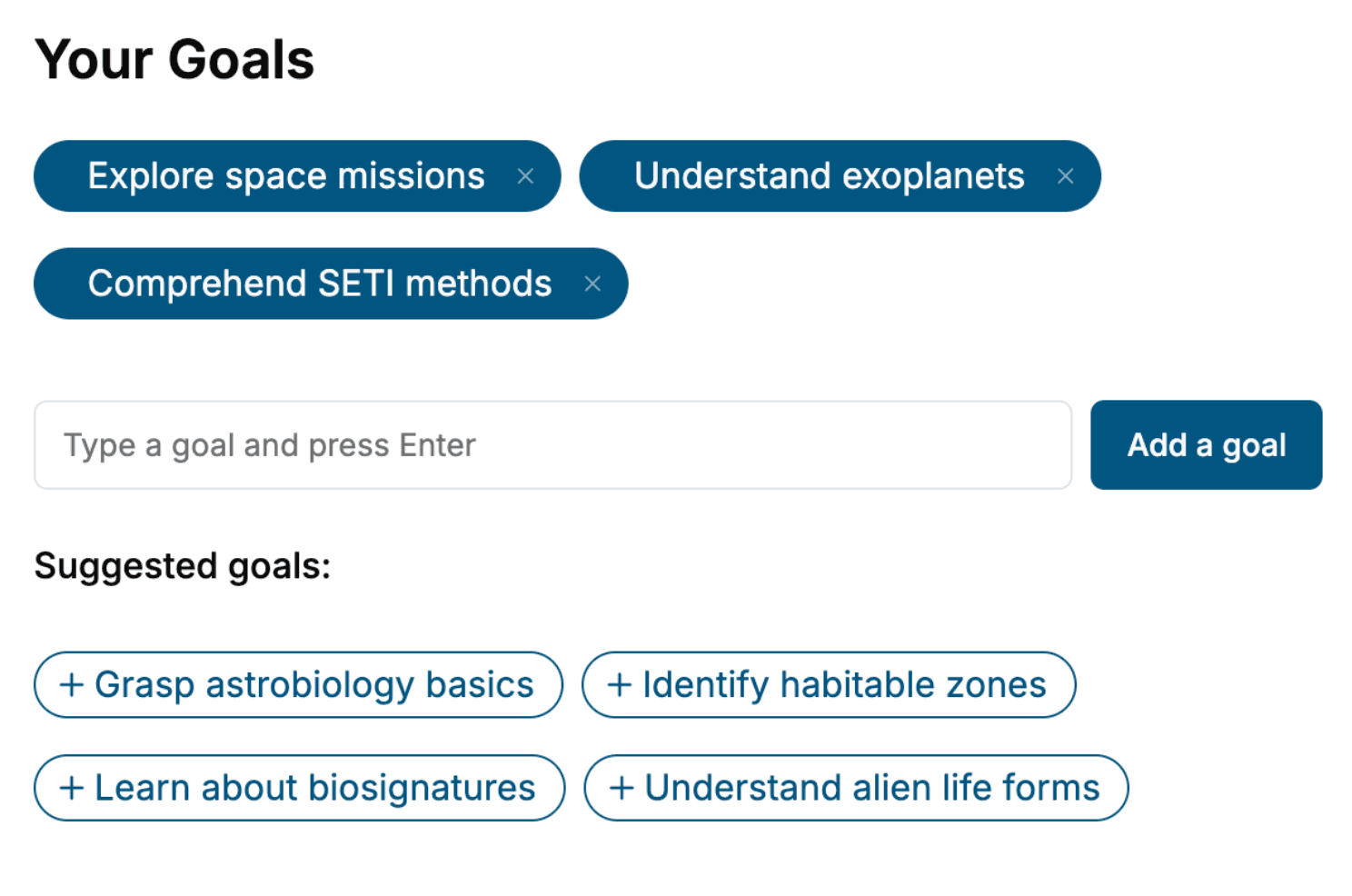
Specify your goals and choose sub-topics to include
- 3. Get your tailored book
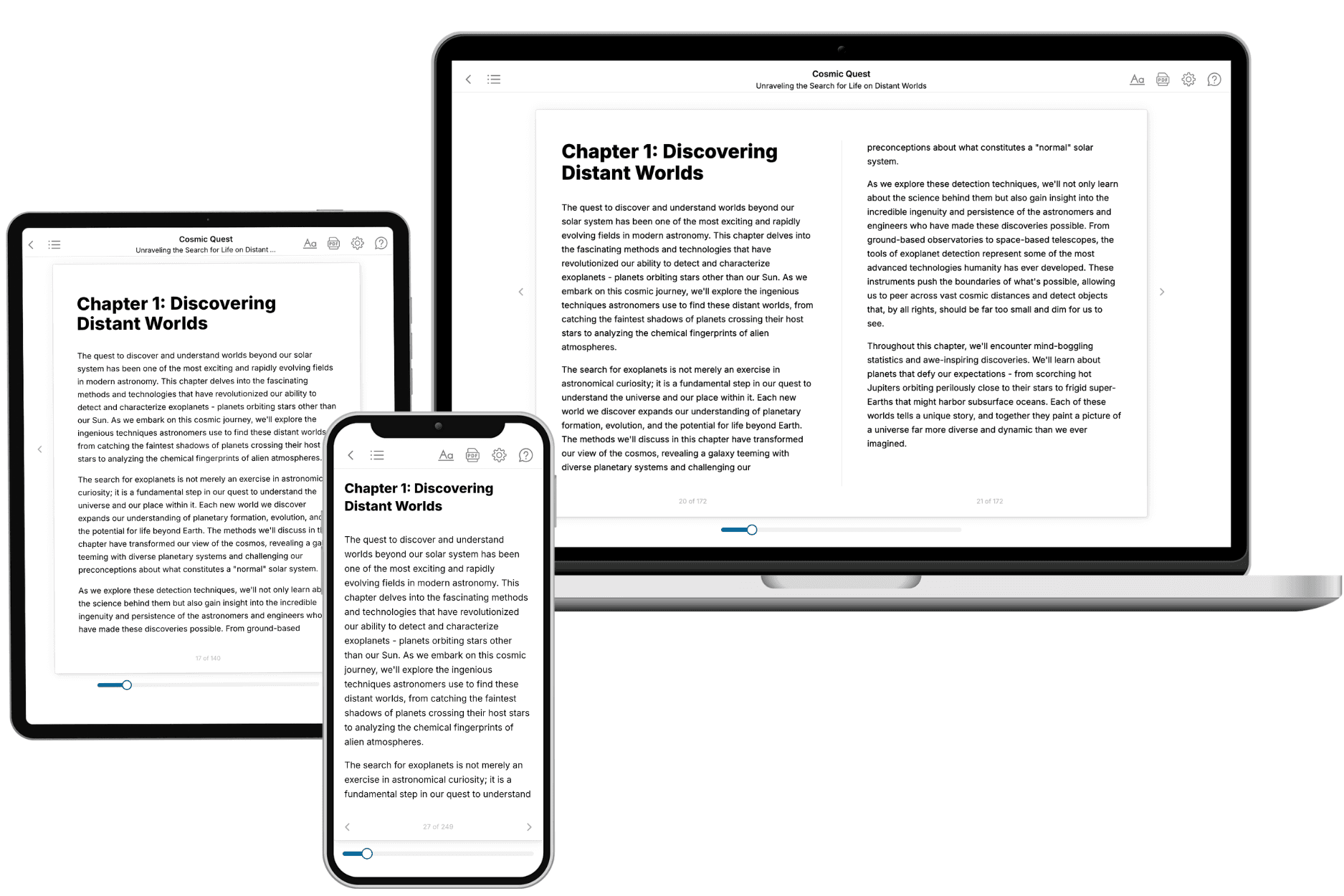
Your book is ready in 10 minutes. Read it online, download as EPUB or PDF, or send to Kindle.

Frequently asked questions
- What is TailoredRead?
TailoredRead creates complete, full-length nonfiction ebooks, written specifically for you. Tell us what you want to learn and why, and TailoredRead writes you a complete ebook on it, with charts, tables, and diagrams throughout. Read it online, on Kindle, or on any e-reader, or download it as a PDF or EPUB. Every book is written fresh the day you order it.
- How is the book tailored to me?
Before anything is written, you answer a few short questions about your goals, your background, and the topics you care about. Your book is then planned around your answers: written at your level, focused on your goals, and covering the topics you chose, instead of the one-size-fits-all book a store sells everyone.
- Will it read like generic AI content?
No. Your book isn't a chat transcript: it's planned chapter by chapter before a single word is written, told in a clear book voice, and explains ideas visually with charts, tables, and diagrams. After writing, every book goes through an editorial pass that polishes chapters so the book reads consistent from start to finish. Judge for yourself: browse thousands of sample books on our Explore Books page.
- How accurate is the content?
Our AI first checks whether your subject needs live research. Niche and fast-moving subjects are researched before writing, and the book plan and chapters are grounded in what it finds. After writing, every book goes through a quality pass that checks its facts and consistency, and researched books list their sources in a Notes section at the back.
- How long is the book?
You choose the length: Comprehensive (250-300 pages), Detailed (150-200 pages), Essential (70-100 pages), or Short (30-50 pages).
- Does the book include visuals?
Yes. Every book includes charts, tables, and diagrams: timelines, checklists, step-by-step guides, decision trees, comparison tables, matrices, and bar charts. A typical book includes dozens of these visual elements.
- Can I read it on Kindle? What formats can I download?
Yes. Every book can be read in our online reader or downloaded as a PDF or EPUB. The EPUB can be opened with Kindle, Apple Books, Kobo, and any e-reader. The Commercial and Author licenses also include an editable Word (DOCX) and Markdown download.
- How much does it cost?
About the price of a regular ebook. The exact price depends on your book's length and complexity, from $2 for the shortest books to $35 for the most comprehensive, and it's shown when you review your book, before you commit to anything. Each book is a one-time purchase, yours to keep, no subscription. Licenses that let you share, teach, or publish your book range from $35.99 to $49.99.
- Can I preview the book before purchasing?
Before you pay, you'll see what your book will cover: the title, a detailed description, the estimated length, and the complete chapter-by-chapter table of contents, so you know what you're getting before you decide. The full text itself is written after you purchase.
- How long does it take to create a book?
About 10 minutes. You can start reading the opening chapters while the rest is still being written.