Google Apps Script for Students
Automate Your School Life and Boost Your Productivity
You're about to become the tech wizard of your school!
284 pages15 chaptersDec 14, 2024Software Development
About this book
Imagine effortlessly organizing your assignments, creating custom study tools, and automating tedious tasks - all with the power of Google Apps Script. This book is your ticket to transforming your academic life. You'll start by mastering the basics of Google Apps Script, then quickly progress to creating your own time-saving scripts and educational tools. From automating spreadsheets to building interactive quizzes, you'll learn how to leverage Google's powerful suite of applications to your advantage. By the time you finish this book, you'll have the skills to streamline your homework process, design project templates, and even build simple web apps. Not only will you boost your productivity, but you'll also gain valuable coding experience that will set you apart in today's digital world. Get ready to revolutionize your approach to school work and become the go-to tech expert among your peers!
Table of contents
- IntroductionWhy Google Apps Script for Students?, What You'll Learn in This Book, Getting Started with Google Apps Script, Prerequisites and ToolsRead below
- Chapter 1: Script Editor BasicsAccessing the Script Editor, Script Editor Interface Overview, Creating Your First Script, Running and Debugging Scripts
- Chapter 2: JavaScript Fundamentals for Apps ScriptVariables and Data Types, Functions and Methods, Control Structures: If Statements and Loops, Working with Arrays and Objects
- Chapter 3: Spreadsheet AutomationAccessing and Modifying Spreadsheets, Creating Custom Functions, Data Manipulation and Formatting, Generating Charts and Graphs
- Chapter 4: Document AutomationAccessing and Modifying Google Docs, Creating Document Templates, Automated Content Generation, Formatting and Styling Documents
- Chapter 5: Form Automation and ManagementCreating and Modifying Google Forms, Handling Form Responses, Building Interactive Quizzes, Implementing Custom Form Validation
- Chapter 6: Time Management and SchedulingGoogle Calendar Integration, Creating Time-Triggered Scripts, Setting Up Reminders and Notifications, Building a Study Schedule Creator
- Chapter 7: Data Organization and AnalysisAutomated Data Collection, Data Cleaning and Preprocessing, Basic Data Analysis Techniques, Data Visualization with Apps Script
- Chapter 8: Email Automation for StudentsSending Automated Emails, Creating Email Templates, Handling Email Attachments, Email Organization and Filtering
- Chapter 9: Creating Custom Menus and SidebarsAdding Custom Menus to Google Sheets, Creating Custom Sidebars, Using the UI Service, Enhancing User Interaction
- Chapter 10: Web App Development BasicsIntroduction to Web Apps with Apps Script, Using the HTML Service, Client-Side and Server-Side Scripting, Deploying and Sharing Web Apps
- Chapter 11: Building Custom Study ToolsCreating a Flashcard Maker, Developing a Quiz Generator, Building a Note Organizer, Designing a Subject Progress Tracker
- Chapter 12: Project and Assignment ManagementCreating a Project Planner, Building a Task Prioritizer, Developing a Deadline Tracker, Designing a Group Project Collaboration Tool
- Chapter 13: Research and Writing AssistanceCreating a Bibliography Generator, Building a Research Organizer, Developing an Essay Outline Builder, Designing a Citation Manager
- Chapter 14: Advanced Techniques and IntegrationAPI Integration Basics, OAuth2 Authentication, Library Management and Reusable Code, Introduction to Add-on Development
- Chapter 15: Best Practices and OptimizationCode Organization and Commenting, Error Handling and Debugging, Performance Optimization Techniques, Security Considerations
- ConclusionRecap of Key Concepts, Future Learning Paths
- AppendixAdditional Resources and References, Google Apps Script Cheat Sheet
Introduction
Welcome to the exciting world of Google Apps Script! You're about to embark on a journey that will transform the way you approach your schoolwork, boost your productivity, and equip you with valuable coding skills that will serve you well beyond your academic years. This introduction will set the stage for your learning adventure, explaining why Google Apps Script is an invaluable tool for students, what you can expect to learn from this book, how to get started with the platform, and what prerequisites you'll need to make the most of this experience.
Why Google Apps Script for Students?
In today's digital age, being tech-savvy is more than just a bonus—it's becoming a necessity. As a student, you're constantly juggling multiple tasks, managing deadlines, and trying to stay organized amidst a sea of assignments, projects, and extracurricular activities. This is where Google Apps Script comes in as your secret weapon. Google Apps Script is a powerful yet accessible programming language that allows you to automate tasks, create custom tools, and extend the functionality of Google Workspace applications that you likely already use every day, such as Google Docs, Sheets, Forms, and Gmail.
Imagine being able to automatically generate a study schedule based on your class timetable and assignment due dates. Picture creating a custom sidebar in Google Docs that helps you format your essays according to your school's specific guidelines with just a few clicks. Envision building a personalized quiz generator that helps you prepare for exams more effectively. These are just a few examples of what you can achieve with Google Apps Script, and they're all within your reach as you work through this book.
One of the most compelling reasons to learn Google Apps Script is its immediate applicability to your academic life. Unlike some programming languages that might seem abstract or disconnected from your daily routine, Google Apps Script allows you to create practical solutions for real problems you face as a student. Whether it's automating repetitive tasks, organizing your research notes, or creating tools to enhance your study sessions, the skills you'll gain will have a direct and positive impact on your academic performance and overall productivity.
Moreover, learning Google Apps Script provides an excellent introduction to programming concepts without the steep learning curve associated with some other languages. Its syntax is based on JavaScript, one of the most popular programming languages in the world, which means the skills you acquire here will give you a solid foundation for further exploration in the world of coding. This knowledge can be a significant advantage as you progress in your academic career and eventually enter the job market, where programming skills are increasingly valued across various fields.
Another key advantage of Google Apps Script is its seamless integration with Google Workspace tools. As a student, you're likely already familiar with Google Docs for writing papers, Google Sheets for data analysis, and Google Forms for surveys or quizzes. Google Apps Script allows you to enhance and customize these tools to better suit your specific needs. This integration means you can start applying your new skills immediately within an environment you're already comfortable using.
Furthermore, Google Apps Script is cloud-based, which means you can access and run your scripts from any device with an internet connection. This flexibility is particularly valuable for students who may work on different computers at school, home, or the library. Your scripts and projects will always be available when you need them, without the need to install complex development environments or worry about compatibility issues across different machines.
Learning Google Apps Script also fosters critical thinking and problem-solving skills. As you work on creating scripts and tools, you'll be constantly analyzing problems, breaking them down into smaller components, and devising efficient solutions. These cognitive skills are not only crucial for programming but are also highly transferable to other areas of your academic and personal life. You'll find yourself approaching challenges with a more structured and analytical mindset, which can lead to improved performance across all your subjects.
Collaboration is another area where Google Apps Script shines. In today's educational landscape, group projects and teamwork are increasingly common. With Google Apps Script, you can create tools that facilitate collaboration, such as shared task trackers, automated project timelines, or custom forms for collecting and organizing team input. These skills will not only make you a valuable asset in group assignments but will also prepare you for future academic and professional environments where collaboration is key.
Lastly, mastering Google Apps Script can open doors to exciting opportunities. As you become proficient, you might find yourself helping teachers streamline their grading processes, assisting school clubs in managing their activities more efficiently, or even developing useful tools for your entire school community. These experiences can enhance your college applications, build your portfolio, and potentially lead to internship or job opportunities in the future.
In essence, learning Google Apps Script is about empowering yourself with the ability to create custom solutions tailored to your unique needs as a student. It's about working smarter, not harder, and leveraging technology to enhance your learning experience. As you progress through this book, you'll not only gain practical coding skills but also develop a mindset of innovation and efficiency that will serve you well throughout your academic journey and beyond.
What You'll Learn in This Book
This book is designed to take you on a comprehensive journey through the world of Google Apps Script, tailored specifically for your needs as a student. We'll start with the basics and progressively move towards more advanced concepts, ensuring that you build a solid foundation while also challenging yourself to grow. Here's an overview of the exciting content that awaits you in the chapters ahead:
We'll begin by introducing you to the Script Editor, the primary interface where you'll write and manage your Google Apps Script code. You'll learn how to access the Script Editor from various Google applications, understand its layout, and get comfortable with its features. This foundational knowledge will set the stage for all the coding adventures that follow.
Next, we'll dive into the fundamentals of JavaScript as they apply to Google Apps Script. You'll explore essential programming concepts such as variables, data types, functions, and control structures. Don't worry if these terms sound unfamiliar now—we'll break them down into easily digestible pieces, with plenty of examples relevant to your life as a student. For instance, you'll learn how to use variables to store information like assignment scores, create functions to calculate your GPA, and use control structures to automate decision-making processes in your scripts.
Once you have a grasp of the basics, we'll start exploring how to automate various Google Workspace applications. You'll learn how to manipulate data in Google Sheets, which can be incredibly useful for managing your grades, tracking expenses, or analyzing data for science projects. We'll cover topics like accessing and modifying spreadsheet data, creating custom functions, and even generating charts and graphs to visualize your information.
Moving on to Google Docs, you'll discover how to automate document creation and formatting. Imagine being able to generate a properly formatted essay template with just a click, or automatically creating a table of contents for your research paper. You'll learn how to access and modify Google Docs programmatically, create document templates, and even implement automated content generation—skills that can save you hours of manual formatting and organization.
Google Forms will be our next focus, where you'll learn how to create and manage forms programmatically. This section will be particularly useful for creating study quizzes, managing club sign-ups, or collecting data for school projects. You'll learn how to create forms, handle responses, build interactive quizzes, and implement custom form validation to ensure the data you collect is accurate and useful.
Time management is a crucial skill for any student, and we'll dedicate a chapter to exploring how Google Apps Script can help you better manage your time. You'll learn how to integrate with Google Calendar to create events, set up time-triggered scripts to automate recurring tasks, and even build a custom study schedule creator that adapts to your changing academic needs.
Data organization and analysis are becoming increasingly important skills in many academic fields. We'll cover techniques for automated data collection, cleaning, and preprocessing, as well as basic data analysis and visualization techniques. These skills will be invaluable for research projects, data-heavy assignments, and even managing your personal academic data.
Email management is another area where automation can significantly boost your productivity. You'll learn how to send automated emails, create email templates for common communications (like reaching out to teachers or group project members), handle email attachments, and set up systems for better email organization. These skills can help you maintain a more professional communication style and ensure you never miss an important academic email again.
As you become more comfortable with Google Apps Script, we'll explore how to create custom menus and sidebars in Google Sheets and Docs. This will allow you to integrate your scripts more seamlessly into your workflow, making them easily accessible as you work. You'll learn how to design user-friendly interfaces for your scripts, making them not just powerful, but also intuitive to use.
One of the most exciting aspects of Google Apps Script is its ability to create web applications. We'll introduce you to the basics of web app development, including how to use HTML and CSS within Google Apps Script, how to handle client-side and server-side scripting, and how to deploy and share your web apps. This knowledge will enable you to create more complex tools, like a personal dashboard for managing all your school-related tasks and information.
Throughout the book, we'll be building a variety of custom study tools that you can use and modify for your own needs. These will include a flashcard maker to help with memorization, a quiz generator for test preparation, a note organizer to keep your study materials in order, and a subject progress tracker to help you stay on top of your academic goals.
We'll also cover project and assignment management, showing you how to create tools like a project planner, task prioritizer, deadline tracker, and even a group project collaboration tool. These practical applications will help you stay organized and on top of your workload, reducing stress and improving your overall academic performance.
For those interested in research and writing, we'll explore how to create tools that can assist in these areas. You'll learn how to build a bibliography generator, a research organizer, an essay outline builder, and a citation manager. These tools will streamline your research and writing process, allowing you to focus more on content and less on formatting and organization.
As we near the end of the book, we'll touch on some more advanced techniques, including API integration, which will allow your scripts to interact with other web services. We'll also introduce you to concepts like OAuth2 authentication, library management for creating reusable code, and even give you a taste of add-on development.
Finally, we'll cover best practices for writing efficient, maintainable, and secure code. You'll learn about proper code organization, error handling and debugging techniques, performance optimization, and important security considerations. These skills will ensure that as your projects grow in complexity, your code remains robust and reliable.
By the end of this book, you'll have a comprehensive toolkit of Google Apps Script skills, along with a collection of practical, customizable scripts that you can use and build upon throughout your academic career. More importantly, you'll have developed a problem-solving mindset and the confidence to tackle new challenges using the power of automation and custom tool creation.
Getting Started with Google Apps Script
Now that you understand the potential of Google Apps Script and have an overview of what you'll be learning, let's dive into how to get started with this powerful tool. The good news is that if you're already using Google Workspace (formerly G Suite) for your schoolwork, you're already equipped with everything you need to begin your Google Apps Script journey.
First and foremost, you'll need a Google account. If you're a student, you likely already have one, either a personal account or one provided by your school. If you don't have a Google account, you can easily create one for free at accounts.google.com. Once you have your account set up, you'll have access to all the Google Workspace tools, including Google Docs, Sheets, Forms, and more importantly for our purposes, Google Apps Script.
To access Google Apps Script, you have a few options. The most direct way is to visit script.google.com and sign in with your Google account. This will take you to the Google Apps Script dashboard, where you can create new scripts, manage existing ones, and access documentation and other resources. Alternatively, you can access the Script Editor directly from within Google Docs, Sheets, or Forms by going to Tools > Script editor in the menu bar. This method is particularly useful when you want to create a script that's bound to a specific document or spreadsheet.
When you first open the Script Editor, you'll be presented with a blank canvas—an empty function called myFunction(). Don't be intimidated by this blank slate; soon, you'll be filling it with powerful code that automates your tasks and creates custom tools. The Script Editor interface is designed to be user-friendly, with features like syntax highlighting (which colors different parts of your code to make it more readable) and auto-completion (which suggests code as you type, helping you learn and write more efficiently).
One of the great things about Google Apps Script is that it runs in the cloud, which means you don't need to install any software on your computer to get started. All you need is a web browser and an internet connection. This cloud-based nature also means that your scripts are always accessible from any device, making it easy to work on your projects from school, home, or anywhere else you might find yourself studying.
As you begin your Google Apps Script journey, it's important to familiarize yourself with the official documentation and resources provided by Google. The Google Apps Script documentation (developers.google.com/apps-script) is a comprehensive resource that you'll find yourself referring to often as you learn and grow. It includes detailed guides, API references, and examples that can help you understand the capabilities of Apps Script and how to implement various features.
Another valuable resource is the Google Apps Script community. There are forums, Stack Overflow tags, and numerous blogs dedicated to Google Apps Script where you can find answers to common questions, get inspiration for projects, and even share your own creations as you become more proficient. Don't hesitate to engage with these communities—they can be an incredible source of knowledge and support as you learn.
As you start exploring Google Apps Script, it's a good idea to begin with small, manageable projects that solve specific problems you encounter in your daily academic life. For example, you might start by creating a simple script that automatically formats your Google Docs to match your school's essay guidelines, or one that calculates your current grade in a class based on your assignment scores in a Google Sheet. These small wins will build your confidence and provide immediate value, motivating you to tackle more complex projects as you progress through this book.
Remember, learning to code is a journey, and like any skill, it takes practice and patience. Don't be discouraged if you encounter challenges or if your code doesn't work perfectly the first time. Debugging and problem-solving are integral parts of the coding process, and each obstacle you overcome will make you a stronger programmer. The key is to stay curious, keep experimenting, and most importantly, have fun with it!
As you get started, it's also worth noting that Google Apps Script has built-in version control. This means that as you make changes to your scripts, you can always revert to previous versions if needed. This feature allows you to experiment freely without fear of losing your work, which is particularly valuable as you're learning and trying out new concepts.
Lastly, as you begin this journey, keep in mind that Google Apps Script is constantly evolving. Google regularly updates and adds new features to the platform, which means there's always something new to learn and explore. This book will provide you with a solid foundation, but the learning doesn't stop here. As you become more proficient, you'll discover new ways to leverage Google Apps Script to solve problems and create innovative solutions in your academic life and beyond.
Prerequisites and Tools
Before diving into the world of Google Apps Script, it's important to ensure you have everything you need to make the most of this learning experience. The good news is that the prerequisites for getting started with Google Apps Script are minimal, making it an accessible entry point into the world of programming for students of all backgrounds. Let's go through what you'll need to begin your journey:
First and foremost, as mentioned earlier, you'll need a Google account. This is the key that unlocks access to Google Apps Script and all the Google Workspace tools you'll be working with. If you're using a school-provided Google account, make sure you have permission to use Google Apps Script. Some educational institutions may restrict access to certain features for security reasons, so it's worth checking with your school's IT department if you encounter any issues.
In terms of hardware, you don't need a particularly powerful computer to work with Google Apps Script. Any computer capable of running a modern web browser will suffice. This could be a desktop computer, a laptop, or even a Chromebook. The cloud-based nature of Google Apps Script means that most of the processing happens on Google's servers, not on your local machine.
Speaking of web browsers, while Google Apps Script works with most modern browsers, it's optimized for use with Google Chrome. Using Chrome can provide the smoothest experience and access to the latest features. If you don't already have Chrome installed, you can download it for free from google.com/chrome.
A stable internet connection is crucial for working with Google Apps Script. Since everything runs in the cloud, you'll need to be online to create, edit, and run your scripts. While you don't need a high-speed connection for most basic scripting tasks, a reliable connection will ensure a smoother experience, especially when working with larger datasets or more complex scripts.
In terms of software, one of the beauties of Google Apps Script is that you don't need to install any additional software on your computer. The Script Editor, which is where you'll write and manage your code, runs entirely in your web browser. This means you can start coding immediately without worrying about complex setup processes or software compatibility issues.
While not strictly necessary, having a basic understanding of how to use Google Workspace applications like Google Docs, Sheets, and Forms will be beneficial. These are the tools you'll be enhancing and automating with your scripts, so familiarity with their basic functions will help you envision the possibilities and understand the context of your code. Don't worry if you're not an expert in these tools—we'll cover the necessary aspects as we go along, and your proficiency will naturally increase as you work through the book.
As for programming knowledge, this book assumes no prior coding experience. We'll start from the basics and gradually build up your skills. However, if you do have some experience with JavaScript or any other programming language, you'll find that it gives you a head start, as Google Apps Script is based on JavaScript. That said, don't worry if terms like "variables," "functions," or "loops" sound foreign to you—we'll explain everything from the ground up.
One tool that can significantly enhance your Google Apps Script development experience is the Chrome DevTools. This is a set of web developer tools built directly into the Google Chrome browser. While not essential for beginners, as you progress, you may find these tools helpful for debugging your scripts and understanding how they interact with web pages. We'll introduce you to relevant aspects of DevTools as they become useful in your learning journey.
It's also worth setting up a system for organizing your scripts and projects from the beginning. While Google Apps Script provides a basic organization system, you might find it helpful to create a dedicated Google Drive folder for your coding projects. This can help you keep track of different versions of your scripts, store related documents or spreadsheets, and maintain any notes or documentation you create along the way.
Another valuable resource to set up early on is a method for taking coding notes. This could be as simple as a Google Doc where you jot down key concepts, code snippets you find useful, or challenges you've overcome. Some students find it helpful to keep a "coding journal" where they reflect on what they've learned and track their progress. This practice not only aids in retention but also provides a personal reference that you can look back on as you advance in your coding journey.
While not a prerequisite, having a second screen can be incredibly helpful when working with Google Apps Script. This could be a second monitor connected to your computer, or even a tablet propped up next to your main screen. One screen can display your code in the Script Editor, while the other shows the Google Workspace document you're working with or the documentation you're referencing. This setup can significantly improve your productivity and make it easier to follow along with the examples in this book.
Lastly, and perhaps most importantly, bring your curiosity and problem-solving mindset. Programming is as much about logic and creative thinking as it is about syntax and technical knowledge. As you work through this book, try to think about how you can apply what you're learning to real problems you face in your academic life. The most successful programmers are those who can identify problems and envision solutions, so start cultivating this mindset from day one.
With these prerequisites in place, you're well-equipped to begin your Google Apps Script journey. Remember, the most important tools are your mind and your determination to learn. Everything else is just there to support your growth as a programmer and problem-solver. So, get your Google account ready, open up that browser, and let's dive into the exciting world of Google Apps Script!
This is the end of the free sample. The full book has 15 chapters.
Want this book written for you?
Tell us your goals and background, and get your own version of this book, tailored by AI to you.


Benefits of AI-tailored books
- Read one book, not ten:
- all the Software Development knowledge you need, gathered into a single book.
- Save days of learning:
- tell us your goals, choose your topics, and the whole book is built around them.
- Learn effortlessly:
- Software Development book written for your specific background and expertise.
- Understand at a glance:
- includes charts, tables, timelines, checklists, decision trees, and more.
- Stay current:
- written the day you order it, not years ago.
- Trust what you read:
- every book is checked for accuracy, with real research when your subject needs it.
Create your unique book in 3 steps
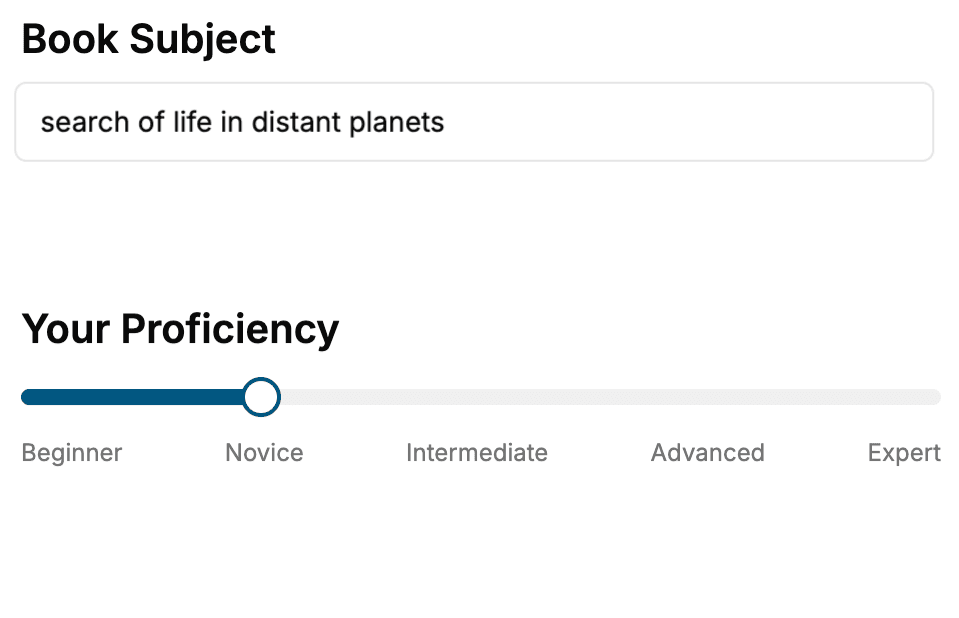
- 1. Select your focus
Select the focus of your Software Development book and share your background
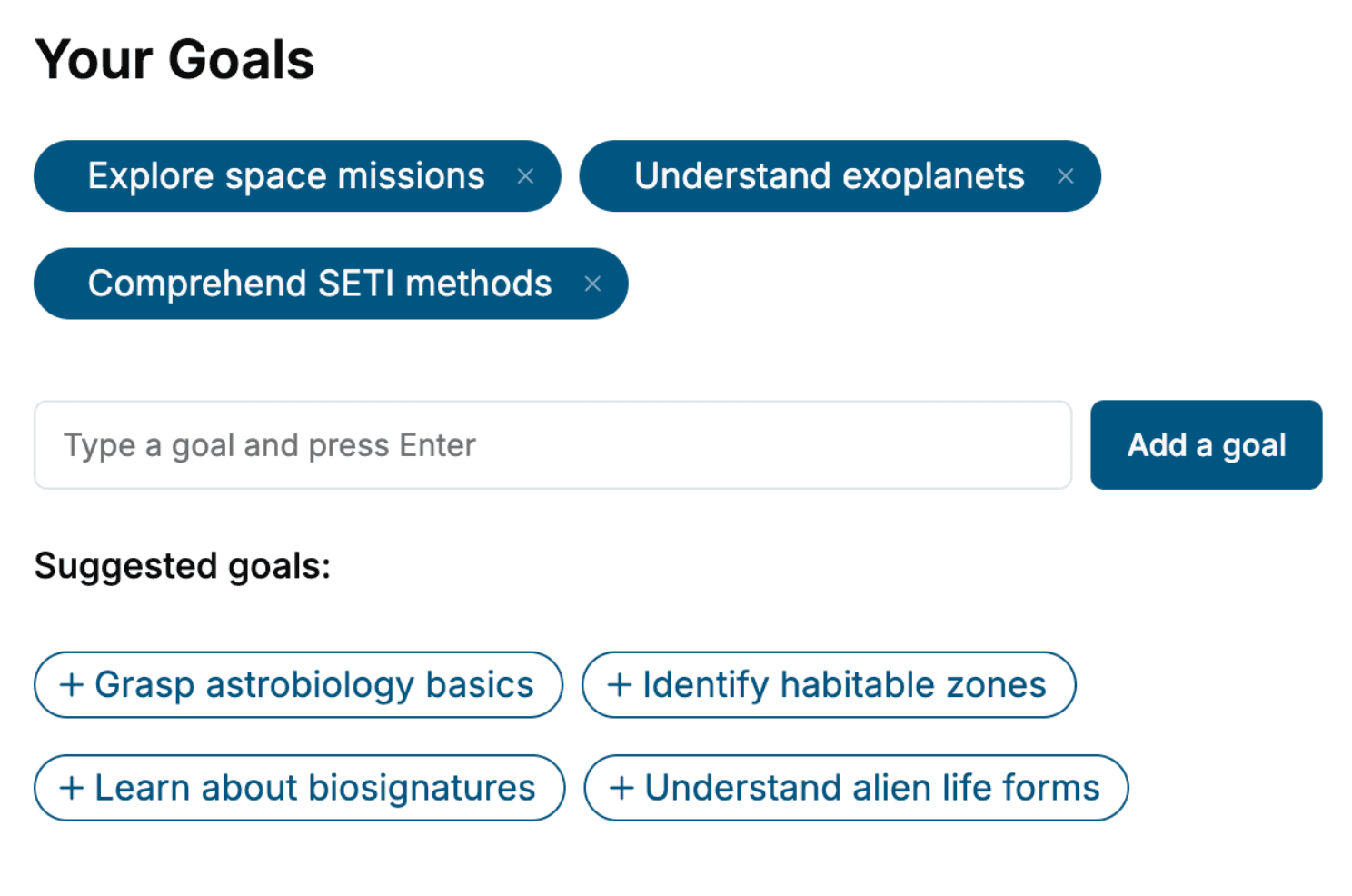
- 2. Personalize your book
Specify your goals and choose sub-topics to include
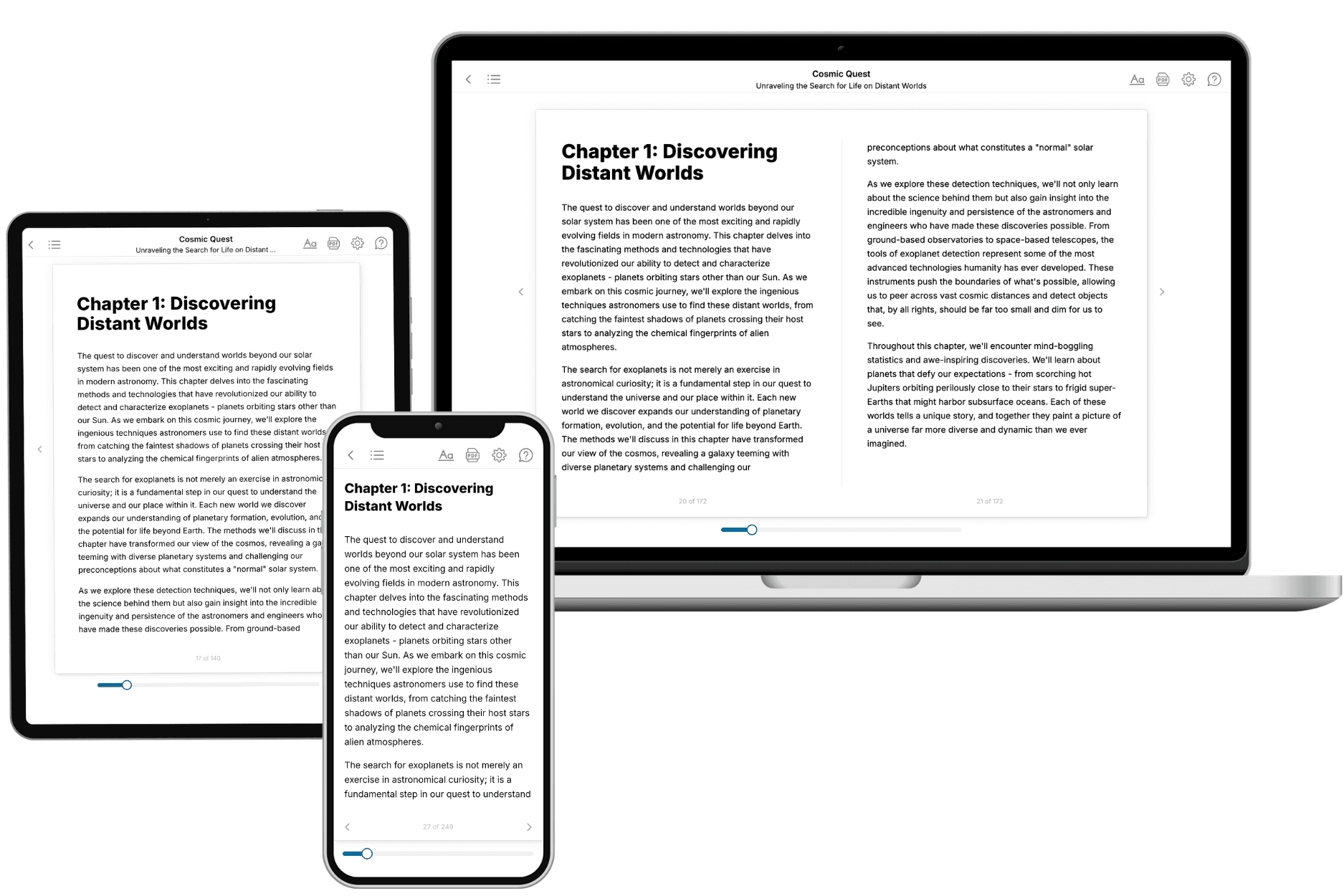
- 3. Get your tailored book
Your book is ready in 10 minutes. Read it online, download as EPUB or PDF, or send to Kindle.
Frequently asked questions
- What is TailoredRead?
TailoredRead creates complete, full-length nonfiction ebooks, written specifically for you. Tell us what you want to learn and why, and TailoredRead writes you a complete ebook on it, with charts, tables, and diagrams throughout. Read it online, on Kindle, or on any e-reader, or download it as a PDF or EPUB. Every book is written fresh the day you order it.
- How is the book tailored to me?
Before anything is written, you answer a few short questions about your goals, your background, and the topics you care about. Your book is then planned around your answers: written at your level, focused on your goals, and covering the topics you chose, instead of the one-size-fits-all book a store sells everyone.
- Will it read like generic AI content?
No. Your book isn't a chat transcript: it's planned chapter by chapter before a single word is written, told in a clear book voice, and explains ideas visually with charts, tables, and diagrams. After writing, every book goes through an editorial pass that polishes chapters so the book reads consistent from start to finish. Judge for yourself: browse thousands of sample books on our Explore Books page.
- How accurate is the content?
Our AI first checks whether your subject needs live research. Niche and fast-moving subjects are researched before writing, and the book plan and chapters are grounded in what it finds. After writing, every book goes through a quality pass that checks its facts and consistency, and researched books list their sources in a Notes section at the back.
- How long is the book?
You choose the length: Comprehensive (250-300 pages), Detailed (150-200 pages), Essential (70-100 pages), or Short (30-50 pages).
- Does the book include visuals?
Yes. Every book includes charts, tables, and diagrams: timelines, checklists, step-by-step guides, decision trees, comparison tables, matrices, and bar charts. A typical book includes dozens of these visual elements.
- Can I read it on Kindle? What formats can I download?
Yes. Every book can be read in our online reader or downloaded as a PDF or EPUB. The EPUB can be opened with Kindle, Apple Books, Kobo, and any e-reader. The Commercial and Author licenses also include an editable Word (DOCX) and Markdown download.
- How much does it cost?
About the price of a regular ebook. The exact price depends on your book's length and complexity, from $2 for the shortest books to $35 for the most comprehensive, and it's shown when you review your book, before you commit to anything. Each book is a one-time purchase, yours to keep, no subscription. Licenses that let you share, teach, or publish your book range from $35.99 to $49.99.
- Can I preview the book before purchasing?
Before you pay, you'll see what your book will cover: the title, a detailed description, the estimated length, and the complete chapter-by-chapter table of contents, so you know what you're getting before you decide. The full text itself is written after you purchase.
- How long does it take to create a book?
About 10 minutes. You can start reading the opening chapters while the rest is still being written.