Mastering WSL
Unleash the Power of Linux on Windows Server
Seamlessly blend the robust capabilities of Linux with the familiar Windows Server environment.
315 pages16 chaptersDec 8, 2024Software Development
About this book
"Mastering WSL: Unleash the Power of Linux on Windows Server" is your gateway to a new era of server management and development flexibility. You'll discover how to harness the full potential of the Windows Subsystem for Linux (WSL) to streamline your workflows, enhance productivity, and solve complex challenges. From setting up your first Linux distribution to advanced integration techniques, this book covers it all. Dive into real-world scenarios that demonstrate how WSL can revolutionize your approach to server administration, DevOps practices, and cross-platform development. You'll learn to leverage the best of both worlds, combining Windows' user-friendly interface with Linux's powerful command-line tools and extensive software ecosystem. Whether you're looking to run Linux containers, manage hybrid environments, or simply expand your skillset, "Mastering WSL" equips you with the knowledge and techniques to thrive in today's diverse technological landscape. Get ready to elevate your expertise and become a WSL virtuoso.
Table of contents
- IntroductionWhat is the Windows Subsystem for Linux?, Why WSL Matters for Windows Server, How This Book Will Help You Master WSL, Prerequisites and SetupRead below
- Chapter 1: WSL FundamentalsUnderstanding WSL Architecture, WSL 1 vs WSL 2: Key Differences, System Requirements for WSL, Installing WSL on Windows Server
- Chapter 2: Getting Started with WSLInstalling Your First Linux Distribution, Basic WSL Configuration, Essential WSL Commands, Navigating the WSL File System
- Chapter 3: Managing WSL EnvironmentsWorking with Multiple Linux Distributions, Updating and Upgrading WSL, Backing Up and Restoring WSL Instances, Managing WSL Resources
- Chapter 4: Networking in WSLUnderstanding WSL Networking Basics, Port Forwarding and Accessing Network Services, Configuring Firewalls for WSL, Using VPNs with WSL
- Chapter 5: Security Considerations for WSLUnderstanding the WSL Security Model, Security Best Practices for WSL, Isolating WSL Environments, Keeping WSL Secure with Updates
- Chapter 6: Development with WSLSetting Up Development Tools in WSL, Integrating WSL with IDEs, Version Control Systems in WSL, Cross-Platform Development Strategies
- Chapter 7: Server Administration with WSLLinux Server Administration Tools in WSL, Monitoring and Logging in WSL, Automating Tasks with WSL Scripts, Remote Management of WSL Instances
- Chapter 8: Containers and WSLRunning Docker in WSL, Kubernetes and WSL Integration, Developing Containerized Applications, Container Orchestration with WSL
- Chapter 9: Databases in WSLSetting Up Databases in WSL, Managing Databases through WSL, Optimizing Database Performance in WSL, Backup and Recovery Strategies for WSL Databases
- Chapter 10: Web Servers and WSLRunning Apache and Nginx on WSL, Configuring Web Servers in WSL, Setting Up SSL in WSL Web Environments, Load Balancing with WSL
- Chapter 11: DevOps Practices with WSLImplementing CI/CD Pipelines with WSL, Infrastructure as Code in WSL, Configuration Management Tools in WSL, Monitoring and Alerting with WSL
- Chapter 12: Optimizing WSL PerformancePerformance Tuning Techniques for WSL, Optimizing Resource Allocation, Improving I/O Performance in WSL, Benchmarking WSL Performance
- Chapter 13: Troubleshooting WSLCommon WSL Issues and Solutions, Using Logs and Diagnostic Tools, Troubleshooting Network Issues in WSL, Resolving Performance Problems
- Chapter 14: Advanced WSL TechniquesWorking with Custom Linux Kernels in WSL, GPU Acceleration in WSL, Systemd Integration in WSL, Advanced Networking Configurations
- Chapter 15: Integrating WSL with Windows Server FeaturesWSL and Active Directory Integration, Using PowerShell with WSL, Interacting with Windows Services from WSL, Building Hybrid Windows-Linux Solutions
- Chapter 16: The Future of WSLWSL Development Roadmap, Engaging with the WSL Community, Emerging Use Cases for WSL, Staying Updated with WSL Advancements
- Conclusion
- Glossary
- Further Reading
Introduction
The world of server management and software development is evolving rapidly, and with it comes the need for more flexible, powerful, and integrated solutions. As a technology professional with intermediate knowledge of Windows Server and software systems, you're likely familiar with the challenges of working across different operating systems and environments. The Windows Subsystem for Linux (WSL) represents a groundbreaking shift in how we approach these challenges, offering a seamless blend of Windows and Linux capabilities that can revolutionize your workflow and expand your technological toolkit.
In this introduction, we'll explore the fundamentals of WSL, its significance in the context of Windows Server, and how this book will guide you through mastering this powerful technology. We'll also cover the prerequisites you'll need to get started on your journey to becoming a WSL expert. By the end of this chapter, you'll have a solid foundation for understanding WSL and be ready to dive into the more advanced topics covered in subsequent chapters.
What is the Windows Subsystem for Linux?
The Windows Subsystem for Linux (WSL) is a compatibility layer developed by Microsoft that allows Windows 10 and Windows Server to run Linux binary executables natively. It's not a virtual machine or a container system; instead, it's a tightly integrated subsystem that provides a Linux-compatible kernel interface developed by Microsoft. This interface allows you to run a GNU/Linux environment — including most command-line tools, utilities, and applications — directly on Windows, unmodified, without the overhead of a traditional virtual machine or dual-boot setup.
WSL was first introduced in 2016 with Windows 10 Anniversary Update, and it has since undergone significant improvements and iterations. The initial release, now known as WSL 1, provided a translation layer that converted Linux system calls into Windows system calls. While groundbreaking, it had limitations in terms of performance and compatibility. In 2019, Microsoft announced WSL 2, which represented a fundamental change in the architecture. WSL 2 introduced a lightweight virtual machine with a full Linux kernel, offering significantly improved performance and full system call compatibility.
One of the key advantages of WSL is its ability to run Linux distributions side-by-side with Windows applications. This means you can use your favorite Linux tools, utilities, and workflows directly from your Windows environment without the need to switch between operating systems. For developers, system administrators, and IT professionals, this opens up a world of possibilities, allowing you to leverage the strengths of both Windows and Linux ecosystems simultaneously.
WSL supports a variety of Linux distributions, including Ubuntu, Debian, Fedora, and many others. These distributions can be easily installed from the Microsoft Store or manually sideloaded, giving you the flexibility to choose the environment that best suits your needs or matches your production servers. Each distribution runs in its own isolated environment, ensuring that your work in one distribution doesn't affect others or your Windows system.
From a technical perspective, WSL provides several key components that enable this seamless integration:
- A Linux-compatible kernel interface (WSL 2 uses a real Linux kernel)
- A mechanism for running Linux binaries on Windows
- A method for accessing Windows files from within Linux environments
- Interoperability between Windows and Linux processes
- Integration with Windows networking and GPU acceleration (in more recent versions)
These components work together to create an environment where Linux and Windows coexist and complement each other, rather than competing or requiring constant context switching. This synergy is particularly powerful in a Windows Server context, where it can enhance your ability to manage diverse workloads and leverage a wider range of tools and technologies.
As we progress through this book, you'll gain a deeper understanding of how these components work and how to leverage them effectively in your day-to-day tasks and projects. You'll learn how to set up, configure, and optimize WSL environments, how to integrate them with your existing Windows workflows, and how to troubleshoot common issues that may arise. By the end of your journey, you'll be well-equipped to harness the full power of WSL in your Windows Server environments, opening up new possibilities for development, administration, and innovation.
Why WSL Matters for Windows Server
The integration of the Windows Subsystem for Linux (WSL) into Windows Server represents a paradigm shift in server management and application development. As a technology professional working with Windows Server, understanding and leveraging WSL can significantly enhance your capabilities and streamline your workflows. Let's explore why WSL is particularly important in the context of Windows Server and how it can benefit your work.
First and foremost, WSL bridges the gap between Windows and Linux environments, offering you the best of both worlds. In today's diverse technological landscape, it's common for organizations to use a mix of Windows and Linux servers. With WSL, you can manage Linux workloads directly from your Windows Server environment, reducing the need for separate Linux machines or virtual machines. This integration can lead to significant cost savings in terms of hardware, licensing, and maintenance[1].
Secondly, WSL enables seamless cross-platform development and testing. As a server administrator or developer, you often need to work with applications and tools that are primarily designed for Linux environments. Before WSL, this often meant maintaining separate development environments or using cumbersome virtual machines. With WSL, you can develop, test, and run Linux-based applications directly on your Windows Server, ensuring consistency between development and production environments. This capability is particularly valuable in DevOps scenarios, where rapid iteration and deployment are crucial.
Another significant advantage of WSL in Windows Server is the access it provides to a vast ecosystem of open-source tools and utilities. Linux has long been the preferred platform for many developers and system administrators due to its robust command-line tools and extensive software repositories. With WSL, you can leverage these tools directly within your Windows Server environment. This includes popular package managers like apt and yum, powerful text processing tools like sed and awk, and advanced monitoring and debugging utilities. The ability to use these tools alongside Windows-native applications creates a powerful and flexible working environment.
WSL also plays a crucial role in modernizing legacy applications and workflows. Many organizations have existing Linux-based applications or scripts that they need to maintain or integrate with newer Windows-based systems. WSL provides a bridge for these scenarios, allowing you to run Linux applications on Windows Server without the need for extensive porting or rewriting. This can significantly reduce the time and cost associated with application modernization efforts.
From a security perspective, WSL offers interesting possibilities for Windows Server environments. While it's important to note that WSL itself introduces new security considerations (which we'll cover in detail in later chapters), it also provides opportunities for enhanced security practices. For example, you can use Linux security tools and techniques to complement Windows security measures, creating a more robust overall security posture. Additionally, the isolation provided by WSL can be leveraged to create sandboxed environments for testing potentially risky applications or scripts.
In the realm of containerization and microservices, WSL proves to be an invaluable asset. With the rise of Docker and Kubernetes in modern application architectures, having a Linux environment readily available on Windows Server is a significant advantage. WSL 2, in particular, offers excellent performance for container workloads, allowing you to develop, test, and even run containerized applications directly on your Windows Server. This capability aligns perfectly with the trend towards hybrid and multi-cloud deployments, where flexibility and consistency across different environments are key.
For organizations transitioning from Linux to Windows Server (or vice versa), WSL can serve as a stepping stone, easing the migration process. It allows for a gradual transition, where Linux workloads can be moved to Windows Server environments without the need for immediate and potentially disruptive changes to the applications themselves. This can be particularly useful in scenarios where an organization wants to consolidate its server infrastructure onto a Windows platform while retaining Linux-specific capabilities.
Furthermore, WSL enhances the educational and skill development aspects of working with Windows Server. As a technology professional, expanding your skillset to include both Windows and Linux technologies makes you more versatile and valuable in the job market. WSL provides an accessible way to gain hands-on experience with Linux systems and tools without leaving your familiar Windows environment. This dual-platform proficiency is increasingly sought after in the IT industry, particularly in roles involving cloud computing, DevOps, and system administration[2].
Lastly, the importance of WSL for Windows Server is underscored by Microsoft's ongoing commitment to its development and integration. With each new release, WSL becomes more powerful and more tightly integrated with Windows features. This continuous improvement signals that WSL is not just a temporary solution but a long-term strategy for Microsoft in making Windows Server a more versatile and powerful platform for diverse workloads.
As we progress through this book, you'll discover in detail how to leverage these advantages of WSL in your Windows Server environment. From basic setup and configuration to advanced integration scenarios, you'll gain the knowledge and skills needed to make WSL an integral part of your server management and development toolkit. The importance of WSL in Windows Server cannot be overstated – it's a technology that opens up new possibilities, enhances productivity, and prepares you for the future of hybrid IT environments.
How This Book Will Help You Master WSL
"Mastering WSL: Unleash the Power of Linux on Windows Server" is designed to be your comprehensive guide to understanding, implementing, and optimizing the Windows Subsystem for Linux in a Windows Server environment. This book is structured to take you on a journey from the basics of WSL to advanced techniques, ensuring that by the end, you'll have a thorough understanding of how to leverage WSL to its fullest potential in your professional work.
The book is organized into logical sections, each building upon the knowledge gained in the previous chapters. Here's an overview of how this book will guide you through mastering WSL:
1. Fundamentals and Setup: We begin with the basics, ensuring you have a solid foundation in WSL concepts. You'll learn about the architecture of WSL, the differences between WSL 1 and WSL 2, and how to install and configure WSL on Windows Server. This section will give you the necessary background to understand the more complex topics that follow.
2. Core Skills and Management: Once you have WSL set up, we'll dive into essential skills for working with WSL. You'll learn how to manage multiple Linux distributions, navigate the WSL file system, and use basic commands. We'll also cover important management tasks like updating WSL, backing up your environments, and managing resources.
3. Networking and Security: Understanding how WSL interacts with networks and ensuring its security are crucial skills. This section will cover WSL networking basics, port forwarding, firewall configuration, and VPN usage. You'll also learn about the WSL security model and best practices for keeping your WSL environments secure.
4. Development and Administration: Here, we'll explore how to use WSL for both development and server administration tasks. You'll learn how to set up development environments, integrate WSL with popular IDEs, and use version control systems. We'll also cover Linux server administration tools and how to use them effectively within WSL.
5. Advanced Topics: As you become more comfortable with WSL, we'll introduce advanced topics to further enhance your skills. This includes working with containers in WSL, setting up and managing databases, configuring web servers, and implementing DevOps practices using WSL.
6. Performance Optimization and Troubleshooting: To ensure you can maintain a smooth WSL environment, we'll cover performance tuning techniques, resource allocation strategies, and benchmarking. You'll also learn how to troubleshoot common WSL issues, use diagnostic tools, and resolve performance problems.
7. Integration and Future Trends: In the final sections, we'll explore how to integrate WSL with various Windows Server features, creating powerful hybrid solutions. We'll also look at the future of WSL, upcoming features, and how to stay updated with the latest developments.
Throughout the book, you'll find practical examples, real-world scenarios, and hands-on exercises that will help you apply the concepts you're learning. Each chapter is designed to provide actionable knowledge that you can immediately put into practice in your work environment.
One of the key features of this book is its focus on practical application. Rather than just explaining concepts, we'll show you how to implement them in real-world scenarios. For example, when discussing WSL networking, we won't just cover the theory – we'll walk you through setting up a complex networking configuration that you might encounter in a production environment.
We've also included numerous tips, tricks, and best practices throughout the book. These insights come from real-world experience and will help you avoid common pitfalls and optimize your use of WSL. For instance, you'll learn how to fine-tune WSL for better performance, how to integrate it seamlessly with your existing Windows workflows, and how to troubleshoot issues efficiently.
Another important aspect of this book is its emphasis on security. In today's cybersecurity landscape, understanding the security implications of any technology is crucial. We dedicate significant attention to WSL security, covering topics like isolation, updates, and best practices for maintaining a secure WSL environment alongside your Windows Server setup.
To reinforce your learning, each chapter concludes with a summary of key points and a set of review questions. These will help you consolidate your understanding and identify any areas that might need further study. Additionally, we provide suggestions for further reading and exploration at the end of each major section, allowing you to dive deeper into topics that particularly interest you.
As you progress through the book, you'll build a comprehensive skillset that covers all aspects of working with WSL in a Windows Server environment. From basic setup to advanced integration scenarios, you'll gain the knowledge and confidence to leverage WSL effectively in your professional work.
Remember, mastering WSL is not just about understanding individual concepts – it's about seeing how these concepts fit together to create powerful solutions. Throughout this book, we'll emphasize the interconnectedness of different WSL features and how they can be combined to solve complex problems in Windows Server environments.
By the time you finish this book, you'll have transformed from someone with intermediate knowledge of Windows Server to a WSL expert capable of designing, implementing, and managing sophisticated WSL-based solutions. You'll be equipped to take full advantage of the power of Linux within your Windows Server environment, opening up new possibilities for efficiency, flexibility, and innovation in your work.
Prerequisites and Setup
Before diving into the world of WSL on Windows Server, it's important to ensure that you have the necessary prerequisites in place. This section will guide you through the requirements and initial setup process, setting the stage for your journey to mastering WSL. While this book assumes you have intermediate knowledge of Windows Server and software systems, we'll cover the basics to ensure everyone starts on the same footing.
System Requirements: To work effectively with WSL on Windows Server, your system should meet the following minimum requirements:
- Windows Server 2019 or later (WSL 2 requires Windows Server 2022 or Windows Server 2019 with specific updates)
- 64-bit processor with Second Level Address Translation (SLAT)
- VM Monitor Mode Extension (VT-c on Intel CPUs)
- At least 4GB of RAM (8GB or more recommended for optimal performance)
- BIOS-level hardware virtualization support must be enabled in the system BIOS settings
Software Prerequisites: Before installing WSL, ensure that your Windows Server is up to date with the latest patches and updates. This is crucial not only for security but also because WSL features and improvements are often delivered through Windows updates. You should also have administrative access to your Windows Server environment, as many of the installation and configuration steps require elevated privileges.
Knowledge Prerequisites: While this book will guide you through the process of working with WSL, having a basic understanding of the following will be beneficial:
- Familiarity with Windows Server administration concepts
- Basic knowledge of command-line interfaces (both Windows PowerShell and Linux bash)
- Understanding of networking concepts (IP addressing, ports, firewalls)
- Basic understanding of virtualization technologies
Initial Setup Process: The basic steps for setting up WSL on Windows Server are as follows: 1. Enable the WSL feature using PowerShell or Server Manager 2. Restart the server 3. Install a Linux distribution from the Microsoft Store or manually 4. Initialize the newly installed distribution We'll cover these steps in detail in the next chapter, but it's good to have an overview of the process.
Tools and Software: Throughout this book, we'll be using various tools and software to work with WSL. Most of these will be installed as we go along, but it's helpful to have the following ready:
- A text editor (e.g., Notepad++, Visual Studio Code)
- Windows Terminal (optional but highly recommended for a better command-line experience)
- Git for Windows (useful for version control and accessing certain repositories)
Environment Considerations: If you're working in a production environment, it's crucial to consider the impact of enabling WSL on your server. While WSL is designed to be lightweight, it does consume system resources and could potentially affect the performance of other services running on the same server. In a production setting, it's recommended to thoroughly test WSL in a staging environment before deploying it to production servers.
Security Preparations: Before enabling WSL, review your organization's security policies and ensure that using WSL aligns with these policies. Consider aspects such as:
- Network access for WSL instances
- Data handling and storage within WSL environments
- User access controls for WSL
- Update and patch management for both Windows and WSL distributions
Learning Environment: To get the most out of this book, it's recommended to set up a learning environment where you can freely experiment with WSL without affecting production systems. This could be:
- A dedicated physical server for learning and experimentation
- A virtual machine running Windows Server
- A cloud-based Windows Server instance (e.g., on Azure or AWS)
Documentation and Resources: Familiarize yourself with the official Microsoft documentation for WSL. While this book will cover most aspects of WSL, the official documentation is an excellent supplementary resource and is regularly updated with the latest information. Bookmark the WSL documentation page for easy reference throughout your learning journey.
Community and Support: Consider joining online communities focused on WSL and Windows Server. Platforms like Microsoft Tech Community, Stack Overflow, and GitHub can be invaluable resources for asking questions, sharing experiences, and staying updated on the latest developments in WSL. Engaging with the community can enhance your learning experience and provide support as you work through the concepts in this book.
With these prerequisites in place, you'll be well-prepared to embark on your journey to mastering WSL on Windows Server. Remember, the key to success is hands-on practice and experimentation. As you work through the book, take the time to try out the concepts and techniques in your learning environment. This practical experience will solidify your understanding and help you develop the skills needed to effectively leverage WSL in real-world scenarios.
This is the end of the free sample. The full book has 16 chapters.
Want this book written for you?
Tell us your goals and background, and get your own version of this book, tailored by AI to you.


Benefits of AI-tailored books
- Read one book, not ten:
- all the Software Development knowledge you need, gathered into a single book.
- Save days of learning:
- tell us your goals, choose your topics, and the whole book is built around them.
- Learn effortlessly:
- Software Development book written for your specific background and expertise.
- Understand at a glance:
- includes charts, tables, timelines, checklists, decision trees, and more.
- Stay current:
- written the day you order it, not years ago.
- Trust what you read:
- every book is checked for accuracy, with real research when your subject needs it.
Create your unique book in 3 steps
- 1. Select your focus
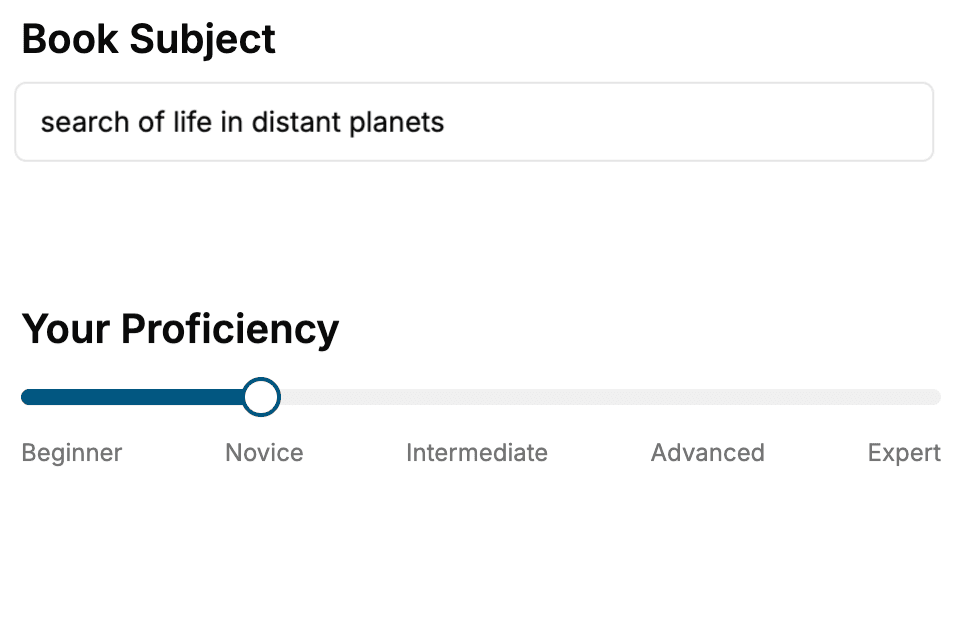
Select the focus of your Software Development book and share your background
- 2. Personalize your book
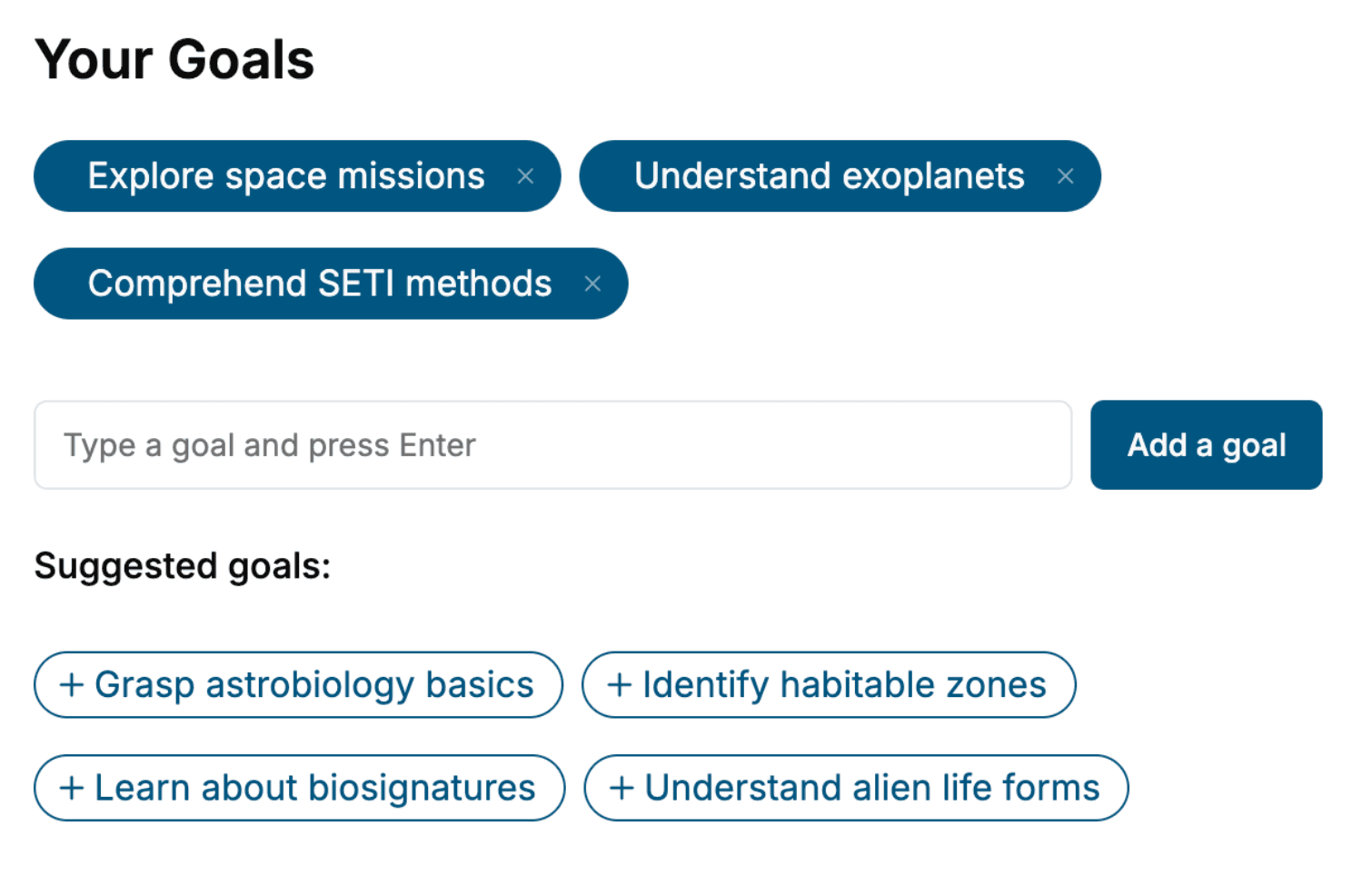
Specify your goals and choose sub-topics to include
- 3. Get your tailored book
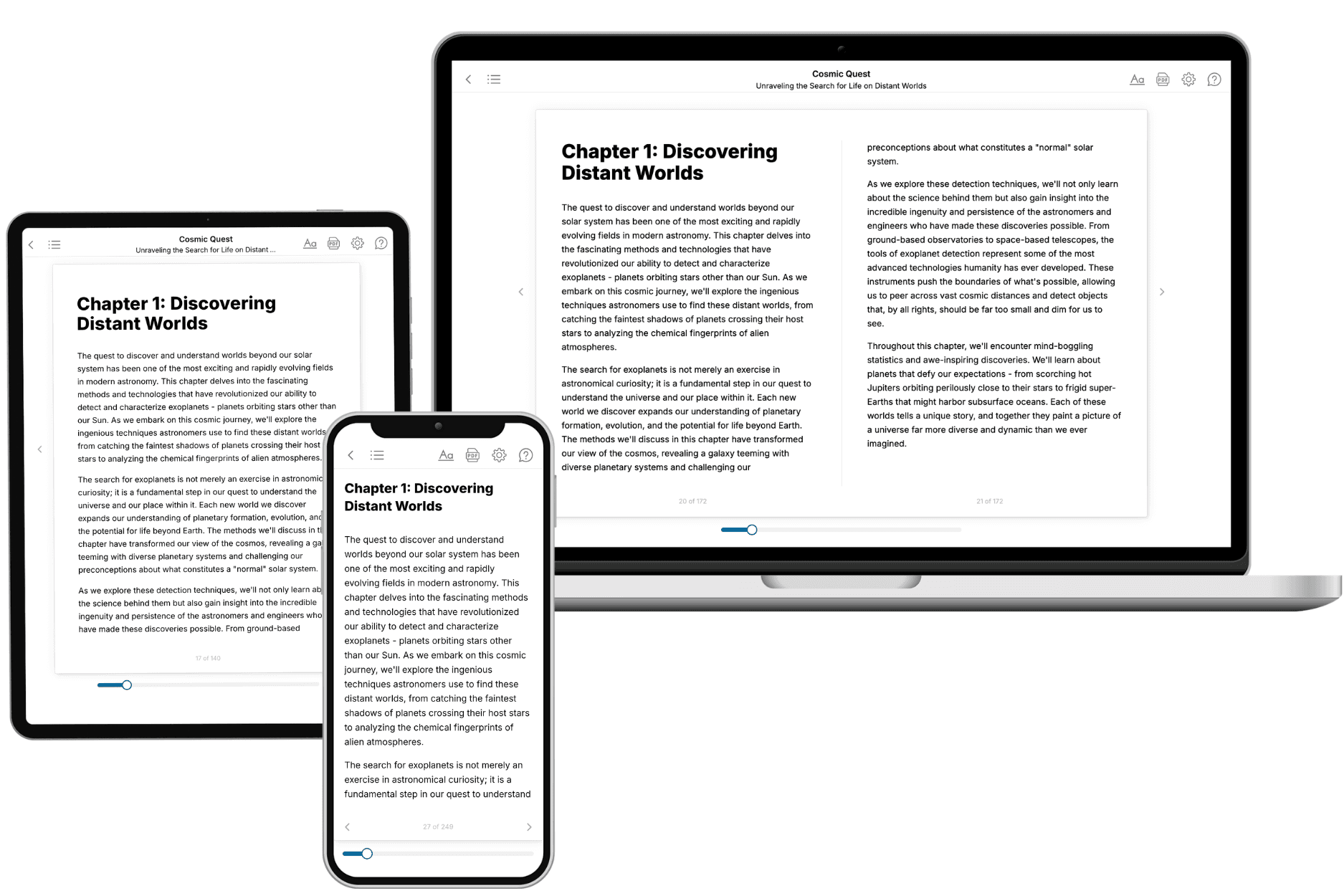
Your book is ready in 10 minutes. Read it online, download as EPUB or PDF, or send to Kindle.
Frequently asked questions
- What is TailoredRead?
TailoredRead creates complete, full-length nonfiction ebooks, written specifically for you. Tell us what you want to learn and why, and TailoredRead writes you a complete ebook on it, with charts, tables, and diagrams throughout. Read it online, on Kindle, or on any e-reader, or download it as a PDF or EPUB. Every book is written fresh the day you order it.
- How is the book tailored to me?
Before anything is written, you answer a few short questions about your goals, your background, and the topics you care about. Your book is then planned around your answers: written at your level, focused on your goals, and covering the topics you chose, instead of the one-size-fits-all book a store sells everyone.
- Will it read like generic AI content?
No. Your book isn't a chat transcript: it's planned chapter by chapter before a single word is written, told in a clear book voice, and explains ideas visually with charts, tables, and diagrams. After writing, every book goes through an editorial pass that polishes chapters so the book reads consistent from start to finish. Judge for yourself: browse thousands of sample books on our Explore Books page.
- How accurate is the content?
Our AI first checks whether your subject needs live research. Niche and fast-moving subjects are researched before writing, and the book plan and chapters are grounded in what it finds. After writing, every book goes through a quality pass that checks its facts and consistency, and researched books list their sources in a Notes section at the back.
- How long is the book?
You choose the length: Comprehensive (250-300 pages), Detailed (150-200 pages), Essential (70-100 pages), or Short (30-50 pages).
- Does the book include visuals?
Yes. Every book includes charts, tables, and diagrams: timelines, checklists, step-by-step guides, decision trees, comparison tables, matrices, and bar charts. A typical book includes dozens of these visual elements.
- Can I read it on Kindle? What formats can I download?
Yes. Every book can be read in our online reader or downloaded as a PDF or EPUB. The EPUB can be opened with Kindle, Apple Books, Kobo, and any e-reader. The Commercial and Author licenses also include an editable Word (DOCX) and Markdown download.
- How much does it cost?
About the price of a regular ebook. The exact price depends on your book's length and complexity, from $2 for the shortest books to $35 for the most comprehensive, and it's shown when you review your book, before you commit to anything. Each book is a one-time purchase, yours to keep, no subscription. Licenses that let you share, teach, or publish your book range from $35.99 to $49.99.
- Can I preview the book before purchasing?
Before you pay, you'll see what your book will cover: the title, a detailed description, the estimated length, and the complete chapter-by-chapter table of contents, so you know what you're getting before you decide. The full text itself is written after you purchase.
- How long does it take to create a book?
About 10 minutes. You can start reading the opening chapters while the rest is still being written.