Obsidian Mastery
Your Ultimate Guide to Building a Second Brain for Academic Excellence
Level up your academic game with Obsidian Mastery.
269 pages13 chaptersDec 14, 2024Study Skills
About this book
This comprehensive guide will revolutionize your note-taking and study habits, empowering you to create a powerful second brain tailored to your unique learning style. You'll discover how to effortlessly organize class notes, build a dynamic knowledge database, and master the art of linking ideas. From mastering Markdown basics to leveraging advanced plugins, this book covers everything you need to optimize your Obsidian setup. Enhance your critical thinking skills, visualize complex concepts with ease, and develop a personalized study workflow that maximizes retention. Whether you're tackling challenging subjects or preparing for exams, Obsidian Mastery equips you with the tools and techniques to excel in your academic journey. Get ready to transform your digital note-taking experience and unlock your full potential as a learner.
Table of contents
- IntroductionWhy Obsidian for Academic Success, The Concept of a Second Brain, What to Expect from This Book, Getting Started with ObsidianRead below
- Chapter 1: Obsidian BasicsUnderstanding the Obsidian Interface, Markdown Essentials for Effective Note-Taking, Creating and Organizing Your First Notes, The Power of Linking Notes
- Chapter 2: Mastering Note OrganizationDesigning an Effective Folder Structure, Utilizing Tags and Metadata, Implementing Daily Notes for Consistent Learning, Creating Maps of Content (MOCs)
- Chapter 3: Advanced Note-Taking MethodsThe Zettelkasten Method for Knowledge Creation, Implementing the PARA Method, Creating Effective Atomic Notes, Adapting the Cornell Note-Taking Method in Obsidian
- Chapter 4: Enhancing Visual LearningMastering the Graph View, Creating Mind Maps in Obsidian, Using Mermaid for Diagrams and Flowcharts, Concept Mapping for Complex Topics
- Chapter 5: Customizing Obsidian for Your NeedsCSS Customization Basics, Setting Up Hotkeys and Shortcuts, Creating and Using Templates, Exploring and Applying Themes
- Chapter 6: Navigating the Plugin EcosystemEssential Plugins for Students, Mastering the Dataview Plugin, Enhancing Visual Notes with Excalidraw, Integrating Anki for Spaced Repetition
- Chapter 7: Leveraging Advanced Obsidian FeaturesUtilizing Backlinks and Outgoing Links, Mastering Transclusion for Content Reuse, Using Aliases for Flexible Note Referencing, Enhancing Notes with Callouts
- Chapter 8: Obsidian for STEM SubjectsUsing LaTeX for Mathematical Notation, Incorporating Code Blocks in Notes, Creating Interactive Graphs and Charts, Developing STEM-specific Workflows
- Chapter 9: Effective Study Techniques with ObsidianImplementing Active Recall in Your Notes, Spaced Repetition for Long-Term Retention, Interleaving Topics for Better Understanding, Elaborative Rehearsal Through Note Connections
- Chapter 10: Managing Academic Projects in ObsidianCreating Kanban Boards for Assignments, Task Management with Obsidian Tasks, Organizing Research Projects, Collaborating on Group Projects
- Chapter 11: Revision and Exam Preparation StrategiesCreating Effective Summary Notes, Generating and Managing Practice Questions, Building Revision Schedules in Obsidian, Simulating Mock Exams and Analysis
- Chapter 12: Knowledge Synthesis and Critical ThinkingTechniques for Linking Ideas Across Subjects, Identifying and Filling Knowledge Gaps, Argument Mapping for Essay Writing, Making Interdisciplinary Connections
- Chapter 13: Building Your Digital Academic PortfolioShowcasing Your Best Academic Work, Tracking Your Learning Progress, Maintaining a Reflection Journal, Sharing Your Knowledge Responsibly
- ConclusionReflecting on Your Obsidian Journey, Continuing Your Learning Journey
- AppendixMarkdown and Obsidian Syntax Cheatsheet, Recommended Plugin Directory
- Glossary
Introduction
Welcome to the world of Obsidian, a powerful tool that's about to revolutionize the way you approach your studies and manage your knowledge. As a high school student, you're embarking on a journey that will not only enhance your academic performance but also equip you with invaluable skills for lifelong learning. This book is your comprehensive guide to mastering Obsidian, transforming it into your personal second brain, and unlocking your full potential as a learner.
In today's fast-paced educational environment, the ability to effectively capture, organize, and synthesize information is more crucial than ever. Traditional note-taking methods often fall short when it comes to connecting ideas across different subjects or retrieving information efficiently. This is where Obsidian shines, offering a flexible and powerful platform that adapts to your unique learning style and academic needs.
Throughout this book, you'll discover how to harness the full potential of Obsidian to create a dynamic, interconnected web of knowledge. You'll learn techniques to enhance your critical thinking skills, visualize complex concepts with ease, and develop a personalized study workflow that maximizes retention. Whether you're tackling challenging subjects, preparing for exams, or working on long-term projects, the skills you'll acquire will serve you well beyond your high school years.
As we embark on this journey together, remember that mastering Obsidian is not just about learning a new tool—it's about transforming the way you think, learn, and grow. Let's dive in and explore the exciting possibilities that await you in the world of Obsidian.
Why Obsidian for Academic Success
In the ever-evolving landscape of digital note-taking and knowledge management tools, Obsidian stands out as a game-changer for students seeking to elevate their academic performance. But what makes Obsidian particularly well-suited for your academic journey? Let's explore the key features and benefits that make this tool an invaluable asset for high school students like yourself.
First and foremost, Obsidian's core philosophy aligns perfectly with the way our brains naturally process and connect information. Unlike traditional linear note-taking methods, Obsidian encourages a network-based approach to knowledge management. This means you can create links between related concepts across different subjects, mirroring the interconnected nature of knowledge itself. For instance, you might link a concept from your biology class to a related topic in chemistry, fostering a deeper understanding of both subjects.
One of Obsidian's standout features is its ability to work with plain text files using Markdown syntax. This might sound technical, but it's actually a significant advantage for several reasons. Firstly, plain text files are incredibly lightweight and portable, ensuring that your notes remain accessible and future-proof. You won't have to worry about proprietary file formats becoming obsolete or incompatible with future software. Secondly, Markdown is a simple yet powerful formatting language that allows you to structure your notes efficiently without lifting your hands from the keyboard. This means you can focus on capturing information during lectures or study sessions without getting bogged down by complex formatting options.
Another compelling reason to choose Obsidian for your academic endeavors is its offline-first approach. Unlike many cloud-based note-taking applications, Obsidian stores all your notes locally on your device. This ensures that you always have access to your knowledge base, even without an internet connection. It's perfect for studying in locations with poor connectivity or during those crucial exam preparation periods when you can't risk any technical hiccups. Of course, you can still sync your notes across devices using third-party services if you choose, giving you the best of both worlds.
Obsidian's flexibility is another key factor that sets it apart. The application offers a plugin system that allows you to extend its functionality to suit your specific needs. Whether you're looking to integrate spaced repetition for more effective memorization, create beautiful mind maps to visualize complex topics, or generate flashcards for quick revision, there's likely a plugin that can help. This extensibility means that Obsidian can grow and adapt with you throughout your academic journey and beyond.
For visual learners, Obsidian offers powerful tools to help you see the big picture. The graph view, for instance, provides a visual representation of how your notes are interconnected. This can be incredibly useful for identifying relationships between different topics or spotting areas where your knowledge might be lacking. As your note collection grows, this visual map becomes an invaluable tool for navigating your personal knowledge base and discovering new connections.
Obsidian also excels in supporting active learning techniques. The ease with which you can create and navigate between linked notes encourages you to actively engage with the material, rather than passively consuming information. This aligns perfectly with proven study techniques like elaborative rehearsal and the generation effect, where the act of creating and connecting information enhances long-term retention and understanding.
Furthermore, Obsidian's support for templates and custom CSS allows you to create a personalized learning environment that suits your individual needs and preferences. You can design note templates for different subjects or types of information, streamlining your note-taking process and ensuring consistency across your knowledge base. The ability to customize the appearance of your notes through CSS means you can create a visually appealing and distraction-free environment that keeps you focused on your studies.
Lastly, it's worth noting that Obsidian's learning curve, while initially steeper than some other note-taking apps, pays significant dividends in the long run. The skills you develop in organizing and connecting information, thinking critically about the relationships between concepts, and managing a large body of knowledge will serve you well not just in your current studies, but in higher education and your future career.
In essence, Obsidian is more than just a note-taking tool—it's a powerful ally in your quest for academic excellence. By providing a flexible, interconnected, and personalized environment for managing your knowledge, Obsidian empowers you to take control of your learning journey. As you progress through this book and begin to harness the full potential of Obsidian, you'll find yourself not just memorizing facts, but truly understanding and internalizing the knowledge you acquire. This deeper level of engagement with your studies is the key to not only achieving better grades but also developing a lifelong love for learning.
The Concept of a Second Brain
The concept of a "second brain" has gained significant traction in recent years, particularly in the realm of personal knowledge management. But what exactly is a second brain, and why is it so crucial for your academic success? At its core, a second brain is an external, digital system that complements your biological brain by storing, organizing, and connecting information in a way that enhances your thinking and learning processes. In the context of this book and your journey with Obsidian, we'll explore how you can build your own second brain to supercharge your academic performance.
Your biological brain, while incredibly powerful, has certain limitations. It can struggle with information overload, forget important details over time, and sometimes fail to make connections between disparate pieces of information. This is where a second brain comes in. By offloading the tasks of storage and organization to an external system, you free up your biological brain to focus on what it does best: creative thinking, problem-solving, and generating new ideas. Think of your second brain as a trusted partner in your learning journey, always ready to provide the information you need, when you need it.
One of the key principles of a second brain is the idea of "building a body of work." In an academic context, this means creating a comprehensive, interconnected collection of notes, ideas, and insights that grow and evolve with you throughout your studies. Unlike traditional note-taking methods, where information is often siloed in separate notebooks or files, a second brain encourages you to create links between different pieces of information. This interconnectedness mirrors the way knowledge actually works in the real world, where concepts from different fields often intersect and inform each other.
Another crucial aspect of a second brain is its role in supporting active recall and spaced repetition—two powerful techniques for enhancing long-term retention of information. By regularly reviewing and refining your notes in your second brain, you engage in a form of active recall that strengthens your memory and deepens your understanding of the material. The interconnected nature of a second brain also facilitates serendipitous discoveries, as you may stumble upon relevant information while reviewing seemingly unrelated notes.
Building a second brain with Obsidian offers several unique advantages. First, the local storage of your notes ensures that your second brain is always accessible, even without an internet connection. This is crucial for maintaining a consistent study routine and having your knowledge at your fingertips during exams or when working on assignments. Second, Obsidian's powerful linking capabilities allow you to create a web of knowledge that closely mimics the associative nature of human memory. By linking related concepts across different subjects, you're not just storing information—you're building a rich, interconnected knowledge base that enhances your understanding and recall.
Moreover, a second brain built in Obsidian is highly adaptable and can grow with you throughout your academic journey and beyond. As you progress through high school and potentially into higher education, your second brain will evolve, becoming an increasingly valuable resource. The skills you develop in curating and managing this personal knowledge base will serve you well in any future academic or professional endeavor.
It's important to note that building a second brain is not about creating a perfect, all-encompassing system from the start. Rather, it's an iterative process that evolves as you use it. You'll refine your organization methods, discover new ways of linking information, and continuously improve your workflow. This iterative approach aligns well with the learning process itself, where understanding deepens over time through repeated exposure and active engagement with the material.
One of the most powerful aspects of a second brain is its ability to support creative thinking and problem-solving. By externalizing your thoughts and ideas in a structured, interconnected format, you create opportunities for new insights to emerge. You might notice patterns across different subjects, draw analogies between seemingly unrelated concepts, or generate novel ideas by combining existing knowledge in unique ways. This kind of creative synthesis is invaluable in academic pursuits, particularly when working on essays, research projects, or tackling complex problems.
Furthermore, a well-maintained second brain can significantly reduce cognitive load—the amount of mental effort required to process information. When you know that important information is safely stored and easily retrievable in your second brain, you can focus more fully on the task at hand, whether that's understanding a new concept in class, brainstorming ideas for a project, or preparing for an exam. This reduction in cognitive load can lead to improved focus, reduced stress, and more effective learning overall.
As you embark on your journey of building a second brain with Obsidian, remember that this is a personal tool tailored to your unique needs and learning style. While this book will provide you with a solid foundation and numerous techniques, the ultimate form of your second brain will be uniquely yours. Embrace the process of experimentation and refinement, and don't be afraid to adapt the system as you discover what works best for you.
In conclusion, the concept of a second brain represents a paradigm shift in how we approach learning and knowledge management. By leveraging Obsidian to build your own second brain, you're not just creating a repository of information—you're developing a powerful tool for enhancing your thinking, creativity, and academic performance. As we delve deeper into the specifics of using Obsidian in the coming chapters, keep in mind the broader goal of creating a dynamic, evolving system that will support your learning journey for years to come.
What to Expect from This Book
As you embark on your journey to master Obsidian and create your own second brain, this book will serve as your comprehensive guide, taking you from the basics to advanced techniques. Each chapter is designed to build upon the previous one, providing you with a structured learning path that will help you make the most of Obsidian for your academic success. Let's take a closer look at what you can expect from this book and how it will help you transform your study habits and knowledge management skills.
We'll begin by laying a solid foundation with the basics of Obsidian. You'll learn how to navigate the interface, create your first notes, and understand the power of linking. This initial section will ensure that you're comfortable with the core functionalities of Obsidian before we dive into more advanced topics. Even if you've already been using Obsidian, this section may provide valuable insights or techniques you haven't yet discovered.
As we progress, you'll discover how to organize your notes effectively. We'll explore various organizational strategies, including folder structures, tagging systems, and the creation of Maps of Content (MOCs). You'll learn how to implement daily notes for consistent learning and how to use metadata to enhance your note retrieval capabilities. These organizational skills will form the backbone of your second brain, ensuring that you can always find the information you need when you need it.
One of the most powerful aspects of Obsidian is its ability to support various note-taking methodologies. We'll delve into advanced note-taking methods such as the Zettelkasten method, the PARA method, and the creation of atomic notes. You'll also learn how to adapt traditional techniques like the Cornell method to work seamlessly within Obsidian. By understanding and implementing these methods, you'll be able to capture and process information more effectively, leading to better retention and understanding of your study material.
Visual learning is a crucial aspect of effective studying, and Obsidian offers several powerful tools in this area. We'll explore how to use the graph view to visualize connections between your notes, create mind maps to organize complex topics, and use Mermaid diagrams to illustrate processes and relationships. These visual tools will help you see the big picture and understand how different concepts relate to each other across your subjects.
Customization is key to making Obsidian work for your specific needs, and we'll cover this in depth. You'll learn the basics of CSS customization to personalize the appearance of your notes, set up hotkeys and shortcuts for efficient navigation, and create templates to streamline your note-taking process. We'll also explore various themes to help you create a study environment that's visually appealing and conducive to focus.
The Obsidian plugin ecosystem is vast and can significantly enhance your note-taking and study capabilities. We'll guide you through essential plugins for students, dive deep into powerful tools like the Dataview plugin for querying your notes, and explore how to integrate Obsidian with other study tools like Anki for spaced repetition. You'll learn how to leverage these plugins to create a comprehensive learning ecosystem tailored to your needs.
For those studying STEM subjects, we have a dedicated section on using Obsidian effectively for mathematical notation, code blocks, and creating interactive graphs and charts. You'll learn how to use LaTeX within Obsidian, incorporate code snippets into your notes, and develop STEM-specific workflows to enhance your understanding of complex technical concepts.
Effective study techniques are crucial for academic success, and we'll explore how to implement these within Obsidian. You'll learn how to use active recall, spaced repetition, interleaving, and elaborative rehearsal techniques in your note-taking and revision processes. These evidence-based learning strategies, when combined with Obsidian's powerful features, will significantly boost your retention and understanding of the material.
Managing academic projects and preparing for exams are key concerns for any student. We'll cover how to use Obsidian for project management, including creating Kanban boards for assignments, managing tasks, and organizing research projects. You'll also learn strategies for effective revision, including creating summary notes, generating and managing practice questions, and simulating mock exams.
Throughout the book, we'll emphasize the importance of knowledge synthesis and critical thinking. You'll learn techniques for linking ideas across subjects, identifying and filling knowledge gaps, and making interdisciplinary connections. These skills will not only help you excel in your current studies but also prepare you for higher education and beyond.
Finally, we'll explore how to use Obsidian to build a digital academic portfolio, showcasing your best work, tracking your learning progress, and maintaining a reflection journal. This portfolio will be a valuable asset as you progress in your academic journey and begin to think about college applications or future career opportunities.
By the end of this book, you'll have a comprehensive understanding of how to use Obsidian to its full potential for your academic success. You'll have developed a personalized second brain system that not only helps you manage your current studies more effectively but also sets you up for lifelong learning and knowledge management. Remember, mastering Obsidian and building your second brain is a journey, not a destination. As you apply the techniques and strategies outlined in this book, you'll continue to refine your system and discover new ways to enhance your learning process.
Getting Started with Obsidian
Now that you understand the potential of Obsidian and what this book has to offer, it's time to take your first steps into this powerful knowledge management tool. Getting started with Obsidian is straightforward, but there are a few key things to keep in mind to ensure you're set up for success. In this section, we'll walk you through the process of installing Obsidian, creating your first vault, and making some initial configurations to tailor the app to your needs.
First, let's start with installation. Obsidian is available for Windows, macOS, and Linux, ensuring that regardless of your operating system, you'll be able to use this powerful tool. To begin, navigate to the official Obsidian website (https://obsidian.md) and click on the download button. Choose the appropriate version for your operating system and follow the installation prompts. The process is typically quick and straightforward, much like installing any other application on your computer.
Once you've installed Obsidian, the next step is to create your first vault. A vault in Obsidian is essentially a folder on your computer that contains all your notes and attachments. Think of it as the home for your second brain. When you open Obsidian for the first time, you'll be prompted to either open an existing vault or create a new one. For now, let's create a new vault. Choose a location on your computer where you want to store your notes. It's a good idea to select a place that's easily accessible and that you'll remember. You might want to name this folder something like "My Second Brain" or "Academic Vault" to reflect its purpose.
After creating your vault, you'll be greeted by Obsidian's main interface. At first glance, it might seem a bit overwhelming, but don't worry—we'll explore each element in detail in the coming chapters. For now, let's focus on some initial configurations to make your Obsidian experience more comfortable. Click on the settings icon (it looks like a gear) in the bottom left corner of the interface. This will open up the settings panel where you can customize various aspects of Obsidian.
One of the first things you might want to adjust is the theme. Obsidian comes with both light and dark modes, and you can switch between them in the "Appearance" section of the settings. Choose whichever is more comfortable for your eyes. You can also adjust the font size and type here if you prefer. Remember, creating a comfortable visual environment is crucial for long study sessions, so take some time to find settings that work well for you.
Next, let's enable a few core plugins that will enhance your note-taking experience. In the settings panel, navigate to the "Core plugins" section. Here, you'll see a list of built-in plugins that come with Obsidian. For now, make sure the following are enabled: "File explorer," "Search," "Quick switcher," "Graph view," "Backlinks," and "Page preview." We'll explore each of these in detail later, but enabling them now will give you access to some of Obsidian's most powerful features right from the start.
Now that you have your vault set up and some basic configurations in place, it's time to create your first note. Click on the "New note" button in the left sidebar (it looks like a page with a plus sign). Give your note a title—perhaps something like "My Obsidian Journey Begins." In this note, you can write about your goals for using Obsidian, your initial impressions, or any questions you have. Don't worry too much about formatting or structure at this point; the goal is simply to get comfortable with creating and editing notes.
As you write your first note, you'll notice that Obsidian uses Markdown for formatting. If you're not familiar with Markdown, don't worry—it's a simple and intuitive way to format text. For example, surrounding a word or phrase with asterisks (*) will make it italic, and using two asterisks (**) will make it bold. We'll cover Markdown in more detail in the next chapter, but feel free to experiment with basic formatting in your first note.
One of the most powerful features of Obsidian is the ability to link between notes. Let's try creating a second note and linking it to your first one. Create another note called "My Study Goals." In this note, jot down some academic goals you have for the upcoming term or year. Now, go back to your first note and try creating a link to your new note. To do this, type two square brackets ([[) and start typing the name of your second note. Obsidian will suggest matching notes as you type. Select "My Study Goals" from the suggestions, and Obsidian will create a link. You've just created your first connection in your budding second brain!
As you become more comfortable with Obsidian, you'll discover many more features and techniques to enhance your note-taking and studying. Remember, the key at this stage is experimentation and exploration. Don't be afraid to click around, try different features, and see what works best for you. Obsidian is a flexible tool that can adapt to your unique needs and preferences.
In the coming chapters, we'll dive deep into each aspect of Obsidian, from mastering Markdown and advanced linking techniques to implementing sophisticated note-taking methodologies and leveraging plugins for enhanced functionality. But for now, focus on getting comfortable with the basics: creating notes, basic formatting, and simple linking. Spend some time exploring your new vault, creating a few more notes, and experimenting with connections between them.
Remember, building your second brain is a journey, and like any journey, it begins with a single step. You've already taken that step by installing Obsidian and creating your first notes. As you progress through this book and continue to use Obsidian, you'll develop a powerful system for managing your knowledge and enhancing your learning. Welcome to the beginning of your Obsidian journey—your path to academic excellence and lifelong learning starts here!
This is the end of the free sample. The full book has 13 chapters.
Want this book written for you?
Tell us your goals and background, and get your own version of this book, tailored by AI to you.


Benefits of AI-tailored books
- Read one book, not ten:
- all the Study Skills knowledge you need, gathered into a single book.
- Save days of learning:
- tell us your goals, choose your topics, and the whole book is built around them.
- Learn effortlessly:
- Study Skills book written for your specific background and expertise.
- Understand at a glance:
- includes charts, tables, timelines, checklists, decision trees, and more.
- Stay current:
- written the day you order it, not years ago.
- Trust what you read:
- every book is checked for accuracy, with real research when your subject needs it.
Create your unique book in 3 steps
- 1. Select your focus
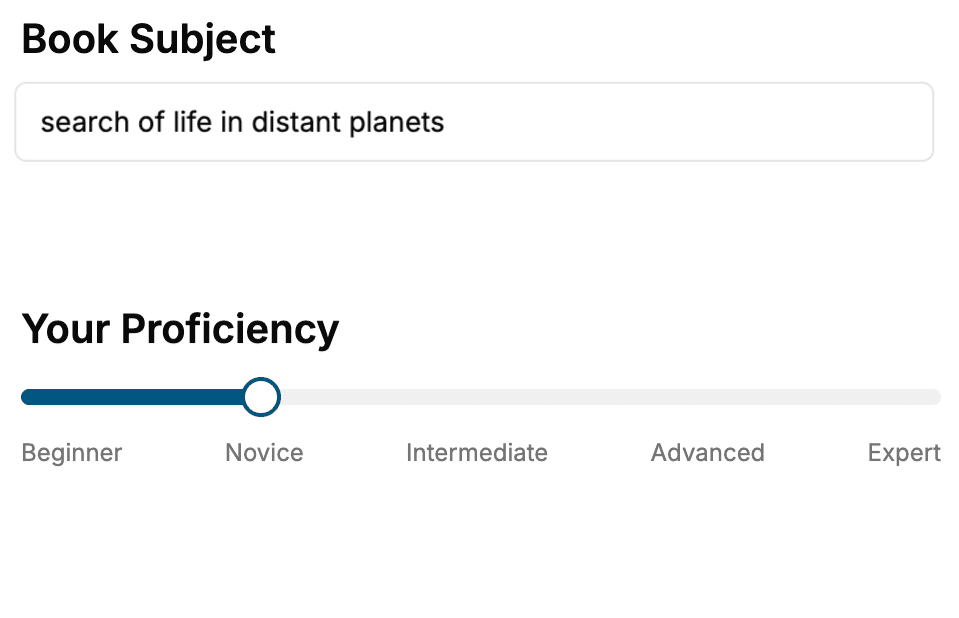
Select the focus of your Study Skills book and share your background
- 2. Personalize your book
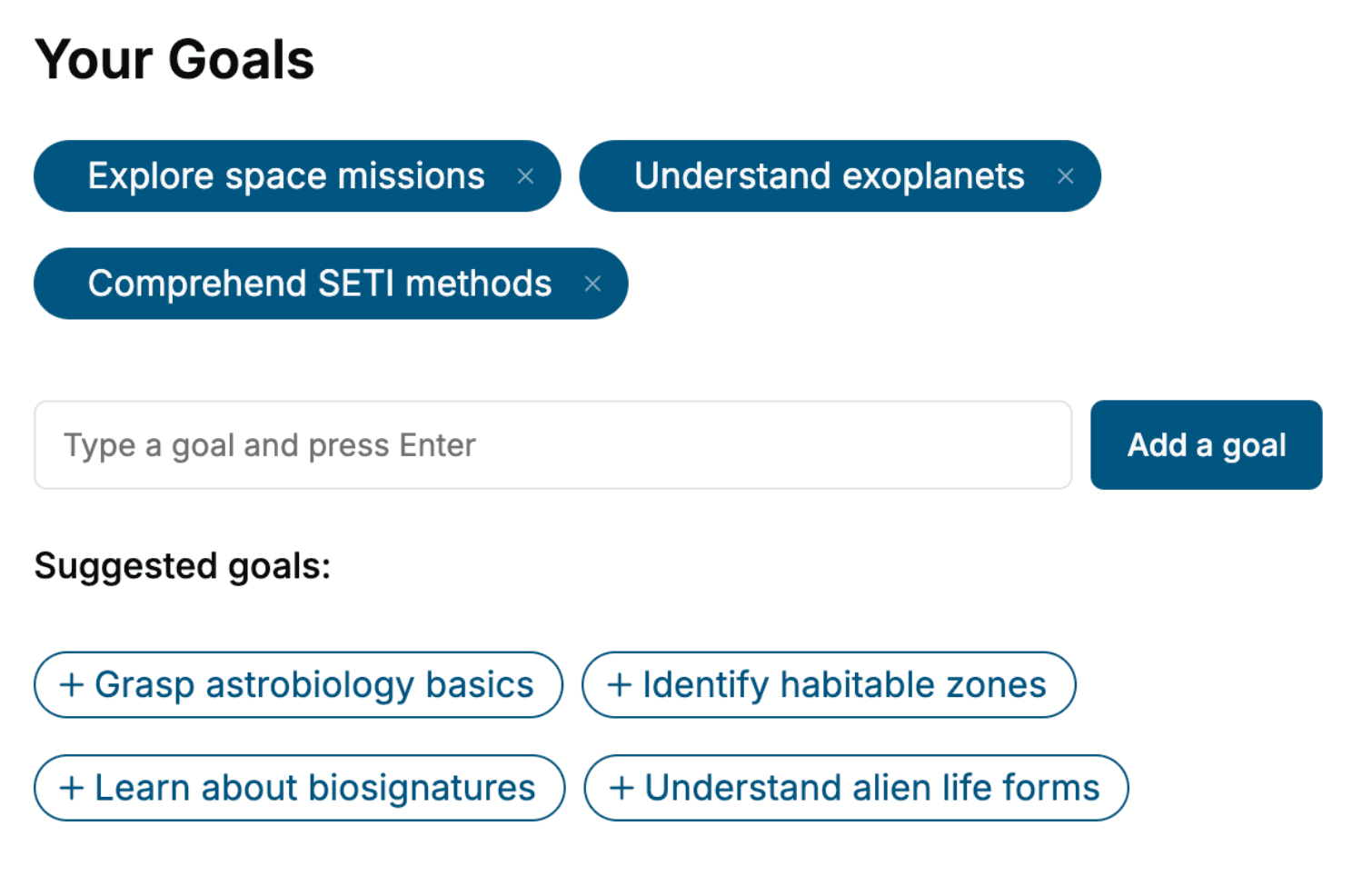
Specify your goals and choose sub-topics to include
- 3. Get your tailored book
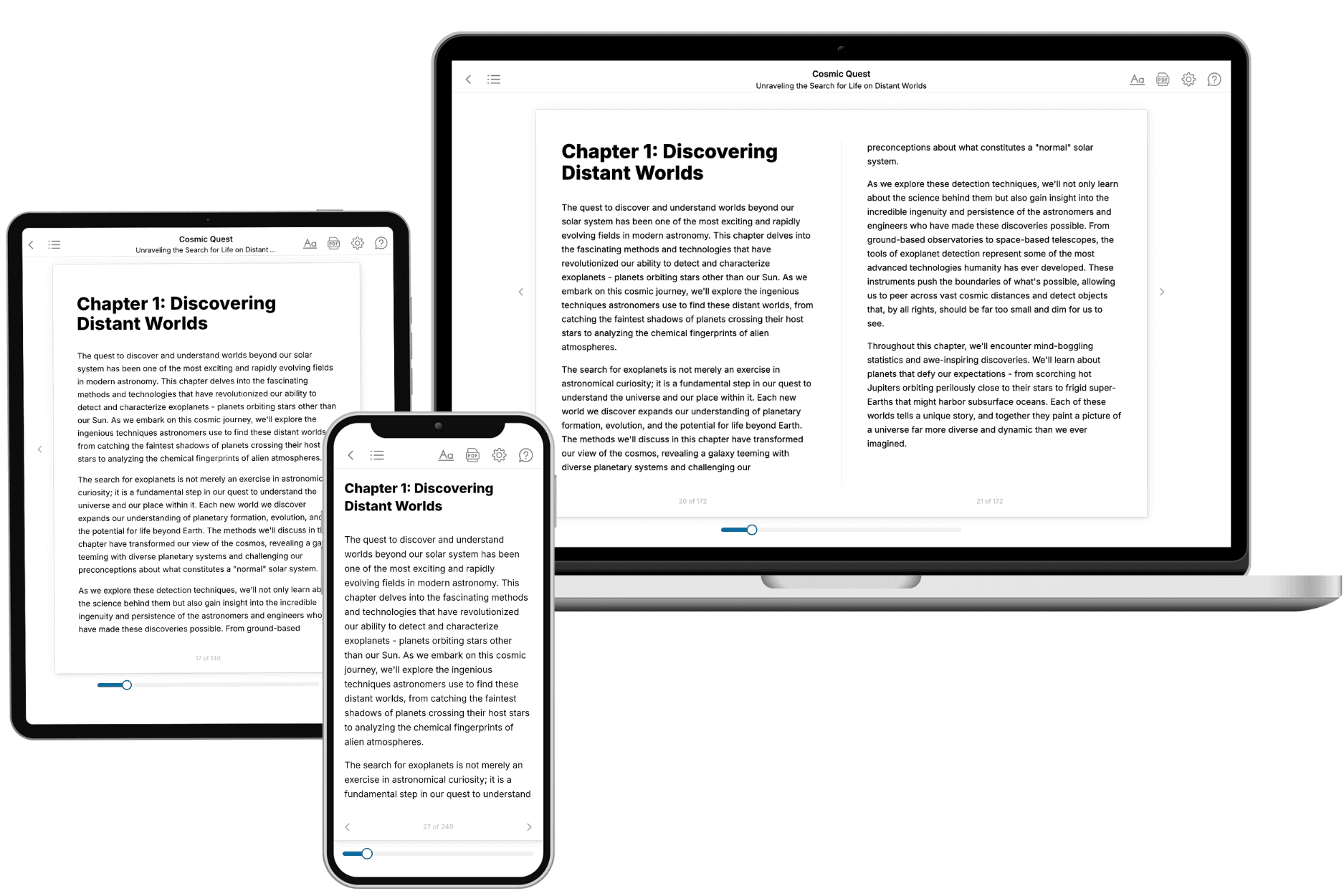
Your book is ready in 10 minutes. Read it online, download as EPUB or PDF, or send to Kindle.
Frequently asked questions
- What is TailoredRead?
TailoredRead creates complete, full-length nonfiction ebooks, written specifically for you. Tell us what you want to learn and why, and TailoredRead writes you a complete ebook on it, with charts, tables, and diagrams throughout. Read it online, on Kindle, or on any e-reader, or download it as a PDF or EPUB. Every book is written fresh the day you order it.
- How is the book tailored to me?
Before anything is written, you answer a few short questions about your goals, your background, and the topics you care about. Your book is then planned around your answers: written at your level, focused on your goals, and covering the topics you chose, instead of the one-size-fits-all book a store sells everyone.
- Will it read like generic AI content?
No. Your book isn't a chat transcript: it's planned chapter by chapter before a single word is written, told in a clear book voice, and explains ideas visually with charts, tables, and diagrams. After writing, every book goes through an editorial pass that polishes chapters so the book reads consistent from start to finish. Judge for yourself: browse thousands of sample books on our Explore Books page.
- How accurate is the content?
Our AI first checks whether your subject needs live research. Niche and fast-moving subjects are researched before writing, and the book plan and chapters are grounded in what it finds. After writing, every book goes through a quality pass that checks its facts and consistency, and researched books list their sources in a Notes section at the back.
- How long is the book?
You choose the length: Comprehensive (250-300 pages), Detailed (150-200 pages), Essential (70-100 pages), or Short (30-50 pages).
- Does the book include visuals?
Yes. Every book includes charts, tables, and diagrams: timelines, checklists, step-by-step guides, decision trees, comparison tables, matrices, and bar charts. A typical book includes dozens of these visual elements.
- Can I read it on Kindle? What formats can I download?
Yes. Every book can be read in our online reader or downloaded as a PDF or EPUB. The EPUB can be opened with Kindle, Apple Books, Kobo, and any e-reader. The Commercial and Author licenses also include an editable Word (DOCX) and Markdown download.
- How much does it cost?
About the price of a regular ebook. The exact price depends on your book's length and complexity, from $2 for the shortest books to $35 for the most comprehensive, and it's shown when you review your book, before you commit to anything. Each book is a one-time purchase, yours to keep, no subscription. Licenses that let you share, teach, or publish your book range from $35.99 to $49.99.
- Can I preview the book before purchasing?
Before you pay, you'll see what your book will cover: the title, a detailed description, the estimated length, and the complete chapter-by-chapter table of contents, so you know what you're getting before you decide. The full text itself is written after you purchase.
- How long does it take to create a book?
About 10 minutes. You can start reading the opening chapters while the rest is still being written.