Python Mastery for Beginners
A Step-by-Step Guide to Coding, Automation, and Problem-Solving
Embark on an exciting journey into the world of Python programming with "Python Mastery for Beginners: A Step-by-Step Guide to Coding, Automation, and Problem-Solving." This comprehensive guide is tailored specifically for undergraduate students and coding novices who are eager to unlock the power of Python.
455 pages25 chaptersSep 18, 2024PythonCreated by Deanna
About this book
From the very basics of Python syntax to more advanced concepts like object-oriented programming, this book covers it all in a clear, accessible manner. You'll start by learning the fundamentals of Python, including variables, data types, and control structures. As you progress, you'll dive into practical applications, learning how to automate daily tasks, build simple yet functional applications, and solve real-world coding challenges. Throughout the book, you'll find hands-on exercises, coding examples, and projects that reinforce your learning and help you apply your new skills. You'll also gain insights into essential developer tools and practices, such as version control with Git, collaborative coding on GitHub, and the importance of code readability and documentation. By the end of this journey, you'll have a solid grasp of Python programming, be able to write efficient algorithms, debug your code effectively, and even start exploring popular Python frameworks. Whether you're looking to boost your academic performance, kickstart a career in programming, or simply automate your daily tasks, "Python Mastery for Beginners" is your perfect companion for mastering the art of Python programming.
Table of contents
- IntroductionWhy Python?, How to Use This Book, Your Python Learning Path, Setting Up Your Python EnvironmentRead below
- Chapter 1: Python BasicsYour First Python Program: Hello, World!, Python Syntax and Structure, Comments and Code Documentation, Variables and Data Types, Basic Operators and Expressions
- Chapter 2: Control Flow in PythonConditional Statements: if, elif, else, For Loops and Iteration, While Loops and Loop Control, Break and Continue Statements
- Chapter 3: Python Data StructuresLists and List Comprehensions, Tuples and Their Uses, Dictionaries and Key-Value Pairs, Sets and Set Operations, Advanced Collections Module
- Chapter 4: Functions in PythonDefining and Calling Functions, Function Parameters and Arguments, Return Values and Multiple Returns, Lambda Functions and Their Applications, Function Scope and Namespaces
- Chapter 5: File I/O and ManipulationReading from Files, Writing to Files, File Modes and Best Practices, Using Context Managers for File Handling
- Chapter 6: Error Handling and ExceptionsTry-Except Blocks, Raising Exceptions, Creating Custom Exceptions, The Finally Clause
- Chapter 7: Modules and PackagesImporting and Using Modules, Creating Your Own Modules, Package Structure and __init__.py, Virtual Environments and Why They Matter
- Chapter 8: Object-Oriented Programming BasicsClasses and Objects, Attributes and Methods, Inheritance and Subclasses, Encapsulation and Access Modifiers, Polymorphism in Python
- Chapter 9: Advanced OOP ConceptsClass Methods and Static Methods, Property Decorators, Magic Methods and Operator Overloading, Abstract Classes and Interfaces
- Chapter 10: Iterators and GeneratorsUnderstanding Iterators, Creating Custom Iterators, Generator Functions and Expressions, The Yield Keyword and Its Power
- Chapter 11: Python DecoratorsFunction Decorators, Class Decorators, Decorators with Arguments, Real-World Applications of Decorators
- Chapter 12: String Manipulation and Regular ExpressionsString Methods and Operations, String Formatting Techniques, Regular Expressions Basics, Advanced Regular Expression Patterns
- Chapter 13: Debugging and TestingPrint Debugging, Using the Python Debugger (pdb), Unit Testing with unittest, Introduction to Test-Driven Development
- Chapter 14: Code Organization and Best PracticesPEP 8 and Coding Style Guidelines, Structuring Python Projects, Writing Effective Docstrings, Type Hinting for Better Code
- Chapter 15: Version Control with GitGit Basics: Commit, Push, Pull, Branching and Merging, Introduction to GitHub, Collaborative Workflow on GitHub
- Chapter 16: Package Management and Virtual EnvironmentsUsing pip for Package Management, Managing Project Dependencies, Creating and Using Virtual Environments, Introduction to Conda
- Chapter 17: Introduction to Data Analysis with PythonNumPy Basics, Introduction to Pandas, Data Visualization with Matplotlib, Using Jupyter Notebooks
- Chapter 18: Web Scraping with PythonMaking HTTP Requests with Requests, Parsing HTML with BeautifulSoup, Web Scraping Ethics and Best Practices, Building a Simple Web Scraper
- Chapter 19: GUI Development in PythonIntroduction to Tkinter, Working with Widgets, Layout Management, Event Handling, Building a Simple GUI Application
- Chapter 20: Working with APIsUnderstanding RESTful APIs, Making API Requests with Python, Handling JSON Data, Building a Weather App using an API
- Chapter 21: Task Automation with PythonWorking with the OS Module, Automating File Operations, Scheduling Tasks with Python, Automating Email Sending
- Chapter 22: Introduction to Design PatternsThe Singleton Pattern, Factory Method Pattern, Observer Pattern, Strategy Pattern
- Chapter 23: Contributing to Open SourceFinding Open Source Projects, The Contribution Workflow, Creating and Managing Pull Requests, Understanding Community Guidelines
- Chapter 24: Tackling Coding ChallengesProblem-Solving Strategies, Common Algorithmic Patterns, Reviewing Data Structures, Resources for Coding Practice
- Chapter 25: Next Steps in Your Python JourneyExploring Advanced Python Topics, Choosing a Python Specialization, Engaging with the Python Community, Resources for Continuous Learning
- Conclusion
- Glossary
- Further Reading
Introduction
Welcome to the exciting world of Python programming! Whether you're a complete beginner or someone with a little coding experience, this book is designed to guide you through the fundamentals of Python and set you on a path to becoming a proficient programmer. Python has emerged as one of the most popular and versatile programming languages in recent years, and for good reason. Its simplicity, readability, and vast ecosystem of libraries make it an excellent choice for beginners and experienced developers alike.
In this introduction, we'll explore why Python is an ideal language to learn, how to make the most of this book, what your learning path will look like, and how to set up your Python environment. By the end of this chapter, you'll be ready to dive into the world of Python programming with confidence and enthusiasm.
Why Python?
Python has gained immense popularity in recent years, and its growth shows no signs of slowing down. But what makes Python such an attractive language for beginners and professionals alike? Let's explore some of the key reasons why Python has become a go-to language for many programmers and why it's an excellent choice for you to learn.
First and foremost, Python is known for its simplicity and readability. The language was designed with a philosophy of emphasizing code readability, which makes it easier for beginners to understand and write code. Python uses indentation to define code blocks, which not only makes the code look clean but also enforces good coding practices from the start. This focus on readability means that even complex algorithms can be expressed in fewer lines of code compared to other languages, making Python an efficient language to work with.
Another significant advantage of Python is its versatility. Python is a general-purpose language, which means it can be used for a wide range of applications. Whether you're interested in web development, data analysis, artificial intelligence, scientific computing, or automation, Python has tools and libraries to support your goals. This versatility makes Python an excellent language to learn, as the skills you acquire can be applied to various domains and industries.
Python's extensive standard library and third-party packages are another major selling point. The standard library, which comes bundled with Python, provides a rich set of modules and functions that you can use right out of the box. This means you can accomplish many tasks without having to write code from scratch or install additional packages. Furthermore, the Python Package Index (PyPI) hosts over 300,000 third-party packages, covering almost every conceivable use case. This vast ecosystem of libraries and frameworks allows you to leverage existing code and focus on solving your specific problems rather than reinventing the wheel.
The Python community is another significant asset. Python has a large, active, and supportive community of developers worldwide. This community contributes to the language's growth by developing new libraries, providing support through forums and online communities, and organizing events and conferences. As a beginner, you'll find numerous resources, tutorials, and helpful community members ready to assist you in your learning journey. This supportive ecosystem can significantly accelerate your learning process and help you overcome challenges as you progress.
Python's cross-platform compatibility is another feature that makes it an attractive choice. Python code can run on various operating systems, including Windows, macOS, and Linux, with little to no modification. This cross-platform nature means that you can write code on one system and run it on another without significant issues, which is particularly useful in today's diverse computing environments.
In the professional world, Python's popularity translates to excellent job prospects. Many top tech companies, including Google, Facebook, Netflix, and Dropbox, use Python extensively in their operations. Python is widely used in data science, machine learning, web development, and automation, which are all growing fields with high demand for skilled professionals. Learning Python can open up numerous career opportunities across various industries.
Python's ease of integration with other languages is another advantage. Python can easily interface with C, C++, and Java, allowing you to leverage existing codebases or optimize performance-critical parts of your application. This interoperability makes Python an excellent glue language, capable of tying together complex systems and workflows.
Lastly, Python's continuous evolution keeps it relevant and cutting-edge. The Python Software Foundation, which oversees the language's development, regularly releases updates that introduce new features, improve performance, and address security concerns. This ongoing development ensures that Python remains a modern and capable language, adapting to the changing needs of the software development landscape.
In conclusion, Python's simplicity, versatility, rich ecosystem, supportive community, cross-platform compatibility, job prospects, ease of integration, and continuous evolution make it an excellent choice for beginners and experienced programmers alike. As you embark on your Python learning journey, you'll discover firsthand why this language has captured the hearts of so many developers worldwide. The skills you acquire will not only enable you to create powerful and efficient programs but also provide a solid foundation for exploring various areas of computer science and software development.
How to Use This Book
To get the most out of this book and your Python learning journey, it's important to understand how the book is structured and how to approach the material effectively. This section will guide you through the book's organization and provide tips on how to use it to maximize your learning experience.
The book is designed with a logical progression in mind, starting from the basics and gradually moving towards more advanced topics. Each chapter builds upon the knowledge gained in previous chapters, so it's recommended to work through the book sequentially, especially if you're new to programming. However, if you have some prior experience, you may choose to skip or skim certain sections and focus on the topics that are new to you.
Each chapter begins with an introduction that outlines the key concepts you'll learn. This overview will help you understand the chapter's objectives and how it fits into the broader context of Python programming. Following the introduction, the chapter is divided into several sections, each focusing on a specific aspect of the topic at hand. These sections include detailed explanations, code examples, and practical tips to help you grasp the concepts thoroughly.
One of the most important aspects of learning programming is hands-on practice. Throughout the book, you'll find numerous code examples that illustrate the concepts being discussed. It's crucial that you don't just read these examples, but actually type them out and run them on your own computer. This active engagement will help reinforce your understanding and allow you to experiment with the code, making small changes to see how they affect the output.
At the end of each chapter, you'll find a set of exercises and projects. These are designed to challenge you and provide opportunities to apply what you've learned in practical scenarios. Don't skip these exercises! They are an integral part of the learning process and will help solidify your understanding of the material. Try to complete them on your own before looking at any solutions. Even if you struggle, the process of working through problems is invaluable for developing your problem-solving skills and deepening your understanding of Python.
Throughout the book, you'll also encounter "Pro Tips" and "Common Pitfalls" sections. These provide additional insights and warn you about common mistakes that beginners often make. Pay close attention to these sections, as they can save you time and frustration in your coding journey.
As you progress through the book, you'll notice that certain concepts are revisited and expanded upon. This spiral approach to learning is intentional and helps reinforce important ideas while gradually introducing more complex applications. Don't be discouraged if you don't fully grasp a concept the first time it's introduced. Often, these ideas become clearer as you see them applied in different contexts throughout the book.
To make the most of your learning experience, it's recommended to set aside regular time for studying and practicing. Consistency is key when learning a new skill like programming. Even if you can only dedicate 30 minutes a day, regular practice will yield better results than sporadic, longer sessions. Create a study schedule that works for you and try to stick to it.
Don't hesitate to use additional resources alongside this book. While this book is designed to be comprehensive, everyone learns differently, and you may find it helpful to supplement your learning with online tutorials, video courses, or other Python books. The Python documentation (docs.python.org) is also an excellent resource that you should become familiar with.
Remember that learning to program is a journey, and it's normal to feel challenged or even frustrated at times. When you encounter difficulties, take a break, review the material, and don't hesitate to seek help. Online forums like Stack Overflow, Reddit's r/learnpython, or the Python Discord community can be excellent places to ask questions and get support from fellow learners and experienced programmers.
Lastly, don't forget to have fun! Programming can be incredibly rewarding, and Python's simplicity allows you to create interesting projects even as a beginner. As you progress through the book, try to think of small projects or scripts that interest you and attempt to implement them using what you've learned. This practical application of your skills will not only reinforce your learning but also keep you motivated and engaged.
By following these guidelines and actively engaging with the material in this book, you'll be well on your way to becoming proficient in Python programming. Remember, the key to success is persistence and practice. Embrace the challenges, celebrate your progress, and enjoy the process of becoming a Python programmer!
Your Python Learning Path
Embarking on your Python learning journey is an exciting endeavor, and understanding the path ahead can help you stay motivated and focused. This section will outline the learning path you'll follow throughout this book, giving you a clear picture of how your Python skills will develop and what you can expect to achieve at each stage.
Your Python learning path begins with the fundamentals. In the early chapters, you'll start by understanding what Python is, its history, and why it's such a popular language. You'll learn how to install Python on your computer and set up your development environment. These initial steps are crucial as they lay the foundation for your entire programming journey.
Once your environment is set up, you'll dive into the basics of Python syntax. You'll learn about variables, data types, and basic operations. This is where you'll write your first Python programs, starting with the classic "Hello, World!" example. As you progress, you'll explore more complex concepts such as control structures (if statements, loops), which allow you to control the flow of your programs.
Next, you'll delve into functions and modules, learning how to organize your code into reusable blocks and how to leverage Python's extensive standard library. This is a critical skill that will enable you to write more efficient and maintainable code. You'll also start working with files, learning how to read from and write to external data sources.
As you become more comfortable with these basics, you'll move on to more advanced data structures such as lists, tuples, dictionaries, and sets. Understanding these structures and when to use them is crucial for effective Python programming. You'll learn how to manipulate these structures and use them to solve more complex problems.
Object-Oriented Programming (OOP) is a significant milestone in your learning path. You'll learn about classes, objects, inheritance, and other OOP concepts. This paradigm is fundamental to many Python applications and will significantly enhance your ability to design and implement complex systems.
Error handling is another crucial skill you'll develop. You'll learn how to anticipate and handle exceptions, making your programs more robust and user-friendly. This skill is essential for writing production-quality code that can gracefully handle unexpected situations.
As you progress, you'll explore more advanced topics such as decorators, generators, and context managers. These features showcase Python's flexibility and power, allowing you to write more elegant and efficient code.
Throughout your journey, you'll also learn about important programming practices such as writing clean, readable code, documenting your programs, and following Python's style guidelines (PEP 8). These practices are crucial for writing maintainable code and collaborating with other developers.
Towards the latter part of the book, you'll dive into practical applications of Python. You'll learn about web scraping, working with databases, creating graphical user interfaces (GUIs), and even an introduction to web development with Python. These chapters will show you how to apply your Python skills to real-world tasks and projects.
An important aspect of your learning path is understanding how to use external libraries and frameworks. You'll learn how to use pip to install packages, manage virtual environments, and leverage popular libraries like requests for HTTP requests, pandas for data analysis, and matplotlib for data visualization.
Version control with Git is another crucial skill you'll develop. You'll learn how to track changes in your code, collaborate with others, and manage different versions of your projects. This skill is essential in modern software development workflows.
As you near the end of the book, you'll be introduced to more advanced topics such as concurrency and asynchronous programming. While these concepts are more complex, they're increasingly important in today's programming landscape, especially for building scalable applications.
Throughout this learning path, you'll work on various projects and exercises that will challenge you to apply what you've learned. These hands-on experiences are crucial for cementing your understanding and building confidence in your programming abilities.
Remember, learning to program is not just about memorizing syntax or concepts. It's about developing problem-solving skills, learning to think logically, and being able to break down complex problems into manageable parts. As you progress through this book, you'll find that these skills improve alongside your Python knowledge.
By the end of this learning path, you'll have a solid foundation in Python programming. You'll be able to write complex programs, understand and use various Python libraries, and have the skills to continue learning and exploring more advanced topics on your own. However, remember that learning is a continuous process in programming. Technology evolves rapidly, and there's always more to learn. This book will give you the tools and knowledge to confidently continue your Python journey beyond its pages.
Setting Up Your Python Environment
Before you can start writing Python code, you need to set up your development environment. This process involves installing Python on your computer and configuring the necessary tools to write, run, and debug your code efficiently. While it might seem daunting at first, setting up your environment is a straightforward process, and this section will guide you through each step.
The first step is to install Python on your computer. Python is available for Windows, macOS, and Linux, and the installation process is similar across all platforms. Visit the official Python website (python.org) and navigate to the downloads section. Here, you'll find the latest version of Python available for your operating system. As of writing this book, the latest stable version is Python 3.9, but you should download the most recent version available unless you have a specific reason to use an older version.
For Windows users, download the installer and run it. During the installation process, make sure to check the box that says "Add Python to PATH." This option ensures that you can run Python from the command prompt. Mac and Linux users might already have Python installed, as it comes pre-installed on many distributions. However, it's often an older version, so it's recommended to install the latest version.
Once Python is installed, you can verify the installation by opening a terminal (Command Prompt on Windows, Terminal on Mac/Linux) and typing "python --version". This command should display the version of Python you just installed. If you see an error message, it means Python wasn't added to your system's PATH, and you'll need to do this manually.
The next step is to choose and set up an Integrated Development Environment (IDE) or a text editor. While you can write Python code in any text editor, using an IDE or a code-specific editor can significantly enhance your productivity. Some popular options include:
- PyCharm: A full-featured IDE specifically designed for Python development. It offers a free community edition that's perfect for beginners.
- Visual Studio Code: A lightweight but powerful editor that supports Python development through extensions. It's free and highly customizable.
- IDLE: This comes bundled with Python and is a good option for beginners, though it lacks some advanced features of other IDEs.
- Jupyter Notebook: An open-source web application that allows you to create and share documents containing live code, equations, visualizations, and narrative text. It's particularly popular in data science and scientific computing.
For beginners, Visual Studio Code (VS Code) is often recommended due to its balance of simplicity and power. To set up VS Code for Python development:
- Download and install VS Code from the official website (code.visualstudio.com).
- Open VS Code and navigate to the Extensions view (click on the square icon on the left sidebar or press Ctrl+Shift+X).
- Search for "Python" and install the official Python extension by Microsoft.
- After installation, you may need to restart VS Code.
With Python and your IDE installed, you're almost ready to start coding. However, there's one more important concept to understand: virtual environments. A virtual environment is an isolated Python environment that allows you to install packages and dependencies for a specific project without affecting your system-wide Python installation.
To create a virtual environment, open your terminal and navigate to your project directory. Then run the following commands:
python -m venv myenvThis creates a new virtual environment named "myenv". To activate the environment, use:
# On Windows
myenv\Scripts\activate

# On macOS and Linux
source myenv/bin/activate
When the virtual environment is activated, you'll see its name in your terminal prompt. Now, any packages you install using pip (Python's package installer) will be isolated to this environment.
Speaking of pip, it's a crucial tool for managing Python packages. It comes installed with Python 3.4 and above. You can use pip to install third-party packages. For example, to install the popular requests library, you would use:
pip install requestsLastly, it's worth mentioning version control. While not strictly necessary for setting up your Python environment, using a version control system like Git is highly recommended. Git allows you to track changes in your code, revert to previous versions, and collaborate with others. You can download Git from git-scm.com and integrate it with your IDE.
With these steps completed, you now have a fully functional Python development environment. You have Python installed, an IDE set up, understand how to use virtual environments, and know how to install packages. You're now ready to start your Python programming journey!
Remember, setting up your environment is a one-time process, but you may need to create new virtual environments for different projects. As you become more comfortable with Python, you might explore more advanced setup options or try different IDEs. The most important thing is to find a setup that works well for you and allows you to focus on learning and writing code.
This is the end of the free sample. The full book has 25 chapters.
Want this book written for you?
Tell us your goals and background, and get your own version of this book, tailored by AI to you.


Benefits of AI-tailored books
- Read one book, not ten:
- all the Python knowledge you need, gathered into a single book.
- Save days of learning:
- tell us your goals, choose your topics, and the whole book is built around them.
- Learn effortlessly:
- Python book written for your specific background and expertise.
- Understand at a glance:
- includes charts, tables, timelines, checklists, decision trees, and more.
- Stay current:
- written the day you order it, not years ago.
- Trust what you read:
- every book is checked for accuracy, with real research when your subject needs it.
Create your unique book in 3 steps
- 1. Select your focus
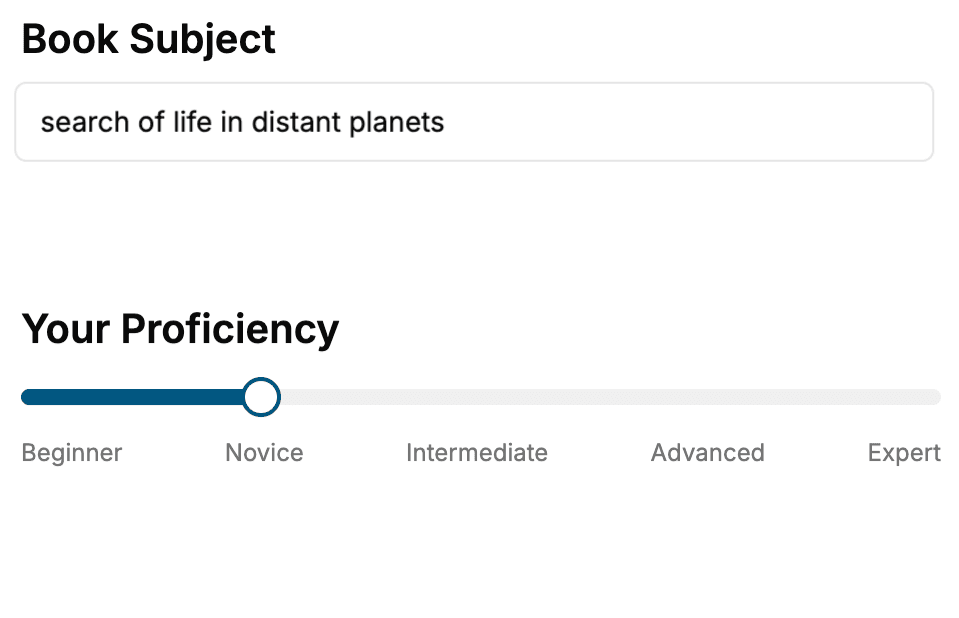
Select the focus of your Python book and share your background
- 2. Personalize your book
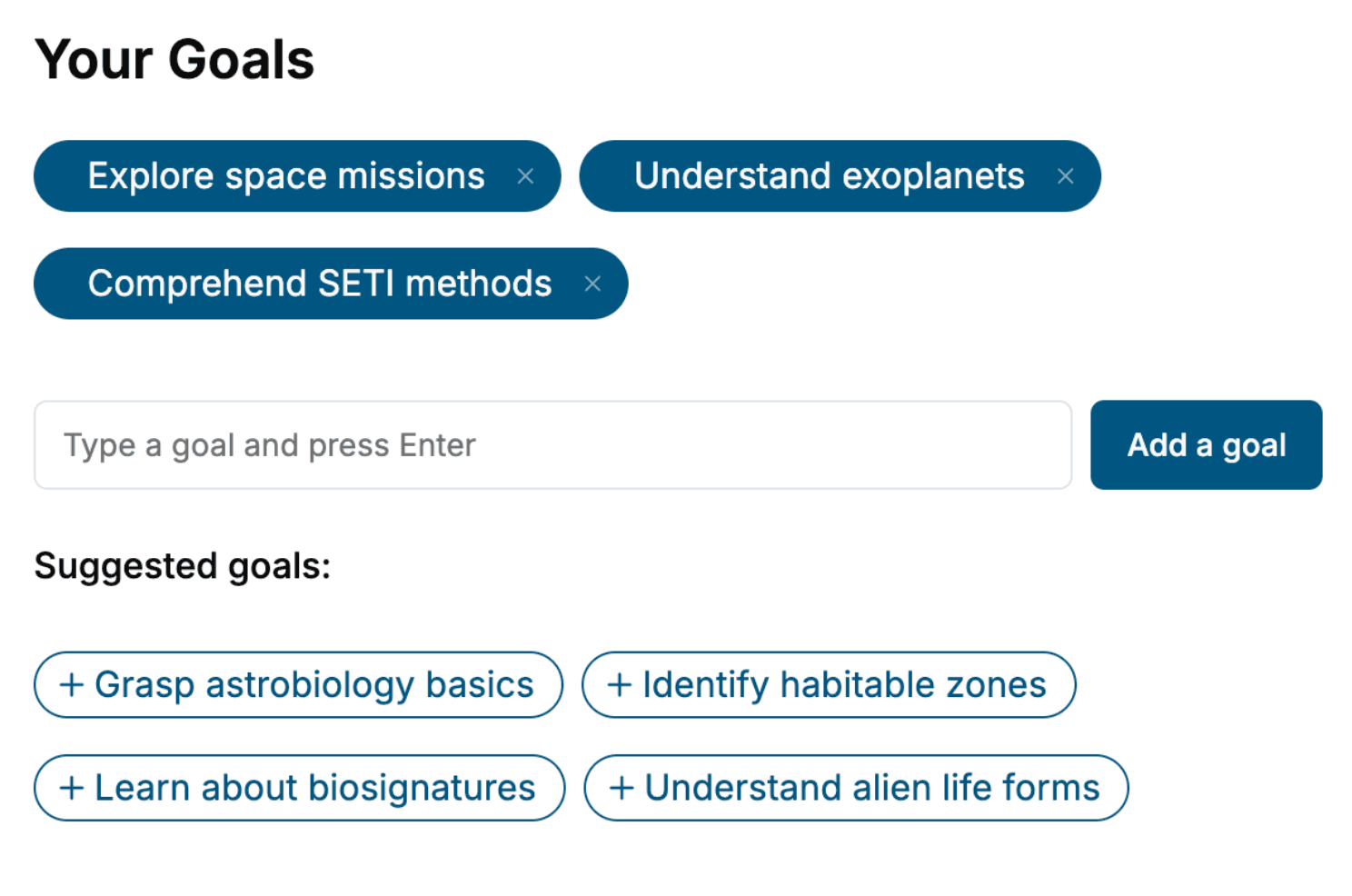
Specify your goals and choose sub-topics to include
- 3. Get your tailored book
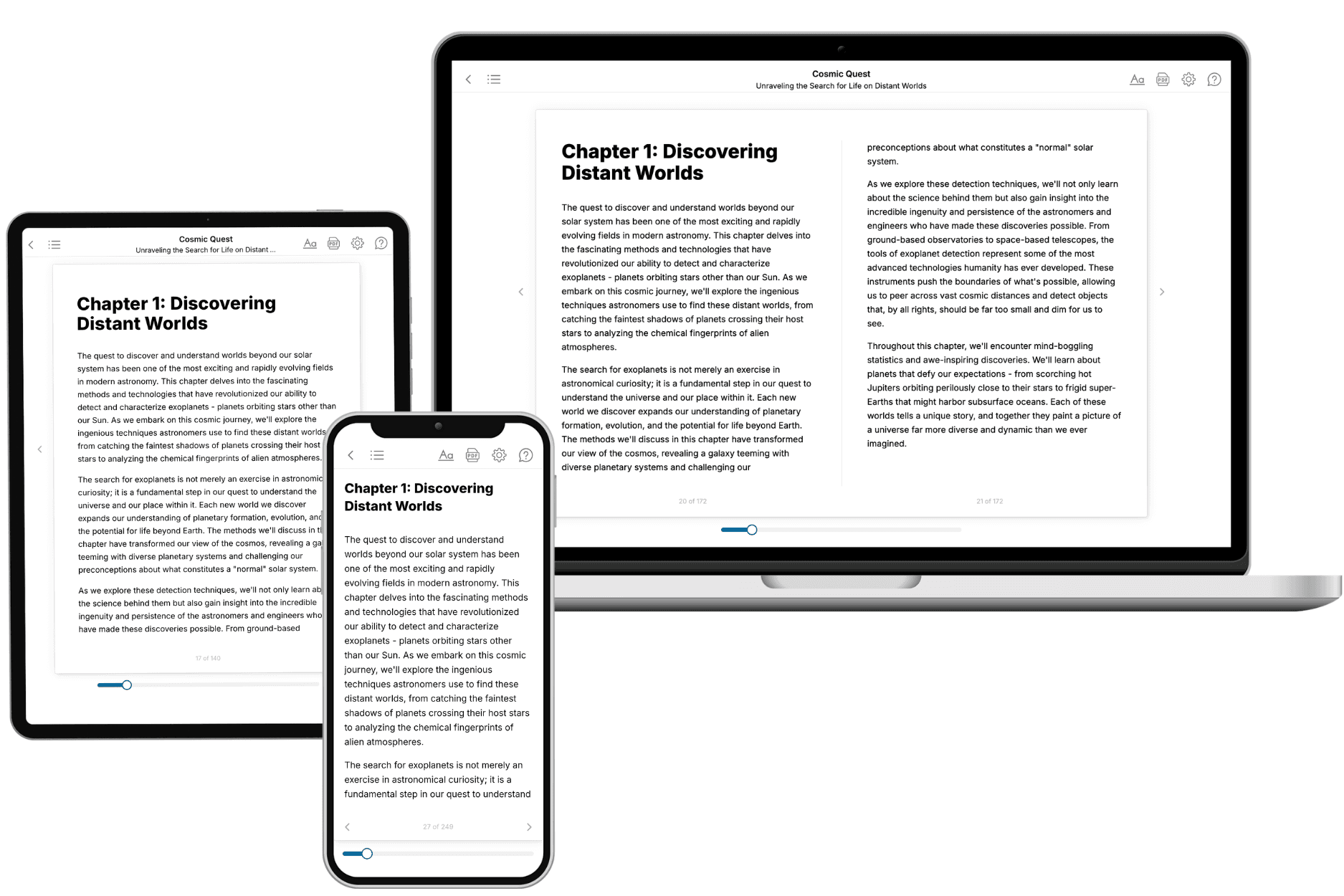
Your book is ready in 10 minutes. Read it online, download as EPUB or PDF, or send to Kindle.
Frequently asked questions
- What is TailoredRead?
TailoredRead creates complete, full-length nonfiction ebooks, written specifically for you. Tell us what you want to learn and why, and TailoredRead writes you a complete ebook on it, with charts, tables, and diagrams throughout. Read it online, on Kindle, or on any e-reader, or download it as a PDF or EPUB. Every book is written fresh the day you order it.
- How is the book tailored to me?
Before anything is written, you answer a few short questions about your goals, your background, and the topics you care about. Your book is then planned around your answers: written at your level, focused on your goals, and covering the topics you chose, instead of the one-size-fits-all book a store sells everyone.
- Will it read like generic AI content?
No. Your book isn't a chat transcript: it's planned chapter by chapter before a single word is written, told in a clear book voice, and explains ideas visually with charts, tables, and diagrams. After writing, every book goes through an editorial pass that polishes chapters so the book reads consistent from start to finish. Judge for yourself: browse thousands of sample books on our Explore Books page.
- How accurate is the content?
Our AI first checks whether your subject needs live research. Niche and fast-moving subjects are researched before writing, and the book plan and chapters are grounded in what it finds. After writing, every book goes through a quality pass that checks its facts and consistency, and researched books list their sources in a Notes section at the back.
- How long is the book?
You choose the length: Comprehensive (250-300 pages), Detailed (150-200 pages), Essential (70-100 pages), or Short (30-50 pages).
- Does the book include visuals?
Yes. Every book includes visual elements such as timelines, checklists, step-by-step guides, decision trees, comparison tables, and matrices, and many include bar charts. A typical book includes dozens of these visual elements.
- Can I read it on Kindle? What formats can I download?
Yes. Every book can be read in our online reader or downloaded as a PDF or EPUB. The EPUB can be opened with Kindle, Apple Books, Kobo, and any e-reader. The Commercial and Author licenses also include an editable Word (DOCX) and Markdown download.
- How much does it cost?
About the price of a regular ebook. The exact price depends on your book's length and complexity, from $2 for the shortest books to $35 for the most comprehensive, and it's shown when you review your book, before you commit to anything. Each book is a one-time purchase, yours to keep, no subscription. Licenses that let you share, teach, or publish your book range from $35.99 to $49.99.
- Can I preview the book before purchasing?
Before you pay, you'll see what your book will cover: the title, a detailed description, the estimated length, and the complete chapter-by-chapter table of contents, so you know what you're getting before you decide. The full text itself is written after you purchase.
- How long does it take to create a book?
About 10 minutes. You can start reading the opening chapters while the rest is still being written.