The 2025 Maintenance Blueprint
Master Cutting-Edge Computer Maintenance Strategies for Peak Performance and Security
Most people treat computer maintenance as an afterthought—waiting until something breaks before taking action.
253 pages12 chaptersAug 19, 2026Computer MaintenanceCreated by Christopher
About this book
This reactive approach costs time, money, and productivity. The 2025 Maintenance Blueprint changes that by showing you how to shift from crisis management to strategic prevention. Whether you're managing your personal workstation or overseeing systems in a professional environment, this guide provides the contemporary strategies and practical tools you need to keep your computers running at peak performance. You'll master hardware diagnostics using current industry tools, understand the latest security protocols including post-quantum cryptography preparation, and learn how AI-driven predictive maintenance can anticipate failures before they happen. From firmware updates and driver management to home network design and legacy PC upgrades, you'll develop customized maintenance routines that fit your specific needs. By the end, you'll have the knowledge and confidence to optimize performance, enhance security, prevent common failures, and make informed decisions about emerging technologies—all while staying ahead of 2025's rapidly evolving tech landscape.
Table of contents
- IntroductionWhy Computer Maintenance Matters More Than Ever, From Reactive to Proactive: The Maintenance Mindset Shift, How to Use This Book for Maximum ImpactRead below
- Chapter 1: Preventive Maintenance FundamentalsUnderstanding Preventive Maintenance: Core Principles, Preventive vs. Reactive vs. Predictive Maintenance, Building Your Personalized Maintenance Schedule
- Chapter 2: Hardware Diagnostics MasteryEssential Diagnostic Tools and Software Updates, Running Effective Hardware Diagnostics, Interpreting Results and Identifying Failures, ADAS Calibration and 2026 Vehicle Model Coverage
- Chapter 3: Software Updates and Patch Management StrategyUnderstanding Patch Cycles and Update Schedules, Continuous Integration/Continuous Deployment Automation, Managing Update Risks and Compatibility Issues
- Chapter 4: Security Protocols for 2025 and BeyondSecure Boot Certificate Transitions and UEFI Updates, Preparing for Post-Quantum Cryptography, Implementing Boot-Level Protection Strategies
- Chapter 5: System Optimization TechniquesSetting Up Automated Performance Monitoring, Tracking Key Performance Indicators and System Health, Optimization Best Practices for Your Hardware
- Chapter 6: Driver and Firmware Update ManagementStrategic Driver Update Procedures, Firmware Updates: Safety and Best Practices, Compatibility Planning and Legacy System Support
- Chapter 7: CMMS Platforms and Maintenance AutomationChoosing the Right CMMS Platform for Your Needs, IoT Sensor Integration and Real-Time Monitoring, Automating Maintenance Task Scheduling and Tracking
- Chapter 8: Legacy PC Upgrades and PathwaysAssessing Your Legacy System's Upgrade Potential, Strategic Upgrade Planning and Component Selection, Extending System Lifespan Through Smart Upgrades
- Chapter 9: Home Network Architecture and Wireless SecurityDesigning Your Home Network Architecture, Wireless Encryption Standards and Implementation, Network Performance Optimization and Troubleshooting
- Chapter 10: Emerging Technologies and Future TrendsAI-Driven Predictive Maintenance and Machine Learning, Staying Current with Emerging Technologies, Future-Proofing Your Systems for 2026 and Beyond
- Chapter 11: Creating Your Custom Maintenance PlanAssessing Your Computing Environment and Needs, Building Your Personalized Maintenance Routine, Implementation Timeline and Quick Wins
- Chapter 12: Troubleshooting Common IssuesDiagnostic Flowcharts for Common Problems, Resolving Performance Issues Systematically, Security Incident Response and Recovery
- ConclusionYour Maintenance Journey Starts Now
- Glossary of Terms
- Further Reading and Resources
Introduction
A laptop that suddenly refuses to boot on a Monday morning rarely fails because of a single dramatic event. It fails because a fan collected dust for two years, a firmware update sat ignored for months, or a battery cycled past its healthy range without anyone noticing the warning signs. The breakdown feels sudden, but the causes were quiet and cumulative. This book exists to make those quiet causes visible before they turn into Monday morning emergencies, whether the machine in question sits on a desk at home or runs mission-critical work inside an organization.
The computing environment you manage today looks different from the one you managed five years ago. Systems now run layered security protocols, connect to smart-home and IoT devices, and depend on diagnostic software that itself needs regular updates to stay accurate. A project manager overseeing a fleet of workstations faces different pressures than someone maintaining a single home office setup, but both need the same underlying discipline: a repeatable process for catching problems early instead of reacting to them late.
Throughout this guide, maintenance is treated as a system, not a checklist of one-off tasks. Each chapter builds a piece of that system: Preventive Maintenance philosophy and scheduling, Hardware Diagnostics tools and interpretation, patch and update pipelines, boot-level security, performance monitoring, driver and firmware strategy, CMMS platforms, hardware upgrade planning, home network design, and the emerging role of AI-Driven Predictive Maintenance. By the final chapters, these pieces come together into a Custom Maintenance Plan built around your own environment, plus a Diagnostic Flowchart approach for the moments when something still goes wrong despite your best efforts.
None of this requires becoming a full-time IT specialist. It requires understanding which few habits produce most of the benefit, and building just enough structure that those habits happen automatically rather than depending on willpower. The chapters ahead give you that structure, tool by tool and decision by decision, starting with the case for why this shift in mindset matters now more than at any earlier point in personal computing.
Why Computer Maintenance Matters More Than Ever
Modern computers do more and depend on more interconnected systems than machines from a decade ago. A single workstation might run local software, sync with cloud services, host a home network gateway, and manage security certificates that verify every piece of code loaded at startup. Each of those layers is a place where things can quietly degrade. When maintenance is skipped, the failure does not usually announce itself in one layer at a time. It tends to surface as a cascading problem: a slow system, an unexplained crash, or a security warning that traces back to something that should have been addressed months earlier.
Cost is the most concrete reason maintenance deserves attention. A failed hard drive that could have been flagged early by monitoring software often means lost files, lost work hours, and the expense of emergency replacement parts or professional repair. Compare that to the cost of a few minutes spent each month checking drive health with a tool like CrystalDiskInfo. The math almost always favors prevention, and the gap widens further in professional settings where downtime affects more than one person's productivity.
Security has become a second major driver. Boot-level protections, certificate validity, and encryption standards are not static configurations you set once and forget. They evolve on their own schedules, and a system running on outdated protections becomes an easier target over time even if nothing about its physical hardware has changed. The chapter on Secure Boot Certificate Transition and Post-Quantum Cryptography preparation goes into this in depth, but the introduction-level point is simpler: security maintenance is not optional hygiene, it is the difference between a system that stays trustworthy and one that quietly stops being so.
Performance degradation is the third pressure, and it is often the most visible to an everyday user. A machine that took three seconds to open a browser a year ago might now take fifteen, not because the hardware got weaker, but because background processes, fragmented storage, outdated drivers, and accumulated software cruft slowly ate into available resources. Performance Monitoring tools exist specifically to catch this drift while it is still small, rather than letting it compound until the system feels unusable.
There is also a planning dimension that matters especially for anyone managing multiple machines or a small fleet of devices. Unplanned failures are disruptive precisely because they arrive without warning and demand immediate attention, often at the worst possible time. A maintenance approach built around scheduled checks and monitored indicators turns unpredictable emergencies into predictable, budgeted tasks. That shift, from unpredictable to scheduled, is worth more to a project manager's workload than almost any individual technical fix covered later in this book.
Consider a small example that captures all three pressures at once. A workstation running outdated drivers experiences intermittent graphics glitches. The user assumes it is a hardware fault and considers replacing the graphics card. A quick check of driver version history, paired with a look at temperature and utilization data from a monitoring tool, reveals the real cause: an outdated driver conflicting with a recent operating system update. The fix costs nothing but ten minutes of attention, but only if someone was watching for it. Without that habit, the same problem could have led to an unnecessary hardware purchase.
The following subchapters build directly on this foundation. The next section addresses the mental shift needed to make maintenance a habit rather than a reaction, and the final section explains how to move through this book in a way that matches your own environment and level of experience.
From Reactive to Proactive: The Maintenance Mindset Shift
Reactive Maintenance is the default mode most people fall into without ever deciding to. It means fixing things only after they break: reinstalling an operating system after a crash, replacing a drive after it fails, or resetting a network after it stops responding. This mode feels efficient in the moment because it avoids spending time on a system that seems to be working fine. Over a longer horizon, though, it is the most expensive and most stressful way to manage technology, because problems always surface at inconvenient times and often cause damage that could have been avoided with earlier attention.
Predictive Maintenance sits at the far end of the spectrum from reactive habits. Instead of waiting for failure or even following a fixed calendar, it uses ongoing data collection, such as drive health metrics, temperature trends, and error logs, to estimate when a component is likely to fail and to act before that point arrives. This is the approach explored fully in the chapter on AI-Driven Predictive Maintenance, where machine learning models analyze patterns across many data points to flag risk earlier than a human glancing at a dashboard ever could.
Preventive Maintenance occupies the middle ground and is the practical starting point for most readers of this book. It means performing scheduled tasks, such as checking drive health, applying updates, cleaning hardware, and reviewing security settings, on a regular cadence regardless of whether a specific warning sign has appeared. It does not require the sensor infrastructure or historical data that predictive approaches depend on, which makes it accessible to anyone managing a personal computer or a modest number of devices. The chapter on Preventive Maintenance Fundamentals builds out exactly how to construct a schedule suited to your own systems.
The mindset shift from reactive to preventive is less about learning new technical skills and more about changing when those skills get applied. Someone who already knows how to check disk health, update drivers, or review security settings has most of the technical knowledge needed. What changes is the timing: doing these things on a calendar, tied to specific triggers, rather than only after something visibly breaks. This is a scheduling and discipline problem as much as a technical one, and it is worth treating it that way.
A useful comparison is car maintenance, since the underlying mechanics translate cleanly. A driver who never changes their oil until the engine makes a strange noise is engaging in reactive maintenance, and by the time the noise appears, damage has often already occurred. A driver who changes the oil every few months regardless of how the car sounds is engaging in preventive maintenance. A driver whose car monitors oil quality in real time and alerts them exactly when a change is needed, based on actual wear rather than a fixed interval, is experiencing predictive maintenance. Computing systems can operate at any of these three levels, and most people unknowingly operate at the first, most costly level. The table below lays out how the three approaches compare across timing, cost profile, and the tools each one typically relies on.
| Approach | When Action Happens | Typical Cost Impact | Primary Tools |
|---|---|---|---|
| Reactive Maintenance | After failure occurs | Highest, includes downtime and emergency repair | None, fixes applied ad hoc |
| Preventive Maintenance | On a fixed schedule | Moderate, planned and predictable | Checklists, scheduled scans, update routines |
| Predictive Maintenance | Based on real-time condition data | Lowest over time, targeted interventions | IoT Sensor Integration, monitoring dashboards, machine learning models |
Moving from reactive to preventive does not require an all-at-once overhaul of every device you own or manage. A realistic starting point is choosing one or two recurring tasks, such as a monthly drive health check or a quarterly review of installed updates, and committing to them on a calendar. Once those become routine, additional tasks can be layered in, following the schedule-building approach detailed in the Preventive Maintenance Fundamentals chapter. Trying to adopt every practice in this book simultaneously is more likely to cause abandonment than progress.
It also helps to recognize the psychological pull back toward reactive habits. Preventive tasks rarely feel urgent because, by design, they are addressing problems before they become visible. This makes them easy to postpone in favor of work that feels more immediately pressing. Treating maintenance tasks as fixed appointments, the same way a recurring meeting cannot simply be skipped without consequence, is one of the more effective ways to keep the habit alive once it is established. The remaining chapters of this book assume that mindset as the baseline, and the practical routines they describe are built to reinforce it rather than fight against it.
For a project manager overseeing shared systems, this shift has an added dimension: maintenance stops being an individual habit and becomes a team process. Scheduled tasks need to be assigned, tracked, and verified, which is exactly the gap that platforms discussed in the CMMS chapter are built to close. Even before adopting dedicated software, though, the underlying mindset shift described here, from waiting for failure to scheduling prevention, applies equally whether you are managing one laptop or fifty.
How to Use This Book for Maximum Impact
This book is organized to move from foundational thinking toward specific technical execution, and then back out toward synthesis and troubleshooting. The early chapters establish the philosophy of preventive care and the core diagnostic skills needed to assess a system's health. The middle chapters cover the specific technical domains, patching, security, performance, drivers, and automation platforms, that make up a complete maintenance program. The later chapters bring everything together into a plan tailored to your own environment and provide a structured way to respond when problems still occur despite preparation.
Reading the book straight through is a reasonable approach for anyone starting from scratch, since each chapter builds vocabulary and concepts that later chapters assume you already understand. Someone with more experience, however, can use it differently. If security is the most pressing concern in your environment, the chapters on Secure Boot Certificate Transition and post-quantum preparation can be read first, with earlier foundational chapters used as reference material when unfamiliar terms appear. The same applies to anyone whose immediate priority is a sluggish machine, who might start with the Performance Monitoring and optimization chapters before circling back to scheduling fundamentals.
Whichever order you choose, treat the chapter on building a Custom Maintenance Plan as the destination rather than just another stop along the way. Every technical chapter before it is designed to feed into that synthesis: diagnostics inform what needs monitoring, patch strategy informs your update calendar, security protocols inform your boot-level checklist, and so on. Reading technical chapters in isolation without eventually assembling them into a single working routine leaves most of the practical value on the table.
Each chapter is built around actionable structures rather than abstract discussion alone. Expect steps, checklists, comparison tables, and decision frameworks throughout, designed so that you can apply a concept immediately after reading about it rather than needing to translate theory into practice on your own. When a chapter introduces a tool, such as a diagnostic utility or a monitoring platform, it explains not just what the tool does but how to fit it into a recurring routine.
A practical way to get immediate value from this book, even before finishing it, is to keep a running note of quick wins as you read. Almost every chapter contains at least one task that takes less than thirty minutes to implement and produces a noticeable improvement, such as enabling automatic drive health checks or reviewing your current Wi-Fi encryption standard. Capturing these as you encounter them, rather than waiting to apply everything at the end, keeps momentum high and turns reading into action from the very first chapter.
The checklist below offers a starting point for approaching the rest of the book, regardless of your current technical comfort level or the size of the environment you manage.
Getting Started With This Book
- Identify your primary environment: single personal machine, home network with multiple devices, or a professional fleet
- Note your single biggest current pain point, such as slow performance, security concerns, or unpredictable failures
- Choose a reading path: sequential from the start, or priority-first based on your pain point
- Keep a running list of quick wins as you encounter them in each chapter
- Set a target date for completing your first Custom Maintenance Plan draft
- Block time on your calendar now for at least one recurring maintenance task
If you manage systems for others, whether as a project manager, a small IT team lead, or an informal tech support resource for family and friends, read each technical chapter with two questions in mind: what does this mean for my own systems, and what does this mean for the systems I am responsible for. The answers often diverge. A driver update policy that works fine for a single home computer may need more rollback planning and testing before it can be safely rolled out across a group of shared workstations, a distinction covered directly in the chapter on driver and firmware update management.
Finally, treat this book as a reference to revisit rather than a one-time read. Maintenance is not a project with a finish line, it is an ongoing practice, and the specific tools, update cycles, and threat landscapes described throughout will keep shifting even after you finish the last page. The habits and frameworks built here are designed to remain useful even as the specific software names and version numbers around them change, which is precisely why the emphasis throughout is on process and judgment rather than any single tool. Return to the relevant chapter whenever your environment changes significantly, whether that means a new device, a new security requirement, or a new role that expands what you are responsible for maintaining.
This is the end of the free sample. The full book has 12 chapters.
Want this book written for you?
Tell us your goals and background, and get your own version of this book, tailored by AI to you.


Benefits of AI-tailored books
- Read one book, not ten:
- all the Computer Maintenance knowledge you need, gathered into a single book.
- Save days of learning:
- tell us your goals, choose your topics, and the whole book is built around them.
- Learn effortlessly:
- Computer Maintenance book written for your specific background and expertise.
- Understand at a glance:
- includes charts, tables, timelines, checklists, decision trees, and more.
- Stay current:
- written the day you order it, not years ago.
- Trust what you read:
- every book is checked for accuracy, with real research when your subject needs it.
Create your unique book in 3 steps
- 1. Select your focus
Select the focus of your Computer Maintenance book and share your background
- 2. Personalize your book
Specify your goals and choose sub-topics to include
- 3. Get your tailored book
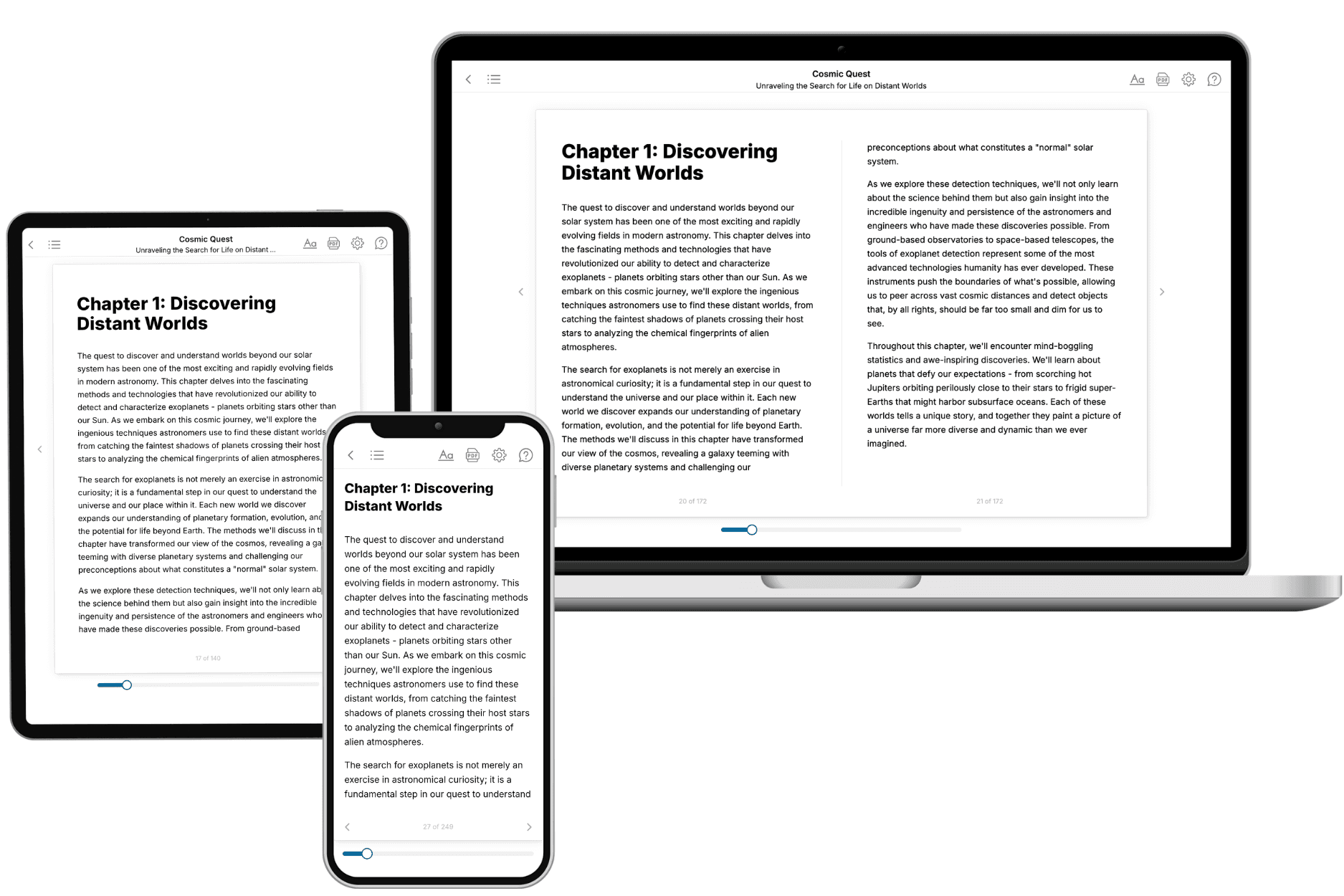
Your book is ready in 10 minutes. Read it online, download as EPUB or PDF, or send to Kindle.

Frequently asked questions
- What is TailoredRead?
TailoredRead creates complete, full-length nonfiction ebooks, written specifically for you. Tell us what you want to learn and why, and TailoredRead writes you a complete ebook on it, with charts, tables, and diagrams throughout. Read it online, on Kindle, or on any e-reader, or download it as a PDF or EPUB. Every book is written fresh the day you order it.
- How is the book tailored to me?
Before anything is written, you answer a few short questions about your goals, your background, and the topics you care about. Your book is then planned around your answers: written at your level, focused on your goals, and covering the topics you chose, instead of the one-size-fits-all book a store sells everyone.
- Will it read like generic AI content?
No. Your book isn't a chat transcript: it's planned chapter by chapter before a single word is written, told in a clear book voice, and explains ideas visually with charts, tables, and diagrams. After writing, every book goes through an editorial pass that polishes chapters so the book reads consistent from start to finish. Judge for yourself: browse thousands of sample books on our Explore Books page.
- How accurate is the content?
Our AI first checks whether your subject needs live research. Niche and fast-moving subjects are researched before writing, and the book plan and chapters are grounded in what it finds. After writing, every book goes through a quality pass that checks its facts and consistency, and researched books list their sources in a Notes section at the back.
- How long is the book?
You choose the length: Comprehensive (250-300 pages), Detailed (150-200 pages), Essential (70-100 pages), or Short (30-50 pages).
- Does the book include visuals?
Yes. Every book includes charts, tables, and diagrams: timelines, checklists, step-by-step guides, decision trees, comparison tables, matrices, and bar charts. A typical book includes dozens of these visual elements.
- Can I read it on Kindle? What formats can I download?
Yes. Every book can be read in our online reader or downloaded as a PDF or EPUB. The EPUB can be opened with Kindle, Apple Books, Kobo, and any e-reader. The Commercial and Author licenses also include an editable Word (DOCX) and Markdown download.
- How much does it cost?
About the price of a regular ebook. The exact price depends on your book's length and complexity, from $2 for the shortest books to $35 for the most comprehensive, and it's shown when you review your book, before you commit to anything. Each book is a one-time purchase, yours to keep, no subscription. Licenses that let you share, teach, or publish your book range from $35.99 to $49.99.
- Can I preview the book before purchasing?
Before you pay, you'll see what your book will cover: the title, a detailed description, the estimated length, and the complete chapter-by-chapter table of contents, so you know what you're getting before you decide. The full text itself is written after you purchase.
- How long does it take to create a book?
About 10 minutes. You can start reading the opening chapters while the rest is still being written.