Active Directory Automation Mastery
Advanced Techniques for Eliminating Manual AD Administration and Building Self-Service Portals
Managing Active Directory manually doesn't scale.
191 pages10 chaptersJan 25, 2026Active Directory
About this book
As your organization grows, repetitive tasks like user provisioning, permission audits, and account cleanup consume countless hours while introducing human error and compliance risks. You know AD administration is critical, but you're spending too much time on routine work instead of strategic initiatives. This book teaches you how to automate the complex, time-consuming AD tasks that currently drain your team's productivity. You'll master advanced LDAP query optimization, build intelligent stale account detection systems, and create self-service portals that let users and managers handle routine requests without IT intervention. Learn to automate compliance reporting, permission audits, and the entire user lifecycle—from provisioning through deprovisioning. Whether you're implementing automated access reviews, managing service accounts at scale, or building AD reporting dashboards, you'll discover practical, production-ready techniques that work in real enterprise environments. This isn't theoretical—every technique is designed to reduce your manual workload, improve compliance, and strengthen security.
Table of contents
- IntroductionWhy AD Automation Matters Now, What You'll Learn in This Book, How to Use This GuideRead below
- Module 1: Foundations of AD AutomationCore Automation Principles and Patterns, PowerShell Essentials for AD Administration, LDAP Fundamentals and Query Basics, Security Considerations in Automation
- Module 2: Advanced LDAP Query OptimizationBuilding High-Performance LDAP Queries, Advanced Filter Techniques and Operators, Tuning Queries for Large Directories, Troubleshooting Slow and Failed Queries
- Module 3: Automating User Account LifecycleBuilding Automated Provisioning Workflows, Implementing Bulk User Import Processes, Enforcing AD Attribute Validation Rules, Automating Deprovisioning and Cleanup
- Module 4: Detecting and Managing Stale AccountsImplementing Stale Account Detection Methods, Creating Automated Inactive User Reports, Automating Safe Account Cleanup Processes
- Module 5: Service Account Management AutomationDiscovering and Cataloging Service Accounts, Automating Service Account Credential Rotation, Auditing Service Account Usage and Permissions, Implementing Service Account Governance
- Module 6: Automating Permissions and Access ManagementMapping Permission Inheritance and Access Paths, Automating Security Group Management, Running Automated Permission Audits, Implementing Access Review Workflow Automation
- Module 7: Exchange Mailbox AutomationAutomating Mailbox Provisioning with User Creation, Applying Automated Mailbox Policies and Settings, Automating Mailbox Deprovisioning and Archival
- Module 8: Building Self-Service AD PortalsDesigning Self-Service Portal Architecture, Implementing Automated Password Reset Workflows, Enabling Delegated Admin Automation, Securing Self-Service Portals and Workflows
- Module 9: AD Reporting and Dashboard DesignDesigning Effective AD Reporting Dashboards, Automating Data Collection for Reports, Building Compliance and Audit Reports, Creating Actionable Visualizations and Alerts
- Module 10: Advanced PowerShell Scripting for ADDesigning Robust and Maintainable Scripts, Implementing Error Handling and Logging, Scheduling and Orchestrating Automated Tasks, Optimizing Scripts for Performance and Scale
- ConclusionYour Path Forward, Continuous Improvement and Evolution
Introduction
Active Directory administration has reached a breaking point in most organizations. Your team spends hours each week creating user accounts, resetting passwords, auditing permissions, and cleaning up stale objects. These tasks are critical for security and compliance, but they're also repetitive, error-prone, and impossible to scale as your organization grows. Every manual process represents a potential security gap, a compliance risk, and a drain on your team's ability to focus on strategic initiatives. The reality is stark: if you're still managing AD primarily through manual processes, you're falling behind.
This book addresses that challenge directly. You'll learn how to automate the complex, time-consuming AD tasks that currently consume your workday. The techniques you'll master aren't theoretical exercises—they're production-ready solutions designed for real enterprise environments with thousands of users, complex permission structures, and strict compliance requirements. You'll discover how to build intelligent automation that reduces your manual workload by 70-80% while simultaneously improving accuracy, security, and compliance. From automated user provisioning to self-service portals, from stale account detection to permission audits, you'll gain the skills to transform AD administration from a reactive, manual burden into a proactive, automated system.
Module Outcomes: By completing this introduction module, you will be able to:
- Understand the critical business and security drivers behind AD automation initiatives
- Identify which AD tasks in your environment offer the highest automation ROI
- Recognize the key automation patterns and approaches used throughout this book
- Assess your current AD management maturity and identify gaps
- Plan your automation journey with realistic milestones and success metrics
- Navigate this book's structure to focus on your highest-priority challenges
When to use this module: Start here before diving into specific automation techniques. This introduction establishes the foundational context you need to understand why certain automation approaches work better than others, and how to prioritize your automation efforts for maximum impact. If you're building a business case for AD automation investment, this module provides the strategic framework and ROI justification you need. Return to this introduction whenever you need to refocus on the bigger picture or explain automation value to stakeholders.
Why AD Automation Matters Now
Lesson Outcomes: After completing this lesson, you will be able to:
- Articulate the business case for AD automation to technical and non-technical stakeholders
- Identify the hidden costs of manual AD administration in your environment
- Recognize the security and compliance risks that automation directly addresses
- Calculate the potential time savings and ROI from automation initiatives
- Understand how automation enables strategic IT initiatives beyond basic administration
The scale problem in Active Directory management has become unavoidable. A typical mid-sized organization with 2,000 employees experiences approximately 15-20 user lifecycle events per week—new hires, terminations, role changes, and transfers. Each event requires 30-45 minutes of manual work when you account for account creation, group memberships, mailbox provisioning, and documentation. That's 10-15 hours weekly spent on routine provisioning alone, not counting password resets, permission requests, or compliance audits. As organizations grow, this workload doesn't scale linearly—it accelerates because permission structures become more complex and compliance requirements multiply.
Manual processes introduce systematic errors that create security vulnerabilities. Research from identity management vendors indicates that 15-20% of manually created user accounts contain at least one configuration error—wrong group memberships, missing attributes, or incorrect permissions[1]. These errors accumulate over time, creating permission creep where users gradually accumulate access rights they no longer need. A single misconfigured service account with excessive permissions can provide attackers with a foothold for lateral movement across your network. Automation eliminates these human errors by enforcing consistent, validated processes every time.
Compliance requirements have made manual AD management practically impossible at scale. Regulations like SOX, HIPAA, and GDPR require regular access reviews, audit trails, and proof of timely deprovisioning. Manually reviewing permissions for 2,000 users across hundreds of security groups takes weeks and produces outdated results the moment you finish. Automated access reviews can run continuously, flagging anomalies in real-time and maintaining audit trails automatically. Organizations facing compliance audits without automation typically spend 200-300 hours preparing documentation that automated systems generate instantly.
The hidden costs of manual AD administration extend far beyond direct labor hours. Consider the opportunity cost: every hour your team spends creating user accounts or resetting passwords is an hour not spent on strategic initiatives like security hardening, infrastructure modernization, or automation development. Helpdesk ticket volume provides a clear metric—password resets alone typically represent 20-30% of all helpdesk tickets in organizations without self-service automation. At an average resolution time of 15 minutes per ticket and a fully loaded cost of $25-35 per ticket, a 500-person organization spends $15,000-25,000 annually just on password reset labor.
Security incidents linked to AD misconfigurations carry enormous costs that justify automation investment. When a terminated employee retains active credentials for days or weeks due to manual deprovisioning delays, you've created an insider threat window. When stale service accounts with privileged access go undetected for months, you've expanded your attack surface unnecessarily. The 2021 Verizon Data Breach Investigations Report found that compromised credentials were involved in 61% of breaches[2]. Automated account lifecycle management and stale account detection directly address these attack vectors by ensuring accounts are disabled immediately upon termination and dormant accounts are identified within days, not months.
Automation enables capabilities that are simply impossible with manual processes. Real-time compliance dashboards that show your current security posture across all AD objects require automated data collection and analysis. Self-service portals that let managers request access for their team members while maintaining proper approval workflows and audit trails need automation to function. Intelligent stale account detection that considers multiple factors—last logon, last password change, group memberships, and business context—requires automated analysis of data points that would take hours to gather manually for a single account.
The business agility argument for automation resonates with executive stakeholders. When your organization acquires another company, can you onboard 500 new users in a day while maintaining security and compliance standards? When a new application requires specific AD group memberships and attributes for 1,200 users, can you implement those changes accurately within hours? Manual processes create bottlenecks that slow business initiatives. Automated provisioning workflows can onboard new users in minutes with perfect consistency, and bulk update operations can modify thousands of accounts safely in the time it would take to manually update a dozen.
Real-World Impact: A financial services company with 3,500 employees implemented automated user provisioning, stale account detection, and self-service password reset. Within six months, they reduced helpdesk ticket volume by 42%, eliminated provisioning errors that had previously caused 3-5 security incidents annually, and freed 25 hours per week of IT staff time for strategic projects. Their compliance audit preparation time dropped from 280 hours to 12 hours because automated reports provided instant documentation.
The competitive landscape has shifted—automation is no longer optional for organizations that want to maintain security while enabling business agility. Your peers in similar organizations are already implementing these capabilities. The question isn't whether to automate AD administration, but how quickly you can implement automation to catch up with industry standards. Every month you delay represents continued security risk, compliance exposure, and wasted labor on tasks that should be automated.
Practice Tasks: Apply these concepts to your environment:
- Calculate your current manual AD administration workload: track all user provisioning, password resets, permission changes, and audit activities for two weeks, recording time spent on each task type
- Identify your three highest-volume, most time-consuming AD tasks and estimate annual hours spent on each—these are your top automation candidates
- Review your last compliance audit or security assessment and list all AD-related findings that automation could have prevented or detected earlier
- Survey your helpdesk ticket system to determine what percentage of tickets relate to password resets, account unlocks, and permission requests—calculate the annual cost at $30 per ticket
- Document one security incident or near-miss in the past year related to stale accounts, delayed deprovisioning, or permission errors—estimate the cost of investigation and remediation
Key Takeaways:
- Manual AD administration doesn't scale—workload accelerates as organizations grow due to increasing complexity
- Human error in manual processes creates 15-20% configuration error rates that accumulate into security vulnerabilities
- Compliance requirements make manual access reviews and audit documentation practically impossible at enterprise scale
- Hidden costs include opportunity cost, helpdesk burden, and security incident response—often exceeding direct labor costs
- Automation enables capabilities impossible with manual processes: real-time dashboards, self-service portals, and intelligent detection
- Business agility depends on automation—manual processes create bottlenecks that slow strategic initiatives
- Industry standards have shifted—automation is now expected for maintaining security and compliance at scale
What You'll Learn in This Book
Lesson Outcomes: After completing this lesson, you will be able to:
- Navigate the book's structure to find solutions for your specific automation challenges
- Understand the progression from foundational skills to advanced automation techniques
- Identify which modules address your highest-priority pain points
- Recognize how different automation techniques build on each other
- Plan your learning path based on your current skill level and organizational needs
This book follows a deliberate progression from foundational concepts to advanced automation implementations. Module 1 establishes the core automation principles, PowerShell essentials, and LDAP fundamentals you need for everything that follows. Even if you have PowerShell experience, this module introduces AD-specific patterns and security considerations that differ from general scripting. You'll learn why certain approaches work better in AD environments and how to avoid common pitfalls that create security vulnerabilities or performance problems. This foundation ensures you understand not just how to automate, but how to automate safely and efficiently.
Module 2 tackles advanced LDAP query optimization—a critical skill that separates functional automation from production-ready automation. You'll discover how to build queries that return results in seconds instead of minutes, even when searching directories with 50,000+ objects. The techniques you'll learn include filter optimization, attribute selection strategies, and query tuning for large directories. This module addresses a common failure point: scripts that work perfectly in test environments with 100 users but time out or crash in production with 10,000 users. You'll learn to write queries that scale from day one.
Modules 3 and 4 focus on user account lifecycle automation—the highest-ROI automation opportunity in most environments. Module 3 covers provisioning workflows, bulk import processes, attribute validation, and automated deprovisioning. You'll build complete workflows that create users, assign group memberships, provision mailboxes, and enforce naming conventions—all with proper error handling and audit logging. Module 4 extends this with stale account detection and cleanup automation. You'll implement intelligent detection methods that consider multiple factors, create automated reporting, and build safe cleanup processes that prevent accidental deletions while reducing your attack surface.
Module 5 addresses service account management—a frequently overlooked security risk. Service accounts often have elevated privileges, rarely change passwords, and multiply across your environment without proper governance. You'll learn to discover and catalog service accounts automatically, implement credential rotation workflows, audit usage and permissions, and establish governance processes. These techniques directly address a common attack vector: compromised service accounts with excessive permissions that provide attackers with persistent access.
Module 6 covers permissions and access management automation—essential for compliance and security. You'll master permission inheritance mapping to understand complex access paths, automate security group management, implement automated permission audits, and build access review workflows. This module solves the permission creep problem where users accumulate access rights over time. You'll create systems that continuously monitor permissions, flag anomalies, and enforce regular reviews without manual effort. The access review workflow automation alone can reduce compliance audit preparation from weeks to hours.
Module 7 integrates Exchange mailbox automation with user provisioning. You'll learn to provision mailboxes automatically during user creation, apply mailbox policies and settings consistently, and automate mailbox deprovisioning and archival. This integration eliminates the common problem where user accounts are created but mailboxes aren't provisioned until hours or days later, or where terminated employees' mailboxes remain active indefinitely. You'll build workflows that handle the complete lifecycle from provisioning through archival with proper error handling and rollback capabilities.
Module 8 teaches you to build self-service AD portals—the ultimate automation multiplier. Self-service portals let users and managers handle routine requests without IT intervention, dramatically reducing helpdesk burden while maintaining security and audit trails. You'll design portal architecture, implement password reset workflows, enable delegated administration, and secure these systems properly. A well-designed self-service portal can reduce helpdesk tickets by 40-50% while improving user satisfaction because requests are fulfilled instantly instead of waiting in a ticket queue.
Module 9 focuses on AD reporting and dashboard design. You'll learn to design effective dashboards that provide actionable insights, automate data collection for reports, build compliance and audit reports, and create visualizations with meaningful alerts. These dashboards transform AD from a black box into a transparent system where you can see security posture, compliance status, and potential issues at a glance. You'll build reports that executives can understand and auditors will accept as evidence of proper controls.
Module 10 covers advanced PowerShell scripting techniques specific to AD automation. You'll learn to design robust, maintainable scripts using proven patterns, implement comprehensive error handling and logging, schedule and orchestrate automated tasks, and optimize scripts for performance and scale. This module addresses the difference between scripts that work and scripts that work reliably in production for years. You'll learn techniques for handling edge cases, recovering from failures gracefully, and building scripts that other team members can understand and maintain.
Learning Path Example: If your immediate priority is reducing helpdesk burden, start with Module 1 for foundations, then jump to Module 8 for self-service portals and Module 3 for provisioning automation. If compliance is your driver, focus on Modules 1, 4, 6, and 9. If security incidents related to stale accounts are your concern, prioritize Modules 1, 4, and 5. The modular structure lets you focus on your highest-priority challenges first.
Each module builds on previous concepts but is designed to be relatively self-contained. You can jump to Module 6 for permission audits if that's your immediate need, though you'll benefit from understanding the LDAP query optimization techniques in Module 2. Cross-references throughout the book point you to related concepts in other modules. The practice tasks at the end of each lesson provide hands-on exercises you can complete in your test environment, and the key takeaways summarize essential concepts for quick reference.
The techniques in this book are production-tested in enterprise environments. Every script pattern, every workflow design, and every optimization technique has been validated in real AD environments with thousands of users, complex permission structures, and strict compliance requirements. You won't find theoretical examples that work in lab environments but fail in production. The error handling patterns, performance optimizations, and security considerations reflect real-world challenges you'll encounter when implementing these solutions in your environment.
Practice Tasks: Prepare for your learning journey:
- Review the module descriptions above and rank them 1-10 based on which addresses your most urgent pain points—this creates your personalized learning priority
- Set up a test AD environment (or ensure you have access to one) where you can safely practice the techniques without risking production systems
- Document your top three automation goals with specific success metrics (e.g., "reduce provisioning time from 45 minutes to 5 minutes" or "eliminate 200 monthly password reset tickets")
- Identify stakeholders who need to approve automation initiatives and schedule time to discuss the business case using concepts from the previous lesson
- Create a learning schedule that allocates specific time blocks for working through modules—automation skills require hands-on practice, not just reading
Key Takeaways:
- The book progresses from foundational skills (PowerShell, LDAP) to advanced implementations (self-service portals, dashboards)
- Module 2's LDAP query optimization is critical for building automation that scales to production environments
- Modules 3-4 on account lifecycle automation typically provide the highest ROI for most organizations
- Module 5's service account management addresses a frequently overlooked but critical security risk
- Module 6's permission automation is essential for compliance and preventing privilege creep
- Module 8's self-service portals multiply automation benefits by enabling user and manager self-service
- All techniques are production-tested in enterprise environments with realistic error handling and security considerations
How to Use This Guide
Lesson Outcomes: After completing this lesson, you will be able to:
- Choose the most effective learning approach based on your experience level and goals
- Set up a safe practice environment for testing automation techniques
- Adapt the book's examples to your specific AD environment and requirements
- Avoid common pitfalls when implementing automation in production
- Build a sustainable automation practice that grows with your organization
Your approach to this book should match your current skill level and organizational context. If you're new to AD automation, work through the modules sequentially starting with Module 1. The foundational concepts in PowerShell and LDAP are essential for everything that follows, and skipping them will leave gaps in your understanding. If you have intermediate PowerShell skills and understand basic LDAP queries, you can skim Module 1 for AD-specific patterns and security considerations, then move to modules that address your priority challenges. Advanced practitioners might use this book as a reference, jumping directly to specific techniques like permission inheritance mapping or service account governance.
Every technique in this book should be tested in a non-production environment first. Set up a test AD domain that mirrors your production structure—similar OU hierarchy, representative group memberships, and realistic user attributes. Populate it with test data that reflects production complexity: users with multiple group memberships, nested groups, service accounts, and stale accounts. This test environment lets you experiment safely, make mistakes, and understand how automation behaves before deploying to production. Many organizations use virtual machines or cloud-based test environments that can be reset easily if something goes wrong during testing.
The code examples throughout this book are designed to be adapted, not copied verbatim. Your AD environment has unique naming conventions, OU structures, attribute requirements, and business rules. When you see a script that creates users, examine the logic and adapt it to your naming conventions and required attributes. When you encounter a permission audit script, modify the group names and OUs to match your structure. The patterns and approaches are universal, but the specific implementation details must match your environment. Comments in the code highlight areas where customization is typically needed.
Start small and iterate when implementing automation in production. Don't attempt to automate your entire user provisioning process in one massive script. Begin with a simple workflow that creates a user account with basic attributes. Test it thoroughly with various scenarios—normal cases, edge cases, and error conditions. Once that works reliably, add group membership assignment. Then add mailbox provisioning. This incremental approach lets you validate each component before adding complexity, making troubleshooting much easier when problems occur. It also delivers value faster—a partial automation that handles 80% of cases is better than a perfect automation that's still in development six months later.
Error handling and logging are not optional extras—they're essential components of production automation. Every script example in this book includes error handling patterns and logging approaches. Study these carefully and implement them in your automation. When a script fails at 2 AM, comprehensive logging tells you exactly what went wrong and what state the system is in. Proper error handling prevents partial updates that leave accounts in inconsistent states. The extra time spent implementing robust error handling and logging pays for itself the first time you need to troubleshoot a production issue.
Documentation is critical for sustainable automation. As you build automation solutions, document the business logic, dependencies, required permissions, and operational procedures. Future you (or your colleagues) will need to understand how the automation works when it needs modification or troubleshooting. Include comments in your scripts that explain why you made specific design decisions, not just what the code does. Document the approval workflows, change control processes, and rollback procedures for each automation. This documentation transforms automation from tribal knowledge into organizational capability.
Version control for your automation scripts is essential as your automation library grows. Use Git or another version control system to track changes, maintain history, and enable collaboration. When you modify a working script, you can always revert to the previous version if the changes cause problems. Version control also provides an audit trail showing who changed what and when—valuable for compliance and troubleshooting. Many organizations use Azure DevOps, GitHub, or GitLab to manage their automation code with proper branching strategies and code review processes.
Implementation Strategy: A healthcare organization with 5,000 employees implemented AD automation over 18 months using an incremental approach. Month 1-2: basic user provisioning. Month 3-4: group membership automation. Month 5-6: mailbox provisioning integration. Month 7-9: stale account detection and reporting. Month 10-12: self-service password reset portal. Month 13-15: automated access reviews. Month 16-18: comprehensive reporting dashboards. Each phase delivered measurable value while building toward a complete automation ecosystem.
Security reviews should be part of your automation development process. Before deploying automation to production, have another team member review the code for security issues: Are credentials handled securely? Are permissions checked properly? Could the automation be abused to escalate privileges? Does it log sensitive information inappropriately? This peer review catches security issues before they reach production. For high-risk automation like permission changes or account deletion, consider requiring approval from security or compliance teams before deployment.
Measure and communicate the impact of your automation initiatives. Track metrics like time saved, error reduction, helpdesk ticket volume changes, and compliance audit preparation time. These metrics justify continued investment in automation and demonstrate value to stakeholders. When your self-service password reset portal reduces helpdesk tickets by 300 per month, calculate the cost savings and share it with management. When automated provisioning eliminates configuration errors that previously caused security incidents, document that risk reduction. Quantifiable results build support for expanding automation efforts.
Build a community of practice around automation in your organization. Share scripts, techniques, and lessons learned with colleagues. Conduct code reviews to improve quality and spread knowledge. Create a repository of reusable functions and modules that accelerate future automation development. This collaborative approach prevents duplication of effort and raises the overall quality of automation across your team. It also ensures that automation knowledge isn't concentrated in one person who becomes a single point of failure.
Stay current with AD automation best practices and new capabilities. Microsoft regularly updates PowerShell modules, introduces new cmdlets, and releases features that enable better automation. Security threats evolve, requiring updates to your automation to address new risks. Compliance requirements change, necessitating modifications to audit and reporting automation. Schedule regular reviews of your automation library to identify opportunities for improvement, consolidation, or retirement of obsolete scripts. Automation is not a one-time project—it's an ongoing practice that evolves with your organization.
Practice Tasks: Establish your automation practice:
- Set up a test AD environment with at least 50 test users, 20 security groups, a realistic OU structure, and some intentionally stale accounts—this becomes your safe experimentation space
- Create a version control repository for your automation scripts with a clear folder structure (e.g., /provisioning, /reporting, /maintenance, /utilities)
- Establish a documentation template for automation scripts that includes purpose, dependencies, required permissions, parameters, error handling approach, and operational procedures
- Define your automation development workflow: how will scripts be developed, tested, reviewed, approved, and deployed? Document this process and get stakeholder agreement
- Identify 2-3 colleagues who can serve as code reviewers and schedule a kickoff meeting to discuss automation goals, standards, and collaboration approaches
Key Takeaways:
- Match your learning approach to your skill level—beginners should work sequentially, experienced practitioners can jump to priority topics
- Always test automation in a non-production environment that mirrors production complexity before deploying
- Adapt code examples to your environment's specific naming conventions, OU structures, and business rules
- Start small and iterate—implement automation incrementally rather than attempting complete solutions immediately
- Error handling and logging are essential, not optional—they enable troubleshooting and prevent inconsistent states
- Version control, documentation, and peer review transform automation from individual scripts into sustainable organizational capability
- Measure and communicate automation impact to justify continued investment and build stakeholder support
This is the end of the free sample. The full book has 10 chapters.
Want this book written for you?
Tell us your goals and background, and get your own version of this book, tailored by AI to you.


Benefits of AI-tailored books
- Read one book, not ten:
- all the Active Directory knowledge you need, gathered into a single book.
- Save days of learning:
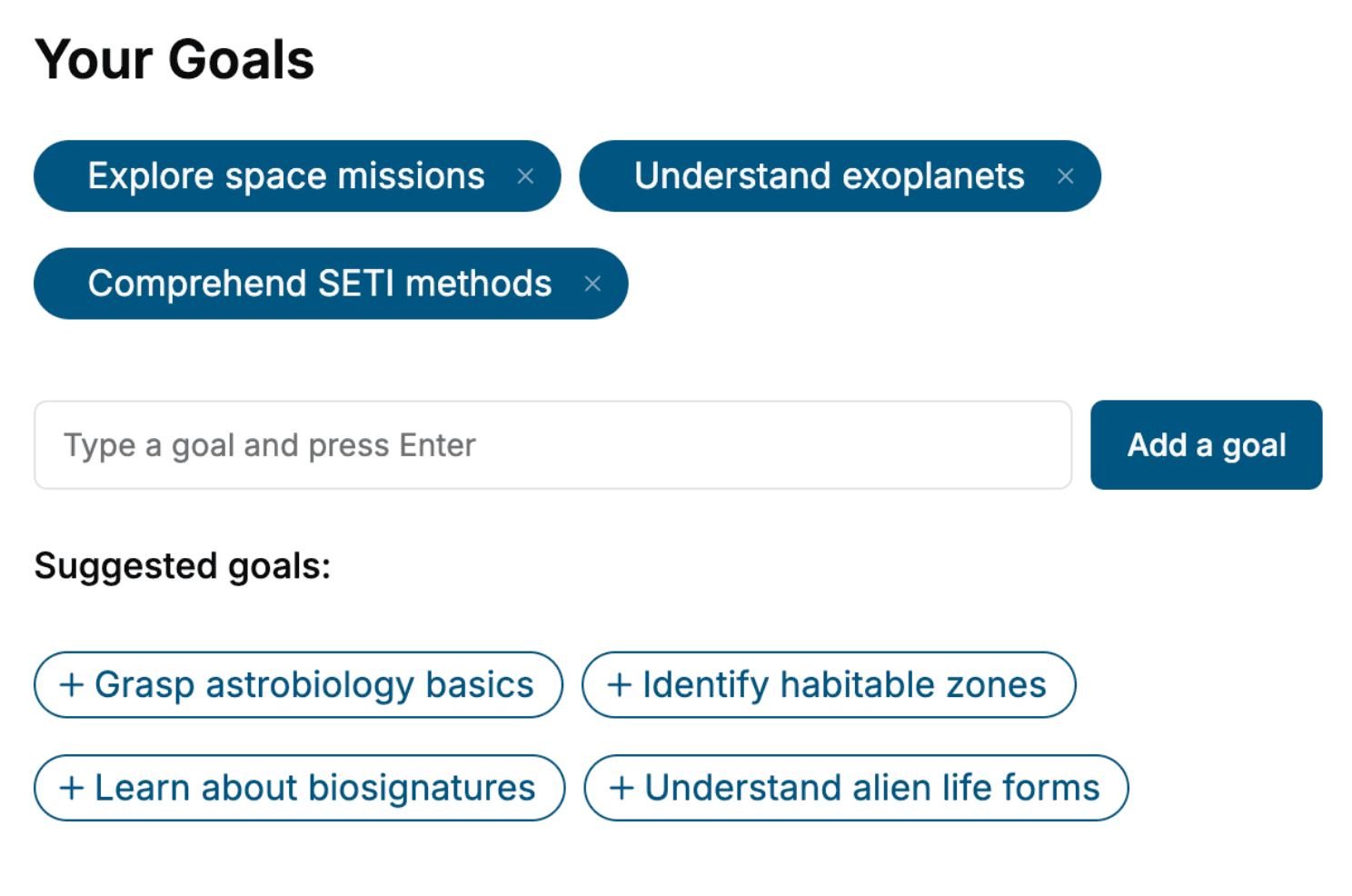
- tell us your goals, choose your topics, and the whole book is built around them.
- Learn effortlessly:
- Active Directory book written for your specific background and expertise.
- Understand at a glance:
- includes charts, tables, timelines, checklists, decision trees, and more.
- Stay current:
- written the day you order it, not years ago.
- Trust what you read:
- every book is checked for accuracy, with real research when your subject needs it.
Create your unique book in 3 steps
- 1. Select your focus
Select the focus of your Active Directory book and share your background
- 2. Personalize your book
Specify your goals and choose sub-topics to include
- 3. Get your tailored book
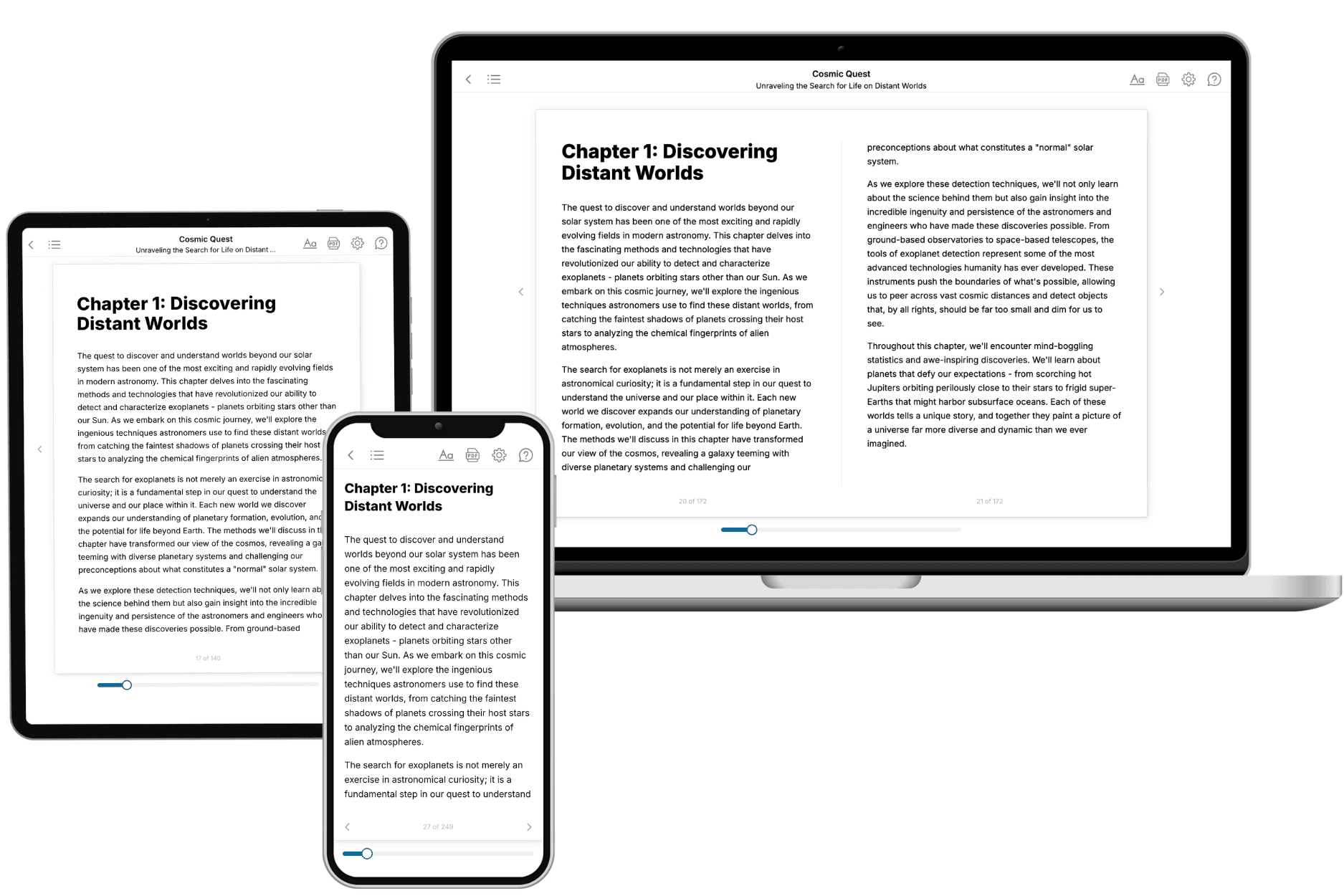
Your book is ready in 10 minutes. Read it online, download as EPUB or PDF, or send to Kindle.

Frequently asked questions
- What is TailoredRead?
TailoredRead creates complete, full-length nonfiction ebooks, written specifically for you. Tell us what you want to learn and why, and TailoredRead writes you a complete ebook on it, with charts, tables, and diagrams throughout. Read it online, on Kindle, or on any e-reader, or download it as a PDF or EPUB. Every book is written fresh the day you order it.
- How is the book tailored to me?
Before anything is written, you answer a few short questions about your goals, your background, and the topics you care about. Your book is then planned around your answers: written at your level, focused on your goals, and covering the topics you chose, instead of the one-size-fits-all book a store sells everyone.
- Will it read like generic AI content?
No. Your book isn't a chat transcript: it's planned chapter by chapter before a single word is written, told in a clear book voice, and explains ideas visually with charts, tables, and diagrams. After writing, every book goes through an editorial pass that polishes chapters so the book reads consistent from start to finish. Judge for yourself: browse thousands of sample books on our Explore Books page.
- How accurate is the content?
Our AI first checks whether your subject needs live research. Niche and fast-moving subjects are researched before writing, and the book plan and chapters are grounded in what it finds. After writing, every book goes through a quality pass that checks its facts and consistency, and researched books list their sources in a Notes section at the back.
- How long is the book?
You choose the length: Comprehensive (250-300 pages), Detailed (150-200 pages), Essential (70-100 pages), or Short (30-50 pages).
- Does the book include visuals?
Yes. Every book includes charts, tables, and diagrams: timelines, checklists, step-by-step guides, decision trees, comparison tables, matrices, and bar charts. A typical book includes dozens of these visual elements.
- Can I read it on Kindle? What formats can I download?
Yes. Every book can be read in our online reader or downloaded as a PDF or EPUB. The EPUB can be opened with Kindle, Apple Books, Kobo, and any e-reader. The Commercial and Author licenses also include an editable Word (DOCX) and Markdown download.
- How much does it cost?
About the price of a regular ebook. The exact price depends on your book's length and complexity, from $2 for the shortest books to $35 for the most comprehensive, and it's shown when you review your book, before you commit to anything. Each book is a one-time purchase, yours to keep, no subscription. Licenses that let you share, teach, or publish your book range from $35.99 to $49.99.
- Can I preview the book before purchasing?
Before you pay, you'll see what your book will cover: the title, a detailed description, the estimated length, and the complete chapter-by-chapter table of contents, so you know what you're getting before you decide. The full text itself is written after you purchase.
- How long does it take to create a book?
About 10 minutes. You can start reading the opening chapters while the rest is still being written.