The Activist's MacBook Air Security Guide
Protect Your Work, Secure Your Data, Defend Your Privacy
Protecting your MacBook Air is non-negotiable when your work involves activism.
222 pages10 chaptersJan 2, 2026Cyber Security
About this book
This guide walks you through every essential security layer—from encrypting your entire drive with FileVault to configuring your firewall, securing your email communications, and organizing sensitive files with proper permissions. You'll learn how to optimize Spotlight Search without exposing confidential materials, set up Time Machine backups that don't become security liabilities, and master Safari's privacy settings to prevent tracking. The book covers practical system preferences navigation, keyboard shortcuts that save time, Activity Monitor diagnostics for detecting threats, and network security basics that protect you on any Wi-Fi network. Whether you're managing sensitive documents, coordinating with other activists, or simply protecting your digital footprint, this guide provides the technical knowledge and step-by-step instructions you need to operate securely. Built for activists with some technical background, it balances accessibility with depth, ensuring you understand not just how to implement security measures, but why they matter for your work.
Table of contents
- IntroductionWhy Security Matters for Activists, What You'll Learn in This Guide, How to Use This BookRead below
- Chapter 1: Getting Started: Your MacBook Air Security FoundationUnderstanding Security Layers, System Preferences Navigation Essentials, Conducting Your Initial Security Audit
- Chapter 2: Full Disk Encryption with FileVaultFileVault Fundamentals and Why It Matters, Step-by-Step FileVault Encryption Setup, Managing Your Recovery Key Safely
- Chapter 3: Organizing and Protecting Your FilesFinder Organization Techniques for Sensitive Materials, Setting Up Secure Folder Permissions, Spotlight Search Optimization Without Exposing Secrets
- Chapter 4: Backup and Recovery SecurityTime Machine Backup Automation and Encryption, Disk Utility and Recovery Mode Essentials, Backup Security Best Practices
- Chapter 5: Securing Your Internet and CommunicationsSafari Privacy Settings Configuration, Privacy-Focused Browser Setup and Alternatives, Secure Email Encryption Setup
- Chapter 6: Network Security and Firewall ProtectionNetwork Security Basics for Activists, Firewall Configuration Guide, Wi-Fi Network Protection and Safe Connections
- Chapter 7: Monitoring and Threat DetectionActivity Monitor Diagnostics and Process Monitoring, Malware Detection Methods and Tools, Identifying Suspicious Activity on Your System
- Chapter 8: Software Security and UpdatesSoftware Update Security and Best Practices, App Store Security Review and Safe Installation, App Sandboxing Protection Explained
- Chapter 9: Privacy Controls and Data ProtectioniCloud Privacy Controls and Configuration, Metadata Removal Tools and Techniques, Bluetooth Security Risks and Mitigation
- Chapter 10: Efficiency and Mastery: Shortcuts and CommandsKeyboard Shortcut Mastery for Productivity, Terminal Command Basics for Security Tasks, Trackpad Gesture Shortcuts and Navigation
- ConclusionBuilding Your Security Maintenance Routine, Staying Informed About Emerging Threats
- Glossary
- Further Reading and Resources
Introduction
Your MacBook Air holds everything that matters to your activism work. Contact lists of fellow organizers, strategic planning documents, confidential communications with journalists, research on corporate malfeasance, and evidence of human rights violations all live on your device. When this information falls into the wrong hands—whether through device theft, network interception, or targeted surveillance—the consequences extend far beyond personal inconvenience. Compromised data can expose your networks, endanger colleagues, undermine campaigns, and in some contexts, lead to arrest or worse. Security isn't paranoia when the threats are real and documented.
The good news is that your MacBook Air comes equipped with powerful security features that, when properly configured, provide robust protection against most threats activists face. FileVault encryption renders your data unreadable to anyone without your password. The built-in firewall blocks unauthorized network connections. Safari's privacy settings prevent tracking across websites. Time Machine creates encrypted backups that ensure you can recover from hardware failure or confiscation. These tools exist on your system right now, but most users never enable them or configure them properly. This guide bridges that gap between available protection and actual security.
This book assumes you bring some technical background to the table—perhaps programming experience, self-taught Mac proficiency, or simply the willingness to work through technical concepts methodically. You don't need to be a security expert, but you should be comfortable opening Terminal, navigating system preferences, and following multi-step technical procedures. The goal isn't to make you a cybersecurity specialist, but to give you the practical knowledge needed to secure your specific device for your specific work. Every recommendation in this guide balances security with usability, recognizing that security measures you can't maintain consistently provide no real protection at all.
The threat landscape for activists has evolved dramatically over the past decade. State-sponsored surveillance programs target civil society organizations. Corporate security firms sell sophisticated monitoring tools to authoritarian governments. Law enforcement agencies deploy cell-site simulators and network analysis tools. Even non-state actors—from hostile corporations to far-right extremist groups—increasingly employ digital surveillance and harassment tactics. Meanwhile, everyday threats like opportunistic device theft, malware infections, and phishing attacks remain constant dangers. Your security approach must address this full spectrum of threats without becoming so burdensome that it interferes with your actual work.
This introduction establishes the foundation for everything that follows. You'll understand why security matters specifically for activism work, what concrete skills and knowledge this guide provides, and how to navigate the book efficiently based on your current security posture and immediate needs. Whether you're setting up a new MacBook Air or hardening an existing system, whether you face sophisticated state surveillance or simply want protection against common threats, this guide meets you where you are and provides a clear path forward. Security is a journey, not a destination, and this book serves as your roadmap.
Why Security Matters for Activists
Activism inherently involves challenging power structures, and those structures increasingly respond with digital surveillance and data collection. When you organize protests, document abuses, coordinate campaigns, or simply communicate with other activists, you generate digital traces that adversaries can exploit. Email metadata reveals your network of contacts. Location data from your device tracks your movements and meetings. Unencrypted files on a seized laptop expose your entire operation. The question isn't whether you're a target—if you're doing effective activism work, you already are—but rather how well you're protected when targeting occurs.
Consider the concrete ways inadequate security undermines activism work. A stolen, unencrypted laptop exposes the identities of confidential sources who provided evidence of corporate wrongdoing. Intercepted communications reveal protest plans to law enforcement, enabling preemptive arrests. Compromised email accounts allow adversaries to send false messages that sow confusion and distrust within your organization. Malware on your device captures passwords, documents, and screenshots that later appear in opposition research or legal proceedings. These aren't hypothetical scenarios—they represent documented incidents that have damaged real campaigns and endangered real people.
The legal landscape adds another dimension to security concerns. In many jurisdictions, authorities can compel you to unlock devices or turn over passwords, but they cannot compel you to remember passwords you've genuinely forgotten. Encrypted backups stored separately from your device provide plausible deniability. Proper security hygiene—regularly clearing browser history, using ephemeral messaging for sensitive discussions, maintaining clean separation between public and confidential work—limits what adversaries can discover even when they gain access to your device. Understanding the legal framework in your jurisdiction shapes your security strategy significantly.
Beyond external threats, internal security practices protect your organization from accidental exposure. When multiple people share devices or access shared folders, proper permission settings prevent unauthorized access to sensitive materials. When someone's device is compromised, network segmentation limits how far the breach extends. When a member leaves the organization under difficult circumstances, proper access management ensures they can't retain access to confidential systems. Security isn't just about defending against adversaries—it's about building resilient systems that function reliably even when things go wrong.
The psychological dimension of security deserves recognition as well. Knowing your communications and data are properly protected allows you to focus on your actual work rather than constantly worrying about surveillance. Conversely, inadequate security creates persistent anxiety that degrades both effectiveness and wellbeing. Security measures should feel empowering, not burdensome. When implemented thoughtfully, they become invisible parts of your workflow that provide peace of mind without constant attention. This guide emphasizes sustainable security practices you can maintain long-term without burnout.
Different types of activism face different threat profiles, and your security measures should reflect your specific context. Environmental activists documenting illegal logging face different risks than labor organizers coordinating strikes, who face different risks than human rights defenders in authoritarian contexts. However, certain baseline security practices apply universally: full-disk encryption, secure backups, privacy-respecting browsers, firewall protection, and regular software updates. This foundation protects against opportunistic threats while providing the platform for additional, context-specific security measures as needed.
The cost of inadequate security extends beyond immediate operational damage. Compromised campaigns lose momentum and credibility. Exposed activists face harassment, job loss, or legal consequences. Organizations spend months rebuilding trust after security breaches. Funders become hesitant to support groups with poor security track records. The reputational damage from a single serious breach can take years to overcome. Investing time in proper security now prevents these cascading consequences later. The hours you spend hardening your MacBook Air represent some of the highest-value work you can do for your cause.
Finally, security serves as a force multiplier for your activism. When your communications are secure, sources trust you with sensitive information. When your data is protected, you can safely maintain comprehensive records that support long-term campaigns. When your network is hardened, you can coordinate effectively without fear of infiltration. Security doesn't distract from activism—it enables more ambitious, more effective, and more sustainable activism. The most successful movements in recent history have combined compelling narratives with robust operational security. This guide helps you build that security foundation.
What You'll Learn in This Guide
This guide provides comprehensive, step-by-step instructions for securing every aspect of your MacBook Air. You'll start with FileVault full-disk encryption, the single most important security measure you can implement. The FileVault chapter walks through the complete setup process, explains how to manage your recovery key securely, and addresses common issues like forgotten passwords and recovery scenarios. You'll understand not just how to enable encryption, but why it matters and what threats it mitigates. By the end of that chapter, your data will be protected against unauthorized access even if your device is physically stolen.
File organization and permissions receive detailed treatment because activists often work with highly sensitive materials that require careful handling. You'll learn Finder organization techniques that keep confidential documents separate from routine files, how to set folder permissions that prevent unauthorized access, and how to configure Spotlight Search so it indexes your files for quick access without exposing sensitive content in search results. These practical skills prevent accidental exposure—like projecting your screen during a presentation and having confidential file names appear in search suggestions.
The backup and recovery chapter addresses a critical vulnerability many activists overlook: unencrypted backups that negate all your other security measures. You'll configure Time Machine to create encrypted backups automatically, learn how to store backup drives securely, and understand how to use Disk Utility and Recovery Mode when things go wrong. The chapter includes specific guidance on backup strategies for different threat models—whether you need off-site backups, how often to backup, and how to verify backup integrity without compromising security.
Browser security and communications protection form another major section. You'll configure Safari's privacy settings to block tracking, set up privacy-focused browser alternatives like Firefox or Brave, and implement secure email encryption using tools like GPG. The guide provides specific configuration steps rather than vague recommendations, including:
- Disabling third-party cookies and cross-site tracking
- Configuring DNS-over-HTTPS to prevent ISP monitoring
- Setting up browser extensions that enhance privacy without breaking websites
- Creating separate browser profiles for different types of work
- Implementing email encryption for sensitive communications
Network security receives thorough coverage because activists frequently work from cafes, libraries, and other public spaces with untrusted Wi-Fi networks. You'll learn how to configure your MacBook Air's built-in firewall, understand what network traffic it blocks and allows, and implement additional protections for public Wi-Fi use. The chapter explains network security concepts in accessible terms—what ports are, how firewalls work, why VPNs matter—and provides specific configuration steps. You'll understand when you're safe on public networks and when you need additional protection.
The monitoring and threat detection chapter teaches you how to use Activity Monitor to identify suspicious processes, recognize signs of malware infection, and understand what's normal versus abnormal system behavior. You'll learn specific indicators of compromise—unusual network activity, unexpected CPU usage, unfamiliar processes—and what to do when you detect them. This chapter includes practical exercises: opening Activity Monitor, sorting processes by various metrics, identifying system processes versus user applications, and investigating suspicious activity. These diagnostic skills help you detect problems early, before they cause serious damage.
Software security covers the often-overlooked importance of keeping your system and applications updated. You'll learn how to configure automatic security updates, evaluate whether to install major macOS updates immediately or wait for stability, and understand App Store security reviews and app sandboxing. The chapter explains why updates matter—they patch vulnerabilities that attackers actively exploit—and provides a practical update strategy that balances security with stability. You'll also learn how to verify app authenticity and avoid malicious software disguised as legitimate applications.
Privacy controls extend beyond browsers to system-wide settings. You'll configure iCloud privacy controls to limit what Apple collects and stores, learn metadata removal techniques for documents and photos before sharing them, and understand Bluetooth security risks. The chapter provides specific examples: how location data embedded in photos can reveal your home address, how document metadata can expose your identity, how Bluetooth devices can be used for tracking. You'll implement practical measures to strip this identifying information before documents leave your control.
The efficiency chapter recognizes that security measures you can't implement quickly won't get implemented consistently. You'll master keyboard shortcuts that accelerate common security tasks, learn essential Terminal commands for security operations, and configure trackpad gestures for efficient navigation. These skills reduce the friction of security practices, making them feel natural rather than burdensome. When locking your screen, encrypting a file, or checking system status takes seconds rather than minutes, you'll do it consistently. Efficiency and security reinforce each other.
Throughout the guide, you'll find specific examples drawn from real activism contexts. A chapter might explain folder permissions using the example of organizing documents from multiple sources with varying sensitivity levels. Another might demonstrate browser privacy settings in the context of researching opposition groups without revealing your interest. These concrete scenarios help you understand not just how to implement security measures, but when and why to use them. The goal is practical wisdom, not just technical knowledge.
How to Use This Book
This guide is structured to work both as a linear tutorial and as a reference manual. If you're setting up a new MacBook Air or starting from scratch with security, read the chapters in order and implement each security measure before moving to the next. This sequential approach builds your security foundation systematically, with each chapter assuming you've completed the previous ones. The early chapters cover fundamental protections—encryption, backups, basic privacy settings—that everything else depends on. Later chapters address more specialized topics that build on that foundation.
If you're hardening an existing system, start with Chapter 1's security audit to identify your current vulnerabilities and gaps. This audit provides a checklist of security measures to verify:
- Is FileVault encryption enabled?
- Are your backups encrypted and stored securely?
- Is your firewall configured and active?
- Are your browser privacy settings properly configured?
- Is your software up to date?
- Are your folder permissions set correctly?
Each chapter follows a consistent structure designed for practical implementation. The chapter opens with an explanation of why the topic matters and what threats it addresses. This context helps you understand the importance of sometimes tedious configuration steps. The middle sections provide detailed, step-by-step instructions with screenshots and specific menu paths. You can follow these instructions with your MacBook Air open, implementing each measure as you read. The chapter concludes with troubleshooting guidance for common issues and best practices for maintaining the security measures long-term.
The guide uses several formatting conventions to help you navigate efficiently. Bold text highlights key concepts and important terms you should remember. Italic text introduces new technical terms when they first appear. Monospace text indicates specific commands, file paths, or text you should type exactly as shown. Blockquotes set off important warnings, examples, or summaries. These visual cues help you scan chapters quickly to find specific information when you're using the book as a reference.
Code blocks present Terminal commands and configuration examples you can copy and use directly. For example, a command to check FileVault status might appear as:
fdesetup statusYou can type this command exactly as shown into Terminal. The guide explains what each command does before showing it, so you understand what you're executing and why. Never run commands you don't understand, even from a trusted source. This principle applies to this guide as well—if a command's purpose isn't clear, refer back to the explanation or skip it until you understand it fully.
Footnotes provide citations for security research, statistics, and technical claims. These citations serve two purposes: they allow you to verify information independently, and they point you toward additional resources for deeper learning. When the guide states that a particular vulnerability affects a certain percentage of systems, the footnote tells you where that data comes from. When it recommends a specific security practice, the footnote often links to the research or expert guidance supporting that recommendation. You can safely ignore footnotes on first reading and return to them later if you want to explore topics more deeply.
The book includes several chapters you might reference frequently even after initial setup. The keyboard shortcuts chapter (Chapter 10) serves as a quick reference for efficient system navigation. The monitoring chapter (Chapter 7) provides diagnostic procedures you'll return to whenever something seems wrong with your system. The network security chapter (Chapter 6) offers guidance for evaluating new Wi-Fi networks and public spaces. Consider bookmarking these chapters or keeping notes on their key points for quick access.
Your threat model—the specific risks you face based on your activism work, location, and adversaries—should guide how you prioritize different chapters. If you face sophisticated state surveillance, prioritize the communications security and network protection chapters. If your primary concern is device theft or loss, focus on encryption and backup security. If you work with confidential sources, emphasize file organization and permissions. The guide provides baseline security everyone should implement, plus additional measures for specific threat scenarios. Assess your risks honestly and implement protections proportional to those risks.
Plan to spend several hours working through this guide initially, plus ongoing time for maintenance. Enabling FileVault and waiting for initial encryption might take several hours depending on how much data you have. Configuring all your privacy settings, setting up encrypted backups, and organizing your files with proper permissions requires focused attention. Don't try to implement everything in one sitting. Spread the work over several days, implementing one or two major security measures each session. This paced approach prevents overwhelm and gives you time to integrate new practices into your workflow before adding more.
Security is not a one-time project but an ongoing practice. After initial setup, you'll need to maintain your security measures: installing updates regularly, verifying backups work correctly, reviewing permissions when you add new files, and staying informed about emerging threats. The conclusion chapter provides guidance on building a sustainable security maintenance routine that takes minimal time once established. Think of security like physical fitness—initial effort to build the habit, then consistent maintenance to preserve the benefits. This guide provides both the initial program and the maintenance plan.
Finally, recognize that perfect security doesn't exist, and pursuing it leads to paralysis. The goal is adequate security—protection proportional to your risks that you can maintain consistently without burning out. Some recommendations in this guide might feel excessive for your context, while others might not go far enough. Use your judgment. Implement the baseline measures everyone needs, then add additional protections based on your specific situation. Security that's too burdensome to maintain provides no real protection. Security that you actually implement and maintain, even if imperfect, makes you substantially safer than you were before. Start where you are, use what you have, do what you can.
This is the end of the free sample. The full book has 10 chapters.
Want this book written for you?
Tell us your goals and background, and get your own version of this book, tailored by AI to you.


Benefits of AI-tailored books
- Read one book, not ten:
- all the Cyber Security knowledge you need, gathered into a single book.
- Save days of learning:
- tell us your goals, choose your topics, and the whole book is built around them.
- Learn effortlessly:
- Cyber Security book written for your specific background and expertise.
- Understand at a glance:
- includes charts, tables, timelines, checklists, decision trees, and more.
- Stay current:
- written the day you order it, not years ago.
- Trust what you read:
- every book is checked for accuracy, with real research when your subject needs it.
Create your unique book in 3 steps
- 1. Select your focus
Select the focus of your Cyber Security book and share your background
- 2. Personalize your book
Specify your goals and choose sub-topics to include
- 3. Get your tailored book
Your book is ready in 10 minutes. Read it online, download as EPUB or PDF, or send to Kindle.

Frequently asked questions
- What is TailoredRead?
TailoredRead creates complete, full-length nonfiction ebooks, written specifically for you. Tell us what you want to learn and why, and TailoredRead writes you a complete ebook on it, with charts, tables, and diagrams throughout. Read it online, on Kindle, or on any e-reader, or download it as a PDF or EPUB. Every book is written fresh the day you order it.
- How is the book tailored to me?
Before anything is written, you answer a few short questions about your goals, your background, and the topics you care about. Your book is then planned around your answers: written at your level, focused on your goals, and covering the topics you chose, instead of the one-size-fits-all book a store sells everyone.
- Will it read like generic AI content?
No. Your book isn't a chat transcript: it's planned chapter by chapter before a single word is written, told in a clear book voice, and explains ideas visually with charts, tables, and diagrams. After writing, every book goes through an editorial pass that polishes chapters so the book reads consistent from start to finish. Judge for yourself: browse thousands of sample books on our Explore Books page.
- How accurate is the content?
Our AI first checks whether your subject needs live research. Niche and fast-moving subjects are researched before writing, and the book plan and chapters are grounded in what it finds. After writing, every book goes through a quality pass that checks its facts and consistency, and researched books list their sources in a Notes section at the back.
- How long is the book?
You choose the length: Comprehensive (250-300 pages), Detailed (150-200 pages), Essential (70-100 pages), or Short (30-50 pages).
- Does the book include visuals?
Yes. Every book includes charts, tables, and diagrams: timelines, checklists, step-by-step guides, decision trees, comparison tables, matrices, and bar charts. A typical book includes dozens of these visual elements.
- Can I read it on Kindle? What formats can I download?
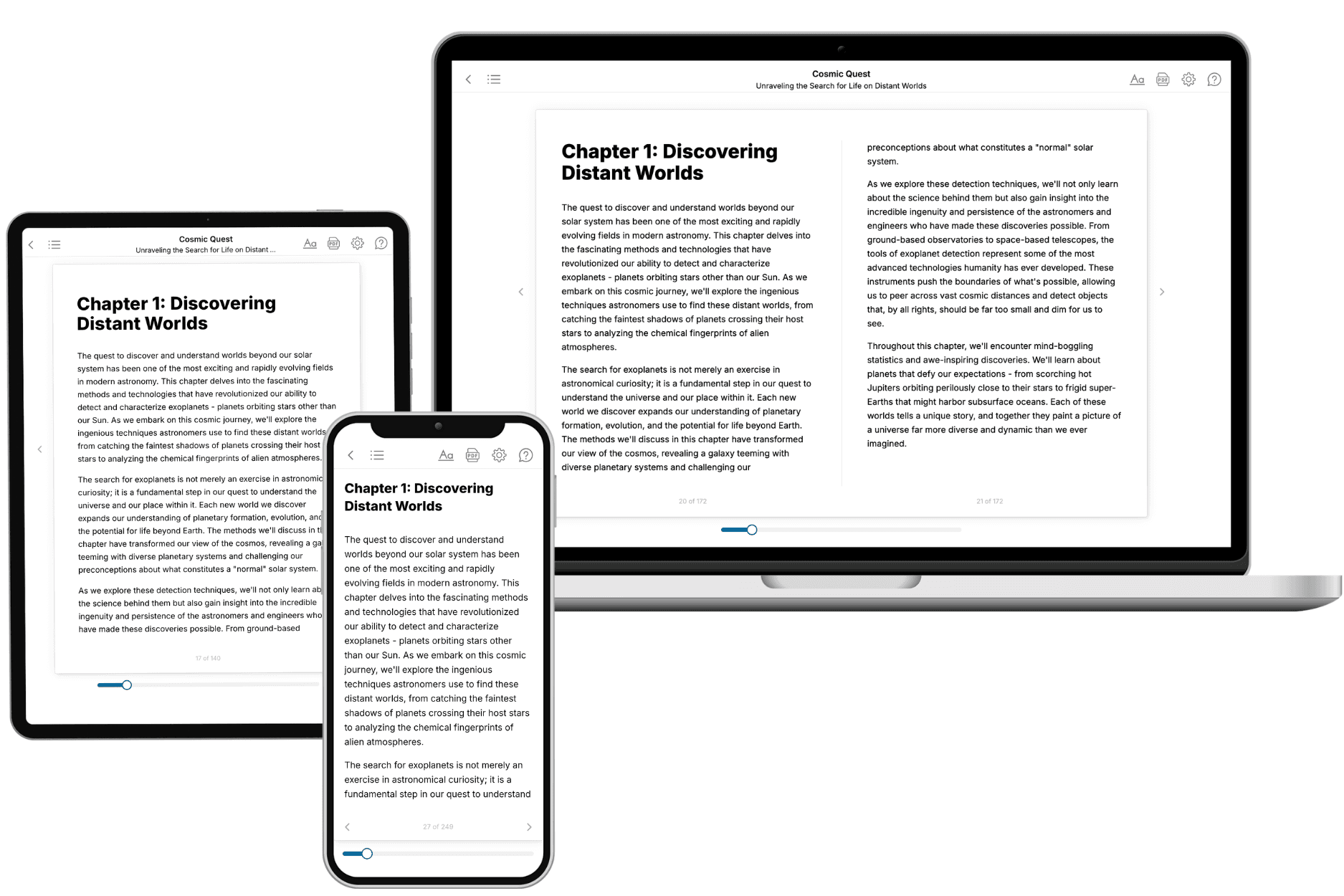
Yes. Every book can be read in our online reader or downloaded as a PDF or EPUB. The EPUB can be opened with Kindle, Apple Books, Kobo, and any e-reader. The Commercial and Author licenses also include an editable Word (DOCX) and Markdown download.
- How much does it cost?
About the price of a regular ebook. The exact price depends on your book's length and complexity, from $2 for the shortest books to $35 for the most comprehensive, and it's shown when you review your book, before you commit to anything. Each book is a one-time purchase, yours to keep, no subscription. Licenses that let you share, teach, or publish your book range from $35.99 to $49.99.
- Can I preview the book before purchasing?
Before you pay, you'll see what your book will cover: the title, a detailed description, the estimated length, and the complete chapter-by-chapter table of contents, so you know what you're getting before you decide. The full text itself is written after you purchase.
- How long does it take to create a book?
About 10 minutes. You can start reading the opening chapters while the rest is still being written.