AI Fusion
Mastering React-UI and PyTorch Integration for Advanced AI Prototypes
Create groundbreaking AI-powered applications that push the boundaries of user experience and functionality.
284 pages14 chaptersApr 4, 2025Artificial IntelligenceCreated by Chris
About this book
AI Fusion equips you with the advanced skills and techniques needed to seamlessly blend React UI with PyTorch's powerful machine learning capabilities. You'll learn how to architect responsive, real-time AI interfaces, optimize model performance, and scale your prototypes for production. This comprehensive guide covers everything from AI-driven animations and microinteractions to automated testing and deployment pipelines. By the end of this book, you'll have the expertise to develop innovative AI applications that set new standards in your industry.
Table of contents
- IntroductionThe Power of AI with React and PyTorch, Book Overview and Learning Path, Prerequisites and SetupRead below
- Chapter 1: Foundations of AI-Powered React ApplicationsLeveraging React Hooks for AI Integration, PyTorch Fundamentals for Web Developers, Architecting AI-Driven Component Structures, State Management Strategies for AI Applications
- Chapter 2: Integrating PyTorch Models with ReactBuilding the PyTorch-React Bridge, Serving PyTorch Models in React Applications, Implementing Real-time AI Inference, Optimizing Performance with Model Caching
- Chapter 3: Developing Custom AI ComponentsCreating a Reusable AI Component Library, AI-Powered Form Validation Components, AI-Driven Data Visualization Components, Designing AI-Enhanced User Interaction Components
- Chapter 4: Crafting Responsive AI User InterfacesImplementing AI-Driven UI Patterns, Creating Smooth AI-Powered Animations, Enhancing UX with AI Microinteractions, Ensuring Accessibility in AI-Driven Interfaces
- Chapter 5: Optimizing AI Model PerformanceTechniques for PyTorch Model Optimization, Implementing Lazy Loading for AI Components, AI Performance Profiling and Monitoring, Leveraging Distributed Computing for AI Tasks
- Chapter 6: Designing AI-Powered DashboardsArchitecting Scalable AI Dashboard Layouts, Implementing Real-time Dashboard Updates, Creating Customizable AI Widget Systems, Optimizing Dashboard Performance with AI
- Chapter 7: Automated Testing for AI-Driven UIsUnit Testing AI Components and Hooks, Integration Testing for AI-Powered Features, End-to-End Testing of AI User Flows, Performance Testing for AI Applications
- Chapter 8: Streamlining AI Deployment PipelinesSetting Up CI/CD for AI-Driven Applications, Containerizing AI Applications with Docker, Deploying AI Apps to Cloud Platforms, Implementing AI-Specific Monitoring and Logging
- Chapter 9: Advanced AI Debugging TechniquesDebugging PyTorch Models in React Context, Troubleshooting AI-Related UI Issues, Identifying and Resolving AI Performance Bottlenecks, Implementing Robust Error Handling for AI Components
- Chapter 10: Optimizing AI Development WorkflowTechniques for Rapid AI Prototyping, Maximizing Code Reusability in AI Projects, Enhancing Collaboration in AI Development Teams, Effective Version Control for AI Applications
- Chapter 11: Designing AI-Enhanced APIsArchitecting Scalable AI-Driven APIs, Implementing GraphQL for AI Data Fetching, Securing AI-Powered APIs, Versioning Strategies for Evolving AI APIs
- Chapter 12: Scaling AI Prototypes for ProductionScalable Architecture Patterns for AI Applications, Managing Large-Scale Data for AI Models, Implementing Load Balancing for AI Services, Advanced Caching Strategies for AI Components
- Chapter 13: Best Practices and Patterns in AI DevelopmentMaintaining High Code Quality in AI Projects, AI-Specific Design Patterns and Anti-patterns, Continuous Performance Optimization Techniques, Effective Documentation for AI-Driven Applications
- Chapter 14: Emerging Trends and Future DirectionsExploring New AI Frameworks and Tools, AI on the Edge: Opportunities and Challenges, Ethical Considerations in AI Application Development, Strategies for Continuous Learning in AI Development
- Conclusion
- Appendix
- Glossary
Introduction
Welcome to "AI Fusion: Mastering React-UI and PyTorch Integration for Advanced AI Prototypes." This book is your comprehensive guide to creating groundbreaking AI-powered applications that seamlessly blend React's powerful user interface capabilities with PyTorch's advanced machine learning functionalities. As a highly experienced software engineer with a Master's in Computer Science specializing in AI and web development, you are about to embark on a journey that will elevate your skills to new heights, enabling you to build innovative and scalable AI-driven applications that push the boundaries of user experience and functionality.
In today's rapidly evolving technological landscape, the integration of artificial intelligence into web applications has become not just a luxury, but a necessity for staying competitive and delivering cutting-edge solutions. The fusion of React's component-based architecture with PyTorch's flexible deep learning framework opens up a world of possibilities for creating sophisticated, high-performance AI prototypes. This book will equip you with the advanced skills and techniques needed to architect responsive, real-time AI interfaces, optimize model performance, and scale your prototypes for production environments.
Throughout this book, you'll discover how to leverage the strengths of both React and PyTorch to create applications that are not only powerful and intelligent but also user-friendly and visually appealing. You'll learn to develop custom AI components, implement AI-driven animations and microinteractions, and create data visualizations that effectively communicate AI insights to users. Moreover, you'll master the art of optimizing AI model performance to ensure your applications remain responsive and efficient, even when handling complex computations.
As we progress through the chapters, you'll gain hands-on experience with real-world projects and case studies that demonstrate the practical application of the concepts covered. By the end of this book, you'll have the expertise to develop innovative AI applications that set new standards in your industry, positioning yourself at the forefront of AI application development.
Let's begin our journey into the exciting world of AI Fusion, where we'll unlock the full potential of combining React UI with PyTorch to create the next generation of intelligent web applications.
The Power of AI with React and PyTorch
The convergence of artificial intelligence and web development has ushered in a new era of possibilities for creating intelligent, responsive, and user-centric applications. At the heart of this revolution lies the powerful combination of React, a popular JavaScript library for building user interfaces, and PyTorch, an open-source machine learning framework known for its flexibility and ease of use. This synergy between React and PyTorch enables developers to create applications that not only look great but also think and adapt in real-time, providing users with unprecedented levels of interactivity and personalization.
React, developed and maintained by Facebook, has become the go-to choice for many developers when it comes to building modern web applications. Its component-based architecture, virtual DOM for efficient rendering, and robust ecosystem of tools and libraries make it an ideal foundation for creating complex, dynamic user interfaces. React's declarative nature allows developers to describe how their UI should look at any given moment, making it easier to reason about the application state and user interactions[1].
On the other hand, PyTorch, developed by Facebook's AI Research lab, has gained significant traction in the machine learning community due to its intuitive design and dynamic computational graph. PyTorch's approach to defining neural networks as sequences of operations, rather than as static graphs, aligns well with the way developers think about building software. This flexibility makes PyTorch particularly well-suited for research and rapid prototyping of AI models[2].
When these two powerhouses are combined, the result is a formidable toolkit for creating AI-driven web applications. React's efficient rendering and state management capabilities complement PyTorch's ability to perform complex computations and inference tasks. This integration allows for the development of applications that can process and analyze data in real-time, update the UI dynamically based on AI predictions, and provide users with intelligent features that adapt to their behavior and preferences.
The power of this combination extends far beyond simple data processing or static model deployment. With React and PyTorch working in tandem, developers can create applications that:
- Perform real-time image or video analysis directly in the browser, enabling applications like intelligent photo editors or augmented reality experiences.
- Implement natural language processing features for chatbots, content recommendation systems, or advanced search functionalities.
- Create dynamic data visualizations that update in real-time based on AI-driven insights and predictions.
- Develop personalized user experiences that adapt to individual preferences and behaviors through continuous learning.
- Build interactive machine learning tools that allow users to train and fine-tune models directly through the web interface.
The integration of AI capabilities into web applications is not just about adding intelligence; it's about reimagining the entire user experience. By leveraging React's component-based architecture, developers can create modular AI features that can be easily reused across different parts of an application or even across multiple projects. This modularity not only speeds up development but also promotes consistency and maintainability in AI-driven interfaces.
Furthermore, the combination of React and PyTorch enables developers to take advantage of the latest advancements in both web development and machine learning. For instance, React's Concurrent Mode and Suspense features can be utilized to manage the asynchronous nature of AI computations, ensuring that the UI remains responsive even during complex processing tasks. Similarly, PyTorch's support for hardware acceleration and distributed computing can be harnessed to optimize the performance of AI models running in web environments.
The power of AI with React and PyTorch also extends to the development process itself. The hot-reloading capabilities of React, combined with PyTorch's dynamic graph construction, allow for rapid prototyping and experimentation. Developers can quickly iterate on both the UI design and the underlying AI models, testing different approaches and fine-tuning performance in real-time. This agility is crucial in the fast-paced world of AI development, where new techniques and models are constantly emerging.
Moreover, the integration of these technologies opens up new possibilities for collaborative development between UI designers, front-end developers, and machine learning engineers. The clear separation of concerns between the React components handling the user interface and the PyTorch models driving the AI functionality allows teams to work in parallel, leveraging their respective expertise while maintaining a cohesive application architecture.
As we delve deeper into this book, you'll discover how to harness the full potential of this powerful combination. You'll learn to create seamless integrations that blur the line between traditional web applications and advanced AI systems, opening up new frontiers in user interaction and data-driven decision making. The journey ahead will equip you with the skills to not just keep pace with the rapidly evolving landscape of AI-powered web applications, but to lead the charge in innovating and pushing the boundaries of what's possible.
Book Overview and Learning Path
"AI Fusion: Mastering React-UI and PyTorch Integration for Advanced AI Prototypes" is structured to provide you with a comprehensive and practical learning experience. The book is designed to take you on a journey from understanding the fundamentals of integrating AI with web applications to mastering advanced techniques for creating sophisticated, production-ready AI-driven systems. Each chapter builds upon the knowledge gained in the previous ones, ensuring a logical progression that reinforces your learning and allows you to apply new concepts immediately.
The learning path of this book is carefully crafted to address the unique challenges and opportunities presented by the integration of React and PyTorch. It begins with establishing a solid foundation in both technologies, ensuring that you have a deep understanding of how they work individually before exploring their synergies. From there, we'll dive into the intricacies of combining these powerful tools to create AI-enhanced web applications that are not only intelligent but also highly responsive and user-friendly.
Here's an overview of the journey that lies ahead:
- Foundations of AI-Powered React Applications: We'll start by exploring how to leverage React Hooks for AI integration, understanding PyTorch fundamentals from a web developer's perspective, and learning to architect AI-driven component structures. This chapter will set the stage for the rest of the book by establishing best practices for state management in AI applications.
- Integrating PyTorch Models with React: You'll learn how to build a robust bridge between PyTorch and React, serve PyTorch models efficiently in React applications, implement real-time AI inference, and optimize performance through model caching techniques.
- Developing Custom AI Components: This chapter focuses on creating a reusable AI component library, designing AI-powered form validation, data visualization, and user interaction components. You'll gain the skills to build a comprehensive toolkit for AI-driven UI elements.
- Crafting Responsive AI User Interfaces: Here, we'll delve into implementing AI-driven UI patterns, creating smooth AI-powered animations, enhancing UX with AI microinteractions, and ensuring accessibility in AI-driven interfaces.
- Optimizing AI Model Performance: You'll master techniques for PyTorch model optimization, implement lazy loading for AI components, conduct AI performance profiling and monitoring, and explore leveraging distributed computing for AI tasks.
- Designing AI-Powered Dashboards: This chapter covers architecting scalable AI dashboard layouts, implementing real-time updates, creating customizable AI widget systems, and optimizing dashboard performance with AI.
- Automated Testing for AI-Driven UIs: Learn to conduct unit testing for AI components and hooks, perform integration testing for AI-powered features, execute end-to-end testing of AI user flows, and carry out performance testing for AI applications.
- Streamlining AI Deployment Pipelines: You'll set up CI/CD for AI-driven applications, containerize AI applications with Docker, deploy AI apps to cloud platforms, and implement AI-specific monitoring and logging.
- Advanced AI Debugging Techniques: Master the art of debugging PyTorch models in a React context, troubleshoot AI-related UI issues, identify and resolve AI performance bottlenecks, and implement robust error handling for AI components.
- Optimizing AI Development Workflow: Explore techniques for rapid AI prototyping, maximize code reusability in AI projects, enhance collaboration in AI development teams, and implement effective version control for AI applications.
- Designing AI-Enhanced APIs: Learn to architect scalable AI-driven APIs, implement GraphQL for AI data fetching, secure AI-powered APIs, and develop versioning strategies for evolving AI APIs.
- Scaling AI Prototypes for Production: This chapter covers scalable architecture patterns for AI applications, managing large-scale data for AI models, implementing load balancing for AI services, and advanced caching strategies for AI components.
- Best Practices and Patterns in AI Development: Discover how to maintain high code quality in AI projects, implement AI-specific design patterns and avoid anti-patterns, apply continuous performance optimization techniques, and create effective documentation for AI-driven applications.
- Emerging Trends and Future Directions: We'll conclude by exploring new AI frameworks and tools, discussing AI on the edge, considering ethical implications in AI application development, and outlining strategies for continuous learning in this rapidly evolving field.
Throughout this learning path, you'll be exposed to real-world examples, case studies, and hands-on projects that will challenge you to apply your knowledge in practical scenarios. Each chapter will include code samples, best practices, and tips drawn from industry experience to help you avoid common pitfalls and accelerate your learning.
The book is designed to be both a comprehensive guide and a reference that you can return to as you work on your own AI-driven projects. By the end of this journey, you'll have developed a robust skill set that combines deep technical knowledge with practical implementation experience, positioning you to create innovative AI applications that push the boundaries of what's possible on the web.
To make the most of this book, it's recommended that you follow the chapters in order, as each builds upon the concepts introduced in the previous ones. However, if you're already familiar with certain topics, you can also use the book as a reference guide, jumping to specific chapters or sections as needed. The modular structure of the content allows for flexibility in your learning approach while ensuring that you can always find the information you need when tackling complex AI integration challenges.
As you progress through the book, you'll find that the concepts and techniques you learn are immediately applicable to your work. Whether you're building a prototype for a startup, enhancing an enterprise application with AI capabilities, or conducting cutting-edge research in AI-driven web technologies, the skills you acquire will be invaluable in your professional journey.
Remember, the field of AI and web development is constantly evolving. While this book provides a solid foundation and advanced techniques, it's crucial to maintain a mindset of continuous learning. The final chapter on emerging trends and future directions will give you insights into where the field is heading and how you can stay at the forefront of AI application development.
Now, let's embark on this exciting journey of mastering the integration of React UI and PyTorch for advanced AI prototypes. Your path to becoming an expert in AI-driven web application development starts here!
Prerequisites and Setup
Before diving into the world of AI Fusion with React and PyTorch, it's essential to ensure that you have the necessary foundation and tools to make the most of this learning experience. While this book is designed for highly experienced software engineers with a strong background in AI and web development, it's worth reviewing the prerequisites and setting up your development environment to ensure a smooth journey through the advanced concepts we'll be exploring.
Let's start by outlining the key prerequisites for this book:
- Solid understanding of JavaScript and modern ECMAScript features
- Proficiency in React, including hooks, context, and state management
- Familiarity with Python programming language
- Basic knowledge of machine learning concepts and neural networks
- Experience with version control systems, preferably Git
- Comfort with command-line interfaces and package managers (npm, pip)
- Understanding of web application architecture and RESTful APIs
- Familiarity with data structures and algorithms
Now, let's set up your development environment to ensure you're ready to tackle the projects and exercises in this book. Here's a step-by-step guide to getting your system prepared:
- Node.js and npm: Ensure you have the latest LTS version of Node.js installed, which will include npm. You can download it from https://nodejs.org/.
- Python: Install Python 3.8 or later from https://www.python.org/downloads/. Make sure to add Python to your system PATH during installation.
- Code Editor: While you can use any code editor of your choice, we recommend Visual Studio Code for its excellent support for both JavaScript and Python. Download it from https://code.visualstudio.com/.
- Git: Install Git for version control from https://git-scm.com/.
- Create-React-App: Install the Create React App CLI globally by running
npm install -g create-react-appin your terminal. - PyTorch: Install PyTorch by following the instructions at https://pytorch.org/get-started/locally/. Choose the appropriate version for your system and CUDA support if you have a compatible GPU.
- Additional Python libraries: Install NumPy and Pandas by running
pip install numpy pandas. - React Developer Tools: Install the React Developer Tools extension for your browser (Chrome or Firefox) to help with debugging React applications.
- Postman: Download Postman from https://www.postman.com/downloads/ for testing APIs.
- Docker: Install Docker from https://www.docker.com/get-started for containerization of applications.
Once you have these tools installed, it's a good idea to verify your setup. Open a terminal and run the following commands to check the versions of your installed tools:
node --version
npm --version
python --version
pip --version
git --version
npx create-react-app --version
python -c "import torch; print(torch.__version__)"
docker --versionTo ensure that you're ready to start coding, let's create a simple test project:
- Open your terminal and navigate to your preferred project directory.
- Run
npx create-react-app ai-fusion-testto create a new React application. - Once the installation is complete, navigate into the project directory with
cd ai-fusion-test. - Start the development server by running
npm start. This should open a new browser window with the default React app. - In a new terminal window, navigate to the same project directory and create a virtual environment for Python:
python -m venv venv - Activate the virtual environment:
- On Windows:
venv\Scripts\activate - On macOS and Linux:
source venv/bin/activate
- On Windows:
- Install PyTorch in the virtual environment:
pip install torch torchvision - Create a new file called
test_pytorch.pyin the project root and add the following code:import torch print(f"PyTorch version: {torch.__version__}") print(f"CUDA available: {torch.cuda.is_available()}") x = torch.rand(5, 3) print(x) - Run the Python script with
python test_pytorch.py. This should output the PyTorch version, CUDA availability, and a random tensor.
Throughout this book, we'll be using additional libraries and tools as needed. We'll provide installation instructions for these as we introduce them in the relevant chapters. It's a good practice to create a new virtual environment for each project to manage dependencies effectively.
Remember, troubleshooting and problem-solving are essential skills for any developer. If you encounter any issues during setup or while working through the book, don't hesitate to consult official documentation, Stack Overflow, or relevant community forums. The ability to find solutions independently will serve you well as you tackle more complex AI integration challenges.
With your environment set up and prerequisites in check, you're now ready to embark on your journey of mastering React-UI and PyTorch integration for advanced AI prototypes. The foundation you've laid here will support you as we dive into creating cutting-edge AI-powered applications that push the boundaries of web development and machine learning integration. Let's begin this exciting adventure into the world of AI Fusion!
This is the end of the free sample. The full book has 14 chapters.
Want this book written for you?
Tell us your goals and background, and get your own version of this book, tailored by AI to you.


Benefits of AI-tailored books
- Read one book, not ten:
- all the Artificial Intelligence knowledge you need, gathered into a single book.
- Save days of learning:
- tell us your goals, choose your topics, and the whole book is built around them.
- Learn effortlessly:
- Artificial Intelligence book written for your specific background and expertise.
- Understand at a glance:
- includes charts, tables, timelines, checklists, decision trees, and more.
- Stay current:
- written the day you order it, not years ago.
- Trust what you read:
- every book is checked for accuracy, with real research when your subject needs it.
Create your unique book in 3 steps
- 1. Select your focus
Select the focus of your Artificial Intelligence book and share your background
- 2. Personalize your book
Specify your goals and choose sub-topics to include
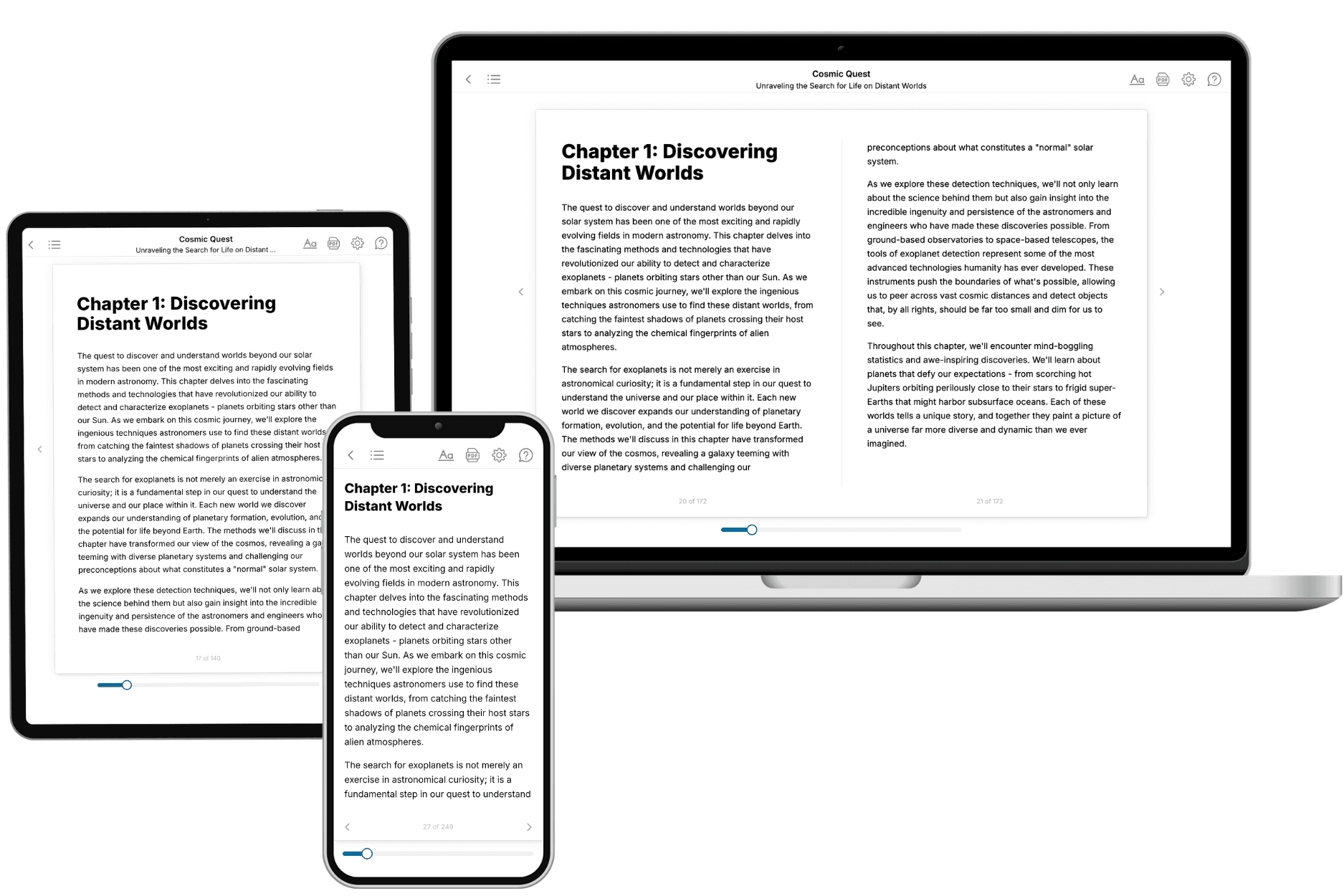
- 3. Get your tailored book
Your book is ready in 10 minutes. Read it online, download as EPUB or PDF, or send to Kindle.
Frequently asked questions
- What is TailoredRead?
TailoredRead creates complete, full-length nonfiction ebooks, written specifically for you. Tell us what you want to learn and why, and TailoredRead writes you a complete ebook on it, with charts, tables, and diagrams throughout. Read it online, on Kindle, or on any e-reader, or download it as a PDF or EPUB. Every book is written fresh the day you order it.
- How is the book tailored to me?
Before anything is written, you answer a few short questions about your goals, your background, and the topics you care about. Your book is then planned around your answers: written at your level, focused on your goals, and covering the topics you chose, instead of the one-size-fits-all book a store sells everyone.
- Will it read like generic AI content?
No. Your book isn't a chat transcript: it's planned chapter by chapter before a single word is written, told in a clear book voice, and explains ideas visually with charts, tables, and diagrams. After writing, every book goes through an editorial pass that polishes chapters so the book reads consistent from start to finish. Judge for yourself: browse thousands of sample books on our Explore Books page.
- How accurate is the content?
Our AI first checks whether your subject needs live research. Niche and fast-moving subjects are researched before writing, and the book plan and chapters are grounded in what it finds. After writing, every book goes through a quality pass that checks its facts and consistency, and researched books list their sources in a Notes section at the back.
- How long is the book?
You choose the length: Comprehensive (250-300 pages), Detailed (150-200 pages), Essential (70-100 pages), or Short (30-50 pages).
- Does the book include visuals?
Yes. Every book includes charts, tables, and diagrams: timelines, checklists, step-by-step guides, decision trees, comparison tables, matrices, and bar charts. A typical book includes dozens of these visual elements.
- Can I read it on Kindle? What formats can I download?
Yes. Every book can be read in our online reader or downloaded as a PDF or EPUB. The EPUB can be opened with Kindle, Apple Books, Kobo, and any e-reader. The Commercial and Author licenses also include an editable Word (DOCX) and Markdown download.
- How much does it cost?
About the price of a regular ebook. The exact price depends on your book's length and complexity, from $2 for the shortest books to $35 for the most comprehensive, and it's shown when you review your book, before you commit to anything. Each book is a one-time purchase, yours to keep, no subscription. Licenses that let you share, teach, or publish your book range from $35.99 to $49.99.
- Can I preview the book before purchasing?
Before you pay, you'll see what your book will cover: the title, a detailed description, the estimated length, and the complete chapter-by-chapter table of contents, so you know what you're getting before you decide. The full text itself is written after you purchase.
- How long does it take to create a book?
About 10 minutes. You can start reading the opening chapters while the rest is still being written.