Angular Material Design Mastery
Build Professional Desktop Applications with Modern UI Components
Imagine building desktop applications that users love to interact with—interfaces that feel intuitive, look polished, and work flawlessly across devices.
207 pages11 chaptersMay 31, 2026Angular.js
About this book
Angular Material Design makes this possible. This comprehensive guide takes you beyond basic component usage to show you how to architect professional-grade desktop applications using Material Design principles and Angular's powerful component library. You'll master theming and customization, implement responsive layouts, ensure accessibility compliance, and optimize performance. Whether you're building internal tools, enterprise applications, or consumer-facing software, you'll learn proven patterns and best practices that experienced developers use daily. From form handling to advanced component composition, this book equips you with the knowledge to create applications that stand out in quality and user experience. Stop settling for mediocre interfaces—learn to build desktop applications that your users will genuinely appreciate.
Table of contents
- IntroductionWhy Material Design Matters for Desktop Applications, What You'll Learn in This Book, How to Use This Book Effectively, Prerequisites and SetupRead below
- Chapter 1: Foundations of Material DesignCore Design Principles and Philosophy, Material Concepts: Elevation, Surfaces, and Depth, Typography and Color Systems, Spacing, Rhythm, and Motion Guidelines
- Chapter 2: Getting Started with Angular MaterialInstallation and Configuration, Component Library Overview, Building Your First Material Application
- Chapter 3: Theming and CustomizationTheme Basics and Predefined Themes, Creating Custom Themes, Dynamic Theming and Dark Mode, Aligning Themes with Brand Identity
- Chapter 4: Layout and Responsive DesignMaterial Layout System and Grid, Flexbox and CSS Grid Integration, Responsive Design Patterns, Managing Breakpoints and Screen Sizes
- Chapter 5: Forms and Data InputMaterial Form Controls and Inputs, Validation and Error Feedback, Reactive Forms with Material, Building Complex Multi-Step Forms
- Chapter 6: Navigation and Information ArchitectureNavigation Components: Toolbar, Sidenav, Tabs, Integrating with Angular Router, Menu Patterns and Contextual Navigation, Breadcrumbs and Navigation Hierarchy
- Chapter 7: Data Display and TablesMaterial Table Component Fundamentals, Sorting, Filtering, and Pagination, Data Binding and Real-Time Updates, Handling Large Datasets with Virtual Scrolling
- Chapter 8: Dialogs, Modals, and OverlaysDialog and Modal Basics, Common Dialog Patterns and Use Cases, Snackbars, Toasts, and Notifications, Managing Overlays and Z-Index
- Chapter 9: Accessibility and Inclusive DesignWCAG Standards and Compliance, ARIA Attributes and Semantic HTML, Keyboard Navigation and Focus Management, Testing and Auditing for Accessibility
- Chapter 10: Performance and OptimizationChange Detection Strategies, Lazy Loading and Code Splitting, Efficient Component Composition, Bundle Size and Tree Shaking
- Chapter 11: Advanced Patterns and IntegrationDynamic Component Creation and Injection, Building Custom Material-Compatible Components, Integrating with Backend Services, State Management with Material Components
- ConclusionKey Takeaways and Next Steps, Additional Resources and Community
Introduction
There is a moment every developer knows well. You have built something that works. The logic is solid, the data flows correctly, and the features are all there. But when you open it in a browser, something feels off. The buttons look generic, the spacing is inconsistent, and the whole thing has that unmistakable look of a developer-built interface. It functions, but it does not inspire confidence. Users notice this immediately, even if they cannot articulate exactly why.
This is the gap that Angular Material Design was built to close. Angular Material is a component library that implements Google's Material Design specification for Angular applications. It gives you a rich set of pre-built, well-tested UI components that look polished out of the box. More importantly, it gives you a design system with consistent rules around color, typography, spacing, and motion. When you build with Angular Material, you are not just adding pretty buttons. You are adopting a coherent visual language that users already recognize from products they use every day.
This book is about going beyond the basics. Plenty of tutorials will show you how to drop a mat-button into a template or add a toolbar to your app. What they rarely cover is how to build a complete, professional-grade desktop application using Material Design as the foundation. That means understanding theming deeply enough to match your company's brand, building layouts that hold up across different screen sizes, handling complex forms with proper validation feedback, managing performance as your application grows, and ensuring that every user, including those who rely on assistive technology, can use what you have built. This book covers all of that.
The approach here is practical and direct. Each chapter builds on the last, moving from foundational concepts to advanced patterns. You will see real code, real scenarios, and real decisions that developers face when building production applications. The goal is not to give you a reference manual you can find in the official docs. The goal is to give you the understanding and judgment to make good decisions when the docs do not have a clear answer, and to help you build applications that your users will genuinely enjoy using.
Why Material Design Matters for Desktop Applications
Material Design was introduced by Google in 2014 as a unified design language for its products across web, Android, and other platforms.[1] The core idea was to create interfaces that feel physical and grounded, borrowing metaphors from paper and ink while embracing the possibilities of digital interaction. Since then, it has evolved significantly. Material Design 3, the current version, places even more emphasis on personalization, accessibility, and adaptive layouts. It is no longer just a Google aesthetic. It is a mature, well-documented design system used by thousands of organizations worldwide.
For desktop applications specifically, Material Design solves a problem that many development teams struggle with: consistency. Without a design system, every developer on a team makes slightly different decisions about padding, font sizes, button styles, and color usage. Over time, these small inconsistencies accumulate into an interface that feels fragmented and unprofessional. Material Design provides a shared vocabulary. When everyone on the team uses the same components and follows the same guidelines, the result is an application that feels cohesive, even when built by multiple people over a long period of time.
There is also a trust dimension to good design that is easy to underestimate. Research consistently shows that users judge the credibility of software based on its visual presentation.[2] An application that looks polished signals that the team behind it is professional and detail-oriented. This matters especially for enterprise and internal tools, where users may be skeptical of new software. A well-designed interface lowers that resistance. It communicates that the product was built with care.
Angular Material specifically brings several concrete advantages to desktop development. First, the components are built with accessibility in mind from the start. They include proper ARIA attributes, keyboard navigation support, and focus management by default. Second, they are thoroughly tested across browsers and screen sizes. Third, they integrate naturally with Angular's reactive programming model, making it straightforward to connect UI components to your application's data and state. These are not small benefits. They represent hundreds of hours of work that you do not have to do yourself.
Desktop applications also have unique requirements compared to mobile apps. Users on desktop typically have larger screens, use a mouse and keyboard, expect denser information layouts, and interact with more complex workflows. Material Design's component library includes tools specifically suited to these needs: data tables with sorting and pagination, complex navigation structures like sidenavs and tab groups, dialog systems for multi-step workflows, and form controls designed for efficient data entry. Understanding how to use these components well is what separates a functional application from a genuinely great one.
It is worth being honest about what Material Design is not. It is not a magic solution that makes every design decision for you. You still need to think carefully about information architecture, user flows, and the specific needs of your users. Material Design gives you excellent building blocks and sensible defaults, but the quality of the final product still depends on how thoughtfully you put those blocks together. This book will help you develop that judgment alongside the technical skills.
What You'll Learn in This Book
This book is organized to take you from foundational understanding to advanced production patterns. Each chapter focuses on a specific area of Angular Material development, with enough depth to give you real competence rather than just surface familiarity. Here is a clear picture of what each part of the book covers and why it matters.
Chapter 1: Foundations of Material Design covers the design principles that underpin everything else. Before writing a single line of code, you need to understand what Material Design is actually trying to achieve. This chapter explains concepts like elevation, surfaces, and depth, which control how components appear to exist in three-dimensional space. It also covers the typography and color systems that give Material its distinctive look, and the spacing and motion guidelines that make interfaces feel responsive and alive. Skipping this chapter is tempting if you want to get to code quickly, but the developers who understand these principles make consistently better decisions throughout their projects.
Chapters 2 and 3 cover setup and theming. Chapter 2 walks through installing and configuring Angular Material in a new or existing project, gives you an overview of the full component library, and guides you through building your first complete Material application. Chapter 3 goes deep on theming, which is one of the most powerful and most misunderstood features of Angular Material. You will learn how to use predefined themes, create custom themes that match your brand, implement dynamic theming including dark mode, and understand the CSS custom properties system that makes all of this possible.
Chapters 4 through 7 cover the core building blocks of desktop application UI. Chapter 4 addresses layout and responsive design, including how to use Angular's Flex Layout utilities and CSS Grid to build interfaces that adapt gracefully to different screen sizes. Chapter 5 covers forms and data input in depth, including reactive forms, validation patterns, and multi-step form workflows. Chapter 6 tackles navigation and information architecture, covering toolbars, sidenavs, tabs, and how to integrate these with Angular Router. Chapter 7 focuses on data display, with a thorough treatment of the Material table component, sorting, filtering, pagination, and virtual scrolling for large datasets.
Chapters 8 through 11 address more advanced topics. Chapter 8 covers dialogs, modals, and overlay management, including common patterns for confirmation dialogs, form dialogs, and notification systems. Chapter 9 is dedicated to accessibility, covering WCAG standards, ARIA attributes, keyboard navigation, and how to audit your application for accessibility issues. Chapter 10 addresses performance optimization, including change detection strategies, lazy loading, and bundle size management. Chapter 11 covers advanced patterns like dynamic component creation, building custom Material-compatible components, integrating with backend services, and state management approaches that work well with Material components.
By the end of this book, you will be able to:
- Set up and configure Angular Material in any Angular project
- Create custom themes that align with any brand identity
- Build responsive desktop layouts that work across screen sizes
- Implement complex forms with proper validation and user feedback
- Build navigation structures that scale with application complexity
- Display and manage large datasets efficiently
- Ensure your applications meet accessibility standards
- Optimize performance for production deployment
- Apply advanced patterns for dynamic and data-driven interfaces
These are not abstract skills. They are the specific capabilities that distinguish a developer who can build professional Angular applications from one who is still copying and pasting from tutorials. Each chapter includes working code examples, common pitfalls to avoid, and practical guidance you can apply immediately to real projects.
One thing this book deliberately avoids is padding. Every chapter covers material that matters for building real applications. There are no chapters dedicated to explaining what Angular is or how TypeScript works. The assumption is that you already know those things and want to go deeper on Material Design specifically. If you find yourself wanting more background on Angular fundamentals, the official Angular documentation is an excellent companion resource.
How to Use This Book Effectively
This book is designed to be read sequentially, but it is also structured so that experienced developers can jump to the chapters most relevant to their current work. If you are brand new to Angular Material, reading from the beginning is strongly recommended. The foundational chapters establish concepts and terminology that later chapters build on. If you already have some Angular Material experience and are looking to deepen your knowledge in specific areas, each chapter is self-contained enough to be useful on its own.
The most effective way to use this book is to code along with the examples. Reading about theming or form validation is useful, but actually implementing it in a project is where the real learning happens. Each chapter includes code examples that you can run in your own development environment. Do not just read them. Type them out, modify them, break them intentionally, and see what happens. This kind of active engagement with the material will help you retain it far better than passive reading.
Consider building a single project throughout the book rather than creating isolated examples for each chapter. A good candidate would be something like an internal dashboard application, a project management tool, or a data management interface. These types of applications naturally require most of what the book covers: navigation, forms, data tables, dialogs, theming, and performance optimization. Building one coherent application lets you see how the pieces fit together, which is harder to appreciate when each chapter has its own disconnected example.
A practical suggestion: before starting each chapter, spend five minutes thinking about how the topic applies to a real project you are working on or have worked on in the past. This mental connection between new concepts and real experience dramatically improves retention and helps you recognize opportunities to apply what you are learning.
Pay special attention to the sections on accessibility and performance. These are the areas that developers most commonly deprioritize when under deadline pressure, and they are also the areas where neglect causes the most problems later. Accessibility issues that are baked into an application's architecture are expensive to fix retroactively. Performance problems that emerge at scale can require significant refactoring. Building good habits in these areas from the start is far more efficient than addressing them as an afterthought.
The code examples in this book use Angular 17 and Angular Material 17, which introduced significant changes including the new standalone component API and updated theming system based on CSS custom properties. If you are working with an older version of Angular Material, most concepts still apply, but some syntax and configuration details will differ. The official Angular Material changelog is a useful reference for understanding version-specific differences.
Finally, use the official Angular Material documentation alongside this book. The docs are comprehensive and well-maintained, and they are the authoritative source for API details, component options, and the latest changes. This book's value is in explaining the why behind the what, helping you understand design decisions, common patterns, and how to combine components effectively. The docs tell you what properties a component accepts. This book helps you understand when and why to use them.
When you encounter something that does not work as expected, resist the urge to immediately search for a solution. Spend a few minutes reading the error message carefully, checking the Angular Material GitHub issues, and thinking through what might be causing the problem. Debugging is a skill, and developing it requires practice. The Angular Material GitHub repository is also an excellent resource for understanding known issues and seeing how the maintainers think about design decisions.
Prerequisites and Setup
This book assumes you have a working knowledge of Angular at an intermediate level. Specifically, you should be comfortable with Angular components, modules (or standalone components), services, dependency injection, and the basics of Angular's template syntax. You should understand how Angular's change detection works at a conceptual level, and you should have experience with TypeScript, including interfaces, generics, and decorators. If any of these feel unfamiliar, spending time with the official Angular tutorial before starting this book will make the experience significantly smoother.
You should also have a basic understanding of RxJS, particularly Observables, Subjects, and common operators like map, filter, and switchMap. Angular Material's components frequently use Observables for data binding and event handling, and the chapters on forms and data display rely on reactive programming patterns. You do not need to be an RxJS expert, but you should be comfortable reading and writing basic reactive code.
On the CSS side, you need a solid understanding of Flexbox and a working knowledge of CSS Grid. Chapter 4 covers layout in depth, but it assumes you already know what display: flex and flex-direction mean. Familiarity with CSS custom properties (also called CSS variables) is helpful for the theming chapters, though the book explains the relevant concepts as they come up. You do not need deep knowledge of Sass, but understanding that Sass is a CSS preprocessor and knowing basic Sass syntax will help you follow the theming examples.
To set up your development environment, you will need the following tools installed:
- Node.js (version 18.x or later recommended) and npm
- Angular CLI (version 17 or later): install with
npm install -g @angular/cli - A code editor, with Visual Studio Code being the most widely used choice for Angular development
- The Angular Language Service extension for VS Code, which provides autocompletion and type checking in templates
To create a new Angular project with Angular Material already configured, you can use the Angular CLI's built-in schematic. Run the following commands in your terminal:
ng new my-material-app --routing --style=scss
cd my-material-app
ng add @angular/material
The ng add @angular/material command does several things automatically. It installs the Angular Material and Angular CDK packages, adds the necessary imports to your application, sets up a default theme, and configures animations. During the setup process, it will ask you to choose a prebuilt theme, whether to set up global typography styles, and whether to include the browser animations module. For the purposes of this book, choose the Indigo/Pink prebuilt theme to start (you will replace it with a custom theme in Chapter 3), enable global typography, and include animations.
After setup, verify that everything is working by running ng serve and opening your browser to http://localhost:4200. You should see the default Angular welcome page. To confirm Angular Material is correctly installed, open src/app/app.component.ts and add a simple Material button to the template. If it renders with Material styling, your setup is complete.
For developers working on an existing Angular project rather than a new one, the ng add @angular/material command works the same way. It will detect your existing configuration and make the necessary additions without overwriting your existing code. However, if your project uses an older version of Angular, you may need to update Angular first using ng update @angular/core @angular/cli before adding Material. The Angular update guide at update.angular.io provides step-by-step instructions for migrating between versions.
One optional but highly recommended tool is the Angular DevTools browser extension, available for Chrome and Firefox.[3] It provides a component tree inspector, change detection profiler, and dependency injection visualizer that are invaluable for debugging and performance optimization. The chapters on change detection and performance optimization will reference Angular DevTools directly, so installing it now will save you time later. With your environment set up and these tools in place, you are ready to start building.
Notes
Introduction
- 1. Google Design, Introducing Material Design, Google I/O Keynote, 2014
- 2. B. J. Fogg and others, "How Do Users Evaluate the Credibility of Web Sites?," A Study with Over 2,500 Participants. Proceedings of the 2003 Conference on Designing for User Experiences, 2003
- 3. Angular Team, "Angular DevTools," 2023
This is the end of the free sample. The full book has 11 chapters.
Want this book written for you?
Tell us your goals and background, and get your own version of this book, tailored by AI to you.


Benefits of AI-tailored books
- Read one book, not ten:
- all the Angular.js knowledge you need, gathered into a single book.
- Save days of learning:
- tell us your goals, choose your topics, and the whole book is built around them.
- Learn effortlessly:
- Angular.js book written for your specific background and expertise.
- Understand at a glance:
- includes charts, tables, timelines, checklists, decision trees, and more.
- Stay current:
- written the day you order it, not years ago.
- Trust what you read:
- every book is checked for accuracy, with real research when your subject needs it.
Create your unique book in 3 steps
- 1. Select your focus
Select the focus of your Angular.js book and share your background
- 2. Personalize your book
Specify your goals and choose sub-topics to include
- 3. Get your tailored book
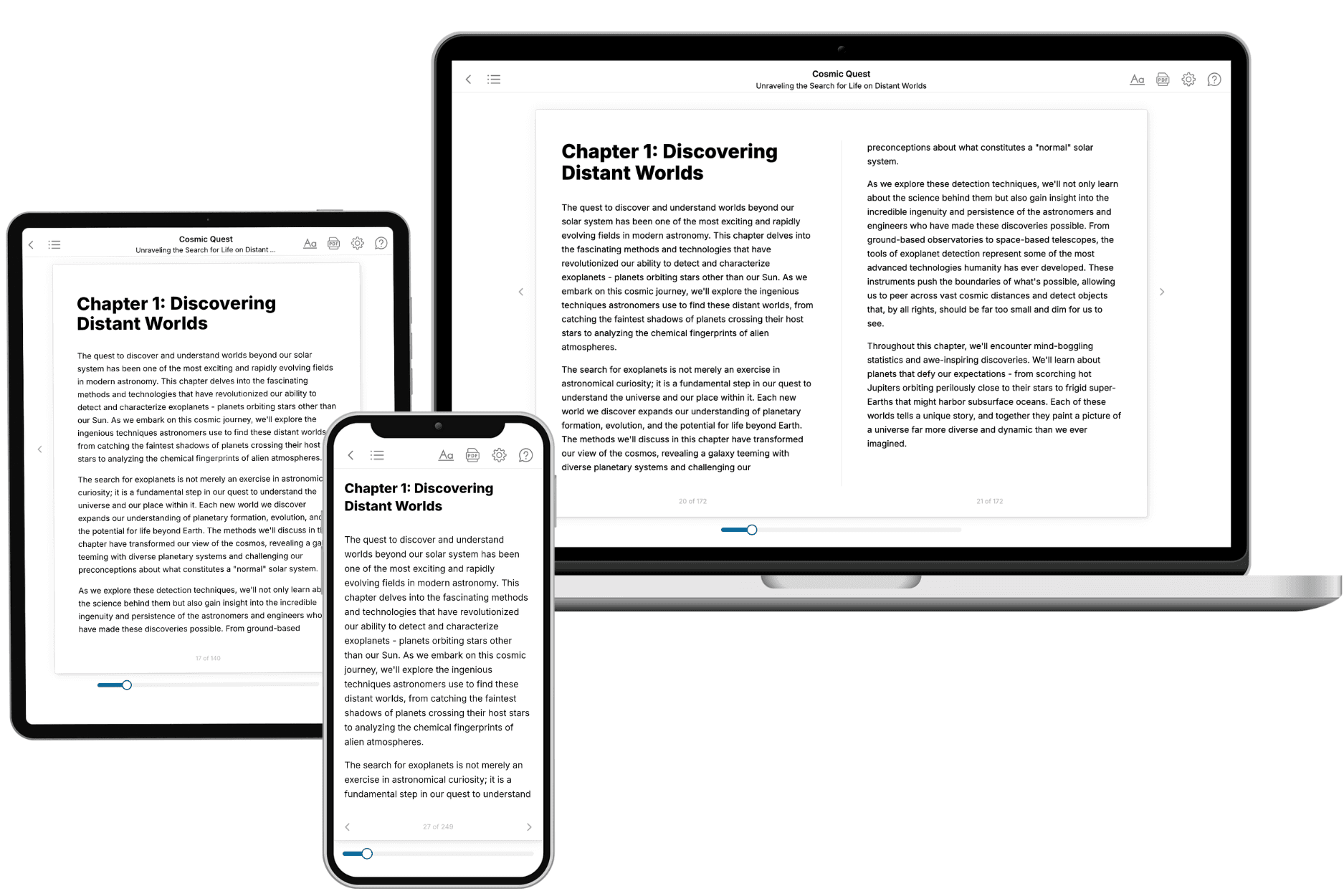
Your book is ready in 10 minutes. Read it online, download as EPUB or PDF, or send to Kindle.
Frequently asked questions
- What is TailoredRead?
TailoredRead creates complete, full-length nonfiction ebooks, written specifically for you. Tell us what you want to learn and why, and TailoredRead writes you a complete ebook on it, with charts, tables, and diagrams throughout. Read it online, on Kindle, or on any e-reader, or download it as a PDF or EPUB. Every book is written fresh the day you order it.
- How is the book tailored to me?
Before anything is written, you answer a few short questions about your goals, your background, and the topics you care about. Your book is then planned around your answers: written at your level, focused on your goals, and covering the topics you chose, instead of the one-size-fits-all book a store sells everyone.
- Will it read like generic AI content?
No. Your book isn't a chat transcript: it's planned chapter by chapter before a single word is written, told in a clear book voice, and explains ideas visually with charts, tables, and diagrams. After writing, every book goes through an editorial pass that polishes chapters so the book reads consistent from start to finish. Judge for yourself: browse thousands of sample books on our Explore Books page.
- How accurate is the content?
Our AI first checks whether your subject needs live research. Niche and fast-moving subjects are researched before writing, and the book plan and chapters are grounded in what it finds. After writing, every book goes through a quality pass that checks its facts and consistency, and researched books list their sources in a Notes section at the back.
- How long is the book?
You choose the length: Comprehensive (250-300 pages), Detailed (150-200 pages), Essential (70-100 pages), or Short (30-50 pages).
- Does the book include visuals?
Yes. Every book includes charts, tables, and diagrams: timelines, checklists, step-by-step guides, decision trees, comparison tables, matrices, and bar charts. A typical book includes dozens of these visual elements.
- Can I read it on Kindle? What formats can I download?
Yes. Every book can be read in our online reader or downloaded as a PDF or EPUB. The EPUB can be opened with Kindle, Apple Books, Kobo, and any e-reader. The Commercial and Author licenses also include an editable Word (DOCX) and Markdown download.
- How much does it cost?
About the price of a regular ebook. The exact price depends on your book's length and complexity, from $2 for the shortest books to $35 for the most comprehensive, and it's shown when you review your book, before you commit to anything. Each book is a one-time purchase, yours to keep, no subscription. Licenses that let you share, teach, or publish your book range from $35.99 to $49.99.
- Can I preview the book before purchasing?
Before you pay, you'll see what your book will cover: the title, a detailed description, the estimated length, and the complete chapter-by-chapter table of contents, so you know what you're getting before you decide. The full text itself is written after you purchase.
- How long does it take to create a book?
About 10 minutes. You can start reading the opening chapters while the rest is still being written.