Breadcrumb Navigation Mastery
Design Intuitive Pathways That Guide Users Through Complex Digital Experiences
Master the art of guiding users through your digital products with confidence.
191 pages9 chaptersApr 23, 2026User Experience
About this book
Breadcrumb navigation, when designed thoughtfully, becomes an invisible hand that helps users understand where they are, how they got there, and how to navigate forward. This comprehensive guide takes you beyond basic implementation to show you how breadcrumbs function as a strategic design element that reduces friction, improves user satisfaction, and strengthens your overall information architecture. You'll discover how to choose the right breadcrumb type for your product, implement them within design systems, optimize for mobile experiences, and measure their real-world impact. Whether you're designing e-commerce platforms, content-heavy websites, or complex applications, you'll learn the principles and practices that separate effective navigation from mere decoration. This book combines practical frameworks with real-world examples to help you make informed design decisions that keep users oriented and confident.
Table of contents
- IntroductionWhy Breadcrumb Navigation Matters in Modern Design, What You'll Learn in This Book, How to Use This GuideRead below
- Chapter 1: Understanding Breadcrumb Navigation FundamentalsDefinition and Core Purpose, History and Evolution of Breadcrumbs, How Breadcrumbs Fit Into Your Navigation Ecosystem
- Chapter 2: The Three Types of Breadcrumb NavigationLocation-Based Breadcrumbs: Showing Hierarchy, Path-Based Breadcrumbs: Showing User Journey, Attribute-Based Breadcrumbs: Showing Filters and Facets, Choosing the Right Type for Your Product
- Chapter 3: Information Architecture and Breadcrumb StrategyMapping Your Information Architecture to Breadcrumbs, Understanding User Mental Models, Handling Depth and Complexity
- Chapter 4: Design Principles for Effective BreadcrumbsVisual Hierarchy and Styling, Optimal Placement and Positioning, Choosing Separators and Delimiters, Interactive States and Hover Behavior
- Chapter 5: Breadcrumbs in Design SystemsComponent Specifications and Documentation, Design Tokens and Visual Consistency, Implementation Guidelines for Developers
- Chapter 6: Mobile and Responsive Breadcrumb DesignUnderstanding Mobile Constraints, Responsive Design Strategies, Truncation, Abbreviation, and Progressive Disclosure, Touch-Friendly Interactions
- Chapter 7: Accessibility and Inclusive Breadcrumb DesignWCAG Compliance and Standards, Semantic HTML and ARIA Attributes, Screen Reader Optimization
- Chapter 8: Real-World Implementation ExamplesE-Commerce Product Navigation, Content-Heavy Websites and Documentation, SaaS Applications and Complex Tools
- Chapter 9: Testing and Measuring Breadcrumb EffectivenessUser Research and Testing Methods, Key Metrics and Analytics, Iteration and Continuous Optimization
- ConclusionKey Takeaways, Next Steps in Your Design Practice
- Further Reading and Resources
Introduction
Picture this: you land on a product page deep inside an e-commerce site after clicking a link from a search engine. You like what you see, but you want to browse similar products in the same category. There's no obvious way to get there. The main menu is broad and unhelpful. The back button takes you to Google. You're stuck, and within seconds, you're gone. This scenario plays out millions of times every day across the web, and it represents one of the most preventable failures in digital product design. A single, well-placed breadcrumb trail could have kept that user engaged and moving forward.
Breadcrumb navigation is one of those design elements that tends to get underestimated. It looks simple, almost trivially so. A few linked labels separated by chevrons or slashes, sitting quietly near the top of a page. But that simplicity is deceptive. Behind every effective breadcrumb trail is a set of deliberate decisions about information architecture, user psychology, visual hierarchy, and interaction design. When those decisions are made well, breadcrumbs become an invisible guide that keeps users oriented and confident. When they're made poorly, or skipped entirely, users feel lost in ways they often can't articulate but always feel.
This book exists because breadcrumb navigation deserves more serious attention than it typically receives. Most design resources treat breadcrumbs as an afterthought, a checkbox item to add before launch. The reality is that breadcrumbs are a strategic design tool. They reflect the quality of your information architecture, communicate your product's structure to users, and play a measurable role in reducing bounce rates, improving task completion, and building user trust. Whether you're working on a sprawling e-commerce platform, a documentation site, or a complex SaaS application, the principles in this guide will help you design breadcrumbs that genuinely work.
Throughout these chapters, you'll find a balance of theory and practice. The goal isn't to give you abstract principles to admire from a distance. It's to give you frameworks, examples, and actionable steps you can apply to real projects right away. Each chapter builds on the last, moving from foundational concepts through to implementation, accessibility, and measurement. By the end, you'll have a complete picture of what it takes to design breadcrumb navigation that serves your users and strengthens your product.
Why Breadcrumb Navigation Matters in Modern Design
The name "breadcrumb" comes from the Hansel and Gretel fairy tale, where the children drop breadcrumbs along their path through the forest so they can find their way back home. The metaphor translates almost perfectly to digital navigation. Users exploring a website or application are, in a very real sense, moving through a forest of content. Without clear markers showing where they are and how they got there, disorientation sets in quickly. Breadcrumbs solve this problem by making the path visible at all times.
The cognitive science behind this is well-established. Humans navigate physical and digital spaces using a combination of landmarks, spatial memory, and mental maps.[1] When those mental maps break down, cognitive load increases sharply. Users have to spend mental energy figuring out where they are instead of focusing on their actual goal. Breadcrumbs reduce this load by externalizing the map. They show users their current location within a hierarchy, freeing up mental resources for the task at hand.
The practical impact of this is measurable. Research from the Nielsen Norman Group has consistently shown that users rely on breadcrumbs as a secondary navigation mechanism, particularly when they arrive at a page from an external source like a search engine.[2] In those cases, the user has no browsing history within the site to fall back on. Breadcrumbs become their primary tool for understanding context and deciding where to go next. Without them, many users simply leave.
Modern digital products are also getting more complex, not less. E-commerce catalogs now contain millions of products organized across dozens of categories and subcategories. Documentation sites cover hundreds of topics with deep nesting. SaaS applications have multi-level settings, project hierarchies, and nested workflows. As this complexity grows, the need for clear wayfinding tools grows with it. Breadcrumbs aren't a relic of early web design. They're more relevant now than they've ever been.
There's also an SEO dimension worth acknowledging. Search engines use breadcrumb markup to better understand the structure of a website, and they often display breadcrumb trails directly in search results. This gives users a preview of where a page sits within a site before they even click. Google's support for BreadcrumbList structured data means that well-implemented breadcrumbs can improve how your content appears in search results, potentially increasing click-through rates.[3] Good breadcrumb design, in other words, benefits both users and discoverability.
It's also worth noting what breadcrumbs signal about a product's overall design quality. A site with clear, accurate breadcrumbs communicates that its creators have thought carefully about structure and user experience. A site with missing, broken, or misleading breadcrumbs signals the opposite. Users may not consciously notice good breadcrumbs, but they absolutely notice bad ones. That invisible quality is exactly what good navigation design should achieve: it works so well that it disappears into the background, letting users focus entirely on their goals.
Finally, breadcrumbs matter because they serve a wide range of users, not just power users or tech-savvy visitors. Older users, users with cognitive disabilities, and users who are simply unfamiliar with a site's structure all benefit disproportionately from clear wayfinding cues. Designing breadcrumbs well is, in this sense, an act of inclusive design. It makes your product more usable for everyone, but especially for those who need the most support in navigating complex digital environments.
What You'll Learn in This Book
This book is organized to take you from foundational understanding through to advanced implementation and measurement. Each chapter addresses a specific dimension of breadcrumb design, and together they form a complete framework for making informed, confident decisions about navigation in your products. Here's a clear picture of what each part of the journey covers.
Chapter 1: Understanding Breadcrumb Navigation Fundamentals lays the groundwork. You'll get a precise definition of what breadcrumbs are and what they're designed to do, along with a look at how they've evolved from early web conventions into a mature design pattern. You'll also see how breadcrumbs fit into the broader navigation ecosystem alongside primary menus, search, and contextual links. Understanding these relationships is essential before making any design decisions.
Chapter 2: The Three Types of Breadcrumb Navigation introduces the core taxonomy that shapes every breadcrumb decision. Location-based breadcrumbs show where a page sits in a fixed hierarchy. Path-based breadcrumbs reflect the user's actual journey through a site. Attribute-based breadcrumbs display the filters or facets a user has applied, which is especially common in e-commerce. Each type serves a different purpose, and choosing the wrong one for your context is one of the most common breadcrumb mistakes designers make.
Chapter 3: Information Architecture and Breadcrumb Strategy connects breadcrumb design to the deeper structure of your product. You'll learn how to map your information architecture to a breadcrumb system, how to account for user mental models, and how to handle products with deep or complex hierarchies. This chapter is particularly valuable if you're working on a product that's grown organically and whose structure has become tangled over time.
Chapter 4: Design Principles for Effective Breadcrumbs gets into the visual and interaction details. Topics include visual hierarchy, typography, color, separator choices, placement, and interactive states. These decisions might seem minor, but they have a significant impact on whether breadcrumbs feel like a natural part of the interface or an awkward addition. You'll find specific guidance and examples for each decision point.
The remaining chapters cover equally important ground:
- Chapter 5 addresses how to build breadcrumbs into a design system, including component specifications, design tokens, and developer handoff guidelines.
- Chapter 6 tackles the unique challenges of mobile and responsive design, including truncation strategies and touch-friendly interaction patterns.
- Chapter 7 covers accessibility in depth, from WCAG compliance to semantic HTML and ARIA attributes, ensuring your breadcrumbs work for all users.
- Chapter 8 walks through real-world implementation examples across e-commerce, content sites, and SaaS applications.
- Chapter 9 shows you how to test and measure breadcrumb effectiveness using user research methods and analytics, so you can validate your decisions with evidence.
By the time you finish this book, you'll be equipped to audit existing breadcrumb implementations and identify what's working and what isn't. You'll be able to design breadcrumb systems from scratch that align with your product's information architecture and user needs. You'll know how to document breadcrumb components for design systems, adapt them for mobile, make them accessible, and measure their real-world impact. These aren't abstract skills. They're directly applicable to the work you're doing right now.
One thing this book won't do is give you a single universal template and tell you to apply it everywhere. Breadcrumb design is context-dependent. The right solution for a large retail site looks very different from the right solution for a developer documentation portal or a project management tool. What this book gives you instead is a set of principles and decision-making frameworks that you can adapt intelligently to your specific context. That flexibility is what separates good designers from great ones.
You'll also notice that this book takes accessibility seriously throughout, not just in the dedicated chapter. Inclusive design considerations appear wherever they're relevant, because accessibility isn't a feature to bolt on at the end. It's a quality standard that should inform every design decision from the start. If you're not yet in the habit of thinking about accessibility early in the design process, this book will help you build that habit.
How to Use This Guide
This guide is designed to be useful in multiple ways depending on where you are in your work. If you're starting a new project and want to build a breadcrumb system from the ground up, reading the chapters in order will give you the most complete foundation. Each chapter builds on the concepts introduced before it, so the sequential path is the most thorough one. Plan for roughly two to three hours of focused reading to get through the full book.
If you're working on an existing product and have a specific problem to solve, you can jump directly to the most relevant chapter. Struggling with mobile breadcrumbs? Go straight to Chapter 6. Need to make your breadcrumbs accessible? Chapter 7 is your starting point. Want to know if your current implementation is actually working? Start with Chapter 9. Each chapter is written to be self-contained enough to be useful on its own, though cross-references will point you to related content elsewhere in the book when it's helpful.
Throughout the book, you'll encounter several recurring elements designed to make the content more actionable:
- Concrete examples drawn from real product types, including e-commerce platforms, documentation sites, and SaaS tools, to illustrate how principles apply in practice.
- Decision frameworks that help you choose between options when there's no single right answer.
- Common mistakes highlighted so you can recognize and avoid them in your own work.
- Checklists and guidelines you can reference during design reviews or handoff conversations.
- Code examples in relevant chapters to show how design decisions translate into implementation.
This book is written for mid-level product designers, UX professionals, and digital product managers who already have a foundational understanding of design principles. It doesn't spend time explaining what UX is or why user research matters. It assumes you know those things and builds from there. If you're newer to design, you'll still find the content accessible, but you may want to supplement it with foundational UX resources alongside your reading.
Product managers will find particular value in Chapters 1, 3, and 9. Chapter 1 gives you the vocabulary and conceptual grounding to have informed conversations with your design team. Chapter 3 connects breadcrumb decisions to information architecture strategy, which is often a product-level concern. Chapter 9 gives you the metrics and research methods to evaluate whether navigation improvements are delivering real results. These chapters will help you contribute meaningfully to breadcrumb-related design discussions without needing to be a visual design expert.
Designers who work within design systems will find Chapters 4 and 5 especially relevant. These chapters go deep on the specifics of component design, documentation, and the relationship between breadcrumb styling and broader design tokens. If your team uses a shared component library, the guidance in Chapter 5 will help you build a breadcrumb component that's consistent, flexible, and well-documented enough for developers to implement correctly without constant back-and-forth.
A note on the examples used throughout this book: they're drawn from common product categories and scenarios rather than specific named companies. This is intentional. Design patterns evolve, and specific implementations change. The goal is to give you principles and frameworks that remain useful even as specific tools and platforms shift. Where research or data is cited, sources are noted so you can explore further if you want to go deeper on any particular topic.
Finally, treat this book as a starting point rather than a final word. Breadcrumb design, like all of UX, is an evolving practice. New device types, interaction paradigms, and user expectations will continue to shape what good navigation looks like. The principles here are grounded in cognitive science and decades of usability research, which gives them staying power. But the best designers are always testing, learning, and refining. Use this book to build a strong foundation, then keep building on it through your own practice and observation.
The goal of good navigation design is not to be noticed. It's to make users feel so oriented and confident that they never have to think about navigation at all. Breadcrumbs, done well, are one of the most reliable tools for achieving exactly that.
With that framing in mind, let's get started. Chapter 1 begins with the fundamentals: what breadcrumbs actually are, where they came from, and why they occupy the specific role they do within the broader navigation ecosystem. Understanding that foundation will make everything that follows clearer and more useful.
Notes
Introduction
- 1. R. P. Darken and J. L. Sibert, "Wayfinding Strategies and Behaviors in Large Virtual Worlds," Proceedings of the ACM CHI Conference on Human Factors in Computing Systems, 1996
- 2. Nielsen Norman Group, Breadcrumb Navigation Increasingly Useful. nngroup.com, 2007
- 3. Google Search Central, Breadcrumb structured data. developers.google.com/search/docs/appearance/structured-data/breadcrumb, 2023
This is the end of the free sample. The full book has 9 chapters.
Want this book written for you?
Tell us your goals and background, and get your own version of this book, tailored by AI to you.


Benefits of AI-tailored books
- Read one book, not ten:
- all the User Experience knowledge you need, gathered into a single book.
- Save days of learning:
- tell us your goals, choose your topics, and the whole book is built around them.
- Learn effortlessly:
- User Experience book written for your specific background and expertise.
- Understand at a glance:
- includes charts, tables, timelines, checklists, decision trees, and more.
- Stay current:
- written the day you order it, not years ago.
- Trust what you read:
- every book is checked for accuracy, with real research when your subject needs it.
Create your unique book in 3 steps
- 1. Select your focus
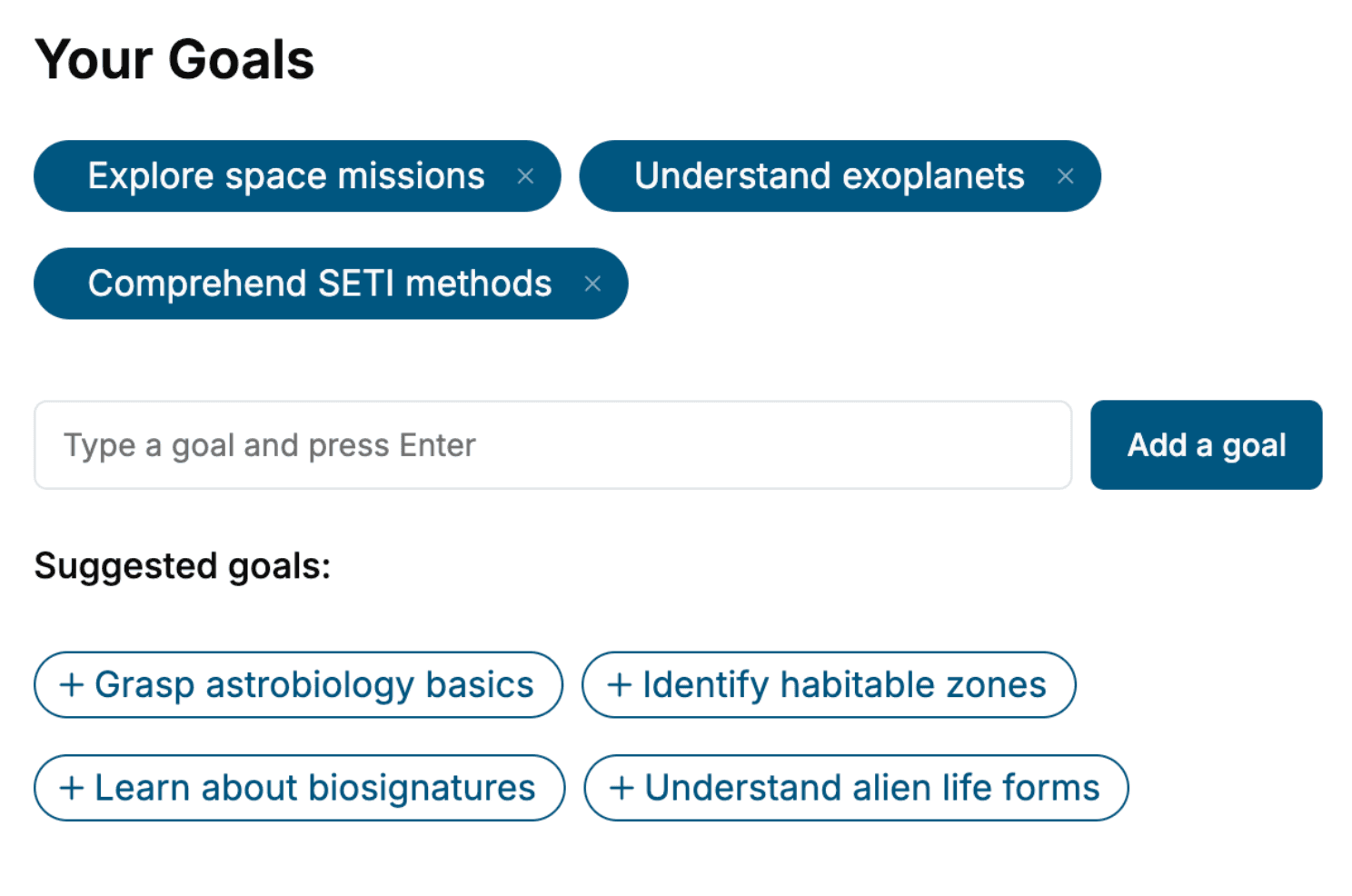
Select the focus of your User Experience book and share your background
- 2. Personalize your book
Specify your goals and choose sub-topics to include
- 3. Get your tailored book
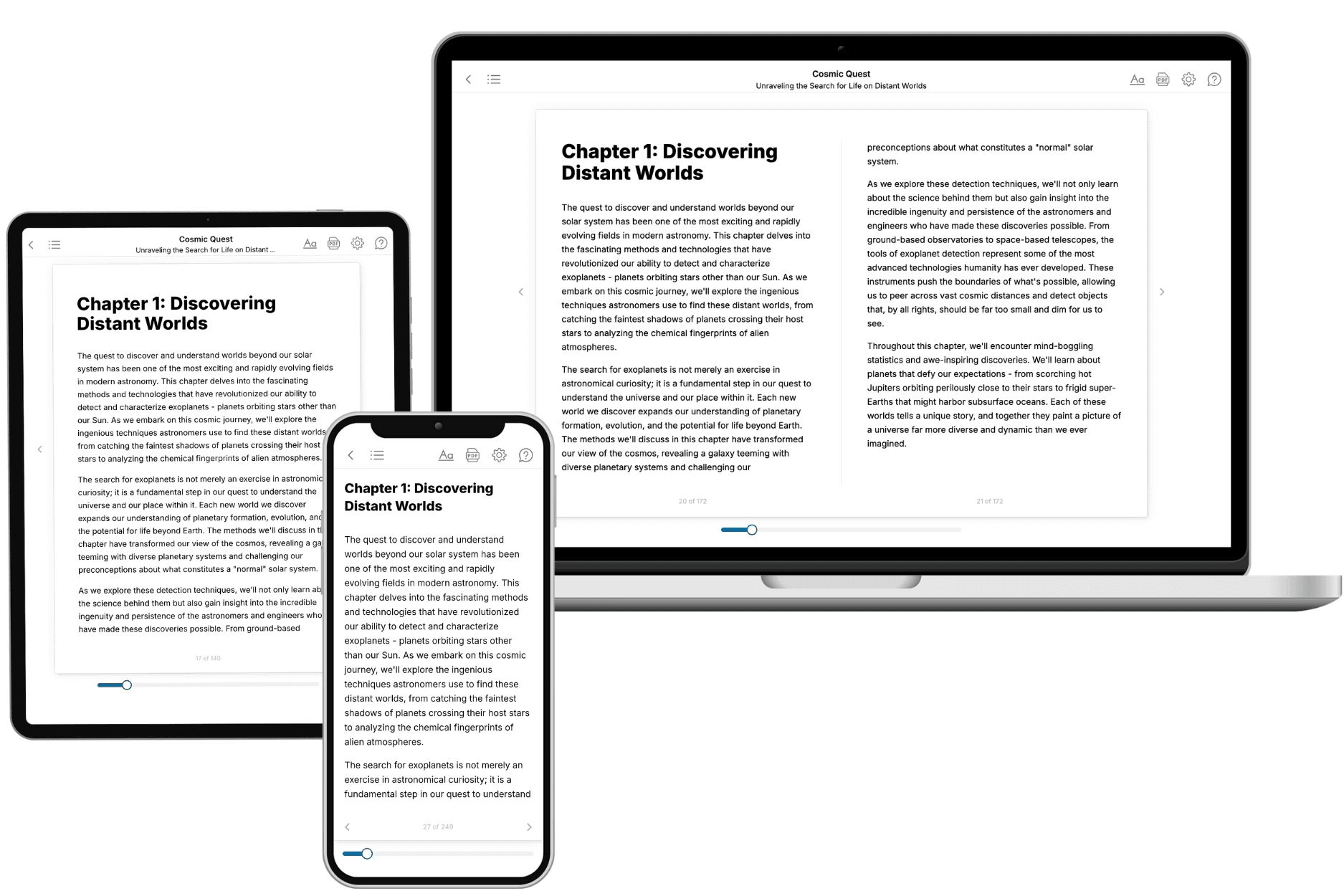
Your book is ready in 10 minutes. Read it online, download as EPUB or PDF, or send to Kindle.

Frequently asked questions
- What is TailoredRead?
TailoredRead creates complete, full-length nonfiction ebooks, written specifically for you. Tell us what you want to learn and why, and TailoredRead writes you a complete ebook on it, with charts, tables, and diagrams throughout. Read it online, on Kindle, or on any e-reader, or download it as a PDF or EPUB. Every book is written fresh the day you order it.
- How is the book tailored to me?
Before anything is written, you answer a few short questions about your goals, your background, and the topics you care about. Your book is then planned around your answers: written at your level, focused on your goals, and covering the topics you chose, instead of the one-size-fits-all book a store sells everyone.
- Will it read like generic AI content?
No. Your book isn't a chat transcript: it's planned chapter by chapter before a single word is written, told in a clear book voice, and explains ideas visually with charts, tables, and diagrams. After writing, every book goes through an editorial pass that polishes chapters so the book reads consistent from start to finish. Judge for yourself: browse thousands of sample books on our Explore Books page.
- How accurate is the content?
Our AI first checks whether your subject needs live research. Niche and fast-moving subjects are researched before writing, and the book plan and chapters are grounded in what it finds. After writing, every book goes through a quality pass that checks its facts and consistency, and researched books list their sources in a Notes section at the back.
- How long is the book?
You choose the length: Comprehensive (250-300 pages), Detailed (150-200 pages), Essential (70-100 pages), or Short (30-50 pages).
- Does the book include visuals?
Yes. Every book includes charts, tables, and diagrams: timelines, checklists, step-by-step guides, decision trees, comparison tables, matrices, and bar charts. A typical book includes dozens of these visual elements.
- Can I read it on Kindle? What formats can I download?
Yes. Every book can be read in our online reader or downloaded as a PDF or EPUB. The EPUB can be opened with Kindle, Apple Books, Kobo, and any e-reader. The Commercial and Author licenses also include an editable Word (DOCX) and Markdown download.
- How much does it cost?
About the price of a regular ebook. The exact price depends on your book's length and complexity, from $2 for the shortest books to $35 for the most comprehensive, and it's shown when you review your book, before you commit to anything. Each book is a one-time purchase, yours to keep, no subscription. Licenses that let you share, teach, or publish your book range from $35.99 to $49.99.
- Can I preview the book before purchasing?
Before you pay, you'll see what your book will cover: the title, a detailed description, the estimated length, and the complete chapter-by-chapter table of contents, so you know what you're getting before you decide. The full text itself is written after you purchase.
- How long does it take to create a book?
About 10 minutes. You can start reading the opening chapters while the rest is still being written.