Building Windows Apps with UWP
Master Universal Windows Platform Development with .NET Framework 4.7
Discover how to build modern Windows applications that run seamlessly across devices.
191 pages10 chaptersFeb 15, 2026UWP
About this book
This guide takes you through the complete UWP development lifecycle using .NET Framework 4.7, starting with core concepts and progressing to advanced techniques. You'll learn how UWP differs from traditional Windows desktop development, master XAML for creating responsive user interfaces, and harness the power of Windows Runtime APIs to access device capabilities. Through practical examples and real-world scenarios, you'll understand application lifecycle management, implement robust data binding patterns, and navigate the sandboxed security model. Whether you're modernizing existing applications or building new ones, this book equips you with the knowledge to create professional, performant UWP applications that delight users across the Windows ecosystem.
Table of contents
- IntroductionWhy UWP Matters in Modern Development, What You'll Learn in This Book, How to Use This Guide, Prerequisites and SetupRead below
- Chapter 1: Understanding Universal Windows PlatformUWP vs. Traditional Windows Desktop Development, The UWP Architecture and Runtime Environment, Device Families and Adaptive Design
- Chapter 2: Setting Up Your Development EnvironmentInstalling and Configuring Visual Studio, Creating Your First UWP Project, Development Tools and Emulators
- Chapter 3: XAML FundamentalsXAML Syntax and Structure, Working with XAML Controls, Resources and Styling in XAML
- Chapter 4: Building User InterfacesLayout Controls and Panels, Creating Responsive and Adaptive Layouts, UI Design Best Practices for UWP
- Chapter 5: Data Binding and MVVM PatternData Binding Fundamentals, Implementing the MVVM Pattern, Working with Observable Collections and Change Notification
- Chapter 6: Application Lifecycle and NavigationUnderstanding Application Lifecycle States, Handling Suspension and Resumption, Implementing Navigation Between Pages
- Chapter 7: Windows Runtime APIs and Device CapabilitiesIntroduction to Windows Runtime APIs, Accessing Device Sensors and Hardware, Working with File System and Storage
- Chapter 8: Security and App CapabilitiesUnderstanding the UWP Sandbox Model, Declaring Capabilities in the App Manifest, Security Best Practices for UWP Applications
- Chapter 9: Testing and DebuggingDebugging Techniques and Tools, Unit Testing UWP Applications, Performance Profiling and Optimization
- Chapter 10: Deploying to the Microsoft StorePreparing Your Application for Store Submission, Submitting Your App to the Microsoft Store, Managing Your App After Launch
- ConclusionKey Takeaways and Next Steps, Resources for Continued Learning
Introduction
The landscape of Windows application development has undergone a dramatic transformation over the past decade. Where developers once built applications exclusively for desktop computers using Win32 APIs or Windows Forms, today's Windows ecosystem spans an incredible range of devices—from traditional desktops and laptops to tablets, phones, Xbox consoles, and even HoloLens mixed reality headsets. The Universal Windows Platform emerged as Microsoft's answer to this fragmentation, providing a unified development model that allows you to write code once and deploy it across this entire spectrum of devices. This represents not just an incremental improvement, but a fundamental reimagining of how Windows applications are conceived, constructed, and distributed.
For developers with experience in traditional .NET development, UWP presents both exciting opportunities and new challenges. You'll find familiar concepts like XAML markup and C# code-behind, but you'll also encounter new paradigms such as application lifecycle management, adaptive UI design, and the sandboxed security model. The .NET Framework 4.7 serves as the foundation for UWP development, bringing mature libraries and tools while introducing new APIs specifically designed for modern Windows applications. Understanding how these pieces fit together is essential for creating applications that feel native to the Windows ecosystem while delivering exceptional user experiences.
This book serves as your comprehensive guide to mastering UWP development with .NET Framework 4.7. Whether you're modernizing existing desktop applications, building new consumer-facing apps for the Microsoft Store, or creating enterprise solutions that leverage modern Windows capabilities, you'll find practical guidance grounded in real-world development scenarios. The journey from traditional Windows development to UWP proficiency requires understanding not just new APIs, but new ways of thinking about application architecture, user interaction, and deployment. By the end of this book, you'll possess the knowledge and skills to build professional, performant UWP applications that delight users across the entire Windows device family.
Why UWP Matters in Modern Development
The Universal Windows Platform represents Microsoft's strategic vision for the future of Windows development, and understanding its significance helps contextualize why learning UWP is a valuable investment of your time. Traditional Windows desktop applications, while powerful, were designed for a computing landscape that no longer exists—one dominated by desktop PCs with keyboards, mice, and large displays. Today's users expect applications that work seamlessly whether they're using touch, pen, mouse, or gamepad input. They expect apps that adapt intelligently to different screen sizes and orientations. They expect automatic updates, robust security, and consistent performance across devices. UWP was architected from the ground up to meet these expectations.
One of UWP's most compelling advantages is its unified API surface across device families. When you build a UWP application, you're writing against a consistent set of APIs that work whether your app runs on a desktop, tablet, phone, Xbox, or IoT device. This doesn't mean your app looks identical everywhere—adaptive design ensures appropriate experiences for each context—but it does mean you're not maintaining separate codebases for different platforms. Consider a retail application: the same core business logic, data access layer, and even much of the UI code can run on point-of-sale tablets, employee phones, and back-office desktops. This code reuse translates directly into reduced development costs and faster time to market.
The Microsoft Store distribution model fundamentally changes how users discover, install, and update applications. Unlike traditional desktop applications that require complex installers, registry modifications, and manual updates, UWP apps install cleanly in seconds and update automatically in the background. Users can install your application with confidence, knowing it runs in a sandbox that prevents it from damaging their system or accessing data without explicit permission. For developers, this means fewer support calls about installation problems, no compatibility issues with other installed software, and the ability to push updates that reach users immediately. The Store also provides built-in monetization options, analytics, and promotional opportunities that would require significant infrastructure investment to replicate independently.
Performance and resource efficiency are built into UWP's DNA through its application lifecycle model. Traditional desktop applications run continuously, consuming memory and CPU cycles even when minimized or not in use. UWP applications, by contrast, can be suspended by the system when not visible, freeing resources for active applications. When users return to your app, it resumes instantly from its previous state. This lifecycle management happens automatically, but understanding and properly implementing suspension and resumption handlers ensures your application provides a seamless experience. On battery-powered devices like tablets and laptops, this efficiency translates into significantly longer battery life—a feature users notice and appreciate.
Security in UWP goes far beyond what traditional desktop applications offer. Every UWP app runs in an isolated container with explicitly declared capabilities. If your app needs to access the camera, file system, or network, you must declare these capabilities in your manifest, and users can review these permissions before installation. This capability-based security model protects users from malicious software while building trust in your application. For enterprise scenarios, UWP integrates with Windows Information Protection and other enterprise security features, allowing IT departments to manage and secure applications across their organization. This security foundation isn't optional or bolted on—it's fundamental to how UWP applications operate.
The modern UI paradigm that UWP embraces reflects how users interact with contemporary software. Fluent Design System, Microsoft's design language for UWP, emphasizes light, depth, motion, material, and scale to create interfaces that feel intuitive and responsive. XAML provides the declarative framework for building these interfaces, with built-in support for animations, transitions, and responsive layouts. Your applications can automatically adapt to different input methods, screen sizes, and even user preferences like light or dark themes. This isn't just about aesthetics—well-designed UWP applications reduce cognitive load, improve task completion rates, and create positive emotional responses that keep users engaged with your software.
Looking toward the future, UWP positions you at the forefront of Windows development evolution. Microsoft continues to invest heavily in the platform, adding new APIs, improving performance, and expanding device family support. Skills you develop building UWP applications transfer directly to emerging technologies like Windows Mixed Reality and future Windows innovations. The architectural patterns you'll learn—MVVM, asynchronous programming, responsive design—represent best practices that apply across modern software development. Even if you're not building consumer applications for the Store today, understanding UWP prepares you for enterprise modernization efforts, as organizations increasingly recognize the benefits of UWP's security, deployment, and maintenance advantages over legacy desktop applications.
What You'll Learn in This Book
This book takes you on a structured journey from UWP fundamentals through advanced development techniques, ensuring you build a solid foundation before tackling complex topics. You'll start by understanding what makes UWP different from traditional Windows development, exploring the architectural decisions that shape how UWP applications are structured and how they interact with the Windows Runtime. This conceptual foundation is critical—many developers struggle with UWP not because the APIs are difficult, but because they try to apply desktop development patterns that don't fit the UWP model. By understanding the "why" behind UWP's design, you'll make better architectural decisions in your own applications.
XAML mastery forms a core component of your UWP education. You'll learn how XAML's declarative syntax enables you to define user interfaces that are both powerful and maintainable. The book covers everything from basic XAML syntax and control usage through advanced topics like custom controls, data templates, and resource management. You'll discover how to leverage XAML's binding system to create dynamic interfaces that automatically reflect changes in your data models. Practical examples demonstrate real-world scenarios: building navigation structures, implementing master-detail views, creating responsive layouts that adapt to different screen sizes, and applying consistent styling across your application. By the time you complete these chapters, you'll think in XAML rather than fighting against it.
The Model-View-ViewModel (MVVM) pattern receives extensive coverage because it's the architectural pattern that best fits UWP development. You'll understand why MVVM's separation of concerns makes your code more testable, maintainable, and collaborative. The book walks you through implementing MVVM from scratch, explaining concepts like view models, commands, and property change notification. You'll see how data binding connects your XAML views to view model logic without tight coupling. Concrete examples show you how to structure real applications using MVVM, including handling user input, validating data, managing application state, and coordinating between multiple views. This isn't theoretical architecture—you'll build working applications that demonstrate MVVM's practical benefits.
Application lifecycle management is one of UWP's most distinctive features, and understanding it thoroughly is essential for building robust applications. You'll learn the complete lifecycle: activation, running, suspension, resumption, and termination. The book explains when and why Windows suspends applications, how to save and restore state properly, and how to handle various activation scenarios like file associations, protocol handlers, and background tasks. You'll implement practical patterns for managing application state, including:
- Saving user data before suspension to prevent data loss
- Restoring navigation state so users return to exactly where they left off
- Handling network operations that span suspension events
- Managing resources efficiently to minimize memory usage
- Implementing background tasks that run even when your app is suspended
Windows Runtime APIs open up capabilities that traditional .NET applications cannot access, and you'll learn to harness these APIs effectively. The book covers accessing device sensors like accelerometers, gyroscopes, and GPS; working with cameras and microphones; interacting with Bluetooth and USB devices; and leveraging platform features like notifications, live tiles, and Cortana integration. Each API is introduced with clear explanations of when and why you'd use it, followed by practical implementation examples. You'll understand the asynchronous patterns that WinRT APIs use and how to integrate them smoothly into your application architecture. Security and privacy considerations are emphasized throughout, ensuring you request only the capabilities your application genuinely needs.
Data management strategies receive detailed attention because most real-world applications need to store, retrieve, and synchronize data. You'll learn multiple approaches to data persistence in UWP, including local storage, roaming storage that syncs across devices, and integration with cloud services. The book covers working with files and folders, serializing and deserializing data, implementing local databases using SQLite, and managing application settings. You'll see how to implement offline-first architectures that work without network connectivity and sync when connections are available. Performance considerations are discussed throughout, including lazy loading, data virtualization, and caching strategies that keep your application responsive even with large datasets.
Testing and debugging techniques specific to UWP ensure you can identify and resolve issues efficiently. You'll learn to use Visual Studio's debugging tools effectively, including breakpoints, watch windows, and the diagnostic tools for monitoring memory, CPU, and network usage. The book covers unit testing UWP applications, including strategies for testing view models, business logic, and even UI components. You'll discover how to use the simulator and emulators to test different device configurations, screen sizes, and input methods without requiring physical devices. Performance profiling techniques help you identify bottlenecks, memory leaks, and inefficient rendering. These skills are essential for delivering polished, professional applications that perform well across the device spectrum.
Finally, you'll master the complete deployment process, from preparing your application for submission through managing it post-launch. The book guides you through creating app packages, configuring your application manifest, preparing store listings with compelling descriptions and screenshots, and navigating the certification process. You'll understand Microsoft Store policies and requirements, avoiding common rejection reasons. Post-launch topics include monitoring analytics to understand user behavior, responding to reviews and feedback, planning and deploying updates, and implementing monetization strategies. This end-to-end coverage ensures you're prepared not just to build UWP applications, but to successfully deliver them to users and maintain them over time.
How to Use This Guide
This book is structured to support both sequential reading and targeted reference use, depending on your learning style and immediate needs. If you're new to UWP development, reading chapters in order provides the most effective learning path. Each chapter builds on concepts introduced in previous chapters, with early chapters establishing foundational knowledge that later chapters assume you possess. The progression moves from conceptual understanding through practical implementation to advanced techniques and deployment. This structured approach ensures you're never confronted with concepts you haven't been prepared to understand. Even if you're eager to jump into coding, resist the temptation to skip the early conceptual chapters—the time invested in understanding UWP's architecture and design philosophy pays dividends throughout your development journey.
For experienced developers who already understand UWP basics or need to solve specific problems, the book's organization supports targeted reading. Each chapter is relatively self-contained, with cross-references when concepts from other chapters are relevant. The table of contents and index help you locate specific topics quickly. If you're working on implementing navigation, you can jump directly to that chapter. If you're struggling with data binding, the relevant chapter provides comprehensive coverage without requiring you to read unrelated material first. Code examples are complete and functional, not fragments that depend on code from other chapters. This reference-friendly structure makes the book valuable long after your initial read-through, serving as a desk reference when you encounter specific challenges.
The code examples throughout this book are designed to be practical and immediately applicable to real projects. Rather than trivial "hello world" examples, you'll find substantial code that demonstrates real-world patterns and techniques. Examples are complete enough to understand and run, but concise enough to focus on the concept being taught. You're encouraged to type examples yourself rather than copying and pasting—the act of typing code helps internalize syntax and patterns. However, all code examples are available in the book's companion repository, organized by chapter. This repository also includes complete sample applications that integrate concepts from multiple chapters, showing how pieces fit together in production-quality applications.
Hands-on practice is essential for mastering UWP development, and the book includes exercises and challenges to reinforce learning. At the end of most chapters, you'll find suggested exercises that ask you to apply what you've learned to new scenarios. These exercises range from straightforward applications of chapter concepts to more challenging problems that require combining techniques from multiple chapters. Solutions are provided in the companion repository, but you'll gain more by attempting exercises before reviewing solutions. Consider building a personal project alongside reading this book—applying concepts to a project you care about accelerates learning and helps you encounter and solve real-world problems that generic examples might not cover.
The book uses several conventions to help you navigate different types of content effectively:
- Bold text highlights key terms when they're first introduced and important concepts you should remember
- Italic text provides emphasis and introduces technical terms in context
Monospace textindicates code elements, including class names, method names, properties, and file names- Footnotes provide citations for research, links to additional resources, and supplementary information that would interrupt the main text flow
- Blockquotes highlight important warnings, tips, or notable points that deserve special attention
Pay special attention to the "Common Pitfalls" and "Best Practices" sections scattered throughout chapters. These sections distill lessons learned from real-world UWP development, helping you avoid mistakes that trip up many developers. Common pitfalls highlight errors that are easy to make but difficult to debug, often because they don't produce obvious error messages. Best practices provide guidance on writing maintainable, performant code that follows UWP conventions. These sections are based on patterns observed across thousands of UWP applications and feedback from the developer community. Even experienced developers find value in these sections, as they often highlight subtle issues that only become apparent in production environments.
The book assumes you'll be actively developing alongside reading, so keep Visual Studio open and experiment with concepts as they're introduced. When you encounter a new API or technique, don't just read about it—try it. Modify examples to see what happens. Break things intentionally to understand error messages and debugging approaches. Create small test projects to explore concepts in isolation before integrating them into larger applications. This experimental approach builds intuition that reading alone cannot provide. UWP development involves many interconnected concepts, and hands-on experimentation helps you understand how pieces fit together and what happens when they don't.
Finally, remember that this book is a starting point, not an ending point. UWP is a rich platform with far more capabilities than any single book can cover comprehensively. The goal here is to provide you with solid fundamentals, practical skills, and the conceptual framework to continue learning independently. The final chapter includes resources for continued learning, including documentation, community forums, sample applications, and advanced topics beyond this book's scope. As you progress in your UWP journey, you'll develop preferences for certain patterns, discover new techniques, and build your own library of reusable components. The skills you develop here form the foundation for that ongoing growth.
Prerequisites and Setup
This book assumes you have intermediate-level experience with C# and the .NET Framework. You should be comfortable with object-oriented programming concepts including classes, interfaces, inheritance, and polymorphism. Familiarity with generics, LINQ, and asynchronous programming using async and await is helpful, though these topics are reviewed when relevant to UWP development. If you've built Windows Forms or WPF applications, you'll find many familiar concepts, though UWP introduces new patterns and constraints. If your .NET experience is primarily with ASP.NET or other server-side frameworks, you may need to invest additional time understanding client-side application architecture and UI development patterns. The book doesn't teach C# fundamentals—it focuses on applying C# skills to UWP development.
Your development environment requires Windows 10 or later, as UWP applications can only be developed and tested on Windows 10 and above. The specific Windows 10 version matters: to target the latest UWP features, you need a recent Windows 10 build. Microsoft regularly releases Windows 10 updates that include new UWP APIs, and your development machine should run a version at least as recent as the minimum version you're targeting for your applications. Windows 10 Pro, Enterprise, or Education editions are recommended because they include Hyper-V support for running device emulators, though the Home edition works for basic development. Ensure your Windows installation is fully updated before beginning UWP development to avoid compatibility issues with development tools.
Visual Studio 2017 or later serves as the primary development environment for this book, with Visual Studio 2019 or 2022 recommended for the best experience. The Community edition is free and includes everything needed for UWP development, making it accessible for individual developers and small teams. When installing Visual Studio, you must select the "Universal Windows Platform development" workload, which installs the necessary SDKs, templates, and tools. This workload includes:
- Windows 10 SDK (multiple versions for targeting different Windows releases)
- UWP project templates for various application types
- XAML designer for visual UI development
- Device emulators for testing on simulated phones and tablets
- Debugging and profiling tools specific to UWP applications
- Package creation and deployment tools
The .NET Framework 4.7 or later must be installed on your development machine, though this is typically included with recent Windows 10 versions and Visual Studio installations. UWP applications use a subset of the .NET Framework called .NET for UWP, which includes most common APIs but excludes some desktop-specific functionality. Understanding which .NET APIs are available in UWP is important—the book highlights these differences when relevant. Visual Studio's IntelliSense helps by showing only APIs available in your target platform, but being aware of the distinction prevents confusion when code that works in desktop applications doesn't compile in UWP projects.
A Microsoft account is required for several aspects of UWP development. You'll need one to enable developer mode on your Windows 10 machine, which allows you to deploy and test UWP applications locally. If you plan to publish applications to the Microsoft Store, you'll need to register for a developer account at the Windows Dev Center, which requires a one-time registration fee. For learning purposes, a free Microsoft account suffices—you can develop, test, and sideload applications without a paid developer account. The book covers the registration process when discussing Store deployment, but you don't need a developer account to work through most chapters.
Hardware requirements for UWP development are modest but worth considering for optimal productivity. A minimum of 8GB RAM is recommended, with 16GB preferred if you plan to run device emulators alongside Visual Studio. Emulators are Hyper-V virtual machines that simulate phones and tablets, and they consume significant memory. An SSD dramatically improves Visual Studio performance, build times, and emulator startup. A processor with virtualization support (Intel VT-x or AMD-V) is required for running emulators. If your development machine doesn't meet these requirements, you can still develop UWP applications and test them on your local machine, but you won't be able to use emulators for testing different device configurations.
Before starting Chapter 1, verify your development environment is properly configured by creating a simple UWP project. Open Visual Studio, select "Create a new project," choose "Blank App (Universal Windows)," and create the project. If the project creates successfully and you can run it (even if it just shows a blank window), your environment is correctly configured. If you encounter errors, they typically relate to missing SDKs or incorrect Visual Studio workload installation. The Visual Studio Installer allows you to modify your installation and add missing components. Taking time to ensure your environment is properly configured before diving into development prevents frustrating interruptions later when you're focused on learning concepts rather than troubleshooting tools.
This is the end of the free sample. The full book has 10 chapters.
Want this book written for you?
Tell us your goals and background, and get your own version of this book, tailored by AI to you.


Benefits of AI-tailored books
- Read one book, not ten:
- all the UWP knowledge you need, gathered into a single book.
- Save days of learning:
- tell us your goals, choose your topics, and the whole book is built around them.
- Learn effortlessly:
- UWP book written for your specific background and expertise.
- Understand at a glance:
- includes charts, tables, timelines, checklists, decision trees, and more.
- Stay current:
- written the day you order it, not years ago.
- Trust what you read:
- every book is checked for accuracy, with real research when your subject needs it.
Create your unique book in 3 steps
- 1. Select your focus
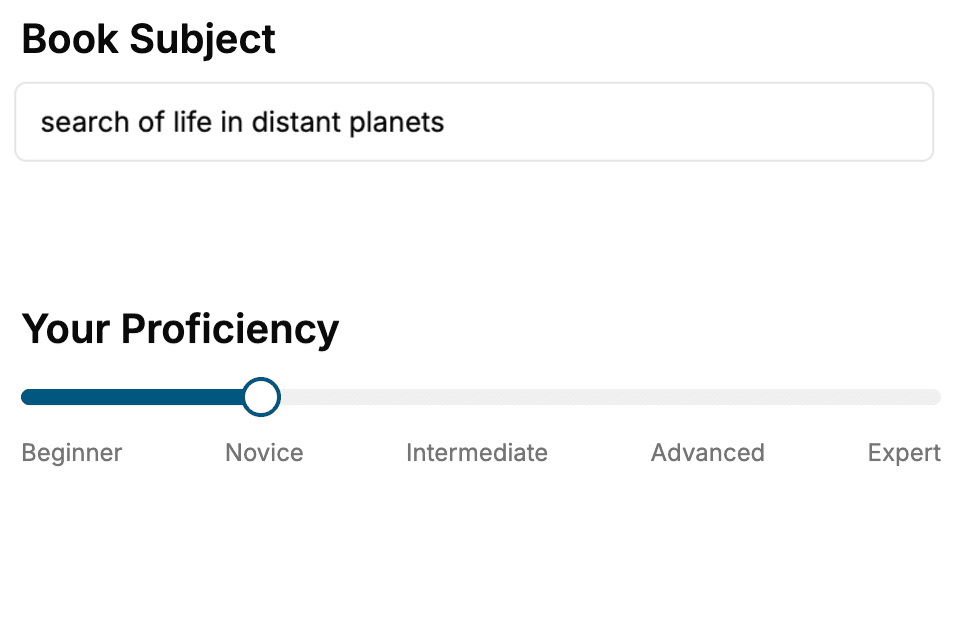
Select the focus of your UWP book and share your background
- 2. Personalize your book
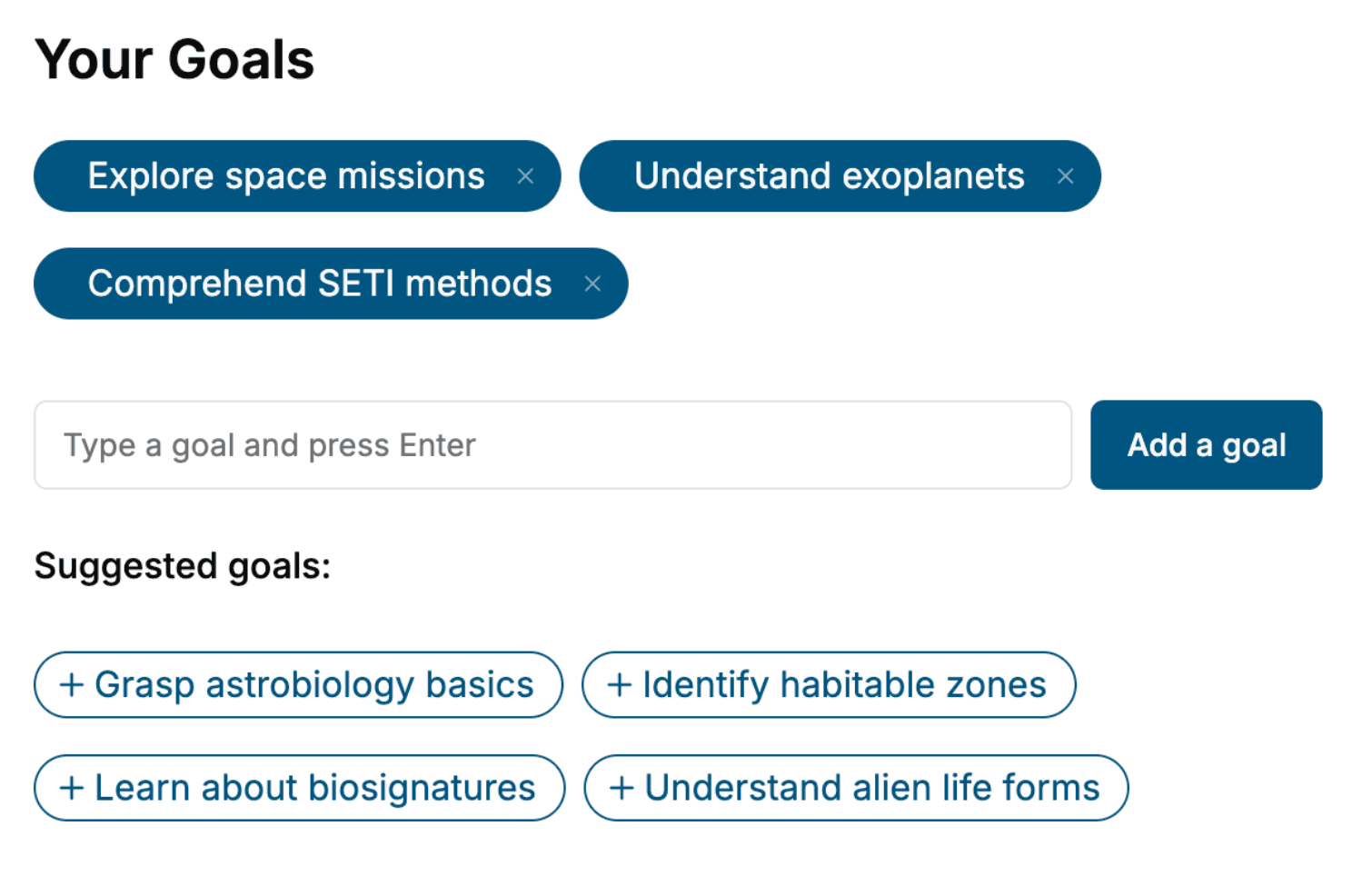
Specify your goals and choose sub-topics to include
- 3. Get your tailored book
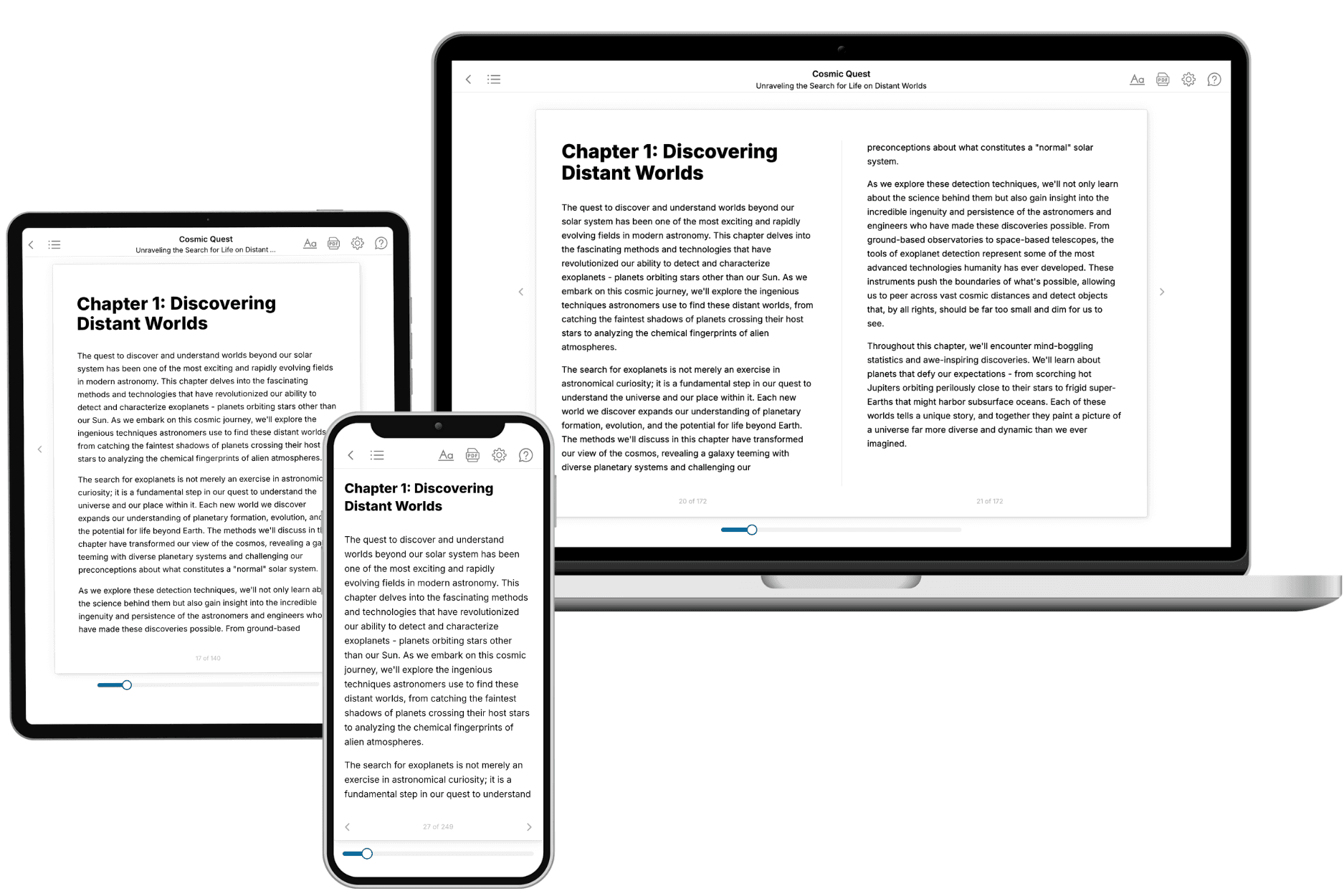
Your book is ready in 10 minutes. Read it online, download as EPUB or PDF, or send to Kindle.
Frequently asked questions
- What is TailoredRead?
TailoredRead creates complete, full-length nonfiction ebooks, written specifically for you. Tell us what you want to learn and why, and TailoredRead writes you a complete ebook on it, with charts, tables, and diagrams throughout. Read it online, on Kindle, or on any e-reader, or download it as a PDF or EPUB. Every book is written fresh the day you order it.
- How is the book tailored to me?
Before anything is written, you answer a few short questions about your goals, your background, and the topics you care about. Your book is then planned around your answers: written at your level, focused on your goals, and covering the topics you chose, instead of the one-size-fits-all book a store sells everyone.
- Will it read like generic AI content?
No. Your book isn't a chat transcript: it's planned chapter by chapter before a single word is written, told in a clear book voice, and explains ideas visually with charts, tables, and diagrams. After writing, every book goes through an editorial pass that polishes chapters so the book reads consistent from start to finish. Judge for yourself: browse thousands of sample books on our Explore Books page.
- How accurate is the content?
Our AI first checks whether your subject needs live research. Niche and fast-moving subjects are researched before writing, and the book plan and chapters are grounded in what it finds. After writing, every book goes through a quality pass that checks its facts and consistency, and researched books list their sources in a Notes section at the back.
- How long is the book?
You choose the length: Comprehensive (250-300 pages), Detailed (150-200 pages), Essential (70-100 pages), or Short (30-50 pages).
- Does the book include visuals?
Yes. Every book includes charts, tables, and diagrams: timelines, checklists, step-by-step guides, decision trees, comparison tables, matrices, and bar charts. A typical book includes dozens of these visual elements.
- Can I read it on Kindle? What formats can I download?
Yes. Every book can be read in our online reader or downloaded as a PDF or EPUB. The EPUB can be opened with Kindle, Apple Books, Kobo, and any e-reader. The Commercial and Author licenses also include an editable Word (DOCX) and Markdown download.
- How much does it cost?
About the price of a regular ebook. The exact price depends on your book's length and complexity, from $2 for the shortest books to $35 for the most comprehensive, and it's shown when you review your book, before you commit to anything. Each book is a one-time purchase, yours to keep, no subscription. Licenses that let you share, teach, or publish your book range from $35.99 to $49.99.
- Can I preview the book before purchasing?
Before you pay, you'll see what your book will cover: the title, a detailed description, the estimated length, and the complete chapter-by-chapter table of contents, so you know what you're getting before you decide. The full text itself is written after you purchase.
- How long does it take to create a book?
About 10 minutes. You can start reading the opening chapters while the rest is still being written.