G Code Mastery
The Ultimate Guide to Optimizing Your 3D Printing Experience
Dive into the intricate world of G Code and revolutionize your 3D printing prowess.
331 pages17 chaptersApr 6, 20253D Design
About this book
This comprehensive guide takes you from the fundamentals of G Code syntax to advanced techniques in custom G Code creation and optimization. You'll unravel the mysteries of 3D printer calibration, master bed leveling commands, and gain proficiency in slicer software usage. As you progress, you'll explore the nuances of G Code file structures, learn to create and implement powerful macros, and develop skills in G Code visualization and debugging. By the end of this journey, you'll be equipped with the knowledge to troubleshoot complex G Code issues, optimize your prints for various materials, and even create G Code manually. Whether you're looking to fine-tune your printer's performance or push the boundaries of what's possible in 3D printing, this book is your roadmap to becoming a true G Code virtuoso.
Table of contents
- IntroductionThe Importance of G Code in 3D Printing, Overview of the Book's Contents, Your Learning Path to G Code Mastery, Getting Started: Tools and ResourcesRead below
- Chapter 1: G Code FundamentalsWhat is G Code?, A Brief History of G Code, G Code Syntax and Structure, Common G Code Commands for 3D Printing
- Chapter 2: Understanding Coordinate SystemsCartesian Coordinate System, Delta Coordinate System, Polar Coordinate System, Relative vs. Absolute Positioning
- Chapter 3: 3D Printer CalibrationThe Importance of Proper Calibration, Extruder Calibration, Bed Leveling Techniques, Temperature Calibration
- Chapter 4: Mastering Slicer SoftwareIntroduction to Slicer Software, Popular Slicer Software Options, Key Slicer Settings and Their Impact, G Code Generation in Slicers
- Chapter 5: G Code File StructureAnatomy of a G Code File, Understanding Headers and Footers, Layer-specific Commands, Comments and Code Organization
- Chapter 6: Advanced Bed LevelingManual Bed Leveling Commands, Automatic Bed Leveling Systems, Mesh Bed Leveling, Implementing Bed Leveling in G Code
- Chapter 7: G Code MacrosMacro Basics and Benefits, Creating Custom Macros, Using Variables in Macros, Practical Macro Examples
- Chapter 8: G Code VisualizationG Code Visualization Tools, Interpreting Visual Representations, Identifying Issues Through Visualization, Optimizing G Code Visually
- Chapter 9: Firmware CompatibilityCommon 3D Printer Firmware Types, Firmware-specific G Code Commands, Updating Firmware and G Code Implications, Resolving Firmware Compatibility Issues
- Chapter 10: G Code Debugging ToolsCommon G Code Errors and Their Causes, G Code Debugging Software, Manual Debugging Techniques, Testing and Validating G Code
- Chapter 11: Custom G Code CreationWhen to Use Custom G Code, Writing Custom G Code from Scratch, Modifying Existing G Code, Examples of Useful Custom G Code
- Chapter 12: G Code Error HandlingTypes of G Code Errors, Error Prevention Strategies, Error Recovery Techniques, Logging and Reporting Errors
- Chapter 13: G Code OptimizationPrinciples of G Code Optimization, Optimizing for Print Speed, Optimizing for Print Quality, Material-specific Optimizations
- Chapter 14: G Code Editing SoftwareTypes of G Code Editors, Comparing Editor Features, Advanced Editing Techniques, Useful Plugins and Extensions
- Chapter 15: Multi-Material PrintingIntroduction to Multi-Material Printing, G Code for Tool Changes, Color Mixing in G Code, Overcoming Multi-Material Challenges
- Chapter 16: G Code Best PracticesOrganizing Your G Code, Naming Conventions and Standards, The Importance of Documentation, Version Control for G Code
- Chapter 17: G Code DocumentationMethods of Documenting G Code, Effective Use of Inline Comments, Creating External Documentation, Sharing and Collaborating on G Code
- ConclusionThe Future of G Code in 3D Printing, Continuing Your G Code Education
- Glossary
- Further Reading
Introduction
Welcome to the world of G Code mastery in 3D printing. As you embark on this journey, you're about to unlock a powerful set of skills that will revolutionize your 3D printing experience. G Code, the language that drives 3D printers, is the key to unlocking precision, efficiency, and creativity in your projects. Whether you're looking to fine-tune your prints, troubleshoot persistent issues, or push the boundaries of what's possible with your 3D printer, understanding G Code is the foundation upon which these advanced skills are built.
In this comprehensive guide, we'll take you from the basics of G Code syntax to advanced techniques in custom G Code creation and optimization. You'll gain insights into the intricate workings of your 3D printer, learn to speak its language fluently, and develop the skills to manipulate its behavior with unprecedented control. By the end of this book, you'll not only understand how to read and interpret G Code but also how to write and modify it to achieve specific outcomes in your prints.
This introduction will set the stage for your learning journey, highlighting the importance of G Code in 3D printing, providing an overview of the book's contents, outlining your path to G Code mastery, and equipping you with the essential tools and resources you'll need along the way. Let's dive in and begin your transformation into a G Code virtuoso.
The Importance of G Code in 3D Printing
G Code stands at the heart of 3D printing technology, serving as the universal language that translates your digital designs into physical objects. Its importance cannot be overstated, as it forms the bridge between your creative vision and the mechanical actions of your 3D printer. Understanding G Code is akin to learning the native language of your printer, allowing you to communicate with it directly and precisely.
At its core, G Code is a set of instructions that tells your 3D printer exactly what to do and how to do it. These instructions control every aspect of the printing process, from the movement of the print head to the extrusion of filament, and even the temperature of the hot end and print bed. By mastering G Code, you gain the ability to fine-tune these parameters with unprecedented precision, leading to improved print quality, reduced waste, and the capacity to tackle more complex projects.
One of the primary reasons G Code is so crucial is its role in troubleshooting and optimization. When prints fail or quality issues arise, understanding G Code allows you to dive deep into the printer's instructions, identify the root cause of problems, and make targeted adjustments. This level of control is invaluable, especially when working with challenging materials or intricate designs that push the limits of your printer's capabilities.
Moreover, G Code proficiency opens up a world of customization and advanced techniques. With a solid grasp of G Code, you can implement complex printing strategies that aren't available through standard slicer settings. This might include creating custom infill patterns, implementing precise retraction settings for different parts of a model, or even programming your printer to perform tasks beyond simple 3D printing, such as engraving or multi-material prints.
In the realm of professional 3D printing and manufacturing, G Code knowledge is often a distinguishing factor between novice users and true experts. It enables you to optimize production processes, reduce print times without sacrificing quality, and achieve consistent results across multiple prints or printers. This level of control and efficiency is particularly valuable in production environments where time and material costs are critical factors.
Furthermore, as 3D printing technology continues to evolve, G Code remains a constant. While new printers and materials may come and go, the fundamental principles of G Code endure. This makes your investment in learning G Code a future-proof skill that will serve you well regardless of the specific hardware you're using. As you progress in your 3D printing journey, you'll find that your G Code knowledge transfers seamlessly across different printer models and even to other CNC (Computer Numerical Control) machines, broadening your capabilities in the world of digital fabrication.
Understanding G Code also fosters a deeper appreciation for the 3D printing process as a whole. It demystifies the inner workings of your printer, transforming it from a mysterious black box into a comprehensible and controllable tool. This understanding not only enhances your ability to produce high-quality prints but also empowers you to push the boundaries of what's possible with 3D printing technology.
In essence, G Code is the language of precision and control in 3D printing. By investing time in mastering this language, you're not just learning a set of commands; you're gaining the power to fully harness the capabilities of your 3D printer. As we progress through this book, you'll discover how this knowledge translates into tangible improvements in your prints, expanded creative possibilities, and a newfound confidence in tackling even the most challenging 3D printing projects.
Overview of the Book's Contents
This comprehensive guide is structured to take you on a logical journey through the world of G Code for 3D printing. We've carefully organized the content to build your knowledge progressively, starting with the fundamentals and moving towards more advanced concepts and techniques. Here's an overview of what you can expect to learn as you progress through the chapters:
We begin with "G Code Fundamentals" in Chapter 1, where you'll learn the basics of G Code syntax and structure. This chapter lays the groundwork for your understanding, introducing you to the language's history, its core components, and the most common commands used in 3D printing. You'll gain a solid foundation that will serve as a springboard for more complex topics.
Chapter 2 delves into "Understanding Coordinate Systems," a crucial concept in G Code programming. You'll explore Cartesian, Delta, and Polar coordinate systems, understanding how they relate to your printer's movements. This knowledge is essential for accurately positioning your print head and comprehending more advanced G Code instructions.
In Chapter 3, we tackle "3D Printer Calibration," a critical process for achieving high-quality prints. You'll learn how to use G Code to fine-tune your printer's settings, ensuring precise movements and accurate extrusion. This chapter covers extruder calibration, bed leveling techniques, and temperature calibration, all of which are fundamental to consistent and high-quality printing.
Chapter 4 focuses on "Mastering Slicer Software," bridging the gap between 3D models and G Code. You'll explore popular slicer options, understand key settings and their impact on G Code generation, and learn how to interpret and modify the G Code output from slicers. This knowledge is crucial for optimizing your print settings and troubleshooting issues that originate in the slicing process.
As we progress, Chapter 5 examines "G Code File Structure" in detail. You'll learn to dissect G Code files, understanding headers, footers, layer-specific commands, and the importance of comments and code organization. This chapter sets the stage for more advanced G Code manipulation and creation.
Chapter 6 dives deep into "Advanced Bed Leveling," building on the calibration knowledge from earlier chapters. You'll explore manual and automatic bed leveling systems, mesh bed leveling, and learn how to implement these techniques in your G Code. This advanced knowledge is key to achieving perfect first layers and consistent print quality across your entire build plate.
In Chapter 7, we introduce "G Code Macros," a powerful tool for automating and customizing your printing processes. You'll learn to create, implement, and troubleshoot macros, opening up new possibilities for efficiency and specialized printing techniques.
Chapter 8 covers "G Code Visualization," introducing you to tools and techniques for visually interpreting G Code. This skill is invaluable for identifying issues before printing and optimizing your code for better results. You'll learn to read and understand visual representations of G Code, helping you to spot potential problems and inefficiencies in your print instructions.
As we move into more advanced territory, Chapter 9 addresses "Firmware Compatibility," helping you navigate the differences between various 3D printer firmware and their impact on G Code interpretation. This knowledge is crucial when working with different printers or updating your existing machine.
Chapter 10 equips you with "G Code Debugging Tools," teaching you to identify, diagnose, and resolve common G Code errors. You'll learn both software-based and manual debugging techniques, enhancing your ability to troubleshoot and optimize your prints.
In Chapter 11, we explore "Custom G Code Creation," where you'll learn to write G Code from scratch and modify existing code for specialized applications. This chapter empowers you to take full control of your printer's behavior, enabling unique and complex printing operations.
Chapter 12 focuses on "G Code Error Handling," building on your debugging skills to implement robust error prevention and recovery strategies. You'll learn to anticipate potential issues and program your printer to handle them gracefully, improving the reliability of your printing process.
Chapter 13 delves into "G Code Optimization," teaching you to fine-tune your code for speed, quality, and material-specific requirements. This knowledge is key to achieving the perfect balance between print time and output quality.
In Chapter 14, we explore "G Code Editing Software," introducing you to various tools for editing and analyzing G Code. You'll learn about different types of editors, compare their features, and discover advanced editing techniques and useful plugins.
Chapter 15 tackles the complex world of "Multi-Material Printing," showing you how to implement tool changes and color mixing in G Code. This advanced knowledge opens up new possibilities for creating intricate, multi-colored, or multi-material prints.
As we near the end, Chapter 16 covers "G Code Best Practices," providing guidelines for code organization, naming conventions, documentation, and version control. These practices will help you maintain clean, efficient, and easily manageable G Code files.
Finally, Chapter 17 focuses on "G Code Documentation," teaching you effective methods for documenting your code, using inline comments, creating external documentation, and sharing your G Code with others. This skill is crucial for collaboration and long-term project management.
By the time you reach the conclusion, you'll have gained a comprehensive understanding of G Code in the context of 3D printing. You'll be equipped with the knowledge and skills to optimize your prints, troubleshoot complex issues, and push the boundaries of what's possible with your 3D printer. The journey doesn't end here, though – we'll also look at the future of G Code in 3D printing and provide resources for continuing your education in this ever-evolving field.
Your Learning Path to G Code Mastery
Embarking on the journey to G Code mastery is an exciting endeavor that will transform your approach to 3D printing. This book is designed to guide you along a carefully structured learning path, ensuring that you build a solid foundation before progressing to more advanced concepts. Let's outline the path you'll be taking and how each step contributes to your overall mastery of G Code.
Your journey begins with understanding the basics. The first few chapters will introduce you to the fundamental concepts of G Code, its syntax, and its role in 3D printing. This foundational knowledge is crucial, as it forms the basis for everything that follows. You'll start by learning about the history and purpose of G Code, its basic structure, and the most common commands used in 3D printing. This initial phase is about familiarizing yourself with the language of G Code, much like learning the alphabet and basic vocabulary of a new spoken language.
As you progress, you'll delve deeper into the technical aspects of how G Code interacts with your 3D printer. You'll explore coordinate systems, learning how your printer interprets spatial instructions. This knowledge is essential for understanding how G Code translates digital designs into physical movements of your printer. Following this, you'll learn about printer calibration, a critical skill that ensures your G Code instructions are executed with precision. These chapters bridge the gap between theory and practice, helping you understand how G Code instructions manifest in the physical world.
The next phase of your learning path focuses on the practical application of G Code in the 3D printing workflow. You'll explore slicer software, understanding how it generates G Code from 3D models and how you can influence this process. This section is crucial for developing the skills to interpret and modify G Code generated by slicers, giving you greater control over your prints. You'll also learn about G Code file structures, enabling you to navigate and understand the code that drives your prints.
As your knowledge deepens, you'll move into more advanced territory. You'll learn about bed leveling techniques, a critical aspect of achieving high-quality prints. This section builds on your earlier calibration knowledge, introducing you to both manual and automatic leveling methods and how to implement them through G Code. Following this, you'll explore G Code macros, learning how to automate complex sequences of commands. This skill opens up new possibilities for customization and efficiency in your printing process.
The middle sections of the book focus on developing your analytical and problem-solving skills in relation to G Code. You'll learn about G Code visualization tools, which help you interpret and debug your code before sending it to the printer. This visual approach to understanding G Code is invaluable for identifying potential issues and optimizing your prints. You'll also explore firmware compatibility, understanding how different printer firmware interpret G Code and how to adapt your code accordingly.
As you approach the later chapters, your learning path shifts towards more advanced and creative applications of G Code. You'll delve into custom G Code creation, learning to write code from scratch for specialized applications. This skill allows you to push the boundaries of what's possible with your 3D printer, enabling unique and complex printing operations. You'll also explore error handling and optimization techniques, learning to create robust, efficient G Code that can handle unexpected situations and produce the best possible prints.
The final phase of your learning journey focuses on refining your skills and adopting professional practices. You'll learn about advanced editing techniques, multi-material printing, and best practices for organizing and documenting your G Code. These skills are crucial for tackling complex projects, collaborating with others, and maintaining large G Code libraries.
Throughout this learning path, you'll find that each new skill builds upon and reinforces what you've learned previously. The knowledge you gain in earlier chapters will be applied and expanded in later sections, creating a comprehensive and interconnected understanding of G Code. You'll also notice that the book balances theoretical knowledge with practical application. Each concept is accompanied by examples and exercises that allow you to apply what you've learned, reinforcing your understanding and building your confidence.
Remember, mastering G Code is not just about memorizing commands or understanding syntax. It's about developing a deep, intuitive understanding of how G Code interacts with your 3D printer and how you can leverage this knowledge to achieve your printing goals. As you progress through this book, you'll find yourself not just learning G Code, but thinking in G Code, anticipating how changes in your code will affect your prints and creatively solving printing challenges.
By the end of this learning path, you'll have transformed from a G Code novice to a confident, skilled practitioner. You'll have the knowledge and skills to optimize your prints, troubleshoot complex issues, and push the boundaries of what's possible with your 3D printer. More importantly, you'll have developed a new way of thinking about 3D printing, one that gives you unprecedented control and opens up new realms of possibility in your projects.
Getting Started: Tools and Resources
As you embark on your journey to master G Code for 3D printing, it's essential to equip yourself with the right tools and resources. This section will guide you through the essential software, hardware, and learning materials that will support your progress throughout this book and beyond. By setting up your learning environment correctly from the start, you'll be well-prepared to tackle the concepts and exercises in the coming chapters.
First and foremost, you'll need access to a 3D printer. While you can learn much about G Code without one, having a printer to test your code and see the results firsthand is invaluable. If you don't own a 3D printer, consider reaching out to local makerspaces or libraries that might offer access to 3D printing facilities. The type of printer isn't crucial at this stage, as the principles of G Code apply across different models, but having hands-on experience will significantly enhance your learning.
Next, you'll need a computer with sufficient processing power to run 3D modeling and slicing software. Most modern computers are capable of handling these tasks, but if you're using an older machine, you might want to consider upgrading. The operating system isn't critical, as most 3D printing software is available for Windows, macOS, and Linux.
In terms of software, there are several essential tools you should install:
- A 3D modeling software: While not directly related to G Code, having a basic understanding of 3D modeling will help you create test objects for your G Code experiments. Fusion 360, Blender, or TinkerCAD are popular choices, with varying levels of complexity.
- Slicer software: This is crucial for converting 3D models into G Code. Cura, PrusaSlicer, and Simplify3D are widely used options. It's recommended to install at least two different slicers to compare their G Code outputs.
- A G Code viewer: Tools like Repetier-Host or OctoPrint's G Code viewer allow you to visualize G Code before printing. This is invaluable for understanding how your code translates into printer movements.
- A text editor: While any text editor can open G Code files, one designed for coding, such as Visual Studio Code, Notepad++, or Sublime Text, will make editing G Code much easier with features like syntax highlighting.
In addition to software, there are several online resources that will complement your learning:
- RepRap Wiki: This is an extensive resource for 3D printing knowledge, including detailed information about G Code commands.
- 3D printing forums: Communities like Reddit's r/3Dprinting or the official forums of printer manufacturers are great places to ask questions and share experiences.
- G Code reference sheets: Keep a comprehensive G Code command reference handy. Many are available online, or you can create your own as you learn.
- Video tutorials: Platforms like YouTube host numerous tutorials on G Code and 3D printing. These can be excellent supplements to the written content in this book.
As for hardware beyond your 3D printer, consider investing in:
- A digital caliper: This will be crucial for calibration tasks and measuring print accuracy.
- A set of precision screwdrivers and Allen keys: These will be useful for printer maintenance and adjustments.
- A selection of filaments: Having different materials to print with will allow you to experiment with material-specific G Code optimizations.
To make the most of this book, establish a consistent learning routine. Set aside regular time for reading, experimenting with G Code, and practicing on your 3D printer. Keep a notebook or digital document to record your observations, questions, and discoveries as you progress through the chapters. This record will be a valuable resource as you advance in your G Code mastery.
Remember, learning G Code is a hands-on process. While reading and understanding the concepts is important, the real learning happens when you apply this knowledge practically. Don't be afraid to experiment, make mistakes, and learn from them. Each failed print or unexpected result is an opportunity to deepen your understanding of G Code and 3D printing mechanics.
Lastly, consider joining a local 3D printing group or online community. Sharing experiences with fellow enthusiasts can accelerate your learning and provide support when you encounter challenges. Many cities have maker groups that organize meetups, workshops, and collaborative projects centered around 3D printing.
With these tools and resources at your disposal, you're well-equipped to begin your journey into the world of G Code mastery. As you progress through this book, you'll find yourself referring back to these resources, expanding your toolkit, and deepening your engagement with the 3D printing community. Remember, the goal is not just to learn G Code, but to become a proficient and creative user of this powerful language, capable of pushing the boundaries of what's possible in 3D printing.
This is the end of the free sample. The full book has 17 chapters.
Want this book written for you?
Tell us your goals and background, and get your own version of this book, tailored by AI to you.






Benefits of AI-tailored books
- Read one book, not ten:
- all the 3D Design knowledge you need, gathered into a single book.
- Save days of learning:
- tell us your goals, choose your topics, and the whole book is built around them.
- Learn effortlessly:
- 3D Design book written for your specific background and expertise.
- Understand at a glance:
- includes charts, tables, timelines, checklists, decision trees, and more.
- Stay current:
- written the day you order it, not years ago.
- Trust what you read:
- every book is checked for accuracy, with real research when your subject needs it.
Create your unique book in 3 steps
- 1. Select your focus
Select the focus of your 3D Design book and share your background
- 2. Personalize your book
Specify your goals and choose sub-topics to include
- 3. Get your tailored book
Your book is ready in 10 minutes. Read it online, download as EPUB or PDF, or send to Kindle.

Frequently asked questions
- What is TailoredRead?
TailoredRead creates complete, full-length nonfiction ebooks, written specifically for you. Tell us what you want to learn and why, and TailoredRead writes you a complete ebook on it, with charts, tables, and diagrams throughout. Read it online, on Kindle, or on any e-reader, or download it as a PDF or EPUB. Every book is written fresh the day you order it.
- How is the book tailored to me?
Before anything is written, you answer a few short questions about your goals, your background, and the topics you care about. Your book is then planned around your answers: written at your level, focused on your goals, and covering the topics you chose, instead of the one-size-fits-all book a store sells everyone.
- Will it read like generic AI content?
No. Your book isn't a chat transcript: it's planned chapter by chapter before a single word is written, told in a clear book voice, and explains ideas visually with charts, tables, and diagrams. After writing, every book goes through an editorial pass that polishes chapters so the book reads consistent from start to finish. Judge for yourself: browse thousands of sample books on our Explore Books page.
- How accurate is the content?
Our AI first checks whether your subject needs live research. Niche and fast-moving subjects are researched before writing, and the book plan and chapters are grounded in what it finds. After writing, every book goes through a quality pass that checks its facts and consistency, and researched books list their sources in a Notes section at the back.
- How long is the book?
You choose the length: Comprehensive (250-300 pages), Detailed (150-200 pages), Essential (70-100 pages), or Short (30-50 pages).
- Does the book include visuals?
Yes. Every book includes charts, tables, and diagrams: timelines, checklists, step-by-step guides, decision trees, comparison tables, matrices, and bar charts. A typical book includes dozens of these visual elements.
- Can I read it on Kindle? What formats can I download?
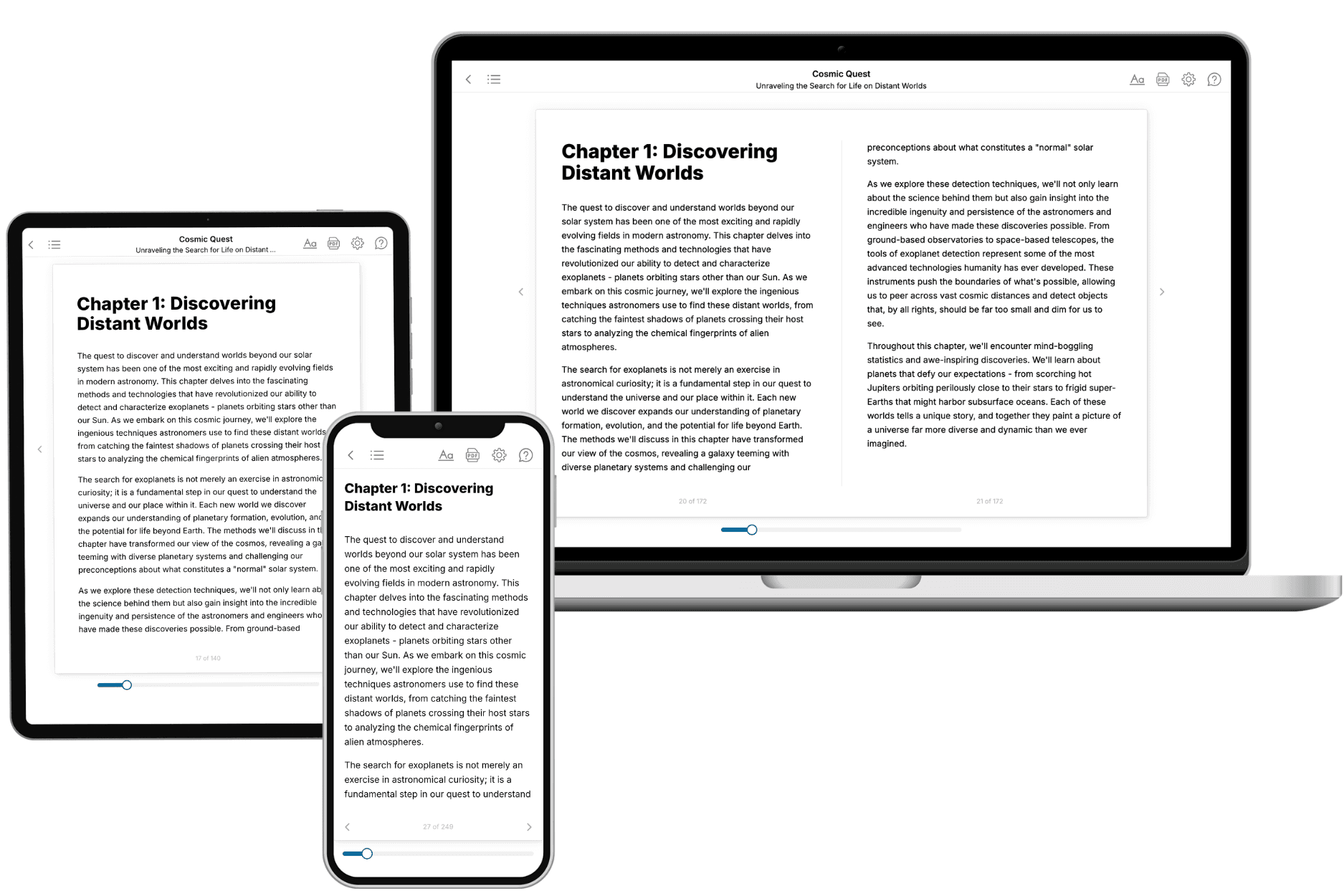
Yes. Every book can be read in our online reader or downloaded as a PDF or EPUB. The EPUB can be opened with Kindle, Apple Books, Kobo, and any e-reader. The Commercial and Author licenses also include an editable Word (DOCX) and Markdown download.
- How much does it cost?
About the price of a regular ebook. The exact price depends on your book's length and complexity, from $2 for the shortest books to $35 for the most comprehensive, and it's shown when you review your book, before you commit to anything. Each book is a one-time purchase, yours to keep, no subscription. Licenses that let you share, teach, or publish your book range from $35.99 to $49.99.
- Can I preview the book before purchasing?
Before you pay, you'll see what your book will cover: the title, a detailed description, the estimated length, and the complete chapter-by-chapter table of contents, so you know what you're getting before you decide. The full text itself is written after you purchase.
- How long does it take to create a book?
About 10 minutes. You can start reading the opening chapters while the rest is still being written.