The Confident iPhone User
Master Essential Skills and Navigate Your Device with Ease
Gain complete confidence in using your iPhone by mastering the essential skills that matter most.
207 pages9 chaptersDec 17, 2025iPhone
About this book
This practical guide walks you through every fundamental feature—from basic navigation and device settings to communication tools, security essentials, and troubleshooting—in clear, accessible language designed for your learning style. Whether you're setting up FaceTime to video call grandchildren, organizing your text messages, configuring Wi-Fi and Bluetooth, or securing your device with Face ID, you'll find step-by-step instructions that demystify each function. Discover how accessibility features enhance your experience, learn to manage apps effectively, and develop the problem-solving skills to handle common issues independently. By the end, you'll understand your iPhone not as a mysterious device, but as a powerful tool you can navigate with ease and customize to fit your life.
Table of contents
- IntroductionWhy This Book Is For You, How to Use This Guide, Your Learning Path to ConfidenceRead below
- Chapter 1: iPhone Basics: Understanding Your DeviceThe Anatomy of Your iPhone, Home Screen Essentials, Control Center Overview, Notification Center and Lock Screen
- Chapter 2: Core Navigation: Moving Through Your iPhoneEssential Gestures and Navigation, Switching Between Apps, Understanding the Settings Menu
- Chapter 3: Communication Tools: Staying ConnectedText Messaging Fundamentals, Organizing and Managing Text Messages, FaceTime Video Calling Made Simple, Email Setup and Management
- Chapter 4: Connectivity Essentials: Wi-Fi and BluetoothWi-Fi Setup and Connection, Bluetooth Pairing and Troubleshooting, Solving Common Connectivity Issues
- Chapter 5: Security Essentials: Protecting Your DeviceSetting Up Passcode and Face ID, Two-Factor Authentication and Apple ID, Privacy Settings and App Permissions, Protecting Your Personal Data
- Chapter 6: Accessibility Features: Customizing for Your NeedsVision Accessibility Options, Hearing Accessibility Features, Motor and Interaction Accessibility
- Chapter 7: App Management: Organizing and Controlling AppsDownloading and Installing Apps, Organizing Apps on Your Home Screen, Managing App Updates and Storage, Understanding App Permissions
- Chapter 8: Customization Options: Making Your iPhone YoursDisplay and Appearance Settings, Sound, Haptics, and Notifications, Wallpapers and Home Screen Widgets
- Chapter 9: Troubleshooting: Solving Common ProblemsBasic Troubleshooting Steps, Resolving App Problems, Performance and Battery Issues, When to Seek Professional Help
- Conclusion: Your Path ForwardBuilding Lasting Confidence, Continuing Your iPhone Journey
- Glossary of iPhone Terms
- Quick Reference Guide
Introduction
Your iPhone holds remarkable potential to enrich your daily life, yet navigating its features can sometimes feel overwhelming. Perhaps you've found yourself hesitating before tapping an unfamiliar icon, worried about making a mistake you can't undo. Maybe you've watched younger family members effortlessly swipe through their devices while you struggle to locate a simple setting. These experiences are common, and they don't reflect your intelligence or capability—they simply indicate that you haven't yet been given clear, systematic guidance tailored to how you learn best.
This book exists to change that experience entirely. Unlike quick-start guides that assume prior knowledge or technical manuals filled with jargon, this resource speaks directly to your needs as someone with intermediate iPhone experience who wants to build genuine confidence from the ground up. You bring valuable skills to this learning process: the analytical thinking developed through years of academic work, the patience cultivated through teaching, and the wisdom to recognize that mastering new technology requires structured, thoughtful instruction. These strengths will serve you well as you work through each chapter.
The iPhone operates according to logical patterns and consistent design principles that become intuitive once you understand the underlying structure. Every swipe, tap, and setting follows predictable rules that Apple has refined over years of development. When you know where to look and what each element controls, the device transforms from a mysterious black box into a transparent, manageable tool. This guide will reveal those patterns systematically, building your understanding layer by layer until navigation feels natural and decision-making becomes confident.
Throughout this book, you'll discover that most iPhone features are more accessible than they initially appear. The settings menu, which might seem labyrinthine at first glance, follows a clear organizational logic. Communication tools like Messages and FaceTime operate with straightforward interfaces designed for ease of use. Security features, far from being optional extras, form the essential foundation that protects your personal information—and setting them up requires just a few deliberate steps. Even troubleshooting, which might sound technical, relies on a handful of reliable techniques that solve most problems without requiring expert intervention.
Your journey through this guide will be practical and action-oriented. Each chapter provides step-by-step instructions, concrete examples, and specific scenarios drawn from real-world use. You won't encounter vague advice or theoretical explanations without context. Instead, you'll find clear directions for accomplishing specific tasks: setting up FaceTime to video call grandchildren, organizing text message conversations, configuring Wi-Fi connections, enabling Face ID for security, and customizing your home screen to match your preferences. Every instruction assumes you're following along with your device in hand, ready to practice each skill immediately.
By the time you complete this book, you'll possess comprehensive knowledge of your iPhone's essential functions and the confidence to explore new features independently. You'll understand not just how to perform tasks, but why certain approaches work better than others. You'll recognize that mistakes are rarely permanent and that most problems have straightforward solutions. Most importantly, you'll view your iPhone as a tool you control—one that adapts to your needs rather than dictating how you must work. This shift in perspective represents the true goal of this guide: transforming uncertainty into competence and hesitation into confident action.
Why This Book Is For You
Your background as a humanities teacher with a Ph.D. means you approach learning with particular strengths that many technology guides fail to recognize or leverage. You're accustomed to analyzing complex systems, identifying underlying patterns, and building knowledge systematically rather than through random trial and error. You value clear explanations that respect your intelligence while acknowledging gaps in your technical knowledge. You prefer understanding the logic behind procedures rather than simply memorizing steps. This book is designed specifically to align with these learning preferences, treating you as the capable, thoughtful learner you are.
Many iPhone guides fall into one of two unhelpful extremes. Some assume you're a complete beginner who needs every basic concept explained in patronizing detail, including how to hold the device or what a button is. Others assume extensive technical knowledge, using terminology like cache clearing
or network protocols
without explanation. Neither approach serves you well. You have intermediate experience—you can send texts, make calls, and use basic apps—but you lack systematic understanding of how everything connects. You need a guide that builds on your existing knowledge while filling in the conceptual gaps that prevent true confidence.
This book addresses several specific challenges you likely face with your iPhone:
- Navigation uncertainty: You can accomplish specific tasks you've learned, but you're not confident exploring unfamiliar areas of the device because you don't understand the overall structure
- Settings confusion: The Settings menu contains hundreds of options, and you're unsure which ones matter for your daily use versus which are technical details you can ignore
- Security concerns: You've heard about data breaches and privacy issues, but you don't know which security measures are essential versus optional, or how to implement them properly
- Communication tool underutilization: You use basic texting and calling, but you haven't fully explored features like message organization, FaceTime setup, or email management that could enhance your connections with family and friends
- Troubleshooting dependence: When something goes wrong, you immediately seek help from others rather than having confidence in your ability to diagnose and solve common problems independently
- Customization hesitation: You stick with default settings because you're worried that changing options might break something or create problems you can't fix
Each of these challenges stems not from inability but from lack of structured instruction. You haven't been shown the logical framework that makes iPhone navigation intuitive. You haven't learned which settings genuinely matter for security and which are minor preferences. You haven't practiced troubleshooting techniques in a safe, guided environment where mistakes are learning opportunities. This book provides exactly that structured instruction, transforming each challenge into a skill you can master through clear explanation and deliberate practice.
Your intermediate experience actually positions you perfectly for rapid progress. You're past the initial learning curve of basic touch interactions and simple app usage. You understand fundamental concepts like apps, icons, and notifications. Now you're ready to build systematic knowledge that connects these isolated skills into comprehensive competence. This is similar to the difference between knowing individual vocabulary words and understanding grammar—once you grasp the underlying structure, everything else falls into place much more quickly.
Consider a specific example that illustrates why this book matches your needs. Imagine you want to video call a grandchild using FaceTime. A basic guide might simply say tap the FaceTime icon and enter the contact name.
An advanced guide might discuss network bandwidth requirements and codec specifications. Neither helps you understand what you actually need: how to locate FaceTime among your apps, how to ensure your camera and microphone permissions are properly configured, what to do if the call quality is poor, how to switch between front and rear cameras during the call, and how to troubleshoot if the call won't connect. This book provides exactly that level of practical, contextual instruction for every essential iPhone function.
Your academic background also means you appreciate understanding why certain practices matter, not just what to do. When this guide recommends enabling two-factor authentication, it explains the specific threats this feature prevents and how the protection mechanism works. When it suggests organizing apps into folders, it describes the cognitive benefits of reducing visual clutter and the time savings from logical grouping. This approach respects your need for reasoned understanding rather than blind instruction-following, making the knowledge more memorable and the practices more likely to become lasting habits.
Finally, this book acknowledges a truth that many technology guides ignore: learning new technology as an adult requires different approaches than learning as a young person who grew up with touchscreens. You don't have years of accumulated intuition about how digital interfaces behave. You might need explicit instruction about gestures that younger users discovered through experimentation. You benefit from understanding the historical context of why certain features exist. You prefer deliberate, methodical learning over rapid trial-and-error exploration. These aren't weaknesses—they're simply different learning styles that deserve appropriate instructional design. This book provides that design, meeting you where you are and guiding you systematically toward confident mastery.
How to Use This Guide
This book is structured to build your knowledge progressively, with each chapter establishing foundations for the next. While you can certainly jump to specific topics when you need immediate help with a particular feature, you'll gain the most comprehensive understanding by working through the chapters in order. The sequence moves from basic navigation and device understanding through communication tools, connectivity, security, accessibility, app management, customization, and finally troubleshooting. This progression mirrors the natural learning path from fundamental skills to advanced competence.
Each chapter follows a consistent structure designed to maximize your learning efficiency:
- Clear objectives: Every chapter begins by stating exactly what you'll be able to do after completing it, giving you concrete goals to work toward
- Conceptual framework: Before diving into procedures, each chapter explains the underlying logic of the features being covered, helping you understand the why behind the how
- Step-by-step instructions: Procedures are broken down into numbered steps with specific actions, eliminating ambiguity about what to tap, swipe, or select
- Visual landmarks: Instructions reference specific visual elements you'll see on your screen, helping you confirm you're in the right location
- Common pitfalls: Each chapter highlights mistakes that users frequently make and explains how to avoid or correct them
- Practical examples: Real-world scenarios demonstrate how to apply the skills in contexts relevant to your daily life
- Troubleshooting guidance: When things don't work as expected, you'll find specific diagnostic steps to identify and resolve the problem
To get the most from this guide, keep your iPhone nearby as you read. This is not a book to read passively in an armchair—it's a hands-on learning tool. When you encounter instructions, perform them immediately on your device. This active practice transforms abstract information into embodied knowledge. You'll remember procedures much more effectively when you've physically performed them rather than simply reading about them. If a chapter covers features you use daily, the practice reinforces correct techniques. If it covers unfamiliar features, the practice builds new skills in a structured, safe environment.
Consider adopting this specific learning approach for each chapter:
- Preview: Read through the entire chapter once without your device, getting a sense of the overall content and structure
- Practice: Return to the beginning with your iPhone in hand, working through each procedure step by step, pausing to complete each action before reading the next instruction
- Experiment: After completing the guided procedures, spend a few minutes exploring related features on your own, applying the principles you've learned to discover additional capabilities
- Review: A day or two later, skim the chapter again, noting which concepts you remember clearly and which might benefit from additional practice
- Apply: Deliberately use the new skills in your daily iPhone activities, reinforcing the learning through regular practice
Don't worry about making mistakes as you practice. The iPhone is remarkably difficult to damage through normal use. You cannot accidentally delete the operating system, permanently break essential features, or cause irreparable harm by tapping the wrong option. Most actions are reversible. Settings can be changed back. Deleted items often remain recoverable for days or weeks. Apps can be reinstalled. The worst-case scenario for most mistakes is minor inconvenience, not catastrophe. This book will explicitly warn you about the few actions that do require caution, such as erasing all content or making purchases. For everything else, approach your learning with confidence that exploration is safe.
You'll notice that this guide uses specific terminology consistently throughout. When you encounter a term in bold text, it indicates a key concept or iPhone-specific term that's important to remember. The first time a technical term appears, it's explained in plain language. A comprehensive glossary at the end of the book provides quick reference for any terms you want to review. This consistent vocabulary helps you build a mental model of how iPhone features relate to each other and prepares you to understand Apple's own documentation or support resources when you need them.
The book also includes practical elements designed for quick reference after your initial learning. The Quick Reference Guide at the end provides condensed instructions for common tasks, useful when you need a reminder about a procedure you've already learned but haven't used recently. Each chapter's troubleshooting sections address specific problems you might encounter, organized by symptom rather than technical cause. These elements transform the book from a one-time learning resource into an ongoing reference tool you can return to whenever questions arise.
Pay special attention to the examples and scenarios throughout each chapter. These aren't arbitrary illustrations—they're carefully chosen situations that reflect common use cases for someone with your background and needs. When you see an example about organizing messages from family members, setting up FaceTime for video calls with grandchildren, or managing email from multiple accounts, these scenarios are designed to mirror your actual usage patterns. Try to connect each example to your own circumstances, mentally substituting your specific contacts, apps, or preferences. This personalization makes the learning more relevant and memorable.
Finally, recognize that building iPhone confidence is not a race. You don't need to master every feature in a week or even a month. Some chapters might require multiple practice sessions before the skills feel natural. Others might cover features you use so frequently that they become automatic almost immediately. Progress at your own pace, focusing on thoroughness rather than speed. The goal is not to finish the book quickly but to develop genuine, lasting competence that serves you for years to come. Every skill you master, no matter how small it seems, contributes to your overall confidence and independence with your device.
Your Learning Path to Confidence
Confidence with your iPhone develops through a specific progression that this book is designed to facilitate. Understanding this learning path helps you recognize your progress and maintain motivation as you work through each chapter. The journey moves through four distinct phases: comprehension (understanding what features exist and what they do), competence (being able to use features with guidance), proficiency (using features independently without reference materials), and finally confidence (feeling comfortable exploring new features and troubleshooting problems on your own). Each chapter contributes to moving you through these phases for different aspects of iPhone use.
The early chapters focus on comprehension and basic competence with fundamental navigation. Chapter 1 establishes your understanding of the iPhone's physical and digital anatomy—where everything is located and what each element does. Chapter 2 builds on this foundation by teaching the gestures and navigation patterns that let you move efficiently through your device. These chapters might feel basic if you already use your iPhone regularly, but they fill in conceptual gaps that prevent confident exploration. You might know how to swipe up to close an app, for example, but not understand the relationship between the home screen, app switcher, and control center. This conceptual understanding transforms isolated skills into systematic knowledge.
The middle chapters develop proficiency with essential functions you'll use daily. Chapter 3 covers communication tools—messaging, FaceTime, and email—with detailed attention to organization and management strategies that go beyond basic sending and receiving. Chapter 4 addresses connectivity through Wi-Fi and Bluetooth, including troubleshooting techniques that resolve most connection problems independently. Chapter 5 tackles security essentials, arguably the most important chapter in the book because it protects everything else you do with your device. These chapters move you from basic competence to genuine proficiency, enabling you to use these features effectively without constant reference to instructions.
Consider this concrete example of how the learning path works in practice. When you begin Chapter 3 on communication tools, you might already know how to send a basic text message—that's existing competence. The chapter builds comprehension by explaining how Messages integrates with your contacts, how conversations are organized, and what the various icons and indicators mean. It develops proficiency by teaching you to pin important conversations, use search effectively, manage group messages, and handle attachments. By the end of the chapter, you've moved from basic competence to proficiency, and you're positioned to develop confidence through regular practice. A few weeks later, when a friend sends you a message with an attachment you need to save, you'll handle it independently without consulting the book—that's confidence.
The later chapters address customization, accessibility, and troubleshooting—skills that transform your iPhone from a generic device into a personalized tool that works exactly how you need it to. Chapter 6 on accessibility features reveals powerful options that enhance usability for everyone, not just those with specific disabilities. Larger text, enhanced contrast, and audio descriptions can make your iPhone significantly easier to use regardless of your vision or hearing status. Chapter 7 on app management teaches you to organize, update, and control the applications that extend your iPhone's capabilities. Chapter 8 on customization shows you how to adjust appearance, sounds, and layout to match your preferences. These chapters develop confidence by demonstrating that you can modify your device safely and reversibly.
Chapter 9 on troubleshooting represents the culmination of your learning path. Troubleshooting requires synthesizing knowledge from all previous chapters—understanding navigation to locate relevant settings, recognizing how connectivity affects app performance, knowing which security settings might interfere with certain functions, and having the confidence to try solutions without fear of causing damage. When you can independently diagnose why an app isn't working or why your Wi-Fi won't connect, you've achieved genuine confidence. You're no longer dependent on others for basic problem-solving, and you trust your ability to find solutions through systematic investigation.
Throughout this learning path, you'll encounter moments of frustration—this is normal and expected. Learning any new complex system involves periods where progress feels slow or where a concept doesn't immediately make sense. When you experience these moments, remember several important truths:
- Confusion is temporary and indicates you're working at the edge of your current knowledge, which is exactly where learning happens
- Every expert iPhone user experienced the same confusion when they first encountered these features
- Understanding often comes suddenly after a period of practice, when multiple pieces of knowledge suddenly connect
- You can always return to earlier chapters to reinforce foundational concepts before tackling more advanced material
- Asking for help or consulting additional resources isn't failure—it's intelligent use of available support
Your progress won't be perfectly linear. You might master some features quickly while others require more practice. You might feel confident with messaging but uncertain about Bluetooth pairing. This variability is completely normal. Different features require different types of knowledge and skills. Some align naturally with your existing mental models, while others require building entirely new conceptual frameworks. Focus on steady progress rather than perfect mastery, and recognize that even partial improvement in any area enhances your overall iPhone experience.
To track your progress and maintain motivation, consider keeping a simple learning journal. After completing each chapter, write a few sentences about what you learned, which features you found most useful, and which concepts you want to practice more. Note specific ways you've applied the new skills in your daily life. This reflection serves multiple purposes: it reinforces learning through active recall, it provides a record of your progress that you can review when you feel discouraged, and it helps you identify patterns in what learning approaches work best for you. You might notice, for example, that you learn procedures most effectively when you practice them immediately, or that you understand concepts better when you can connect them to familiar non-technical analogies.
As you progress through the book, you'll also develop what might be called iPhone intuition
—a sense of where to look for features, how to interpret unfamiliar icons, and what to try when something doesn't work as expected. This intuition emerges from understanding the design principles that Apple applies consistently across iOS. Once you recognize these patterns, you can often figure out new features independently by applying what you know about similar features. For example, once you understand how to customize notifications for the Messages app, you can apply the same logic to customize notifications for Mail, Phone, or any other app. This transferable knowledge is far more valuable than memorizing specific procedures.
The ultimate goal of this learning path is not just to make you proficient with your current iPhone, but to give you the foundational knowledge and confidence to adapt as the device evolves. Apple releases new iOS versions annually, each bringing interface changes and new features. When you understand the underlying logic of how your iPhone works, these updates become opportunities to discover new capabilities rather than sources of confusion and frustration. You'll be able to explore new features independently, confident that you understand enough about the system to learn through experimentation. This adaptability represents true mastery—not knowing every feature that exists today, but having the skills and confidence to learn whatever features you need tomorrow.
Begin your journey through this book with realistic expectations and genuine optimism. You will become more confident with your iPhone. You will master the essential skills that matter most for your daily use. You will develop the ability to troubleshoot common problems independently. These outcomes are not hopeful possibilities—they're predictable results of working systematically through clear, well-designed instruction. Your intelligence, patience, and commitment to learning guarantee success. The only variable is time, and you control that pace entirely. Start with Chapter 1 when you're ready, and trust that each page brings you closer to the confident, capable iPhone user you're working to become.
This is the end of the free sample. The full book has 9 chapters.
Want this book written for you?
Tell us your goals and background, and get your own version of this book, tailored by AI to you.


Benefits of AI-tailored books
- Read one book, not ten:
- all the iPhone knowledge you need, gathered into a single book.
- Save days of learning:
- tell us your goals, choose your topics, and the whole book is built around them.
- Learn effortlessly:
- iPhone book written for your specific background and expertise.
- Understand at a glance:
- includes charts, tables, timelines, checklists, decision trees, and more.
- Stay current:
- written the day you order it, not years ago.
- Trust what you read:
- every book is checked for accuracy, with real research when your subject needs it.
Create your unique book in 3 steps
- 1. Select your focus
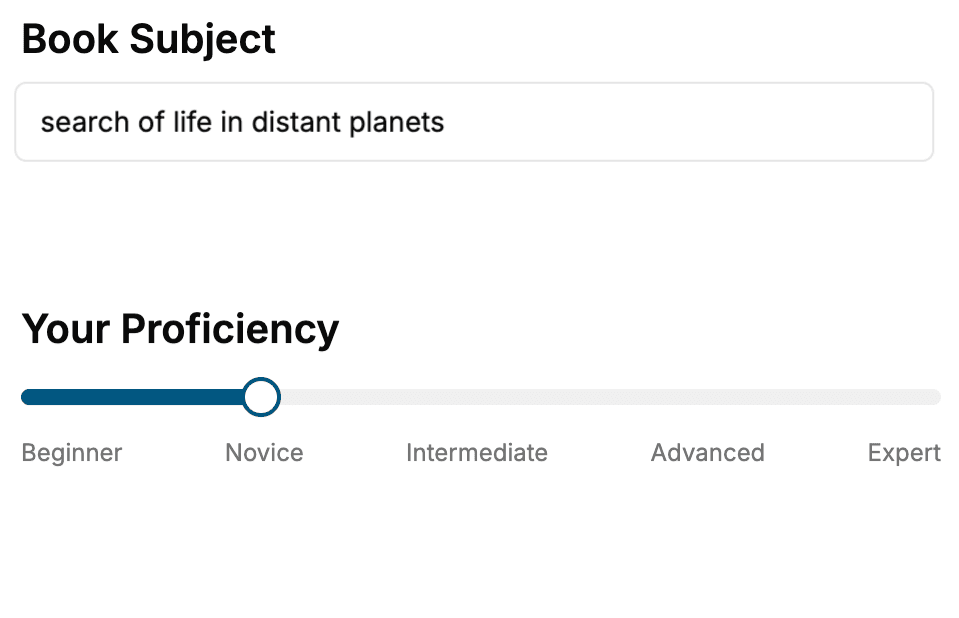
Select the focus of your iPhone book and share your background
- 2. Personalize your book
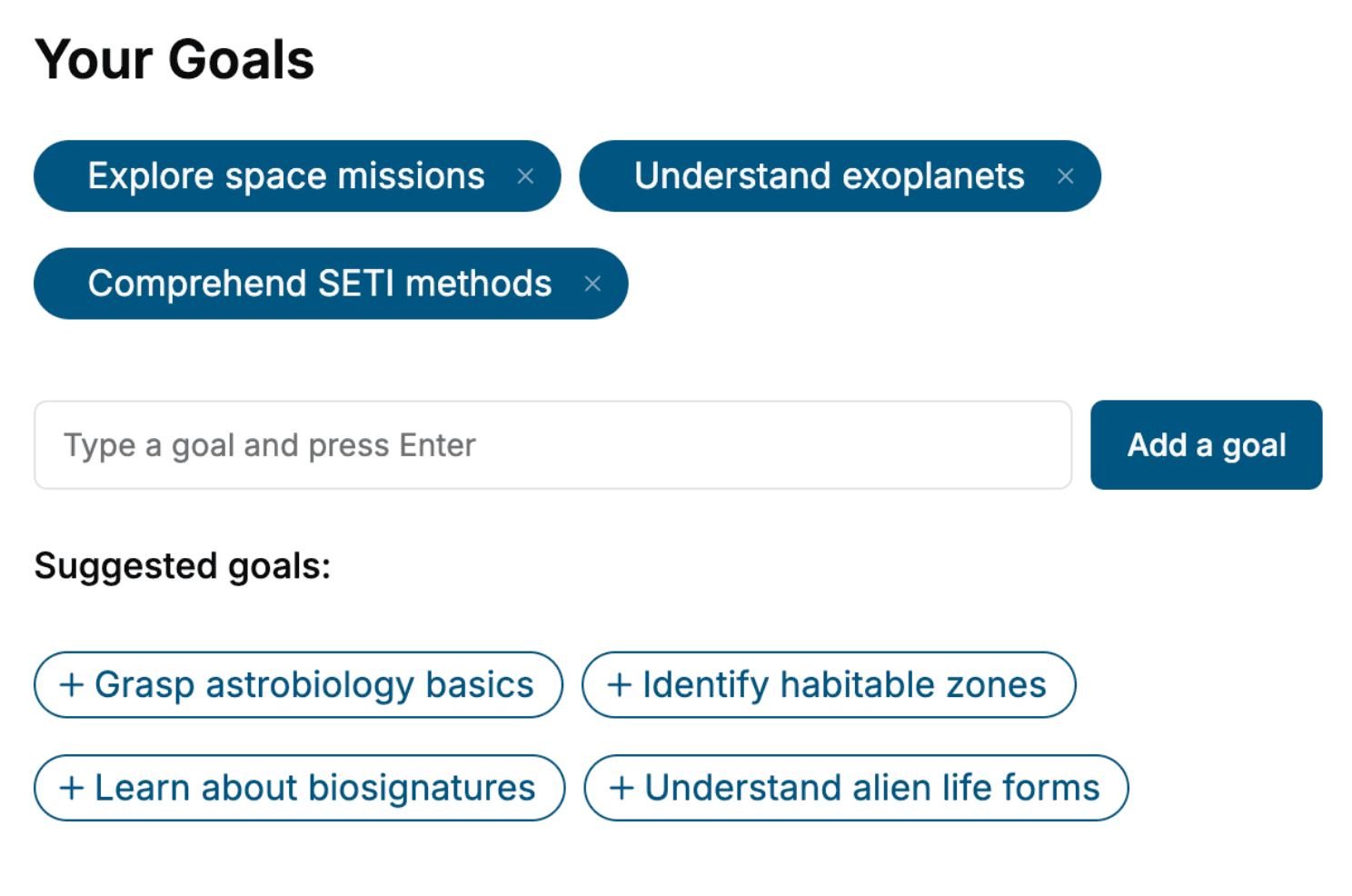
Specify your goals and choose sub-topics to include
- 3. Get your tailored book
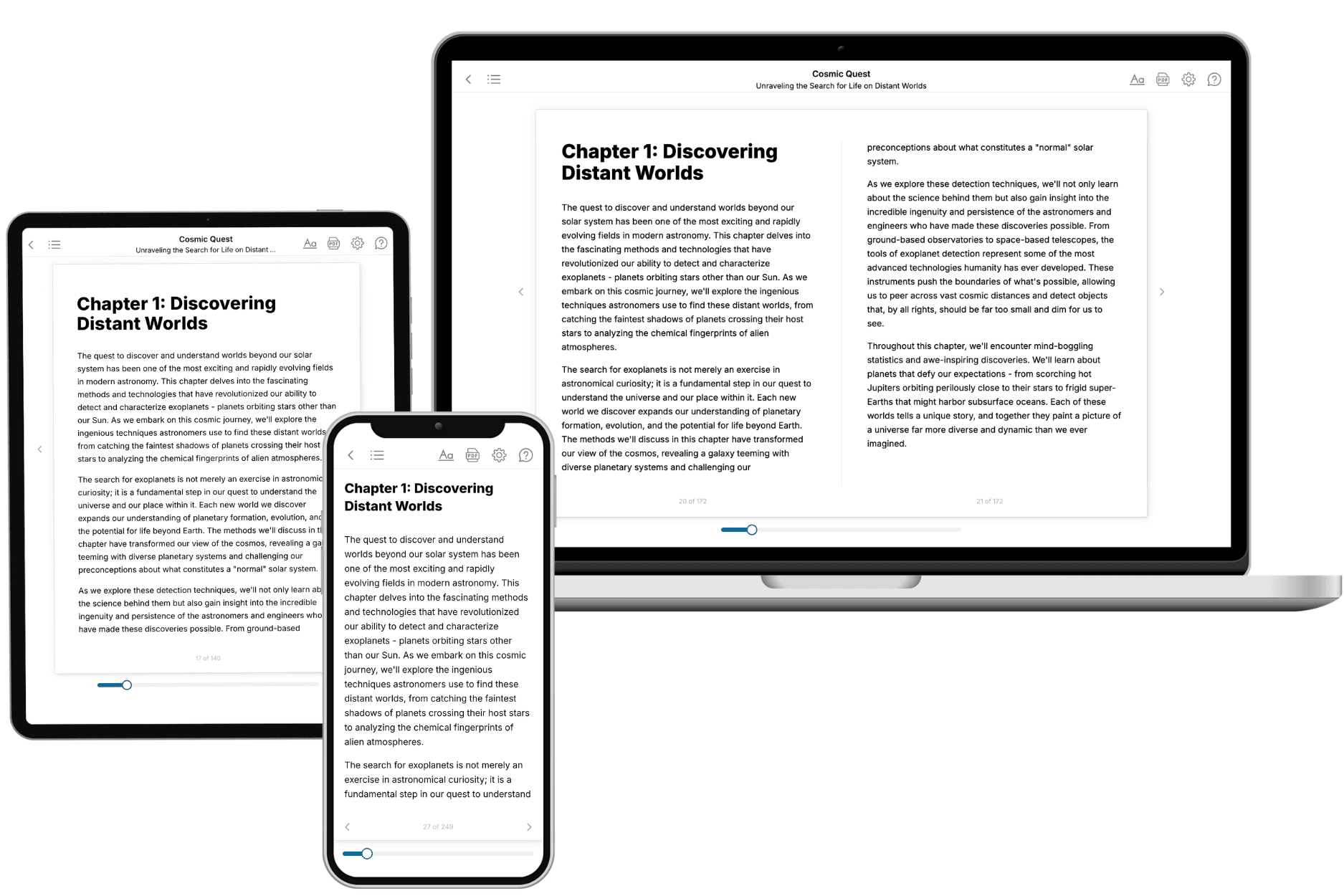
Your book is ready in 10 minutes. Read it online, download as EPUB or PDF, or send to Kindle.
Frequently asked questions
- What is TailoredRead?
TailoredRead creates complete, full-length nonfiction ebooks, written specifically for you. Tell us what you want to learn and why, and TailoredRead writes you a complete ebook on it, with charts, tables, and diagrams throughout. Read it online, on Kindle, or on any e-reader, or download it as a PDF or EPUB. Every book is written fresh the day you order it.
- How is the book tailored to me?
Before anything is written, you answer a few short questions about your goals, your background, and the topics you care about. Your book is then planned around your answers: written at your level, focused on your goals, and covering the topics you chose, instead of the one-size-fits-all book a store sells everyone.
- Will it read like generic AI content?
No. Your book isn't a chat transcript: it's planned chapter by chapter before a single word is written, told in a clear book voice, and explains ideas visually with charts, tables, and diagrams. After writing, every book goes through an editorial pass that polishes chapters so the book reads consistent from start to finish. Judge for yourself: browse thousands of sample books on our Explore Books page.
- How accurate is the content?
Our AI first checks whether your subject needs live research. Niche and fast-moving subjects are researched before writing, and the book plan and chapters are grounded in what it finds. After writing, every book goes through a quality pass that checks its facts and consistency, and researched books list their sources in a Notes section at the back.
- How long is the book?
You choose the length: Comprehensive (250-300 pages), Detailed (150-200 pages), Essential (70-100 pages), or Short (30-50 pages).
- Does the book include visuals?
Yes. Every book includes charts, tables, and diagrams: timelines, checklists, step-by-step guides, decision trees, comparison tables, matrices, and bar charts. A typical book includes dozens of these visual elements.
- Can I read it on Kindle? What formats can I download?
Yes. Every book can be read in our online reader or downloaded as a PDF or EPUB. The EPUB can be opened with Kindle, Apple Books, Kobo, and any e-reader. The Commercial and Author licenses also include an editable Word (DOCX) and Markdown download.
- How much does it cost?
About the price of a regular ebook. The exact price depends on your book's length and complexity, from $2 for the shortest books to $35 for the most comprehensive, and it's shown when you review your book, before you commit to anything. Each book is a one-time purchase, yours to keep, no subscription. Licenses that let you share, teach, or publish your book range from $35.99 to $49.99.
- Can I preview the book before purchasing?
Before you pay, you'll see what your book will cover: the title, a detailed description, the estimated length, and the complete chapter-by-chapter table of contents, so you know what you're getting before you decide. The full text itself is written after you purchase.
- How long does it take to create a book?
About 10 minutes. You can start reading the opening chapters while the rest is still being written.