Cross-Platform Game Development with Unity
Master Write-Once, Deploy-Everywhere Game Development for Mobile, PC, Console, and Web
What if you could build a game once and have it run flawlessly on phones, tablets, PCs, consoles, and browsers without rewriting your core code?
253 pages12 chaptersJul 17, 2026Unity Game Engine
About this book
Cross-platform game development with Unity makes this possible—but only if you understand the architecture, tools, and practices that make it work. This book guides you through the complete journey of building production-quality games that scale across 25+ platforms. You'll master C# scripting fundamentals, learn how to architect games using Entity Component System design, and discover how to abstract platform-specific concerns so your game logic remains clean and portable. Explore rendering pipelines that automatically adapt to hardware capabilities, optimize performance for everything from budget Android devices to high-end consoles, and leverage Unity Cloud Services for seamless multiplayer and monetization. Whether you're shipping your first mobile game or scaling to console platforms, you'll gain the practical knowledge and architectural patterns that separate amateur projects from professional releases.
Table of contents
- IntroductionWhy Cross-Platform Development Matters, The Unity Ecosystem and Your Development Journey, What You'll Learn in This BookRead below
- Chapter 1: Understanding Cross-Platform ArchitectureWrite-Once, Deploy-Everywhere: The Core Principle, Platform Abstraction and Code Portability, Unity's 25+ Supported Platforms
- Chapter 2: C# Scripting and the .NET FoundationC# Fundamentals for Game Development, .NET Framework and Runtime Considerations, Cross-Platform Scripting Best Practices
- Chapter 3: Entity Component System and Data-Oriented DesignEntity Component System Fundamentals, Data-Oriented Design for Performance, Implementing ECS in Your Games
- Chapter 4: Rendering Pipelines and Graphics ScalingUniversal Render Pipeline for Mobile and PC, High Definition Render Pipeline for Console and High-End, Adaptive Graphics and Quality Scaling
- Chapter 5: Input Systems and Platform-Specific ControlsAbstracting Input Across Devices, Touch, Keyboard, and Gamepad Integration, Input Handling Best Practices
- Chapter 6: Storage, Persistence, and Platform ConstraintsCross-Platform Data Persistence, Managing Storage Constraints on Mobile, Cloud Save Systems and Synchronization
- Chapter 7: IL2CPP Compilation and Build OptimizationUnderstanding IL2CPP Compilation, Scriptable Build Pipeline for Platform-Specific Handling, Reducing Build Times and Optimizing Artifacts
- Chapter 8: Performance Profiling and OptimizationUsing Unity's Profiler Across Platforms, Mobile-Specific Performance Optimization, Console and High-End Platform Optimization
- Chapter 9: Unity Cloud Services and MultiplayerUnity Cloud Services Ecosystem, Building Multiplayer Games with Netcode, Analytics and Player Engagement Tools
- Chapter 10: Monetization and Cross-Platform CommerceNative Cross-Platform Commerce Management, In-App Purchases and Platform Store Integration, Live-Ops and Post-Launch Monetization
- Chapter 11: Platform-Specific Considerations and CertificationiOS and Android Platform Requirements, Console Certification and Requirements, Web and PC Platform Deployment
- Chapter 12: The Platform Toolkit and Modern WorkflowsPlatform Toolkit for Multi-Platform Releases, Unity 6 Family and LTS Releases, AI-Powered Tools and Development Acceleration
- ConclusionYour Path to Cross-Platform Mastery, Next Steps and Continuous Learning
- Glossary
- Further Reading and Resources
Introduction
Building a game that runs on a phone, a gaming PC, a console, and a browser is not a fantasy reserved for large studios with dozens of engineers. It is a practical goal that thousands of independent developers and small teams achieve every year, and Unity is the engine that makes it possible. The gap between "it works on my machine" and "it ships on every platform" is not a gap of talent. It is a gap of architecture, tooling knowledge, and disciplined habits. This book is about closing that gap.
Cross-platform development has a reputation for being messy. Developers who have tried it without a clear strategy often end up with a codebase full of conditional compilation flags, platform-specific hacks, and duplicated logic that becomes impossible to maintain. The result is a game that technically runs on multiple platforms but feels broken on most of them. The good news is that this outcome is entirely avoidable. When you understand how Unity's architecture is designed to handle platform diversity, the whole problem becomes much more manageable.
Unity's approach rests on a deceptively simple idea: write your game logic once in C#, and let the engine handle the translation to each target platform. In practice, that idea requires you to understand where the boundaries are, which parts of your code are truly portable, and which parts need a thin layer of abstraction to stay clean. This book walks through every layer of that system, from the scripting foundation all the way to store submission and certification. By the end, you will have a complete mental model of how cross-platform development works in Unity, along with the practical skills to apply it on real projects.
The Unity ecosystem has matured significantly in recent years. The Unity 6 family of releases brought meaningful stability improvements, faster build tooling, and a new generation of AI-powered editor features. The Platform Toolkit, introduced in the 2025 to 2026 timeframe, gives teams a structured way to manage multi-platform releases from a single project. These are not incremental updates. They represent a genuine shift in how Unity positions itself for professional, multi-platform production. Understanding these tools is no longer optional for developers who want to ship competitively.
Why Cross-Platform Development Matters
The gaming market is fragmented across devices in a way that has no historical precedent. Players move between their phones during a commute, their PC in the evening, and a console on the weekend. They expect their progress to follow them. They expect the game to feel right on each device, not just functional. Meeting that expectation from a single codebase is one of the most valuable skills a developer can have right now, and the demand for it is only growing.
From a purely business perspective, cross-platform reach multiplies your potential audience without multiplying your development cost at the same rate. A game that ships on both iOS and Android already covers the vast majority of the mobile market. Add PC and you capture players who prefer a keyboard and mouse. Add console and you reach a segment that spends more per title on average. Each additional platform is not a full rebuild. With the right architecture, it is closer to a configuration change and a round of platform-specific testing.
The alternative, building separate versions of your game for each platform, is not just expensive. It creates a maintenance nightmare. Every bug fix has to be applied in multiple places. Every new feature has to be implemented multiple times. Teams that go down that road often find themselves spending more time synchronizing codebases than actually improving the game. Platform abstraction, the practice of isolating hardware-specific code from core game logic, is the architectural answer to that problem.
There is also a competitive dimension worth considering. Players on any given platform have access to games built by studios of every size. What separates a polished release from an amateur one is often not the core gameplay idea. It is the feel of the controls, the stability of the frame rate, the responsiveness of the UI, and the reliability of saves and purchases. These are all areas where cross-platform expertise directly translates into product quality. A developer who understands how Unity handles input abstraction, storage constraints, and rendering pipelines across devices will ship a better game than one who does not, regardless of the underlying game concept.
Cross-platform development also future-proofs your project. Platforms evolve. New devices appear. Operating system updates change what APIs are available. When your game logic is cleanly separated from platform-specific code, adapting to these changes is a matter of updating the abstraction layer, not rewriting the game. That kind of resilience is what allows a game to stay in active distribution for years rather than becoming unmaintainable after the first major OS update.
The question is not whether to support multiple platforms. For most games, the question is how to do it without doubling your workload. Architecture is the answer, and Unity gives you the tools to get it right.
Consider a concrete example. A small team builds a puzzle game targeting mobile first. They use Unity's Universal Render Pipeline (URP) from the start, set up the Unity Input System with action maps that support both touch and gamepad, and store player progress through a cloud save system rather than device-local storage only. When they decide to bring the game to PC six months later, the rendering already scales, the input layer already handles keyboard and mouse, and the save system already works across devices. The PC port takes weeks, not months. That outcome is not luck. It is the result of making the right architectural decisions early.
The skills covered in this book are not theoretical. They are the same decisions that professional teams make on every production project. Understanding them gives you the ability to make those decisions deliberately rather than stumbling into them by accident or, worse, discovering their absence when it is too late to fix them cleanly.
The Unity Ecosystem and Your Development Journey
Unity is not just an engine. It is an ecosystem that spans the editor, the runtime, a cloud services layer, a digital marketplace, and a licensing structure designed to accommodate developers at every scale. Understanding how these pieces fit together is important before diving into any specific technical topic, because the decisions you make about which parts of the ecosystem to use will shape your entire development workflow.
At the center of everything is the Unity Editor, the environment where you build scenes, configure components, write scripts, and manage assets. The editor runs on your development machine and produces builds for target platforms. It is supported by a scripting layer built on C# and the .NET framework, which gives you a modern, strongly typed language with a rich standard library. Two primary IDEs integrate cleanly with Unity: Visual Studio and JetBrains Rider. Both offer full debugging support, code completion, and Unity-specific tooling. Your choice between them is largely a matter of preference, though Rider has become increasingly popular for its refactoring tools and performance.
The Unity Asset Store is a marketplace where you can find pre-built assets, tools, plugins, and complete project templates. For cross-platform development specifically, the Asset Store contains input management packages, platform abstraction utilities, UI frameworks, and performance profiling tools that can save significant development time. Knowing when to use an Asset Store solution versus building your own is a judgment call that comes with experience, but the store is worth treating as a genuine part of your toolkit rather than a shortcut to avoid.
Unity Cloud Services is the backend layer that handles multiplayer networking, analytics, player authentication, and monetization. These services are designed to work across all supported platforms from a single integration point. Rather than connecting to separate backend providers for each platform, you configure Unity Cloud Services once and the SDK handles the platform-specific communication. This is a significant time saver for teams that want to ship multiplayer or live-service features without building backend infrastructure from scratch.
Unity's licensing structure offers three main tiers: Unity Personal, Unity Pro, and Unity Enterprise. Personal is free and suitable for developers below a certain revenue threshold. Pro adds advanced features, priority support, and removes the Unity splash screen. Enterprise is designed for large organizations with custom needs. For most independent developers and small studios, Pro is the practical target once a project reaches commercial scale. The licensing tier you choose affects which features and services are available to you, so it is worth understanding the differences before committing to a production pipeline.
The Unity 6 family represents the current generation of the engine as of 2026. The emphasis in this release family has been on stability, predictable long-term support through the LTS release cadence, and a set of new tools that address long-standing pain points. Build times, which were a frequent complaint in earlier versions, have improved through optimizations in the IL2CPP toolchain. The editor has gained AI-powered features including Sentis for on-device machine learning inference, Unity Generators for code and asset generation, and Unity Assistant for in-editor guidance. These are not gimmicks. They represent a genuine shift in how the development workflow is structured.
The Platform Toolkit, introduced in the 2025 to 2026 timeframe, is specifically designed to streamline multi-platform releases. It provides a structured way to manage platform-specific configurations, build targets, and deployment pipelines from within a single Unity project. For developers who have previously managed multi-platform builds through a collection of custom scripts and manual steps, the Platform Toolkit represents a meaningful improvement in workflow clarity and reliability.
Your journey through this ecosystem will not be linear. You will find yourself moving between the editor, the profiler, the cloud dashboard, and the documentation frequently. The goal of this book is to give you a clear map of that territory so that when you encounter a new tool or service, you already understand where it fits and why it exists. That context makes learning individual features much faster, because you are not just memorizing steps. You are understanding a system.
One practical note on tooling: Unity supports more than 25 platforms, but not all of them are equally relevant to every project. Mobile (iOS and Android), PC (Windows, macOS, Linux), console (PlayStation, Xbox, Nintendo Switch), and WebGL cover the vast majority of commercial game distribution. This book focuses on these primary targets while acknowledging that the architectural principles apply equally to the full range of supported platforms. When you understand how to abstract platform concerns for mobile and console, extending that knowledge to other targets is straightforward.
What You'll Learn in This Book
This book is organized as a progression from foundational architecture to advanced deployment. Each chapter builds on the previous ones, but the structure also allows you to jump to specific topics if you already have a solid foundation in some areas. Here is a clear picture of what each part of the book covers and why it matters for cross-platform development.
The first major topic is cross-platform architecture itself. The chapter on this subject covers the write-once, deploy-everywhere principle in depth, explains what platform abstraction means in practice, and surveys the full range of platforms Unity supports. This is the conceptual foundation that everything else builds on. If you have ever wondered why some Unity projects port easily and others fall apart, the answer almost always comes back to architectural decisions made early in development.
From there, the book moves into C# scripting and the .NET foundation. This is not a beginner's introduction to C#. It assumes you already know the basics. Instead, it focuses on the aspects of C# and the .NET runtime that are specifically relevant to cross-platform portability: how the runtime behaves differently across platforms, which APIs are safe to use everywhere, and what scripting patterns lead to clean, maintainable cross-platform code.
The chapter on Entity Component System (ECS) and data-oriented design (DOD) addresses one of the most important architectural shifts in modern Unity development. ECS is not just a performance optimization. It is a way of structuring game logic that scales well across hardware tiers, from low-end mobile devices to high-end consoles. Understanding ECS and the job system gives you tools to write game code that performs well everywhere, not just on the hardware you happen to be testing on.
Rendering is covered through two dedicated chapters. The first focuses on the Universal Render Pipeline, which is the recommended choice for games targeting mobile and mid-range PC hardware. The second covers the High Definition Render Pipeline for console and high-end PC targets. Both chapters address adaptive graphics scaling, the practice of automatically adjusting visual quality based on the capabilities of the device running the game. This is one of the most practical skills in cross-platform development, because it lets a single build look good on both a budget Android phone and a high-end gaming PC.
Input abstraction gets its own chapter because it is one of the areas where cross-platform development most visibly succeeds or fails. A game that feels great with a gamepad but awkward with touch controls, or vice versa, will get poor reviews on the platforms where the controls feel wrong. The Unity Input System provides the tools to handle this correctly, but using it well requires understanding how to structure action maps, handle device switching, and test input across different control schemes.
The chapters on storage, persistence, and cloud save systems address a set of constraints that catch many developers off guard. Mobile platforms have strict limits on local storage. Different platforms have different rules about where and how data can be written. Cloud save synchronization introduces its own complexity around conflict resolution and offline play. These are not glamorous topics, but getting them wrong leads to lost player progress and negative reviews, which are among the most damaging outcomes for a live game.
IL2CPP compilation and the Scriptable Build Pipeline are the subjects of a chapter that many developers skip until they run into build problems. That is a mistake. Understanding how IL2CPP converts C# into native code, and how the Scriptable Build Pipeline gives you control over the build process, is essential for shipping on platforms with strict performance and size requirements. The chapter also covers practical strategies for reducing build times, which have a direct impact on development velocity.
Performance profiling and optimization is covered with a focus on the Unity Profiler and platform-specific tooling. The chapter distinguishes between mobile optimization, where thermal constraints and battery life are primary concerns, and console optimization, where consistent frame timing and memory budgets are the main challenges. Both require different approaches, and understanding the difference prevents you from applying mobile optimization techniques to a console build or vice versa.
The chapters on Unity Cloud Services and cross-platform commerce cover the backend layer of a modern game. Multiplayer networking through Netcode for GameObjects, relay and lobby services, analytics, and the native commerce dashboard with its support for in-app purchases (IAP) across platforms are all addressed. These chapters are particularly relevant for developers building live-service games or any title with a monetization component, which in practice means most commercial releases.
Platform-specific certification and deployment is the chapter that covers what happens after the game is built. iOS and Android have different submission requirements, review processes, and technical constraints. Console certification is a more involved process with formal requirements from platform holders. WebGL and PC deployment have their own considerations around browser compatibility and store integration. This chapter gives you a practical checklist orientation for each major platform so that submission does not become a surprise.
The final chapter covers the Platform Toolkit, the Unity 6 LTS release cadence, and the AI-powered tools that are reshaping the development workflow. This is where the book looks forward, connecting the foundational skills covered in earlier chapters to the tools and practices that define modern Unity production.
Throughout all of these topics, the book maintains a consistent focus on practical application. Every concept is illustrated with concrete examples, common failure modes, and actionable guidance. The goal is not to give you a reference manual. Unity's own documentation does that. The goal is to give you the judgment to make good decisions across the full range of situations you will encounter when building and shipping a cross-platform game. That judgment is what separates a developer who can follow a tutorial from one who can architect a production-quality project from scratch.
The skills in this book compound. Understanding architecture makes the scripting chapter more meaningful. Understanding scripting makes ECS easier to grasp. Understanding ECS makes performance optimization more intuitive. By the time you reach the chapters on certification and deployment, you will have a complete picture of how every layer of a Unity project connects to the others. That complete picture is what makes cross-platform development feel manageable rather than overwhelming, and it is what this book is designed to give you.
This is the end of the free sample. The full book has 12 chapters.
Want this book written for you?
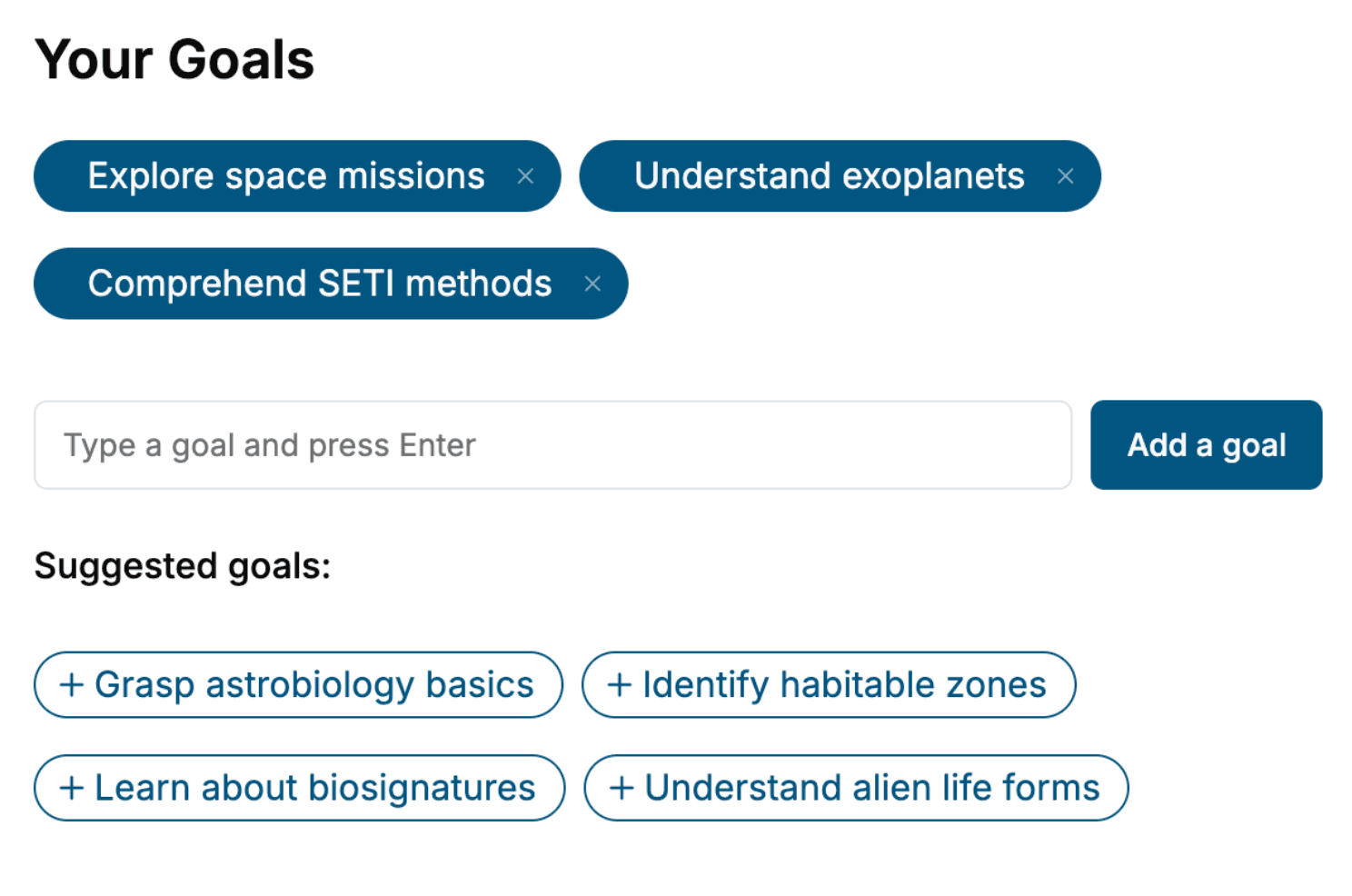
Tell us your goals and background, and get your own version of this book, tailored by AI to you.






Benefits of AI-tailored books
- Read one book, not ten:
- all the Unity Game Engine knowledge you need, gathered into a single book.
- Save days of learning:
- tell us your goals, choose your topics, and the whole book is built around them.
- Learn effortlessly:
- Unity Game Engine book written for your specific background and expertise.
- Understand at a glance:
- includes charts, tables, timelines, checklists, decision trees, and more.
- Stay current:
- written the day you order it, not years ago.
- Trust what you read:
- every book is checked for accuracy, with real research when your subject needs it.
Create your unique book in 3 steps
- 1. Select your focus
Select the focus of your Unity Game Engine book and share your background
- 2. Personalize your book
Specify your goals and choose sub-topics to include
- 3. Get your tailored book
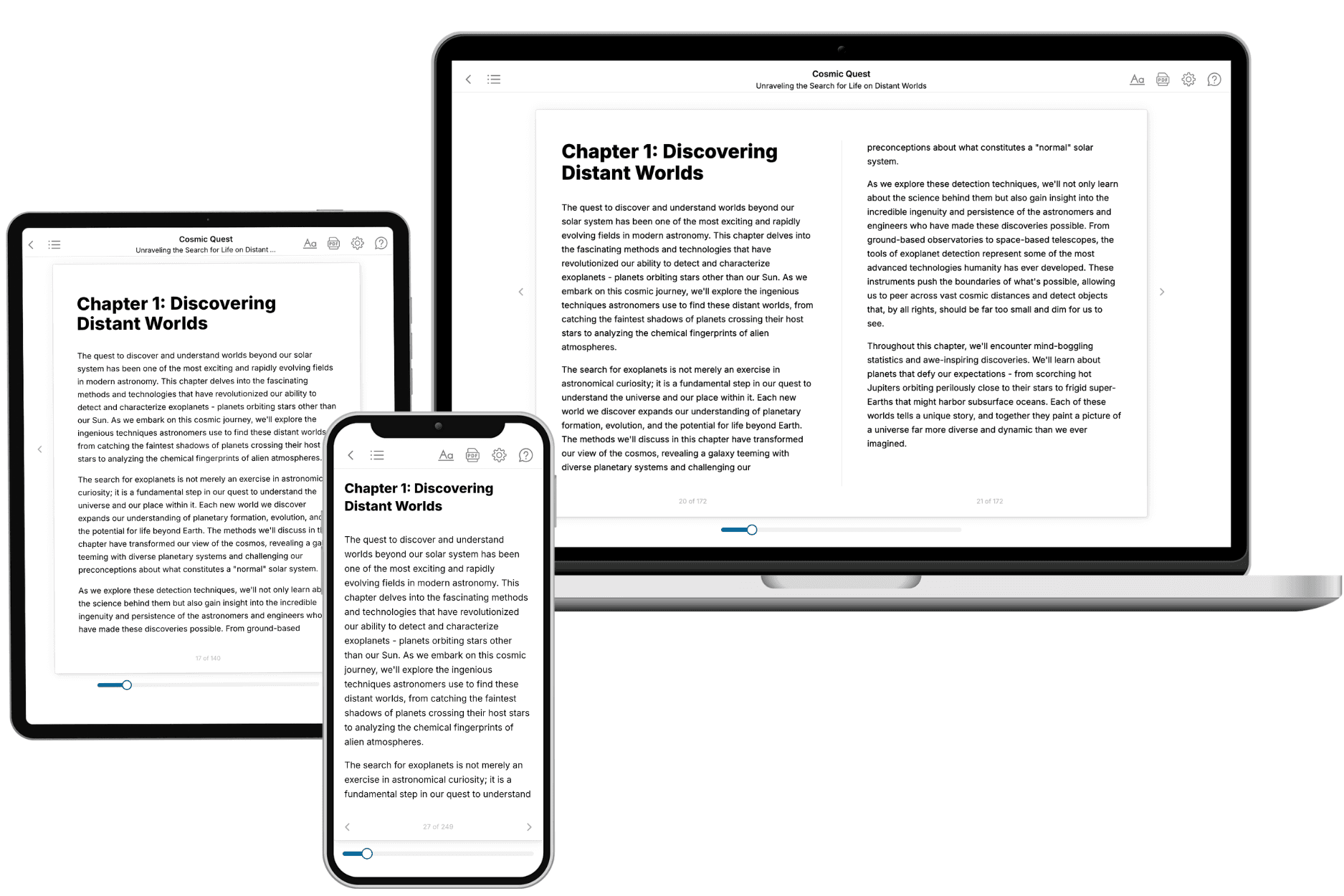
Your book is ready in 10 minutes. Read it online, download as EPUB or PDF, or send to Kindle.

Frequently asked questions
- What is TailoredRead?
TailoredRead creates complete, full-length nonfiction ebooks, written specifically for you. Tell us what you want to learn and why, and TailoredRead writes you a complete ebook on it, with charts, tables, and diagrams throughout. Read it online, on Kindle, or on any e-reader, or download it as a PDF or EPUB. Every book is written fresh the day you order it.
- How is the book tailored to me?
Before anything is written, you answer a few short questions about your goals, your background, and the topics you care about. Your book is then planned around your answers: written at your level, focused on your goals, and covering the topics you chose, instead of the one-size-fits-all book a store sells everyone.
- Will it read like generic AI content?
No. Your book isn't a chat transcript: it's planned chapter by chapter before a single word is written, told in a clear book voice, and explains ideas visually with charts, tables, and diagrams. After writing, every book goes through an editorial pass that polishes chapters so the book reads consistent from start to finish. Judge for yourself: browse thousands of sample books on our Explore Books page.
- How accurate is the content?
Our AI first checks whether your subject needs live research. Niche and fast-moving subjects are researched before writing, and the book plan and chapters are grounded in what it finds. After writing, every book goes through a quality pass that checks its facts and consistency, and researched books list their sources in a Notes section at the back.
- How long is the book?
You choose the length: Comprehensive (250-300 pages), Detailed (150-200 pages), Essential (70-100 pages), or Short (30-50 pages).
- Does the book include visuals?
Yes. Every book includes charts, tables, and diagrams: timelines, checklists, step-by-step guides, decision trees, comparison tables, matrices, and bar charts. A typical book includes dozens of these visual elements.
- Can I read it on Kindle? What formats can I download?
Yes. Every book can be read in our online reader or downloaded as a PDF or EPUB. The EPUB can be opened with Kindle, Apple Books, Kobo, and any e-reader. The Commercial and Author licenses also include an editable Word (DOCX) and Markdown download.
- How much does it cost?
About the price of a regular ebook. The exact price depends on your book's length and complexity, from $2 for the shortest books to $35 for the most comprehensive, and it's shown when you review your book, before you commit to anything. Each book is a one-time purchase, yours to keep, no subscription. Licenses that let you share, teach, or publish your book range from $35.99 to $49.99.
- Can I preview the book before purchasing?
Before you pay, you'll see what your book will cover: the title, a detailed description, the estimated length, and the complete chapter-by-chapter table of contents, so you know what you're getting before you decide. The full text itself is written after you purchase.
- How long does it take to create a book?
About 10 minutes. You can start reading the opening chapters while the rest is still being written.