CSS Dropdown Mastery
Elevate Your Web Interfaces with Advanced Dropdown Techniques
Struggling to create sleek, responsive dropdowns that seamlessly integrate with your web designs?
253 pages13 chaptersJan 8, 2025Web Development
About this book
CSS Dropdown Mastery is your ultimate guide to overcoming the challenges of implementing dynamic navigation elements. This comprehensive resource takes you beyond basic dropdown menus, diving deep into the intricacies of CSS to help you craft stunning, interactive user interfaces. From foundational concepts to advanced techniques, you'll discover how to harness the full power of CSS for creating dropdowns that not only look great but also enhance user experience. Learn to build accessible, cross-browser compatible dropdowns that adapt flawlessly to various screen sizes and devices. Whether you're looking to refine your existing skills or push the boundaries of what's possible with CSS, this book equips you with the knowledge and practical examples you need. By the end, you'll have the confidence to implement sophisticated dropdown solutions that will set your web projects apart.
Table of contents
- IntroductionThe Importance of Dropdowns in Modern Web Design, Book Overview and How to Use This Guide, Prerequisites and Tools, Learning Objectives and OutcomesRead below
- Chapter 1: CSS Dropdown FundamentalsWhat Are CSS Dropdowns?, HTML Structure for Dropdowns, Basic CSS Styling for Dropdowns, Types of Dropdowns and Their Use Cases
- Chapter 2: CSS Selectors and Pseudo-classes for DropdownsAdvanced CSS Selectors for Targeting Dropdown Elements, Using :hover and :focus States, Child and Sibling Selectors in Dropdown Menus, Attribute Selectors for Dynamic Dropdowns
- Chapter 3: Positioning and Layout TechniquesAbsolute vs Relative Positioning in Dropdowns, Using Flexbox for Dropdown Layouts, CSS Grid in Complex Dropdown Structures, Managing z-index for Proper Layering
- Chapter 4: Creating Responsive DropdownsImplementing Media Queries for Adaptive Dropdowns, Mobile-First Approach to Dropdown Design, Designing Touch-Friendly Dropdown Interfaces, Utilizing Viewport Units for Fluid Layouts
- Chapter 5: Animations and TransitionsCSS Transitions for Smooth Dropdown Effects, Keyframe Animations in Dropdowns, Performance Optimization for Animated Dropdowns, Advanced Animation Techniques and Effects
- Chapter 6: Accessibility in CSS DropdownsImplementing Keyboard Navigation, Using ARIA Attributes for Enhanced Accessibility, Focus Management in Complex Dropdowns, Ensuring Proper Color Contrast and Readability
- Chapter 7: Cross-Browser CompatibilityUnderstanding Browser Differences in CSS Support, Using CSS Prefixes for Wider Compatibility, Implementing Feature Detection for Progressive Enhancement, Fallback Strategies for Older Browsers
- Chapter 8: Advanced CSS Dropdown TechniquesCreating Mega Menus with CSS, Implementing Multi-Level Dropdowns, Hover Intent and Delayed Dropdowns, CSS-Only Solutions for Interactive Dropdowns
- Chapter 9: Performance Optimization for DropdownsWriting Efficient CSS Selectors, Techniques for Reducing Repaints and Reflows, Leveraging CSS Containment for Better Performance, Implementing Lazy Loading for Large Dropdown Menus
- Chapter 10: Testing and Debugging CSS DropdownsUtilizing Browser Developer Tools, CSS Validation and Linting, Techniques for Responsive Design Testing, Troubleshooting Common Dropdown Issues
- Chapter 11: Real-World Case StudiesBuilding an E-commerce Category Dropdown, Crafting a Responsive App Navigation Menu, Implementing Dashboard Filters with Dropdowns, Creating a Multilingual Dropdown Menu
- Chapter 12: Future Trends in CSS DropdownsLeveraging CSS Custom Properties (Variables) in Dropdowns, The Promise of Container Queries for Responsive Dropdowns, Exploring Scroll-Driven Animations in Dropdown Design, Upcoming CSS Selectors and Their Potential Impact
- Chapter 13: Best Practices and Design PatternsWriting Maintainable CSS for Dropdowns, CSS Naming Conventions and Methodologies, Applying Progressive Enhancement to Dropdowns, Documenting Your CSS Dropdown Implementations, A Checklist for Dropdown Performance and Accessibility
- ConclusionKey Takeaways, Continuing Your CSS Journey
- Additional ResourcesUseful Tools and Libraries, Recommended Further Reading
Introduction
Welcome to "CSS Dropdown Mastery: Elevate Your Web Interfaces with Advanced Dropdown Techniques." This comprehensive guide is designed to take your CSS skills to the next level, specifically focusing on the creation and implementation of dynamic, responsive, and user-friendly dropdown menus. As an intermediate web developer with a solid foundation in CSS, you're about to embark on a journey that will significantly enhance your ability to craft engaging and interactive user interfaces.
In today's digital landscape, the importance of well-designed navigation systems cannot be overstated. Dropdowns have become an integral part of modern web design, offering an elegant solution to organize and present complex information hierarchies. They allow users to navigate through multi-level menus efficiently, access additional options without cluttering the main interface, and interact with web applications in a more intuitive manner. Mastering the art of CSS dropdowns will not only improve the functionality of your websites but also contribute to a more polished and professional user experience.
Throughout this book, you'll discover how to harness the full power of CSS to create dropdowns that are not just visually appealing but also highly functional, accessible, and performant across various devices and browsers. From foundational concepts to advanced techniques, each chapter is designed to build upon your existing knowledge, introducing new ideas and practical implementations that will expand your CSS toolkit.
The Importance of Dropdowns in Modern Web Design
Dropdowns have become a cornerstone of modern web design, serving as a crucial element in creating intuitive and space-efficient user interfaces. Their importance stems from their ability to organize and present complex information hierarchies in a clean, manageable format. By hiding secondary content until it's needed, dropdowns help maintain a clutter-free interface while still providing quick access to a wealth of options and information.
One of the primary benefits of dropdowns is their contribution to improved navigation. In an era where user experience reigns supreme, the ability to guide users through a website or application efficiently can make or break a digital product. Dropdowns allow for the creation of multi-level navigation systems that can accommodate extensive site structures without overwhelming the user. This is particularly valuable for content-rich websites, e-commerce platforms, and complex web applications where categorization and easy access to various sections are crucial.
Moreover, dropdowns play a significant role in responsive design. As mobile devices continue to dominate internet usage, the need for adaptable interfaces has never been greater. Dropdowns offer a flexible solution that can easily transition between desktop and mobile views, often serving as the basis for mobile-friendly "hamburger" menus or collapsible navigation systems. This adaptability ensures that your website remains functional and user-friendly across all screen sizes, a critical factor in today's multi-device world.
From a user interaction perspective, dropdowns provide immediate feedback and a sense of control. Users can quickly scan available options without committing to a page load, enhancing the overall browsing experience. This interactivity can significantly reduce the cognitive load on users, making it easier for them to find what they're looking for and accomplish their tasks more efficiently.
In the realm of web accessibility, properly implemented dropdowns can greatly improve navigation for users relying on assistive technologies. When built with accessibility in mind, dropdowns can offer keyboard navigation support, clear focus states, and proper ARIA attributes, ensuring that all users, regardless of their abilities, can interact with your website effectively.
Furthermore, dropdowns contribute to the aesthetic appeal of a website. A well-designed dropdown can enhance the overall look and feel of an interface, providing a polished and professional appearance. The ability to animate dropdowns smoothly adds an extra layer of sophistication, creating micro-interactions that delight users and contribute to a more engaging browsing experience.
From a development perspective, mastering CSS dropdowns opens up a world of possibilities for creating dynamic interfaces without relying heavily on JavaScript. This not only leads to potentially faster load times and better performance but also demonstrates a deep understanding of CSS capabilities—a valuable skill in the web development industry.
As we delve deeper into the intricacies of CSS dropdowns throughout this book, you'll gain a profound appreciation for their versatility and power. You'll learn how to leverage CSS to create dropdowns that are not just functional, but also accessible, performant, and visually stunning. This knowledge will empower you to craft user interfaces that stand out in the crowded digital landscape, providing users with intuitive navigation and engaging interactions that keep them coming back.
By the end of this journey, you'll have the skills to implement sophisticated dropdown solutions that adapt to various contexts, from simple navigation menus to complex multi-level interfaces. You'll understand how to balance aesthetics with functionality, ensuring that your dropdowns enhance rather than hinder the user experience. Most importantly, you'll be equipped to make informed decisions about when and how to use dropdowns effectively in your web projects, elevating the overall quality of your work and setting your designs apart in the competitive world of web development.
Book Overview and How to Use This Guide
"CSS Dropdown Mastery" is structured to provide a comprehensive and practical approach to mastering the art of creating dynamic dropdowns using CSS. This guide is designed to take you on a journey from understanding the fundamentals to implementing advanced techniques, ensuring that by the end, you'll have a robust toolkit for creating sophisticated dropdown solutions. To make the most of this book, it's important to understand its structure and how to effectively use the information presented.
The book is divided into several key sections, each building upon the previous to create a cohesive learning experience. We begin with the fundamentals, ensuring that you have a solid foundation in the basic concepts of CSS dropdowns. From there, we progress through increasingly complex topics, including advanced selectors, positioning techniques, responsive design, animations, accessibility considerations, and performance optimization. Each chapter is crafted to provide both theoretical knowledge and practical applications, allowing you to immediately apply what you've learned to real-world scenarios.
To get the most out of this guide, it's recommended that you approach it in a sequential manner, especially if you're looking to build a comprehensive understanding of CSS dropdowns from the ground up. However, if you're already familiar with certain concepts, feel free to jump to specific chapters that address your immediate needs or areas of interest. The book is designed to be both a step-by-step tutorial and a reference guide, allowing for flexibility in how you consume the information.
Each chapter begins with an overview of the topics to be covered, followed by detailed explanations, code examples, and practical tips. You'll find that the code snippets are not just for demonstration but are designed to be interactive. It's highly encouraged that you type out these examples, experiment with them, and modify them to see how different properties and values affect the outcome. This hands-on approach is crucial for internalizing the concepts and developing a intuitive understanding of CSS behavior.
Throughout the book, you'll encounter "Pro Tip" boxes that provide insider knowledge and best practices gathered from experienced developers. These tips often highlight common pitfalls to avoid or offer shortcuts and techniques that can save you time and improve your workflow. Pay special attention to these as they can significantly enhance your efficiency and the quality of your code.
Case studies and real-world examples are interspersed throughout the chapters, offering concrete applications of the techniques discussed. These examples are carefully chosen to represent common scenarios you're likely to encounter in your development work. By studying these cases and implementing the solutions provided, you'll gain valuable insights into problem-solving approaches and best practices in dropdown design.
At the end of each chapter, you'll find a summary of key points and a set of exercises. The summary serves as a quick reference and reinforcement of the main concepts covered, while the exercises are designed to challenge you and ensure that you've grasped the material. It's highly recommended that you complete these exercises, as they often require you to combine multiple concepts, mimicking real-world development scenarios.
The book also includes a dedicated chapter on testing and debugging CSS dropdowns. This section is crucial for developing robust and reliable dropdown implementations. Make sure to familiarize yourself with the tools and techniques presented here, as they will save you countless hours of troubleshooting in your future projects.
As you progress through the book, you'll notice that certain themes recur across different chapters. Accessibility, performance, and cross-browser compatibility are woven throughout the content, reflecting their importance in modern web development. Pay close attention to how these considerations are addressed in different contexts, as this holistic approach will help you develop a well-rounded skill set.
Finally, the book concludes with a look at future trends in CSS and dropdown design. While this section is speculative, it's designed to inspire you to continue learning and experimenting beyond the scope of this book. The web development landscape is constantly evolving, and staying informed about upcoming technologies and techniques will help you remain at the forefront of your field.
Remember, the true value of this guide lies not just in reading but in doing. Set up a development environment where you can freely experiment with the concepts presented. Create your own projects, try to replicate complex dropdown designs you encounter on the web, and push the boundaries of what you think is possible with CSS. The more you practice, the more intuitive these concepts will become, and the more creative you'll be in your dropdown implementations.
By approaching this book with curiosity, diligence, and a willingness to experiment, you'll find yourself well-equipped to tackle even the most challenging dropdown designs. Embrace the journey of continuous learning and improvement, and watch as your skills in CSS and interface design reach new heights. Welcome to the world of CSS Dropdown Mastery—let's begin this exciting journey together!
Prerequisites and Tools
Before diving into the intricacies of CSS dropdowns, it's essential to ensure you have the right foundation and tools at your disposal. This section outlines the prerequisites for making the most of this book and introduces the tools that will enhance your learning experience and development workflow. While the focus of this guide is on intermediate to advanced CSS techniques, a solid grasp of fundamental web technologies is crucial for understanding and implementing the concepts presented.
First and foremost, you should have a good working knowledge of HTML and CSS. This includes understanding the structure of HTML documents, semantic markup, and the basics of CSS selectors, properties, and values. Familiarity with CSS layout techniques such as Flexbox and Grid will be beneficial, as these are often used in conjunction with dropdowns to create complex layouts. If you need a refresher on these topics, there are numerous online resources and tutorials available that can help bring you up to speed.
A basic understanding of JavaScript can be helpful, especially when we discuss more advanced interactions and behaviors. However, this book primarily focuses on CSS solutions, so extensive JavaScript knowledge is not a prerequisite. That said, being comfortable with browser developer tools, which often involve some JavaScript interaction, will greatly aid your development and debugging processes.
In terms of software and tools, you'll need a modern web browser and a text editor or Integrated Development Environment (IDE). Popular browsers for web development include Google Chrome, Mozilla Firefox, and Microsoft Edge. Each of these browsers comes with powerful developer tools that you'll use extensively for inspecting, testing, and debugging your CSS. Familiarize yourself with these tools, particularly the Elements and Styles panels, as they will be invaluable throughout your learning journey.
For writing and editing code, any text editor will suffice, but using an IDE or a code editor with syntax highlighting and autocompletion features can significantly improve your productivity. Popular choices among web developers include Visual Studio Code, Sublime Text, and Atom. These editors often have extensions or plugins that can enhance your CSS workflow, such as linters, formatters, and CSS preprocessor support.
Speaking of CSS preprocessors, while not strictly necessary for following along with this book, familiarity with preprocessors like Sass or Less can be beneficial. These tools extend CSS with features like variables, nesting, and mixins, which can make your stylesheets more maintainable and efficient. If you're not familiar with preprocessors, don't worry—all examples in this book will be in standard CSS, but we'll occasionally mention how certain techniques can be enhanced with preprocessor features.
Version control is another tool that, while not essential for learning CSS dropdowns, is highly recommended for any development work. Git is the most widely used version control system, and platforms like GitHub or GitLab provide free repositories for your projects. Familiarity with basic Git commands and workflows will help you manage your code effectively as you experiment with different dropdown implementations.
For testing responsive designs and cross-browser compatibility, you'll benefit from having access to multiple devices or using browser developer tools that simulate various screen sizes and devices. Online services like BrowserStack or LambdaTest can be invaluable for testing your dropdowns across different browsers and operating systems without needing physical access to multiple devices.
Additionally, familiarizing yourself with CSS naming conventions and methodologies such as BEM (Block Element Modifier) or SMACSS (Scalable and Modular Architecture for CSS) can help you write more organized and maintainable CSS. While we'll discuss best practices throughout the book, having a basic understanding of these concepts beforehand can provide helpful context.
Lastly, a curious mindset and willingness to experiment are perhaps the most important prerequisites. CSS can be both powerful and quirky, and mastering dropdowns often involves creative problem-solving and a bit of trial and error. Don't be afraid to break things—it's all part of the learning process!
With these prerequisites and tools in place, you're well-equipped to embark on your journey to CSS dropdown mastery. Remember, the web development landscape is constantly evolving, so cultivate a habit of staying updated with the latest CSS specifications and browser support. Resources like MDN Web Docs, CSS-Tricks, and the blogs of browser vendors are excellent for keeping abreast of new developments in the world of CSS.
As you progress through this book, you may find additional tools or resources that enhance your learning and development process. Feel free to explore and incorporate these into your workflow. The goal is not just to learn specific techniques but to develop a robust toolkit and problem-solving approach that will serve you well in all your future web development endeavors. With that in mind, let's dive into the exciting world of CSS dropdowns and start building some amazing user interfaces!
Learning Objectives and Outcomes
As you embark on this journey through "CSS Dropdown Mastery," it's important to have a clear understanding of what you can expect to learn and achieve by the end of this book. The following learning objectives and outcomes are designed to guide your focus and help you measure your progress as you work through each chapter. By the time you complete this guide, you will have gained a comprehensive set of skills and knowledge that will significantly enhance your ability to create sophisticated, accessible, and performant dropdown menus using CSS.
First and foremost, you will develop a deep understanding of the role and importance of dropdowns in modern web design. You'll learn to identify when and where to use dropdowns effectively, considering factors such as user experience, information architecture, and responsive design principles. This knowledge will enable you to make informed decisions about incorporating dropdowns into your web projects, ensuring they enhance rather than hinder user interaction.
A key objective of this book is to master the CSS techniques necessary for creating a wide variety of dropdown styles and behaviors. You'll learn how to leverage advanced CSS selectors, pseudo-classes, and pseudo-elements to target specific parts of your dropdown structure with precision. This includes understanding the nuances of child, descendant, and sibling selectors, as well as how to use attribute selectors for more dynamic styling options.
You will gain proficiency in CSS positioning and layout techniques specifically tailored for dropdown menus. This includes mastering the use of absolute and relative positioning, understanding the stacking context and z-index property, and learning how to create complex layouts using Flexbox and Grid within your dropdowns. By the end of the book, you'll be able to create dropdowns that seamlessly integrate with various page layouts and adapt to different screen sizes.
Responsive design is a critical aspect of modern web development, and this book will equip you with the skills to create dropdowns that work flawlessly across devices. You'll learn how to implement media queries effectively, adopt a mobile-first approach to dropdown design, and create touch-friendly interfaces for mobile users. Additionally, you'll understand how to use viewport units and other responsive techniques to ensure your dropdowns look and function well on any screen size.
Animations and transitions can greatly enhance the user experience of dropdowns, and you'll learn how to implement these effects efficiently. You'll master CSS transitions for smooth open and close animations, explore keyframe animations for more complex effects, and understand how to optimize these animations for performance. By the end of the book, you'll be able to create engaging, interactive dropdowns that provide visual feedback and improve overall user engagement.
Accessibility is a fundamental aspect of web development that is often overlooked. This book places a strong emphasis on creating accessible dropdowns, and you'll learn how to implement keyboard navigation, use ARIA attributes correctly, manage focus states, and ensure proper color contrast. These skills will enable you to create dropdowns that are usable by all visitors, including those relying on assistive technologies.
Cross-browser compatibility is another crucial objective. You'll gain the knowledge to navigate the complexities of browser differences, learning how to use CSS prefixes, implement feature detection, and develop fallback strategies for older browsers. This will ensure that your dropdowns function consistently across different browsing environments, providing a reliable user experience for all visitors.
Performance optimization is a key focus, and you'll learn techniques to create efficient, fast-loading dropdowns. This includes writing optimized CSS selectors, reducing repaints and reflows, leveraging CSS containment, and implementing lazy loading for large dropdown menus. These skills will help you create dropdowns that contribute to, rather than detract from, overall site performance.
Throughout the book, you'll develop strong debugging and testing skills specific to CSS dropdowns. You'll become proficient in using browser developer tools, learn how to validate and lint your CSS, and understand techniques for responsive design testing. You'll also gain the ability to troubleshoot common dropdown issues effectively, saving valuable development time in your future projects.
By working through real-world case studies, you'll learn how to apply your skills to practical scenarios. You'll gain experience in building complex dropdown systems for e-commerce sites, crafting responsive navigation menus for web applications, implementing dashboard filters, and creating multilingual dropdown menus. These practical examples will bridge the gap between theory and real-world application, preparing you for the challenges you'll face in your own projects.
As you progress through the book, you'll also develop an understanding of emerging trends and future developments in CSS that may impact dropdown design. This forward-looking perspective will help you stay ahead of the curve and adapt to new technologies as they become available.
Finally, you'll cultivate best practices for writing maintainable, scalable CSS for dropdowns. This includes learning about CSS naming conventions, methodologies for organizing your styles, and techniques for documenting your dropdown implementations. These practices will not only improve your own workflow but also make your code more accessible to other developers who may work on your projects.
By achieving these learning objectives, you'll transform from an intermediate CSS developer into a skilled craftsperson capable of creating dropdown solutions that are not only visually impressive but also accessible, performant, and user-friendly. You'll have the confidence to tackle complex dropdown requirements in your projects and the knowledge to make informed decisions about dropdown implementation strategies. Most importantly, you'll have developed a deep appreciation for the power of CSS and its ability to create rich, interactive user interfaces without heavy reliance on JavaScript.
This is the end of the free sample. The full book has 13 chapters.
Want this book written for you?
Tell us your goals and background, and get your own version of this book, tailored by AI to you.


Benefits of AI-tailored books
- Read one book, not ten:
- all the Web Development knowledge you need, gathered into a single book.
- Save days of learning:
- tell us your goals, choose your topics, and the whole book is built around them.
- Learn effortlessly:
- Web Development book written for your specific background and expertise.
- Understand at a glance:
- includes charts, tables, timelines, checklists, decision trees, and more.
- Stay current:
- written the day you order it, not years ago.
- Trust what you read:
- every book is checked for accuracy, with real research when your subject needs it.
Create your unique book in 3 steps
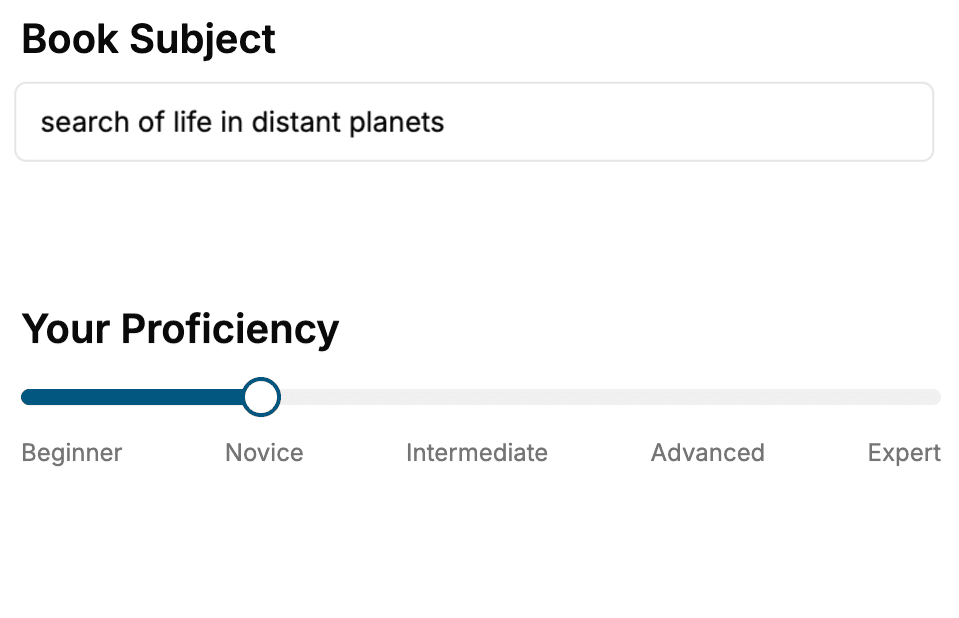
- 1. Select your focus
Select the focus of your Web Development book and share your background
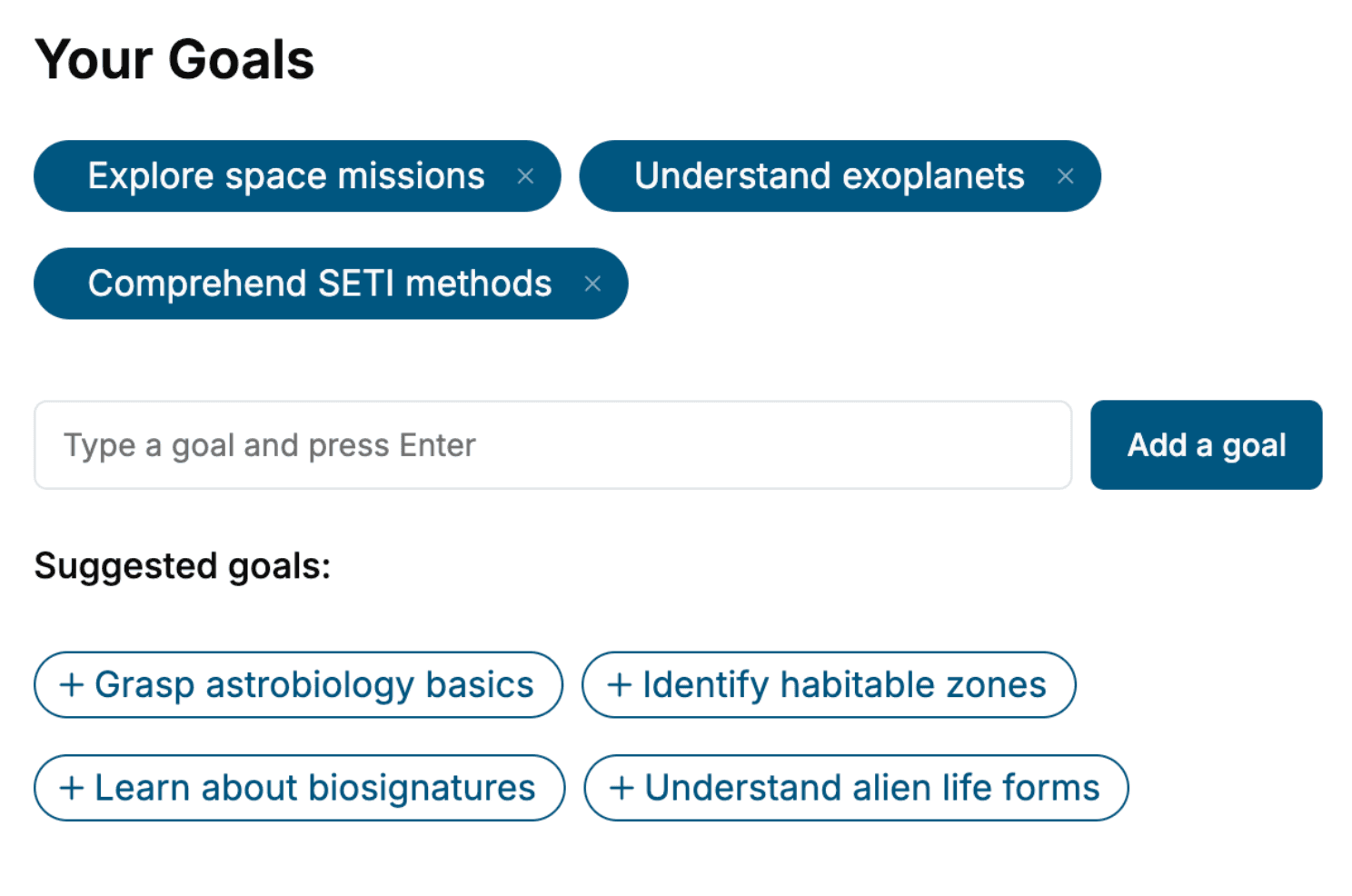
- 2. Personalize your book
Specify your goals and choose sub-topics to include
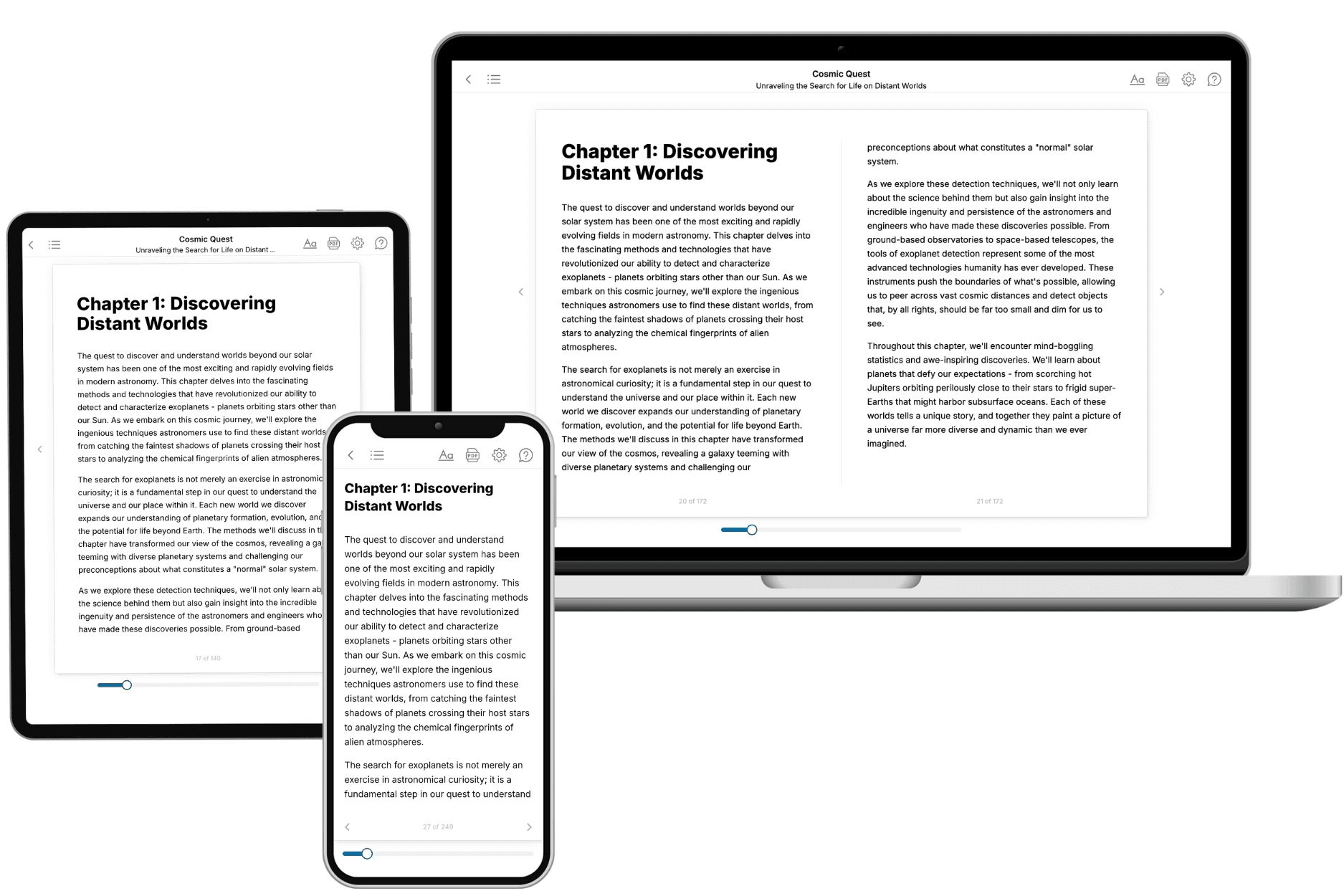
- 3. Get your tailored book
Your book is ready in 10 minutes. Read it online, download as EPUB or PDF, or send to Kindle.
Frequently asked questions
- What is TailoredRead?
TailoredRead creates complete, full-length nonfiction ebooks, written specifically for you. Tell us what you want to learn and why, and TailoredRead writes you a complete ebook on it, with charts, tables, and diagrams throughout. Read it online, on Kindle, or on any e-reader, or download it as a PDF or EPUB. Every book is written fresh the day you order it.
- How is the book tailored to me?
Before anything is written, you answer a few short questions about your goals, your background, and the topics you care about. Your book is then planned around your answers: written at your level, focused on your goals, and covering the topics you chose, instead of the one-size-fits-all book a store sells everyone.
- Will it read like generic AI content?
No. Your book isn't a chat transcript: it's planned chapter by chapter before a single word is written, told in a clear book voice, and explains ideas visually with charts, tables, and diagrams. After writing, every book goes through an editorial pass that polishes chapters so the book reads consistent from start to finish. Judge for yourself: browse thousands of sample books on our Explore Books page.
- How accurate is the content?
Our AI first checks whether your subject needs live research. Niche and fast-moving subjects are researched before writing, and the book plan and chapters are grounded in what it finds. After writing, every book goes through a quality pass that checks its facts and consistency, and researched books list their sources in a Notes section at the back.
- How long is the book?
You choose the length: Comprehensive (250-300 pages), Detailed (150-200 pages), Essential (70-100 pages), or Short (30-50 pages).
- Does the book include visuals?
Yes. Every book includes charts, tables, and diagrams: timelines, checklists, step-by-step guides, decision trees, comparison tables, matrices, and bar charts. A typical book includes dozens of these visual elements.
- Can I read it on Kindle? What formats can I download?
Yes. Every book can be read in our online reader or downloaded as a PDF or EPUB. The EPUB can be opened with Kindle, Apple Books, Kobo, and any e-reader. The Commercial and Author licenses also include an editable Word (DOCX) and Markdown download.
- How much does it cost?
About the price of a regular ebook. The exact price depends on your book's length and complexity, from $2 for the shortest books to $35 for the most comprehensive, and it's shown when you review your book, before you commit to anything. Each book is a one-time purchase, yours to keep, no subscription. Licenses that let you share, teach, or publish your book range from $35.99 to $49.99.
- Can I preview the book before purchasing?
Before you pay, you'll see what your book will cover: the title, a detailed description, the estimated length, and the complete chapter-by-chapter table of contents, so you know what you're getting before you decide. The full text itself is written after you purchase.
- How long does it take to create a book?
About 10 minutes. You can start reading the opening chapters while the rest is still being written.