CSS Positioning Mastery
Build Complex, Responsive Layouts with Modern CSS Techniques
You know the basics of CSS, but when it comes to creating complex layouts, elements never seem to go where you want them.
315 pages16 chaptersSep 18, 2025CSS
About this book
Floats break your design, absolute positioning creates unexpected overlaps, and responsive layouts fall apart on different screen sizes. The frustration of spending hours tweaking margins and padding only to have your carefully crafted layout collapse is all too familiar. This comprehensive guide takes you beyond basic CSS into the sophisticated world of positioning mastery. You'll discover how the box model truly works, understand the subtle differences between positioning methods, and learn when to use each technique for maximum effect. From traditional positioning properties to modern Flexbox and CSS Grid systems, you'll gain the knowledge to create layouts that work consistently across all devices and browsers. Through practical examples and real-world scenarios, you'll master advanced techniques like sticky positioning, z-index management, and responsive positioning strategies. You'll learn to debug positioning issues systematically and understand the performance implications of different approaches. By the end, you'll have the confidence to tackle any layout challenge and create the precise, professional designs your projects demand. Whether you're building complex web applications or crafting pixel-perfect marketing sites, this book provides the deep understanding of CSS positioning that separates competent developers from true layout masters.
Table of contents
- IntroductionThe Positioning Challenge, The Modern CSS Landscape, How This Book Works, What You Need to KnowRead below
- Chapter 1: CSS Positioning FoundationsUnderstanding Document Flow, The Box Model Deep Dive, Containing Blocks and Context, Positioning Methods Overview
- Chapter 2: Static and Relative PositioningStatic: The Default Behavior, Relative Positioning Fundamentals, When to Use Relative Positioning, Common Relative Positioning Pitfalls
- Chapter 3: Absolute Positioning MasteryAbsolute Positioning Fundamentals, Creating Positioning Contexts, Building Layouts with Absolute Positioning, Responsive Absolute Positioning
- Chapter 4: Fixed Positioning TechniquesFixed Positioning Fundamentals, Viewport-Based Positioning, Fixed Headers and Footers, Mobile Fixed Positioning Challenges
- Chapter 5: Sticky PositioningIntroduction to Sticky Positioning, How Sticky Positioning Works, Sticky Navigation Patterns, Browser Support and Fallbacks
- Chapter 6: Z-Index and Stacking ContextsUnderstanding Stacking Order, Z-Index Fundamentals, Creating and Managing Stacking Contexts, Debugging Stacking Issues
- Chapter 7: Flexbox for Layout PositioningFlexbox as a Positioning System, Flex Container Properties, Positioning Flex Items, Advanced Flexbox Alignment
- Chapter 8: CSS Grid PositioningCSS Grid as a Positioning System, Setting Up Grid Containers, Precise Grid Item Placement, Grid Alignment and Justification
- Chapter 9: Responsive Positioning StrategiesMobile-First Positioning Approach, Positioning Across Breakpoints, Fluid and Flexible Positioning, Container Queries and Positioning
- Chapter 10: CSS Transforms and PositioningCSS Transform Fundamentals, Using Transforms for Positioning, Animated Positioning with Transforms, Performance Considerations
- Chapter 11: Common Layout PatternsHeader-Content-Footer Layouts, Sidebar and Multi-Column Layouts, Card-Based Layout Systems, Overlay and Modal Patterns
- Chapter 12: Debugging Positioning IssuesSystematic Debugging Approach, Using Browser Developer Tools, Common Positioning Problems, Testing Across Devices and Browsers
- Chapter 13: Performance and OptimizationCSS Positioning and Rendering Performance, Avoiding Layout Thrashing, GPU Acceleration Techniques, Optimization Best Practices
- Chapter 14: Advanced Positioning TechniquesCSS Custom Properties in Positioning, Dynamic Positioning with calc(), Aspect Ratio and Positioning, Subgrid and Advanced Grid Techniques
- Chapter 15: Browser Compatibility and FallbacksFeature Detection Strategies, Progressive Enhancement Approach, Polyfills and Fallback Techniques, Cross-Browser Testing Methods
- Chapter 16: Future of CSS PositioningEmerging CSS Specifications, Experimental Positioning Features
- Conclusion
- Glossary
- Further Reading
Introduction
CSS positioning represents one of the most fundamental yet challenging aspects of web development. Every developer has experienced the frustration of elements refusing to align properly, layouts breaking unexpectedly, or spending countless hours adjusting margins and padding only to achieve inconsistent results across different browsers and devices. The gap between understanding basic CSS properties and creating sophisticated, responsive layouts often feels insurmountable, leaving many developers relying on trial-and-error approaches rather than systematic understanding. This disconnect between theoretical knowledge and practical application creates a barrier that prevents developers from achieving the precise, professional layouts their projects demand.
The complexity of modern web layouts has evolved dramatically over the past decade. What once required complex workarounds using floats and absolute positioning can now be accomplished elegantly with Flexbox and CSS Grid. However, this evolution has created its own challenges, as developers must navigate between traditional positioning methods and modern layout systems while maintaining backward compatibility and responsive behavior. The abundance of positioning options—static, relative, absolute, fixed, sticky, flexbox, and grid—each with their own quirks and optimal use cases, can overwhelm even experienced developers who lack a comprehensive understanding of when and how to apply each technique effectively.
Understanding CSS positioning goes far beyond memorizing property values or copying code snippets from tutorials. It requires a deep comprehension of how browsers interpret and render layouts, how different positioning contexts interact with each other, and how the document flow responds to various positioning schemes. This foundational knowledge becomes the cornerstone for creating layouts that not only look correct but perform efficiently across all devices and screen sizes. Without this understanding, developers find themselves constantly fighting against the browser's default behavior rather than working with it to create elegant, maintainable solutions.
The Positioning Challenge
The most common positioning challenges stem from a fundamental misunderstanding of how CSS positioning actually works within the browser's rendering engine. Many developers approach positioning as if it were a simple coordinate system, expecting elements to move predictably when position values are applied. However, CSS positioning operates within a complex hierarchy of containing blocks, stacking contexts, and formatting contexts that determine how elements relate to each other and to their containers. When developers don't understand these underlying mechanisms, they encounter seemingly inexplicable behavior where elements appear in unexpected locations, overlap incorrectly, or break responsive layouts in subtle but critical ways.
Consider the classic scenario where a developer wants to center a modal dialog on the screen. The intuitive approach might involve setting position: absolute with top: 50% and left: 50%, only to discover that the modal appears offset from the true center. This happens because percentage-based positioning values are calculated from the element's top-left corner, not its center point. The solution requires understanding how transforms interact with positioning, using transform: translate(-50%, -50%) to achieve true centering. This example illustrates how positioning challenges often require knowledge that spans multiple CSS concepts and their interactions.
Another pervasive challenge involves the unpredictable behavior of z-index values. Developers frequently encounter situations where an element with z-index: 9999 appears behind another element with z-index: 1, leading to frustration and increasingly desperate attempts to solve the problem by adding even higher z-index values. The root cause lies in stacking contexts—invisible boundaries that create separate layering environments within the document. Understanding how stacking contexts are created and how they affect z-index behavior is essential for managing element layering predictably and maintainably.
Responsive positioning presents its own unique set of challenges that compound the complexity of traditional positioning problems. Elements that position correctly on desktop screens may break completely on mobile devices due to viewport differences, touch interface considerations, or browser-specific behaviors. Fixed positioning, for example, behaves differently across mobile browsers, with some versions of Safari treating fixed elements as absolute during scrolling to improve performance. These inconsistencies require developers to understand not just how positioning works in theory, but how it behaves across the diverse landscape of real-world devices and browsers.
The performance implications of different positioning approaches add another layer of complexity to positioning decisions. While absolute positioning might seem like the most direct solution for placing elements precisely, it can trigger expensive layout recalculations when used extensively or inappropriately. Modern layout methods like Flexbox and CSS Grid often provide better performance characteristics while achieving the same visual results, but understanding when to choose each approach requires knowledge of how browsers optimize different layout algorithms. This performance consideration becomes critical when building complex applications where layout efficiency directly impacts user experience.
Debugging positioning issues compounds these challenges because the visual nature of layout problems doesn't always reveal their underlying causes. A misaligned element might result from incorrect positioning values, unexpected margin collapse, transform side effects, or containing block relationships that aren't immediately obvious. Traditional debugging approaches that work well for JavaScript logic often fall short when applied to CSS positioning problems, requiring developers to develop new mental models and debugging strategies specific to layout and positioning challenges.
The evolution of CSS specifications has introduced powerful new positioning capabilities, but it has also created a landscape where multiple approaches can achieve similar results with different trade-offs. Developers must navigate between established techniques that ensure broad browser support and modern methods that offer superior functionality and maintainability. This decision-making process requires understanding not just how each positioning method works, but when each approach is most appropriate given project constraints, browser support requirements, and long-term maintenance considerations.
Team collaboration adds another dimension to positioning challenges, as different developers may approach the same layout problem using different positioning strategies. Without shared understanding of positioning principles and best practices, codebases can become inconsistent mixtures of positioning approaches that are difficult to maintain and extend. Establishing clear guidelines for when to use each positioning method becomes essential for maintaining code quality and ensuring that all team members can contribute effectively to layout implementation.
The Modern CSS Landscape
The modern CSS landscape represents a dramatic evolution from the early days of web development when developers relied heavily on tables for layout and later struggled with float-based positioning systems. Today's CSS positioning toolkit includes traditional methods like static, relative, absolute, and fixed positioning alongside revolutionary layout systems like Flexbox and CSS Grid. This expanded toolkit provides unprecedented power and flexibility for creating sophisticated layouts, but it also requires developers to understand when and how to apply each method effectively. The key to mastering modern CSS positioning lies not in memorizing every property and value, but in understanding the fundamental principles that govern how these different systems work together.
Flexbox revolutionized one-dimensional layout by providing intuitive solutions for common positioning challenges like vertical centering, equal-height columns, and flexible space distribution. Unlike traditional positioning methods that often required complex calculations and workarounds, Flexbox handles these scenarios naturally through properties like align-items, justify-content, and flex-grow. However, Flexbox's power comes with the responsibility of understanding its mental model, which differs significantly from traditional positioning approaches. Flex containers create new formatting contexts with their own rules for how child elements behave, and mastering Flexbox requires understanding these rules rather than trying to apply traditional positioning logic.
CSS Grid takes layout capabilities even further by providing true two-dimensional layout control that was previously impossible with CSS alone. Grid allows developers to define explicit layout structures using rows and columns, then place elements precisely within that structure using intuitive grid-area assignments. This capability transforms how developers approach complex layouts, making it possible to create sophisticated designs that adapt gracefully to different screen sizes without the fragile workarounds that characterized earlier CSS layout techniques. Understanding Grid positioning requires grasping concepts like grid tracks, grid areas, and implicit vs. explicit grid behavior.
The introduction of sticky positioning represents another significant advancement in the modern CSS landscape. Sticky positioning combines the benefits of relative and fixed positioning, allowing elements to scroll naturally until they reach a specified threshold, then stick in place like fixed elements. This behavior enables common design patterns like sticky headers and sidebar navigation without requiring JavaScript solutions. However, sticky positioning comes with its own set of considerations around containing blocks and scroll containers that developers must understand to implement it effectively.
Modern CSS also includes powerful features like CSS custom properties (variables), calc() functions, and advanced selectors that enhance positioning capabilities. Custom properties enable dynamic positioning systems where layout values can be calculated and adjusted programmatically, while calc() allows for complex positioning calculations that combine different units and values. These features enable more sophisticated and maintainable positioning solutions, but they require understanding how to integrate them effectively with traditional positioning methods.
Browser support for modern CSS features has reached a level where most positioning techniques can be used confidently in production environments. However, the modern landscape still requires careful consideration of progressive enhancement strategies and fallback approaches for older browsers. Understanding which features require fallbacks and how to implement them gracefully becomes part of the modern positioning skill set. This includes knowing how to use feature queries (@supports) to provide alternative layouts for browsers that don't support newer positioning methods.
The performance characteristics of modern CSS positioning methods represent a significant improvement over traditional approaches. Flexbox and Grid are optimized at the browser level for efficient layout calculation and rendering, often providing better performance than equivalent layouts built with older techniques. However, understanding these performance benefits requires knowledge of how browsers process different layout methods and how to structure CSS to take advantage of these optimizations. This includes understanding concepts like layout thrashing, paint optimization, and GPU acceleration as they relate to positioning.
Responsive design considerations have become integral to modern CSS positioning rather than an afterthought. Modern positioning methods are designed with responsive behavior in mind, providing natural adaptation to different screen sizes and orientations. However, leveraging these responsive capabilities effectively requires understanding how different positioning methods interact with media queries, viewport units, and container queries. The modern approach emphasizes mobile-first design principles where positioning strategies are developed primarily for mobile devices and then enhanced for larger screens.
The tooling ecosystem around modern CSS positioning has also evolved significantly, with browser developer tools providing sophisticated layout debugging capabilities specifically designed for Flexbox and Grid. These tools make it possible to visualize layout structures, understand how positioning properties affect element placement, and debug complex positioning issues more effectively than ever before. Understanding how to leverage these tools becomes an essential skill for modern CSS positioning mastery, enabling developers to work more efficiently and solve problems more systematically.
How This Book Works
This book takes a systematic, foundation-first approach to CSS positioning mastery that builds understanding progressively from core principles to advanced techniques. Rather than jumping immediately into specific positioning properties, we begin with the fundamental concepts that govern how all positioning works: document flow, the box model, containing blocks, and formatting contexts. This foundational knowledge provides the mental framework necessary to understand why positioning behaves the way it does and how different positioning methods interact with each other. Each concept is introduced with clear explanations, practical examples, and hands-on exercises that reinforce learning through application.
The book's structure follows a logical progression that mirrors how positioning concepts build upon each other in real-world development scenarios. We start with static and relative positioning—the building blocks that every developer encounters first—then progress through absolute and fixed positioning before exploring modern layout systems like Flexbox and CSS Grid. This progression ensures that you understand the historical context and limitations that led to the development of newer positioning methods, while also providing the complete toolkit needed for modern web development. Each chapter includes comparative examples showing how the same layout challenges can be solved using different positioning approaches.
Practical application drives every aspect of this book's approach. Every positioning concept is immediately followed by real-world examples that demonstrate not just how the technique works, but when and why you would choose it over alternatives. These examples progress from simple demonstrations to complex, production-ready layouts that you might encounter in actual projects. Code examples are provided in complete, runnable form with detailed explanations of how each property contributes to the final result. This approach ensures that you can immediately apply what you learn and see the practical impact of different positioning decisions.
The book emphasizes problem-solving methodology alongside technical knowledge. Rather than simply presenting positioning techniques as isolated concepts, each chapter includes sections on common problems, debugging strategies, and decision-making frameworks for choosing between different approaches. You'll learn to recognize positioning problems by their symptoms, understand the systematic approaches for diagnosing issues, and develop the analytical skills needed to choose the most appropriate positioning method for any given scenario. This problem-solving focus prepares you to handle the unexpected challenges that arise in real-world development.
Browser compatibility and progressive enhancement are woven throughout the book rather than treated as separate concerns. Each positioning technique includes discussion of browser support, fallback strategies, and progressive enhancement approaches that ensure your layouts work across the full spectrum of devices and browsers your users might encounter. You'll learn to use feature detection effectively, implement graceful fallbacks, and structure your CSS to take advantage of modern features while maintaining broad compatibility. This approach reflects the reality of modern web development where supporting diverse browsing environments is essential.
Performance considerations are integrated into every positioning discussion, helping you understand not just how to achieve specific layouts, but how to do so efficiently. You'll learn about the performance implications of different positioning choices, how to structure layouts to minimize browser reflow and repaint operations, and how to leverage GPU acceleration for smooth animations and interactions. This performance-focused approach ensures that your positioning skills contribute to creating fast, responsive user experiences rather than just visually correct layouts.
The book includes extensive debugging and troubleshooting guidance that teaches you to solve positioning problems systematically rather than through trial and error. You'll learn to use browser developer tools effectively for positioning debugging, understand common positioning pitfalls and their solutions, and develop the diagnostic skills needed to identify the root causes of layout issues quickly. This debugging focus is essential because positioning problems often manifest in subtle ways that require systematic investigation to resolve effectively.
Responsive design principles are integrated throughout rather than confined to a single chapter, reflecting the reality that modern CSS positioning must work across all device types and screen sizes. You'll learn mobile-first positioning strategies, understand how different positioning methods adapt to various screen sizes, and master the techniques needed to create layouts that work seamlessly from small mobile screens to large desktop displays. This responsive-first approach ensures that your positioning skills are immediately applicable to modern web development requirements.
Each chapter concludes with practical exercises and projects that reinforce the concepts covered while challenging you to apply your knowledge creatively. These exercises progress from guided implementations to open-ended challenges that encourage experimentation and deeper understanding. The projects are designed to simulate real-world development scenarios where you must make positioning decisions based on requirements, constraints, and trade-offs rather than simply following step-by-step instructions. This approach develops the judgment and experience needed to apply positioning techniques effectively in your own projects.
What You Need to Know
This book assumes you have solid foundational knowledge of HTML and CSS fundamentals that will allow you to focus on advanced positioning concepts without getting distracted by basic syntax or structural questions. You should be comfortable writing semantic HTML markup, understanding the relationship between HTML elements and their CSS styling, and working with CSS selectors, properties, and values. Specifically, you should understand basic CSS concepts like the cascade, specificity, and inheritance, as these principles directly affect how positioning properties are applied and resolved. You don't need to be an expert in these areas, but you should be past the beginner stage where you're still learning basic CSS syntax and property usage.
Experience with basic CSS layout concepts forms another essential prerequisite for getting the most value from this book. You should understand fundamental concepts like the difference between block and inline elements, how margins and padding affect element spacing, and basic responsive design principles using media queries. While we'll review and deepen your understanding of the box model and document flow, you should already have some familiarity with these concepts from previous CSS work. This existing knowledge provides the foundation upon which we'll build more sophisticated positioning understanding throughout the book.
Familiarity with browser developer tools will significantly enhance your learning experience, as we'll use these tools extensively for debugging and understanding positioning behavior. You should know how to inspect elements, view and modify CSS properties in real-time, and navigate the basic features of your browser's developer tools. While we'll cover specific debugging techniques for positioning issues, having general comfort with developer tools will allow you to follow along with examples and experiment with the concepts as you learn them. This hands-on experimentation is crucial for developing intuitive understanding of positioning behavior.
Some exposure to responsive design principles and mobile-first development approaches will help you understand the context for many positioning decisions covered in this book. You should understand why responsive design matters, have basic familiarity with viewport meta tags and media queries, and recognize the importance of creating layouts that work across different device types. While we'll cover responsive positioning strategies in detail, having this background context will help you appreciate why certain positioning approaches are preferred in modern web development and how positioning decisions affect user experience across devices.
Basic understanding of web performance concepts will enhance your appreciation of the performance-related positioning guidance throughout the book. You should understand that CSS choices can affect page loading speed and rendering performance, even if you don't have deep knowledge of browser rendering internals. Familiarity with concepts like critical rendering path, layout thrashing, and the importance of smooth animations will help you understand why certain positioning approaches are recommended over others from a performance perspective. This performance awareness is increasingly important as web applications become more complex and user expectations for smooth interactions continue to rise.
Experience working with version control systems like Git will be helpful for following along with the book's code examples and exercises. While not strictly necessary for understanding positioning concepts, version control skills will allow you to experiment with examples safely, track your progress through exercises, and maintain organized code as you work through the book's projects. Many of the advanced positioning techniques we'll cover are best learned through experimentation and iteration, making version control a valuable tool for managing your learning process effectively.
A development environment where you can create and test HTML and CSS files is essential for hands-on learning. This can be as simple as a text editor and web browser, or as sophisticated as a full integrated development environment with live reloading and preprocessing capabilities. The specific tools you use are less important than having a setup that allows you to quickly create test files, make changes, and see results in the browser. Many positioning concepts are best understood through direct experimentation, so having an efficient development workflow will significantly enhance your learning experience.
While not required, some familiarity with CSS preprocessors like Sass or Less, or modern CSS features like custom properties, will help you understand some of the more advanced examples and techniques covered in later chapters. These tools and features can make complex positioning implementations more maintainable and flexible, but we'll explain their usage in context when they appear. Similarly, basic understanding of JavaScript can be helpful for understanding how positioning interacts with dynamic content and user interactions, though the book focuses primarily on CSS-based solutions rather than JavaScript-dependent approaches.
Most importantly, you should approach this book with curiosity and willingness to experiment with the concepts as you learn them. Positioning mastery comes through understanding the underlying principles and then applying them in various contexts until the behavior becomes intuitive. The examples and exercises in this book are designed to build this intuitive understanding, but they work best when you actively engage with the material, try variations on the provided examples, and apply the concepts to your own projects. This active learning approach will help you develop the deep understanding needed to handle any positioning challenge you encounter in your development work.
This is the end of the free sample. The full book has 16 chapters.
Want this book written for you?
Tell us your goals and background, and get your own version of this book, tailored by AI to you.






Benefits of AI-tailored books
- Read one book, not ten:
- all the CSS knowledge you need, gathered into a single book.
- Save days of learning:
- tell us your goals, choose your topics, and the whole book is built around them.
- Learn effortlessly:
- CSS book written for your specific background and expertise.
- Understand at a glance:
- includes charts, tables, timelines, checklists, decision trees, and more.
- Stay current:
- written the day you order it, not years ago.
- Trust what you read:
- every book is checked for accuracy, with real research when your subject needs it.
Create your unique book in 3 steps
- 1. Select your focus
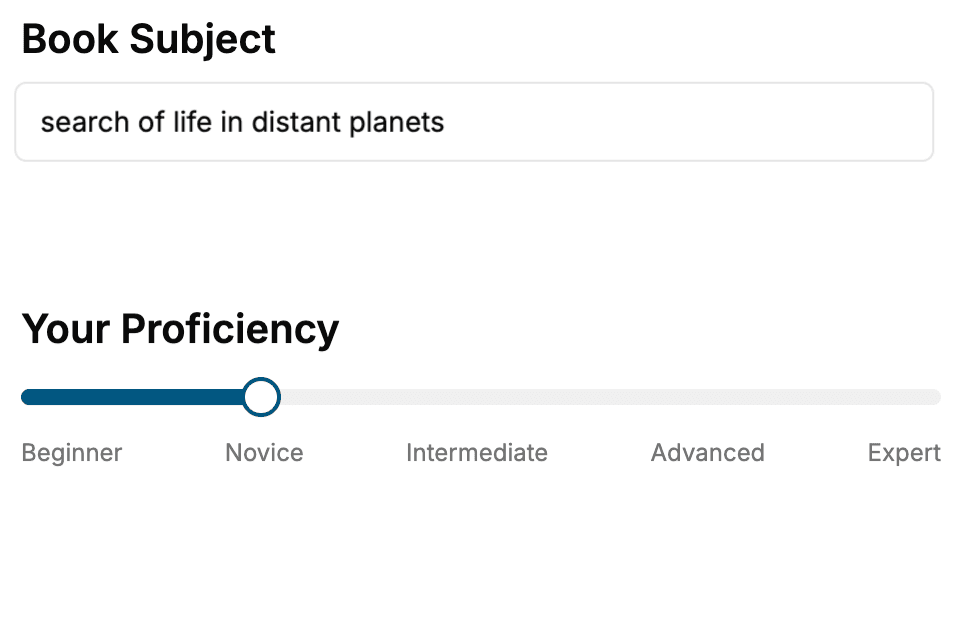
Select the focus of your CSS book and share your background
- 2. Personalize your book
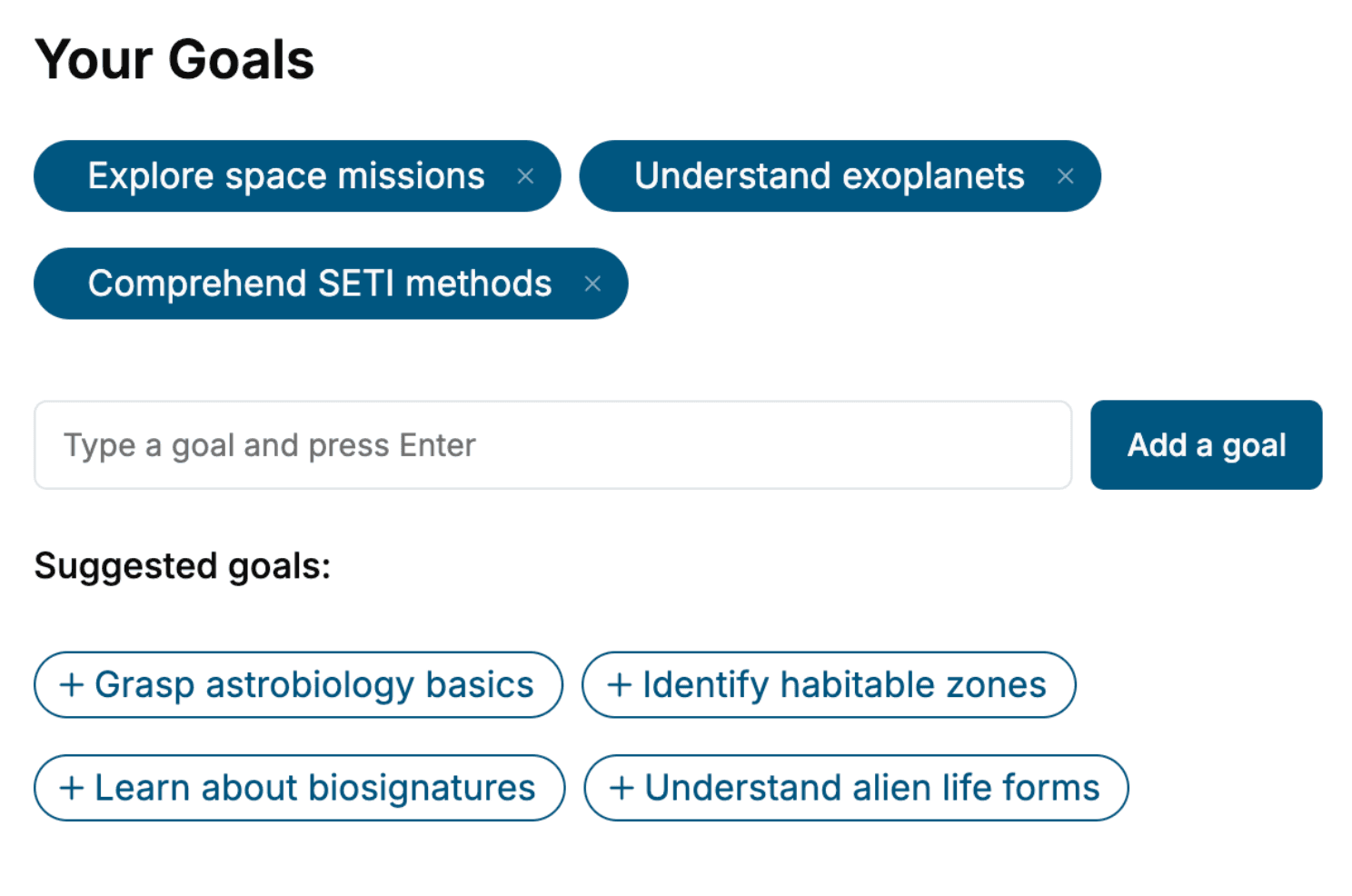
Specify your goals and choose sub-topics to include
- 3. Get your tailored book
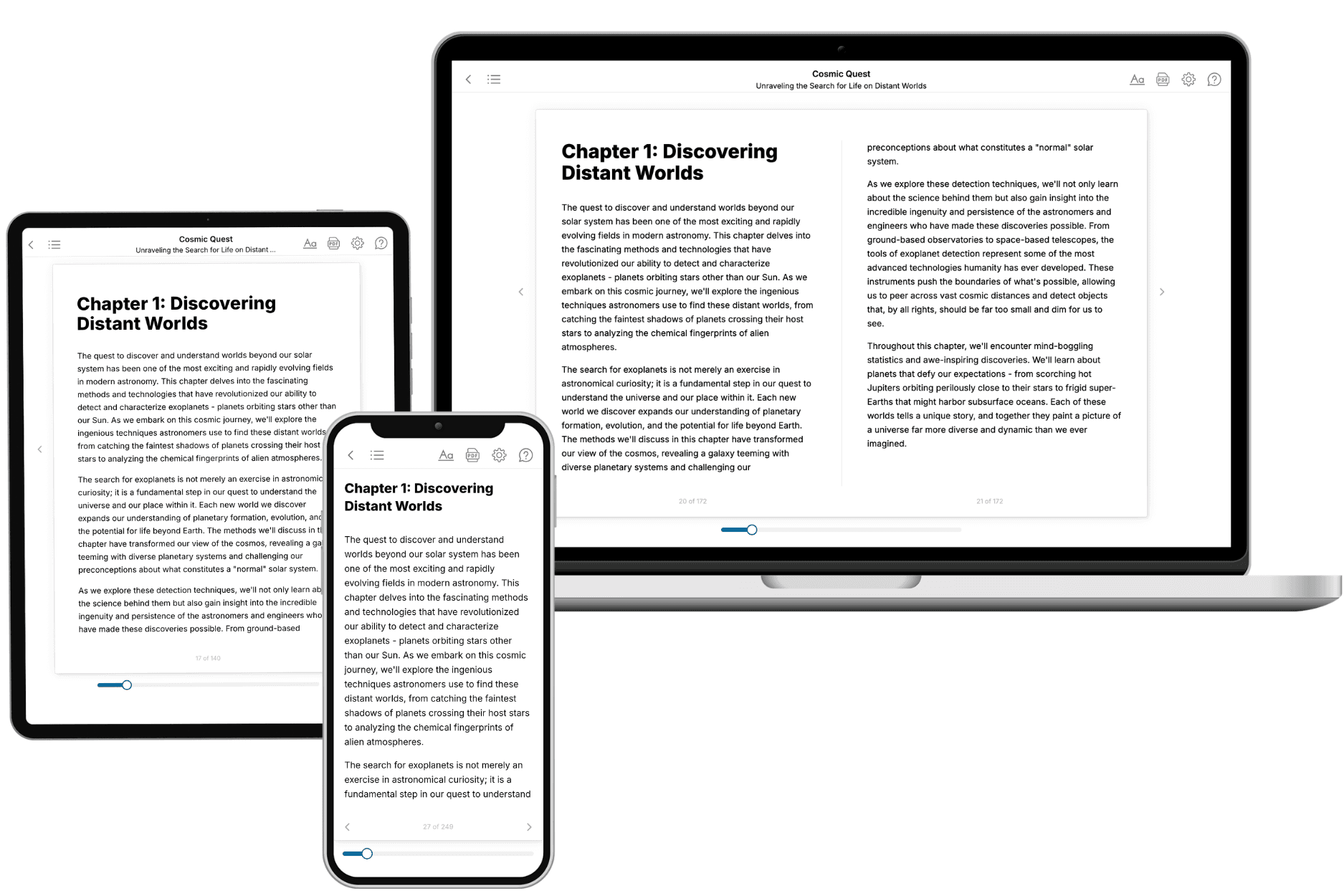
Your book is ready in 10 minutes. Read it online, download as EPUB or PDF, or send to Kindle.
Frequently asked questions
- What is TailoredRead?
TailoredRead creates complete, full-length nonfiction ebooks, written specifically for you. Tell us what you want to learn and why, and TailoredRead writes you a complete ebook on it, with charts, tables, and diagrams throughout. Read it online, on Kindle, or on any e-reader, or download it as a PDF or EPUB. Every book is written fresh the day you order it.
- How is the book tailored to me?
Before anything is written, you answer a few short questions about your goals, your background, and the topics you care about. Your book is then planned around your answers: written at your level, focused on your goals, and covering the topics you chose, instead of the one-size-fits-all book a store sells everyone.
- Will it read like generic AI content?
No. Your book isn't a chat transcript: it's planned chapter by chapter before a single word is written, told in a clear book voice, and explains ideas visually with charts, tables, and diagrams. After writing, every book goes through an editorial pass that polishes chapters so the book reads consistent from start to finish. Judge for yourself: browse thousands of sample books on our Explore Books page.
- How accurate is the content?
Our AI first checks whether your subject needs live research. Niche and fast-moving subjects are researched before writing, and the book plan and chapters are grounded in what it finds. After writing, every book goes through a quality pass that checks its facts and consistency, and researched books list their sources in a Notes section at the back.
- How long is the book?
You choose the length: Comprehensive (250-300 pages), Detailed (150-200 pages), Essential (70-100 pages), or Short (30-50 pages).
- Does the book include visuals?
Yes. Every book includes charts, tables, and diagrams: timelines, checklists, step-by-step guides, decision trees, comparison tables, matrices, and bar charts. A typical book includes dozens of these visual elements.
- Can I read it on Kindle? What formats can I download?
Yes. Every book can be read in our online reader or downloaded as a PDF or EPUB. The EPUB can be opened with Kindle, Apple Books, Kobo, and any e-reader. The Commercial and Author licenses also include an editable Word (DOCX) and Markdown download.
- How much does it cost?
About the price of a regular ebook. The exact price depends on your book's length and complexity, from $2 for the shortest books to $35 for the most comprehensive, and it's shown when you review your book, before you commit to anything. Each book is a one-time purchase, yours to keep, no subscription. Licenses that let you share, teach, or publish your book range from $35.99 to $49.99.
- Can I preview the book before purchasing?
Before you pay, you'll see what your book will cover: the title, a detailed description, the estimated length, and the complete chapter-by-chapter table of contents, so you know what you're getting before you decide. The full text itself is written after you purchase.
- How long does it take to create a book?
About 10 minutes. You can start reading the opening chapters while the rest is still being written.