CSS Selector Mastery
Advanced Techniques for Efficient and Maintainable Web Styling
Writing clean, maintainable CSS often feels like an uphill battle when your stylesheets become bloated with repetitive rules, conflicting declarations, and overly specific selectors that break with every design change.
284 pages14 chaptersOct 6, 2025CSS
About this book
You know there's a better way, but navigating the vast landscape of CSS selectors while avoiding common pitfalls can be overwhelming. This comprehensive guide transforms your approach to CSS by teaching you to leverage the full power of CSS3 selectors. You'll discover how to write more efficient code that requires fewer lines, reduces maintenance overhead, and adapts seamlessly to changing requirements. From mastering specificity and the cascade to implementing advanced pseudo-selectors and combinators, you'll learn to create robust styling systems that scale with your projects. Through practical examples and real-world scenarios, you'll explore modern selector techniques that eliminate the need for excessive HTML classes and complex JavaScript workarounds. You'll understand how to optimize performance, create semantic patterns that enhance code readability, and build flexible layouts using CSS Grid and Flexbox selectors. By the end of this book, you'll have the expertise to write CSS that not only works beautifully today but remains maintainable and efficient as your projects grow and evolve.
Table of contents
- IntroductionThe Evolution of CSS Selectors, Modern Web Development Challenges, How This Book Will Transform Your CSS, Setting Up Your Learning EnvironmentRead below
- Chapter 1: Selector FundamentalsAnatomy of CSS Selectors, Basic Selector Types, Understanding Selector Syntax, Browser Support and Compatibility
- Chapter 2: Specificity and the CascadeHow Specificity Works, Calculating Selector Weight, Understanding Cascade Order, The !important Declaration, Inheritance Patterns
- Chapter 3: Basic Selectors MasteryUniversal Selector Applications, Type Selectors and Element Targeting, Class Selector Best Practices, ID Selectors and When to Use Them
- Chapter 4: Attribute SelectorsBasic Attribute Selection, Exact Value Matching, Partial Value Matching, Case Sensitivity in Attributes, Working with Data Attributes
- Chapter 5: Combinator SelectorsDescendant Combinator, Child Combinator, Adjacent and General Sibling Combinators, Performance Considerations
- Chapter 6: Pseudo-ClassesStructural Pseudo-Classes, nth-child and nth-of-type Selectors, User Action Pseudo-Classes, Form-Related Pseudo-Classes, The :not() Negation Pseudo-Class
- Chapter 7: Pseudo-Elements::before and ::after Elements, ::first-line and ::first-letter, ::selection and User Interaction, Content Generation Techniques
- Chapter 8: Advanced CSS3 SelectorsThe :target Selector, The :checked Selector, The :empty Selector, The :root Selector, The :lang() Selector
- Chapter 9: Selector Performance OptimizationHow Browsers Parse Selectors, Writing Efficient Selector Patterns, Avoiding Performance Pitfalls, Measuring and Testing Performance
- Chapter 10: Responsive Design with SelectorsMedia Query Integration, Container Queries and Modern Approaches, Viewport-Based Selector Strategies, Creating Flexible Layout Patterns
- Chapter 11: Grid and Flexbox SelectorsCSS Grid Selector Techniques, Flexbox Item Selection, Combining Grid and Flexbox, Responsive Grid Patterns
- Chapter 12: Component-Based Selector PatternsBEM and Selector Architecture, Atomic CSS Approaches, Creating Modular Selector Systems, Naming Conventions and Best Practices
- Chapter 13: Debugging and Development ToolsBrowser Developer Tools, Testing Selector Effectiveness, CSS Linting and Validation, Common Debugging Strategies
- Chapter 14: Future of CSS SelectorsUpcoming Selector Features, Experimental Selectors, Browser Adoption Patterns, Preparing for Future Changes
- Conclusion
- Glossary
- Further Reading
Introduction
CSS selectors form the backbone of modern web styling, yet many developers barely scratch the surface of their true potential. While you might be comfortable with basic class and ID selectors, the vast landscape of CSS3 selectors offers powerful tools that can dramatically reduce code complexity, eliminate maintenance headaches, and create more flexible styling systems. The difference between writing CSS that merely works and CSS that excels lies in understanding how to leverage the full spectrum of selector capabilities available in modern browsers.
Every day, developers struggle with bloated stylesheets filled with repetitive rules, overly specific selectors that break with design changes, and complex JavaScript workarounds for styling challenges that CSS selectors could solve elegantly. These problems compound over time, creating technical debt that slows development and makes collaboration difficult. The root cause often traces back to a limited understanding of selector capabilities and how they interact with the cascade, specificity, and inheritance systems that govern CSS behavior.
This book addresses these challenges by providing a comprehensive exploration of CSS selectors from fundamental concepts to advanced techniques. You'll discover how mastering selectors transforms your development workflow, reduces code maintenance overhead, and enables you to create styling systems that adapt gracefully to changing requirements. Through practical examples, real-world scenarios, and performance considerations, you'll develop the expertise needed to write CSS that remains clean, efficient, and maintainable as your projects scale.
The journey ahead covers everything from understanding specificity calculations and cascade behavior to implementing advanced pseudo-selectors and combinators that eliminate the need for excessive HTML markup. You'll explore modern CSS3 features, performance optimization strategies, and architectural patterns that create scalable styling systems. By the end of this exploration, you'll possess the knowledge and confidence to approach any styling challenge with the right selector technique, creating code that other developers can easily understand and extend.
The Evolution of CSS Selectors
CSS selectors have undergone remarkable evolution since the early days of web development, transforming from simple element and class targeting mechanisms into sophisticated tools capable of complex document traversal and state-based styling. The original CSS1 specification, released in 1996, provided only basic selectors like element types, classes, and IDs, along with simple combinators for descendant relationships. These foundational tools served the web well during its early years when documents were primarily text-based and styling requirements were relatively straightforward.
The introduction of CSS2 in 1998 marked a significant expansion in selector capabilities, bringing pseudo-classes like :hover, :focus, and :first-child, along with pseudo-elements such as ::before and ::after. These additions enabled developers to create interactive experiences and generate content without JavaScript intervention. The CSS2 specification also introduced attribute selectors, allowing developers to target elements based on their HTML attributes rather than relying solely on classes and IDs. This evolution reflected the web's growing complexity and the need for more nuanced styling approaches.
CSS3 brought revolutionary changes to selector capabilities, introducing powerful tools that fundamentally altered how developers approach styling challenges. The :nth-child() family of selectors eliminated the need for complex class naming schemes when styling repeating elements like table rows or list items. Advanced pseudo-classes such as :not(), :target, and :checked enabled sophisticated state-based styling that previously required JavaScript solutions. These enhancements coincided with the rise of responsive design and complex web applications, providing developers with tools capable of handling modern styling requirements.
Modern CSS continues to evolve with features like container queries, which allow elements to respond to their container's dimensions rather than just viewport size, and advanced pseudo-classes that provide even more granular control over element selection. The :has() pseudo-class, often called the "parent selector," represents a paradigm shift by allowing upward traversal of the DOM tree, solving long-standing challenges in CSS architecture. These developments demonstrate CSS's ongoing maturation from a simple styling language into a comprehensive system for creating complex, responsive user interfaces.
Understanding this evolutionary context helps explain why CSS selectors sometimes seem inconsistent or why certain patterns exist. Early design decisions continue to influence modern CSS behavior, particularly in areas like specificity calculation and cascade resolution. The layered approach to CSS development means that newer features build upon existing foundations while maintaining backward compatibility. This historical perspective provides valuable insight into why certain selector patterns work better than others and how to leverage the full spectrum of available tools effectively.
The trajectory of CSS selector development points toward increasingly sophisticated targeting capabilities that reduce reliance on JavaScript for styling logic and enable more semantic HTML structures. Features like CSS Grid and Flexbox have introduced new pseudo-classes and functional selectors that work specifically with these layout systems. As web applications become more complex and performance requirements more stringent, CSS selectors continue to evolve to meet these challenges, providing developers with powerful tools for creating efficient, maintainable styling systems.
Today's CSS selector landscape offers unprecedented power and flexibility, but this capability comes with the responsibility to understand how these tools work together. The interaction between different selector types, specificity rules, and cascade behavior creates a complex system that rewards deep understanding. Mastering this system enables developers to write CSS that not only solves immediate styling challenges but also creates robust foundations for future development and maintenance.
Modern Web Development Challenges
Contemporary web development presents unique challenges that make CSS selector mastery more critical than ever before. Modern applications often feature complex component hierarchies, dynamic content that changes based on user interactions or data updates, and responsive designs that must work across an enormous range of devices and screen sizes. These requirements create styling scenarios where basic selector knowledge proves insufficient, leading developers to implement workarounds that increase code complexity and maintenance overhead. The proliferation of JavaScript frameworks and component-based architectures has further complicated the styling landscape, requiring new approaches to selector organization and specificity management.
Performance considerations have become paramount as web applications grow in complexity and users expect fast, responsive experiences across all devices. Inefficient CSS selectors can significantly impact rendering performance, particularly on mobile devices with limited processing power. Many developers unknowingly write selectors that force browsers to perform expensive DOM traversals or recalculations, leading to janky animations, slow page loads, and poor user experiences. Understanding how browsers parse and apply selectors becomes essential for creating performant applications that scale effectively.
The challenge of maintaining large-scale CSS codebases has intensified as teams grow and projects evolve over time. Without proper selector architecture, stylesheets quickly become unwieldy collections of conflicting rules, overly specific selectors, and redundant declarations. Team members struggle to understand existing code, fear making changes that might break other parts of the application, and resort to increasingly specific selectors to override existing styles. This cycle creates technical debt that compounds over time, making simple design changes expensive and error-prone.
Component-based development paradigms, while offering many benefits, introduce new challenges for CSS organization and selector strategy. Traditional approaches to CSS architecture often conflict with component isolation requirements, leading to awkward compromises between global styles and component-specific rules. Developers must navigate the tension between creating reusable styling patterns and maintaining component encapsulation. The rise of CSS-in-JS solutions and utility-first frameworks reflects the community's struggle to find optimal approaches to these challenges.
Cross-browser compatibility remains a persistent challenge, particularly when working with newer CSS features and advanced selectors. While modern browsers have achieved remarkable consistency compared to earlier eras, subtle differences in selector support and behavior can still cause issues. Developers must understand which selectors are safe to use in their target browser environments and how to implement progressive enhancement strategies that gracefully handle unsupported features. The rapid pace of CSS evolution means that staying current with browser support requires ongoing attention and testing.
Accessibility requirements add another layer of complexity to modern CSS development, requiring developers to consider how their selector choices impact screen readers, keyboard navigation, and other assistive technologies. Proper use of pseudo-classes for focus states, understanding how CSS affects semantic meaning, and creating styles that work across different user preferences and capabilities all require sophisticated selector knowledge. The intersection of accessibility and CSS selectors often reveals gaps in developer understanding that can exclude users from accessing content effectively.
The emergence of design systems and atomic design principles has created new requirements for CSS selector architecture that supports both consistency and flexibility. Developers must create styling systems that enable rapid development while maintaining design coherence across large applications or multiple projects. This requires understanding how to structure selectors for maximum reusability without creating overly generic rules that become difficult to customize. The balance between specificity and flexibility becomes crucial for creating sustainable design systems.
Modern tooling and build processes introduce additional considerations for CSS selector strategy, from optimization and minification to critical CSS extraction and code splitting. Developers must understand how their selector choices interact with these tools and how to structure CSS for optimal processing and delivery. The integration of CSS with modern development workflows requires knowledge that extends beyond basic selector syntax to encompass performance optimization, maintainability, and scalability concerns.
How This Book Will Transform Your CSS
This book takes a fundamentally different approach to teaching CSS selectors by focusing on practical mastery rather than theoretical knowledge. Instead of simply cataloging selector types and their syntax, you'll learn how to think strategically about selector choice, understanding the implications of each decision on performance, maintainability, and scalability. Every concept is presented through real-world scenarios that demonstrate not just how selectors work, but when and why to use specific techniques. This approach ensures that you develop intuitive understanding alongside technical knowledge, enabling you to make informed decisions in complex styling situations.
The progression through this book follows a carefully designed learning path that builds expertise incrementally while reinforcing key concepts through practical application. You'll start with fundamental concepts like specificity and the cascade, ensuring a solid foundation before exploring advanced techniques. Each chapter includes multiple examples that demonstrate both effective patterns and common pitfalls, helping you develop the judgment needed to avoid problematic approaches. The examples progress from simple demonstrations to complex, real-world scenarios that mirror the challenges you'll face in professional development environments.
Performance optimization receives special attention throughout this book, with dedicated sections explaining how browsers process selectors and how your choices impact rendering speed and user experience. You'll learn to identify performance bottlenecks in existing CSS and implement optimization strategies that maintain functionality while improving efficiency. This performance-focused approach distinguishes this book from resources that treat selectors purely as styling tools, recognizing that modern web development requires understanding the broader implications of technical decisions.
The book emphasizes architectural thinking, teaching you to design selector systems that scale effectively as projects grow and evolve. You'll explore different organizational methodologies like BEM, atomic CSS, and component-based approaches, understanding the trade-offs and appropriate use cases for each. This architectural perspective helps you move beyond solving immediate styling challenges to creating robust systems that support long-term development and maintenance. The focus on architecture ensures that your CSS remains manageable and extensible as requirements change.
Modern CSS features receive comprehensive coverage, with detailed explanations of CSS Grid, Flexbox, and advanced pseudo-selectors that many developers underutilize. You'll discover how these features can replace complex JavaScript solutions and reduce the need for excessive HTML markup. The book provides practical guidance on browser support considerations and progressive enhancement strategies, ensuring that you can confidently implement modern techniques while maintaining broad compatibility. This forward-looking approach prepares you for the evolving landscape of CSS development.
Debugging and development workflow integration form crucial components of the learning experience, with dedicated sections on using browser developer tools effectively, implementing CSS linting and validation, and testing selector performance. You'll learn systematic approaches to troubleshooting CSS issues and identifying the root causes of styling problems. These practical skills complement the theoretical knowledge, providing you with complete toolkit for professional CSS development. The emphasis on debugging reflects the reality that understanding how to fix problems is as important as knowing how to avoid them.
The book includes extensive coverage of responsive design techniques using advanced selectors, moving beyond basic media queries to explore container queries, viewport-based strategies, and flexible layout patterns. You'll learn to create designs that adapt gracefully to different contexts without requiring extensive CSS overrides or complex breakpoint management. This responsive-first approach reflects modern development practices and prepares you for the multi-device reality of contemporary web development.
Throughout the book, special attention is paid to collaboration and code maintainability, recognizing that most professional development happens in team environments. You'll learn naming conventions, documentation strategies, and architectural patterns that make your CSS accessible to other developers. The focus on maintainability ensures that the techniques you learn will serve you well in professional environments where code longevity and team productivity are paramount concerns. This collaborative perspective distinguishes the book from resources that focus solely on individual development scenarios.
By the end of this journey, you'll possess not just knowledge of CSS selector syntax, but the judgment and expertise needed to apply this knowledge effectively in complex, real-world situations. You'll understand how to balance competing concerns like performance, maintainability, and functionality while creating CSS that serves both immediate needs and long-term project goals. This transformation from basic selector knowledge to strategic CSS expertise represents the core value proposition of this comprehensive exploration.
Setting Up Your Learning Environment
Creating an effective learning environment for CSS selector mastery requires more than just a text editor and browser. You'll need tools that help you experiment with selectors, visualize their effects, and understand their performance implications. The foundation of your setup should include a modern code editor with robust CSS support, such as Visual Studio Code, which offers excellent syntax highlighting, IntelliSense for CSS properties and selectors, and extensions specifically designed for CSS development. Configure your editor with CSS-specific extensions that provide selector validation, specificity calculation, and browser compatibility warnings to catch issues early in your development process.
Browser selection and configuration play crucial roles in your learning journey, as different browsers offer varying levels of CSS support and debugging capabilities. Chrome DevTools provides exceptional CSS debugging features, including the ability to inspect computed styles, visualize specificity, and analyze selector performance. Firefox Developer Tools offers unique features like CSS Grid Inspector and Flexbox debugging tools that prove invaluable when working with modern layout techniques. Safari's Web Inspector provides insights into WebKit-specific behavior and performance characteristics. Setting up all three browsers ensures comprehensive testing and learning opportunities.
Your development environment should include a local server setup for testing CSS in realistic conditions, as file:// protocol limitations can interfere with certain CSS features and browser security policies. Simple solutions like Python's built-in HTTP server, Node.js's http-server package, or Visual Studio Code's Live Server extension provide adequate local hosting for learning purposes. This setup enables you to test advanced selectors, pseudo-classes that depend on user interaction, and features that require proper HTTP context to function correctly.
Essential browser extensions enhance your learning experience by providing additional insights into CSS behavior and performance. Extensions like CSS Peeper help analyze existing websites' CSS architecture, while Pesticide visualizes box model relationships that affect selector targeting. The Web Developer extension provides tools for disabling CSS, outlining elements, and validating markup that help understand how selectors interact with document structure. These tools transform passive reading into active exploration and experimentation.
Creating a structured practice environment involves setting up project templates and boilerplate code that facilitate rapid experimentation with different selector techniques. Develop HTML templates that include common structural patterns like navigation menus, content grids, form layouts, and component hierarchies that you can use to test selector approaches. Include CSS reset or normalize stylesheets to ensure consistent cross-browser behavior during learning exercises. This preparation eliminates setup friction and allows you to focus on selector concepts rather than boilerplate creation.
Documentation and reference tools should be easily accessible throughout your learning process, as CSS selector syntax and browser support details require frequent consultation. Bookmark comprehensive resources like MDN Web Docs, Can I Use, and CSS-Tricks for quick reference during practice sessions. Consider setting up local documentation using tools like Dash (macOS) or Zeal (Windows/Linux) for offline access to CSS specifications and browser compatibility data. Having reliable reference materials readily available encourages experimentation and reduces the friction of looking up unfamiliar syntax or features.
Performance testing tools become increasingly important as you progress to advanced selector techniques and optimization strategies. Browser DevTools provide built-in performance profiling capabilities, but specialized tools like Lighthouse offer more comprehensive analysis of CSS impact on page performance. Setting up automated testing with tools like Puppeteer or Playwright enables systematic performance comparison of different selector approaches. Understanding how to measure and analyze selector performance transforms theoretical knowledge into practical optimization skills.
Version control setup, even for learning projects, provides valuable benefits for tracking your progress and experimenting with different approaches safely. Initialize Git repositories for your practice projects and commit frequently to create checkpoints you can return to when experiments don't work as expected. This practice also prepares you for professional development workflows where CSS changes must be tracked and potentially reverted. The discipline of version control encourages more systematic experimentation and learning.
Finally, consider setting up a learning journal or documentation system where you can record insights, successful patterns, and lessons learned from failed experiments. Tools like Notion, Obsidian, or simple Markdown files help organize your growing knowledge and create reference materials for future projects. Documenting your learning process reinforces concepts and creates valuable resources you can return to when facing similar challenges in professional work. This reflective practice accelerates learning and helps consolidate theoretical knowledge into practical expertise.
This is the end of the free sample. The full book has 14 chapters.
Want this book written for you?
Tell us your goals and background, and get your own version of this book, tailored by AI to you.






Benefits of AI-tailored books
- Read one book, not ten:
- all the CSS knowledge you need, gathered into a single book.
- Save days of learning:
- tell us your goals, choose your topics, and the whole book is built around them.
- Learn effortlessly:
- CSS book written for your specific background and expertise.
- Understand at a glance:
- includes charts, tables, timelines, checklists, decision trees, and more.
- Stay current:
- written the day you order it, not years ago.
- Trust what you read:
- every book is checked for accuracy, with real research when your subject needs it.
Create your unique book in 3 steps
- 1. Select your focus
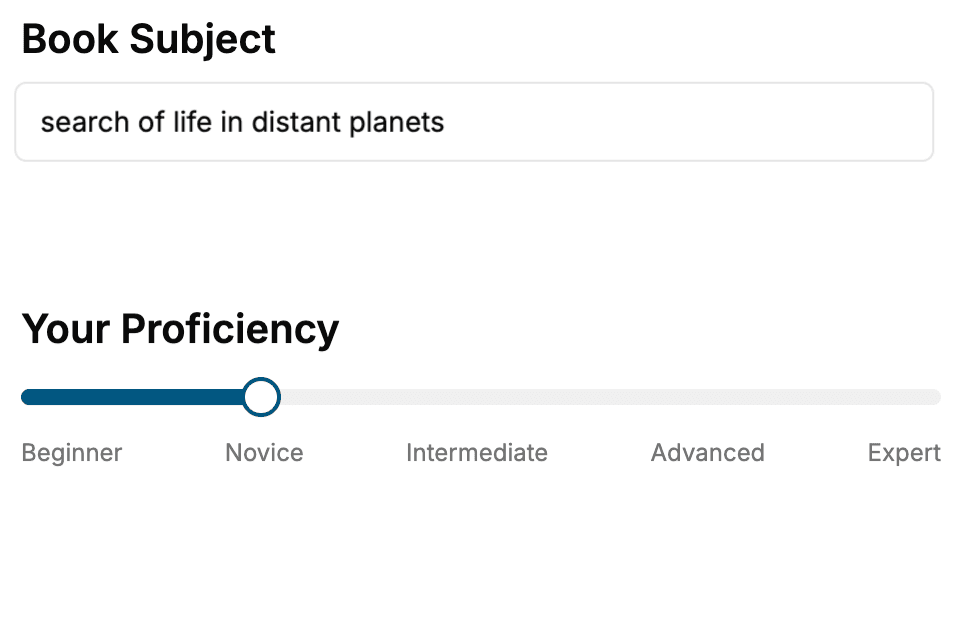
Select the focus of your CSS book and share your background
- 2. Personalize your book
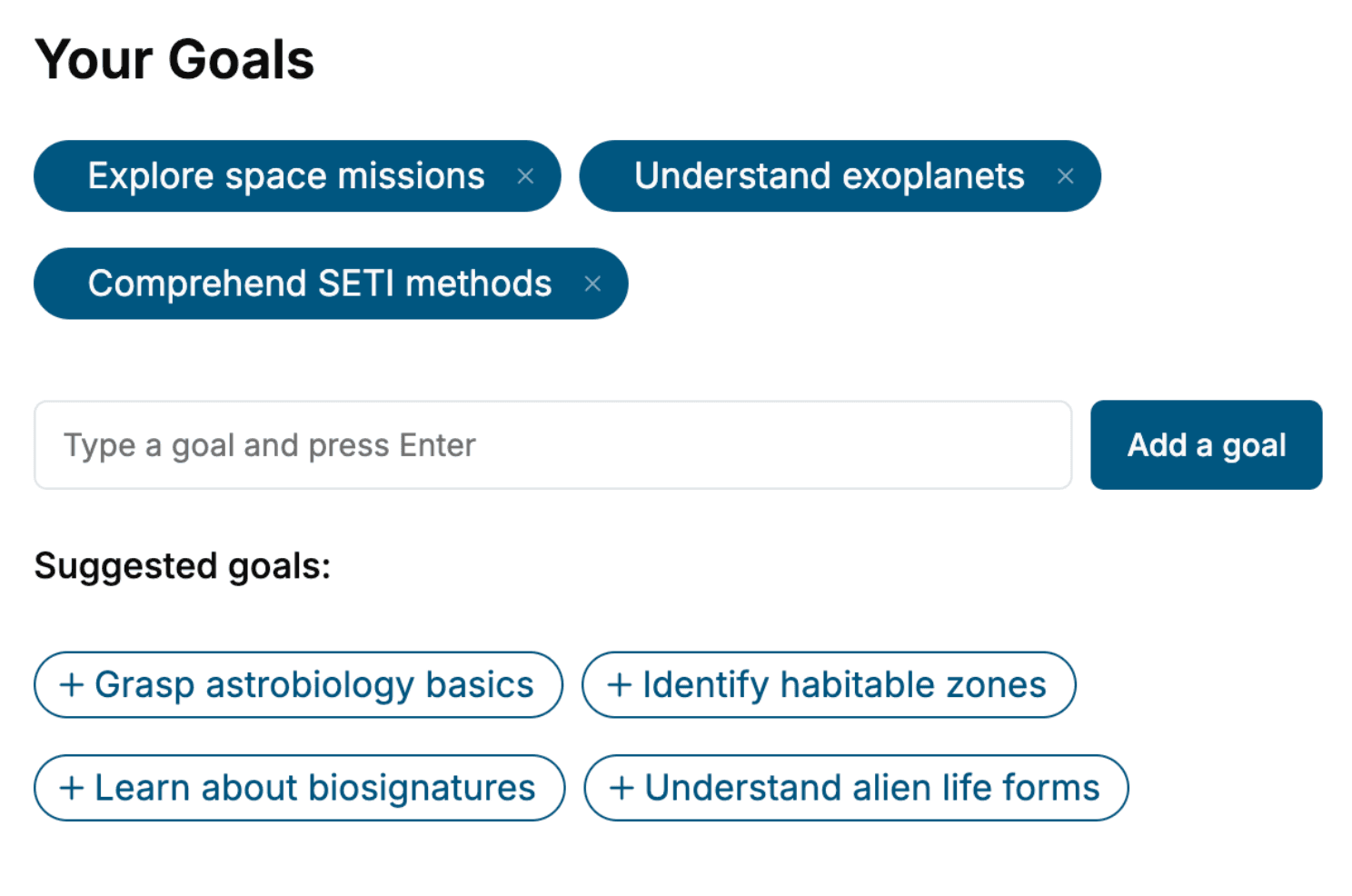
Specify your goals and choose sub-topics to include
- 3. Get your tailored book
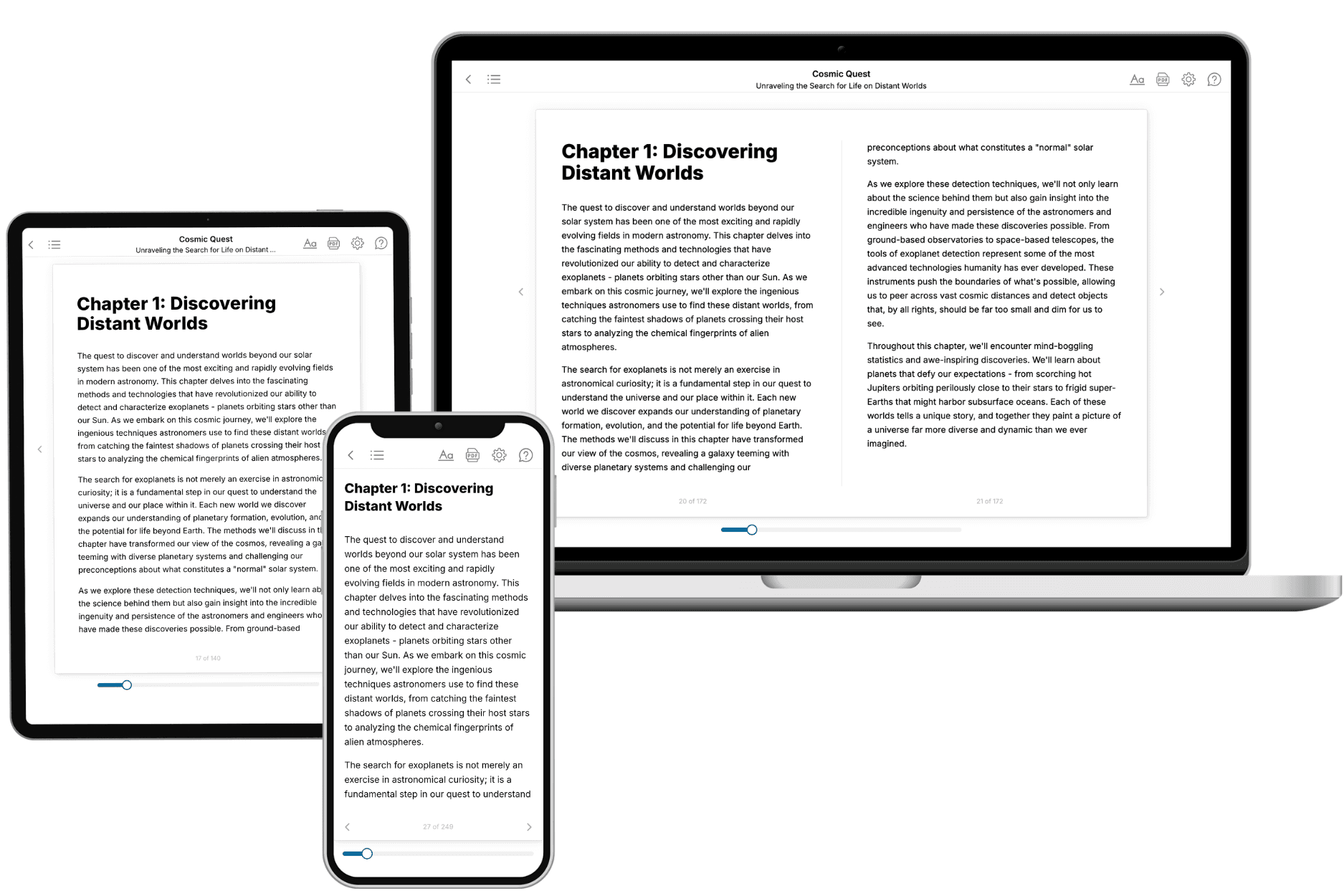
Your book is ready in 10 minutes. Read it online, download as EPUB or PDF, or send to Kindle.
Frequently asked questions
- What is TailoredRead?
TailoredRead creates complete, full-length nonfiction ebooks, written specifically for you. Tell us what you want to learn and why, and TailoredRead writes you a complete ebook on it, with charts, tables, and diagrams throughout. Read it online, on Kindle, or on any e-reader, or download it as a PDF or EPUB. Every book is written fresh the day you order it.
- How is the book tailored to me?
Before anything is written, you answer a few short questions about your goals, your background, and the topics you care about. Your book is then planned around your answers: written at your level, focused on your goals, and covering the topics you chose, instead of the one-size-fits-all book a store sells everyone.
- Will it read like generic AI content?
No. Your book isn't a chat transcript: it's planned chapter by chapter before a single word is written, told in a clear book voice, and explains ideas visually with charts, tables, and diagrams. After writing, every book goes through an editorial pass that polishes chapters so the book reads consistent from start to finish. Judge for yourself: browse thousands of sample books on our Explore Books page.
- How accurate is the content?
Our AI first checks whether your subject needs live research. Niche and fast-moving subjects are researched before writing, and the book plan and chapters are grounded in what it finds. After writing, every book goes through a quality pass that checks its facts and consistency, and researched books list their sources in a Notes section at the back.
- How long is the book?
You choose the length: Comprehensive (250-300 pages), Detailed (150-200 pages), Essential (70-100 pages), or Short (30-50 pages).
- Does the book include visuals?
Yes. Every book includes charts, tables, and diagrams: timelines, checklists, step-by-step guides, decision trees, comparison tables, matrices, and bar charts. A typical book includes dozens of these visual elements.
- Can I read it on Kindle? What formats can I download?
Yes. Every book can be read in our online reader or downloaded as a PDF or EPUB. The EPUB can be opened with Kindle, Apple Books, Kobo, and any e-reader. The Commercial and Author licenses also include an editable Word (DOCX) and Markdown download.
- How much does it cost?
About the price of a regular ebook. The exact price depends on your book's length and complexity, from $2 for the shortest books to $35 for the most comprehensive, and it's shown when you review your book, before you commit to anything. Each book is a one-time purchase, yours to keep, no subscription. Licenses that let you share, teach, or publish your book range from $35.99 to $49.99.
- Can I preview the book before purchasing?
Before you pay, you'll see what your book will cover: the title, a detailed description, the estimated length, and the complete chapter-by-chapter table of contents, so you know what you're getting before you decide. The full text itself is written after you purchase.
- How long does it take to create a book?
About 10 minutes. You can start reading the opening chapters while the rest is still being written.