Dart to iOS
A Developer's Guide to Building Powerful and Efficient iOS Apps with Flutter
Many developers believe that creating high-performance iOS apps requires extensive knowledge of Swift or Objective-C.
269 pages14 chaptersEnglishSep 11, 2025iOS Development
About this book
However, with the power of Dart and Flutter, you can build robust, beautiful, and efficient iOS applications using a single codebase. This comprehensive guide takes you on a deep dive into iOS app development with Dart, covering everything from basic Flutter widgets to advanced iOS API integration. You'll learn how to optimize app performance, implement engaging animations, and create responsive layouts that work seamlessly across various iOS devices. By the end of this book, you'll have the skills and confidence to build professional-grade iOS apps that stand out in the App Store. Whether you're looking to expand your development toolkit or transition into the world of iOS, this book will equip you with the knowledge and practical skills to succeed in the competitive mobile app landscape.
Table of contents
- IntroductionThe Power of Dart and Flutter for iOS Development, What You'll Learn in This Book, Setting Up Your Development EnvironmentRead below
- Chapter 1: Flutter Fundamentals for iOSDart Language Essentials, Understanding Flutter Widgets, iOS-Specific Widgets in Flutter, Creating Responsive Layouts
- Chapter 2: iOS App Architecture with FlutterMVC Pattern in Flutter, BLoC Pattern for State Management, Implementing Dependency Injection, Managing the iOS App Lifecycle
- Chapter 3: UI Design Principles for iOSUnderstanding iOS Design Guidelines, Working with Cupertino Widgets, Creating Custom Widgets, Implementing Responsive Designs
- Chapter 4: Advanced State ManagementUsing the Provider Pattern, State Management with Riverpod, Implementing Redux in Flutter, Persisting State in iOS Apps
- Chapter 5: Integrating iOS APIsWorking with Platform Channels, Accessing Native iOS APIs, Integrating Third-Party iOS Services, Best Practices for API Integration
- Chapter 6: Utilizing iOS Device FeaturesCamera and Photo Library Integration, Implementing Location Services, Biometric Authentication, Accessing Device Sensors and Hardware
- Chapter 7: Networking and Data HandlingMaking HTTP Requests in Flutter, JSON Parsing and Serialization, Implementing Offline Support, Caching Strategies for iOS Apps
- Chapter 8: Mastering iOS AnimationsBasic Animations in Flutter, Creating Custom Animations, Implementing Hero Animations, Optimizing Animation Performance
- Chapter 9: Implementing App Security MeasuresData Encryption Techniques, Secure Storage Solutions, Network Security Best Practices, Managing App Permissions
- Chapter 10: Implementing Push NotificationsSetting Up Apple Push Notification Service, Using Firebase Cloud Messaging, Implementing Local Notifications, Handling Notification Interactions
- Chapter 11: Optimizing App PerformanceUsing iOS Profiling Tools, Effective Memory Management, Optimizing App Load Time, Code Optimization Techniques
- Chapter 12: Testing and Debugging iOS AppsWriting Effective Unit Tests, Widget Testing in Flutter, Integration Testing for iOS, Advanced Debugging Techniques
- Chapter 13: Continuous Integration and DeliverySetting Up CI for iOS Projects, Implementing Automated Testing, Creating a CD Pipeline, App Distribution Strategies
- Chapter 14: App Store Submission and OptimizationUnderstanding App Store Guidelines, Optimizing Your App Store Listing, Implementing In-App Purchases, Utilizing App Analytics
- ConclusionFuture Trends in iOS Development with Dart, Continuing Your iOS Development Journey
- AppendixAdditional Resources and Tools, Glossary of Terms
Introduction
The mobile app development landscape has undergone a dramatic transformation over the past decade. While native iOS development traditionally required mastering Swift or Objective-C, the emergence of cross-platform frameworks has opened new possibilities for developers seeking efficient alternatives. Among these frameworks, Flutter stands out as a revolutionary solution that enables developers to create high-performance iOS applications using the Dart programming language. This approach challenges the conventional wisdom that native development is the only path to creating truly exceptional iOS apps. With Flutter's mature ecosystem and Google's continued investment in the platform, developers can now build iOS applications that rival their native counterparts in both performance and user experience.
Your background in mathematics provides a unique advantage when approaching iOS development with Dart and Flutter. The logical thinking patterns and problem-solving skills inherent in mathematical disciplines translate exceptionally well to the structured nature of Flutter's widget-based architecture. Unlike traditional iOS development, which often requires navigating complex memory management and platform-specific APIs, Flutter abstracts many of these complexities while still providing access to native iOS functionality when needed. This abstraction doesn't come at the cost of performance or capability – instead, it allows you to focus on creating exceptional user experiences rather than wrestling with platform-specific implementation details. The declarative nature of Flutter's UI framework aligns well with mathematical thinking, where you describe what you want rather than how to achieve it step by step.
The timing for learning iOS development with Flutter has never been better. Major companies like BMW, Alibaba, and Google Pay have successfully deployed Flutter applications to millions of iOS users, proving the framework's enterprise readiness and scalability. The Flutter ecosystem has matured significantly, offering robust solutions for state management, testing, and integration with iOS-specific features. Additionally, the single codebase approach means that skills you develop for iOS will directly transfer to other platforms, maximizing your development efficiency and career opportunities. This book will guide you through every aspect of this journey, from setting up your development environment to publishing polished applications on the App Store.
The Power of Dart and Flutter for iOS Development
Flutter represents a paradigm shift in how we approach iOS app development, offering a compelling alternative to traditional native development approaches. At its core, Flutter uses the Dart programming language to create applications that compile to native ARM code, ensuring performance that matches or exceeds traditional iOS apps. The framework's architecture is built around a custom rendering engine that bypasses the platform's UI components entirely, drawing directly to the screen using Skia graphics library. This approach eliminates the performance bottlenecks typically associated with cross-platform frameworks that rely on bridge communications between JavaScript and native code. The result is smooth animations, fast startup times, and responsive user interfaces that feel indistinguishable from native iOS applications.
The Dart language itself brings several advantages to iOS development that make it particularly appealing for developers with mathematical backgrounds. Dart's strong typing system helps catch errors at compile time, reducing the likelihood of runtime crashes that can plague iOS applications. The language supports both object-oriented and functional programming paradigms, allowing you to choose the most appropriate approach for each problem. Dart's syntax is clean and expressive, making code easier to read and maintain compared to Objective-C, while being more approachable than Swift for developers coming from other programming backgrounds. The language also features excellent tooling, including a powerful analyzer, formatter, and debugger that integrate seamlessly with popular IDEs like Visual Studio Code and Android Studio.
Flutter's widget-based architecture provides a unique approach to building iOS user interfaces that differs significantly from traditional UIKit development. Every element in a Flutter app is a widget, from basic UI components like buttons and text fields to complex layout structures and even the app itself. This consistency creates a mental model that's easier to understand and work with than the mixed approach of views, view controllers, and delegates found in traditional iOS development. Widgets are immutable and lightweight, making them easy to compose and reuse across different parts of your application. The framework includes a comprehensive set of Cupertino widgets that implement iOS design patterns and behaviors, ensuring your Flutter apps feel native to iOS users while maintaining the development efficiency of a single codebase.
Performance optimization in Flutter apps benefits from several architectural decisions that make it particularly well-suited for iOS development. The framework uses a reactive programming model where UI updates are triggered by state changes, similar to how modern iOS development with SwiftUI works. Flutter's rendering pipeline is highly optimized, with the ability to achieve 60fps animations and smooth scrolling even on older iOS devices. The framework also supports ahead-of-time compilation for release builds, which eliminates the just-in-time compilation overhead and reduces app startup time. Memory management is handled automatically by Dart's garbage collector, which is tuned for mobile applications and helps prevent the memory leaks that can be common in manual memory management scenarios.
The ecosystem surrounding Flutter for iOS development has grown exponentially, providing solutions for virtually every aspect of mobile app development. The pub.dev package repository hosts thousands of packages specifically designed for Flutter development, including many that provide seamless integration with iOS-specific APIs and services. Popular packages like cupertino_icons provide iOS-style iconography, while flutter_local_notifications handles push notifications across platforms. For more complex integrations, packages like firebase_core and cloud_firestore provide backend services, while camera and geolocator access device hardware features. This rich ecosystem means you rarely need to write platform-specific code from scratch, accelerating development while maintaining high code quality.
Real-world success stories demonstrate Flutter's viability for serious iOS applications across various industries and use cases. Google Pay's iOS app, built with Flutter, handles millions of transactions daily while maintaining the security and performance standards required for financial applications. The BMW app uses Flutter to provide a consistent experience across iOS and Android while integrating with complex automotive systems and APIs. Alibaba's Xianyu app serves over 50 million users on iOS, demonstrating Flutter's ability to scale to massive user bases. These examples show that Flutter isn't just suitable for simple apps or prototypes – it's a production-ready platform capable of handling the most demanding iOS applications. The framework's maturity is further evidenced by Google's own adoption, with many Google apps now using Flutter for their iOS versions.
The development workflow for Flutter iOS apps offers significant advantages over traditional native development approaches. Hot reload functionality allows you to see changes in your app almost instantly without losing application state, dramatically speeding up the development and debugging process. This feature is particularly valuable when fine-tuning animations or adjusting UI layouts, tasks that traditionally required lengthy compile-and-run cycles in Xcode. The Flutter inspector provides powerful debugging tools that let you examine the widget tree, analyze performance, and identify layout issues in real-time. Additionally, Flutter's testing framework makes it easy to write unit tests, widget tests, and integration tests, ensuring your iOS app maintains high quality as it grows in complexity. The combination of these tools creates a development experience that many developers find more productive and enjoyable than traditional iOS development.
Integration with iOS-specific features and APIs is seamless through Flutter's platform channel system, which allows bidirectional communication between Dart code and native iOS code. This means you can access any iOS API or framework, from Core Data and CloudKit to ARKit and Core ML, while still maintaining the benefits of Flutter's cross-platform approach. The platform channel system is designed to be efficient and type-safe, with automatic serialization and deserialization of data between Dart and iOS. For common iOS integrations, the Flutter community has already created packages that handle the platform channel implementation, so you can integrate features like biometric authentication, camera access, or location services with just a few lines of Dart code. When you do need to write custom platform channel code, the process is straightforward and well-documented, allowing you to extend your Flutter app with any iOS-specific functionality your application requires.
What You'll Learn in This Book
This comprehensive guide is structured to take you from Flutter fundamentals to advanced iOS app development techniques, with each chapter building upon the knowledge gained in previous sections. The book follows a practical, hands-on approach where you'll build real applications while learning core concepts. Starting with Flutter basics, you'll quickly progress to iOS-specific implementations, ensuring that every technique you learn is immediately applicable to your iOS development projects. The progression is carefully designed to match how professional iOS development projects actually unfold, from initial setup and architecture decisions through to App Store submission and post-launch optimization. Each chapter includes multiple code examples, best practices, and common pitfalls to avoid, ensuring you develop not just technical skills but also the judgment needed for professional iOS development.
The early chapters focus on establishing a solid foundation in Flutter development specifically tailored for iOS applications. You'll master Dart language essentials, understanding how its features like null safety, async programming, and strong typing contribute to robust iOS app development. The widget system receives particular attention, with detailed coverage of both Material Design widgets and iOS-specific Cupertino widgets. You'll learn when to use each type of widget and how to create custom widgets that match iOS design guidelines perfectly. Layout principles are covered extensively, including responsive design techniques that ensure your apps look great on all iOS devices, from iPhone SE to iPad Pro. These foundational chapters also cover state management basics, preparing you for the more advanced architectural patterns discussed later in the book.
Architecture and state management receive comprehensive treatment across multiple chapters, reflecting their critical importance in professional iOS app development. You'll explore various architectural patterns including MVC, BLoC, and Provider, learning when each pattern is most appropriate and how to implement them effectively in Flutter iOS apps. State management solutions are covered in depth, from simple setState approaches suitable for small apps to sophisticated solutions like Riverpod and Redux for complex applications. Each architectural approach is demonstrated through practical examples that show how to structure real iOS applications for maintainability and scalability. You'll also learn how to manage the iOS app lifecycle effectively, handling background states, memory warnings, and other iOS-specific considerations that are crucial for App Store approval and user satisfaction.
User interface design and user experience principles form a major focus throughout the book, with specific emphasis on creating apps that feel native to iOS users. You'll dive deep into iOS design guidelines, learning how to implement design patterns that iOS users expect while leveraging Flutter's powerful UI capabilities. The book covers advanced topics like custom animations, hero transitions, and complex layouts that showcase Flutter's capabilities while maintaining iOS design consistency. Accessibility considerations are woven throughout the UI chapters, ensuring your apps are usable by all iOS users. You'll also learn how to handle different screen sizes and orientations gracefully, a crucial skill given the diversity of iOS devices in the market today.
Integration with iOS-specific APIs and services receives detailed coverage, showing you how to access the full power of the iOS platform from your Flutter applications. Platform channels are explained thoroughly, with step-by-step examples showing how to communicate between Dart and native iOS code. You'll learn to integrate with essential iOS services like CloudKit, Core Data, and HealthKit, as well as hardware features like the camera, GPS, and various sensors. Push notifications receive special attention, with complete implementation examples for both local notifications and remote notifications through Apple Push Notification Service. Security considerations are addressed throughout these integration chapters, ensuring your apps handle sensitive data appropriately and meet App Store security requirements.
Performance optimization techniques are covered extensively, reflecting the high performance standards expected by iOS users. You'll learn to use Flutter's profiling tools effectively, identifying and resolving performance bottlenecks before they impact user experience. Memory management strategies specific to iOS are discussed, including how to handle memory warnings and optimize for different iOS device capabilities. The book covers advanced optimization techniques like code splitting, lazy loading, and efficient asset management that can significantly improve your app's performance. Animation performance receives particular attention, with techniques for creating smooth 60fps animations even on older iOS devices. These performance chapters include real-world case studies showing how optimization techniques have been applied to successful iOS apps.
Testing and debugging strategies are integrated throughout the book, with dedicated chapters covering comprehensive testing approaches for Flutter iOS apps. You'll learn to write effective unit tests, widget tests, and integration tests that ensure your iOS app functions correctly across different devices and iOS versions. The book covers advanced debugging techniques using Flutter's debugging tools as well as Xcode's iOS-specific debugging capabilities. Continuous integration and delivery pipelines are explained in detail, showing how to automate testing and deployment for iOS apps built with Flutter. You'll learn to set up automated testing that runs on actual iOS devices, ensuring your app works correctly in real-world conditions before reaching users.
The final chapters focus on the business aspects of iOS app development, covering App Store submission, optimization, and monetization strategies. You'll learn to navigate Apple's App Store review process successfully, understanding the guidelines and requirements that determine whether your app gets approved. App Store optimization techniques are covered comprehensively, including how to create compelling app listings, choose effective keywords, and design screenshots that convert browsers into users. In-app purchase implementation receives detailed coverage, showing how to integrate subscription models, consumable purchases, and other monetization strategies that comply with Apple's requirements. The book concludes with guidance on post-launch activities like user feedback management, app updates, and long-term maintenance strategies that keep your iOS app successful in the competitive App Store environment.
Setting Up Your Development Environment
Creating an effective development environment for Flutter iOS development requires careful attention to both Flutter-specific tools and iOS development requirements. The setup process involves multiple components that must work together seamlessly: Flutter SDK, Dart SDK, Xcode, iOS Simulator, and various command-line tools. While this might seem complex initially, a properly configured environment will save countless hours throughout your development journey and prevent frustrating debugging sessions caused by configuration issues. The investment in setting up your environment correctly pays dividends immediately, as you'll have access to powerful debugging tools, hot reload functionality, and seamless device testing capabilities that make Flutter development particularly enjoyable and productive.
Begin your environment setup by installing Flutter SDK, which includes the Dart SDK and all necessary tools for Flutter development. Download the latest stable release from the official Flutter website, avoiding beta or dev channel releases for production development work. Extract the Flutter SDK to a permanent location on your system – avoid temporary directories or locations that might be cleaned up by system maintenance tools. Add the Flutter bin directory to your system PATH to enable command-line access to Flutter tools from any directory. After installation, run flutter doctor to verify your installation and identify any missing dependencies. This diagnostic tool provides detailed information about your development environment and specific instructions for resolving any issues it discovers.
Xcode installation is mandatory for iOS development with Flutter, as it provides the iOS SDK, simulators, and deployment tools required for building and testing iOS applications. Install the latest version of Xcode from the Mac App Store, ensuring you have sufficient disk space as Xcode requires several gigabytes of storage. After installation, launch Xcode and accept the license agreement, then install additional components when prompted. Configure Xcode command-line tools by running sudo xcode-select --switch /Applications/Xcode.app/Contents/Developer in Terminal. This step is crucial as Flutter relies on Xcode command-line tools for building iOS applications. Verify your Xcode installation by running flutter doctor again – it should now show Xcode as properly configured.
iOS Simulator setup provides a convenient way to test your Flutter apps without requiring physical iOS devices during development. Launch Xcode and navigate to Preferences > Components to download iOS simulator runtimes for the iOS versions you plan to support. Focus on the most recent iOS version and one or two previous major versions to ensure broad compatibility. Create simulator configurations for different device types you plan to support, including various iPhone models and iPad configurations if you're developing universal apps. Test your simulator setup by running flutter emulators to list available simulators, then launch one using flutter emulators --launch [simulator_id]. The simulator should start successfully and be detected by Flutter when you run flutter devices.
Physical device setup enables testing on real iOS hardware, which is essential for performance testing, camera functionality, and other hardware-dependent features. Connect your iOS device to your Mac using a USB cable and ensure it appears in Xcode's Devices and Simulators window. Enable Developer Mode on your iOS device by going to Settings > Privacy & Security > Developer Mode and toggling it on. You'll need an Apple Developer account to deploy apps to physical devices – you can use a free account for development and testing, though it has limitations on app signing duration and team size. Configure automatic code signing in Xcode by selecting your development team and ensuring provisioning profiles are generated automatically. Test device deployment by creating a simple Flutter app and running flutter run with your device connected.
IDE configuration significantly impacts your development productivity, with Visual Studio Code and Android Studio being the most popular choices for Flutter development. Visual Studio Code offers a lightweight, fast development experience with excellent Flutter and Dart extensions. Install the Flutter extension, which automatically installs the Dart extension and provides features like syntax highlighting, code completion, debugging support, and hot reload integration. Configure useful settings like format on save, automatic import organization, and Flutter outline view to streamline your development workflow. Android Studio provides a more comprehensive IDE experience with advanced debugging tools and built-in device management. Install the Flutter and Dart plugins, then configure the Flutter SDK path in the IDE settings. Both IDEs offer excellent Flutter development experiences, so choose based on your personal preferences and existing workflow.
Command-line tools and utilities enhance your Flutter iOS development workflow with automation and advanced debugging capabilities. Install CocoaPods using sudo gem install cocoapods, as many Flutter packages require CocoaPods for iOS integration. Set up Homebrew package manager to easily install additional development tools like ios-deploy for device deployment and ideviceinstaller for advanced device management. Configure Git with your credentials and set up SSH keys for repository access, as version control is essential for any serious development project. Install useful utilities like flutter_launcher_icons for app icon generation and flutter_native_splash for splash screen creation. These tools automate common tasks and ensure consistency across your iOS app development projects.
Environment verification and troubleshooting ensure your development setup works correctly before you begin building applications. Run flutter doctor -v for detailed information about your development environment, including version numbers and configuration details. Create a test Flutter project using flutter create test_app and navigate to the project directory. Run the app on iOS Simulator using flutter run and verify that hot reload works by making a simple change to the code. Test physical device deployment by connecting your iOS device and running flutter run again. If you encounter issues, the Flutter documentation provides comprehensive troubleshooting guides for common setup problems. Pay particular attention to code signing issues, which are the most common source of iOS deployment problems for new developers.
Performance optimization for your development environment can significantly improve your daily development experience. Configure adequate RAM allocation for your IDE and ensure your Mac has sufficient free disk space for Xcode caches and Flutter build artifacts. Enable Flutter's web dashboard for performance monitoring during development by running flutter run --web-port=8080 and accessing the dashboard in your browser. Set up Flutter's build cache optimization by configuring appropriate cache directories and ensuring they're excluded from backup software. Consider using an SSD for your development work if you haven't already, as the frequent file I/O operations during Flutter development benefit significantly from faster storage. These optimizations create a smoother development experience that lets you focus on building great iOS apps rather than waiting for tools to respond.
This is the end of the free sample. The full book has 14 chapters.
Want this book written for you?
Tell us your goals and background, and get your own version of this book, tailored by AI to you.






Benefits of AI-tailored books
- Read one book, not ten:
- all the iOS Development knowledge you need, gathered into a single book.
- Save days of learning:
- tell us your goals, choose your topics, and the whole book is built around them.
- Learn effortlessly:
- iOS Development book written for your specific background and expertise.
- Understand at a glance:
- includes charts, tables, timelines, checklists, decision trees, and more.
- Stay current:
- written the day you order it, not years ago.
- Trust what you read:
- every book is checked for accuracy, with real research when your subject needs it.
Create your unique book in 3 steps
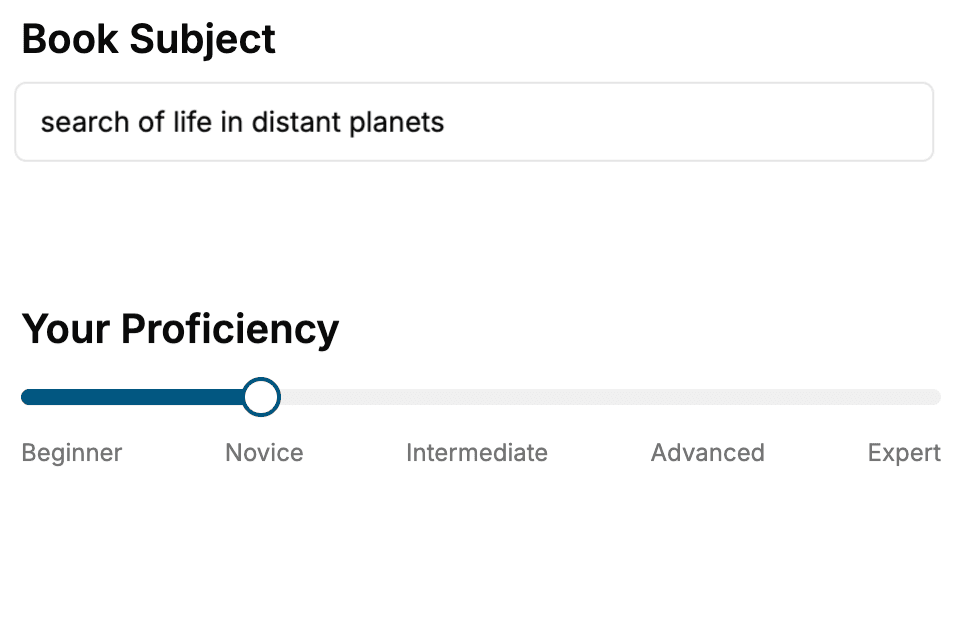
- 1. Select your focus
Select the focus of your iOS Development book and share your background
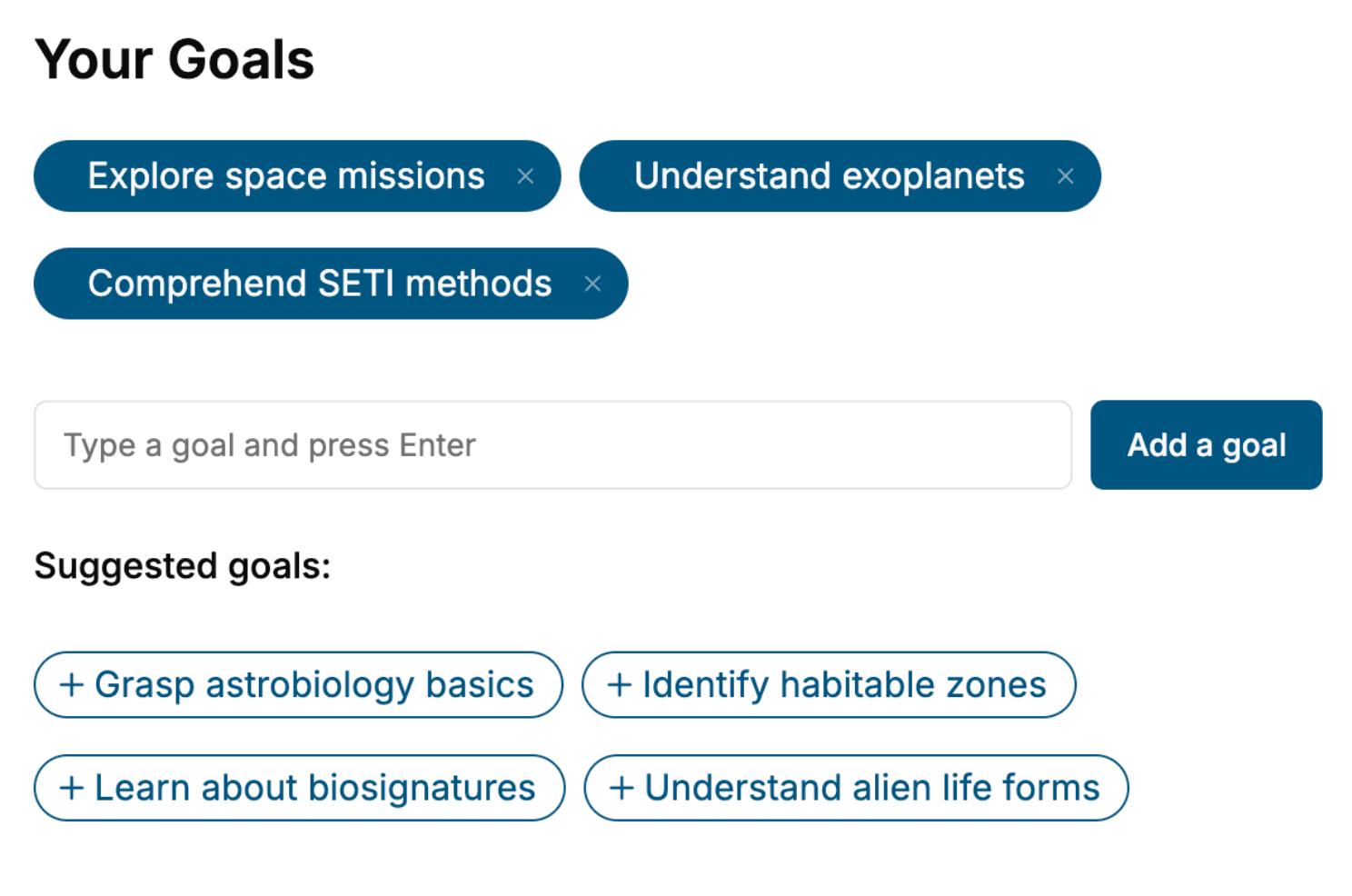
- 2. Personalize your book
Specify your goals and choose sub-topics to include
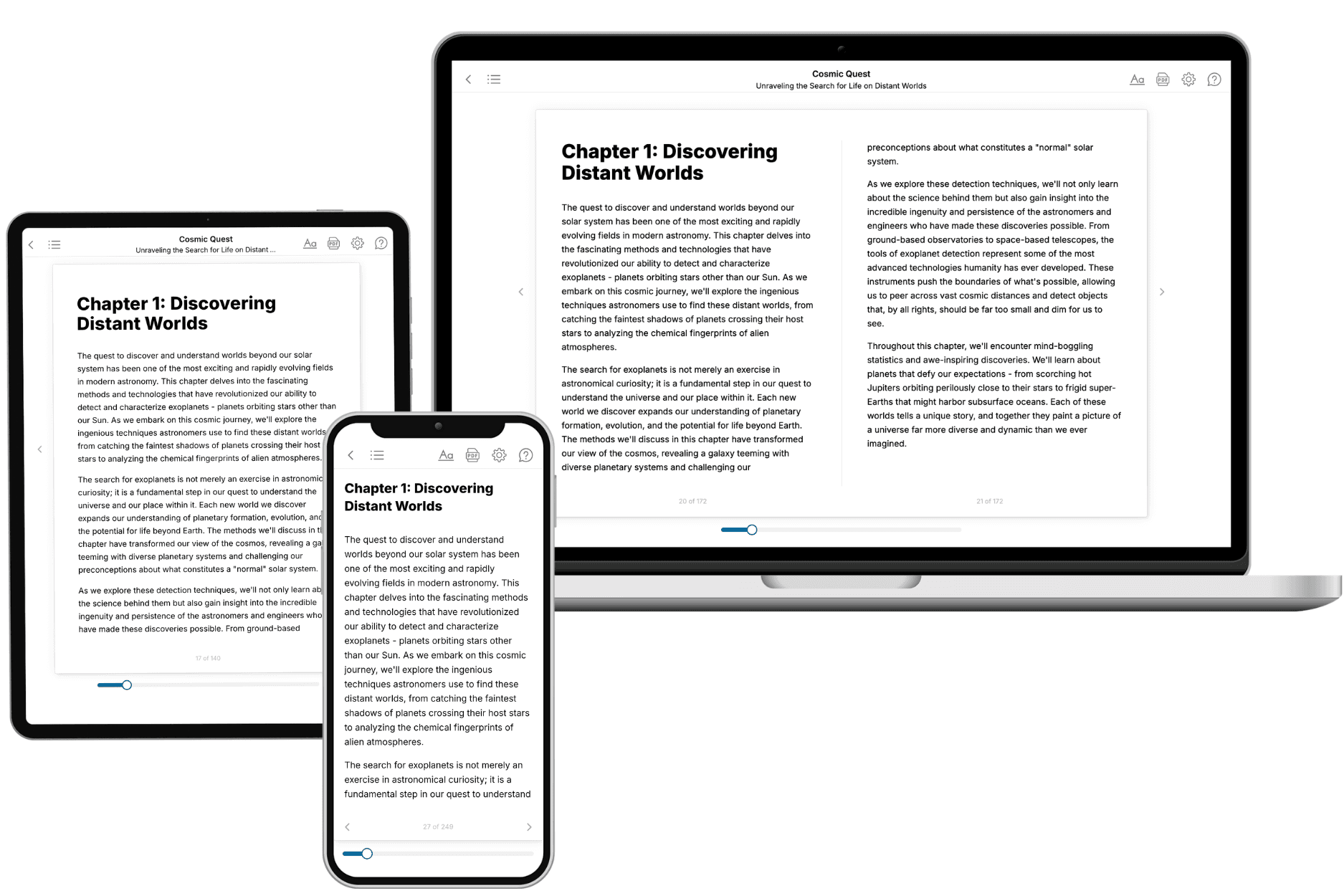
- 3. Get your tailored book
Your book is ready in 10 minutes. Read it online, download as EPUB or PDF, or send to Kindle.
Frequently asked questions
- What is TailoredRead?
TailoredRead creates complete, full-length nonfiction ebooks, written specifically for you. Tell us what you want to learn and why, and TailoredRead writes you a complete ebook on it, with charts, tables, and diagrams throughout. Read it online, on Kindle, or on any e-reader, or download it as a PDF or EPUB. Every book is written fresh the day you order it.
- How is the book tailored to me?
Before anything is written, you answer a few short questions about your goals, your background, and the topics you care about. Your book is then planned around your answers: written at your level, focused on your goals, and covering the topics you chose, instead of the one-size-fits-all book a store sells everyone.
- Will it read like generic AI content?
No. Your book isn't a chat transcript: it's planned chapter by chapter before a single word is written, told in a clear book voice, and explains ideas visually with charts, tables, and diagrams. After writing, every book goes through an editorial pass that polishes chapters so the book reads consistent from start to finish. Judge for yourself: browse thousands of sample books on our Explore Books page.
- How accurate is the content?
Our AI first checks whether your subject needs live research. Niche and fast-moving subjects are researched before writing, and the book plan and chapters are grounded in what it finds. After writing, every book goes through a quality pass that checks its facts and consistency, and researched books list their sources in a Notes section at the back.
- How long is the book?
You choose the length: Comprehensive (250-300 pages), Detailed (150-200 pages), Essential (70-100 pages), or Short (30-50 pages).
- Does the book include visuals?
Yes. Every book includes charts, tables, and diagrams: timelines, checklists, step-by-step guides, decision trees, comparison tables, matrices, and bar charts. A typical book includes dozens of these visual elements.
- Can I read it on Kindle? What formats can I download?
Yes. Every book can be read in our online reader or downloaded as a PDF or EPUB. The EPUB can be opened with Kindle, Apple Books, Kobo, and any e-reader. The Commercial and Author licenses also include an editable Word (DOCX) and Markdown download.
- How much does it cost?
About the price of a regular ebook. The exact price depends on your book's length and complexity, from $2 for the shortest books to $35 for the most comprehensive, and it's shown when you review your book, before you commit to anything. Each book is a one-time purchase, yours to keep, no subscription. Licenses that let you share, teach, or publish your book range from $35.99 to $49.99.
- Can I preview the book before purchasing?
Before you pay, you'll see what your book will cover: the title, a detailed description, the estimated length, and the complete chapter-by-chapter table of contents, so you know what you're getting before you decide. The full text itself is written after you purchase.
- How long does it take to create a book?
About 10 minutes. You can start reading the opening chapters while the rest is still being written.