DHCP Server Mastery
A Practical Guide to Configuring and Managing DHCP on Windows Server 2008 R2
Achieve reliable, scalable IP address management across your Windows Server 2008 R2 network.
222 pages11 chaptersApr 14, 2026Windows Server 2008 R2
About this book
This practical guide walks you through every aspect of DHCP server configuration, from initial setup to advanced deployment scenarios. You'll learn how to design efficient scopes, implement security best practices, establish high-availability failover partnerships, and integrate DHCP with Active Directory and DNS. Whether you're managing a small office network or a large enterprise infrastructure, you'll discover proven techniques for optimizing performance, troubleshooting common issues, and applying DevOps principles to automate your DHCP operations. With real-world examples and step-by-step instructions, this book transforms DHCP from a mysterious background service into a well-understood, efficiently managed component of your network infrastructure.
Table of contents
- IntroductionWhy DHCP Matters in Modern Networks, DHCP in Windows Server 2008 R2 Context, How to Use This BookRead below
- Chapter 1: DHCP Fundamentals and ArchitectureUnderstanding the DHCP Protocol, DHCP Message Flow and Lease Process, DHCP Role in Windows Server 2008 R2
- Chapter 2: Installing and Configuring DHCP ServerPre-Installation Planning and Requirements, Installing the DHCP Server Role, Post-Installation Configuration and Authorization
- Chapter 3: Scope Design and ManagementPlanning Your Scope Strategy, Creating and Configuring DHCP Scopes, Configuring Scope Options and Settings
- Chapter 4: Reservations, Exclusions, and Address ManagementCreating and Managing IP Reservations, Configuring Exclusion Ranges, Optimizing Lease Duration and Renewal
- Chapter 5: DHCP Security and AuthorizationDHCP Authorization in Active Directory, Protecting Against Rogue DHCP Servers, Audit Logging and Security Monitoring
- Chapter 6: High Availability and Failover ConfigurationUnderstanding DHCP Failover Partnerships, Configuring DHCP Failover and Redundancy, Testing and Validating Failover Operations
- Chapter 7: Integration with DNS and Active DirectoryDHCP and DNS Dynamic Updates, Active Directory Integration and Group Policy, Managing Credentials and Permissions
- Chapter 8: Troubleshooting and DiagnosticsIdentifying Common DHCP Problems, Using Diagnostic Tools and Event Logs, Packet Analysis and Network Troubleshooting
- Chapter 9: Performance Tuning and OptimizationCapacity Planning and Scalability, DHCP Database Optimization and Maintenance, Monitoring Performance Metrics and KPIs
- Chapter 10: DevOps Practices and AutomationInfrastructure as Code for DHCP, PowerShell Automation and Scripting, Deployment Pipelines and Continuous Integration
- Chapter 11: Advanced Deployment ScenariosMulti-Site and Distributed DHCP Deployments, DHCP Relay Agents and Remote Networks, Migration and Upgrade Strategies
- ConclusionKey Takeaways and Best Practices, Next Steps in Your DHCP Journey
- Appendix: Quick Reference and ResourcesCommon DHCP Options Reference, Essential PowerShell Cmdlets for DHCP, DHCP Troubleshooting Checklist
Introduction
Every device on your network needs an IP address to communicate. That simple fact drives one of the most quietly important services in any IT environment: the Dynamic Host Configuration Protocol, or DHCP. Without it, every workstation, printer, phone, and server would need a manually assigned address. In a network of ten devices, that's manageable. In a network of five hundred, it becomes a full-time job. DHCP automates this process entirely, handing out addresses, subnet masks, gateway information, and DNS server details to every device that asks, without any human intervention required.
Despite how fundamental DHCP is, it often gets treated as an afterthought. Administrators install the role, create a scope, and move on. That approach works until it doesn't. A misconfigured scope exhausts its address pool. A rogue DHCP server starts handing out wrong gateway addresses. A lease duration that's too short hammers the server with renewal traffic. A lease duration that's too long wastes addresses and slows down network changes. These are real problems that happen in real environments, and they all trace back to DHCP being configured without a clear strategy.
This book exists to change that. It's built for IT professionals and system administrators who are already comfortable with networking fundamentals and Windows Server environments, but who want to move beyond basic DHCP setup and into confident, deliberate management. Whether you're deploying DHCP for the first time on Windows Server 2008 R2, inheriting a configuration someone else built, or trying to harden and optimize a system that's already running, this guide gives you the knowledge and practical tools to do it right. The goal isn't just to explain what DHCP does. It's to show you how to make it work reliably, securely, and efficiently in production environments.
Windows Server 2008 R2 remains a widely deployed platform in enterprise and mid-market environments. Its DHCP implementation is mature, feature-rich, and deeply integrated with Active Directory and DNS. Understanding how to leverage those integrations, configure failover, automate management with PowerShell, and apply modern DevOps thinking to a traditional network service is what separates a well-run infrastructure from one that generates constant support tickets. That's exactly what this book covers, from the ground up.
Why DHCP Matters in Modern Networks
It's easy to underestimate DHCP because it works invisibly when it's configured correctly. A laptop connects to the network, gets an IP address in seconds, and the user never thinks about it. But that invisible reliability is the result of deliberate configuration choices. When those choices are wrong, or when DHCP isn't configured at all, the consequences are immediate and visible. Users can't connect. Applications fail. Help desk tickets pile up. DHCP is one of those services where good work goes unnoticed and bad work gets noticed immediately.
The scale of modern networks makes manual IP management genuinely impractical. Consider a mid-sized organization with 300 employees, a mix of desktops, laptops, mobile devices, printers, VoIP phones, and IoT sensors. That environment might have 600 to 800 active network devices at any given time, with devices joining and leaving the network constantly. Tracking static assignments for all of those manually would require a dedicated spreadsheet, constant updates, and still result in conflicts and errors. DHCP handles all of that automatically, with a lease system that reclaims addresses when devices leave and reassigns them when new devices arrive.
DHCP also plays a critical role in network changes. When an organization changes its DNS servers, updates its default gateway, or reconfigures its network topology, DHCP makes those changes propagate automatically. Update the scope options on the DHCP server, and every device that renews its lease picks up the new settings. Without DHCP, that same change would require visiting every device individually. In large environments, that's the difference between a one-hour administrative task and a multi-day project.
Beyond basic address assignment, DHCP carries a surprising amount of configuration data. Through DHCP options, a server can tell clients which DNS servers to use, what domain name to append to unqualified hostnames, where to find a WINS server, what NTP server to synchronize with, and even where to download a boot image for PXE network booting. These options make DHCP a central distribution point for network configuration, not just an address dispenser.
Security is another dimension where DHCP matters more than most administrators realize. A rogue DHCP server on your network can redirect traffic, intercept communications, and cause widespread connectivity failures. Proper DHCP authorization through Active Directory, combined with audit logging and monitoring, protects against these threats. Understanding the security model isn't optional for production environments. It's a baseline requirement for responsible network management.
Finally, DHCP availability directly affects network availability. If your DHCP server goes offline and clients can't renew their leases, they eventually lose connectivity. For organizations that depend on network access for every business function, that's a critical failure. High-availability DHCP configurations, including split scopes and failover partnerships, ensure that address assignment continues even when a server fails. Building that resilience into your DHCP infrastructure is one of the most impactful things you can do for overall network reliability.
Real-world example: A regional healthcare organization with 12 locations and approximately 2,000 network devices ran a single DHCP server with no redundancy. When that server experienced a hardware failure during a Tuesday morning shift change, every device that attempted to renew its lease failed. Within two hours, clinical workstations began losing connectivity as leases expired. The outage lasted four hours and affected patient care workflows. A split-scope or failover configuration would have prevented the outage entirely. The fix took one afternoon to implement after the fact. The lesson: DHCP resilience planning is not optional in environments where network access is business-critical.
The bottom line is that DHCP is infrastructure. It's not glamorous, and it doesn't get the attention that firewalls or Active Directory do. But it underpins every network connection in your environment. Treating it with the same rigor you'd apply to any other critical service pays dividends in reliability, security, and administrative efficiency.
DHCP in Windows Server 2008 R2 Context
Windows Server 2008 R2 was released in October 2009 and represented a significant maturation of Microsoft's server platform.[1] Its DHCP server implementation built on years of development and introduced capabilities that made it a robust choice for enterprise environments. While newer versions of Windows Server have added features like DHCP failover (introduced in Windows Server 2012), the 2008 R2 platform remains in active use across thousands of organizations, particularly in environments with long hardware refresh cycles or specific application compatibility requirements.
The DHCP Server role in Windows Server 2008 R2 is a full-featured implementation of the DHCP protocol as defined in RFC 2131.[2] It supports both IPv4 and IPv6 address assignment, scope-based configuration, client reservations, exclusion ranges, and a rich set of DHCP options. The management interface, the DHCP console, provides a graphical tool for day-to-day administration, while PowerShell and the netsh dhcp command-line interface support scripting and automation.
One of the most important aspects of DHCP on Windows Server 2008 R2 is its integration with Active Directory. In an Active Directory domain environment, DHCP servers must be authorized before they can serve addresses. This authorization mechanism prevents unauthorized DHCP servers from operating on the network. The DHCP server checks Active Directory at startup and periodically during operation to confirm its authorization status. This is a security feature that's unique to Microsoft's implementation and one that requires understanding to configure correctly.
The integration with DNS is equally important. Windows Server 2008 R2 DHCP can automatically register and update DNS records on behalf of clients. When a client receives an IP address, the DHCP server can create or update an A record (forward lookup) and a PTR record (reverse lookup) in DNS. This dynamic DNS update capability keeps DNS records synchronized with actual IP assignments, which is essential for name resolution to work correctly in environments where IP addresses change frequently.
The DHCP database in Windows Server 2008 R2 uses the Jet database engine, stored by default at %SystemRoot%\System32\dhcp\dhcp.mdb. This database stores all scope configurations, lease records, reservations, and server settings. Understanding how to maintain, back up, and restore this database is an important operational skill. The database can be compacted to reclaim space and improve performance, and it should be included in your backup strategy as a critical system component.
For high availability in Windows Server 2008 R2, the primary approach is the split scope configuration, where two DHCP servers each manage a portion of the same address range. A common split is 80/20, where the primary server handles 80% of the scope and the secondary handles 20%. If the primary fails, the secondary continues serving addresses from its portion of the range. This approach requires careful planning but provides meaningful resilience without requiring additional software or clustering infrastructure.
Windows Server 2008 R2 also supports DHCP in clustered environments using Windows Server Failover Clustering. In this configuration, the DHCP server role runs as a clustered service, with shared storage for the DHCP database. If the active node fails, the cluster automatically moves the DHCP service to another node. This provides a higher level of availability than split scopes but requires more infrastructure investment. Both approaches are covered in detail later in this book.
PowerShell support for DHCP management in Windows Server 2008 R2 is available through the netsh dhcp command set and through WMI-based scripting. While the dedicated DHCP PowerShell module introduced in Windows Server 2012 isn't available on this platform, you can accomplish a great deal through scripting. Automating scope creation, generating lease reports, and managing reservations programmatically are all achievable with the tools available on 2008 R2. This book covers those techniques in the DevOps and automation chapter.
Platform note: If you're managing a mixed environment that includes both Windows Server 2008 R2 and newer server versions, the concepts in this book apply broadly. The specific console steps and command syntax are written for 2008 R2, but the underlying DHCP principles, scope design strategies, security practices, and troubleshooting approaches are platform-agnostic. You'll find the knowledge transfers directly to newer environments.
Understanding the specific capabilities and limitations of Windows Server 2008 R2 DHCP helps you make better design decisions. Knowing that native failover isn't available on this platform, for example, means you plan for split scopes or clustering from the start rather than discovering the gap during an outage. This book is written with that platform-specific awareness throughout, giving you guidance that's accurate and applicable to the environment you're actually managing.
How to Use This Book
This book is organized to take you from foundational concepts through advanced deployment scenarios in a logical progression. Each chapter builds on the ones before it, so reading straight through gives you a complete picture of DHCP management on Windows Server 2008 R2. That said, the book is also designed to work as a reference. If you're facing a specific challenge right now, you can jump directly to the relevant chapter and find actionable guidance without needing to read everything that came before.
Here's a quick map of what each part of the book covers, so you can navigate to what you need:
- Chapter 1: DHCP Fundamentals and Architecture covers the protocol itself, how the DORA (Discover, Offer, Request, Acknowledge) message exchange works, and how the DHCP role fits into the Windows Server 2008 R2 architecture. If you're already comfortable with DHCP protocol basics, you can skim this chapter and use it as a reference.
- Chapter 2: Installing and Configuring DHCP Server walks through pre-installation planning, the role installation process, and the critical post-installation steps including server authorization. This is where you start if you're setting up DHCP from scratch.
- Chapter 3: Scope Design and Management covers how to plan and create scopes, configure scope options, and manage address pools effectively. Scope design decisions made here affect everything downstream, so this chapter deserves careful attention.
- Chapter 4: Reservations, Exclusions, and Address Management explains how to reserve addresses for specific devices, exclude ranges from dynamic assignment, and optimize lease durations for different network environments.
- Chapter 5: DHCP Security and Authorization covers the Active Directory authorization model, protection against rogue DHCP servers, and audit logging configuration. This chapter is essential reading for anyone managing DHCP in a production environment.
- Chapter 6: High Availability and Failover Configuration explains split scope design, Windows Server Failover Clustering for DHCP, and how to test and validate your redundancy configuration.
- Chapter 7: Integration with DNS and Active Directory covers dynamic DNS updates, Active Directory integration, Group Policy interactions, and credential management for DNS registration.
- Chapter 8: Troubleshooting and Diagnostics provides a systematic approach to identifying and resolving common DHCP problems, using event logs, diagnostic tools, and packet analysis.
- Chapter 9: Performance Tuning and Optimization addresses capacity planning, database maintenance, and performance monitoring to keep your DHCP infrastructure running efficiently at scale.
- Chapter 10: DevOps Practices and Automation covers infrastructure-as-code approaches, PowerShell scripting for DHCP management, and how to integrate DHCP configuration into deployment pipelines.
- Chapter 11: Advanced Deployment Scenarios tackles multi-site deployments, DHCP relay agent configuration, and strategies for migrating or upgrading existing DHCP infrastructure.
The appendix at the end of the book provides quick-reference material you'll return to repeatedly: a table of common DHCP options with their codes and descriptions, a reference list of PowerShell and netsh commands for DHCP management, and a troubleshooting checklist you can use when diagnosing problems in production.
Throughout the book, you'll find several recurring elements designed to make the content more practical and immediately useful. Step-by-step procedures are formatted clearly so you can follow them directly at a server console. Configuration examples show real values rather than generic placeholders, so you can see what a properly configured scope or option actually looks like. Troubleshooting scenarios describe real problems and walk through the diagnostic process. And notes throughout the text flag important caveats, common mistakes, and platform-specific behaviors worth knowing.
If you're new to DHCP administration on Windows Server, the recommended path is to read Chapters 1 through 5 in order before moving to the topics most relevant to your environment. Those five chapters give you the foundation you need to make good decisions in every other area. If you're an experienced administrator who's comfortable with DHCP basics and looking to improve a specific aspect of your configuration, use the chapter map above to go directly to what you need.
Hands-on practice is the fastest way to internalize what you read. If you have access to a lab environment, even a simple one with a Windows Server 2008 R2 virtual machine and a few test clients, use it. Work through the configuration steps as you read. Make mistakes in the lab so you understand what they look like and how to fix them before you encounter them in production. The concepts in this book become much more concrete when you've actually configured a scope, watched a client receive an address, and seen what happens when something goes wrong.
Lab setup tip: A minimal lab for following along with this book requires one Windows Server 2008 R2 virtual machine configured as a domain controller (or joined to a domain), one additional Windows Server 2008 R2 VM for the DHCP server role, and one or two Windows client VMs for testing. All of this can run on a single physical machine with 8GB of RAM using Hyper-V, VMware Workstation, or VirtualBox. You don't need enterprise hardware to build a functional learning environment.
One important note about scope and focus: this book concentrates on IPv4 DHCP configuration, which covers the vast majority of practical DHCP administration work in Windows Server 2008 R2 environments. IPv6 DHCPv6 is touched on where relevant, but the primary focus is IPv4. If your environment is running dual-stack or pure IPv6, the concepts here still apply, but you'll want to supplement this material with IPv6-specific resources for the DHCPv6 configuration details.
Finally, this book assumes you're working in a Windows domain environment with Active Directory. Some features, particularly DHCP authorization and dynamic DNS updates with secure credentials, require Active Directory to function. If you're running DHCP in a workgroup environment, most of the configuration guidance still applies, but the Active Directory-specific sections won't be directly relevant to your setup. Those sections are clearly identified throughout the book so you can skip them if they don't apply to your environment.
DHCP is one of those services that rewards careful attention. The more deliberately you configure it, the more reliably it runs, and the less time you spend troubleshooting connectivity problems that trace back to address management issues. This book gives you the knowledge to be deliberate. The rest is practice. Let's get started.
This is the end of the free sample. The full book has 11 chapters.
Want this book written for you?
Tell us your goals and background, and get your own version of this book, tailored by AI to you.


Benefits of AI-tailored books
- Read one book, not ten:
- all the Windows Server 2008 R2 knowledge you need, gathered into a single book.
- Save days of learning:
- tell us your goals, choose your topics, and the whole book is built around them.
- Learn effortlessly:
- Windows Server 2008 R2 book written for your specific background and expertise.
- Understand at a glance:
- includes charts, tables, timelines, checklists, decision trees, and more.
- Stay current:
- written the day you order it, not years ago.
- Trust what you read:
- every book is checked for accuracy, with real research when your subject needs it.
Create your unique book in 3 steps
- 1. Select your focus
Select the focus of your Windows Server 2008 R2 book and share your background
- 2. Personalize your book
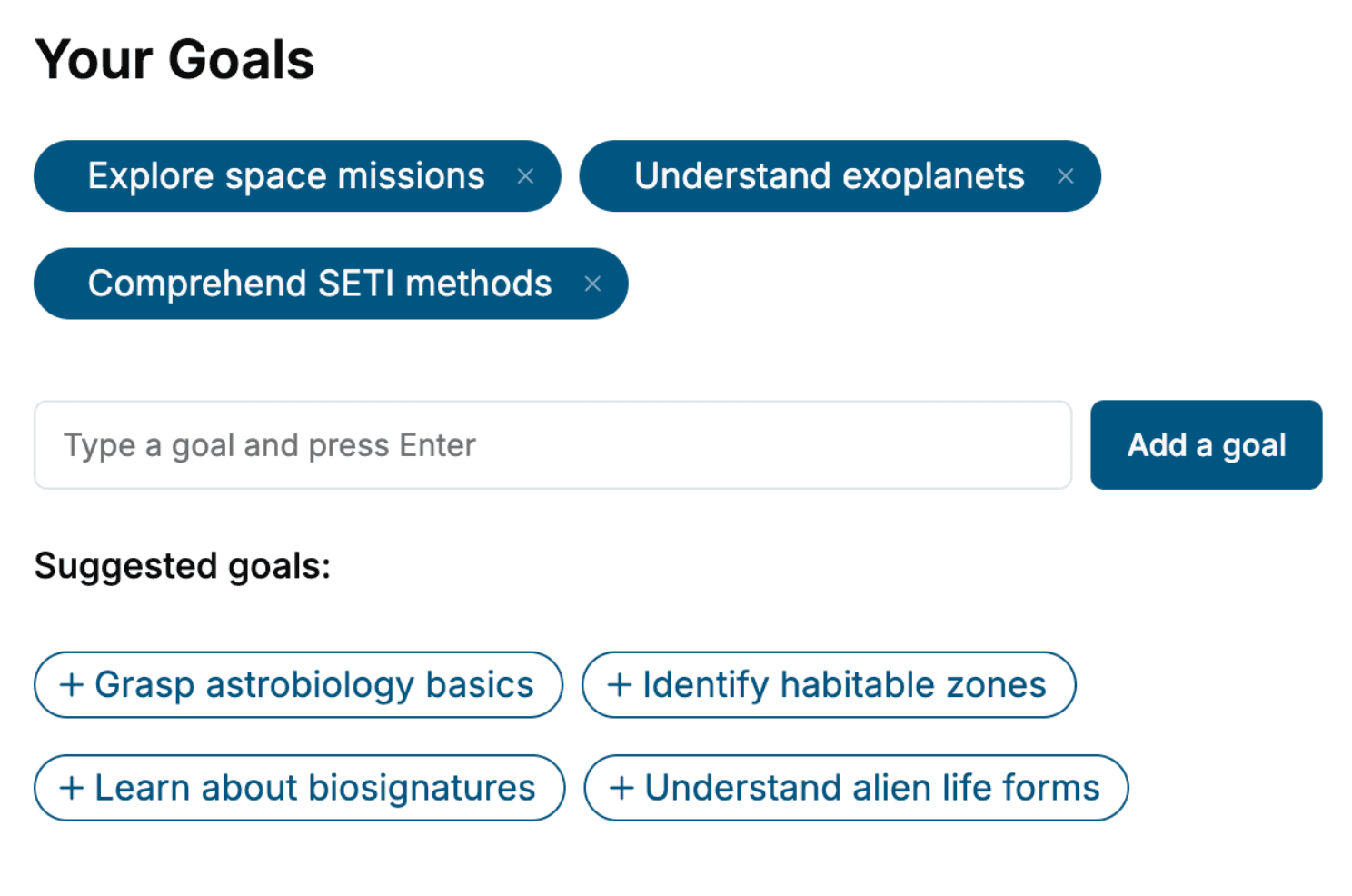
Specify your goals and choose sub-topics to include
- 3. Get your tailored book
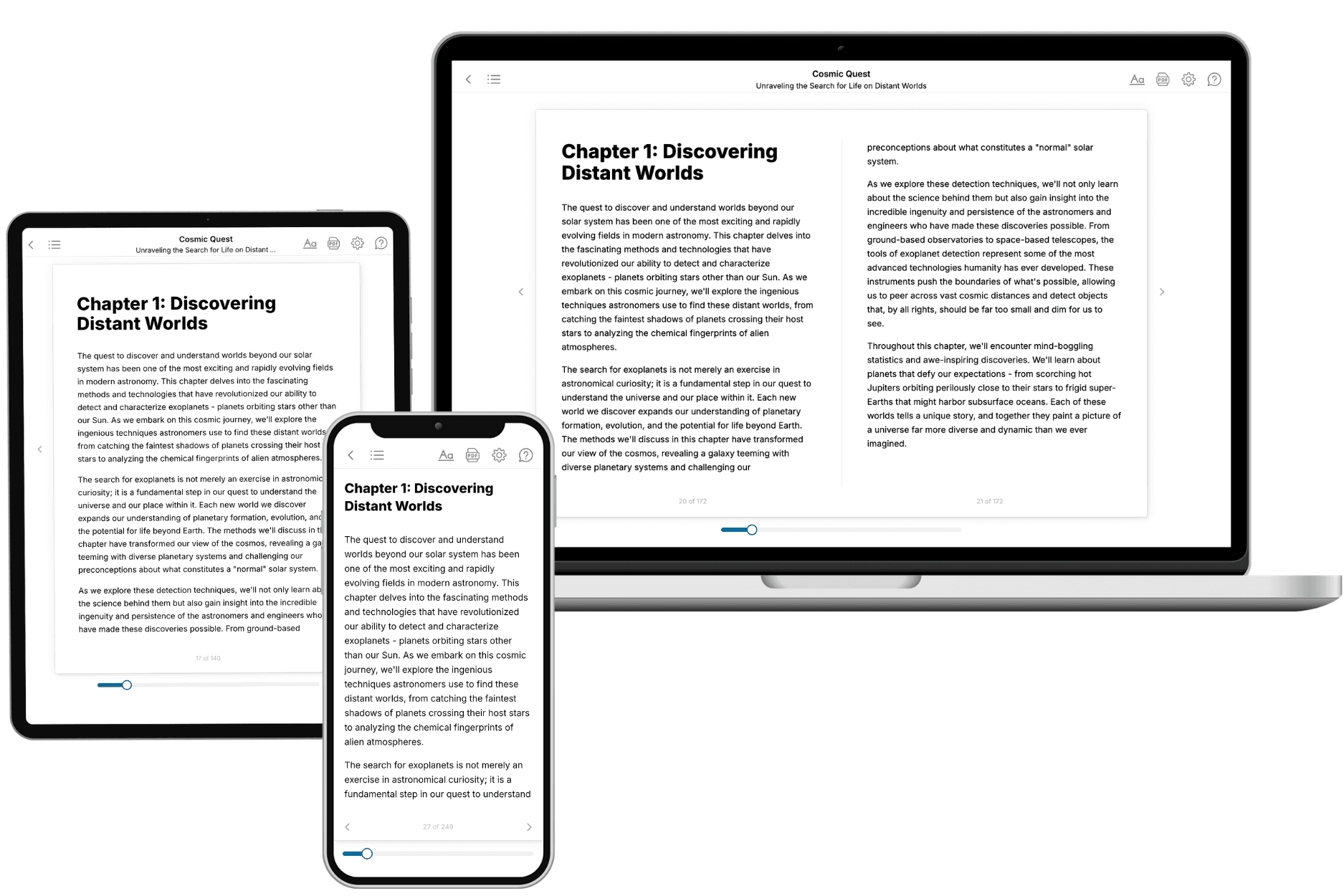
Your book is ready in 10 minutes. Read it online, download as EPUB or PDF, or send to Kindle.

Frequently asked questions
- What is TailoredRead?
TailoredRead creates complete, full-length nonfiction ebooks, written specifically for you. Tell us what you want to learn and why, and TailoredRead writes you a complete ebook on it, with charts, tables, and diagrams throughout. Read it online, on Kindle, or on any e-reader, or download it as a PDF or EPUB. Every book is written fresh the day you order it.
- How is the book tailored to me?
Before anything is written, you answer a few short questions about your goals, your background, and the topics you care about. Your book is then planned around your answers: written at your level, focused on your goals, and covering the topics you chose, instead of the one-size-fits-all book a store sells everyone.
- Will it read like generic AI content?
No. Your book isn't a chat transcript: it's planned chapter by chapter before a single word is written, told in a clear book voice, and explains ideas visually with charts, tables, and diagrams. After writing, every book goes through an editorial pass that polishes chapters so the book reads consistent from start to finish. Judge for yourself: browse thousands of sample books on our Explore Books page.
- How accurate is the content?
Our AI first checks whether your subject needs live research. Niche and fast-moving subjects are researched before writing, and the book plan and chapters are grounded in what it finds. After writing, every book goes through a quality pass that checks its facts and consistency, and researched books list their sources in a Notes section at the back.
- How long is the book?
You choose the length: Comprehensive (250-300 pages), Detailed (150-200 pages), Essential (70-100 pages), or Short (30-50 pages).
- Does the book include visuals?
Yes. Every book includes charts, tables, and diagrams: timelines, checklists, step-by-step guides, decision trees, comparison tables, matrices, and bar charts. A typical book includes dozens of these visual elements.
- Can I read it on Kindle? What formats can I download?
Yes. Every book can be read in our online reader or downloaded as a PDF or EPUB. The EPUB can be opened with Kindle, Apple Books, Kobo, and any e-reader. The Commercial and Author licenses also include an editable Word (DOCX) and Markdown download.
- How much does it cost?
About the price of a regular ebook. The exact price depends on your book's length and complexity, from $2 for the shortest books to $35 for the most comprehensive, and it's shown when you review your book, before you commit to anything. Each book is a one-time purchase, yours to keep, no subscription. Licenses that let you share, teach, or publish your book range from $35.99 to $49.99.
- Can I preview the book before purchasing?
Before you pay, you'll see what your book will cover: the title, a detailed description, the estimated length, and the complete chapter-by-chapter table of contents, so you know what you're getting before you decide. The full text itself is written after you purchase.
- How long does it take to create a book?
About 10 minutes. You can start reading the opening chapters while the rest is still being written.