Dual Boot Mastery
Seamlessly Navigate Windows and Linux for DevOps Success
Harness the power of both Windows and Linux on a single machine.
269 pages13 chaptersJan 10, 2025Operating Systems
About this book
Dual Boot Mastery equips you with the knowledge and skills to create, manage, and optimize a dual boot system tailored to your needs. You'll learn how to partition your hard drive, install both operating systems, and configure them to work harmoniously side by side. This comprehensive guide goes beyond basic setup, delving into advanced topics like data sharing between systems, troubleshooting common issues, and leveraging your dual boot environment for DevOps practices. By the end of this book, you'll have the confidence to switch effortlessly between Windows and Linux, maximizing your productivity and expanding your technological capabilities. Whether you're a developer seeking a versatile development environment or an IT professional aiming to broaden your skill set, Dual Boot Mastery is your roadmap to a more flexible and powerful computing experience.
Table of contents
- IntroductionWhat is Dual Booting?, Benefits of Dual Booting Windows and Linux, How This Book is Structured, Prerequisites and System RequirementsRead below
- Chapter 1: Planning Your Dual Boot SetupAssessing Your Needs and Goals, Choosing the Right Linux Distribution, Ensuring Hardware Compatibility, Developing a Backup Strategy
- Chapter 2: Preparing Your SystemOptimizing Windows for Dual Boot, Understanding Disk Management, Partitioning Basics, Creating Installation Media
- Chapter 3: Installing Linux Alongside WindowsResizing Windows Partition, Booting into Linux Installation, Partitioning for Linux, Installing the Linux Distribution, Configuring the Bootloader
- Chapter 4: Post-Installation ConfigurationUpdating Both Operating Systems, Installing Necessary Drivers, Configuring Boot Order and Timeout, Essential Dual Boot Management Tools
- Chapter 5: Sharing Data Between Windows and LinuxUnderstanding Filesystem Compatibility, Creating a Shared Data Partition, Network Sharing Between Operating Systems, Utilizing Cloud Services for Syncing
- Chapter 6: Customizing Your Dual Boot ExperienceCustomizing Bootloader Appearance, Setting Up Auto-mounting of Partitions, Configuring Cross-Platform Keyboard Shortcuts, Optimizing Your Dual Boot Workflow
- Chapter 7: Troubleshooting Common Dual Boot IssuesResolving Boot-related Problems, Recovering a Broken GRUB, Dealing with Windows Updates in Dual Boot, Synchronizing Time Between Operating Systems
- Chapter 8: Optimizing Performance in Dual BootBalancing Resource Allocation, SSD Optimization Techniques, Managing Startup Programs in Both OS, Cross-Platform Performance Monitoring
- Chapter 9: Securing Your Dual Boot EnvironmentImplementing Disk Encryption, Setting Up Access Controls, Configuring Firewalls in Both OS, Understanding and Managing Secure Boot
- Chapter 10: Introduction to DevOps in Dual BootDevOps Principles and Practices, Advantages of Dual Boot for DevOps, Cross-Platform DevOps Tools, Setting Up CI/CD Pipelines
- Chapter 11: Containerization in Dual Boot EnvironmentsSetting Up Docker on Both OS, Managing Containers Across Platforms, Introduction to Kubernetes, Container Networking in Dual Boot
- Chapter 12: Version Control in Dual BootSetting Up Git on Both OS, Cross-Platform Git Workflow, GUI Git Tools for Windows and Linux, Git Best Practices in Dual Boot
- Chapter 13: Advanced Dual Boot ConfigurationsExpanding to Multi-Boot Setups, UEFI Boot and Dual Booting, Integrating Virtualization with Dual Boot, Remote Booting and Management
- Conclusion
- Glossary
- Further Reading
Introduction
Welcome to the world of dual booting, where the power of two operating systems converges on a single machine. This introduction will set the stage for your journey into mastering the art of running both Windows and Linux side by side. As you embark on this adventure, you'll discover how dual booting can transform your computing experience, offering flexibility, enhanced productivity, and a broader skill set that's particularly valuable in the realm of DevOps and modern software development.
In the pages that follow, you'll gain a comprehensive understanding of dual boot systems, their benefits, and the practical skills needed to set up, manage, and optimize your own dual boot environment. Whether you're a seasoned IT professional looking to expand your capabilities or a curious tech enthusiast eager to explore new horizons, this book will equip you with the knowledge and confidence to navigate seamlessly between Windows and Linux.
As we delve into the intricacies of dual booting, we'll cover everything from the fundamental concepts to advanced configurations. You'll learn how to partition your hard drive, install operating systems, configure bootloaders, and troubleshoot common issues. Moreover, we'll explore how dual booting can be leveraged in professional settings, particularly in DevOps practices, where the ability to work across different platforms is increasingly valuable.
By the end of this book, you'll have the skills to create a tailored dual boot setup that meets your specific needs, whether for development, testing, or simply expanding your technological horizons. So, let's begin our exploration of dual boot mastery, starting with the basics and building towards advanced concepts that will empower you to make the most of your computing resources.
What is Dual Booting?
Dual booting is a configuration that allows two different operating systems to coexist on a single computer. When you start your machine, you're presented with a choice of which operating system to load. This setup enables you to harness the strengths of multiple operating systems without the need for separate hardware. It's important to understand that in a dual boot configuration, only one operating system runs at a time, unlike virtualization where multiple operating systems can run simultaneously.
The concept of dual booting has been around for decades, evolving alongside personal computing. It gained popularity in the 1990s as Linux began to emerge as a viable alternative to Windows for many users. Today, dual booting remains relevant, offering a bridge between different computing environments and catering to users who require the specific capabilities of multiple operating systems.
At its core, dual booting works by partitioning your hard drive into separate sections, each dedicated to a different operating system. When you turn on your computer, a bootloader program (such as GRUB for Linux or the Windows Boot Manager) presents you with a menu to choose which operating system to start. This process allows each operating system to have its own dedicated space and resources, ensuring they don't interfere with each other's operation.
One of the key advantages of dual booting is that it allows each operating system to run natively on your hardware. This means you get full performance and access to all system resources, unlike virtualization where resources are shared between the host and guest operating systems. For tasks that require maximum performance or direct hardware access, such as gaming or certain development tasks, this can be a significant benefit.
Dual booting is particularly useful for developers, IT professionals, and tech enthusiasts who need to work with multiple platforms. For instance, a web developer might use Windows for design work with Adobe Creative Suite, while preferring Linux for coding and server-side development. Similarly, an IT professional might need Windows for compatibility with certain enterprise software, while using Linux for network administration and security tasks.
It's worth noting that dual booting is not limited to just Windows and Linux. You can set up multiple versions of Windows, different Linux distributions, or even include macOS if you're using compatible hardware. This flexibility allows you to create a computing environment that's perfectly tailored to your needs, whether personal or professional.
However, dual booting does come with some considerations. It requires careful planning and setup to ensure both operating systems coexist peacefully. You'll need to manage your disk space effectively, as each operating system requires its own partition. Additionally, you'll need to reboot your computer each time you want to switch between operating systems, which can be time-consuming if you frequently need to alternate between them.
As we progress through this book, you'll learn how to navigate these considerations and set up an efficient dual boot system. You'll discover how to partition your drive, install operating systems, configure bootloaders, and manage your dual boot environment effectively. By mastering these skills, you'll be able to leverage the full potential of dual booting, enhancing your productivity and expanding your computing capabilities.
In the next sections, we'll delve deeper into the benefits of dual booting Windows and Linux, explore the structure of this book, and outline the prerequisites for setting up your own dual boot system. This foundation will prepare you for the practical steps and advanced concepts we'll cover later, ensuring you have a comprehensive understanding of dual booting and its applications in modern computing environments.
Benefits of Dual Booting Windows and Linux
Dual booting Windows and Linux offers a myriad of benefits that cater to a wide range of users, from casual enthusiasts to professional developers. This powerful combination provides flexibility, enhances productivity, and opens up new possibilities in your computing experience. Let's explore the key advantages of running these two operating systems side by side on your machine.
One of the primary benefits of dual booting Windows and Linux is the access to a diverse software ecosystem. Windows, with its long-standing dominance in the personal computing market, offers an extensive range of commercial software, particularly in areas like graphic design, video editing, and gaming. Many industry-standard applications, such as the Adobe Creative Suite or AutoCAD, are primarily designed for Windows. On the other hand, Linux provides a vast array of open-source software and powerful development tools. By dual booting, you can leverage the strengths of both ecosystems, using the best tools for each task without being limited to a single platform.
For developers and IT professionals, dual booting Windows and Linux is particularly advantageous. Linux, with its UNIX-like environment, is widely used in server deployments and is favored for many development tasks. It offers robust command-line tools, easy package management, and a customizable environment that many developers find more productive for coding. Meanwhile, Windows provides compatibility with many enterprise applications and development environments that may be required for certain projects. By having both systems available, you can seamlessly switch between development environments, test cross-platform compatibility, and work with a wider range of tools and technologies.
Security and stability are another significant benefit of dual booting Windows and Linux. Linux is renowned for its robust security model and resistance to many types of malware that commonly affect Windows systems. By using Linux for sensitive tasks or when working with important data, you can add an extra layer of security to your workflow. Additionally, if one operating system encounters issues or becomes unstable, you can boot into the other to troubleshoot or continue working, minimizing downtime and potential data loss.
Dual booting also offers excellent opportunities for learning and skill development. Linux, with its open-source nature and highly customizable environment, provides a platform for deep exploration of operating system concepts, system administration, and software development. By working with both Windows and Linux, you gain valuable cross-platform experience that is highly sought after in many IT and development roles. This exposure to different operating systems broadens your technical knowledge and makes you more versatile in various computing environments.
Performance optimization is another key advantage of dual booting. Unlike virtualization, where system resources are shared between the host and guest operating systems, dual booting allows each OS to utilize the full power of your hardware. This is particularly beneficial for resource-intensive tasks like video editing, 3D rendering, or running complex simulations. You can boot into the operating system that's best optimized for your specific task, ensuring maximum performance and efficiency.
For those interested in gaming, dual booting can provide the best of both worlds. While Windows is still the primary platform for most PC games, Linux gaming has made significant strides in recent years, thanks to projects like Steam's Proton compatibility layer. By dual booting, you can enjoy the vast library of Windows games while also exploring the growing world of Linux gaming and open-source game development tools.
Customization and control are hallmarks of the Linux experience, and dual booting allows you to enjoy this flexibility alongside the familiarity of Windows. Linux offers extensive options for customizing your desktop environment, system behavior, and even the kernel itself. This level of control can lead to a more personalized and efficient computing experience, tailored to your specific needs and preferences.
From a professional perspective, dual booting Windows and Linux can significantly enhance your DevOps practices. Many DevOps tools and workflows are designed with Linux in mind, making it an ideal platform for tasks like containerization, continuous integration, and deployment automation. At the same time, Windows compatibility may be necessary for certain enterprise tools or client requirements. By having both systems available, you can create a versatile DevOps environment that adapts to various project needs and technologies.
Lastly, dual booting can be an excellent strategy for transitioning between operating systems. If you're considering moving from Windows to Linux (or vice versa) but are hesitant to commit fully, dual booting allows you to gradually migrate your workflow. You can experiment with the new system while still having the safety net of your familiar environment, making the transition smoother and less daunting.
As we progress through this book, you'll learn how to harness these benefits effectively in your dual boot setup. From optimizing performance to integrating your workflow across both operating systems, you'll discover strategies to make the most of this powerful configuration. The skills you'll develop will not only enhance your personal computing experience but also provide valuable expertise that's increasingly relevant in today's diverse technological landscape.
How This Book is Structured
This book is designed to guide you through the process of setting up, managing, and optimizing a dual boot system with Windows and Linux, while also introducing DevOps concepts relevant to this environment. The structure is carefully crafted to take you from the basics to advanced topics, ensuring a comprehensive understanding of dual booting and its practical applications. Let's take a closer look at how the book is organized and what you can expect from each section.
We begin with this introduction, which you're currently reading. It provides an overview of dual booting, its benefits, and sets the stage for the journey ahead. Following this, we dive into the planning phase. Chapter 1, "Planning Your Dual Boot Setup," covers essential considerations before you start. You'll learn how to assess your needs, choose the right Linux distribution, ensure hardware compatibility, and develop a backup strategy. This foundational knowledge is crucial for a successful dual boot implementation.
Chapter 2, "Preparing Your System," focuses on the practical steps to get your computer ready for dual booting. You'll learn about optimizing Windows, understanding disk management, and creating installation media. This preparation is key to a smooth installation process. Chapter 3, "Installing Linux Alongside Windows," guides you through the actual installation process. From partitioning your drive to configuring the bootloader, you'll get step-by-step instructions to set up your dual boot system.
Once your system is up and running, Chapter 4, "Post-Installation Configuration," helps you fine-tune your setup. You'll learn about updating both operating systems, installing necessary drivers, and configuring boot options. This ensures your dual boot environment is optimized and ready for daily use. Chapter 5, "Sharing Data Between Windows and Linux," addresses one of the common challenges in dual boot setups. You'll explore various methods for accessing your files and data across both operating systems, enhancing the integration between Windows and Linux.
As you become more comfortable with your dual boot system, Chapter 6, "Customizing Your Dual Boot Experience," shows you how to tailor the environment to your preferences. From customizing bootloader appearance to optimizing your workflow, you'll learn how to make your dual boot setup truly your own. Chapter 7, "Troubleshooting Common Dual Boot Issues," equips you with the knowledge to handle potential problems. You'll learn how to resolve boot-related issues, recover from common errors, and maintain system stability.
Performance is a key concern for many users, and Chapter 8, "Optimizing Performance in Dual Boot," addresses this head-on. You'll discover techniques for balancing resource allocation, optimizing storage, and monitoring performance across both operating systems. Security is equally important, and Chapter 9, "Securing Your Dual Boot Environment," covers essential topics like disk encryption, access controls, and firewall configuration to keep your dual boot system protected.
The book then transitions into more advanced topics, particularly relevant for IT professionals and developers. Chapter 10, "Introduction to DevOps in Dual Boot," explores how dual booting can enhance DevOps practices. You'll learn about DevOps principles and how to leverage cross-platform tools in your dual boot environment. Chapter 11, "Containerization in Dual Boot Environments," delves into the world of Docker and Kubernetes, showing you how to manage containers across Windows and Linux.
Version control is a critical skill in modern development, and Chapter 12, "Version Control in Dual Boot," focuses on using Git effectively in a dual boot setup. You'll learn best practices for maintaining a consistent workflow across both operating systems. For those looking to push the boundaries of their setup, Chapter 13, "Advanced Dual Boot Configurations," covers topics like multi-boot setups, UEFI booting, and integrating virtualization with dual boot.
The book concludes with a summary of key points and a look at future trends in dual booting and cross-platform development. Additionally, you'll find a glossary of terms and a list of resources for further reading, helping you continue your learning journey beyond this book.
Throughout the book, you'll find practical examples, code snippets, and real-world scenarios that illustrate the concepts being discussed. Each chapter builds upon the previous ones, creating a comprehensive learning experience that takes you from novice to expert in dual booting and its applications in modern computing environments.
By following this structure, you'll gain not only the technical skills to set up and manage a dual boot system but also a deep understanding of how to leverage this setup for enhanced productivity, development, and DevOps practices. Whether you're a hobbyist looking to explore new operating systems or a professional aiming to expand your skillset, this book provides a roadmap to mastering dual boot environments and harnessing their full potential.
Prerequisites and System Requirements
Before embarking on your dual boot journey, it's essential to ensure that you have the necessary prerequisites and that your system meets the requirements for a successful setup. This section will outline what you need in terms of hardware, software, and knowledge to get the most out of this book and your dual boot experience.
First and foremost, let's consider the hardware requirements. To comfortably run both Windows and Linux in a dual boot configuration, you'll need a computer with sufficient resources. While the exact specifications can vary depending on your chosen Linux distribution and intended use, here are some general guidelines:
- Processor: A modern multi-core processor (Intel Core i3/i5/i7 or AMD Ryzen 3/5/7) from the last few years should suffice. For optimal performance, especially if you plan to run resource-intensive applications, a quad-core processor or better is recommended.
- RAM: A minimum of 8GB of RAM is advisable, though 16GB or more will provide a smoother experience, particularly if you plan to run multiple applications simultaneously or work with large datasets.
- Storage: You'll need sufficient free space on your hard drive or SSD to accommodate both operating systems. Plan for at least 50GB for each OS, plus additional space for your data and applications. An SSD is highly recommended for improved performance.
- Graphics: Most integrated graphics solutions will work fine for basic use. If you plan on gaming or doing graphics-intensive work, a dedicated graphics card may be beneficial.
- Network adapter: Ensure your network adapter (Ethernet or Wi-Fi) is compatible with both Windows and Linux. Most modern adapters should work without issues.
In terms of software prerequisites, you should have a licensed copy of Windows already installed on your system. This book assumes you're starting with a Windows installation and adding Linux as a second operating system. The specific version of Windows isn't critical, but Windows 10 or 11 is recommended for the best compatibility and performance.
For Linux, you don't need to have anything pre-installed, as we'll cover the selection and installation process in detail. However, it's a good idea to research and decide on a Linux distribution that suits your needs. Popular choices for beginners include Ubuntu, Linux Mint, or Fedora, but we'll discuss distribution selection in more depth in Chapter 1.
You'll also need some additional software and tools:
- A tool for creating bootable USB drives, such as Rufus or Etcher
- Backup software to secure your data before making system changes
- Optional but recommended: disk management tools like GParted (for Linux) or EaseUS Partition Master (for Windows)
In terms of knowledge prerequisites, this book assumes a basic familiarity with computer operations and concepts. You should be comfortable with tasks like:
- Navigating file systems and managing files
- Installing and uninstalling software
- Basic use of command-line interfaces (though we'll cover this in more detail)
- Understanding of basic computer hardware components
It's crucial to have a reliable internet connection, as you'll need to download operating system images, updates, and additional software throughout the dual boot setup process. A broadband connection is recommended to handle potentially large file downloads efficiently.
Before proceeding with any system modifications, it's absolutely essential to back up all your important data. While the dual boot setup process is generally safe when done correctly, there's always a risk of data loss when making significant changes to your system configuration. Ensure you have a complete backup of all your important files stored on an external drive or cloud storage service.
If you're planning to follow along with the DevOps-related sections later in the book, some familiarity with development concepts and practices will be beneficial. However, we'll introduce these topics in a way that's accessible to those new to DevOps as well.
Lastly, approach this process with patience and a willingness to learn. Setting up a dual boot system can be a rewarding experience, but it may also present challenges along the way. The skills you'll develop are valuable not just for managing your dual boot setup, but for understanding computer systems in general.
With these prerequisites in mind, you're well-prepared to begin your dual boot journey. In the following chapters, we'll guide you through each step of the process, from planning and preparation to advanced configurations and optimizations. Remember, the key to success is careful planning and execution, so take your time to understand each concept before moving on to the next. Let's embark on this exciting journey to harness the power of both Windows and Linux on your computer!
This is the end of the free sample. The full book has 13 chapters.
Want this book written for you?
Tell us your goals and background, and get your own version of this book, tailored by AI to you.


Benefits of AI-tailored books
- Read one book, not ten:
- all the Operating Systems knowledge you need, gathered into a single book.
- Save days of learning:
- tell us your goals, choose your topics, and the whole book is built around them.
- Learn effortlessly:
- Operating Systems book written for your specific background and expertise.
- Understand at a glance:
- includes charts, tables, timelines, checklists, decision trees, and more.
- Stay current:
- written the day you order it, not years ago.
- Trust what you read:
- every book is checked for accuracy, with real research when your subject needs it.
Create your unique book in 3 steps
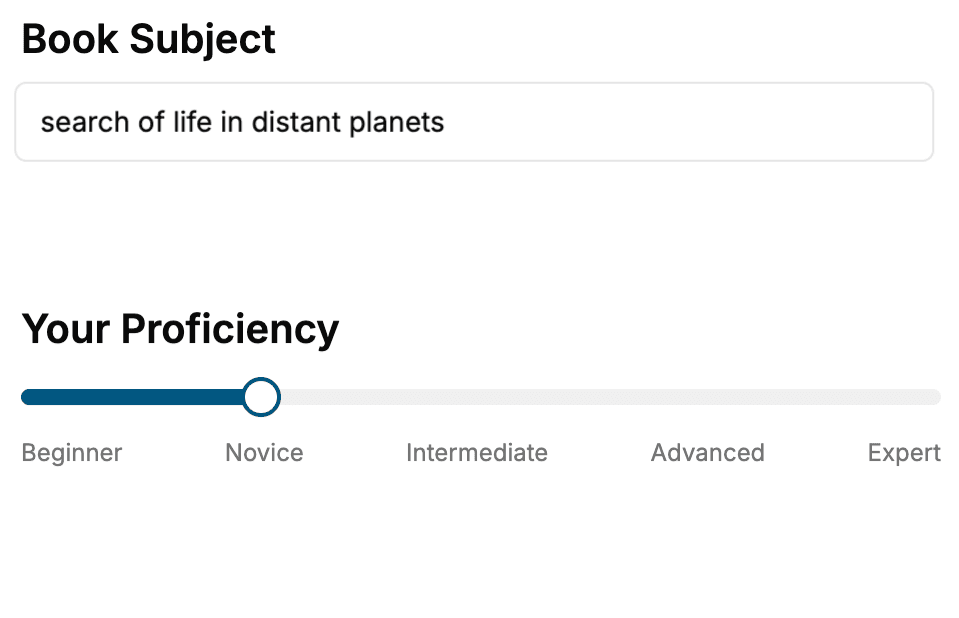
- 1. Select your focus
Select the focus of your Operating Systems book and share your background
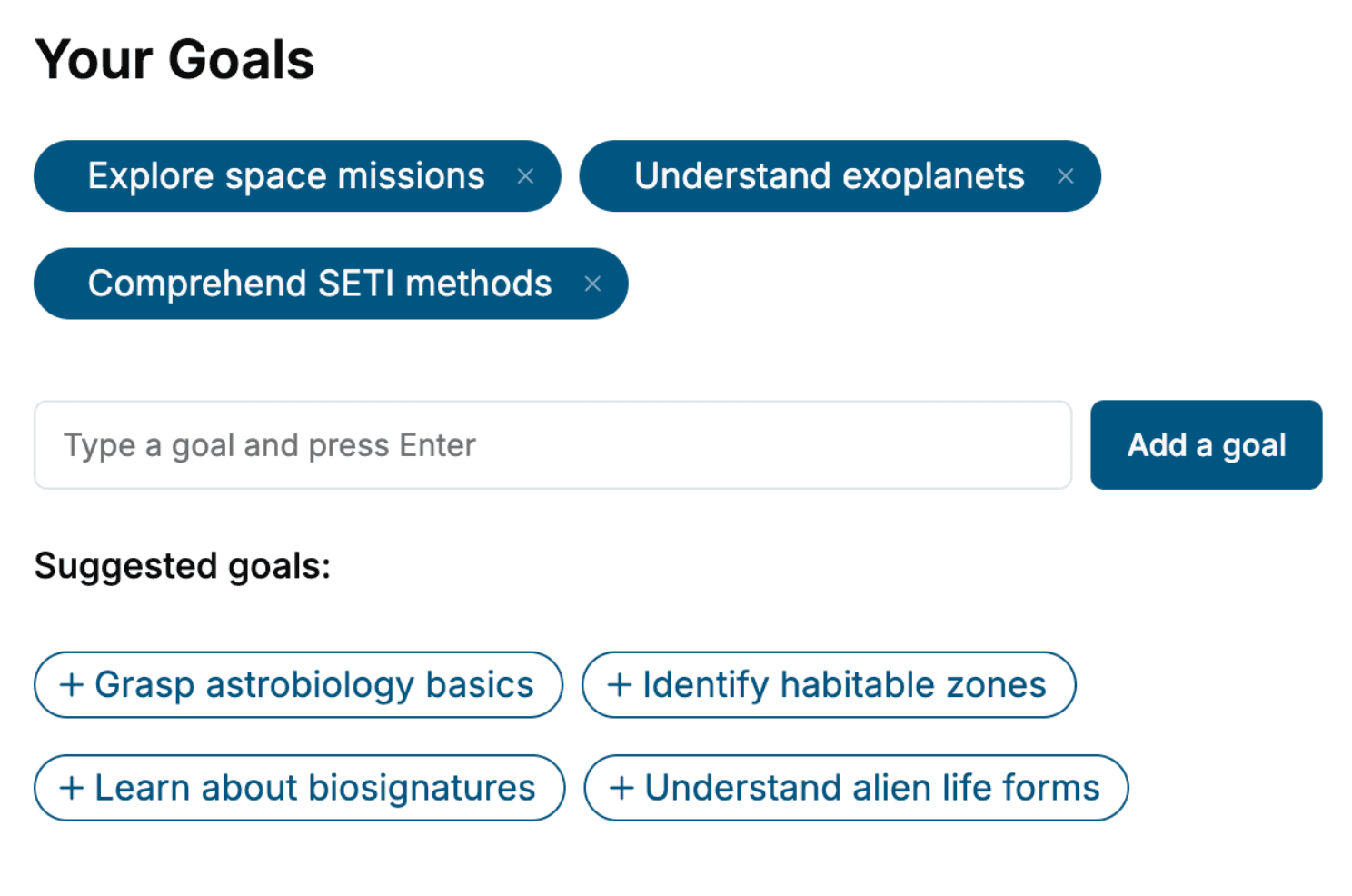
- 2. Personalize your book
Specify your goals and choose sub-topics to include
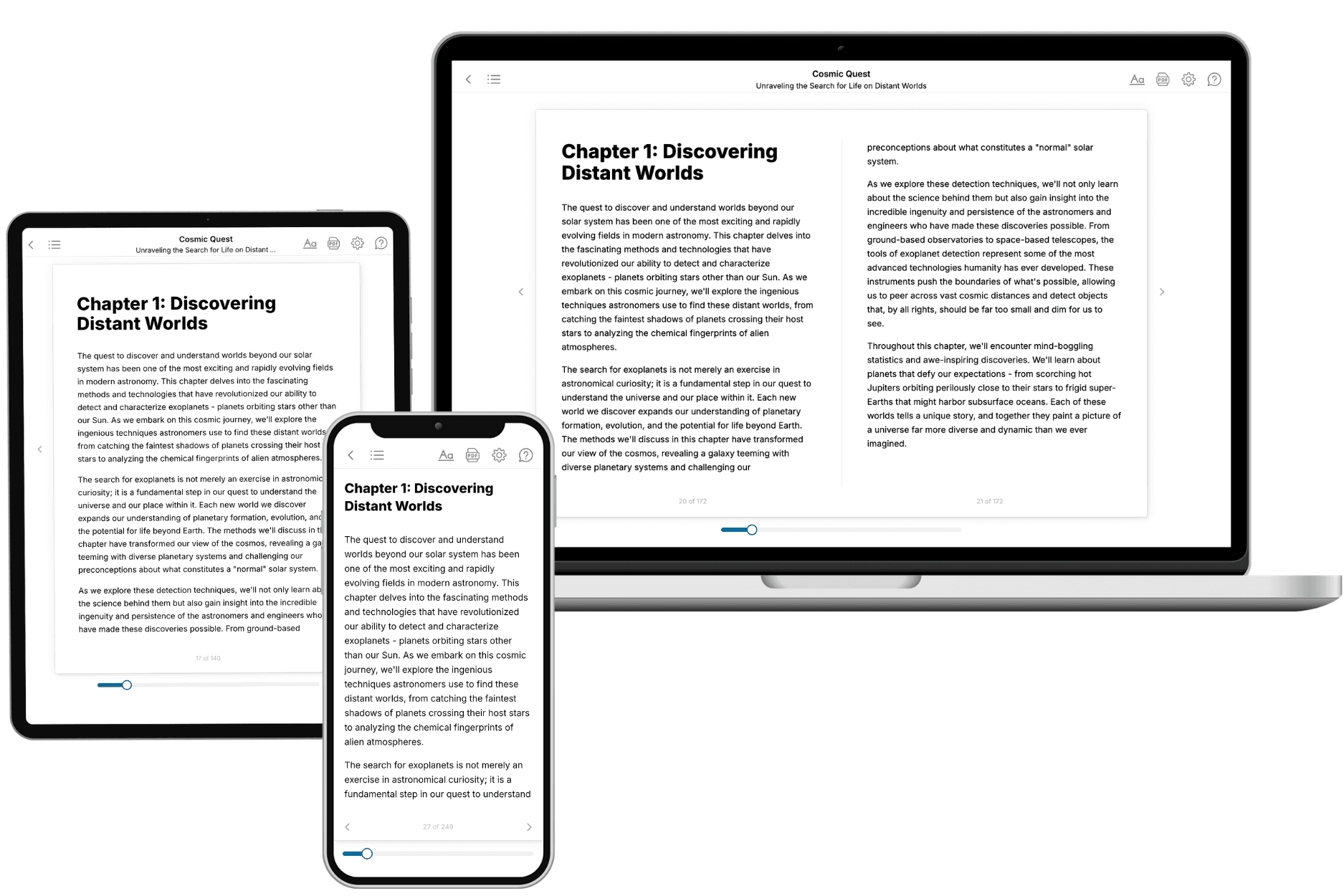
- 3. Get your tailored book
Your book is ready in 10 minutes. Read it online, download as EPUB or PDF, or send to Kindle.
Frequently asked questions
- What is TailoredRead?
TailoredRead creates complete, full-length nonfiction ebooks, written specifically for you. Tell us what you want to learn and why, and TailoredRead writes you a complete ebook on it, with charts, tables, and diagrams throughout. Read it online, on Kindle, or on any e-reader, or download it as a PDF or EPUB. Every book is written fresh the day you order it.
- How is the book tailored to me?
Before anything is written, you answer a few short questions about your goals, your background, and the topics you care about. Your book is then planned around your answers: written at your level, focused on your goals, and covering the topics you chose, instead of the one-size-fits-all book a store sells everyone.
- Will it read like generic AI content?
No. Your book isn't a chat transcript: it's planned chapter by chapter before a single word is written, told in a clear book voice, and explains ideas visually with charts, tables, and diagrams. After writing, every book goes through an editorial pass that polishes chapters so the book reads consistent from start to finish. Judge for yourself: browse thousands of sample books on our Explore Books page.
- How accurate is the content?
Our AI first checks whether your subject needs live research. Niche and fast-moving subjects are researched before writing, and the book plan and chapters are grounded in what it finds. After writing, every book goes through a quality pass that checks its facts and consistency, and researched books list their sources in a Notes section at the back.
- How long is the book?
You choose the length: Comprehensive (250-300 pages), Detailed (150-200 pages), Essential (70-100 pages), or Short (30-50 pages).
- Does the book include visuals?
Yes. Every book includes charts, tables, and diagrams: timelines, checklists, step-by-step guides, decision trees, comparison tables, matrices, and bar charts. A typical book includes dozens of these visual elements.
- Can I read it on Kindle? What formats can I download?
Yes. Every book can be read in our online reader or downloaded as a PDF or EPUB. The EPUB can be opened with Kindle, Apple Books, Kobo, and any e-reader. The Commercial and Author licenses also include an editable Word (DOCX) and Markdown download.
- How much does it cost?
About the price of a regular ebook. The exact price depends on your book's length and complexity, from $2 for the shortest books to $35 for the most comprehensive, and it's shown when you review your book, before you commit to anything. Each book is a one-time purchase, yours to keep, no subscription. Licenses that let you share, teach, or publish your book range from $35.99 to $49.99.
- Can I preview the book before purchasing?
Before you pay, you'll see what your book will cover: the title, a detailed description, the estimated length, and the complete chapter-by-chapter table of contents, so you know what you're getting before you decide. The full text itself is written after you purchase.
- How long does it take to create a book?
About 10 minutes. You can start reading the opening chapters while the rest is still being written.