Eclipse RCP Mastery
Building Powerful Applications with Eclipse Rich Client Platform
Are you struggling to harness the full potential of Eclipse Rich Client Platform (RCP) for your software projects?
269 pages14 chaptersMar 2, 2025Java
About this book
The complexity of RCP often leaves developers feeling overwhelmed and unsure where to begin. Eclipse RCP Mastery is your comprehensive guide to overcoming these challenges and becoming proficient in building robust, extensible applications using Eclipse RCP. This book takes you on a deep dive into the Eclipse RCP architecture, guiding you through its core concepts and advanced features. You'll learn how to leverage the power of OSGi, understand the intricacies of plugin development, and master the art of creating responsive user interfaces with SWT and JFace. By the end of this journey, you'll have the skills and confidence to architect, develop, and deploy sophisticated Eclipse RCP applications. Whether you're building standalone tools or extending the Eclipse IDE itself, this book will empower you to create professional-grade software that stands out in the Eclipse ecosystem.
Table of contents
- IntroductionWhat is Eclipse Rich Client Platform?, Why Use Eclipse RCP for Application Development?, Book Overview and How to Use It, Setting Up Your Development EnvironmentRead below
- Chapter 1: Eclipse RCP FundamentalsRCP Architecture Overview, OSGi Basics and Modular Development, Understanding the Eclipse Platform, Workbench Concepts and Components
- Chapter 2: Plugin Development in Eclipse RCPAnatomy of an Eclipse Plugin, Plugin Manifest and Structure, Working with Extension Points, Creating and Organizing Plugins
- Chapter 3: User Interface Development with SWT and JFaceSWT Basics and Widgets, Layouts and Composites, JFace Viewers and Data Binding, Dialogs and Wizards
- Chapter 4: Working with the Workbench APICreating Views and Editors, Designing and Managing Perspectives, Implementing Actions and Commands, Customizing Menus and Toolbars
- Chapter 5: Data Binding and ValidationData Binding Concepts, The Observable Framework, Binding UI Elements to Models, Validation and Conversion in Data Binding
- Chapter 6: Eclipse e4 and Dependency InjectionIntroduction to Eclipse e4, Dependency Injection Concepts, The e4 Application Model, Services and Contexts in e4
- Chapter 7: RCP Services and APIsWorking with Preferences, Resources and Projects, Jobs and Progress Monitoring, Implementing Help Systems
- Chapter 8: Advanced UI TechniquesCreating Custom Widgets, Implementing Drag and Drop, Graphics and Custom Drawing, Adding Animations and Effects
- Chapter 9: RCP Application ArchitectureMVC and MVVM Patterns in RCP, Designing a Service Layer, Implementing an Event Bus, Modular Application Design
- Chapter 10: Testing RCP ApplicationsUnit Testing RCP Components, UI Testing with SWTBot, Integration Testing Strategies, Test-Driven Development in RCP
- Chapter 11: Performance OptimizationUsing Profiling Tools, Memory Management Best Practices, Improving UI Responsiveness, Optimizing Application Startup
- Chapter 12: Integrating Third-Party LibrariesWrapping Java Libraries as OSGi Bundles, Integrating Native Code, Consuming Web Services in RCP, Database Access in RCP Applications
- Chapter 13: Deployment and UpdatesProduct Configuration and Branding, Working with Target Platforms, Implementing P2 for Updates, Cross-Platform Deployment Strategies
- Chapter 14: Extending the Eclipse IDEUnderstanding IDE Extension Points, Creating Custom Editors and Views, Implementing Code Analysis Tools, Adding Refactoring Support
- ConclusionThe Future of Eclipse RCP, Best Practices and Lessons Learned
- AppendixAdditional RCP Resources and Communities, Common Issues and Troubleshooting
Introduction
Welcome to the world of Eclipse Rich Client Platform (RCP) development. As you embark on this journey to master one of the most powerful frameworks for building robust, extensible applications, you're taking a significant step towards enhancing your software development skills. This introduction will lay the foundation for your understanding of Eclipse RCP, its significance in the software development landscape, and how this book will guide you through becoming proficient in this technology.
Eclipse RCP has been a cornerstone of enterprise application development for years, powering countless applications across various industries. Its flexibility, modularity, and rich ecosystem make it an ideal choice for developers looking to create sophisticated desktop applications that can evolve with changing requirements. Whether you're building standalone tools, complex integrated development environments, or extending the Eclipse IDE itself, the knowledge you'll gain from this book will be invaluable.
Throughout this introduction and the subsequent chapters, we'll explore the core concepts of Eclipse RCP, delve into its architecture, and provide you with practical, hands-on knowledge that you can immediately apply to your projects. By the end of this book, you'll have a comprehensive understanding of Eclipse RCP and the skills to leverage its full potential in your software development endeavors.
What is Eclipse Rich Client Platform?
Eclipse Rich Client Platform, commonly known as Eclipse RCP, is a powerful framework for building and deploying rich client applications. At its core, RCP is a subset of the larger Eclipse platform, stripped down to its essential components to provide a foundation for standalone applications. This framework allows developers to create feature-rich, cross-platform desktop applications that benefit from the robustness and extensibility of the Eclipse ecosystem.
The origins of Eclipse RCP can be traced back to the early 2000s when the Eclipse project, initially created by IBM, was open-sourced. The Eclipse IDE, known for its extensible architecture, became the basis for RCP. Developers realized that the same modular architecture that made the Eclipse IDE so flexible could be used to create standalone applications outside of the IDE context. This realization led to the birth of Eclipse RCP as we know it today.
At its heart, Eclipse RCP is built on the OSGi (Open Services Gateway initiative) framework, which provides a dynamic component system for Java. This foundation allows RCP applications to be highly modular, with components that can be easily added, removed, or updated at runtime. The modular nature of RCP applications makes them inherently scalable and maintainable, a crucial factor in the development of large-scale enterprise software.
One of the key strengths of Eclipse RCP is its rich set of UI components. The Standard Widget Toolkit (SWT) and JFace provide a comprehensive library of user interface elements that are native to the operating system, ensuring that RCP applications have a look and feel consistent with other applications on the user's system. This native look and feel, combined with the performance benefits of SWT, makes RCP applications stand out in terms of user experience.
Eclipse RCP also includes a workbench concept, which provides a standardized structure for applications. The workbench includes views, editors, perspectives, and other UI concepts that help in organizing complex user interfaces. This structure allows developers to create consistent and intuitive interfaces across different applications, reducing the learning curve for end-users who may work with multiple RCP-based tools.
Another significant aspect of Eclipse RCP is its extensibility. The platform is designed around the concept of plugins, which are modular units of functionality that can be easily added to an application. This plugin architecture allows for the creation of highly customizable applications. Users can add or remove features as needed, and developers can create extensions to existing applications without modifying the core codebase. This extensibility is one of the reasons why Eclipse RCP has been widely adopted in industries where customization and integration of various tools are crucial.
The Eclipse RCP ecosystem extends beyond just the core framework. It includes a wide range of additional tools and frameworks that complement RCP development. These include tools for build automation (like Maven and Tycho), testing frameworks (such as JUnit and SWTBot), and deployment mechanisms (like p2 for updates and installations). This rich ecosystem provides developers with a comprehensive toolkit for every stage of the application lifecycle.
In recent years, Eclipse RCP has evolved to incorporate modern development paradigms. The introduction of the e4 (Eclipse 4) platform brought concepts like dependency injection and a more flexible application model to RCP development. These advancements have made it easier to create loosely coupled, highly maintainable applications, aligning RCP with current best practices in software architecture.
As we delve deeper into Eclipse RCP throughout this book, you'll discover how these various components and concepts come together to form a powerful platform for application development. From the fundamental architecture to advanced topics like custom widget development and performance optimization, you'll gain a comprehensive understanding of what makes Eclipse RCP a preferred choice for developers building sophisticated desktop applications.
Why Use Eclipse RCP for Application Development?
Choosing the right framework for application development is a critical decision that can significantly impact the success of your project. Eclipse Rich Client Platform (RCP) stands out as a compelling choice for many developers and organizations, particularly when building complex, extensible desktop applications. Let's explore the key reasons why Eclipse RCP is often the preferred platform for application development.
First and foremost, Eclipse RCP offers unparalleled modularity and extensibility. Built on the OSGi framework, RCP applications are composed of loosely coupled components (plugins) that can be easily added, removed, or updated. This modular architecture provides several benefits:
- Flexibility: You can start with a minimal application and gradually add functionality as needed, without affecting the core system.
- Maintainability: Modular code is easier to maintain and update, as changes in one component are less likely to affect others.
- Scalability: As your application grows, you can manage complexity by organizing functionality into separate plugins.
- Reusability: Plugins can be shared across different projects, promoting code reuse and consistency.
Another significant advantage of Eclipse RCP is its rich, native user interface capabilities. The Standard Widget Toolkit (SWT) used by RCP provides native-looking UI components that blend seamlessly with the host operating system. This native look and feel offers several benefits:
- Improved user experience: Applications look and behave like native system applications, reducing the learning curve for users.
- Better performance: SWT's direct mapping to native OS widgets often results in better performance compared to cross-platform UI frameworks.
- Platform integration: RCP applications can easily integrate with platform-specific features and APIs.
Eclipse RCP's maturity and stability are key factors in its adoption for enterprise-level applications. With a history spanning over two decades, RCP has been battle-tested in numerous large-scale, mission-critical applications across various industries. This maturity brings several advantages:
- Reliability: The framework has been refined and optimized over years of use in production environments.
- Large ecosystem: A vast array of plugins and extensions are available, saving development time and effort.
- Community support: A large, active community provides support, shares knowledge, and contributes to the platform's ongoing development.
- Long-term viability: The platform's longevity and widespread adoption provide confidence in its continued support and evolution.
The cross-platform nature of Eclipse RCP is another compelling reason for its use. RCP applications can run on multiple operating systems with minimal platform-specific code. This cross-platform capability offers several benefits:
- Wider reach: Develop once and deploy on Windows, macOS, and Linux, reaching a broader user base.
- Cost-effectiveness: Reduce development and maintenance costs by sharing a single codebase across platforms.
- Consistency: Ensure a consistent user experience and feature set across different operating systems.
Eclipse RCP also shines in its support for creating extensible applications. The plugin architecture allows third-party developers to extend and customize applications without modifying the core codebase. This extensibility is crucial for:
- Creating ecosystem: Build a platform that third-party developers can extend, creating a rich ecosystem around your application.
- Custom solutions: Allow customers or internal teams to add specialized functionality to meet specific needs.
- Future-proofing: Design applications that can evolve and adapt to new requirements without major rewrites.
The integration capabilities of Eclipse RCP are another significant advantage. RCP applications can easily integrate with other Java technologies and libraries, as well as native system capabilities. This integration potential allows developers to:
- Leverage existing Java libraries and frameworks within RCP applications.
- Integrate with native system features and APIs for enhanced functionality.
- Create applications that work seamlessly with other tools in a larger software ecosystem.
Finally, the Eclipse RCP ecosystem provides comprehensive tooling support for development, testing, and deployment. This includes:
- Powerful IDEs like Eclipse PDE (Plugin Development Environment) for RCP development.
- Build tools like Maven and Tycho for automating the build and packaging process.
- Testing frameworks such as JUnit and SWTBot for unit and UI testing.
- Deployment mechanisms like p2 for managing updates and installations.
In conclusion, Eclipse RCP offers a powerful, mature, and flexible platform for developing sophisticated desktop applications. Its modularity, rich UI capabilities, cross-platform support, extensibility, and comprehensive ecosystem make it an excellent choice for a wide range of application development scenarios. As you progress through this book, you'll gain a deeper appreciation of these advantages and learn how to leverage them effectively in your own projects.
Book Overview and How to Use It
"Eclipse RCP Mastery: Building Powerful Applications with Eclipse Rich Client Platform" is designed to be your comprehensive guide to mastering Eclipse RCP development. This book is structured to take you from the fundamentals of RCP to advanced topics, providing you with both theoretical knowledge and practical skills. Whether you're new to RCP or looking to deepen your existing knowledge, this book will serve as an invaluable resource in your journey to becoming an RCP expert.
The book is organized into logical sections, each building upon the knowledge gained in previous chapters. Here's an overview of what you can expect:
- Fundamentals: The early chapters cover the basics of Eclipse RCP, including its architecture, the OSGi framework, and core concepts of the Eclipse platform.
- UI Development: You'll learn about SWT and JFace, the primary UI toolkits used in RCP applications, and how to create rich, responsive user interfaces.
- Advanced Topics: Later chapters delve into more complex subjects such as data binding, dependency injection with e4, and advanced UI techniques.
- Best Practices: Throughout the book, you'll find best practices for designing, developing, and deploying RCP applications.
- Real-world Application: The concepts are reinforced with practical examples and case studies, helping you understand how to apply RCP in real-world scenarios.
To get the most out of this book, consider the following approach:
- Sequential Reading: If you're new to RCP, it's recommended to read the chapters in order. Each chapter builds on the concepts introduced in previous ones.
- Hands-on Practice: Don't just read – code along! Set up your development environment (as described in the next section) and try out the examples as you go through the book.
- Project Application: As you learn new concepts, think about how you can apply them to your own projects. Try to implement small features or refactor existing code using the techniques you've learned.
- Reference Use: Once you're familiar with the content, use the book as a reference. The clear chapter structure allows you to quickly find information on specific topics when you need it.
- Exploration: Use the book as a starting point for further exploration. The additional resources mentioned throughout the text and in the appendix can help you dive deeper into specific areas of interest.
Each chapter in this book is designed to be both informative and practical. You'll find:
- Theoretical Explanations: Clear, concise explanations of RCP concepts and principles.
- Code Examples: Practical code snippets and longer examples that illustrate key points.
			// Example: Explanation of OSGi bundles
			An OSGi bundle is a JAR file with a special manifest that declares its dependencies,
			exported packages, and other metadata. Bundles are the fundamental units of
			modularity in Eclipse RCP applications.
// Example: Creating a simple RCP view
			public class SampleView extends ViewPart {
				@Override
				public void createPartControl(Composite parent) {
					Label label = new Label(parent, SWT.NONE);
					label.setText("Hello, RCP World!");
				}

				@Override
				public void setFocus() {
					// Set focus to control
				}
}As you progress through the book, you'll notice that the complexity of the topics increases. The early chapters focus on foundational concepts, while later chapters explore more advanced topics. This gradual progression allows you to build your skills incrementally. Don't be discouraged if you find some later topics challenging – revisit earlier chapters if needed, and remember that mastering RCP is a journey that takes time and practice.
Throughout the book, you'll find references to external resources, documentation, and community forums. These are valuable supplements to your learning:
- Official Eclipse Documentation: For the most up-to-date information on Eclipse RCP APIs and features.
- Eclipse Community Forums: A great place to ask questions and learn from other RCP developers.
- Open Source RCP Projects: Examining real-world RCP applications can provide insights into best practices and common patterns.
Finally, remember that the best way to learn is by doing. As you read through the chapters, try to apply the concepts to small projects or experiments. Start with simple applications and gradually increase complexity as you become more comfortable with RCP development. By the end of this book, you should have the knowledge and confidence to tackle complex RCP projects and contribute effectively to the Eclipse RCP community.
Setting Up Your Development Environment
Before diving into Eclipse RCP development, it's crucial to set up a proper development environment. This section will guide you through the process of installing and configuring the necessary tools and components to start your journey with Eclipse RCP. A well-configured environment will make your development process smoother and more efficient, allowing you to focus on learning and implementing RCP concepts.
The first step in setting up your RCP development environment is to install the Java Development Kit (JDK). Eclipse RCP is built on Java, so you'll need a JDK installed on your system. Here's how to proceed:
- Download the latest version of the JDK from the official Oracle website or adopt OpenJDK.
- Install the JDK following the instructions for your operating system.
- Set up the JAVA_HOME environment variable to point to your JDK installation directory.
- Add the JDK's bin directory to your system's PATH variable.
Once you have Java installed, the next step is to download and install the Eclipse IDE for RCP and RAP Developers. This specialized Eclipse distribution comes pre-configured with the necessary plugins for RCP development. Here's how to set it up:
- Visit the official Eclipse downloads page (eclipse.org/downloads).
- Look for "Eclipse IDE for RCP and RAP Developers" and download the version appropriate for your operating system.
- Extract the downloaded archive to a location of your choice.
- Run the eclipse executable from the extracted folder.
After installing Eclipse, it's a good idea to install some additional tools and plugins that will enhance your RCP development experience:
- Eclipse Plug-in Development Environment (PDE): This should already be included in the RCP and RAP Developers package, but verify its presence in Help > About Eclipse IDE > Installation Details.
- EGit: For version control with Git. Install from Help > Eclipse Marketplace.
- WindowBuilder: A powerful tool for designing SWT and JFace UIs. Install from Help > Eclipse Marketplace.
- Maven Integration for Eclipse (m2e): For managing project dependencies. Install from Help > Eclipse Marketplace.
To ensure that your environment is correctly set up for RCP development, it's a good practice to create and run a simple RCP application. Here's a quick guide:
- Go to File > New > Project.
- Select Plug-in Project from the Eclipse Plug-in Development category.
- Name your project and ensure "Create a rich client application" is selected.
- Follow the wizard, selecting the basic RCP application template.
- Once the project is created, right-click on it and select Run As > Eclipse Application.
As you progress in your RCP development journey, you might need to work with different versions of the Eclipse platform or specific sets of plugins. This is where target platforms come in. A target platform defines the set of plugins against which you develop and test your RCP application. To set up a target platform:
- Go to Window > Preferences > Plug-in Development > Target Platform.
- Click "Add" to create a new target platform.
- Choose "Nothing: Start with an empty target definition" and click Next.
- Add the necessary plugin locations, which can include your Eclipse installation, additional plugin directories, or even remote update sites.
- Name your target platform and set it as active.
For version control, it's recommended to use Git. If you installed EGit earlier, you're all set to use Git within Eclipse. Here's a quick setup:
- Go to Window > Preferences > Team > Git.
- Set up your user name and email address.
- Configure your preferred merge and diff tools.
Finally, consider setting up a build automation tool like Maven or Gradle for your RCP projects. While not strictly necessary for smaller projects, these tools become invaluable as your projects grow in size and complexity. If you installed m2e earlier, you can create Maven-based RCP projects:
- Go to File > New > Project.
- Select Maven > Maven Project.
- Choose the tycho-eclipse-plugin-archetype when prompted for a project type.
- Follow the wizard to set up your Maven-based RCP project.
With your development environment now set up, you're ready to start your journey into Eclipse RCP development. Remember to keep your tools updated, and don't hesitate to explore additional plugins and tools as you become more familiar with RCP development. The Eclipse ecosystem is vast and continually evolving, offering many opportunities to enhance your development workflow.
This is the end of the free sample. The full book has 14 chapters.
Want this book written for you?
Tell us your goals and background, and get your own version of this book, tailored by AI to you.


Benefits of AI-tailored books
- Read one book, not ten:
- all the Java knowledge you need, gathered into a single book.
- Save days of learning:
- tell us your goals, choose your topics, and the whole book is built around them.
- Learn effortlessly:
- Java book written for your specific background and expertise.
- Understand at a glance:
- includes charts, tables, timelines, checklists, decision trees, and more.
- Stay current:
- written the day you order it, not years ago.
- Trust what you read:
- every book is checked for accuracy, with real research when your subject needs it.
Create your unique book in 3 steps
- 1. Select your focus
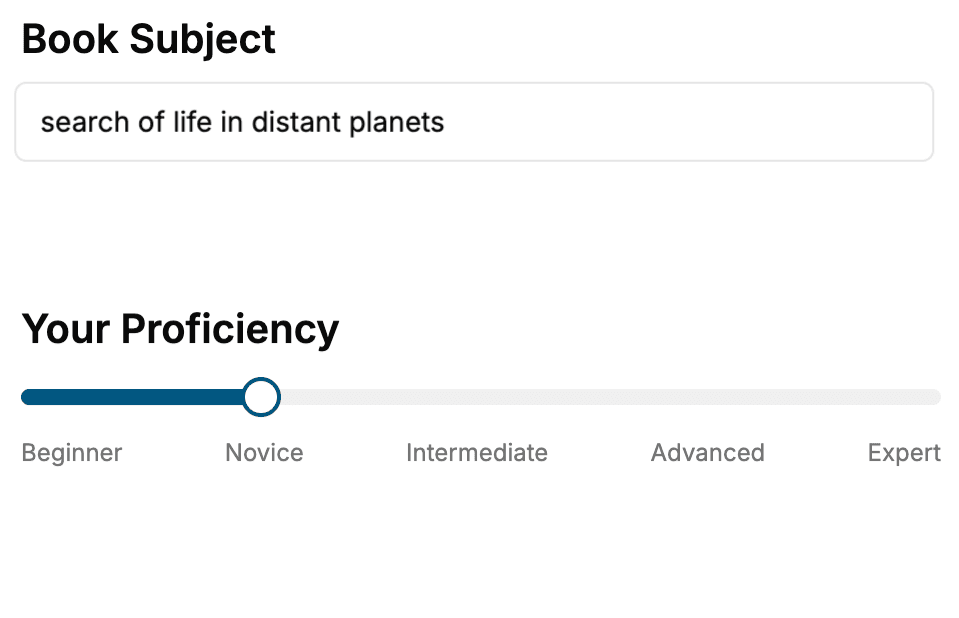
Select the focus of your Java book and share your background
- 2. Personalize your book
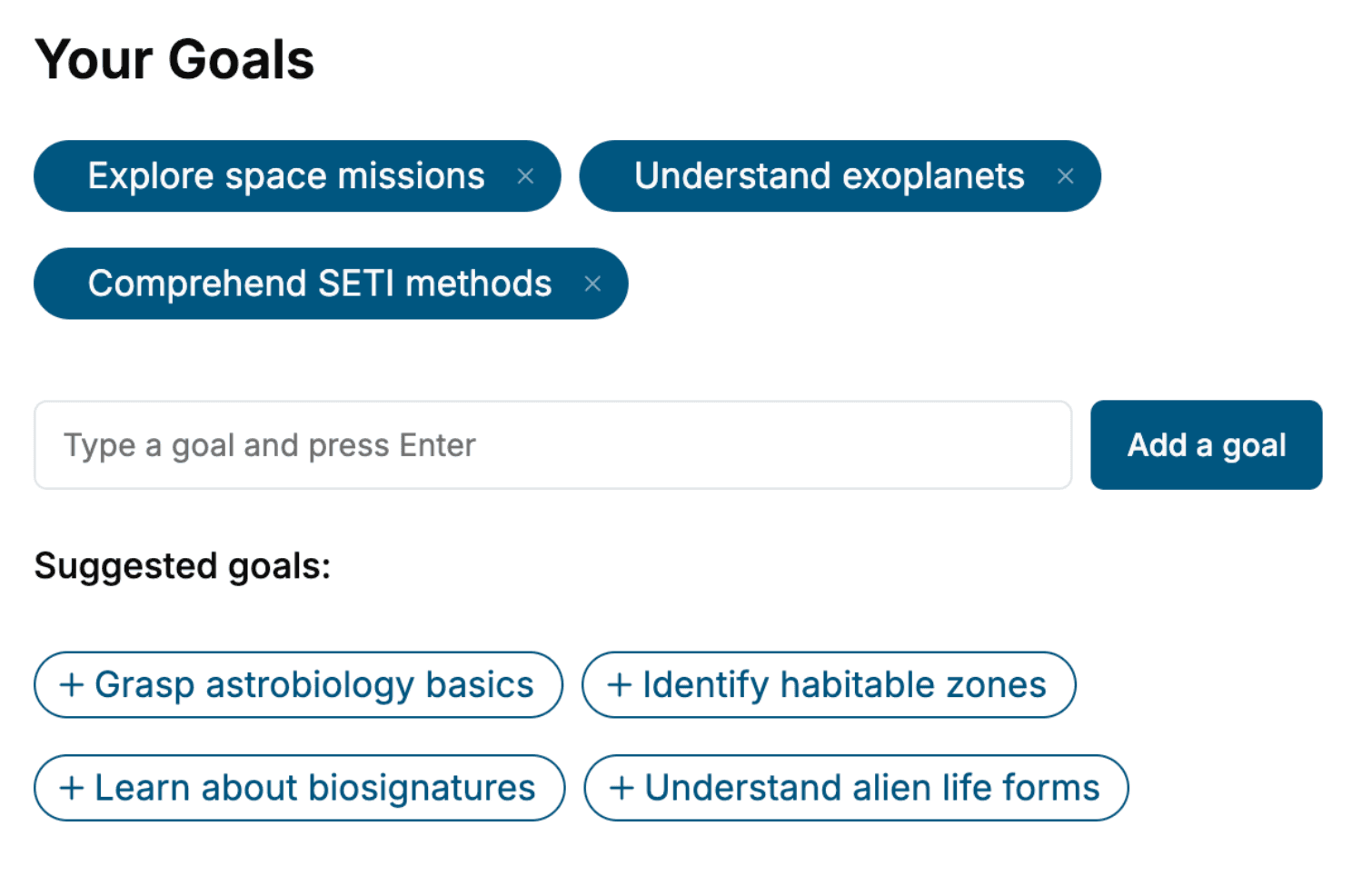
Specify your goals and choose sub-topics to include
- 3. Get your tailored book
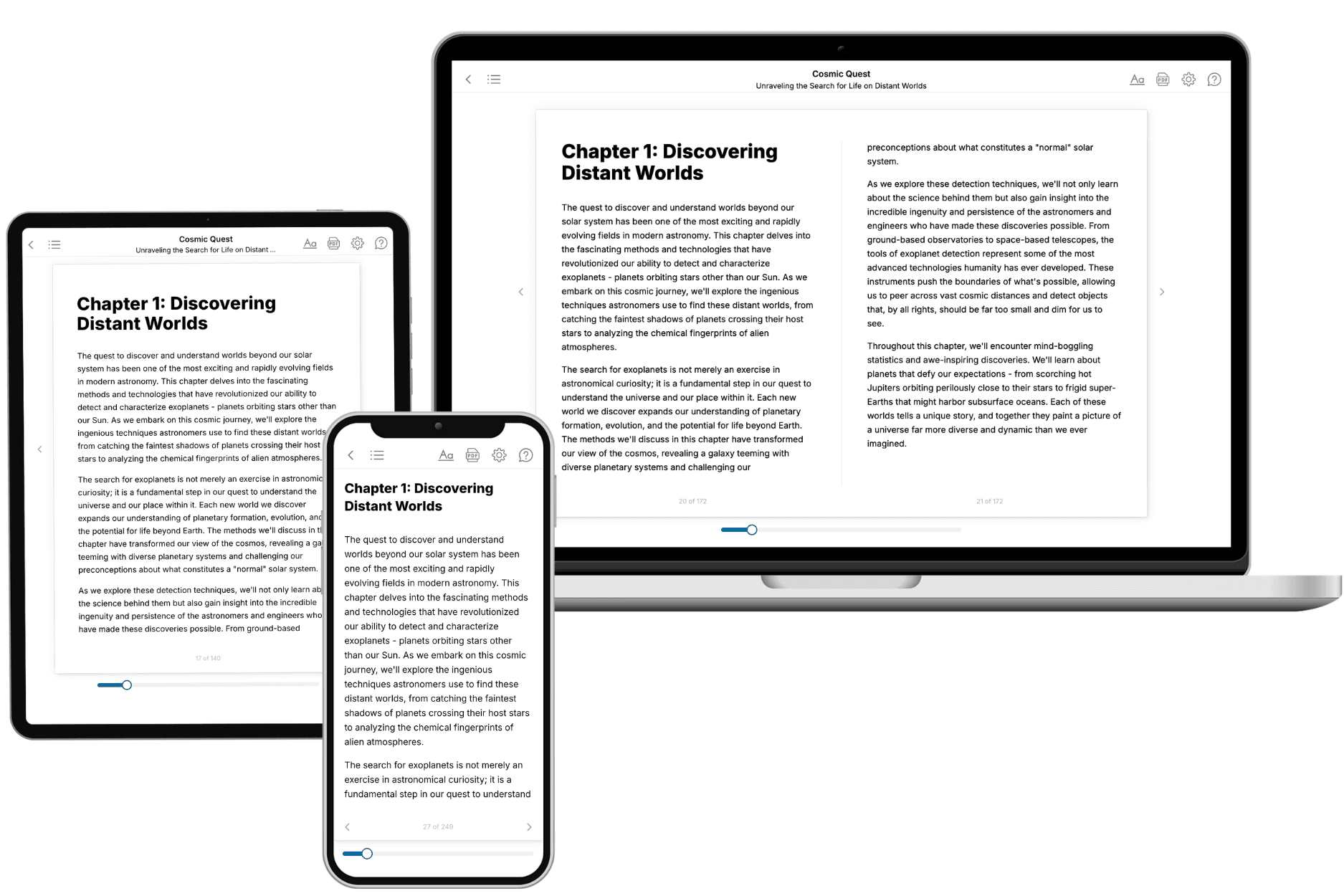
Your book is ready in 10 minutes. Read it online, download as EPUB or PDF, or send to Kindle.
Frequently asked questions
- What is TailoredRead?
TailoredRead creates complete, full-length nonfiction ebooks, written specifically for you. Tell us what you want to learn and why, and TailoredRead writes you a complete ebook on it, with charts, tables, and diagrams throughout. Read it online, on Kindle, or on any e-reader, or download it as a PDF or EPUB. Every book is written fresh the day you order it.
- How is the book tailored to me?
Before anything is written, you answer a few short questions about your goals, your background, and the topics you care about. Your book is then planned around your answers: written at your level, focused on your goals, and covering the topics you chose, instead of the one-size-fits-all book a store sells everyone.
- Will it read like generic AI content?
No. Your book isn't a chat transcript: it's planned chapter by chapter before a single word is written, told in a clear book voice, and explains ideas visually with charts, tables, and diagrams. After writing, every book goes through an editorial pass that polishes chapters so the book reads consistent from start to finish. Judge for yourself: browse thousands of sample books on our Explore Books page.
- How accurate is the content?
Our AI first checks whether your subject needs live research. Niche and fast-moving subjects are researched before writing, and the book plan and chapters are grounded in what it finds. After writing, every book goes through a quality pass that checks its facts and consistency, and researched books list their sources in a Notes section at the back.
- How long is the book?
You choose the length: Comprehensive (250-300 pages), Detailed (150-200 pages), Essential (70-100 pages), or Short (30-50 pages).
- Does the book include visuals?
Yes. Every book includes charts, tables, and diagrams: timelines, checklists, step-by-step guides, decision trees, comparison tables, matrices, and bar charts. A typical book includes dozens of these visual elements.
- Can I read it on Kindle? What formats can I download?
Yes. Every book can be read in our online reader or downloaded as a PDF or EPUB. The EPUB can be opened with Kindle, Apple Books, Kobo, and any e-reader. The Commercial and Author licenses also include an editable Word (DOCX) and Markdown download.
- How much does it cost?
About the price of a regular ebook. The exact price depends on your book's length and complexity, from $2 for the shortest books to $35 for the most comprehensive, and it's shown when you review your book, before you commit to anything. Each book is a one-time purchase, yours to keep, no subscription. Licenses that let you share, teach, or publish your book range from $35.99 to $49.99.
- Can I preview the book before purchasing?
Before you pay, you'll see what your book will cover: the title, a detailed description, the estimated length, and the complete chapter-by-chapter table of contents, so you know what you're getting before you decide. The full text itself is written after you purchase.
- How long does it take to create a book?
About 10 minutes. You can start reading the opening chapters while the rest is still being written.