ES1 Mastery
Unleashing the Full Potential of Logic Pro's Classic Synthesizer
Dive deep into the world of Logic Pro's ES1 synthesizer with "ES1 Mastery: Unleashing the Full Potential of Logic Pro's Classic Synthesizer." This comprehensive guide is tailored for amateur producers looking to elevate their sound design skills and create professional-quality tracks.
300 pages15 chaptersNov 7, 2024Music ProductionCreated by Jim
About this book
From understanding the basics of oscillator types and filter resonance to crafting complex, evolving textures and cinematic drones, this book covers every aspect of the ES1 synthesizer. Learn how to harness the power of LFO modulation, master envelope shaping, and explore advanced techniques like FM synthesis and pulse width modulation. Discover the secrets behind creating punchy drum sounds, lush pads, and unique synth leads that will make your tracks stand out. With practical examples, step-by-step tutorials, and insider tips, you'll quickly progress from basic patch design to building layered, complex sounds that rival those of top producers. Whether you're looking to recreate classic synth sounds or push the boundaries of modern electronic music, "ES1 Mastery" provides the knowledge and techniques you need. By the end of this book, you'll have a thorough understanding of every parameter and function of the ES1, allowing you to craft any sound you can imagine and take your music production to the next level.
Table of contents
- IntroductionOverview of the ES1 Synthesizer, How to Use This Book, Basic Principles of Subtractive Synthesis, Navigating the ES1 InterfaceRead below
- Chapter 1: Oscillator FundamentalsUnderstanding ES1 Oscillator Types, Waveform Characteristics and Their Sonic Impact, Utilizing the ES1 Sub-Oscillator, Mastering the ES1 Mix Section, Techniques for Blending Oscillators
- Chapter 2: The ES1 Filter SectionES1 Filter Types and Their Applications, Understanding Cutoff and Resonance, Working with the Filter Envelope, Key Follow and Its Effect on Filtering, Using Filter Drive for Added Grit
- Chapter 3: Mastering the Envelope GeneratorADSR Envelope Explained, Shaping Sounds with the Amplifier Envelope, Advanced Filter Envelope Techniques, Incorporating Velocity Sensitivity, Using Envelopes as Modulation Sources
- Chapter 4: LFO Modulation TechniquesLFO Basics and Waveforms, Creating Vibrato with Pitch Modulation, Filter Modulation for Dynamic Timbres, Syncing LFO to Tempo, Combining Multiple LFO Modulations
- Chapter 5: Exploring the ES1 Modulation MatrixUnderstanding Modulation Sources, Exploring Modulation Destinations, Setting Modulation Intensity, Creating Complex Modulation Routings, Effective Modwheel Assignments
- Chapter 6: ES1 Effects and ProcessingMastering the ES1 Chorus Effect, Adding Analog Warmth to Your Sounds, Using ES1 Distortion Creatively, Integrating ES1 with External Effects, Automating Effects for Dynamic Sounds
- Chapter 7: Performance Features of the ES1Mastering Glide and Portamento, Exploring ES1 Unison Mode, Key Scaling Techniques, Advanced Velocity Mapping, Utilizing Performance Controls Effectively
- Chapter 8: Sound Design Basics with ES1ES1 Bass Design Techniques, Crafting Expressive Lead Sounds, ES1 Pad Design Fundamentals, Creating Pluck and Percussive Sounds, Basic Drum Synthesis with ES1
- Chapter 9: Advanced ES1 TechniquesES1 FM Synthesis Techniques, Exploring Pulse Width Modulation, Creating Sync Lead Sounds, Creative Uses of the Noise Generator, Designing Layered Patches
- Chapter 10: Creating Evolving SoundsUsing Modulation for Sound Movement, Techniques for Evolving Textures, Incorporating ES1 Randomization, Sequencing Modulations for Evolution, Layering Techniques for Evolving Sounds
- Chapter 11: Cinematic Sound Design with ES1Creating Atmospheric Pads, Designing Cinematic Drones, Crafting Tension-Building Sounds, Synthesizing Cinematic Impacts, Emotional Texture Design
- Chapter 12: Recreating Classic Synth SoundsEmulating Analog Synth Characteristics, Crafting 80s Synth Pop Sounds, Recreating Retro Bass Sounds, Designing Vintage Lead Patches, Emulating Classic Pad Sounds
- Chapter 13: Genre-Specific Sound DesignEssential EDM Sounds with ES1, Crafting Hip-Hop Synth Elements, Ambient and Atmospheric Textures, Synth Sounds for Rock Music, ES1 in Modern Pop Production
- Chapter 14: Creative Sound Design ApproachesUnconventional Patching Techniques, Embracing and Refining 'Happy Accidents', Pushing Modulation to the Extreme, Fusing Sounds from Different Genres, ES1 Sound Mangling Techniques
- Chapter 15: Optimizing Your ES1 WorkflowEssential Quick-Tweak Techniques, Creating and Using ES1 Templates, Organizing Your ES1 Patches, Setting Up Efficient MIDI Control, CPU Optimization Strategies
- ConclusionPaths for Further Exploration, Developing Your Sound Design Philosophy, Staying Inspired and Continuing to Learn
- AppendixES1 Parameter Cheat Sheet, Complete Modulation Matrix Reference, Common Issues and Troubleshooting
- GlossaryEssential Synthesis Terminology, ES1-Specific Terms and Functions
Introduction
Welcome to the world of sound design with Logic Pro's ES1 synthesizer. This introduction serves as your gateway to unlocking the full potential of this classic yet powerful instrument. Whether you're an aspiring producer, a curious musician, or a seasoned sound designer looking to expand your toolkit, this book will guide you through the intricacies of the ES1, empowering you to create professional-quality sounds that will elevate your music production to new heights.
The ES1, despite its seemingly simple interface, is a versatile synthesizer capable of producing a wide range of sounds, from punchy basses and searing leads to lush pads and evolving textures. Its subtractive synthesis architecture, combined with its unique features and modulation capabilities, makes it an invaluable tool for both vintage emulations and cutting-edge sound design. Throughout this book, we'll explore every aspect of the ES1, unraveling its secrets and demonstrating how to harness its full creative potential.
As we embark on this journey together, remember that mastering the ES1 is not just about understanding its technical aspects, but also about developing your creative intuition and sonic palette. Each chapter will build upon the last, gradually expanding your knowledge and skills, allowing you to express your musical ideas with greater precision and artistry. By the end of this book, you'll not only have a comprehensive understanding of the ES1's capabilities but also the confidence to create unique, professional-quality sounds that will set your productions apart.
Overview of the ES1 Synthesizer
The ES1, or Ensemble Synthesizer 1, is a virtual analog synthesizer that has been a staple of Logic Pro since its early days. Its design philosophy harks back to the classic analog synthesizers of the 1970s and 80s, offering a streamlined interface that belies its deep sound-shaping capabilities. At its core, the ES1 is a subtractive synthesizer, meaning it starts with harmonically rich waveforms and uses filters and envelopes to sculpt the desired sound.
The ES1's signal flow begins with its oscillator section, which offers a variety of waveforms including sawtooth, square, and triangle waves, as well as a sub-oscillator and noise generator. These sound sources can be mixed and shaped using the ES1's low-pass filter, which features adjustable cutoff and resonance controls. The filter section is one of the ES1's strongest assets, capable of producing everything from smooth, mellow tones to aggressive, squelchy sounds reminiscent of classic acid house tracks.
One of the key features that sets the ES1 apart is its modulation capabilities. The synthesizer includes an LFO (Low Frequency Oscillator) that can be used to add movement and depth to sounds by modulating various parameters such as pitch, filter cutoff, or amplitude. Additionally, the ES1 features two envelopes - one dedicated to amplitude shaping and another that can be routed to the filter or other destinations. These envelopes allow for precise control over how sounds evolve over time, from sharp, percussive hits to slowly swelling pads.
The ES1 also includes a simple but effective effects section, featuring a built-in chorus effect that can add richness and width to your sounds. This, combined with the synth's "Analog" parameter - which introduces subtle pitch and filter fluctuations to emulate the behavior of vintage hardware - allows the ES1 to produce warm, organic tones that sit well in a mix.
Despite its vintage-inspired design, the ES1 is far from being limited to retro sounds. Its versatility allows it to tackle a wide range of modern production tasks, from creating punchy bass lines for EDM tracks to crafting atmospheric textures for ambient compositions. Throughout this book, we'll explore how to leverage the ES1's features to create sounds suitable for various genres and production styles.
One of the ES1's greatest strengths is its immediacy and ease of use. Unlike more complex synthesizers that can overwhelm beginners with countless parameters and routing options, the ES1's straightforward layout allows for quick sound design and experimentation. This makes it an excellent learning tool for those new to synthesis, while still offering enough depth to satisfy more experienced users.
As we delve deeper into the ES1's capabilities in the coming chapters, you'll discover how this seemingly simple synthesizer can be pushed to create complex, evolving sounds that rival those of much more expensive and complicated instruments. From basic patch creation to advanced modulation techniques, the ES1 will prove to be a powerful and flexible tool in your music production arsenal.
How to Use This Book
This book is designed to be a comprehensive guide to mastering the ES1 synthesizer, suitable for both beginners and more experienced users looking to deepen their understanding. To get the most out of this resource, it's recommended to approach the material in a structured manner, progressing through the chapters sequentially. Each chapter builds upon the knowledge and skills developed in previous sections, creating a solid foundation for your sound design journey.
The content is organized to take you from the basics of synthesis and the ES1's architecture through to advanced techniques and creative applications. We begin with fundamental concepts and gradually introduce more complex ideas, always with a focus on practical, hands-on learning. To fully benefit from this approach, it's crucial to not just read the material, but to actively engage with it by following along in Logic Pro, experimenting with the concepts presented, and creating your own sounds.
Throughout the book, you'll find detailed explanations of the ES1's parameters and functions, accompanied by practical examples and sound design exercises. These exercises are designed to reinforce your understanding and encourage experimentation. It's highly recommended to complete these exercises as you progress through the book, as they will help solidify your knowledge and develop your intuition for sound design.
Each chapter includes multiple subsections that focus on specific aspects of the ES1 or particular sound design techniques. While it's beneficial to work through these in order, feel free to revisit sections that interest you or that you find challenging. Sound design is as much an art as it is a science, and repeated exposure to concepts often leads to new insights and discoveries.
You'll also find "Pro Tips" scattered throughout the text. These provide insider knowledge, shortcuts, and creative ideas that can help elevate your sound design skills. Pay special attention to these tips, as they often contain valuable information that can significantly improve your workflow or inspire new sound design approaches.
The book includes numerous audio examples, which are available for download from the accompanying website. These examples demonstrate the concepts discussed in the text and provide reference points for your own sound design efforts. Listening to these examples while reading the relevant sections can greatly enhance your understanding of the material.
As you progress through the book, don't hesitate to experiment and deviate from the examples provided. The true power of synthesis lies in exploration and personal expression. Use the techniques and concepts presented as starting points for your own creative journey. Remember, there are no "wrong" sounds in synthesis - only opportunities for discovery and innovation.
Finally, it's important to approach this learning process with patience and persistence. Mastering synthesis and sound design takes time and practice. Don't be discouraged if you don't immediately achieve the exact sound you're aiming for. Each experiment and "failure" is a learning opportunity that will contribute to your growing skill set. Celebrate small victories and enjoy the process of discovery as you delve deeper into the world of the ES1 synthesizer.
Basic Principles of Subtractive Synthesis
Before we dive into the specifics of the ES1, it's crucial to understand the fundamental principles of subtractive synthesis, the method upon which the ES1 is based. Subtractive synthesis is one of the most common and intuitive forms of sound synthesis, and grasping its concepts will provide a solid foundation for your journey into sound design with the ES1 and beyond.
At its core, subtractive synthesis involves starting with a harmonically rich sound source and then using filters to remove or "subtract" certain frequencies, shaping the timbre of the sound. This process is analogous to sculpting, where you begin with a block of material (the initial sound) and carve away parts to reveal the desired form (the final sound). The basic components of a subtractive synthesizer typically include oscillators, filters, amplifiers, and modulators.
Oscillators are the primary sound generators in a subtractive synthesizer. They produce periodic waveforms such as sine, sawtooth, square, and triangle waves. Each of these waveforms has a distinct harmonic content and, consequently, a characteristic sound. For example, a sawtooth wave contains all harmonics and produces a bright, buzzy tone, while a sine wave contains only the fundamental frequency and sounds pure and smooth. Understanding the characteristics of these basic waveforms is crucial, as they form the building blocks of more complex sounds.
Filters are perhaps the most critical component in subtractive synthesis. They allow you to emphasize or attenuate specific frequency ranges within the sound produced by the oscillators. The most common type of filter in subtractive synthesis is the low-pass filter, which allows frequencies below a certain point (called the cutoff frequency) to pass through while attenuating higher frequencies. By adjusting the cutoff frequency and resonance (a boost around the cutoff point), you can dramatically alter the character of a sound, from dark and muffled to bright and piercing.
Amplifiers in a synthesizer control the volume or amplitude of the sound over time. They are typically controlled by an envelope generator, which allows you to shape how the sound's volume changes from the moment a key is pressed to when it's released. This amplitude envelope is often referred to as the ADSR envelope, standing for Attack, Decay, Sustain, and Release. These four parameters allow you to create sounds with a wide range of dynamic characteristics, from short, percussive hits to long, evolving pads.
Modulators are elements that can change or "modulate" various parameters of the synthesizer over time, adding movement and interest to sounds. Common modulators include Low Frequency Oscillators (LFOs) and envelope generators. LFOs produce cyclic waveforms at sub-audio frequencies, which can be used to create effects like vibrato (when modulating pitch) or tremolo (when modulating amplitude). Envelope generators, as mentioned earlier, can be used to modulate not just amplitude, but also filter cutoff, oscillator pitch, or any other parameter, allowing for complex, evolving sounds.
Understanding how these components interact is key to effective sound design with subtractive synthesis. For instance, you might start with a sawtooth wave from the oscillator, use a low-pass filter to remove some of the higher frequencies, shape the amplitude over time with an ADSR envelope, and add some vibrato with an LFO modulating the pitch. By adjusting each of these elements, you can create a wide variety of sounds, from basic to highly complex.
As you work with the ES1, you'll see how these principles of subtractive synthesis are implemented in its architecture. The ES1's oscillator section provides various waveforms, its filter section allows for spectral shaping, and its envelopes and LFO provide dynamic control and modulation. By understanding these basic principles, you'll be better equipped to navigate the ES1's interface and create the sounds you envision.
Remember, while these principles form the foundation of subtractive synthesis, the art of sound design lies in how you combine and manipulate these elements. As you progress through this book and gain hands-on experience with the ES1, you'll develop an intuitive understanding of how these components interact, allowing you to create increasingly sophisticated and expressive sounds.
Navigating the ES1 Interface
The ES1's interface, while straightforward at first glance, is packed with powerful sound-shaping tools. Understanding the layout and function of each section is crucial for efficient sound design and will allow you to navigate the synthesizer with confidence. Let's take a tour of the ES1's interface, breaking it down into its main sections and explaining the purpose of each.
At the top of the ES1 interface, you'll find the global and output controls. This section includes the volume knob, which sets the overall output level of the synthesizer. Adjacent to this is the "Voices" parameter, which allows you to set the number of voices (up to 16) that the ES1 can play simultaneously. This is particularly useful for creating rich, layered sounds or for ensuring notes don't cut off prematurely when playing polyphonically.
Moving down, we encounter the oscillator section. This is where the raw sound of the ES1 is generated. The large knob in the center allows you to select between different waveforms, including sawtooth, square (with variable pulse width), and triangle waves. To the left of this is the "Mix" slider, which blends between the main oscillator and either a sub-oscillator (which plays an octave below the main oscillator) or white noise. This simple yet effective setup allows for a wide range of tonal possibilities right from the start.
Below the oscillator section is the filter area, arguably the heart of any subtractive synthesizer. The ES1's filter is a low-pass design, meaning it allows low frequencies to pass through while attenuating higher frequencies. The large "Cutoff" and "Resonance" knobs are the primary controls here. "Cutoff" sets the frequency above which the filter begins to attenuate the signal, while "Resonance" emphasizes frequencies around the cutoff point. The "Slope" button toggles between 12dB and 24dB per octave slopes, affecting how aggressively the filter cuts high frequencies.
To the right of the filter controls, you'll find the filter envelope amount and key follow settings. The "ADSR via Vel" slider determines how much the filter envelope (controlled by the ADSR section below) affects the filter cutoff. The "Key" knob sets how much the filter cutoff changes based on the pitch of the notes played, which is crucial for creating consistent sounds across the keyboard range.
The amplifier and filter envelope generators are located in the lower-left portion of the interface. These control how the sound's volume (amplifier) and filter cutoff (filter) change over time. The familiar ADSR (Attack, Decay, Sustain, Release) parameters are present for both envelopes. The "AGateR" switch in the amplifier section toggles between two envelope modes, affecting how the release stage behaves.
To the right of the envelopes, you'll find the LFO (Low Frequency Oscillator) section. This modulation source can be used to add movement to various parameters. The "Wave" knob selects the LFO waveform, while the "Rate" knob sets its speed. The "EG" slider determines how the LFO's intensity is affected by the filter envelope.
The modulation router, located in the center-right of the interface, is a powerful feature of the ES1. It allows you to assign various modulation sources (like the LFO or velocity) to different destinations (such as pitch or filter cutoff). This flexibility greatly expands the ES1's sound design possibilities.
Finally, at the bottom right, you'll find additional performance and sound-shaping controls. The "Glide" knob sets the portamento time between notes. The "Chorus" knob adds a classic chorus effect, thickening the sound. The "Analog" knob introduces subtle pitch and filter fluctuations, emulating the behavior of vintage analog synthesizers. Lastly, the "Bender Range" setting determines the pitch bend range for the modulation wheel.
As you become more familiar with the ES1's interface, you'll find that its layout facilitates quick and intuitive sound design. The logical arrangement of controls allows for efficient workflow, whether you're making subtle tweaks or dramatic sound transformations. In the following chapters, we'll delve deeper into each of these sections, exploring how to leverage them for creative sound design.
This is the end of the free sample. The full book has 15 chapters.
Want this book written for you?
Tell us your goals and background, and get your own version of this book, tailored by AI to you.


Benefits of AI-tailored books
- Read one book, not ten:
- all the Music Production knowledge you need, gathered into a single book.
- Save days of learning:
- tell us your goals, choose your topics, and the whole book is built around them.
- Learn effortlessly:
- Music Production book written for your specific background and expertise.
- Understand at a glance:
- includes charts, tables, timelines, checklists, decision trees, and more.
- Stay current:
- written the day you order it, not years ago.
- Trust what you read:
- every book is checked for accuracy, with real research when your subject needs it.
Create your unique book in 3 steps
- 1. Select your focus
Select the focus of your Music Production book and share your background
- 2. Personalize your book
Specify your goals and choose sub-topics to include
- 3. Get your tailored book
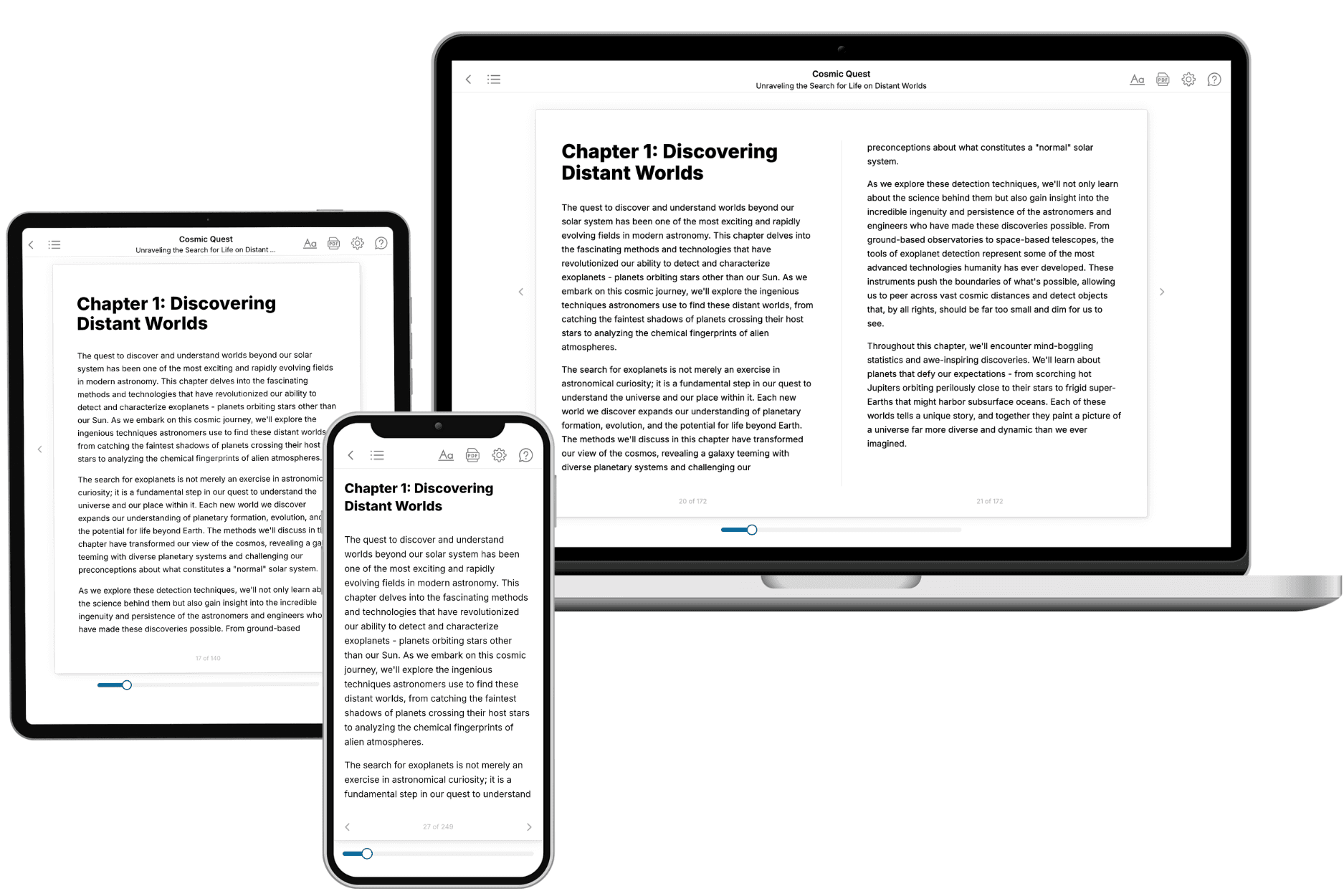
Your book is ready in 10 minutes. Read it online, download as EPUB or PDF, or send to Kindle.
Frequently asked questions
- What is TailoredRead?
TailoredRead creates complete, full-length nonfiction ebooks, written specifically for you. Tell us what you want to learn and why, and TailoredRead writes you a complete ebook on it, with charts, tables, and diagrams throughout. Read it online, on Kindle, or on any e-reader, or download it as a PDF or EPUB. Every book is written fresh the day you order it.
- How is the book tailored to me?
Before anything is written, you answer a few short questions about your goals, your background, and the topics you care about. Your book is then planned around your answers: written at your level, focused on your goals, and covering the topics you chose, instead of the one-size-fits-all book a store sells everyone.
- Will it read like generic AI content?
No. Your book isn't a chat transcript: it's planned chapter by chapter before a single word is written, told in a clear book voice, and explains ideas visually with charts, tables, and diagrams. After writing, every book goes through an editorial pass that polishes chapters so the book reads consistent from start to finish. Judge for yourself: browse thousands of sample books on our Explore Books page.
- How accurate is the content?
Our AI first checks whether your subject needs live research. Niche and fast-moving subjects are researched before writing, and the book plan and chapters are grounded in what it finds. After writing, every book goes through a quality pass that checks its facts and consistency, and researched books list their sources in a Notes section at the back.
- How long is the book?
You choose the length: Comprehensive (250-300 pages), Detailed (150-200 pages), Essential (70-100 pages), or Short (30-50 pages).
- Does the book include visuals?
Yes. Every book includes charts, tables, and diagrams: timelines, checklists, step-by-step guides, decision trees, comparison tables, matrices, and bar charts. A typical book includes dozens of these visual elements.
- Can I read it on Kindle? What formats can I download?
Yes. Every book can be read in our online reader or downloaded as a PDF or EPUB. The EPUB can be opened with Kindle, Apple Books, Kobo, and any e-reader. The Commercial and Author licenses also include an editable Word (DOCX) and Markdown download.
- How much does it cost?
About the price of a regular ebook. The exact price depends on your book's length and complexity, from $2 for the shortest books to $35 for the most comprehensive, and it's shown when you review your book, before you commit to anything. Each book is a one-time purchase, yours to keep, no subscription. Licenses that let you share, teach, or publish your book range from $35.99 to $49.99.
- Can I preview the book before purchasing?
Before you pay, you'll see what your book will cover: the title, a detailed description, the estimated length, and the complete chapter-by-chapter table of contents, so you know what you're getting before you decide. The full text itself is written after you purchase.
- How long does it take to create a book?
About 10 minutes. You can start reading the opening chapters while the rest is still being written.