Frame Rate Mastery
The Complete Guide to Video Frame Rates for Streaming Success
Achieve flawless streaming video by mastering frame rate selection and optimization.
238 pages11 chaptersMay 21, 2026Streaming Technology
About this book
This comprehensive guide cuts through the technical complexity to show you exactly how frame rate impacts streaming quality, bandwidth usage, and viewer satisfaction. Whether you're streaming live events, gaming content, or on-demand video, you'll learn the practical strategies used by professional broadcasters to choose the right frame rate for your specific platform and audience. Discover how to balance quality and performance, avoid costly transcoding mistakes, and implement adaptive technologies that automatically adjust to viewer conditions. With real-world examples, troubleshooting techniques, and platform-specific recommendations, you'll gain the confidence to make frame rate decisions that maximize your streaming success. Stop guessing about frame rates and start delivering professional-quality streams that keep viewers engaged.
Table of contents
- IntroductionWhy Frame Rate Matters in Streaming, Frame Rate Basics: What You Need to Know, How to Use This BookRead below
- Chapter 1: Understanding Frame Rate FundamentalsWhat Is Frame Rate and How Is It Measured?, FPS vs. Hz: Understanding the Difference, How Human Vision Perceives Frame Rate, Common Frame Rate Standards Across Industries
- Chapter 2: Frame Rate and Streaming QualityHow Frame Rate Affects Perceived Video Quality, Motion Smoothness and Viewer Experience, Common Frame Rate Artifacts and How to Avoid Them, Testing and Measuring Frame Rate Quality
- Chapter 3: Frame Rate and Bandwidth OptimizationThe Relationship Between Frame Rate and Bitrate, Calculating Bandwidth Requirements for Different Frame Rates, Optimizing Costs Through Smart Frame Rate Selection, How Frame Rate Affects Compression Efficiency
- Chapter 4: Progressive vs. Interlaced: Choosing the Right FormatUnderstanding Progressive Scan (60p), Understanding Interlaced Scan (60i), Comparing Progressive and Interlaced for Streaming, Selecting the Right Format for Your Content
- Chapter 5: Frame Rate Selection by Content TypeFrame Rates for Cinema and Narrative Content, Frame Rates for Sports and Gaming Content, Frame Rates for Live Event Streaming, Frame Rates for Animation and Graphics-Heavy Content
- Chapter 6: Platform-Specific Frame Rate RequirementsYouTube Frame Rate Specifications and Best Practices, Twitch Frame Rate Specifications and Best Practices, Frame Rate Requirements for Other Major Platforms, Optimizing Frame Rate Across Multiple Platforms
- Chapter 7: Adaptive Bitrate Streaming and Frame RateHow Adaptive Bitrate Streaming Works, Adapting Frame Rate to Viewer Conditions, HLS, DASH, and Other Streaming Protocols, Implementing Adaptive Frame Rate Strategies
- Chapter 8: Frame Rate Conversion and InterpolationFrame Rate Conversion Techniques and Methods, Motion Interpolation: Creating Smooth Playback, Avoiding Artifacts in Frame Rate Conversion, When to Convert Frame Rates and When to Avoid It
- Chapter 9: Encoding and Transcoding for Frame RateEncoding Fundamentals and Frame Rate, Transcoding Strategies to Minimize Quality Loss, Choosing Codecs That Work Best With Your Frame Rate, Using Hardware Acceleration for Frame Rate Processing
- Chapter 10: Monitoring and Troubleshooting Frame Rate IssuesTools and Metrics for Monitoring Frame Rate Performance, Diagnosing Common Frame Rate Problems, Step-by-Step Troubleshooting for Frame Rate Issues, Optimizing Performance Across Devices and Networks
- Chapter 11: Future Trends in Frame Rate TechnologyVariable Frame Rate and Dynamic Adjustment, Emerging Frame Rate Standards and Technologies, AI and Machine Learning in Frame Rate Optimization
- ConclusionKey Takeaways for Frame Rate Mastery, Your Next Steps to Streaming Success
- Glossary
- Further Reading and Resources
Introduction
There's a moment every video creator knows well. You've spent hours producing content, you hit publish or go live, and then the complaints start rolling in. The video looks choppy. The motion is blurry. It stutters on mobile. Viewers drop off within the first thirty seconds. You check your resolution, your bitrate, your internet connection, and everything looks fine on paper. What you might not have checked is your frame rate. That single setting, often overlooked or left at its default value, can be the difference between a stream that feels polished and professional and one that drives viewers away.
Frame rate is one of the most misunderstood settings in video production and streaming. Most creators know it exists, and many have a rough sense that higher numbers mean smoother video. But the full picture is far more nuanced. Frame rate affects not just how smooth your video looks, but how large your files are, how much bandwidth your stream consumes, how well your content compresses, and whether your video plays correctly on different devices and platforms. Getting it wrong doesn't just hurt quality. It can inflate your hosting costs, trigger platform transcoding penalties, and create compatibility headaches that take hours to diagnose.
This book exists because frame rate decisions deserve the same careful attention that creators give to resolution, bitrate, and codec selection. Whether you're streaming live gaming sessions on Twitch, publishing cinematic short films on YouTube, broadcasting live sports, or distributing on-demand content across multiple platforms, the frame rate choices you make at every stage of your workflow have real, measurable consequences. The goal here is to give you a complete, practical understanding of those consequences so you can make confident, informed decisions every time.
The content in this book is built for intermediate video professionals and content creators who already have a working knowledge of video production basics. You won't find lengthy explanations of what a pixel is or how to plug in a camera. Instead, you'll find deep, practical guidance on how frame rate interacts with every other variable in your streaming workflow, from encoding and transcoding to adaptive bitrate delivery and platform-specific optimization. Each chapter builds on the last, moving from foundational concepts to advanced implementation strategies and future-facing technologies.
Why Frame Rate Matters in Streaming
Streaming is not the same as local playback. When you watch a video file stored on your hard drive, your system has all the data it needs and can buffer ahead freely. Streaming is a continuous, real-time delivery challenge where every frame must arrive at the viewer's device on time, in order, and in a format the player can decode. Frame rate sits at the center of that challenge because it directly controls how many frames per second must be delivered, decoded, and displayed without interruption.
Consider a simple comparison. A 1080p stream at 30 frames per second requires your encoder to produce and deliver 30 complete video frames every second. At 60 frames per second, that number doubles. All else being equal, doubling the frame rate roughly doubles the data your encoder must process and your CDN must deliver. For a small creator streaming to a few hundred viewers, that difference might be manageable. For a broadcaster delivering to tens of thousands of concurrent viewers, it translates directly into significant infrastructure and bandwidth costs.
Frame rate also shapes the viewer experience in ways that go beyond simple smoothness. Research into human visual perception shows that different frame rates create distinctly different emotional responses in viewers.[1] The 24fps standard used in cinema creates a specific aesthetic quality that audiences associate with film and storytelling. The 30fps standard common in broadcast television feels more immediate and documentary-like. The 60fps and higher rates used in gaming and sports content deliver fluid, hyper-real motion that suits fast-paced action. Choosing the wrong frame rate for your content type doesn't just create technical problems. It can undermine the emotional tone you're trying to create.
Platform compatibility adds another layer of complexity. YouTube, Twitch, Facebook Live, and other major streaming platforms each have their own frame rate specifications, preferred encoding settings, and transcoding pipelines. When your source frame rate doesn't match what a platform expects, the platform's transcoding system steps in to convert it. That conversion process almost always introduces some quality loss, and in some cases it can create visible artifacts like judder, ghosting, or uneven motion. Understanding platform requirements and matching your output to them is one of the most practical ways to protect your video quality.
There's also the question of device compatibility. Your viewers are watching on a wide range of screens, from 4K televisions with high refresh rates to older smartphones with limited decoding capabilities. A frame rate that plays perfectly on a high-end desktop might cause dropped frames or buffering on a budget Android phone with a slower processor. Adaptive bitrate streaming technologies help address this, but they work best when your source frame rate is chosen thoughtfully from the start. Frame rate decisions made early in your workflow ripple through every stage of production, delivery, and playback.
The stakes are real and measurable. Studies of streaming viewer behavior consistently show that buffering and quality degradation are among the top reasons viewers abandon streams.[2] While frame rate issues are not always the direct cause of buffering, they contribute to the overall data load that strains delivery pipelines. Getting your frame rate right is not a minor technical detail. It's a foundational decision that affects everything downstream.
A practical example: A live sports broadcaster streaming at 1080i60 (interlaced) to a platform that expects progressive content will often see visible combing artifacts on fast-moving players. Switching to 1080p60 (progressive) eliminates those artifacts entirely, improves compression efficiency, and delivers a cleaner image to viewers on modern displays, all without changing resolution or bitrate.
Understanding why frame rate matters is the first step. The rest of this book gives you the tools to act on that understanding with precision and confidence.
Frame Rate Basics: What You Need to Know
Before diving into advanced optimization strategies, it helps to make sure the foundational concepts are solid. Frame rate, measured in frames per second (fps), describes how many individual still images are captured or displayed every second to create the illusion of motion. The higher the frame rate, the more images are shown per second, and generally the smoother the motion appears. But the relationship between frame rate and perceived quality is not purely linear, and understanding the nuances matters enormously in practice.
The most common frame rates you'll encounter in streaming work are:
- 23.976 fps (often called 24fps): The standard for cinema and film-style content. Creates the classic "film look" with natural motion blur.
- 25 fps: The broadcast standard in PAL regions (Europe, Australia, and much of Asia). Used widely in television production.
- 29.97 fps (often called 30fps): The broadcast standard in NTSC regions (North America, Japan). Common in television and web video.
- 50 fps: The high-frame-rate equivalent of 25fps, used for sports and live events in PAL regions.
- 59.94 fps (often called 60fps): The high-frame-rate standard in NTSC regions. Widely used for gaming, sports, and live streaming.
- 120 fps and above: Emerging standards for high-end gaming, VR content, and experimental cinema.
You'll notice that several of these values are not round numbers. The 23.976 and 29.97 fps standards exist for historical reasons tied to the introduction of color television in the NTSC system during the 1950s.[3] A small frequency adjustment was made to prevent interference between the color subcarrier and the audio carrier signal, resulting in frame rates that are slightly below their nominal values. In modern digital streaming, these fractional rates are still widely used for compatibility with legacy broadcast equipment and workflows.
It's also important to distinguish between the capture frame rate and the delivery frame rate. The capture frame rate is how many frames your camera records per second. The delivery frame rate is how many frames per second your encoder outputs to the streaming platform. These two values should ideally match. When they don't, your encoding software must either drop frames (if the capture rate is higher than the delivery rate) or duplicate frames (if the capture rate is lower). Both processes can introduce visible quality issues if not handled carefully.
Another concept worth clarifying early is the difference between progressive and interlaced scanning. Progressive video (denoted by a "p" after the frame rate, as in 1080p30) captures and displays each frame as a complete image. Interlaced video (denoted by an "i," as in 1080i60) captures each frame as two alternating fields, one containing the odd-numbered horizontal lines and one containing the even-numbered lines. Interlaced formats were designed for CRT televisions and can cause visible artifacts on modern progressive displays. Chapter 4 covers this distinction in full detail, but it's worth knowing from the start that progressive formats are almost always the better choice for streaming to modern devices.
Frame rate also interacts directly with shutter speed during capture. The widely used 180-degree shutter rule states that your shutter speed should be approximately double your frame rate for natural-looking motion blur. At 24fps, that means a shutter speed of around 1/48 second (typically set to 1/50 in practice). At 60fps, it means approximately 1/120 second. Deviating significantly from this rule produces either too much motion blur (at slower shutter speeds) or a stroboscopic, hyper-sharp look (at faster shutter speeds). Understanding this relationship helps you capture footage that will look correct at your intended delivery frame rate.
Finally, it's worth understanding the concept of frame rate consistency. A stream that delivers exactly 30 frames per second, evenly spaced in time, will look smoother than one that averages 30fps but delivers frames unevenly, with some gaps larger than others. This uneven delivery is called frame pacing or frame timing issues, and it's a common source of perceived choppiness even when the average frame rate looks correct in monitoring tools. Consistent frame delivery is just as important as the frame rate number itself.
Quick reference: Frame rate decision checklist for new projects
- What is the primary platform for delivery? (YouTube, Twitch, broadcast, etc.)
- What type of content are you producing? (Cinema, sports, gaming, live event, etc.)
- What frame rate does your camera capture natively?
- What is the regional broadcast standard for your audience? (NTSC or PAL)
- Does your editing and encoding software support your target frame rate without conversion?
- What are the bandwidth constraints of your target viewers?
These basics form the foundation for everything that follows. Each subsequent chapter builds on these concepts, adding layers of practical detail and real-world application that will help you move from understanding frame rate to mastering it.
How to Use This Book
This book is designed to work both as a cover-to-cover read and as a practical reference you return to when specific questions come up in your work. The chapters are organized to build knowledge progressively, starting with fundamentals and moving toward advanced implementation and future technologies. If you're new to thinking carefully about frame rate, reading from start to finish will give you the most complete picture. If you already have a solid foundation and need answers to specific problems, the structure makes it easy to jump directly to the relevant section.
Here's a quick map of how the book is organized so you can navigate it efficiently:
- Chapters 1 and 2 cover the fundamentals of frame rate and how it affects perceived video quality. These chapters are essential reading if you want to understand the "why" behind every recommendation in the rest of the book.
- Chapter 3 focuses on the relationship between frame rate and bandwidth, including how to calculate your actual data requirements and optimize costs. This is particularly valuable for anyone managing streaming infrastructure or working within tight bandwidth budgets.
- Chapter 4 dives into the progressive versus interlaced debate, a topic that still causes confusion and quality problems for many creators working with broadcast-origin content.
- Chapters 5 and 6 provide content-type and platform-specific guidance. These are the most immediately actionable chapters for creators who need concrete recommendations for their specific use case.
- Chapters 7 and 8 cover adaptive bitrate streaming and frame rate conversion, two areas where technical decisions have a major impact on viewer experience across different devices and connection speeds.
- Chapter 9 addresses encoding and transcoding, including codec selection and hardware acceleration strategies that directly affect how well your chosen frame rate is preserved through the production pipeline.
- Chapter 10 is your troubleshooting guide. When something goes wrong with frame rate in a live or recorded stream, this chapter gives you a systematic process for diagnosing and fixing the problem.
- Chapter 11 looks ahead at emerging technologies including variable frame rate, AI-driven optimization, and new standards that will shape streaming workflows in the coming years.
Throughout the book, you'll find several recurring elements designed to make the content as practical as possible. Concrete examples appear in every chapter, drawn from real-world streaming scenarios across different content types and platforms. These examples are not hypothetical. They reflect the kinds of decisions and problems that working video professionals encounter regularly. Where relevant, specific numbers, settings, and configurations are provided so you can apply the guidance directly to your own workflow.
You'll also find comparison tables and decision frameworks that summarize key recommendations in a format you can reference quickly during production. These are especially useful in Chapters 5 and 6, where the number of variables (content type, platform, region, device target) can make decision-making feel overwhelming. The frameworks cut through that complexity and give you a clear starting point for any project.
Footnotes and citations appear throughout the text to support technical claims and point you toward deeper resources. The Further Reading section at the end of the book provides a curated list of technical documentation, research papers, and professional resources for those who want to go deeper on specific topics. The Glossary defines all key technical terms used in the book, so if you encounter an unfamiliar term, you can look it up quickly without losing your place in the main text.
One important note about the platform-specific information in Chapter 6: streaming platform specifications change over time. YouTube, Twitch, and other platforms periodically update their recommended settings, supported formats, and transcoding pipelines. The specifications provided in this book reflect current best practices at the time of writing, but it's always worth checking the official documentation for any platform before finalizing your settings for a major project. The underlying principles, however, remain stable. Understanding why a platform recommends certain frame rates will help you adapt quickly whenever specifications change.
The book assumes you have working knowledge of video production concepts like resolution, bitrate, and codec basics. It does not assume you have deep expertise in streaming infrastructure or broadcast engineering. The goal is to meet you where you are and build your frame rate knowledge to a level where you can make confident, informed decisions in any streaming context. Technical depth is provided where it matters, but the focus throughout is on practical application rather than theoretical completeness.
Finally, the most important thing you can do with this book is apply what you learn. Frame rate mastery is not an abstract skill. It develops through practice, experimentation, and careful observation of results. As you work through each chapter, look for opportunities to test the concepts in your own projects. Compare streams at different frame rates. Run bandwidth calculations for your actual content. Check your platform settings against the recommendations in Chapter 6. The more you connect the concepts in this book to real decisions in your workflow, the faster your understanding will deepen and the more confident your frame rate decisions will become.
How to get the most from this book:
- Read Chapters 1 and 2 first, even if you feel confident about the basics. The nuances covered there will change how you think about every other chapter.
- Keep the Glossary bookmarked. Technical terminology is used precisely throughout, and the definitions matter.
- Use the decision frameworks in Chapters 5 and 6 as starting points, then refine based on your own testing.
- Return to Chapter 10 whenever you encounter a frame rate problem in a real project. The troubleshooting process there is designed to be used in the field, not just read once.
- Check platform documentation alongside Chapter 6 to catch any specification updates since publication.
Frame rate is one of those topics where a small investment in understanding pays dividends across every project you work on. The decisions you make about frame rate affect your video quality, your production costs, your platform performance, and your viewers' experience. This book gives you the knowledge to make those decisions well. The rest is up to you.
Notes
Introduction
- 1. L. M. Wilcox and others, "The effects of stereo and motion parallax on perceived depth and scene naturalness in 3D video," Journal of Vision, 2015
- 2. S. S. Krishnan and R. K. Sitaraman, "Video Stream Quality Impacts Viewer Behavior," Proceedings of the 2012 ACM Conference on Internet Measurement, 2012
- 3. C. Poynton, Digital Video and HD: Algorithms and Interfaces, 2nd ed. Morgan Kaufmann, 2012
This is the end of the free sample. The full book has 11 chapters.
Want this book written for you?
Tell us your goals and background, and get your own version of this book, tailored by AI to you.






Benefits of AI-tailored books
- Read one book, not ten:
- all the Streaming Technology knowledge you need, gathered into a single book.
- Save days of learning:
- tell us your goals, choose your topics, and the whole book is built around them.
- Learn effortlessly:
- Streaming Technology book written for your specific background and expertise.
- Understand at a glance:
- includes charts, tables, timelines, checklists, decision trees, and more.
- Stay current:
- written the day you order it, not years ago.
- Trust what you read:
- every book is checked for accuracy, with real research when your subject needs it.
Create your unique book in 3 steps
- 1. Select your focus
Select the focus of your Streaming Technology book and share your background
- 2. Personalize your book
Specify your goals and choose sub-topics to include
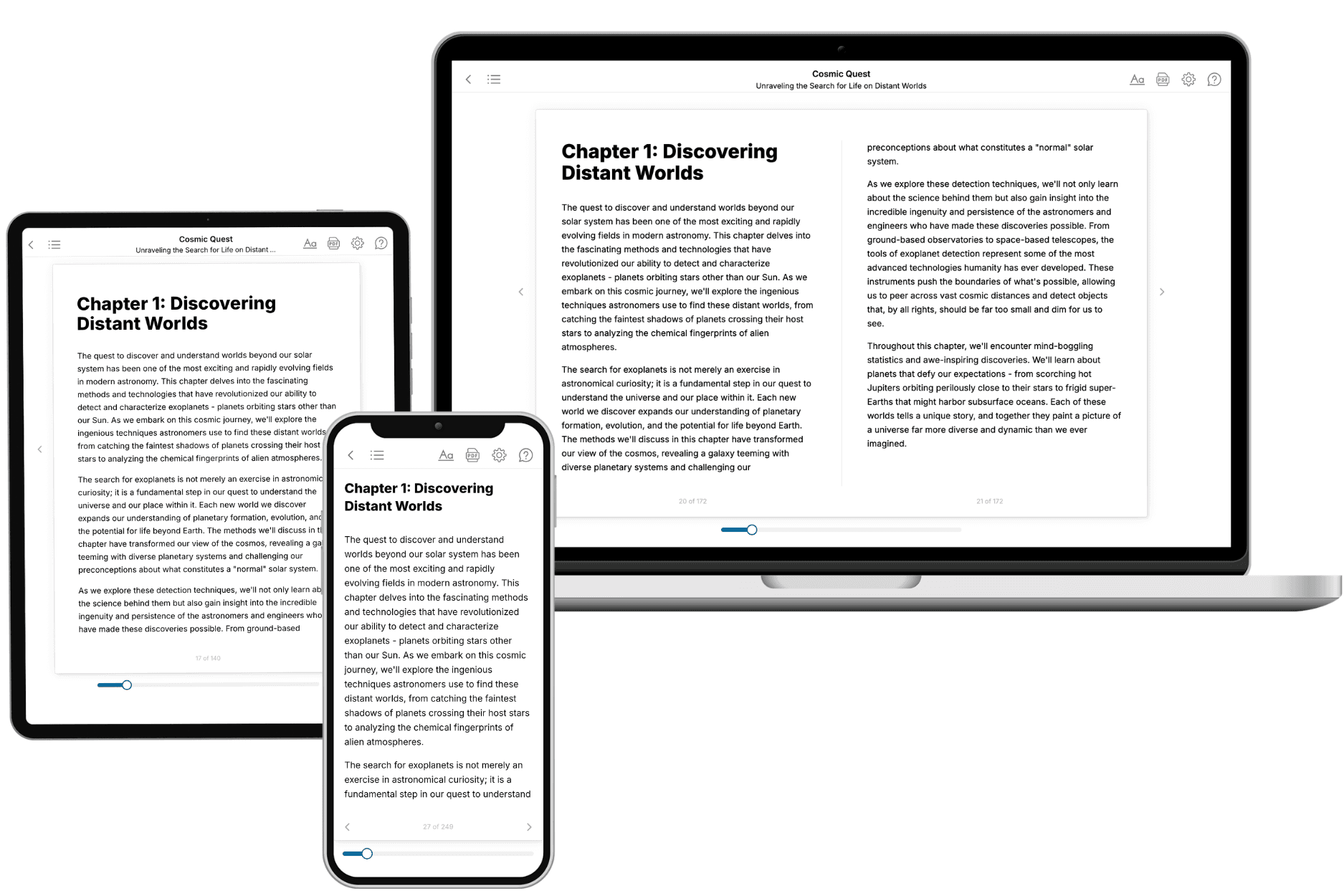
- 3. Get your tailored book
Your book is ready in 10 minutes. Read it online, download as EPUB or PDF, or send to Kindle.
Frequently asked questions
- What is TailoredRead?
TailoredRead creates complete, full-length nonfiction ebooks, written specifically for you. Tell us what you want to learn and why, and TailoredRead writes you a complete ebook on it, with charts, tables, and diagrams throughout. Read it online, on Kindle, or on any e-reader, or download it as a PDF or EPUB. Every book is written fresh the day you order it.
- How is the book tailored to me?
Before anything is written, you answer a few short questions about your goals, your background, and the topics you care about. Your book is then planned around your answers: written at your level, focused on your goals, and covering the topics you chose, instead of the one-size-fits-all book a store sells everyone.
- Will it read like generic AI content?
No. Your book isn't a chat transcript: it's planned chapter by chapter before a single word is written, told in a clear book voice, and explains ideas visually with charts, tables, and diagrams. After writing, every book goes through an editorial pass that polishes chapters so the book reads consistent from start to finish. Judge for yourself: browse thousands of sample books on our Explore Books page.
- How accurate is the content?
Our AI first checks whether your subject needs live research. Niche and fast-moving subjects are researched before writing, and the book plan and chapters are grounded in what it finds. After writing, every book goes through a quality pass that checks its facts and consistency, and researched books list their sources in a Notes section at the back.
- How long is the book?
You choose the length: Comprehensive (250-300 pages), Detailed (150-200 pages), Essential (70-100 pages), or Short (30-50 pages).
- Does the book include visuals?
Yes. Every book includes charts, tables, and diagrams: timelines, checklists, step-by-step guides, decision trees, comparison tables, matrices, and bar charts. A typical book includes dozens of these visual elements.
- Can I read it on Kindle? What formats can I download?
Yes. Every book can be read in our online reader or downloaded as a PDF or EPUB. The EPUB can be opened with Kindle, Apple Books, Kobo, and any e-reader. The Commercial and Author licenses also include an editable Word (DOCX) and Markdown download.
- How much does it cost?
About the price of a regular ebook. The exact price depends on your book's length and complexity, from $2 for the shortest books to $35 for the most comprehensive, and it's shown when you review your book, before you commit to anything. Each book is a one-time purchase, yours to keep, no subscription. Licenses that let you share, teach, or publish your book range from $35.99 to $49.99.
- Can I preview the book before purchasing?
Before you pay, you'll see what your book will cover: the title, a detailed description, the estimated length, and the complete chapter-by-chapter table of contents, so you know what you're getting before you decide. The full text itself is written after you purchase.
- How long does it take to create a book?
About 10 minutes. You can start reading the opening chapters while the rest is still being written.