Git Merge Mastery
Advanced Techniques for Resolving Conflicts and Streamlining Collaboration
Are you tired of merge conflicts derailing your development workflow?
300 pages15 chaptersFeb 18, 2025Software Development
About this book
"Git Merge Mastery" is your comprehensive guide to conquering the complexities of Git merge conflicts. This book delves deep into the intricacies of version control, providing you with advanced techniques and strategies to resolve conflicts efficiently and effectively. You'll learn how to navigate complex merging scenarios, understand the root causes of conflicts, and implement best practices that will streamline your team's collaboration. From mastering the command line to leveraging powerful visual tools, this book covers it all. By the time you finish reading, you'll have the confidence to tackle even the most challenging merge conflicts, ensuring smooth integration of code and maintaining project momentum. Whether you're working on small projects or large-scale applications, "Git Merge Mastery" will elevate your Git skills and make you an indispensable asset to any development team.
Table of contents
- IntroductionThe Importance of Git in Modern Development, Overview of Merge Conflicts, How This Book Will Enhance Your Git SkillsRead below
- Chapter 1: Git Fundamentals RefresherVersion Control Basics, Git Workflow Overview, Branching Strategies, Merging Concepts
- Chapter 2: Anatomy of a Merge ConflictUnderstanding Conflict Markers, Types of Merge Conflicts, Common Causes of Conflicts, Impact of Conflicts on Development Workflow
- Chapter 3: Proactive Conflict PreventionEffective Code Organization, Team Communication Best Practices, Frequent Commits and Pushes, Smart Branch Management
- Chapter 4: Essential Git Commands for Conflict ResolutionUsing git status and git diff, Leveraging git stash, Advanced Merge Options, When to Use git reset and git revert
- Chapter 5: Manual Conflict Resolution TechniquesIdentifying Conflicting Changes, Editing Conflicting Files, Resolving Conflict Markers, Testing Resolved Changes
- Chapter 6: Leveraging Tools and InterfacesGit GUI Clients for Conflict Resolution, IDE Integration and Plugins, Advanced Diff and Merge Tools, Command Line vs. GUI: Pros and Cons
- Chapter 7: Advanced Merge StrategiesRebase Workflow, Cherry-Picking Commits, Squash Merging, Octopus Merge for Multiple Branches
- Chapter 8: Handling Complex Merge ScenariosMerging Long-Running Branches, Resolving Conflicts After Major Refactoring, Dealing with Binary File Conflicts, Submodule Conflict Resolution
- Chapter 9: Collaborative Conflict ResolutionPair Programming for Conflict Resolution, Leveraging Code Reviews, Effective Use of Communication Channels, Documenting Conflict Resolution Decisions
- Chapter 10: Integrating with CI/CD PipelinesAutomated Testing in Merge Processes, Implementing CI Checks for Conflicts, Merge Conflicts and Deployment Considerations, Rollback Strategies for Failed Merges
- Chapter 11: Best Practices and WorkflowsGitFlow and Other Popular Workflows, Writing Clear Commit Messages, Branch Naming Conventions, Consistent Code Style and Formatting
- Chapter 12: Scaling Conflict Resolution for Large ProjectsModular Architecture to Minimize Conflicts, Organizing Teams to Reduce Merge Conflicts, Using Feature Flags to Manage Large Changes, Monorepo Strategies for Conflict Management
- Chapter 13: Advanced Git TechniquesInteractive Rebase for Clean History, Using git bisect to Find Problematic Commits, Leveraging git worktree for Multiple Workspaces, Implementing Git Hooks for Automated Checks
- Chapter 14: Troubleshooting and RecoveryCommon Merge Errors and Solutions, Recovering Lost Data After a Bad Merge, When and How to Abort a Merge, Debugging Complex Conflict Scenarios
- Chapter 15: The Future of Git and Conflict ResolutionAI-Assisted Conflict Resolution, Advancements in Distributed Version Control, Git and Blockchain: Potential Integrations, Staying Updated with Git Developments
- Conclusion
- Glossary
- Further Reading
Introduction
In the ever-evolving landscape of software development, version control has become an indispensable tool for managing code, collaborating with team members, and maintaining the integrity of projects. At the forefront of version control systems stands Git, a powerful and flexible solution that has revolutionized the way developers work. However, with great power comes great responsibility, and one of the most challenging aspects of using Git is dealing with merge conflicts. These conflicts can arise when multiple developers are working on the same codebase, and they can quickly become a source of frustration and lost productivity if not handled properly.
This book, "Git Merge Mastery: Advanced Techniques for Resolving Conflicts and Streamlining Collaboration," is designed to equip you with the knowledge, skills, and strategies necessary to navigate the complex world of Git merge conflicts with confidence and efficiency. Whether you're an intermediate developer looking to enhance your Git skills or a seasoned professional seeking to optimize your workflow, this comprehensive guide will provide you with the tools you need to tackle even the most challenging merge scenarios.
Throughout the following chapters, you'll delve deep into the intricacies of Git, exploring advanced techniques, best practices, and real-world strategies that will not only help you resolve conflicts but also prevent them from occurring in the first place. By mastering these concepts, you'll be able to streamline your development process, improve collaboration within your team, and ultimately deliver higher-quality software more efficiently.
As we embark on this journey together, it's important to approach the subject with an open mind and a willingness to challenge your existing assumptions about Git and version control. The techniques and strategies presented in this book are the result of years of experience, research, and real-world application. By applying these principles to your own work, you'll be able to transform the way you interact with Git and elevate your skills to a new level of proficiency.
The Importance of Git in Modern Development
Git has become the de facto standard for version control in the software development industry, and for good reason. Its distributed nature, powerful branching and merging capabilities, and robust ecosystem of tools and integrations make it an invaluable asset for developers and teams of all sizes. According to the 2021 Stack Overflow Developer Survey, Git is used by 93.43% of professional developers, making it by far the most popular version control system in use today[1].
The importance of Git in modern development cannot be overstated. It serves as the foundation for collaborative coding, enabling multiple developers to work on the same project simultaneously without stepping on each other's toes. Git's branching model allows for experimentation and feature development in isolation, while its merging capabilities facilitate the integration of these changes back into the main codebase. This flexibility is crucial in today's fast-paced development environments, where agility and rapid iteration are key to success.
Moreover, Git's role extends beyond just managing source code. It has become an integral part of the entire software development lifecycle, from initial planning and development to testing, deployment, and maintenance. Continuous Integration and Continuous Deployment (CI/CD) pipelines rely heavily on Git to automate build processes, run tests, and deploy code to production environments. This integration has led to more efficient workflows, faster release cycles, and improved software quality.
Git's impact on collaboration cannot be understated. It has enabled distributed teams to work together seamlessly, regardless of geographical location or time zone. The ability to clone repositories, work offline, and synchronize changes has revolutionized the way developers collaborate, making it possible for open-source projects to thrive and for companies to tap into global talent pools. Git's features like pull requests and code reviews have also fostered a culture of peer review and knowledge sharing, leading to better code quality and more robust software solutions.
Furthermore, Git's importance extends to areas beyond just code management. It has become a valuable tool for documentation, with many teams using Git to version control their project documentation, wikis, and even infrastructure-as-code configurations. This holistic approach to version control ensures that all aspects of a project are tracked, versioned, and can be rolled back if necessary.
As the software development landscape continues to evolve, Git's role is likely to become even more central. With the rise of DevOps practices, microservices architectures, and cloud-native development, the need for robust version control and collaboration tools is greater than ever. Git's flexibility and extensibility make it well-suited to adapt to these changing paradigms, ensuring its continued relevance in the years to come.
Given Git's ubiquity and critical role in modern development, mastering its advanced features and understanding how to effectively manage merge conflicts is not just a nice-to-have skill – it's essential for any developer looking to excel in their career. By investing time in deepening your Git knowledge, you're not only improving your own productivity but also positioning yourself as a valuable asset to any development team.
Overview of Merge Conflicts
Merge conflicts are a natural and inevitable part of collaborative software development. They occur when Git is unable to automatically reconcile differences between two branches that are being merged. While Git is remarkably adept at handling most merges automatically, there are situations where human intervention is required to resolve conflicting changes. Understanding the nature of merge conflicts, their causes, and how to approach them is crucial for maintaining a smooth and efficient development workflow.
At its core, a merge conflict arises when two branches have made changes to the same part of a file, and Git cannot determine which change should take precedence. This typically happens when two developers have modified the same lines of code in different ways, or when one developer has modified a file that another developer has deleted. When Git encounters such a situation during a merge operation, it marks the conflicting areas in the affected files and halts the merge process, requiring manual intervention to resolve the conflict.
The frequency and complexity of merge conflicts can vary greatly depending on several factors, including the size of the development team, the branching strategy employed, the nature of the project, and the communication practices within the team. In a study conducted by Microsoft Research, it was found that merge conflicts occur in about 15% of all merge operations in large software projects[2]. While this percentage may seem small, the impact of these conflicts on productivity and code quality can be significant if not managed properly.
Merge conflicts can manifest in various forms, ranging from simple text conflicts to more complex structural conflicts. Text conflicts are the most common and occur when changes have been made to the same lines of code. Structural conflicts, on the other hand, can arise from more significant changes, such as refactoring operations, renaming files, or modifying the project structure. These types of conflicts often require a deeper understanding of the codebase and the intentions behind the changes to resolve effectively.
The impact of merge conflicts on a development team can be substantial. Unresolved conflicts can block the integration of new features, delay releases, and create frustration among team members. In some cases, improperly resolved conflicts can introduce bugs or regressions into the codebase, leading to additional work and potential issues down the line. A study by Bird and Zimmermann found that files involved in merge conflicts are twice as likely to contain bugs compared to files without conflicts[3]. This highlights the importance of not only resolving conflicts but doing so correctly and thoughtfully.
Despite their potential negative impact, merge conflicts should not be viewed solely as a problem to be avoided. In many ways, they are a natural consequence of collaborative development and can serve as opportunities for code review, knowledge sharing, and improving communication within the team. When handled properly, the process of resolving merge conflicts can lead to better code quality, as it forces developers to carefully consider and reconcile different approaches to solving the same problem.
To effectively manage merge conflicts, it's essential to adopt a proactive approach. This includes implementing good branching strategies, encouraging frequent communication among team members, and establishing clear guidelines for code organization and style. Additionally, utilizing tools and techniques specifically designed for conflict resolution can greatly streamline the process and reduce the time and effort required to resolve conflicts.
Throughout this book, you'll learn about various strategies for preventing, identifying, and resolving merge conflicts. You'll explore both command-line techniques and graphical tools that can aid in the conflict resolution process. By mastering these skills, you'll be better equipped to handle merge conflicts efficiently, minimizing their impact on your development workflow and maximizing your team's productivity.
As we delve deeper into the world of Git merge conflicts, remember that while they can be challenging, they are also an opportunity to deepen your understanding of your codebase and improve your collaboration skills. With the right mindset and tools at your disposal, you'll be well-prepared to tackle even the most complex merge scenarios with confidence and precision.
How This Book Will Enhance Your Git Skills
"Git Merge Mastery" is designed to take your Git skills to the next level, with a specific focus on mastering the art of merge conflict resolution. Throughout this book, you'll embark on a comprehensive journey that will not only deepen your understanding of Git's inner workings but also equip you with practical, real-world strategies for managing and resolving conflicts efficiently. The structure of this book is carefully crafted to build your knowledge progressively, ensuring that you have a solid foundation before diving into more advanced topics.
We begin with a refresher on Git fundamentals, ensuring that you have a strong grasp of the core concepts that underpin version control and Git's unique approach. This foundation is crucial for understanding the more complex scenarios we'll explore later in the book. From there, we'll delve into the anatomy of merge conflicts, breaking down their structure and helping you understand why they occur and how to interpret them.
A key focus of this book is on proactive conflict prevention. You'll learn strategies for organizing your code, managing branches, and communicating with your team in ways that minimize the likelihood of conflicts occurring in the first place. These preventive measures can save you and your team countless hours of troubleshooting and conflict resolution down the line.
As we progress, you'll be introduced to a wide array of Git commands and options specifically tailored for conflict resolution. You'll learn how to leverage these tools effectively, gaining the ability to navigate complex merge scenarios with confidence. We'll explore both command-line techniques and graphical user interfaces, giving you a comprehensive toolkit for handling conflicts in whatever environment you prefer.
One of the unique aspects of this book is its emphasis on practical, hands-on learning. Throughout each chapter, you'll find real-world examples and exercises designed to reinforce the concepts you've learned. These exercises are crafted to simulate common conflict scenarios you're likely to encounter in your day-to-day work, allowing you to practice your skills in a safe, controlled environment.
We'll also dive deep into advanced merge strategies, teaching you when and how to use techniques like rebasing, cherry-picking, and squash merging. You'll learn how to handle complex scenarios such as merging long-running branches, resolving conflicts after major refactoring, and dealing with binary file conflicts. These advanced topics will give you the tools to tackle even the most challenging merge situations with ease.
Collaboration is a key theme throughout the book. You'll learn best practices for working with others, including effective communication strategies, pair programming techniques for conflict resolution, and how to leverage code reviews to prevent and resolve conflicts. We'll also explore how to integrate conflict resolution practices into your continuous integration and deployment pipelines, ensuring that your entire development workflow is optimized for handling merge conflicts.
As you progress through the book, you'll find that each chapter builds upon the last, gradually increasing in complexity and depth. By the time you reach the later chapters, you'll be exploring cutting-edge topics such as AI-assisted conflict resolution and the potential future developments in distributed version control systems. This forward-looking perspective will help you stay ahead of the curve and adapt to new technologies as they emerge.
Throughout the book, you'll find numerous tips, tricks, and best practices gathered from experienced developers and industry experts. These insights will help you develop not just technical skills, but also the critical thinking and problem-solving abilities necessary to become a Git merge master. You'll learn how to approach conflicts methodically, how to communicate effectively with your team during the resolution process, and how to make informed decisions that balance technical correctness with practical considerations.
By the time you finish "Git Merge Mastery," you'll have gained a comprehensive understanding of Git merge conflicts and the skills to handle them with confidence. You'll be able to:
- Identify and prevent potential merge conflicts before they occur
- Use advanced Git commands and options to resolve conflicts efficiently
- Navigate complex merge scenarios with ease
- Implement best practices for collaborative conflict resolution
- Integrate conflict resolution strategies into your CI/CD pipelines
- Troubleshoot and recover from challenging merge situations
- Stay up-to-date with the latest developments in Git and conflict resolution techniques
Remember, mastering Git merge conflicts is not just about learning a set of commands or procedures. It's about developing a mindset that embraces collaboration, values clean code history, and approaches conflicts as opportunities for improvement rather than obstacles. As you work through this book, you'll find yourself developing this mindset naturally, becoming not just a better Git user, but a more effective and collaborative developer overall.
So, whether you're looking to streamline your personal workflow, become a more valuable team member, or lead your development team to new heights of productivity, "Git Merge Mastery" will provide you with the knowledge, skills, and confidence to achieve your goals. Let's embark on this journey together and unlock the full potential of Git in your development process.
Notes
Introduction
- 1. Stack Overflow, 2021 Developer Survey, 2021
- 2. Y. Brun and others, "Proactive detection of collaboration conflicts," Proceedings of the 19th ACM SIGSOFT symposium and the 13th European conference on Foundations of software engineering (), 2011
- 3. C. Bird and T. Zimmermann, "Assessing the value of branches with what-if analysis," Proceedings of the ACM SIGSOFT 20th International Symposium on the Foundations of Software Engineering (), 2012
This is the end of the free sample. The full book has 15 chapters.
Want this book written for you?
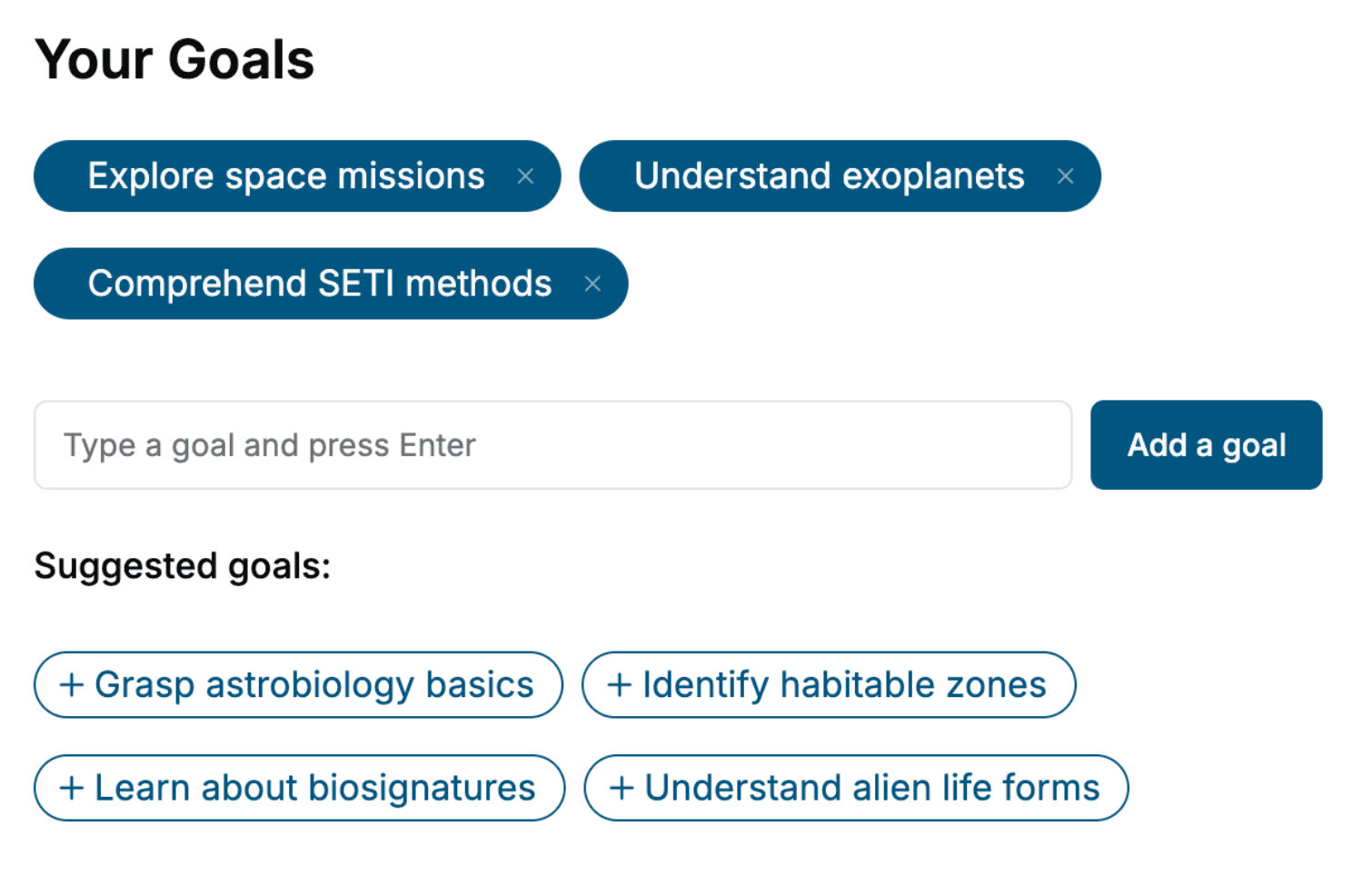
Tell us your goals and background, and get your own version of this book, tailored by AI to you.


Benefits of AI-tailored books
- Read one book, not ten:
- all the Software Development knowledge you need, gathered into a single book.
- Save days of learning:
- tell us your goals, choose your topics, and the whole book is built around them.
- Learn effortlessly:
- Software Development book written for your specific background and expertise.
- Understand at a glance:
- includes charts, tables, timelines, checklists, decision trees, and more.
- Stay current:
- written the day you order it, not years ago.
- Trust what you read:
- every book is checked for accuracy, with real research when your subject needs it.
Create your unique book in 3 steps
- 1. Select your focus
Select the focus of your Software Development book and share your background
- 2. Personalize your book
Specify your goals and choose sub-topics to include
- 3. Get your tailored book
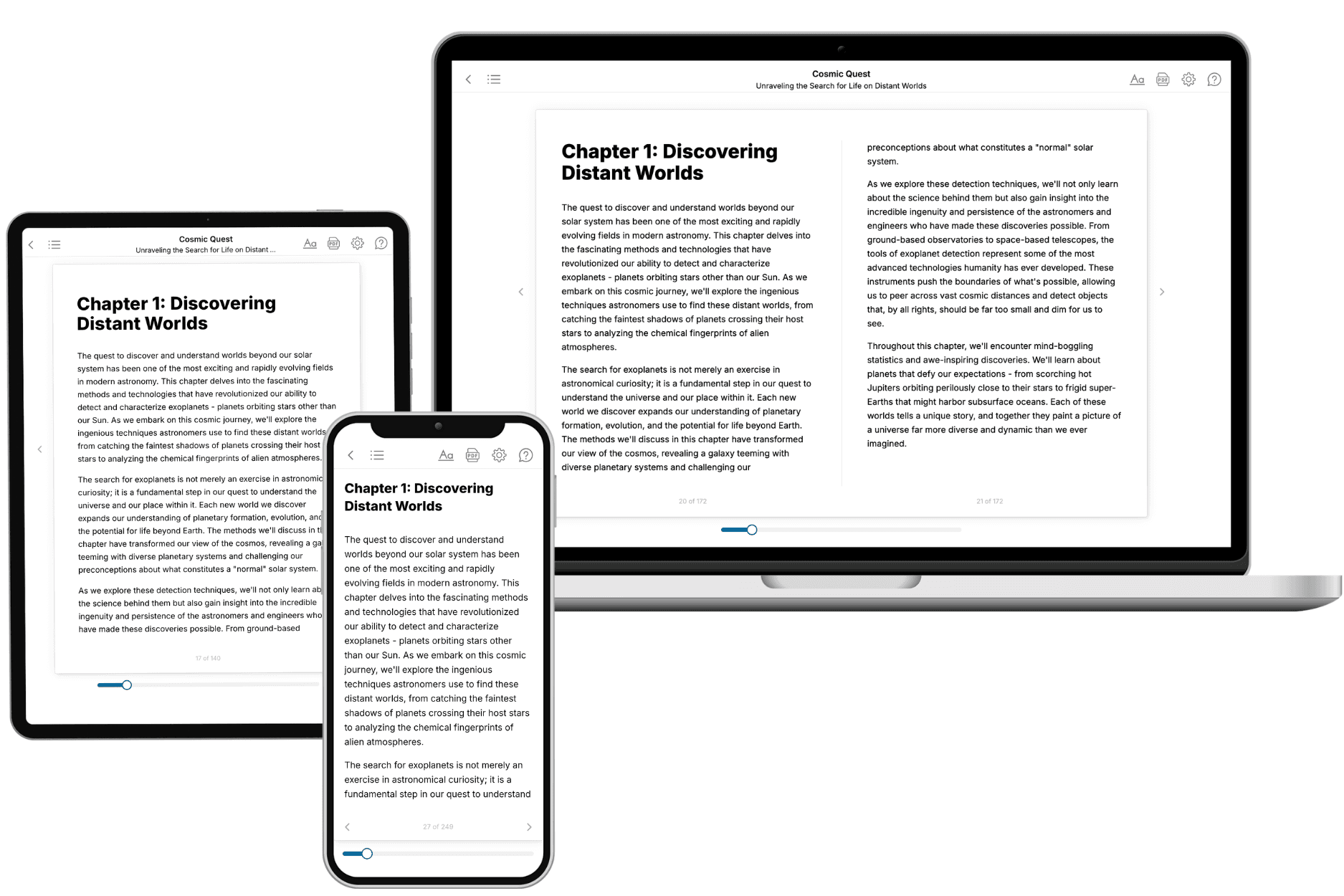
Your book is ready in 10 minutes. Read it online, download as EPUB or PDF, or send to Kindle.

Frequently asked questions
- What is TailoredRead?
TailoredRead creates complete, full-length nonfiction ebooks, written specifically for you. Tell us what you want to learn and why, and TailoredRead writes you a complete ebook on it, with charts, tables, and diagrams throughout. Read it online, on Kindle, or on any e-reader, or download it as a PDF or EPUB. Every book is written fresh the day you order it.
- How is the book tailored to me?
Before anything is written, you answer a few short questions about your goals, your background, and the topics you care about. Your book is then planned around your answers: written at your level, focused on your goals, and covering the topics you chose, instead of the one-size-fits-all book a store sells everyone.
- Will it read like generic AI content?
No. Your book isn't a chat transcript: it's planned chapter by chapter before a single word is written, told in a clear book voice, and explains ideas visually with charts, tables, and diagrams. After writing, every book goes through an editorial pass that polishes chapters so the book reads consistent from start to finish. Judge for yourself: browse thousands of sample books on our Explore Books page.
- How accurate is the content?
Our AI first checks whether your subject needs live research. Niche and fast-moving subjects are researched before writing, and the book plan and chapters are grounded in what it finds. After writing, every book goes through a quality pass that checks its facts and consistency, and researched books list their sources in a Notes section at the back.
- How long is the book?
You choose the length: Comprehensive (250-300 pages), Detailed (150-200 pages), Essential (70-100 pages), or Short (30-50 pages).
- Does the book include visuals?
Yes. Every book includes charts, tables, and diagrams: timelines, checklists, step-by-step guides, decision trees, comparison tables, matrices, and bar charts. A typical book includes dozens of these visual elements.
- Can I read it on Kindle? What formats can I download?
Yes. Every book can be read in our online reader or downloaded as a PDF or EPUB. The EPUB can be opened with Kindle, Apple Books, Kobo, and any e-reader. The Commercial and Author licenses also include an editable Word (DOCX) and Markdown download.
- How much does it cost?
About the price of a regular ebook. The exact price depends on your book's length and complexity, from $2 for the shortest books to $35 for the most comprehensive, and it's shown when you review your book, before you commit to anything. Each book is a one-time purchase, yours to keep, no subscription. Licenses that let you share, teach, or publish your book range from $35.99 to $49.99.
- Can I preview the book before purchasing?
Before you pay, you'll see what your book will cover: the title, a detailed description, the estimated length, and the complete chapter-by-chapter table of contents, so you know what you're getting before you decide. The full text itself is written after you purchase.
- How long does it take to create a book?
About 10 minutes. You can start reading the opening chapters while the rest is still being written.