Git Workflows Mastery
Essential Patterns and Practices for Collaborative Software Development
Are you managing Git repositories but struggling to keep your team aligned on how to collaborate effectively?
207 pages11 chaptersJan 24, 2026Git
About this book
Many developers know Git commands but lack a coherent strategy for organizing team workflows, leading to merge conflicts, unclear commit histories, and deployment confusion. This book provides a practical guide to implementing Git workflows that actually work for real teams. You'll learn the most popular workflow patterns—from Git Flow to GitHub Flow to trunk-based development—and understand when to use each one. Discover how to structure branches, manage pull requests, handle conflicts, and automate your workflow to reduce friction and improve code quality. Whether you're working on a small team or scaling across multiple projects, you'll gain the knowledge to design and implement workflows that keep your team productive and your codebase healthy.
Table of contents
- IntroductionWhy Git Workflows Matter, Understanding Workflow Fundamentals, How to Use This BookRead below
- Chapter 1: Git Basics ReviewCore Git Concepts, Branches, Commits, and References, Working with Remote Repositories
- Chapter 2: Workflow Principles and PatternsKey Characteristics of Effective Workflows, Choosing the Right Workflow for Your Team, Understanding Workflow Tradeoffs
- Chapter 3: Git Flow: The Structured ApproachGit Flow Architecture and Branches, Implementing Git Flow in Practice, Release and Hotfix Management, When to Use Git Flow and Its Limitations
- Chapter 4: GitHub Flow: Simplicity and Continuous DeploymentGitHub Flow Principles and Structure, Creating and Managing Feature Branches, Pull Requests as a Collaboration Tool, Continuous Deployment with GitHub Flow
- Chapter 5: Trunk-Based Development: Speed and SimplicityTrunk-Based Development Fundamentals, Working with Short-Lived Feature Branches, Feature Flags and Continuous Integration, Scaling Trunk-Based Development
- Chapter 6: Advanced Branching StrategiesBranch Naming Conventions and Organization, Managing Release and Maintenance Branches, Environment-Based Branching Patterns
- Chapter 7: Merge Strategies and Conflict ResolutionUnderstanding Merge, Squash, and Rebase, Resolving Merge Conflicts Effectively, Preventing Conflicts Through Team Practices, Merge Best Practices and Tools
- Chapter 8: Code Review and Pull Request ManagementBuilding a Code Review Culture, Creating Effective Pull Requests, Conducting Thorough Code Reviews
- Chapter 9: Versioning and Release ManagementSemantic Versioning Principles, Git Tags and Release Tagging, Maintaining Changelogs and Release Notes
- Chapter 10: Automation and Git HooksGit Hooks for Workflow Automation, Integrating with CI/CD Pipelines, Automating Workflow Enforcement
- Chapter 11: Team Practices and CommunicationWriting Clear and Meaningful Commit Messages, Establishing Team Standards and Guidelines, Onboarding New Team Members to Your Workflow
- ConclusionSelecting and Implementing Your Workflow, Continuous Improvement and Evolution
Introduction
You've learned Git commands. You can commit, branch, merge, and push with confidence. But when you join a team or start collaborating with others, something changes. Suddenly, the straightforward version control system you mastered becomes a source of confusion and frustration. Merge conflicts appear at the worst possible times. The commit history looks like a tangled mess. Nobody seems to agree on when to create branches or how to name them. Deployments become nerve-wracking events because you're never quite sure which code is actually ready for production.
This disconnect between individual Git proficiency and effective team collaboration is one of the most common challenges in modern software development. The problem isn't your technical skills—it's the absence of a shared workflow strategy. Git is an incredibly flexible tool, and that flexibility becomes a liability when team members make different assumptions about how to use it. One developer creates feature branches for everything. Another commits directly to the main branch. A third prefers to squash commits, while someone else insists on preserving detailed history. Without alignment on these practices, your team spends more time managing version control than building features.
This book addresses that gap by teaching you the strategic patterns that transform Git from a personal tool into a team collaboration system. You'll learn the most widely-adopted workflow patterns used by successful development teams, understand the principles that make them effective, and gain the knowledge to choose and implement the right workflow for your specific context. Whether you're working on a small startup project or contributing to a large enterprise codebase, the workflows and practices in this book will help you reduce friction, improve code quality, and ship software with confidence.
Why Git Workflows Matter
A Git workflow is more than a collection of commands or branch naming conventions. It's a strategic framework that defines how your team coordinates work, integrates changes, and delivers software. The workflow you choose shapes everything from how quickly you can respond to bugs to how easily new team members can contribute. When workflows are absent or poorly defined, teams experience predictable problems: developers block each other's progress, code reviews become bottlenecks, and the path from development to production feels uncertain and risky.
Consider a common scenario: your team is building a web application with multiple developers working simultaneously. Without a defined workflow, chaos emerges quickly. Developer A commits a half-finished feature directly to the main branch because they need to switch tasks. Developer B pulls those changes and their local environment breaks. Developer C creates a branch but doesn't know when or how to merge it back. Developer D fixes a critical production bug but can't figure out how to deploy it without including unfinished work from the main branch. Each of these situations wastes time, creates frustration, and introduces risk into your development process.
Effective workflows solve these problems by establishing clear answers to fundamental questions:
- Where does new development happen? Do developers work directly on the main branch, create feature branches, or use some other approach?
- How do changes get integrated? What's the process for merging code, and who reviews it before integration?
- How do you manage releases? How do you track what's ready for production versus what's still in development?
- How do you handle hotfixes? When production breaks, what's the process for creating, testing, and deploying an urgent fix?
- How do you maintain code quality? What gates exist to prevent broken or substandard code from reaching production?
The impact of workflow choices extends beyond immediate technical concerns. Workflows influence team culture and collaboration patterns. A workflow that requires code review before merging creates opportunities for knowledge sharing and mentorship. A workflow that emphasizes small, frequent integrations encourages developers to break work into manageable pieces. A workflow with clear release processes reduces the stress and uncertainty around deployments. These cultural effects often matter more than the technical details of branch management.
Research on software development practices consistently shows that teams with well-defined workflows ship code faster and with fewer defects. A study by the DevOps Research and Assessment (DORA) team found that elite-performing teams deploy code multiple times per day with change failure rates below fifteen percent[1]. These teams don't achieve these results through heroic individual effort—they build systems and workflows that make frequent, reliable deployments routine. The workflow becomes the foundation that enables speed without sacrificing stability.
Different workflows suit different contexts, and understanding this context-dependency is crucial. A two-person startup building a minimum viable product has different needs than a fifty-person team maintaining a mature enterprise application. A team practicing continuous deployment needs different branch management than a team releasing software quarterly. A mobile app team coordinating with app store review processes faces different constraints than a web team deploying to their own infrastructure. There is no universal "best" workflow—only workflows that fit or don't fit your specific situation.
The good news is that you don't need to invent a workflow from scratch. The software development community has identified several proven patterns that work well in different contexts. Git Flow provides structure for teams with scheduled releases and multiple production versions. GitHub Flow offers simplicity for teams practicing continuous deployment. Trunk-based development enables rapid integration and feedback. Each of these patterns has been tested by thousands of teams and refined over years of practice. Your job is to understand these patterns, evaluate them against your needs, and implement them effectively.
Implementing a workflow isn't a one-time decision—it's an ongoing practice that requires team buy-in, clear documentation, and consistent enforcement. The most elegant workflow design fails if team members don't understand it or choose not to follow it. Successful workflow adoption requires communication, training, and often automation to make the right thing the easy thing. Throughout this book, you'll learn not just the technical mechanics of different workflows, but also the practices that help teams adopt and maintain them successfully.
Understanding Workflow Fundamentals
Before diving into specific workflow patterns, it's essential to understand the fundamental concepts that underpin all Git workflows. These concepts form the building blocks that different workflows combine in various ways. Mastering these fundamentals gives you the vocabulary and mental models to evaluate workflows critically and adapt them to your needs rather than following them blindly.
At the core of every workflow is the concept of branch organization—how you structure branches to separate different types of work. Most workflows designate one branch as the primary integration point, often called main, master, or trunk. This branch typically represents the current state of the project and serves as the foundation for new work. Beyond this primary branch, workflows differ in how they use additional branches. Some workflows create long-lived branches for releases or environments. Others rely exclusively on short-lived feature branches. Still others minimize branching altogether, keeping most work on the main branch.
The second fundamental concept is integration strategy—how changes from different developers or branches come together. Integration can happen through direct commits, merge commits, squash merges, or rebasing. Each approach has different implications for commit history, conflict resolution, and the ability to track changes over time. For example, merge commits preserve the complete history of how work evolved but can create complex, non-linear histories. Squash merges create cleaner histories but lose granular commit information. Understanding these tradeoffs helps you choose integration strategies that align with your team's priorities.
The third concept is quality gates—the checkpoints that code must pass before integration or deployment. Quality gates might include:
- Automated tests that must pass before merging
- Code review requirements from one or more team members
- Static analysis checks for code quality or security issues
- Manual testing or approval steps for certain types of changes
- Documentation requirements or changelog updates
The fourth fundamental is release management—how you track and deploy specific versions of your software. Some workflows use dedicated release branches that stabilize code before deployment. Others tag commits on the main branch to mark releases. Still others deploy continuously from the main branch without formal releases. Your release management approach must align with your deployment frequency, the need to support multiple versions simultaneously, and your ability to roll back problematic changes.
Understanding workflow complexity is also crucial. Complexity in workflows comes from several sources: the number of long-lived branches, the number of steps required to integrate changes, the amount of manual coordination needed, and the cognitive load of understanding when to use which branch or process. More complex workflows can provide more control and structure, but they also create more opportunities for mistakes and confusion. The best workflow for your team balances the structure you need with the simplicity that enables consistent execution.
Another key concept is workflow enforcement—how you ensure team members follow the agreed-upon process. Enforcement can be social (team norms and code review), technical (branch protection rules and required checks), or automated (Git hooks and CI/CD pipelines). Effective workflows typically combine all three approaches. Social enforcement builds shared understanding and commitment. Technical enforcement prevents accidental violations. Automated enforcement removes the burden of manual checking and makes compliance effortless.
Example: A team adopting GitHub Flow might enforce their workflow through multiple mechanisms. Socially, they establish a norm that all changes require pull requests and code review. Technically, they configure branch protection on the main branch to prevent direct pushes. Automatically, they set up CI pipelines that run tests on every pull request and block merging if tests fail. This layered approach makes it nearly impossible to violate the workflow accidentally while still allowing intentional exceptions when necessary.
The concept of workflow evolution recognizes that your needs change over time. A workflow that serves a three-person team well may not scale to fifteen people. A workflow designed for monthly releases may need adjustment when you shift to continuous deployment. Successful teams treat workflows as living practices that evolve based on feedback and changing circumstances. This requires regular retrospectives on what's working and what's not, willingness to experiment with adjustments, and clear communication when processes change.
Finally, understanding workflow documentation is essential for long-term success. Even the best workflow fails if team members don't understand it or if new team members can't learn it quickly. Effective documentation includes not just the mechanics of the workflow (which commands to run, which branches to use) but also the reasoning behind decisions and guidance for common scenarios. Documentation should answer questions like: What do I do when I need to fix a production bug? How do I handle a feature that depends on another developer's unmerged work? What's the process for releasing a new version? Clear documentation reduces confusion, speeds up onboarding, and provides a reference point for resolving disagreements.
How to Use This Book
This book is structured to take you from foundational concepts to practical implementation of Git workflows. Each chapter builds on previous material, but you can also jump to specific chapters that address your immediate needs. If you're already comfortable with Git basics, you might skip the review chapter and move directly to workflow patterns. If you're specifically interested in trunk-based development, you can focus on that chapter while using other chapters as reference material.
The book follows a deliberate progression through three main sections. The first section (Chapters 1-2) establishes foundations by reviewing essential Git concepts and introducing the principles that make workflows effective. Even if you're experienced with Git, don't skip Chapter 2—it introduces the framework for evaluating workflows that you'll use throughout the book. Understanding these principles helps you think critically about workflows rather than just following recipes.
The second section (Chapters 3-5) explores the three most widely-adopted workflow patterns in depth:
- Git Flow (Chapter 3) provides a structured approach with dedicated branches for development, releases, and hotfixes—ideal for teams with scheduled releases and multiple production versions
- GitHub Flow (Chapter 4) offers a simpler pattern centered on feature branches and pull requests—well-suited for teams practicing continuous deployment
- Trunk-Based Development (Chapter 5) emphasizes rapid integration with minimal branching—designed for teams prioritizing speed and continuous integration
The third section (Chapters 6-11) covers cross-cutting practices that apply regardless of which workflow you choose. These chapters address branching strategies, merge techniques, code review practices, versioning, automation, and team communication. You can read these chapters in order or reference them as needed when implementing your chosen workflow. For example, if you're struggling with merge conflicts, Chapter 7 provides detailed strategies for resolution and prevention. If you're setting up automation, Chapter 10 covers Git hooks and CI/CD integration.
Throughout the book, you'll find several types of practical content designed to move beyond theory into implementation:
- Concrete examples showing how real teams apply workflows in specific situations
- Step-by-step processes for implementing workflow practices
- Command-line examples demonstrating the Git commands that support each workflow
- Decision frameworks helping you choose between different approaches
- Common pitfalls and how to avoid them
- Troubleshooting guidance for when things go wrong
As you read, consider your own team's context. What's your current team size? How often do you deploy? What's your release process? Do you maintain multiple versions in production simultaneously? Are you building a web application, mobile app, library, or something else? Your answers to these questions should guide which workflows and practices you prioritize. The book provides guidance for different contexts, but you'll need to evaluate which recommendations fit your specific situation.
If you're reading this book to choose a workflow for your team, consider this approach: First, read Chapters 1-2 to establish foundations and evaluation criteria. Then, read Chapters 3-5 to understand the major workflow patterns. As you read each workflow chapter, take notes on how well it fits your team's needs using the evaluation framework from Chapter 2. After reading all three workflow chapters, you'll be equipped to make an informed decision. Then, dive into the relevant chapters from the third section to implement your chosen workflow effectively.
If you're reading this book to improve an existing workflow, your approach might differ. Start by identifying your current pain points. Are merge conflicts a constant problem? Is your commit history confusing? Do deployments feel risky? Are code reviews taking too long? Once you've identified specific challenges, use the table of contents to find chapters that address those issues directly. For example, if merge conflicts are your primary concern, Chapter 7 provides targeted solutions. If code review is the bottleneck, Chapter 8 offers practices to streamline the process.
Example: A team of eight developers was using a informal workflow where everyone created feature branches but had no clear process for integration. They experienced frequent merge conflicts and unclear commit histories. After reading this book, they identified GitHub Flow as a good fit for their continuous deployment model. They implemented pull request requirements, established code review practices from Chapter 8, and set up automated testing from Chapter 10. Within a month, merge conflicts decreased significantly, and the team reported feeling more confident about the quality of merged code.
One important note about the examples and commands in this book: they assume you're using a relatively recent version of Git (2.23 or later) and follow modern conventions like using main as the default branch name rather than master. If you're working with older repositories or different conventions, you may need to adjust commands accordingly. The principles and patterns remain the same regardless of these details.
Finally, remember that reading about workflows is just the first step. The real learning happens when you implement these practices with your team. Start small—pick one or two practices to implement first rather than trying to overhaul everything at once. Gather feedback from your team about what's working and what's not. Be willing to adjust your approach based on real experience. The workflows in this book are starting points, not rigid prescriptions. Your goal is to develop a workflow that serves your team's specific needs, and that may require adaptation and experimentation.
As you work through this book, you'll develop a deeper understanding of how Git workflows transform version control from a technical tool into a strategic asset for your team. You'll learn to think about workflows not as arbitrary rules but as deliberate designs that shape how your team collaborates, maintains quality, and delivers value. Whether you're implementing a workflow for the first time or refining an existing process, the knowledge in this book will help you make informed decisions and build practices that make your team more effective. Let's begin by reviewing the Git fundamentals that underpin all workflows.
Notes
Introduction
- 1. Nicole Forsgren and others, Accelerate: The Science of Lean Software and DevOps, IT Revolution Press, 2018
This is the end of the free sample. The full book has 11 chapters.
Want this book written for you?
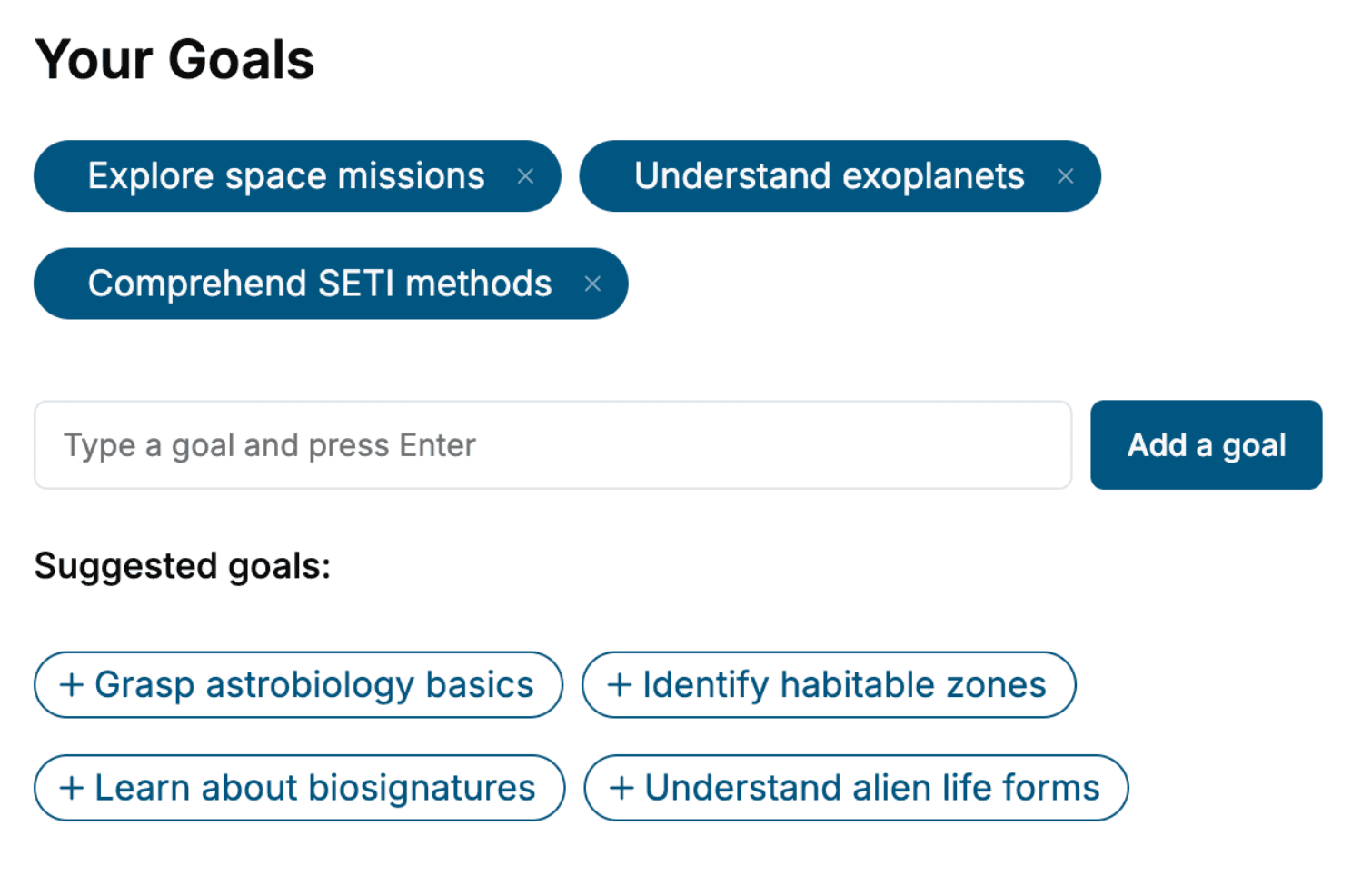
Tell us your goals and background, and get your own version of this book, tailored by AI to you.


Benefits of AI-tailored books
- Read one book, not ten:
- all the Git knowledge you need, gathered into a single book.
- Save days of learning:
- tell us your goals, choose your topics, and the whole book is built around them.
- Learn effortlessly:
- Git book written for your specific background and expertise.
- Understand at a glance:
- includes charts, tables, timelines, checklists, decision trees, and more.
- Stay current:
- written the day you order it, not years ago.
- Trust what you read:
- every book is checked for accuracy, with real research when your subject needs it.
Create your unique book in 3 steps
- 1. Select your focus
Select the focus of your Git book and share your background
- 2. Personalize your book
Specify your goals and choose sub-topics to include
- 3. Get your tailored book
Your book is ready in 10 minutes. Read it online, download as EPUB or PDF, or send to Kindle.

Frequently asked questions
- What is TailoredRead?
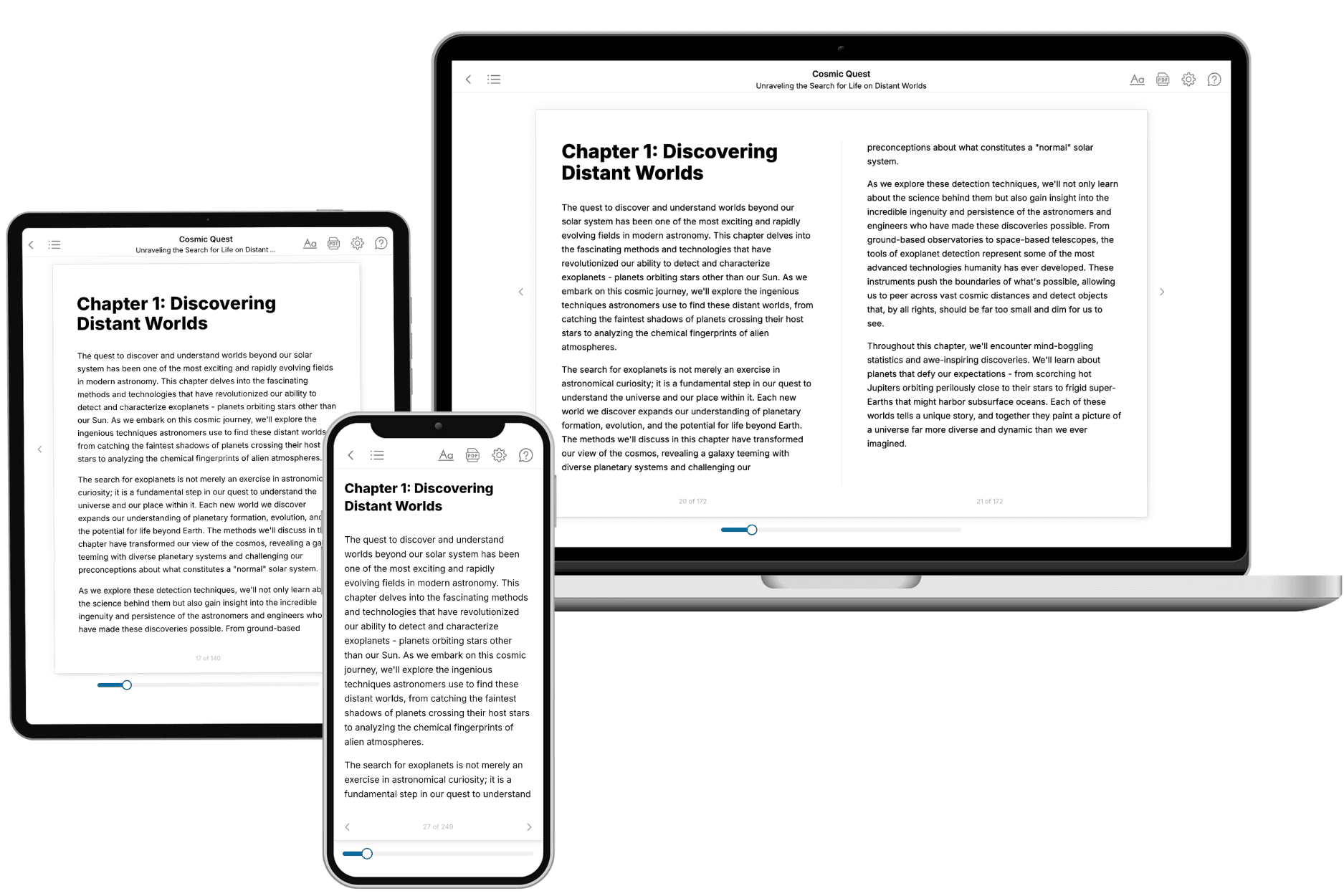
TailoredRead creates complete, full-length nonfiction ebooks, written specifically for you. Tell us what you want to learn and why, and TailoredRead writes you a complete ebook on it, with charts, tables, and diagrams throughout. Read it online, on Kindle, or on any e-reader, or download it as a PDF or EPUB. Every book is written fresh the day you order it.
- How is the book tailored to me?
Before anything is written, you answer a few short questions about your goals, your background, and the topics you care about. Your book is then planned around your answers: written at your level, focused on your goals, and covering the topics you chose, instead of the one-size-fits-all book a store sells everyone.
- Will it read like generic AI content?
No. Your book isn't a chat transcript: it's planned chapter by chapter before a single word is written, told in a clear book voice, and explains ideas visually with charts, tables, and diagrams. After writing, every book goes through an editorial pass that polishes chapters so the book reads consistent from start to finish. Judge for yourself: browse thousands of sample books on our Explore Books page.
- How accurate is the content?
Our AI first checks whether your subject needs live research. Niche and fast-moving subjects are researched before writing, and the book plan and chapters are grounded in what it finds. After writing, every book goes through a quality pass that checks its facts and consistency, and researched books list their sources in a Notes section at the back.
- How long is the book?
You choose the length: Comprehensive (250-300 pages), Detailed (150-200 pages), Essential (70-100 pages), or Short (30-50 pages).
- Does the book include visuals?
Yes. Every book includes charts, tables, and diagrams: timelines, checklists, step-by-step guides, decision trees, comparison tables, matrices, and bar charts. A typical book includes dozens of these visual elements.
- Can I read it on Kindle? What formats can I download?
Yes. Every book can be read in our online reader or downloaded as a PDF or EPUB. The EPUB can be opened with Kindle, Apple Books, Kobo, and any e-reader. The Commercial and Author licenses also include an editable Word (DOCX) and Markdown download.
- How much does it cost?
About the price of a regular ebook. The exact price depends on your book's length and complexity, from $2 for the shortest books to $35 for the most comprehensive, and it's shown when you review your book, before you commit to anything. Each book is a one-time purchase, yours to keep, no subscription. Licenses that let you share, teach, or publish your book range from $35.99 to $49.99.
- Can I preview the book before purchasing?
Before you pay, you'll see what your book will cover: the title, a detailed description, the estimated length, and the complete chapter-by-chapter table of contents, so you know what you're getting before you decide. The full text itself is written after you purchase.
- How long does it take to create a book?
About 10 minutes. You can start reading the opening chapters while the rest is still being written.