Gradle and Jenkins Mastery
Advanced Techniques for Supercharging Your CI/CD Pipeline
Slash your build times by 50% and revolutionize your CI/CD pipeline with Gradle and Jenkins Mastery.
269 pages14 chaptersApr 13, 2025Software DevelopmentCreated by Chris
About this book
This comprehensive guide equips you with cutting-edge techniques to optimize every aspect of your build process. You'll learn how to implement parallel builds, master Gradle DSL, customize Jenkins plugins, and automate deployments with precision. Dive deep into advanced topics such as build caching strategies, test parallelization, and resource optimization. Discover how to create custom Gradle tasks, design modular build systems, and leverage Jenkins shared libraries for maximum efficiency. With hands-on examples and expert insights, you'll gain the skills to implement build matrices, optimize Docker integration, and harness the power of Kubernetes for seamless deployments. By the end of this book, you'll have the expertise to architect high-performance build systems, implement sophisticated monitoring and analytics, and drive continuous improvement in your development workflow. Get ready to take your software engineering skills to the next level and become the go-to expert for build optimization in your organization.
Table of contents
- IntroductionThe Importance of Build Optimization, Gradle and Jenkins: A Powerful Combination, How to Use This Book, Prerequisites and SetupRead below
- Chapter 1: Gradle Fundamentals for PerformanceUnderstanding the Gradle Build Lifecycle, Gradle DSL Basics for Optimization, Optimizing the Gradle Task Graph, Implementing Incremental Tasks
- Chapter 2: Jenkins Essentials for CI/CD ExcellenceMastering Jenkins Pipeline Syntax, Leveraging Jenkins Shared Libraries, Optimal Agent Configuration, Jenkins Security Best Practices
- Chapter 3: Parallel Execution StrategiesParallel Execution in Gradle, Parallel Stages in Jenkins Pipelines, Implementing Distributed Builds, Avoiding Common Parallelization Pitfalls
- Chapter 4: Advanced Caching StrategiesMaximizing Gradle Build Cache Efficiency, Setting Up Remote Caching, Artifact Caching Best Practices, Smart Cache Invalidation Techniques
- Chapter 5: Gradle DSL MasteryCreating Efficient Custom Task Types, Lazy Configuration for Performance Gains, Leveraging the Gradle Kotlin DSL, Organizing Build Logic for Scalability
- Chapter 6: Jenkins Customization and PluginsDeveloping Custom Jenkins Plugins, Advanced Groovy Scripting in Jenkins, Optimizing Plugin Usage and Performance, Utilizing Jenkins Extension Points
- Chapter 7: Test Execution OptimizationStrategies for Test Parallelization, Intelligent Test Splitting and Distribution, Efficient Test Data Management, Implementing Selective Testing
- Chapter 8: Resource Allocation and OptimizationMemory Management in Gradle and Jenkins, CPU Usage Optimization Techniques, Improving I/O Performance, Dynamic Agent Scaling Strategies
- Chapter 9: Mastering Incremental BuildsIncremental Compilation Techniques, Advanced Change Detection Mechanisms, Task Avoidance Strategies, Incremental Testing Approaches
- Chapter 10: Designing Modular Build SystemsOptimizing Multi-Project Builds, Leveraging Gradle Composite Builds, Efficient Dependency Management, Managing Build Variants and Flavors
- Chapter 11: Docker Integration and OptimizationOptimizing Dockerfiles for Faster Builds, Implementing Multi-stage Docker Builds, Docker Layer Caching Strategies, Using the Gradle Docker Plugin Effectively
- Chapter 12: Kubernetes Deployment TestingIntegrating Kubernetes with Jenkins, Testing Different Deployment Strategies, Kubernetes Resource Management in CI/CD, Leveraging Helm for Deployments
- Chapter 13: Build Monitoring and AnalyticsKey Performance Metrics to Track, Implementing Build Monitoring Tools, Advanced Build Log Analysis, Data Visualization for Build Analytics
- Chapter 14: Strategies for Continuous OptimizationConducting Regular Performance Audits, Identifying and Resolving Bottlenecks, Creating Automation Scripts for Optimization, Fostering a Culture of Optimization
- ConclusionFuture Trends in Build Optimization, Continuous Learning and Improvement
- AppendixCommon Issues and Troubleshooting, Build Performance Checklist
Introduction
In the fast-paced world of software development, where rapid iteration and continuous delivery are paramount, the efficiency of your build process can make or break your productivity. As an experienced Principal Software Engineer with an MSc in Computer Science, you're already well-versed in the intricacies of software development. However, the landscape of build optimization is ever-evolving, and staying ahead of the curve is crucial for maintaining a competitive edge in the industry. This book, "Gradle and Jenkins Mastery: Advanced Techniques for Supercharging Your CI/CD Pipeline," is your comprehensive guide to revolutionizing your build processes and taking your continuous integration and continuous delivery (CI/CD) pipeline to the next level.
Throughout this book, you'll embark on a journey to master advanced build optimization techniques using two of the most powerful tools in the modern developer's arsenal: Gradle and Jenkins. These technologies, when leveraged to their full potential, can dramatically reduce build times, streamline your development workflow, and enhance the overall quality of your software delivery process. By the time you finish this book, you'll have the knowledge and skills to architect high-performance build systems, implement sophisticated monitoring and analytics, and drive continuous improvement in your development workflow.
The techniques and strategies presented in this book are not just theoretical concepts; they are battle-tested approaches that have been proven effective in real-world scenarios. You'll learn how to harness the power of parallel execution, optimize Gradle DSL and task graphs, leverage Jenkins pipelines and shared libraries, and much more. Each chapter is designed to build upon the previous one, gradually expanding your expertise and providing you with a comprehensive understanding of advanced build optimization.
As we delve into the intricacies of Gradle and Jenkins, you'll discover how to implement parallel builds that can slash your build times by up to 50%. You'll master the art of build caching, learning strategies to significantly speed up subsequent builds and reduce unnecessary work. The book will guide you through the process of optimizing Gradle DSL and task graphs, enabling you to create more efficient and maintainable build scripts. You'll also explore the world of Jenkins pipelines and shared libraries, discovering how to promote code reuse and enhance the maintainability of your CI/CD processes.
But this book goes beyond just Gradle and Jenkins. You'll learn how to integrate Docker and Kubernetes into your CI/CD pipeline, streamlining your deployment processes and ensuring consistency across different environments. We'll explore advanced topics such as test parallelization, resource allocation, and agent scaling, equipping you with the tools to handle even the most demanding build requirements. Throughout the book, you'll find hands-on examples, expert insights, and best practices that you can immediately apply to your own projects.
The Importance of Build Optimization
In the realm of software development, time is a precious commodity. Every minute spent waiting for a build to complete is a minute that could have been used for coding, testing, or solving complex problems. Build optimization is not just about saving time; it's about enhancing productivity, improving code quality, and ultimately delivering better software faster. As projects grow in size and complexity, the need for efficient build processes becomes increasingly critical.
Consider a typical scenario in a large-scale software project: A team of developers is working on a complex application with millions of lines of code. Without proper build optimization, each change, no matter how small, could trigger a full rebuild that takes hours to complete. This not only slows down the development process but also discourages developers from making frequent commits, leading to larger, more risky changes. The ripple effect of slow builds can be felt throughout the entire development lifecycle, from increased time-to-market to higher costs and reduced competitiveness.
Build optimization addresses these challenges head-on. By implementing advanced techniques such as incremental compilation, parallel execution, and smart caching, you can dramatically reduce build times. For instance, a study conducted by Google on their build system revealed that optimizing their build process led to a 30% reduction in build times, saving thousands of engineering hours per day[1]. This improvement not only boosted productivity but also enhanced developer satisfaction and code quality.
Moreover, build optimization is not just about speed; it's about reliability and consistency. A well-optimized build process is less prone to errors and provides more consistent results across different environments. This reliability is crucial in modern CI/CD pipelines, where automated tests and deployments depend on the accuracy and repeatability of the build process. By mastering build optimization, you're not just improving a single aspect of your development workflow; you're enhancing the entire software delivery pipeline.
In the context of Gradle and Jenkins, build optimization takes on even greater significance. Gradle's powerful build automation system, combined with Jenkins' robust CI/CD capabilities, provides a fertile ground for implementing advanced optimization techniques. From Gradle's incremental builds and build cache to Jenkins' distributed builds and pipeline optimization, the potential for improvement is vast. By harnessing these tools effectively, you can create a build system that not only meets the demands of your current projects but is also scalable and adaptable to future challenges.
Furthermore, build optimization is closely tied to resource efficiency. In an era where cloud computing costs can quickly escalate, optimizing your build process can lead to significant cost savings. Efficient builds require less computational resources, translating to lower infrastructure costs and reduced energy consumption. This aspect of build optimization aligns well with the growing emphasis on green computing and sustainable software development practices.
As you progress through this book, you'll come to appreciate that build optimization is an ongoing process. The techniques you'll learn are not one-time fixes but part of a continuous improvement cycle. By cultivating a mindset of constant optimization and equipping yourself with the right tools and knowledge, you'll be able to adapt to new challenges and keep your build processes at the cutting edge of efficiency.
In essence, mastering build optimization is about more than just technical proficiency; it's about embracing a philosophy of efficiency and continuous improvement. It's about understanding that every optimization, no matter how small, contributes to a more streamlined, productive, and enjoyable development process. As you embark on this journey of mastering Gradle and Jenkins for build optimization, remember that you're not just learning a set of techniques – you're acquiring a skill set that will fundamentally transform your approach to software development and delivery.
Gradle and Jenkins: A Powerful Combination
In the world of build automation and continuous integration/continuous delivery (CI/CD), Gradle and Jenkins stand out as two of the most powerful and versatile tools available. When used in combination, they create a synergy that can dramatically enhance your build processes and streamline your entire development pipeline. This section will provide an overview of these tools and explain why they form such a potent duo for build optimization.
Gradle, an open-source build automation tool, has gained immense popularity since its introduction in 2007. Its power lies in its flexibility and performance. Unlike traditional build tools that use XML for build scripts, Gradle uses a domain-specific language (DSL) based on Groovy or Kotlin. This approach allows for more expressive and maintainable build scripts. Gradle's incremental build feature is particularly noteworthy – it can determine which parts of the build tree are up-to-date, executing only the necessary tasks and significantly reducing build times. According to the Gradle team, projects that switch to Gradle often see build speed improvements of up to 100 times[2].
One of Gradle's key strengths is its build cache. This feature allows Gradle to reuse the results of previous executions, avoiding redundant work and further speeding up the build process. For large projects with multiple developers, this can lead to substantial time savings. Gradle also excels in dependency management, offering fine-grained control over project dependencies and supporting custom repository layouts. Its plugin ecosystem is rich and extensible, allowing developers to easily add new functionality to their builds.
Jenkins, on the other hand, is the Swiss Army knife of CI/CD tools. As an open-source automation server, Jenkins provides hundreds of plugins to support building, deploying, and automating any project. Its pipeline feature, introduced in Jenkins 2.0, allows you to define your entire build pipeline as code, making it easier to version control and manage complex build processes. Jenkins' distributed build system is particularly powerful, allowing you to distribute builds across multiple machines, significantly reducing build times for large projects.
The strength of Jenkins lies in its flexibility and extensibility. It can be used to build and test virtually any project, regardless of language or platform. Its plugin architecture allows it to integrate with a vast array of tools and services, from version control systems to deployment platforms. Jenkins' ability to orchestrate complex workflows, including parallel execution of tasks, makes it an ideal tool for managing sophisticated build and deployment processes.
When Gradle and Jenkins are used together, they create a powerful ecosystem for build optimization. Gradle's efficient build execution and caching capabilities complement Jenkins' robust CI/CD features perfectly. For instance, you can use Gradle to define and execute your build tasks, taking advantage of its incremental build and caching features, while using Jenkins to orchestrate the overall CI/CD pipeline, manage distributed builds, and handle deployments.
This combination allows for some impressive optimizations. For example, you can configure Jenkins to use Gradle's build cache across different builds and even different agents, dramatically reducing build times in a distributed environment. You can leverage Gradle's powerful DSL to create modular, maintainable build scripts, and then use Jenkins pipelines to orchestrate these builds in a flexible, code-as-configuration manner. The result is a build system that is not only fast but also scalable and easy to maintain.
Moreover, both Gradle and Jenkins have strong community support and are constantly evolving. Gradle continues to improve its performance and add new features with each release. For instance, the introduction of the Gradle Build Tool in version 3.0 brought significant performance improvements and new optimization possibilities. Similarly, Jenkins is continually expanding its capabilities, with recent versions focusing on improving pipeline functionality and cloud-native support.
The combination of Gradle and Jenkins also addresses one of the key challenges in modern software development: the need for consistency across different environments. Gradle's declarative builds and Jenkins' pipeline-as-code approach ensure that your build and deployment processes are consistent and reproducible, whether they're running on a developer's local machine or in a production CI environment. This consistency is crucial for maintaining code quality and reducing the "it works on my machine" syndrome.
Furthermore, both tools have excellent support for containerization and cloud technologies. Gradle can be easily integrated with Docker, allowing for consistent build environments, while Jenkins has robust support for containerized builds and deployments, including native integration with Kubernetes. This makes the Gradle-Jenkins combination well-suited for modern, cloud-native development workflows.
As you progress through this book, you'll discover numerous ways to leverage the strengths of both Gradle and Jenkins to create a highly optimized build and deployment pipeline. From parallel execution strategies to advanced caching techniques, from custom plugin development to sophisticated monitoring and analytics, the combination of Gradle and Jenkins provides a rich playground for build optimization enthusiasts.
In essence, Gradle and Jenkins form a symbiotic relationship in the build optimization ecosystem. Gradle provides the speed and flexibility at the build level, while Jenkins offers the power and extensibility at the CI/CD level. Together, they create a foundation upon which you can build incredibly efficient, scalable, and maintainable development workflows. As you delve deeper into the advanced techniques covered in this book, you'll gain a profound appreciation for the power of this combination and how it can transform your approach to software development and delivery.
How to Use This Book
"Gradle and Jenkins Mastery: Advanced Techniques for Supercharging Your CI/CD Pipeline" is designed to be a comprehensive guide that takes you on a journey from understanding the fundamentals of build optimization to mastering advanced techniques. To get the most out of this book, it's important to understand its structure and how to approach the material effectively. This section will guide you through the book's organization and provide tips on how to use it to maximize your learning and practical application of the concepts.
The book is structured in a logical progression, starting with foundational concepts and gradually moving towards more advanced topics. Each chapter builds upon the knowledge from previous chapters, creating a cohesive learning experience. However, the chapters are also designed to be relatively self-contained, allowing you to focus on specific areas of interest if you prefer. Here's an overview of how the book is organized:
1. Fundamentals: The first few chapters cover the essential concepts of Gradle and Jenkins. Even if you're already familiar with these tools, these chapters provide valuable insights into their inner workings, which is crucial for advanced optimization. 2. Core Optimization Techniques: The middle chapters delve into key optimization strategies such as parallel execution, caching, and resource management. These form the backbone of build optimization. 3. Advanced Topics: Later chapters explore more specialized areas like Docker integration, Kubernetes deployment, and build analytics. These sections will help you take your optimization skills to the next level. 4. Practical Application: Throughout the book, you'll find hands-on examples and case studies that demonstrate how to apply the concepts in real-world scenarios. 5. Future Trends and Continuous Improvement: The final chapters look at emerging trends in build optimization and strategies for continuous improvement, helping you stay ahead of the curve.
To make the most of this book, consider the following approach: 1. Sequential Reading: If you're new to advanced build optimization, reading the book from start to finish will provide a structured learning path. 2. Hands-On Practice: Don't just read – do. Set up a test project and apply the techniques as you learn them. This practical application will reinforce your understanding and help you discover nuances not always apparent from theory alone. 3. Reference Use: Once you've read through the book, keep it handy as a reference. The detailed table of contents and index will help you quickly find specific topics when you need them. 4. Note-Taking and Highlighting: Engage actively with the material by taking notes and highlighting key concepts. This will help reinforce your learning and make future reference easier. 5. Code Examples: Pay close attention to the code examples provided. Try to understand not just what they do, but why they're structured that way. Consider how you might adapt them to your specific needs. 6. Experimentation: Don't be afraid to experiment beyond the examples given. Try combining different techniques or applying them in novel ways to your projects. 7. Community Engagement: Join online communities related to Gradle and Jenkins. Sharing your experiences and learning from others can provide valuable insights beyond what's covered in the book.
Each chapter in this book follows a consistent structure to facilitate learning: 1. Introduction: Sets the context and outlines what you'll learn. 2. Concept Explanation: Provides a detailed explanation of the topic. 3. Practical Examples: Demonstrates how to implement the concepts. 4. Best Practices and Pitfalls: Highlights recommended approaches and common mistakes to avoid. 5. Summary: Recaps key points and sets the stage for the next chapter.
Pay special attention to the "Best Practices and Pitfalls" sections. These insights come from real-world experience and can save you significant time and frustration in your own projects. The book also includes various callouts and sidebars that provide additional context, tips, or deeper dives into specific topics. These are designed to enrich your understanding and often contain valuable nuggets of information that can make a big difference in practice.
As you progress through the book, you'll notice that certain themes recur across different chapters. These recurring themes – such as the importance of measurement, the balance between performance and maintainability, and the need for continuous optimization – are fundamental principles of build optimization. Recognizing and internalizing these themes will help you develop a holistic understanding of build optimization that goes beyond individual techniques.
Remember that build optimization is as much an art as it is a science. While the book provides a wealth of technical information, it also aims to cultivate an optimization mindset. As you read, try to think about how the concepts can be applied to your specific projects and challenges. Consider the trade-offs involved in different approaches and how they might play out in your unique context.
Finally, don't feel pressured to implement everything at once. Build optimization is an iterative process. Start with the techniques that are most relevant to your current needs and gradually incorporate others as you become more comfortable and as your projects evolve. The goal is not just to learn the techniques but to develop the skills to analyze, optimize, and continuously improve your build processes.
By approaching this book with an open mind, a willingness to experiment, and a focus on practical application, you'll not only gain a deep understanding of Gradle and Jenkins but also develop the expertise to significantly enhance your CI/CD pipeline. Whether you're looking to slash build times, improve resource utilization, or create more maintainable build systems, this book will equip you with the knowledge and skills to achieve your goals and become a build optimization expert.
Prerequisites and Setup
Before diving into the advanced techniques covered in this book, it's essential to ensure that you have the necessary prerequisites in place and that your development environment is properly set up. This section will guide you through the requirements and setup process, helping you create an optimal environment for learning and experimenting with the concepts presented in the book.
First and foremost, this book assumes a certain level of experience and knowledge. As an experienced Principal Software Engineer with an MSc in Computer Science, you likely already possess much of the foundational knowledge required. However, it's worth reviewing the following prerequisites to ensure you're fully prepared:
1. Programming Experience: Strong proficiency in at least one programming language, preferably Java, Kotlin, or Groovy, as these are commonly used with Gradle and Jenkins. 2. Build Systems: Familiarity with build systems and concepts such as dependency management, task execution, and build lifecycles. 3. CI/CD Concepts: Understanding of continuous integration and continuous delivery principles and practices. 4. Version Control: Proficiency with Git or another version control system. 5. Command Line: Comfort with using command-line interfaces, as many operations with Gradle and Jenkins are performed via CLI. 6. Basic DevOps Knowledge: Familiarity with concepts like containerization, cloud computing, and infrastructure as code will be beneficial, especially for later chapters.
If you find that you need to brush up on any of these areas, there are numerous online resources and tutorials available. Taking the time to strengthen your foundation in these areas will enhance your understanding and application of the advanced techniques covered in this book.
Now, let's move on to setting up your development environment. Here's a step-by-step guide to get you started:
1. Install Java Development Kit (JDK): - Both Gradle and Jenkins require Java to run. - Install the latest LTS version of the JDK (currently JDK 17 as of 2023). - Set the JAVA_HOME environment variable and add Java to your system PATH. 2. Install Gradle: - Download and install the latest version of Gradle from the official website. - Add Gradle to your system PATH. - Verify the installation by running `gradle -v` in your terminal. 3. Install Jenkins: - Download Jenkins from the official website. - Follow the installation instructions for your operating system. - Once installed, access Jenkins through your web browser and complete the initial setup. 4. IDE Setup: - While not strictly necessary, an Integrated Development Environment (IDE) can greatly enhance your productivity. - Recommended IDEs include IntelliJ IDEA, Eclipse, or Visual Studio Code. - Install Gradle and Jenkins plugins for your chosen IDE to enable seamless integration. 5. Version Control: - Ensure you have Git installed on your system. - Configure Git with your name and email address. 6. Docker (Optional but Recommended): - Install Docker to work with containerized builds and deployments. - Familiarize yourself with basic Docker commands and concepts. 7. Cloud Platform Account (Optional): - If you plan to explore cloud-based CI/CD, set up an account with a cloud provider like AWS, Google Cloud, or Azure. 8. Sample Project: - Clone or create a sample Java or Kotlin project that you can use for experimenting with the techniques in this book. - Ensure the project has a basic Gradle build file and a simple structure to start with.
Once you have these components set up, take some time to familiarize yourself with the basic operations of Gradle and Jenkins. Try running a simple Gradle build and setting up a basic Jenkins pipeline. This hands-on experience will provide a solid foundation for the more advanced concepts we'll be exploring.
It's also worth noting that the field of build optimization is constantly evolving. To stay current, consider the following: 1. Subscribe to the official Gradle and Jenkins blogs and newsletters. 2. Join relevant communities on platforms like Stack Overflow, Reddit, or LinkedIn. 3. Follow key contributors and organizations on social media platforms. 4. Regularly check for updates to Gradle, Jenkins, and related tools, as new versions often include performance improvements and new features.
As you progress through the book, you may need to install additional tools or plugins. These will be mentioned in the relevant chapters, along with installation instructions or references. Keep in mind that version numbers and specific steps might change over time, so always refer to the official documentation for the most up-to-date information.
Remember, the goal of this setup is not just to follow along with the examples in the book, but to create an environment where you can experiment, innovate, and apply the concepts to your own projects. Don't hesitate to customize your setup based on your specific needs and preferences.
Lastly, approach this learning journey with patience and curiosity. Build optimization is a complex field with many nuances. You may encounter challenges or unexpected behavior as you experiment with different techniques. These moments are valuable learning opportunities. Keep notes of your experiences, questions that arise, and insights you gain along the way.
With your environment set up and your mindset prepared, you're now ready to embark on this exciting journey into the world of advanced build optimization with Gradle and Jenkins. The following chapters will build upon this foundation, introducing you to powerful techniques and strategies that will transform your approach to building and delivering software.
This is the end of the free sample. The full book has 14 chapters.
Want this book written for you?
Tell us your goals and background, and get your own version of this book, tailored by AI to you.


Benefits of AI-tailored books
- Read one book, not ten:
- all the Software Development knowledge you need, gathered into a single book.
- Save days of learning:
- tell us your goals, choose your topics, and the whole book is built around them.
- Learn effortlessly:
- Software Development book written for your specific background and expertise.
- Understand at a glance:
- includes charts, tables, timelines, checklists, decision trees, and more.
- Stay current:
- written the day you order it, not years ago.
- Trust what you read:
- every book is checked for accuracy, with real research when your subject needs it.
Create your unique book in 3 steps
- 1. Select your focus
Select the focus of your Software Development book and share your background
- 2. Personalize your book
Specify your goals and choose sub-topics to include
- 3. Get your tailored book
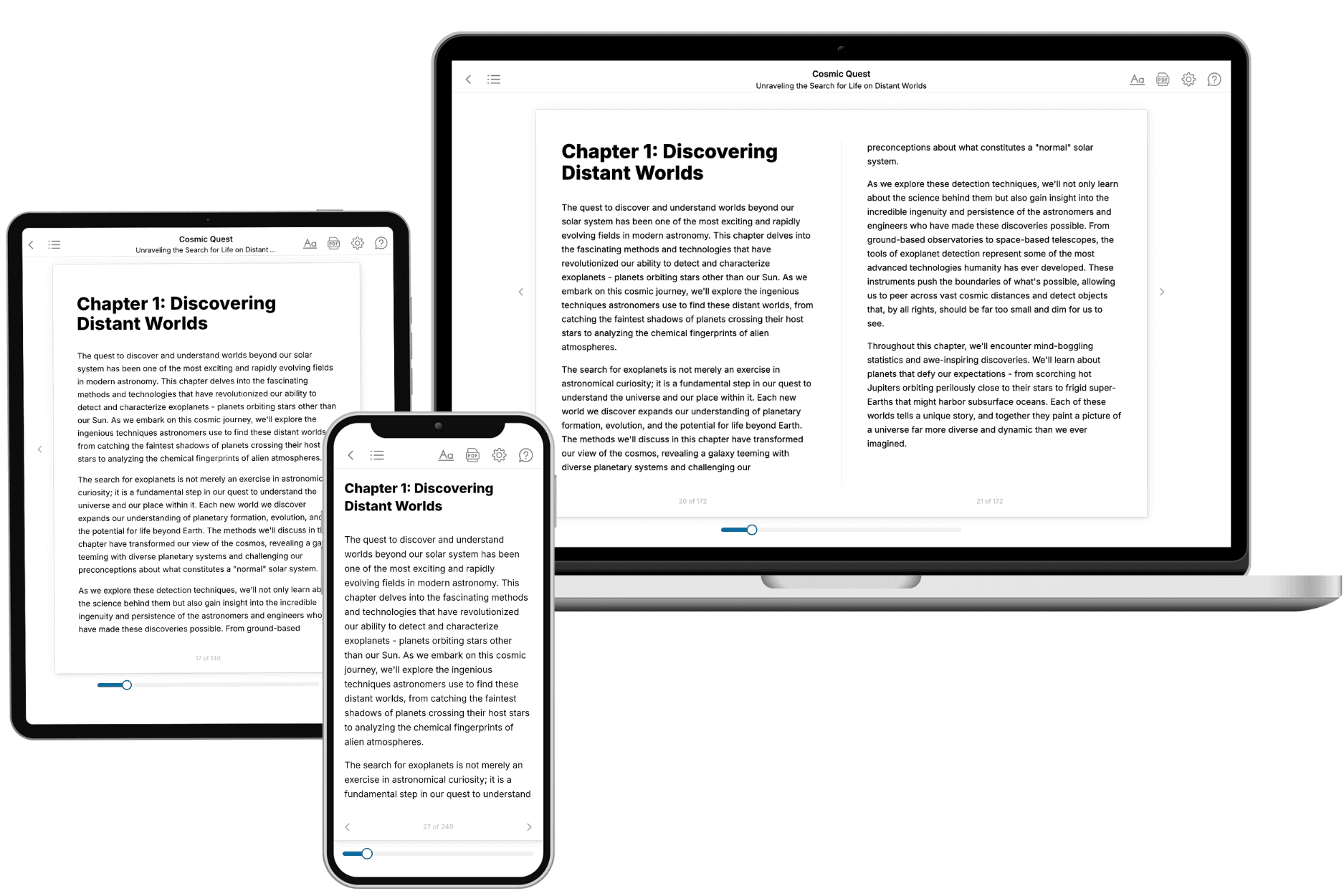
Your book is ready in 10 minutes. Read it online, download as EPUB or PDF, or send to Kindle.
Frequently asked questions
- What is TailoredRead?
TailoredRead creates complete, full-length nonfiction ebooks, written specifically for you. Tell us what you want to learn and why, and TailoredRead writes you a complete ebook on it, with charts, tables, and diagrams throughout. Read it online, on Kindle, or on any e-reader, or download it as a PDF or EPUB. Every book is written fresh the day you order it.
- How is the book tailored to me?
Before anything is written, you answer a few short questions about your goals, your background, and the topics you care about. Your book is then planned around your answers: written at your level, focused on your goals, and covering the topics you chose, instead of the one-size-fits-all book a store sells everyone.
- Will it read like generic AI content?
No. Your book isn't a chat transcript: it's planned chapter by chapter before a single word is written, told in a clear book voice, and explains ideas visually with charts, tables, and diagrams. After writing, every book goes through an editorial pass that polishes chapters so the book reads consistent from start to finish. Judge for yourself: browse thousands of sample books on our Explore Books page.
- How accurate is the content?
Our AI first checks whether your subject needs live research. Niche and fast-moving subjects are researched before writing, and the book plan and chapters are grounded in what it finds. After writing, every book goes through a quality pass that checks its facts and consistency, and researched books list their sources in a Notes section at the back.
- How long is the book?
You choose the length: Comprehensive (250-300 pages), Detailed (150-200 pages), Essential (70-100 pages), or Short (30-50 pages).
- Does the book include visuals?
Yes. Every book includes charts, tables, and diagrams: timelines, checklists, step-by-step guides, decision trees, comparison tables, matrices, and bar charts. A typical book includes dozens of these visual elements.
- Can I read it on Kindle? What formats can I download?
Yes. Every book can be read in our online reader or downloaded as a PDF or EPUB. The EPUB can be opened with Kindle, Apple Books, Kobo, and any e-reader. The Commercial and Author licenses also include an editable Word (DOCX) and Markdown download.
- How much does it cost?
About the price of a regular ebook. The exact price depends on your book's length and complexity, from $2 for the shortest books to $35 for the most comprehensive, and it's shown when you review your book, before you commit to anything. Each book is a one-time purchase, yours to keep, no subscription. Licenses that let you share, teach, or publish your book range from $35.99 to $49.99.
- Can I preview the book before purchasing?
Before you pay, you'll see what your book will cover: the title, a detailed description, the estimated length, and the complete chapter-by-chapter table of contents, so you know what you're getting before you decide. The full text itself is written after you purchase.
- How long does it take to create a book?
About 10 minutes. You can start reading the opening chapters while the rest is still being written.