Gradle Mastery
Advanced Techniques for Build Optimization and Custom Plugin Development
Are you ready to take your Gradle skills to the next level?
315 pages17 chaptersMar 7, 2025Software DevelopmentCreated by Chris
About this book
"Gradle Mastery: Advanced Techniques for Build Optimization and Custom Plugin Development" is your comprehensive guide to harnessing the full power of Gradle in your development projects. You'll dive deep into advanced topics such as custom plugin creation, build script optimization, and performance tuning. Learn how to manage multi-project builds with ease, integrate seamlessly with CI/CD pipelines, and extend Gradle's capabilities to suit your specific needs. With practical examples and expert insights, you'll master the art of creating efficient, scalable, and maintainable build systems. Whether you're working on microservices, legacy migrations, or complex enterprise applications, this book will equip you with the knowledge to tackle any Gradle challenge. Elevate your development workflow and become the Gradle expert your team relies on.
Table of contents
- IntroductionThe Importance of Gradle in Modern Development, Overview of the Book's Contents, How to Use This Book Effectively, Prerequisites and SetupRead below
- Chapter 1: Gradle Fundamentals RevisitedUnderstanding the Gradle Build Lifecycle, Gradle DSL Deep Dive, The Project Object Model, Task Creation and Configuration
- Chapter 2: Build Script Optimization TechniquesStructuring Your Build Scripts for Readability and Maintenance, Implementing Lazy Configuration, Task Avoidance and Up-to-date Checks, Leveraging Parallel Execution
- Chapter 3: Mastering Custom Task CreationUnderstanding Task Types, Implementing Incremental Tasks, Managing Task Dependencies, Defining Task Inputs and Outputs
- Chapter 4: Advanced Plugin DevelopmentPlugin Development Fundamentals, Creating a Custom Plugin DSL, Testing Gradle Plugins, Publishing and Sharing Plugins
- Chapter 5: Managing Multi-Project BuildsStructuring Multi-Project Builds, Implementing Cross-Project Tasks, Managing Project Dependencies, Working with Composite Builds
- Chapter 6: Performance Tuning StrategiesProfiling Gradle Builds, Implementing Build Caching, Optimizing for Incremental Builds, Gradle Daemon Performance Tweaks
- Chapter 7: Integrating Gradle with CI/CD PipelinesSetting Up Gradle for Continuous Integration, Integrating Gradle with Jenkins, Gradle in GitLab CI/CD, Using Gradle with GitHub Actions
- Chapter 8: Gradle Wrapper Implementation and Best PracticesSetting Up and Configuring the Gradle Wrapper, Customizing Wrapper Behavior, Using the Wrapper in CI Environments, Wrapper Security Considerations
- Chapter 9: Extending the Gradle DSLCreating Custom DSL Extensions, Implementing Convention Plugins, Leveraging the Kotlin DSL, Best Practices in DSL Design
- Chapter 10: Advanced Build Debugging TechniquesConfiguring Gradle Logging, Utilizing Build Scans for Debugging, Analyzing the Task Execution Graph, Debugging with Init Scripts
- Chapter 11: Gradle and Docker IntegrationDocker Basics for Gradle Users, Using the Gradle Docker Plugin, Integrating Docker Compose with Gradle, Testing Docker Images with Gradle
- Chapter 12: Building Microservices with GradleStructuring Microservice Projects, Managing Shared Configurations, Handling Inter-Service Dependencies, Configuring Microservice Deployments
- Chapter 13: Test Configuration and AutomationConfiguring Test Suites, Implementing Parallel Test Execution, Customizing Test Reports, Setting Up Continuous Testing
- Chapter 14: Integrating Static Code AnalysisConfiguring Checkstyle, Implementing PMD Checks, Integrating SonarQube, Creating Custom Static Analysis Rules
- Chapter 15: Gradle Unit Testing StrategiesCreating and Using Test Fixtures, Writing Functional Tests for Gradle, Testing Custom Gradle Tasks, Strategies for Testing Gradle Plugins
- Chapter 16: Advanced Dependency ManagementUnderstanding Dependency Resolution, Implementing Version Catalogs, Working with Dependency Constraints, Setting Up Custom Repositories
- Chapter 17: Migrating Legacy Projects to GradlePlanning the Migration Process, Migrating from Ant to Gradle, Transitioning from Maven to Gradle, Managing Hybrid Build Systems
- ConclusionThe Future of Gradle, Strategies for Continuous Learning
- AppendixGradle API Reference, Gradle Best Practices Cheat Sheet
Introduction
In the ever-evolving landscape of software development, build automation tools have become indispensable for managing complex projects and streamlining development workflows. Among these tools, Gradle stands out as a powerful and flexible solution that has gained widespread adoption across the industry. As you embark on this journey to master Gradle, you're taking a significant step towards enhancing your development efficiency and productivity. This book, "Gradle Mastery: Advanced Techniques for Build Optimization and Custom Plugin Development," is designed to be your comprehensive guide to harnessing the full potential of Gradle in your development projects.
Throughout this book, you'll delve into advanced topics that will elevate your Gradle skills from proficient to expert level. You'll explore the intricacies of custom plugin creation, learn techniques for optimizing build scripts, and discover methods for fine-tuning performance. The knowledge you gain will empower you to manage multi-project builds with ease, seamlessly integrate Gradle into your CI/CD pipelines, and extend Gradle's capabilities to meet the specific needs of your projects. Whether you're working on microservices architectures, tackling legacy system migrations, or developing complex enterprise applications, the skills you acquire from this book will equip you to handle any Gradle challenge with confidence.
As we progress through the chapters, you'll find that each topic is presented with a blend of theoretical understanding and practical application. The concepts are reinforced with real-world examples, code snippets, and best practices derived from industry experience. This approach ensures that you not only grasp the underlying principles but also learn how to apply them effectively in your day-to-day development tasks. By the end of this book, you'll have transformed into the Gradle expert that your team relies on for build system architecture, optimization, and troubleshooting.
Now, let's dive into the core sections of this introduction, where we'll explore the importance of Gradle in modern development, provide an overview of the book's contents, discuss how to use this book effectively, and outline the prerequisites for getting the most out of your learning experience.
The Importance of Gradle in Modern Development
In the fast-paced world of software development, efficiency and flexibility are paramount. Gradle has emerged as a game-changer in build automation, offering a powerful set of tools that address the complex needs of modern development projects. Unlike its predecessors, Gradle combines the flexibility of Ant with the dependency management and conventions of Maven, while introducing its own innovations that make it uniquely suited for today's development challenges.
One of Gradle's key strengths lies in its declarative DSL (Domain Specific Language) and its ability to model dependency graphs. This allows developers to express the structure and logic of their builds in a clear, concise manner. The DSL is based on Groovy or Kotlin, providing a familiar and expressive syntax for developers. This expressiveness translates into build scripts that are not only powerful but also readable and maintainable, a crucial factor in large-scale projects where build complexity can quickly become overwhelming.
Gradle's incremental build feature is another aspect that sets it apart in the realm of build tools. By intelligently determining which parts of the project have changed, Gradle can significantly reduce build times by only rebuilding what's necessary. In large projects, this can mean the difference between waiting minutes for a build to complete and having near-instantaneous feedback. This rapid feedback loop is essential for maintaining developer productivity and supporting agile development practices.
The plugin ecosystem is yet another area where Gradle shines. With a vast array of plugins available, Gradle can be easily extended to support various languages, frameworks, and tools. This extensibility means that Gradle can adapt to virtually any project requirements, from simple Java applications to complex multi-module projects involving multiple programming languages and frameworks. The ability to create custom plugins further enhances this flexibility, allowing development teams to encapsulate and share build logic specific to their projects or organization.
In the context of continuous integration and delivery (CI/CD), Gradle's importance becomes even more pronounced. Its support for parallel execution, build caching, and incremental builds makes it an ideal choice for CI/CD pipelines where build speed and reliability are critical. Gradle's integration with popular CI tools like Jenkins, GitLab CI, and GitHub Actions is seamless, allowing teams to easily incorporate it into their existing workflows.
Gradle's role in dependency management cannot be overstated. As modern applications increasingly rely on a multitude of external libraries and frameworks, managing these dependencies efficiently becomes crucial. Gradle offers sophisticated dependency resolution mechanisms, including transitive dependency management and conflict resolution. This ensures that your project always uses the correct versions of dependencies, reducing the risk of compatibility issues and simplifying the management of complex dependency graphs.
For enterprises dealing with legacy systems, Gradle offers a path forward. Its ability to integrate with existing Ant or Maven builds allows for gradual migration, enabling teams to adopt Gradle incrementally without disrupting ongoing development. This makes Gradle an excellent choice for organizations looking to modernize their build processes without a complete overhaul of their existing systems.
In the realm of microservices and modular application development, Gradle's support for multi-project builds is invaluable. It allows developers to manage complex project structures with ease, defining relationships between modules and ensuring consistent build configurations across the entire project. This capability is essential for maintaining large-scale applications composed of multiple independent services.
Performance is another area where Gradle excels. Its support for build caching, parallel project execution, and the Gradle daemon significantly reduces build times, especially in large projects. This performance boost translates directly into increased developer productivity and faster release cycles, which are crucial in today's competitive software development landscape.
Lastly, Gradle's commitment to staying current with the latest development practices and technologies ensures that it remains relevant in an ever-changing tech landscape. Regular updates and improvements to the Gradle core, along with a vibrant community contributing to its ecosystem, mean that Gradle continues to evolve to meet the needs of modern development teams.
In conclusion, Gradle's importance in modern development stems from its ability to address the complex needs of today's software projects. Its flexibility, performance, extensibility, and support for best practices in build automation make it an indispensable tool for developers seeking to optimize their build processes and improve overall development efficiency. As you delve deeper into Gradle through this book, you'll discover how these features can be leveraged to transform your development workflow and elevate the quality of your software projects.
Overview of the Book's Contents
"Gradle Mastery: Advanced Techniques for Build Optimization and Custom Plugin Development" is structured to provide a comprehensive and in-depth exploration of Gradle's advanced features and capabilities. The book is organized into chapters that progressively build upon each other, taking you from a solid foundation in Gradle fundamentals to mastery of its most complex and powerful features. This section provides an overview of the book's contents, giving you a roadmap of the journey ahead and helping you understand how each chapter contributes to your overall mastery of Gradle.
The book begins with a chapter on "Gradle Fundamentals Revisited." While you may already have experience with Gradle, this chapter ensures that you have a solid understanding of core concepts such as the Gradle build lifecycle, the Gradle DSL, the Project Object Model, and task creation and configuration. This foundation is crucial for fully grasping the advanced topics that follow. The chapter delves deeper into these fundamentals, providing insights that even experienced Gradle users may find enlightening.
Following the fundamentals, the book dives into "Build Script Optimization Techniques." This chapter is crucial for improving the efficiency and maintainability of your Gradle builds. You'll learn how to structure your build scripts for readability and maintenance, implement lazy configuration to improve build performance, leverage task avoidance and up-to-date checks, and utilize parallel execution to speed up your builds. These techniques form the backbone of efficient Gradle usage and set the stage for more advanced optimizations.
The next chapter, "Mastering Custom Task Creation," takes you deep into one of Gradle's most powerful features. You'll learn about task types, how to implement incremental tasks for improved performance, manage task dependencies effectively, and define task inputs and outputs. This knowledge is essential for creating complex, efficient build processes tailored to your project's specific needs.
Building on your understanding of tasks, the book then explores "Advanced Plugin Development." This chapter is key for those looking to extend Gradle's functionality or create reusable build logic. You'll learn the fundamentals of plugin development, how to create a custom plugin DSL for more expressive build scripts, techniques for testing Gradle plugins to ensure reliability, and methods for publishing and sharing your plugins with the wider Gradle community.
As projects grow in complexity, managing multi-project builds becomes crucial. The chapter on "Managing Multi-Project Builds" addresses this need, teaching you how to structure multi-project builds effectively, implement cross-project tasks, manage project dependencies, and work with composite builds. This knowledge is invaluable for developers working on large-scale applications or microservices architectures.
Performance is a critical concern in build systems, and the chapter on "Performance Tuning Strategies" provides in-depth guidance on this topic. You'll learn how to profile Gradle builds to identify bottlenecks, implement build caching for faster subsequent builds, optimize for incremental builds, and fine-tune the Gradle daemon for peak performance. These strategies can dramatically reduce build times, especially in large projects.
In modern development workflows, integration with CI/CD pipelines is essential. The chapter on "Integrating Gradle with CI/CD Pipelines" covers setting up Gradle for continuous integration, and specific integrations with popular CI tools like Jenkins, GitLab CI, and GitHub Actions. This knowledge ensures that your Gradle builds seamlessly fit into your team's development and deployment processes.
The Gradle Wrapper is a key component in ensuring consistent builds across different environments. The chapter "Gradle Wrapper Implementation and Best Practices" covers setting up and configuring the Gradle Wrapper, customizing its behavior, using it in CI environments, and addressing security considerations. This ensures that your projects can be built reliably regardless of the Gradle version installed on the build machine.
For those looking to create more expressive and maintainable build scripts, the chapter on "Extending the Gradle DSL" is invaluable. It covers creating custom DSL extensions, implementing convention plugins, leveraging the Kotlin DSL for type-safe script authoring, and best practices in DSL design. This knowledge allows you to create build scripts that are not only powerful but also easy to read and maintain.
The book also includes chapters on advanced topics such as build debugging techniques, Docker integration, building microservices with Gradle, test configuration and automation, integrating static code analysis, and strategies for unit testing Gradle builds and plugins. These chapters provide specialized knowledge for tackling specific challenges in modern software development.
Dependency management is a critical aspect of any build system, and the chapter on "Advanced Dependency Management" dives deep into this topic. You'll learn about dependency resolution mechanisms, implementing version catalogs for consistent dependency management across projects, working with dependency constraints, and setting up custom repositories. This knowledge is crucial for maintaining a stable and efficient build process, especially in large projects with complex dependency graphs.
For teams dealing with legacy systems, the chapter on "Migrating Legacy Projects to Gradle" provides valuable guidance. It covers planning the migration process, specific strategies for migrating from Ant and Maven to Gradle, and managing hybrid build systems during the transition period. This information is essential for organizations looking to modernize their build processes without disrupting ongoing development.
The book concludes with a look at the future of Gradle and strategies for continuous learning, ensuring that you're prepared to stay current with Gradle's evolving capabilities. The appendix provides a handy Gradle API reference and a best practices cheat sheet, serving as quick references as you apply your new knowledge in real-world projects.
Throughout the book, you'll find practical examples, code snippets, and case studies that illustrate how to apply the concepts in real-world scenarios. By the time you reach the end of this book, you'll have a comprehensive understanding of Gradle's advanced features and the skills to optimize build processes, create custom plugins, and tackle complex build challenges with confidence.
How to Use This Book Effectively
To get the most out of "Gradle Mastery: Advanced Techniques for Build Optimization and Custom Plugin Development," it's important to approach the material with a strategic mindset. This book is designed to be both a comprehensive learning resource and a practical reference guide for your Gradle journey. Here are some recommendations on how to use this book effectively to maximize your learning and application of advanced Gradle techniques.
First and foremost, while the book is structured to build upon concepts progressively, feel free to adapt your reading approach to your specific needs and experience level. If you're already comfortable with certain aspects of Gradle, you might choose to skim those sections and focus more deeply on areas that are new or challenging to you. However, even in familiar territory, you may find new insights or advanced techniques that can enhance your existing knowledge.
As you read through each chapter, it's crucial to engage actively with the material. Don't just passively consume the information; instead, try to apply the concepts as you learn them. Set up a test project or use an existing project where you can experiment with the techniques and code examples provided. Practical application is key to solidifying your understanding and discovering how these concepts work in real-world scenarios.
Take advantage of the code snippets and examples throughout the book. Type them out manually rather than copying and pasting. This practice helps reinforce the syntax and structure of Gradle scripts and plugin code. As you work through the examples, don't hesitate to modify them or experiment with different configurations. This hands-on approach will deepen your understanding and help you develop intuition for how Gradle behaves under various circumstances.
Pay special attention to the case studies and real-world scenarios presented in the book. These provide valuable context for how advanced Gradle features are applied in professional settings. Try to relate these scenarios to your own projects or imagine how you might apply similar solutions in your work. This mental exercise helps bridge the gap between theory and practical application.
As you progress through the book, make note of any questions or areas where you need further clarification. The Gradle ecosystem is vast, and while this book covers a wide range of advanced topics, you may encounter situations that require additional research. Use these moments as opportunities to explore the official Gradle documentation, community forums, or other resources mentioned in the book.
Don't rush through the material. Advanced Gradle concepts can be complex and may require time to fully grasp. Take breaks between chapters to reflect on what you've learned and how it fits into the bigger picture of build automation and project management. Consider discussing the concepts with colleagues or in online developer communities to gain different perspectives and solidify your understanding.
The chapters on performance tuning and build script optimization are particularly important for improving your existing Gradle builds. After reading these chapters, review your current projects and look for opportunities to apply these optimization techniques. You might be surprised at the performance gains you can achieve with relatively small changes.
When you reach the chapters on custom plugin development and extending the Gradle DSL, consider developing a small plugin or DSL extension as a personal project. This practical exercise will reinforce your learning and give you a tangible result that you can potentially use in future projects or share with the Gradle community.
The chapter on integrating Gradle with CI/CD pipelines offers an excellent opportunity to improve your development workflow. If possible, try to implement some of the CI/CD integration techniques in your team's development process. This practical application not only enhances your skills but also brings immediate value to your development team.
As you near the end of the book, take some time to review the earlier chapters. You'll likely find that your enhanced understanding of advanced concepts sheds new light on the foundational material. This review can help you connect different aspects of Gradle and see how various features and techniques work together in a cohesive system.
Finally, remember that mastering Gradle is an ongoing process. The appendix and the chapter on continuous learning strategies are valuable resources for staying up-to-date with Gradle's evolving capabilities. Make a plan to regularly revisit these sections and explore new Gradle features and best practices as they emerge.
By approaching this book with an active, hands-on mindset and consistently applying what you learn to real-world scenarios, you'll not only gain a deep understanding of advanced Gradle techniques but also develop the skills to solve complex build challenges and optimize your development workflow. Remember, the goal is not just to read about Gradle mastery, but to achieve it through practical application and continuous learning.
Prerequisites and Setup
Before diving into the advanced topics covered in "Gradle Mastery: Advanced Techniques for Build Optimization and Custom Plugin Development," it's important to ensure that you have the necessary foundation and tools in place. This section outlines the prerequisites for effectively using this book and guides you through the initial setup process. By meeting these requirements and following the setup instructions, you'll be well-prepared to tackle the advanced Gradle concepts and techniques presented in the subsequent chapters.
First and foremost, this book assumes a solid understanding of basic Gradle concepts and usage. You should be comfortable with fundamental Gradle operations such as creating and running basic builds, understanding the structure of build.gradle files, and working with simple tasks and plugins. If you find that your Gradle knowledge needs refreshing, the first chapter, "Gradle Fundamentals Revisited," will help bring you up to speed. However, if you're entirely new to Gradle, it's recommended to first familiarize yourself with the basics through Gradle's official documentation or introductory tutorials before proceeding with this book.
In terms of programming knowledge, a strong foundation in Java is essential, as many examples and concepts in this book are presented in the context of Java projects. Familiarity with Groovy is also beneficial, as Gradle's DSL is based on Groovy. Additionally, knowledge of Kotlin can be advantageous, especially when exploring Gradle's Kotlin DSL in later chapters. While not strictly necessary, experience with other JVM languages like Scala can provide helpful context for some of the more advanced build configurations discussed.
A solid understanding of build processes and software project structures is crucial. You should be familiar with concepts such as compilation, testing, packaging, and deployment in the context of software development. Experience with other build tools like Maven or Ant can be helpful for drawing comparisons and understanding Gradle's unique approaches.
Regarding the development environment, you'll need a computer running a recent version of Windows, macOS, or Linux. Ensure that you have a Java Development Kit (JDK) installed, preferably version 8 or later. You can verify your Java installation by opening a terminal or command prompt and running java -version.
To install Gradle, you have several options. The recommended approach is to use the Gradle Wrapper, which will be covered in detail in the book. However, for initial setup and experimentation, you may want to install Gradle directly on your system. You can download Gradle from the official website (gradle.org) or use a package manager appropriate for your operating system (such as Homebrew for macOS or Chocolatey for Windows). After installation, verify that Gradle is correctly set up by running gradle --version in your terminal.
An Integrated Development Environment (IDE) with good Gradle support is highly recommended. IntelliJ IDEA, Eclipse with the Buildship plugin, or Android Studio are all excellent choices. These IDEs provide features like code completion, refactoring support, and integrated Gradle task execution, which can significantly enhance your productivity when working with Gradle.
For version control, Git is used throughout the book for managing project sources and collaborating on code. Ensure you have Git installed on your system and are familiar with basic Git operations. You can verify your Git installation by running git --version in your terminal.
To follow along with the CI/CD integration chapters, you may want to set up accounts on platforms like GitHub, GitLab, or Jenkins. While not strictly necessary for learning the concepts, having access to these platforms will allow you to practice the integration techniques discussed in the book.
For the chapters dealing with Docker integration, you'll need Docker installed on your system. Visit docker.com for installation instructions specific to your operating system. After installation, you can verify your Docker setup by running docker --version in your terminal.
Throughout the book, you'll be working with various dependencies and plugins. Ensure that you have a stable internet connection to download these resources as needed. Some chapters may require additional tools or libraries, which will be specified at the beginning of the relevant sections.
Finally, prepare a workspace on your computer where you can create and manage the example projects discussed in the book. This could be a dedicated directory where you'll clone repositories or create new Gradle projects as you work through the chapters.
By ensuring you meet these prerequisites and completing the initial setup, you'll be well-equipped to dive into the advanced Gradle techniques covered in this book. Remember, the learning process is iterative, and you may need to revisit and reinforce certain concepts as you progress. Don't hesitate to experiment with the examples and adapt them to your own projects – hands-on experience is key to mastering Gradle's advanced features.
This is the end of the free sample. The full book has 17 chapters.
Want this book written for you?
Tell us your goals and background, and get your own version of this book, tailored by AI to you.


Benefits of AI-tailored books
- Read one book, not ten:
- all the Software Development knowledge you need, gathered into a single book.
- Save days of learning:
- tell us your goals, choose your topics, and the whole book is built around them.
- Learn effortlessly:
- Software Development book written for your specific background and expertise.
- Understand at a glance:
- includes charts, tables, timelines, checklists, decision trees, and more.
- Stay current:
- written the day you order it, not years ago.
- Trust what you read:
- every book is checked for accuracy, with real research when your subject needs it.
Create your unique book in 3 steps
- 1. Select your focus
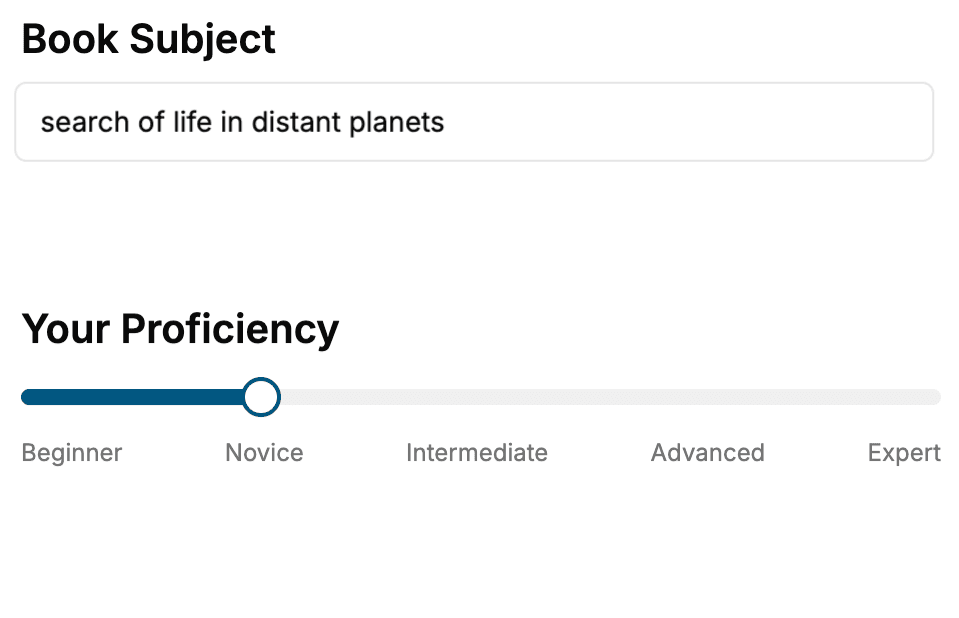
Select the focus of your Software Development book and share your background
- 2. Personalize your book
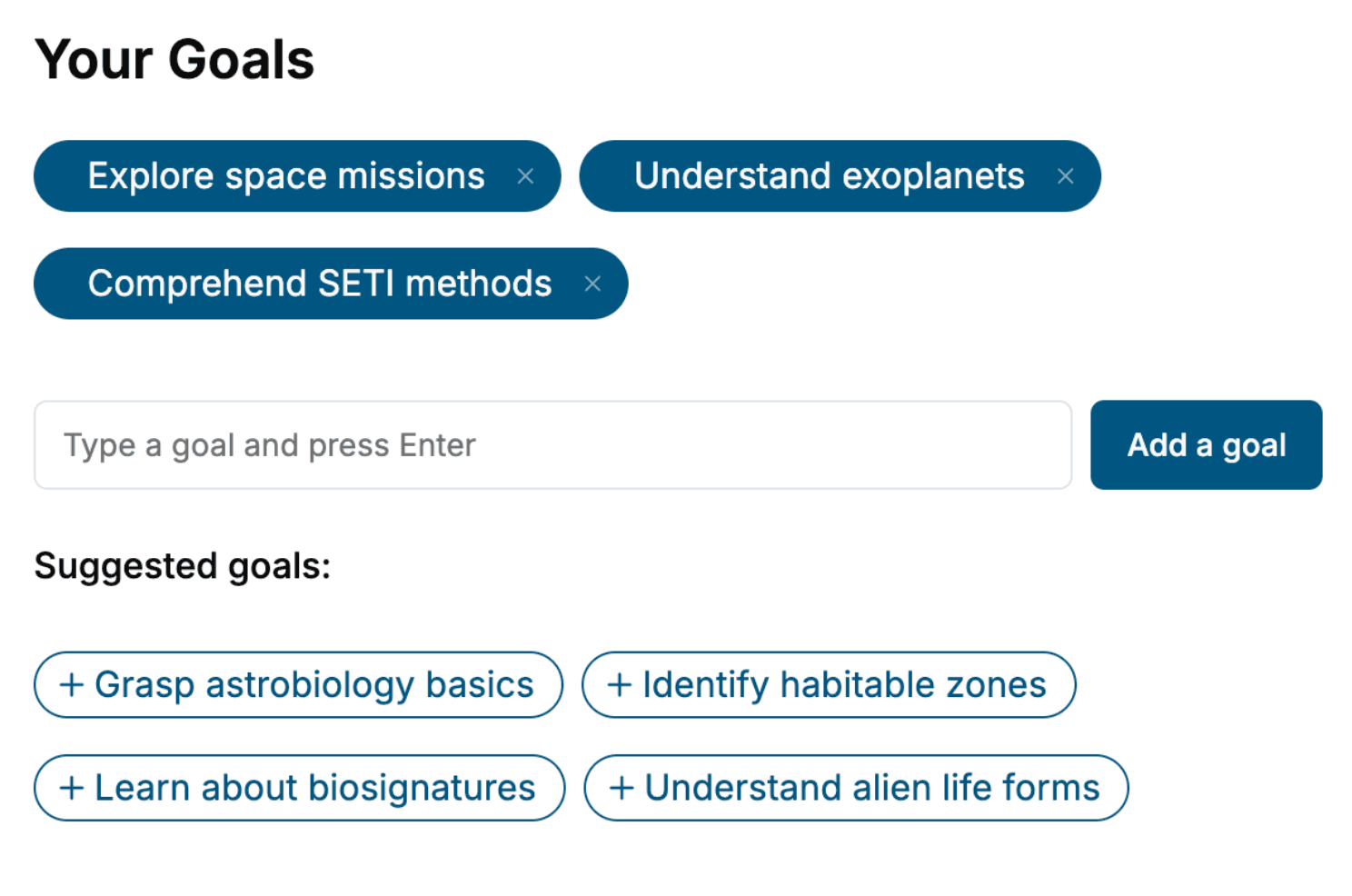
Specify your goals and choose sub-topics to include
- 3. Get your tailored book
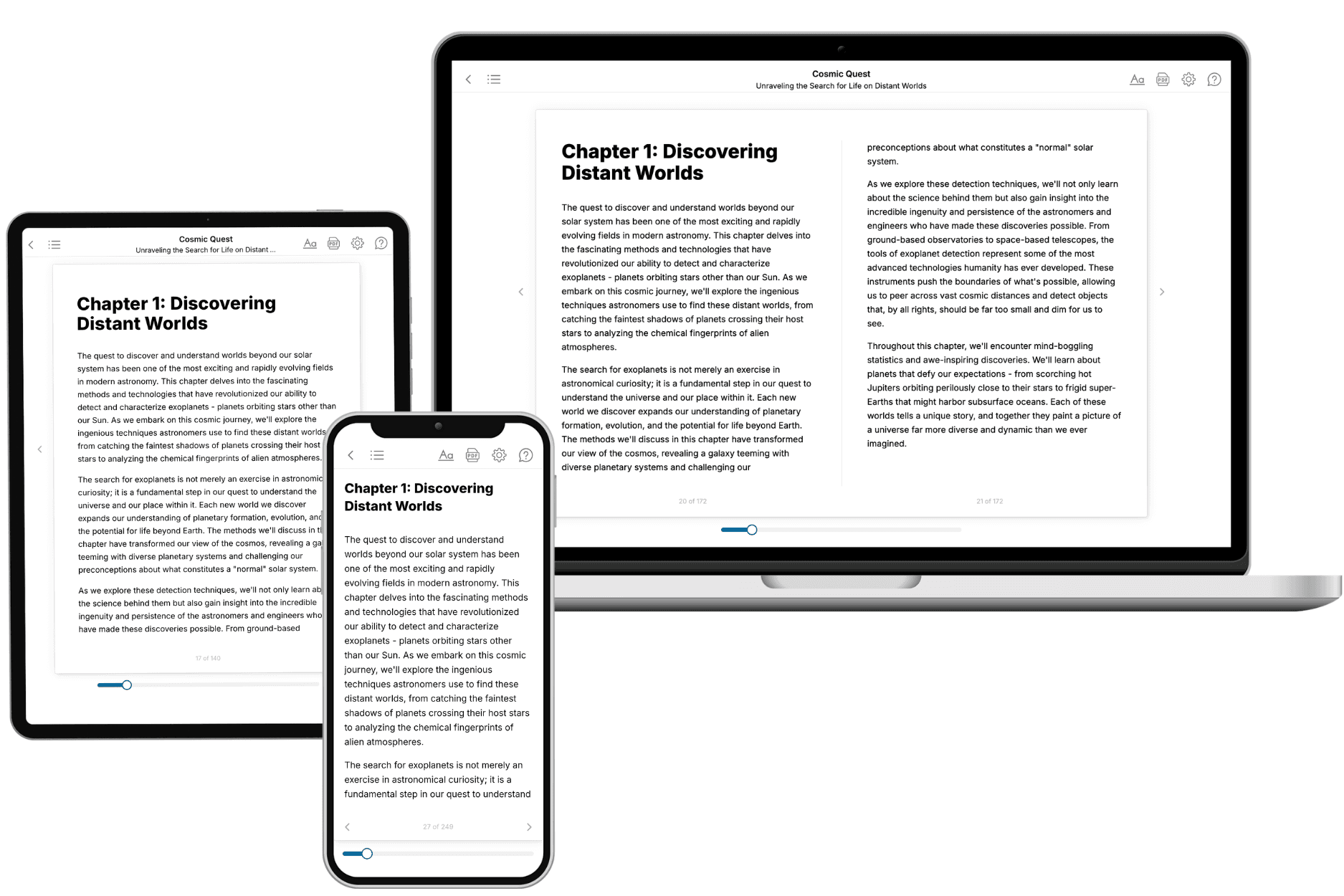
Your book is ready in 10 minutes. Read it online, download as EPUB or PDF, or send to Kindle.
Frequently asked questions
- What is TailoredRead?
TailoredRead creates complete, full-length nonfiction ebooks, written specifically for you. Tell us what you want to learn and why, and TailoredRead writes you a complete ebook on it, with charts, tables, and diagrams throughout. Read it online, on Kindle, or on any e-reader, or download it as a PDF or EPUB. Every book is written fresh the day you order it.
- How is the book tailored to me?
Before anything is written, you answer a few short questions about your goals, your background, and the topics you care about. Your book is then planned around your answers: written at your level, focused on your goals, and covering the topics you chose, instead of the one-size-fits-all book a store sells everyone.
- Will it read like generic AI content?
No. Your book isn't a chat transcript: it's planned chapter by chapter before a single word is written, told in a clear book voice, and explains ideas visually with charts, tables, and diagrams. After writing, every book goes through an editorial pass that polishes chapters so the book reads consistent from start to finish. Judge for yourself: browse thousands of sample books on our Explore Books page.
- How accurate is the content?
Our AI first checks whether your subject needs live research. Niche and fast-moving subjects are researched before writing, and the book plan and chapters are grounded in what it finds. After writing, every book goes through a quality pass that checks its facts and consistency, and researched books list their sources in a Notes section at the back.
- How long is the book?
You choose the length: Comprehensive (250-300 pages), Detailed (150-200 pages), Essential (70-100 pages), or Short (30-50 pages).
- Does the book include visuals?
Yes. Every book includes visual elements such as timelines, checklists, step-by-step guides, decision trees, comparison tables, and matrices, and many include bar charts. A typical book includes dozens of these visual elements.
- Can I read it on Kindle? What formats can I download?
Yes. Every book can be read in our online reader or downloaded as a PDF or EPUB. The EPUB can be opened with Kindle, Apple Books, Kobo, and any e-reader. The Commercial and Author licenses also include an editable Word (DOCX) and Markdown download.
- How much does it cost?
About the price of a regular ebook. The exact price depends on your book's length and complexity, from $2 for the shortest books to $35 for the most comprehensive, and it's shown when you review your book, before you commit to anything. Each book is a one-time purchase, yours to keep, no subscription. Licenses that let you share, teach, or publish your book range from $35.99 to $49.99.
- Can I preview the book before purchasing?
Before you pay, you'll see what your book will cover: the title, a detailed description, the estimated length, and the complete chapter-by-chapter table of contents, so you know what you're getting before you decide. The full text itself is written after you purchase.
- How long does it take to create a book?
About 10 minutes. You can start reading the opening chapters while the rest is still being written.