The Graphics Card Overclocking Handbook
Master Performance Tuning, Cooling, and Stability for Maximum Gaming and Computing Power
Most PC gamers leave significant performance on the table, unaware that their graphics cards can deliver 10-30% more power with the right adjustments.
207 pages11 chaptersMar 25, 2026Computer Hardware
About this book
Many believe overclocking requires advanced engineering knowledge or risks permanent hardware damage—but this misconception prevents them from achieving the gaming experience they've already paid for. This practical guide demystifies graphics card overclocking, walking you through every step from understanding your GPU's capabilities to fine-tuning performance safely. You'll learn how to monitor temperatures, adjust clock speeds and voltages, stress-test your system, and troubleshoot problems when they arise. Whether you're chasing higher frame rates in competitive games or accelerating creative workloads, this handbook provides the knowledge and confidence to push your hardware's limits responsibly. Real-world examples, clear explanations, and proven techniques make overclocking accessible to anyone with moderate technical skills.
Table of contents
- IntroductionWhy Overclocking Matters for Your System, Separating Myths from Reality, What You'll Accomplish with This GuideRead below
- Chapter 1: GPU Architecture and Overclocking BasicsUnderstanding GPU Components and How They Work, Core Clock, Memory Clock, and Boost Clock Explained, Power Delivery Systems and Voltage Regulation, How GPU Architecture Affects Overclocking Potential
- Chapter 2: Thermal Management and Cooling SolutionsHow Heat is Generated During Overclocking, Air Cooling, Liquid Cooling, and Hybrid Solutions, Safe Temperature Ranges and Thermal Limits, Optimizing Your Cooling Setup for Maximum Efficiency
- Chapter 3: Essential Tools and SoftwareReal-Time Monitoring Applications and Dashboards, Overclocking Utilities and Control Panels, Stress Testing Software and Benchmarking Tools
- Chapter 4: Core Clock Overclocking TechniquesEstablishing Your Baseline Performance, Making Safe, Incremental Clock Speed Adjustments, Identifying Your GPU's Maximum Stable Frequency, Fine-Tuning Boost Clock Behavior
- Chapter 5: Memory Clock and Bandwidth OptimizationGDDR6, GDDR6X, and Other Memory Technologies, Safely Increasing Memory Clock Speeds, Testing Memory Stability and Detecting Errors, Maximizing Memory Bandwidth for Performance Gains
- Chapter 6: Voltage Adjustment and Power ManagementUnderstanding Voltage, Current, and Power Consumption, Safe Voltage Increase Strategies, Power Limit Adjustments and TDP Considerations, Recognizing and Avoiding Voltage-Related Damage
- Chapter 7: Comprehensive Stability TestingDeveloping a Systematic Testing Approach, Using Synthetic Benchmarks for Quick Validation, Testing with Real Games and Applications, Extended Testing for Long-Term Reliability
- Chapter 8: Troubleshooting and Problem ResolutionIdentifying Common Overclocking Problems, Diagnosing Crashes, Artifacts, and Display Issues, Understanding and Resolving Thermal Throttling, Safe Recovery and Resetting to Default Settings
- Chapter 9: Advanced Overclocking TechniquesUndervolting for Power Efficiency and Lower Temperatures, Creating Custom Power and Temperature Curves, BIOS Modifications and Advanced Control Options
- Chapter 10: GPU-Specific Overclocking GuidesOverclocking NVIDIA GeForce Cards, Overclocking AMD Radeon Cards, Overclocking Intel Arc Graphics
- Chapter 11: Measuring and Maximizing Performance GainsCalculating Frame Rate Improvements and ROI, Before and After Benchmark Comparisons, Balancing Performance Gains with Power and Heat
- ConclusionYour Path Forward in Overclocking, Connecting with the Overclocking Community
Introduction
There is a good chance your graphics card is holding back right now. Not because it is broken, not because it is outdated, but because it is running exactly as the manufacturer shipped it. GPU makers set conservative default clock speeds and power limits that work reliably across a wide range of systems, temperatures, and use cases. That caution is understandable from a business perspective, but it means your hardware is almost certainly capable of more than it is currently delivering. With the right approach, you can unlock that headroom and get noticeably better performance from the card you already own.
Overclocking has a reputation that does not quite match reality. Many people picture it as something only engineers or hardcore enthusiasts attempt, involving risky hardware modifications and a high chance of destroying expensive components. That picture was more accurate twenty years ago, when overclocking required physical jumper changes on motherboards and had almost no safety guardrails. Today, modern GPUs are built with multiple layers of protection, and the software tools available make the process methodical, reversible, and genuinely accessible to anyone with moderate technical confidence. The barrier to entry has never been lower.
This handbook is designed to take you from wherever you are right now to a place where you can confidently tune your graphics card for better performance. It does not assume you have an engineering background or years of experience. It does assume you are comfortable using a PC, installing software, and following step-by-step instructions carefully. Whether you are chasing higher frame rates in competitive shooters, smoother visuals in open-world games, or faster render times in creative applications, the techniques covered here apply directly to your goals. Every chapter builds on the last, so by the time you reach the advanced sections, the foundational concepts will already feel familiar.
Before diving into the technical details, it helps to understand what this guide covers and why each section matters. The chapters move in a logical sequence: understanding how your GPU works, managing heat, choosing the right software, adjusting clock speeds and voltages, testing for stability, and troubleshooting problems when they arise. There are also GPU-specific guides for NVIDIA, AMD, and Intel Arc cards, because the process differs meaningfully between platforms. Throughout every chapter, the emphasis is on doing things safely, incrementally, and with full awareness of what each change actually does to your hardware.
Why Overclocking Matters for Your System
The most straightforward reason to overclock your GPU is simple: more performance without spending money. A mid-range graphics card that has been properly tuned can often match or exceed the stock performance of the next tier up. For example, a well-overclocked RTX 4070 can close a meaningful portion of the gap between itself and an RTX 4070 Ti in many gaming workloads.[1] That kind of gain, achieved through software adjustments alone, represents real value for anyone who wants better performance without upgrading their entire system.
Frame rates are the most visible benefit for gamers. When a game is running at 55 frames per second and you want to hit a smooth 60, a 10-15% overclock can bridge that gap entirely. In competitive games where every frame matters, the difference between 144 fps and 165 fps is tangible. Higher frame rates reduce input lag, make motion look smoother, and can give a genuine edge in fast-paced titles. These are not marginal improvements that only show up in benchmark charts. They are differences you can feel while playing.
Beyond gaming, overclocking benefits creative and compute workloads as well. Video editors, 3D artists, and machine learning practitioners all rely on GPU performance for rendering, simulation, and inference tasks. A 15% increase in GPU clock speed can translate to proportionally faster render times in applications like DaVinci Resolve or Blender. For someone rendering video projects regularly, that time savings adds up quickly over weeks and months of work.
There is also a financial argument worth considering. Graphics cards are expensive, and the performance gap between tiers often costs hundreds of dollars. If you already own a capable mid-range or high-end card, extracting more performance from it through overclocking delays the need to upgrade. Instead of spending $300-500 on a new card to get a 15% performance boost, you can potentially achieve a similar result through careful tuning at no additional cost. That is a compelling proposition for anyone managing a PC budget.
Overclocking also gives you a deeper understanding of your hardware. Going through the process of monitoring temperatures, adjusting clocks, and testing stability teaches you how your GPU actually behaves under load. You learn its thermal characteristics, its power consumption patterns, and its individual quirks. This knowledge is genuinely useful when troubleshooting problems, planning future upgrades, or simply understanding why your system behaves the way it does in demanding scenarios.
It is worth noting that not every GPU will deliver dramatic gains. Some cards, particularly high-end models that already run close to their thermal and power limits at stock settings, have less headroom to work with. Others, especially mid-range cards with conservative factory settings, can show impressive improvements. The process of finding out where your specific card lands is part of what makes overclocking interesting. Every GPU is slightly different, even among identical models, due to natural variation in the manufacturing process.
Real-world example: A user running an AMD RX 6700 XT at stock settings benchmarks at around 85 fps in a demanding open-world game at 1440p. After a methodical overclock of 100 MHz on the core clock and 200 MHz on the memory, the same benchmark returns 97 fps. That is a 14% improvement achieved in an afternoon of careful tuning, with no hardware purchases required.
The performance gains from overclocking are not guaranteed to be uniform across all games and applications. Some titles are more GPU-bound than others, and some workloads respond more strongly to memory bandwidth improvements than core clock increases. This is why testing across multiple scenarios is an important part of the process. A good overclock is one that delivers consistent improvements across the workloads you actually care about, not just in a single synthetic benchmark.
Separating Myths from Reality
The most persistent myth about GPU overclocking is that it will inevitably damage or destroy your hardware. This fear keeps many people from ever trying, and it is largely unfounded when overclocking is done correctly. Modern graphics cards include multiple hardware-level protections that prevent truly dangerous conditions from occurring. If temperatures get too high, the GPU automatically throttles its clock speed or shuts down entirely. If voltage exceeds safe thresholds, the card's power management system intervenes. These protections are not optional features. They are built into the silicon itself.
That said, the myth did not come from nowhere. Overclocking done recklessly, with extreme voltage increases or no thermal monitoring, can shorten a GPU's lifespan or cause instability. The key phrase is "done recklessly." The approach this guide teaches is the opposite of reckless. Every adjustment is incremental, every change is tested, and every session starts with monitoring tools running in the background. The risk profile of methodical overclocking is very different from the horror stories that gave the practice its dangerous reputation.
Another common myth is that overclocking voids your warranty automatically and permanently. The reality is more nuanced. Most GPU manufacturers, including NVIDIA and AMD, do not explicitly void warranties for software-based overclocking through standard tools. However, physical modifications, extreme voltage increases, or damage clearly caused by overclocking may not be covered. It is worth reading your specific card's warranty terms, but for the vast majority of users doing moderate software overclocks, warranty concerns are not a significant practical issue.[2]
Some people believe that overclocking requires specialized hardware, expensive cooling solutions, or custom BIOS modifications to be worthwhile. This is also not accurate. The majority of meaningful performance gains come from software adjustments using free tools like MSI Afterburner or AMD's own Radeon Software. You do not need liquid nitrogen cooling or a custom water loop to see real improvements. A well-maintained air-cooled system with clean fans and good case airflow is sufficient for most overclocking goals.
There is also a myth that overclocking is a one-time setup that either works or does not. In practice, it is an iterative process. You make a small adjustment, test it, observe the results, and decide whether to push further or dial back. This back-and-forth is normal and expected. Finding the optimal settings for your specific card takes time and patience, but the process itself is not complicated. It is more like tuning a musical instrument than performing surgery.
A related misconception is that any crash or visual artifact during overclocking means permanent damage has occurred. In almost all cases, these symptoms indicate that the current settings are unstable, not that anything has been broken. When you push a GPU beyond its stable limits, it produces errors that manifest as screen glitches, application crashes, or system restarts. These are the GPU's way of telling you to back off. Reducing the overclock by a small amount typically resolves the issue completely, with no lasting harm done.
Here is a clear breakdown of common myths versus the actual reality:
- Myth: Overclocking will destroy your GPU. Reality: Modern GPUs have built-in thermal and power protections that prevent catastrophic damage during normal overclocking.
- Myth: You need expensive cooling to overclock. Reality: Most meaningful overclocks are achievable with stock or aftermarket air cooling.
- Myth: Crashes mean permanent damage. Reality: Crashes during overclocking almost always indicate instability, not hardware damage. Reducing settings resolves the issue.
- Myth: Overclocking always voids your warranty. Reality: Software-based overclocking within reasonable limits is generally not grounds for warranty denial by major manufacturers.
- Myth: Only experts can overclock safely. Reality: With the right tools and a methodical approach, intermediate PC users can overclock safely and effectively.
- Myth: All GPUs of the same model overclock the same way. Reality: Individual silicon variation means two identical cards can have different overclocking headroom.
Understanding these realities removes the psychological barrier that stops many people from ever trying. Overclocking is not a reckless gamble. It is a systematic process with well-understood risks that can be managed effectively through careful technique. The goal of this guide is to give you both the knowledge and the confidence to approach it that way.
One final point worth addressing: the idea that overclocking is only for people who want to push hardware to its absolute limits. That extreme end of the hobby, involving exotic cooling and maximum possible clock speeds, is real but represents a small fraction of what most people actually do. The practical goal for most users is finding a stable, comfortable overclock that delivers meaningful performance gains without running the hardware at its edge. That is a much more achievable and sustainable target, and it is exactly what this guide focuses on.
What You'll Accomplish with This Guide
By the time you finish this handbook, you will have a complete, practical skill set for GPU overclocking. This is not a collection of abstract theory. Every chapter is built around things you can actually do with your hardware, using tools you can download for free today. The progression is deliberate: each section gives you the knowledge you need before moving to the next, so nothing feels like it comes out of nowhere. You will finish with a tuned GPU and a clear understanding of why every setting you changed actually matters.
The first major area you will master is understanding your hardware. Chapter 1 covers GPU architecture in plain language, explaining what the core clock, memory clock, and boost clock actually do and how they interact. You will learn how power delivery systems work and why different GPU generations have different overclocking characteristics. This foundation makes everything that follows much easier to understand and apply correctly.
Thermal management is the second pillar of successful overclocking, and Chapter 2 covers it thoroughly. You will learn how to read temperature data meaningfully, what safe operating ranges look like for different GPU types, and how to optimize your cooling setup before touching any clock speed settings. Getting your thermals under control before overclocking is not optional. It is the foundation that everything else depends on.
The software and tools section in Chapter 3 walks you through the specific applications you will use throughout the process. These include:
- MSI Afterburner for clock speed and voltage adjustments across most GPU brands
- HWiNFO64 for detailed real-time monitoring of temperatures, clock speeds, and power draw
- 3DMark for standardized synthetic benchmarking before and after changes
- FurMark and Unigine Superposition for stress testing under sustained load
- GPU-Z for reading detailed hardware specifications and sensor data
Chapters 4 through 6 cover the actual tuning process in detail. You will start with core clock adjustments, learning how to make incremental increases of 10-25 MHz at a time and test each step before moving forward. Memory overclocking comes next, with specific guidance on how different memory types behave and how to detect memory errors before they cause problems. Voltage adjustment is covered last in this sequence, because it carries more risk and should only be attempted after you are comfortable with the earlier steps.
Stability testing gets its own dedicated chapter because it is genuinely important and often rushed. Chapter 7 teaches you a systematic testing methodology that covers both synthetic benchmarks and real-world gaming scenarios. You will learn why a GPU that passes a 10-minute stress test might still fail after 30 minutes, and how to design a testing routine that catches instability before it becomes a problem in actual use.
Troubleshooting is covered in Chapter 8, and it is more useful than it might initially seem. Even experienced overclockers encounter crashes, artifacts, and unexpected behavior. Knowing how to diagnose these issues quickly, identify their root cause, and resolve them without panic is a skill that makes the entire process much less stressful. The chapter also covers recovery procedures for getting back to stable settings when something goes wrong.
The advanced techniques in Chapter 9 go beyond basic overclocking into territory that many users find surprisingly valuable. Undervolting, which involves reducing voltage while maintaining or even improving clock speeds, can lower temperatures and power consumption significantly. Custom voltage-frequency curves give you fine-grained control over how your GPU behaves across its entire operating range. These techniques are not required for a successful overclock, but they represent the next level of optimization for those who want to go further.
Chapter 10 provides platform-specific guidance for NVIDIA GeForce, AMD Radeon, and Intel Arc graphics cards. The general principles of overclocking apply across all three, but the software interfaces, available controls, and specific behaviors differ enough that dedicated guidance is genuinely helpful. Whether you are using NVIDIA's performance tuning tools, AMD's Radeon Software, or Intel's Arc Control, you will find step-by-step instructions tailored to your platform.
Finally, Chapter 11 focuses on measuring and interpreting your results. Knowing how to compare before-and-after benchmarks accurately, calculate the real-world impact of your overclock, and decide when you have found the right balance between performance, heat, and power consumption is the skill that ties everything together. A good overclock is not just one that scores higher in a benchmark. It is one that delivers consistent, stable improvements in the workloads you actually use, without creating new problems in the process.
What success looks like: After working through this guide, a typical user with a mid-range GPU can expect to achieve a stable core clock overclock of 100-200 MHz above stock, a memory overclock of 500-1000 MHz above stock (depending on memory type), and overall performance gains of 10-20% in GPU-limited scenarios. These numbers vary by card and individual silicon quality, but they represent realistic, achievable targets for most hardware.
One thing this guide will not do is promise specific numbers or guarantee particular results. Every GPU is different, every system is different, and the silicon lottery means that two identical cards can have meaningfully different overclocking headroom. What this guide does guarantee is a process: a clear, tested, methodical approach that gives your specific hardware the best possible chance of reaching its potential. The results will be your own, earned through careful work with your own hardware.
The overclocking community has developed a wealth of knowledge over decades, and this handbook draws on that collective experience to give you a reliable starting point. You do not need to learn everything through trial and error. The common mistakes, the best practices, and the most effective techniques are all documented here so you can benefit from what others have already figured out. Your job is to apply that knowledge carefully, pay attention to what your hardware tells you, and enjoy the performance you have been leaving on the table.
This is the end of the free sample. The full book has 11 chapters.
Want this book written for you?
Tell us your goals and background, and get your own version of this book, tailored by AI to you.


Benefits of AI-tailored books
- Read one book, not ten:
- all the Computer Hardware knowledge you need, gathered into a single book.
- Save days of learning:
- tell us your goals, choose your topics, and the whole book is built around them.
- Learn effortlessly:
- Computer Hardware book written for your specific background and expertise.
- Understand at a glance:
- includes charts, tables, timelines, checklists, decision trees, and more.
- Stay current:
- written the day you order it, not years ago.
- Trust what you read:
- every book is checked for accuracy, with real research when your subject needs it.
Create your unique book in 3 steps
- 1. Select your focus
Select the focus of your Computer Hardware book and share your background
- 2. Personalize your book
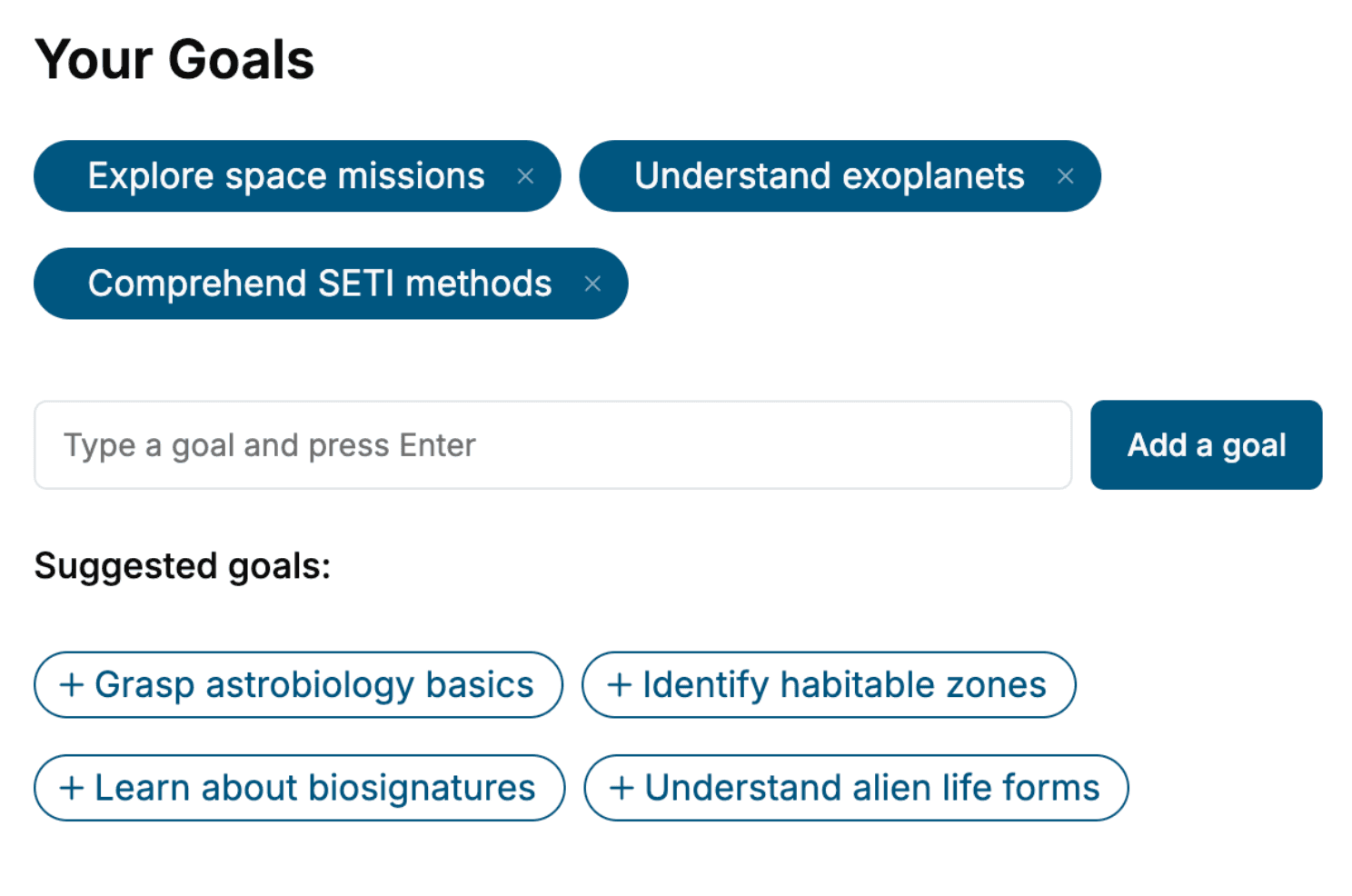
Specify your goals and choose sub-topics to include
- 3. Get your tailored book
Your book is ready in 10 minutes. Read it online, download as EPUB or PDF, or send to Kindle.

Frequently asked questions
- What is TailoredRead?
TailoredRead creates complete, full-length nonfiction ebooks, written specifically for you. Tell us what you want to learn and why, and TailoredRead writes you a complete ebook on it, with charts, tables, and diagrams throughout. Read it online, on Kindle, or on any e-reader, or download it as a PDF or EPUB. Every book is written fresh the day you order it.
- How is the book tailored to me?
Before anything is written, you answer a few short questions about your goals, your background, and the topics you care about. Your book is then planned around your answers: written at your level, focused on your goals, and covering the topics you chose, instead of the one-size-fits-all book a store sells everyone.
- Will it read like generic AI content?
No. Your book isn't a chat transcript: it's planned chapter by chapter before a single word is written, told in a clear book voice, and explains ideas visually with charts, tables, and diagrams. After writing, every book goes through an editorial pass that polishes chapters so the book reads consistent from start to finish. Judge for yourself: browse thousands of sample books on our Explore Books page.
- How accurate is the content?
Our AI first checks whether your subject needs live research. Niche and fast-moving subjects are researched before writing, and the book plan and chapters are grounded in what it finds. After writing, every book goes through a quality pass that checks its facts and consistency, and researched books list their sources in a Notes section at the back.
- How long is the book?
You choose the length: Comprehensive (250-300 pages), Detailed (150-200 pages), Essential (70-100 pages), or Short (30-50 pages).
- Does the book include visuals?
Yes. Every book includes charts, tables, and diagrams: timelines, checklists, step-by-step guides, decision trees, comparison tables, matrices, and bar charts. A typical book includes dozens of these visual elements.
- Can I read it on Kindle? What formats can I download?
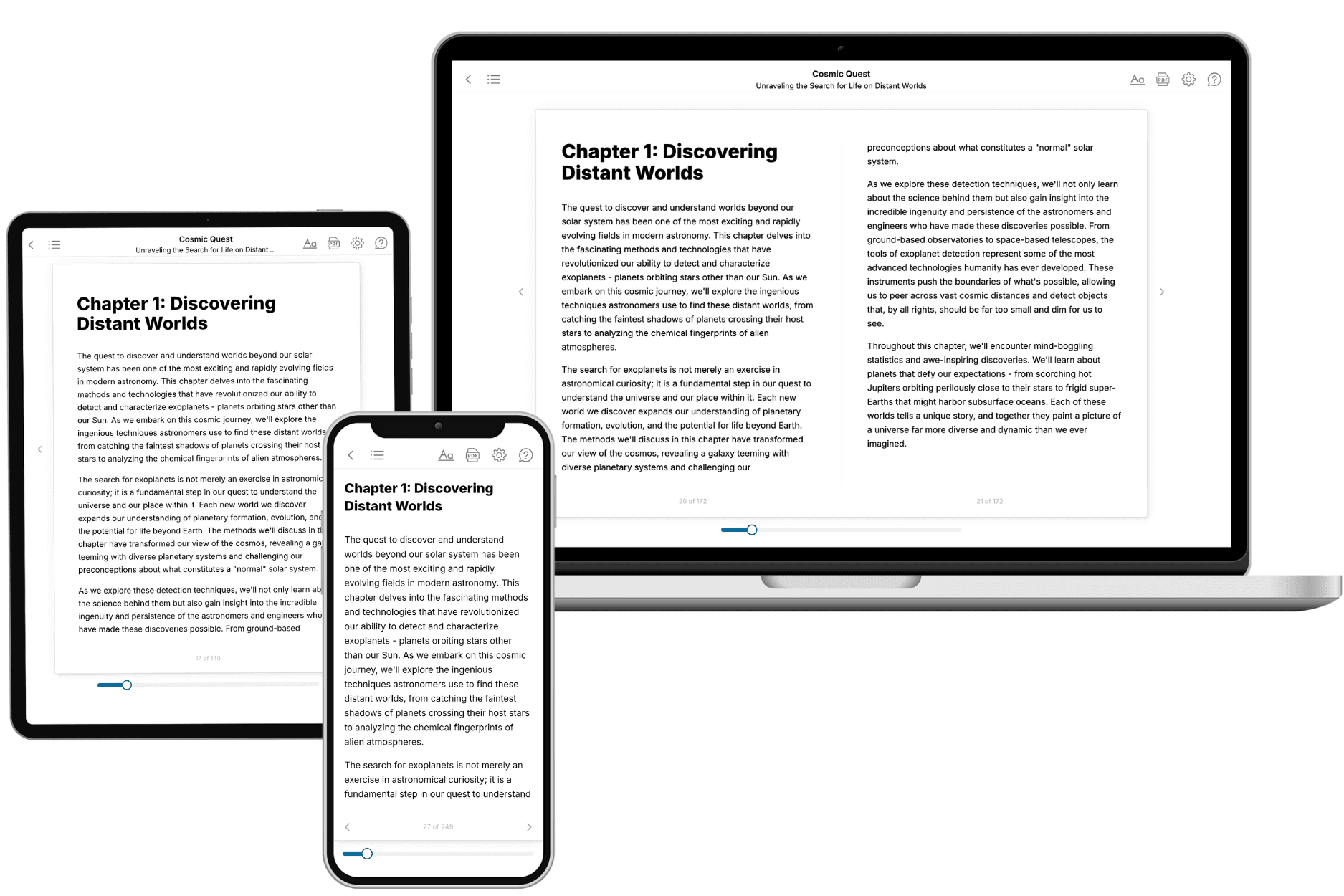
Yes. Every book can be read in our online reader or downloaded as a PDF or EPUB. The EPUB can be opened with Kindle, Apple Books, Kobo, and any e-reader. The Commercial and Author licenses also include an editable Word (DOCX) and Markdown download.
- How much does it cost?
About the price of a regular ebook. The exact price depends on your book's length and complexity, from $2 for the shortest books to $35 for the most comprehensive, and it's shown when you review your book, before you commit to anything. Each book is a one-time purchase, yours to keep, no subscription. Licenses that let you share, teach, or publish your book range from $35.99 to $49.99.
- Can I preview the book before purchasing?
Before you pay, you'll see what your book will cover: the title, a detailed description, the estimated length, and the complete chapter-by-chapter table of contents, so you know what you're getting before you decide. The full text itself is written after you purchase.
- How long does it take to create a book?
About 10 minutes. You can start reading the opening chapters while the rest is still being written.