The Green Screen Handbook
Master Chroma Key Techniques for Professional Video Production
You'll elevate your video production capabilities by mastering the complete green screen workflow—from pre-production planning through final compositing.
207 pages9 chaptersMay 2, 2026Video Production
About this book
This comprehensive guide covers everything you need to know about chroma key videography, whether you're shooting interviews, product demonstrations, or creative content. Learn how to set up your green screen environment for optimal results, master three-point lighting techniques that eliminate post-production headaches, and configure your camera settings for clean, keyed footage. Discover practical troubleshooting strategies that catch problems on set rather than in the edit suite. The book walks you through post-production keying techniques using industry-standard software, advanced edge refinement methods, and professional compositing practices. You'll understand how to manage spill, maintain color accuracy, and integrate your keyed footage seamlessly into any background. With real-world examples, technical specifications, and step-by-step workflows, you'll gain the knowledge to produce broadcast-quality green screen content consistently and efficiently.
Table of contents
- IntroductionWhy Green Screen Matters in Modern Video Production, What You'll Learn in This Book, How to Use This Guide for Maximum ResultsRead below
- Chapter 1: Green Screen FundamentalsUnderstanding Chroma Key Technology, Green Screen vs. Blue Screen: Choosing the Right Color, Common Misconceptions About Green Screen Work
- Chapter 2: Pre-Production Planning and SetupAssessing Your Space and Setup Requirements, Selecting and Installing Your Green Screen, Essential Equipment and Tools You'll Need
- Chapter 3: Mastering Lighting for Green ScreenThree-Point Lighting Setup and Positioning, Lighting the Green Screen Evenly and Consistently, Lighting Your Subject While Maintaining Separation, Managing Color Temperature and White Balance
- Chapter 4: Camera Settings and Technical ConfigurationChoosing Resolution, Frame Rate, and Codec, Exposure, Focus, and Depth of Field Considerations, Color Space, Gamma, and Recording Formats
- Chapter 5: On-Set Execution and TroubleshootingMonitoring and Testing Your Green Screen Setup, Identifying and Fixing Common On-Set Issues, Managing Green Spill During Production, Working with Talent and Optimizing Performance
- Chapter 6: Post-Production Keying FundamentalsOverview of Keying Software and Tools, The Basic Keying Process Step-by-Step, Understanding Different Keying Algorithms
- Chapter 7: Advanced Keying TechniquesEdge Refinement and Matte Cleanup, Advanced Spill Suppression Methods, Color Correction Within the Keying Process, Multi-Layer Keying for Complex Shots
- Chapter 8: Compositing and IntegrationSeamlessly Integrating Backgrounds and Elements, Matching Lighting and Shadows in Composites, Motion Tracking and Dynamic Backgrounds
- Chapter 9: Professional Workflows and Best PracticesOrganizing Projects and Managing Assets, Quality Control and Final Review Processes, Optimizing Your Workflow for Speed and Quality
- ConclusionKey Takeaways for Green Screen Success, Your Path Forward in Green Screen Mastery
- Glossary
- Further Reading and Resources
Introduction
There is a moment every video producer knows well. You are watching a finished composite shot, and the subject looks like they genuinely belong in that world. The lighting matches. The edges are clean. The background feels real. That moment is the payoff for everything green screen work demands, and it never gets old. Whether you are placing a news anchor in front of a virtual studio, dropping a product demonstrator into a branded environment, or building a cinematic scene on a modest budget, chroma key technology makes it possible. The gap between a rough, amateurish key and a broadcast-quality composite comes down to knowledge, process, and practice.
Green screen has been part of professional video and film production for decades, but the tools available today have made it more accessible than ever before. Software that once required dedicated hardware and specialist operators now runs on a standard laptop. Cameras capable of capturing footage that keys cleanly are available at a fraction of their former cost. Yet accessibility has not made the craft easier to master. If anything, the lower barrier to entry has raised audience expectations. Viewers have seen enough polished content to notice when a key looks rough, when edges are noisy, or when a subject appears to float in front of a background rather than exist within it. The standard has moved up, and your technique needs to move with it.
This book exists because green screen is a complete workflow, not a single trick. Many producers approach it as a post-production problem, something to fix in the edit suite after the shoot. That mindset leads to frustration, wasted time, and results that never quite reach professional quality. The truth is that every decision made before and during the shoot directly shapes what is possible in post-production. Lighting choices, camera settings, screen selection, and on-set monitoring all feed into the final composite. When those elements are handled correctly, the keying process becomes straightforward. When they are not, no amount of software skill can fully compensate. This guide treats green screen as what it actually is: an integrated process that rewards careful planning at every stage.
The content here is built for intermediate video producers and content creators who already understand the basics of video production. You know how to operate a camera, you have worked with editing software, and you have probably attempted green screen work before with mixed results. This book meets you at that level. It does not spend time explaining what a frame rate is or how to import footage. Instead, it goes deep on the specific knowledge and techniques that separate competent green screen work from genuinely professional results. Every chapter is practical, specific, and grounded in real production scenarios.
Why Green Screen Matters in Modern Video Production
Green screen technology has fundamentally changed what is possible for video producers working at every budget level. Before chroma key became widely accessible, placing a subject in a different environment required either physically traveling to that location or building an expensive physical set. Today, a well-executed green screen setup can place your subject anywhere, from a corporate boardroom to a distant landscape, without leaving your studio. That creative and logistical freedom has real commercial value, and clients and audiences have come to expect it as a standard production capability.
The financial case for green screen is equally compelling. Consider a corporate training video that requires footage in ten different locations. Traveling to each location with a crew, managing permits, dealing with ambient noise, and coordinating schedules across multiple sites could easily consume weeks and tens of thousands of dollars. A well-equipped green screen studio can replicate those environments in a single day of shooting, with complete control over every visual element. For content creators producing regular output, that efficiency compounds over time into a significant competitive advantage.
Beyond cost and logistics, green screen gives you creative control that location shooting simply cannot match. When you shoot on location, you are working around the environment. Lighting conditions change, backgrounds contain distracting elements, and unexpected interruptions are common. In a green screen studio, you control every variable. You can change the background between takes, adjust the virtual environment to match a client's brand colors, or swap out an entire scene without reshooting the subject. That level of control is particularly valuable for product demonstrations, educational content, and branded video where visual consistency matters.
The rise of remote and hybrid work has also created new demand for green screen skills. Virtual backgrounds in video conferencing tools have introduced millions of people to the concept of chroma key, but the quality gap between a software-generated virtual background and a properly lit, professionally keyed composite is enormous. Businesses investing in executive communications, thought leadership content, and internal video are increasingly looking for producers who can deliver that professional quality. Knowing green screen well positions you to serve that growing market.
Green screen also plays a central role in motion graphics integration, a skill set that is increasingly expected in video production. When a subject needs to interact with animated elements, data visualizations, or branded graphics, compositing that footage over a controlled background gives motion designers the clean matte they need to work with. The cleaner your key, the more seamlessly those elements integrate. Productions ranging from YouTube explainer videos to broadcast news segments rely on this combination of live footage and motion graphics, and green screen is the foundation that makes it work.
It is worth acknowledging that green screen is not the right tool for every situation. Shooting on location with a real background often produces more natural, authentic results, and no composite can fully replicate the depth and complexity of a real environment. The skill is knowing when green screen serves the project and when it does not. As you develop your expertise, that judgment becomes part of your professional toolkit. This book will help you understand both the capabilities and the limitations of chroma key work, so you can make informed decisions on every project.
What You'll Learn in This Book
This book covers the complete green screen workflow from start to finish. Rather than focusing on a single phase of production, it follows the natural sequence of a real project, starting with the decisions you make before the camera rolls and ending with the final composite ready for delivery. Each chapter builds on the previous one, so the knowledge accumulates in a way that reflects how professional productions actually work.
The first section of the book establishes the technical foundation you need. You will learn how chroma key technology actually works at a fundamental level, why green is the preferred color for most productions, and what the most common misconceptions about green screen work are. Understanding the underlying principles helps you make better decisions when you encounter situations that do not fit a standard template. Many producers skip this foundation and jump straight to technique, which leaves them unable to diagnose problems when they arise.
Pre-production planning gets dedicated attention because it is where professional results are won or lost. You will learn how to assess your shooting space, what to look for when selecting a green screen material, and how to build an equipment checklist that covers every element of a successful setup. Specific topics include:
- Calculating the minimum space needed between your subject and the screen to avoid spill
- Comparing painted walls, fabric screens, and collapsible pop-up options for different use cases
- Identifying the lighting equipment that delivers the best results at different budget levels
- Planning your shoot to minimize post-production correction work
Lighting receives more coverage in this book than any other single topic, because it deserves it. A full chapter is dedicated to three-point lighting setup, even screen illumination, subject separation, and color temperature management. You will learn not just where to place lights, but why those positions work and how to adjust them when your space does not match the ideal. Practical examples walk through common lighting scenarios, including small home studios, larger production spaces, and situations where budget limits your equipment options.
Camera configuration is covered in depth, with specific guidance on resolution, frame rate, codec selection, exposure settings, and color space. These are the technical decisions that directly determine how cleanly your footage can be keyed in post-production. You will understand why a 4:2:2 color-sampled codec produces a cleaner key than 4:2:0, what frame rates work best for different types of content, and how to set your exposure to protect the green channel without blowing out your subject. These are the kinds of details that separate footage that keys easily from footage that fights you at every step.
The post-production section covers keying software, basic and advanced keying techniques, edge refinement, spill suppression, and compositing. You will work through the keying process step by step, with specific guidance for industry-standard tools. Advanced techniques include multi-layer keying for complex shots, color correction within the keying workflow, and methods for matching the lighting of your keyed subject to the background environment. The goal is not just to remove the green, but to create a composite that looks like it was shot in a single environment.
Throughout the book, real-world scenarios illustrate how the techniques apply in practice. These are not hypothetical examples constructed to make a point. They are drawn from the kinds of production challenges that come up regularly in professional work, including difficult hair and fine detail keying, subjects wearing colors close to green, uneven screen illumination, and tight deadlines that require efficient workflows. By the end of the book, you will have a practical framework for handling these challenges rather than being caught off guard by them.
How to Use This Guide for Maximum Results
This book is designed to be read in sequence on your first pass. The chapters follow the production workflow in order, and concepts introduced early are built upon in later chapters. If you jump directly to the post-production section without reading the chapters on lighting and camera settings, you will miss the context that explains why certain keying problems occur and how to prevent them at the source. A single read-through from start to finish will give you a complete mental model of the green screen workflow before you start applying individual techniques.
After that first read, the book works well as a reference. Each chapter is structured so you can return to specific sections when you need them. Before a shoot, review the pre-production and lighting chapters. When you sit down to key footage, open the post-production chapters. The checklists and step-by-step processes are designed to be used on the job, not just read once and forgotten. Marking the pages or sections you return to most often will help you build a personal quick-reference system over time.
The most effective way to use this guide is to apply each technique immediately after reading about it. Green screen is a practical skill, and reading about lighting ratios or keying algorithms only takes you so far. Set up your screen, run the lighting exercises, shoot test footage, and work through the keying process with real material. You will encounter problems that the book describes, and solving them in a low-stakes practice context builds the diagnostic instincts that make you effective on a real production. Consider dedicating a few hours after each chapter to hands-on practice before moving to the next one.
Pay particular attention to the troubleshooting content throughout the book. It is tempting to skim these sections when things are going well, but they contain some of the most valuable practical knowledge in the guide. Understanding what can go wrong, and why, sharpens your ability to set things up correctly in the first place. Many of the troubleshooting scenarios describe problems that are invisible until you start keying in post-production, which is exactly when you least want to discover them. Reading these sections carefully before your first shoot can save you from costly reshoots.
A practical note on software: The post-production chapters reference industry-standard tools including Adobe After Effects, DaVinci Resolve, and Final Cut Pro. The principles covered apply across all major keying software, but specific interface details and menu locations are described for these platforms. If you work primarily in a different application, the conceptual guidance still applies. Focus on understanding what each technique achieves rather than memorizing specific button locations, and you will be able to translate the approach to any tool.
The technical specifications and settings referenced throughout the book represent professional best practices, but they are not rigid rules. Video production involves constant trade-offs between ideal conditions and real-world constraints. You may not always have the ideal screen size, the recommended number of lights, or the preferred codec available. The book explains the reasoning behind each recommendation so you can make informed compromises when necessary. Knowing why a setting matters helps you judge how much flexibility you have and what the consequences of a different choice will be.
Consider keeping a production log as you work through the techniques in this book. Note what settings you used, what problems you encountered, and what solutions worked. Green screen work involves a lot of variables, and a written record of your experiments is far more reliable than memory when you are trying to replicate a successful setup months later. Over time, your log becomes a personalized reference that reflects your specific equipment, space, and typical production scenarios. That kind of accumulated, documented experience is what separates a producer who occasionally gets good results from one who delivers them consistently.
Finally, approach this material with a problem-solving mindset. Green screen work rarely goes perfectly on the first attempt, and that is true even for experienced professionals. The difference between a beginner and an expert is not that the expert avoids problems. It is that the expert recognizes problems quickly, understands their cause, and knows how to fix them efficiently. Every difficult shoot, every stubborn keying problem, and every imperfect composite is a learning opportunity. This book gives you the knowledge to learn from those experiences faster and more deliberately than trial and error alone ever could.
This is the end of the free sample. The full book has 9 chapters.
Want this book written for you?
Tell us your goals and background, and get your own version of this book, tailored by AI to you.






Benefits of AI-tailored books
- Read one book, not ten:
- all the Video Production knowledge you need, gathered into a single book.
- Save days of learning:
- tell us your goals, choose your topics, and the whole book is built around them.
- Learn effortlessly:
- Video Production book written for your specific background and expertise.
- Understand at a glance:
- includes charts, tables, timelines, checklists, decision trees, and more.
- Stay current:
- written the day you order it, not years ago.
- Trust what you read:
- every book is checked for accuracy, with real research when your subject needs it.
Create your unique book in 3 steps
- 1. Select your focus
Select the focus of your Video Production book and share your background
- 2. Personalize your book
Specify your goals and choose sub-topics to include
- 3. Get your tailored book
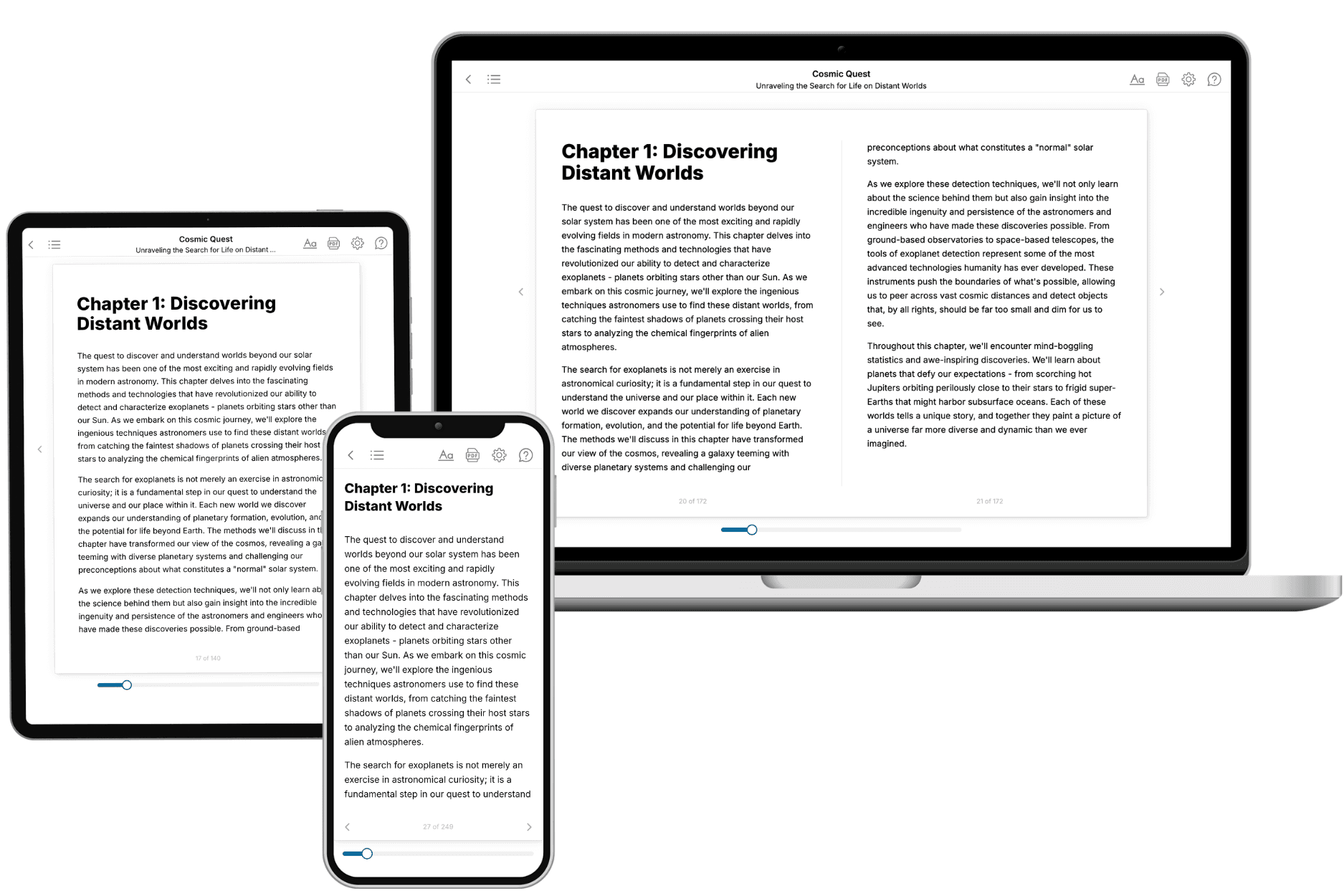
Your book is ready in 10 minutes. Read it online, download as EPUB or PDF, or send to Kindle.
Frequently asked questions
- What is TailoredRead?
TailoredRead creates complete, full-length nonfiction ebooks, written specifically for you. Tell us what you want to learn and why, and TailoredRead writes you a complete ebook on it, with charts, tables, and diagrams throughout. Read it online, on Kindle, or on any e-reader, or download it as a PDF or EPUB. Every book is written fresh the day you order it.
- How is the book tailored to me?
Before anything is written, you answer a few short questions about your goals, your background, and the topics you care about. Your book is then planned around your answers: written at your level, focused on your goals, and covering the topics you chose, instead of the one-size-fits-all book a store sells everyone.
- Will it read like generic AI content?
No. Your book isn't a chat transcript: it's planned chapter by chapter before a single word is written, told in a clear book voice, and explains ideas visually with charts, tables, and diagrams. After writing, every book goes through an editorial pass that polishes chapters so the book reads consistent from start to finish. Judge for yourself: browse thousands of sample books on our Explore Books page.
- How accurate is the content?
Our AI first checks whether your subject needs live research. Niche and fast-moving subjects are researched before writing, and the book plan and chapters are grounded in what it finds. After writing, every book goes through a quality pass that checks its facts and consistency, and researched books list their sources in a Notes section at the back.
- How long is the book?
You choose the length: Comprehensive (250-300 pages), Detailed (150-200 pages), Essential (70-100 pages), or Short (30-50 pages).
- Does the book include visuals?
Yes. Every book includes charts, tables, and diagrams: timelines, checklists, step-by-step guides, decision trees, comparison tables, matrices, and bar charts. A typical book includes dozens of these visual elements.
- Can I read it on Kindle? What formats can I download?
Yes. Every book can be read in our online reader or downloaded as a PDF or EPUB. The EPUB can be opened with Kindle, Apple Books, Kobo, and any e-reader. The Commercial and Author licenses also include an editable Word (DOCX) and Markdown download.
- How much does it cost?
About the price of a regular ebook. The exact price depends on your book's length and complexity, from $2 for the shortest books to $35 for the most comprehensive, and it's shown when you review your book, before you commit to anything. Each book is a one-time purchase, yours to keep, no subscription. Licenses that let you share, teach, or publish your book range from $35.99 to $49.99.
- Can I preview the book before purchasing?
Before you pay, you'll see what your book will cover: the title, a detailed description, the estimated length, and the complete chapter-by-chapter table of contents, so you know what you're getting before you decide. The full text itself is written after you purchase.
- How long does it take to create a book?
About 10 minutes. You can start reading the opening chapters while the rest is still being written.