The Information Architecture Playbook
Design Systems That Guide Users Intuitively Through Digital Experiences
What if the reason users can't find what they need isn't because your design is ugly—it's because your information is organized in a way that contradicts how they think?
191 pages9 chaptersNov 28, 2025Information Architecture
About this book
Information architecture is the strategic foundation that determines whether users navigate effortlessly or abandon your product in frustration. This book teaches you how to organize digital information in ways that align with user mental models, reduce cognitive load, and create intuitive experiences. You'll learn practical frameworks for structuring content, designing navigation systems, creating effective labeling strategies, and testing your architecture with real users. Whether you're designing a website, mobile app, or complex digital product, these principles and techniques will help you create systems where users find what they need without thinking twice.
Table of contents
- IntroductionWhy Information Architecture Matters More Than You Think, What Information Architecture Actually Is, How to Use This BookRead below
- Chapter 1: Understanding User Mental ModelsWhat Are Mental Models and Why They Drive Behavior, Discovering How Your Users Actually Think, Aligning Your Architecture with User Expectations
- Chapter 2: Research and Discovery for Information ArchitectureResearch Methods That Reveal Information Needs, Conducting Effective User Interviews and Card Sorting, Learning from Competitive and Comparative Analysis, Synthesizing Research into Actionable Insights
- Chapter 3: Organizational Structures and TaxonomiesHierarchical Organization: When and How to Use It, Faceted and Multi-Dimensional Organization, Database-Driven and Dynamic Structures, Creating Controlled Vocabularies and Taxonomies
- Chapter 4: Navigation Systems and WayfindingTypes of Navigation: Global, Local, and Contextual, Breadcrumbs, Search, and Alternative Navigation Patterns, Navigation Considerations for Mobile and Responsive Design, Wayfinding Principles That Help Users Orient Themselves
- Chapter 5: Labeling and Terminology StrategyPrinciples for Creating Clear, Findable Labels, Building Consistent Terminology Across Your System, Using Microcopy to Provide Context and Guidance
- Chapter 6: Content Hierarchy and Visual OrganizationEstablishing Clear Content Hierarchies, Progressive Disclosure and Information Layering, Visual Patterns That Reinforce Information Structure
- Chapter 7: Testing and Validating Your ArchitectureUsability Testing Methods for Information Architecture, Tree Testing and Remote Validation Techniques, Using Analytics to Identify Architecture Problems, Iterating and Improving Based on Test Results
- Chapter 8: Scaling Information ArchitectureChallenges That Emerge as Content Grows, Building Modular and Scalable Systems, Governance and Maintenance Strategies
- Chapter 9: Information Architecture in PracticeCase Study: E-Commerce Product Organization, Case Study: Content-Heavy Website Architecture, Case Study: Mobile App Information Structure
- ConclusionThe Future of Information Architecture, Your Next Steps
- Glossary
Introduction
You've probably experienced this frustration: you land on a website or open an app, and within seconds, you're confused. The menu options don't make sense. The search results seem random. You can't find the thing you came for, even though you're certain it must be there somewhere. After clicking through three or four pages that all seem vaguely related but not quite right, you give up and leave. This isn't a failure of visual design or branding—it's a failure of information architecture.
Most digital products fail not because they look bad, but because they're organized in ways that contradict how people actually think. A beautifully designed interface built on a confusing foundation is like putting an elegant facade on a building with a nonsensical floor plan. You might admire the exterior, but once you step inside and can't find the stairs, the bathroom, or the exit, the pretty wallpaper doesn't matter much. Information architecture is that floor plan—the invisible structure that determines whether users can navigate your digital space with confidence or wander lost through a maze of your own creation.
The challenge is that information architecture is largely invisible when it works well. Users don't consciously notice good IA; they simply find what they need and move on with their lives. But when it fails, the friction is immediate and obvious. Every misplaced category, every confusing label, every navigation dead-end adds cognitive load and erodes trust. In a competitive digital landscape where users have countless alternatives just a click away, poor information architecture isn't just an inconvenience—it's a business liability that drives people straight to your competitors.
This book exists to help you build digital experiences where users find what they need without thinking twice. Whether you're designing a website, mobile app, enterprise software, or any other digital product, the principles and techniques in these pages will give you a systematic approach to organizing information in ways that align with how people actually think and behave. You'll learn how to conduct research that reveals user mental models, create organizational structures that scale gracefully, design navigation systems that provide clear wayfinding, and test your architecture to validate that it actually works for real people.
Why Information Architecture Matters More Than You Think
Information architecture sits at the intersection of user needs, business goals, and technical constraints. It's fundamentally a communication tool—a way of structuring information so that meaning transfers efficiently from your system to the people using it. When you organize content, create navigation menus, write labels, and establish hierarchies, you're making decisions about how users will understand and interact with your product. These decisions have cascading effects that touch every aspect of the user experience.
Consider what happens when information architecture fails. A 2019 study by the Baymard Institute found that poor navigation and categorization were responsible for approximately 37% of e-commerce site abandonments[1]. Users couldn't find products they were actively trying to buy—not because the products didn't exist, but because the organizational structure didn't match their mental models of how things should be grouped. This isn't a minor usability annoyance; it's millions of dollars in lost revenue because the information architecture created unnecessary friction between intent and action.
The impact extends beyond e-commerce. In enterprise software, poor information architecture translates to decreased productivity as employees waste time searching for documents, features, or data. In content-heavy sites like news publications or educational platforms, confusing organization means valuable content goes undiscovered, buried in categories that don't align with how readers think about topics. In mobile apps, unclear navigation patterns lead to feature blindness—users never discover functionality that could provide significant value because they can't figure out where to find it or don't understand what the labels mean.
Good information architecture, by contrast, creates what feels like magic to users. They land on your site or open your app with a goal in mind, and the path to achieving that goal feels obvious and natural. The categories make intuitive sense. The labels clearly communicate what's behind them. The navigation provides just enough structure to orient without overwhelming. This seamless experience isn't accidental—it's the result of deliberate architectural decisions grounded in research, tested with real users, and refined based on evidence rather than assumptions.
What makes information architecture particularly challenging is that it requires balancing multiple, often competing concerns:
- User mental models: How do people naturally think about and categorize this information?
- Business priorities: What content or features need prominence to achieve organizational goals?
- Technical constraints: What's actually feasible given the platform, CMS, or technical infrastructure?
- Content realities: How much content exists, how frequently does it change, and who maintains it?
- Scalability requirements: Will this structure still work when content volume doubles or triples?
The best information architects don't simply impose their own logic onto a system. They conduct research to understand how users actually think, analyze content to identify natural groupings and relationships, consider business context to ensure the architecture supports strategic goals, and test their solutions to validate that theory translates to practice. This systematic approach transforms information architecture from subjective opinion into evidence-based design.
Another reason information architecture matters more than many realize is its role in reducing cognitive load. Every time users encounter your interface, their brains are working to build a mental model of how your system is organized. Clear, consistent information architecture makes this model-building easy and accurate. Users quickly learn where things are, how to navigate between sections, and what to expect when they click a link or tap a button. This predictability frees up mental resources for their actual goals rather than burning cognitive energy on navigation puzzles.
Conversely, inconsistent or illogical information architecture forces users to constantly rebuild their mental models. They click on "Products" and find a list organized by price. They click on "Solutions" and find similar products organized by industry. They can't predict where to find what they need because the organizational logic keeps shifting. This cognitive burden accumulates with every interaction, creating frustration that eventually drives users away—often to competitors whose information architecture is simply less confusing, even if not objectively better in other ways.
Information architecture also serves as the foundation for other design decisions. Visual designers need to understand content hierarchy to create appropriate visual emphasis. Content strategists need clear taxonomies to write and organize content effectively. Developers need well-defined structures to build navigation systems and search functionality. When information architecture is unclear or poorly documented, every downstream decision becomes harder, leading to inconsistencies, rework, and products that feel disjointed because different team members were working from different assumptions about how information should be organized.
What Information Architecture Actually Is
Information architecture is the practice of organizing, structuring, and labeling content in digital products to support usability and findability. It's about creating systems where users can efficiently locate information and understand relationships between different pieces of content. While the term might sound abstract or technical, information architecture is fundamentally about answering practical questions: How should this content be grouped? What should we call these categories? How do users move between different sections? What should be visible immediately versus hidden until needed?
At its core, information architecture consists of several interconnected components that work together as a system:
- Organization systems: The schemes you use to categorize and structure content (hierarchical, database-driven, faceted, etc.)
- Labeling systems: The terminology and naming conventions used to represent information to users
- Navigation systems: The methods users employ to move through information (menus, breadcrumbs, links, search, etc.)
- Search systems: How users query for specific information and what results they receive
These components don't exist in isolation. When you change a label, you affect how users understand navigation options. When you restructure content hierarchies, you impact what search results make sense. When you add new navigation patterns, you influence which organizational schemes feel natural. Effective information architecture recognizes these interdependencies and designs them as an integrated system rather than separate elements.
To make this concrete, consider a recipe website. The information architecture decisions include: Should recipes be organized by meal type (breakfast, lunch, dinner), by cuisine (Italian, Mexican, Thai), by main ingredient (chicken, beef, vegetables), by cooking method (grilling, baking, slow-cooking), or by dietary restriction (vegetarian, gluten-free, low-carb)? The answer isn't obvious because different users have different mental models. Someone planning dinner thinks in terms of meal types. Someone with dietary restrictions thinks in terms of what they can eat. Someone who just bought chicken thinks in terms of ingredients.
A sophisticated information architecture might support multiple organizational schemes simultaneously through faceted navigation—allowing users to filter recipes by any combination of these attributes. But this introduces new challenges: How do you label these filters clearly? How do you display the navigation without overwhelming users? How do you handle recipes that fit multiple categories? These are information architecture problems that require systematic thinking about user needs, content characteristics, and interaction patterns.
Information architecture also operates at multiple scales. At the macro level, you're making decisions about the overall structure of your product—the main sections, how they relate to each other, and the primary navigation patterns. At the micro level, you're deciding how individual pages are structured, what content appears in what order, and how users navigate within a single screen or section. Both levels matter, and they need to work together coherently.
One common misconception is that information architecture is only relevant for large, complex websites or applications. In reality, even simple products benefit from thoughtful information architecture. A mobile app with just five screens still needs clear navigation patterns and logical organization. A landing page with limited content still requires hierarchy and structure to guide attention. The principles scale from the simplest digital product to the most complex enterprise system—the specific techniques and tools might differ, but the fundamental questions about organization, labeling, and navigation remain constant.
Another important distinction is between information architecture and visual design. Information architecture is about the underlying structure and organization—the conceptual model of how information is grouped and accessed. Visual design is about how that structure is represented visually—the colors, typography, spacing, and graphical elements. You can have excellent information architecture with poor visual design (the structure makes sense but looks ugly) or beautiful visual design with terrible information architecture (it looks gorgeous but you can't find anything). The best digital experiences excel at both, with visual design reinforcing and clarifying the information architecture rather than working against it.
Information architecture is also distinct from interaction design, though they're closely related. Interaction design focuses on how users interact with interface elements—what happens when you click, swipe, or type. Information architecture focuses on what those interactions reveal and how content is organized. For example, deciding that your app needs a hamburger menu is an interaction design decision. Deciding what menu items appear in that hamburger menu and how they're organized is an information architecture decision. In practice, these disciplines overlap significantly, and the best practitioners understand both.
Understanding what information architecture is also means understanding what it's not. It's not just creating sitemaps, though sitemaps are one tool for documenting architectural decisions. It's not just wireframing, though wireframes often reflect information architecture choices. It's not just writing navigation labels, though labeling is a critical component. Information architecture is the strategic thinking that underlies all these artifacts—the research, analysis, and decision-making that determines how information should be organized to serve both user needs and business goals.
The practice of information architecture draws from multiple disciplines including library science, cognitive psychology, linguistics, and systems thinking. From library science comes the understanding of classification systems, controlled vocabularies, and metadata. From cognitive psychology comes knowledge about mental models, cognitive load, and how people process and remember information. From linguistics comes insight into how language shapes understanding and how terminology affects findability. From systems thinking comes the ability to see how components interact and how changes in one area ripple through the entire system.
How to Use This Book
This book is structured to take you from foundational concepts through practical application. Each chapter builds on previous ones, but you can also jump to specific chapters that address your immediate challenges. The content is designed for intermediate designers and UX professionals who already understand basic design principles and want to deepen their information architecture expertise. You don't need to be a specialist to benefit from this material, but you should be familiar with fundamental UX concepts and have some experience designing digital products.
The book follows a logical progression that mirrors how you might approach an information architecture project:
- Understanding foundations: Chapters 1-2 cover mental models and research methods that reveal how users think about information
- Building structures: Chapters 3-4 explore organizational systems, taxonomies, and navigation patterns
- Refining details: Chapters 5-6 focus on labeling strategies and content hierarchy
- Validating and scaling: Chapters 7-8 address testing methods and scalability considerations
- Seeing it in action: Chapter 9 presents real-world case studies showing these principles in practice
Each chapter includes concrete examples, practical frameworks, and actionable techniques you can apply immediately. Rather than purely theoretical discussions, you'll find step-by-step processes for conducting card sorts, creating taxonomies, designing navigation systems, and testing your architecture with real users. The goal is to give you tools you can use in your work, not just concepts to think about abstractly.
Throughout the book, you'll encounter different types of content designed to support different learning needs:
- Principles and frameworks: Conceptual models that help you think systematically about information architecture challenges
- Practical techniques: Specific methods and processes you can follow to conduct research, create structures, or test solutions
- Examples and case studies: Real-world scenarios that illustrate how principles apply in practice
- Common pitfalls: Mistakes to avoid based on patterns that frequently cause problems
If you're working on a specific project right now, you might want to start with the chapters most relevant to your current challenges. Struggling with navigation design? Jump to Chapter 4. Confused about how to organize content? Start with Chapter 3. Need to validate your architecture? Go to Chapter 7. The chapters are designed to stand alone while also connecting to a larger framework, so you can enter at different points based on your needs.
However, if you have the time, reading the book sequentially provides the most comprehensive understanding. The early chapters on mental models and research establish foundations that inform everything that follows. Understanding how users think about information (Chapter 1) makes you better at creating organizational structures (Chapter 3). Knowing how to conduct research (Chapter 2) improves your ability to create effective labels (Chapter 5). The concepts build on each other in ways that create a more complete picture of information architecture as an integrated practice.
As you read, consider keeping a notebook or digital document where you capture ideas for your own projects. When you encounter a technique that seems relevant, write down how you might apply it to your specific context. When you read about a common pitfall, reflect on whether you've made that mistake in past work. Active engagement with the material—thinking about how it applies to your situation rather than passively absorbing information—will help you internalize these concepts and translate them into better design decisions.
You'll also benefit from trying techniques as you learn about them rather than waiting until you've finished the entire book. After reading about card sorting in Chapter 2, conduct a card sort with a few users. After learning about tree testing in Chapter 7, test your current navigation structure. Hands-on practice reinforces learning and reveals nuances that reading alone cannot convey. You'll encounter challenges and questions that deepen your understanding and make subsequent chapters more meaningful because you'll have concrete experience to connect with the concepts.
The case studies in Chapter 9 deserve special attention. These aren't simplified examples created for pedagogical purposes—they're realistic scenarios that reflect the complexity and constraints of actual projects. As you read each case study, try to identify which principles and techniques from earlier chapters are being applied. Consider how you might approach the same challenges differently. Think about what aspects of each case study are transferable to your own work and what aspects are context-specific.
Finally, remember that information architecture is as much art as science. While this book provides frameworks, principles, and techniques grounded in research and best practices, there's rarely one "correct" answer to an information architecture challenge. Different solutions might work equally well depending on your specific users, content, business goals, and constraints. The goal isn't to follow rigid rules but to develop judgment—the ability to analyze a situation, consider multiple approaches, evaluate trade-offs, and make informed decisions that you can articulate and defend with evidence.
Your journey toward information architecture mastery doesn't end with this book. The field continues to evolve as new technologies emerge, user behaviors shift, and research reveals new insights about how people interact with information. Use this book as a foundation, but continue learning through practice, experimentation, and engagement with the broader UX community. The principles you'll learn here are durable, but their application requires ongoing adaptation to new contexts and challenges.
Now, let's begin by exploring the single most important concept in information architecture: understanding how your users actually think about information. Everything else builds from this foundation.
Notes
Introduction
- 1. Baymard Institute, E-Commerce UX Research: Navigation and Category Usability, 2019
This is the end of the free sample. The full book has 9 chapters.
Want this book written for you?
Tell us your goals and background, and get your own version of this book, tailored by AI to you.


Benefits of AI-tailored books
- Read one book, not ten:
- all the Information Architecture knowledge you need, gathered into a single book.
- Save days of learning:
- tell us your goals, choose your topics, and the whole book is built around them.
- Learn effortlessly:
- Information Architecture book written for your specific background and expertise.
- Understand at a glance:
- includes charts, tables, timelines, checklists, decision trees, and more.
- Stay current:
- written the day you order it, not years ago.
- Trust what you read:
- every book is checked for accuracy, with real research when your subject needs it.
Create your unique book in 3 steps
- 1. Select your focus
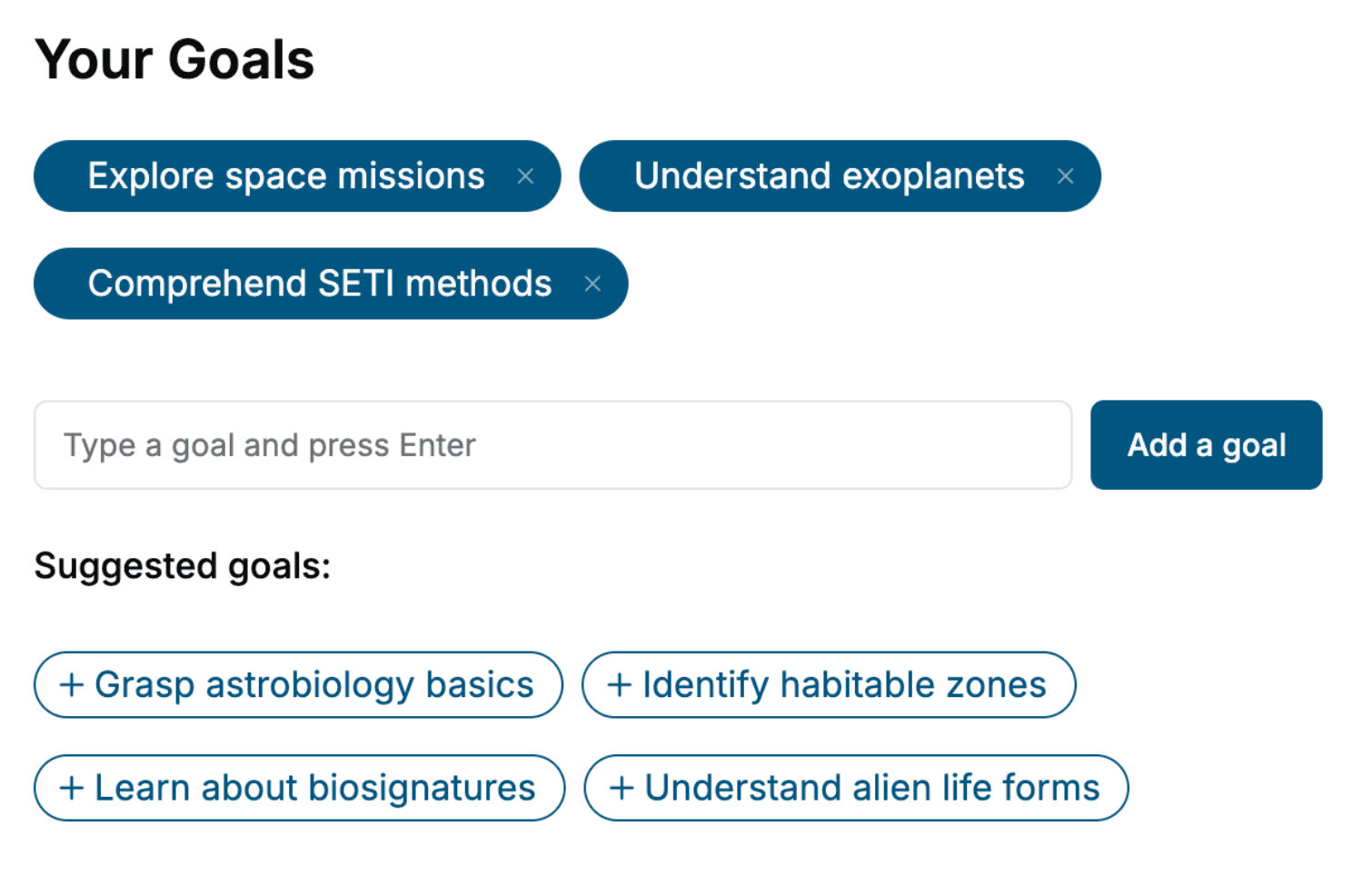
Select the focus of your Information Architecture book and share your background
- 2. Personalize your book
Specify your goals and choose sub-topics to include
- 3. Get your tailored book
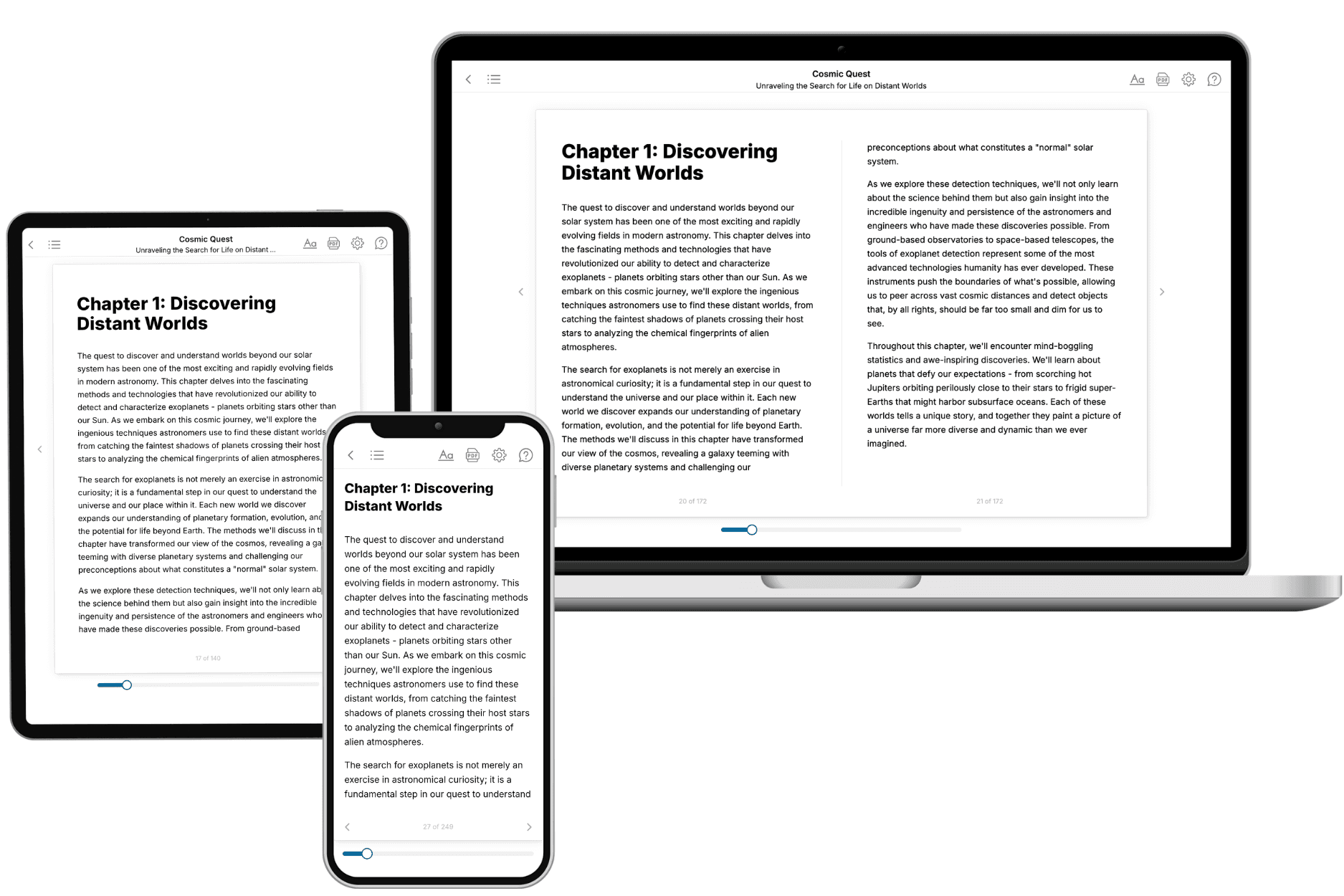
Your book is ready in 10 minutes. Read it online, download as EPUB or PDF, or send to Kindle.

Frequently asked questions
- What is TailoredRead?
TailoredRead creates complete, full-length nonfiction ebooks, written specifically for you. Tell us what you want to learn and why, and TailoredRead writes you a complete ebook on it, with charts, tables, and diagrams throughout. Read it online, on Kindle, or on any e-reader, or download it as a PDF or EPUB. Every book is written fresh the day you order it.
- How is the book tailored to me?
Before anything is written, you answer a few short questions about your goals, your background, and the topics you care about. Your book is then planned around your answers: written at your level, focused on your goals, and covering the topics you chose, instead of the one-size-fits-all book a store sells everyone.
- Will it read like generic AI content?
No. Your book isn't a chat transcript: it's planned chapter by chapter before a single word is written, told in a clear book voice, and explains ideas visually with charts, tables, and diagrams. After writing, every book goes through an editorial pass that polishes chapters so the book reads consistent from start to finish. Judge for yourself: browse thousands of sample books on our Explore Books page.
- How accurate is the content?
Our AI first checks whether your subject needs live research. Niche and fast-moving subjects are researched before writing, and the book plan and chapters are grounded in what it finds. After writing, every book goes through a quality pass that checks its facts and consistency, and researched books list their sources in a Notes section at the back.
- How long is the book?
You choose the length: Comprehensive (250-300 pages), Detailed (150-200 pages), Essential (70-100 pages), or Short (30-50 pages).
- Does the book include visuals?
Yes. Every book includes charts, tables, and diagrams: timelines, checklists, step-by-step guides, decision trees, comparison tables, matrices, and bar charts. A typical book includes dozens of these visual elements.
- Can I read it on Kindle? What formats can I download?
Yes. Every book can be read in our online reader or downloaded as a PDF or EPUB. The EPUB can be opened with Kindle, Apple Books, Kobo, and any e-reader. The Commercial and Author licenses also include an editable Word (DOCX) and Markdown download.
- How much does it cost?
About the price of a regular ebook. The exact price depends on your book's length and complexity, from $2 for the shortest books to $35 for the most comprehensive, and it's shown when you review your book, before you commit to anything. Each book is a one-time purchase, yours to keep, no subscription. Licenses that let you share, teach, or publish your book range from $35.99 to $49.99.
- Can I preview the book before purchasing?
Before you pay, you'll see what your book will cover: the title, a detailed description, the estimated length, and the complete chapter-by-chapter table of contents, so you know what you're getting before you decide. The full text itself is written after you purchase.
- How long does it take to create a book?
About 10 minutes. You can start reading the opening chapters while the rest is still being written.