Internet Explorer Downloads
A Complete Guide to Downloading, Installing, and Managing Internet Explorer
Get Internet Explorer up and running on your system with confidence and clarity.
191 pages9 chaptersDec 7, 2025Internet Explorer
About this book
This practical guide walks you through every step of downloading, installing, and managing Internet Explorer across different Windows versions. Whether you're setting up a new system, troubleshooting installation problems, or maintaining legacy applications that require Internet Explorer, you'll find clear, actionable instructions tailored to your specific situation. Learn how to identify the right version for your system, navigate official download sources safely, handle common installation challenges, and keep your browser secure with essential updates. Discover how to optimize performance, configure settings for your needs, and integrate Internet Explorer alongside modern browsers. With real-world troubleshooting solutions and practical tips, this book eliminates confusion and gets you productive quickly.
Table of contents
- IntroductionWhy Internet Explorer Still Matters, What You'll Learn in This Book, How to Use This GuideRead below
- Chapter 1: Understanding Internet Explorer Versions and RequirementsA Brief History of Internet Explorer Versions, System Requirements for Different Versions, Windows Version Compatibility Chart
- Chapter 2: Preparing Your System for DownloadChecking Your Current Internet Explorer Version, Verifying Your Windows Version and Build, Creating a System Backup Before Installation, Ensuring Adequate Disk Space
- Chapter 3: Official Download Sources and MethodsDownloading from Microsoft's Official Website, Using Windows Update for Internet Explorer, Evaluating Alternative Download Sources
- Chapter 4: Installation Procedures by Windows VersionInstalling on Windows 10, Installing on Windows 7, Installing on Windows 8 and 8.1, Installing on Legacy Windows Versions
- Chapter 5: Security Updates and Patch ManagementWhy Security Updates Are Critical, Locating and Installing Security Patches, Configuring Automatic Update Settings
- Chapter 6: Troubleshooting Download and Installation IssuesResolving Download Failures and Timeouts, Common Installation Error Messages and Solutions, Fixing Administrator Permission Problems, Handling Corrupted Download Files
- Chapter 7: Configuration and OptimizationInitial Configuration After Installation, Optimizing Performance Settings, Using Compatibility Mode for Legacy Applications
- Chapter 8: Managing Internet Explorer Alongside Modern BrowsersRunning Multiple Browsers Simultaneously, Managing Default Browser Settings, Migrating Bookmarks and Settings Between Browsers
- Chapter 9: Advanced Troubleshooting and MaintenanceAddressing Registry-Related Problems, Clearing Cache and Temporary Files, Complete Uninstall and Reinstall Procedures
- ConclusionKey Takeaways, Next Steps for Your Internet Explorer Setup
- Frequently Asked QuestionsGeneral Questions About Internet Explorer, Technical Questions and Solutions
Introduction
Internet Explorer has been a cornerstone of web browsing for decades, and despite the emergence of modern alternatives, it remains an essential tool for many users and organizations. Whether you're managing legacy systems, accessing enterprise applications that require specific browser compatibility, or simply need to download and install Internet Explorer for a particular purpose, understanding the process thoroughly can save you considerable time and frustration. This guide provides comprehensive, practical instructions that eliminate guesswork and help you navigate the complexities of obtaining, installing, and managing Internet Explorer across different Windows environments.
The landscape of Internet Explorer downloads has changed significantly over the years. Microsoft's evolving support policies, the introduction of newer Windows versions, and the transition toward Microsoft Edge have created confusion about where to find legitimate downloads, which versions are appropriate for specific systems, and how to handle installation challenges. Many users encounter cryptic error messages, compatibility issues, or security concerns that prevent successful installation. This book addresses these real-world obstacles with clear, step-by-step solutions based on practical experience and technical understanding of how Internet Explorer integrates with Windows operating systems.
You'll find this guide different from generic online tutorials or scattered forum advice. Rather than offering superficial quick fixes, this book provides context for why certain procedures work, what can go wrong during the process, and how to troubleshoot problems systematically. Each chapter builds on previous knowledge while remaining accessible to readers with moderate technical skills. The focus throughout is on actionable guidance—specific steps you can follow immediately, with explanations that help you understand what's happening at each stage. Whether you're setting up a single computer or managing multiple systems, the frameworks and methods presented here will give you confidence and competence in handling Internet Explorer downloads and installations.
Why Internet Explorer Still Matters
Despite Microsoft's official transition to Edge and the discontinuation of Internet Explorer 11 support in June 2022[1], Internet Explorer remains critically important for specific use cases that cannot be easily replaced. Many enterprise organizations continue to rely on internal web applications, business tools, and legacy systems that were designed exclusively for Internet Explorer's rendering engine. These applications often use ActiveX controls, specific JavaScript implementations, or document modes that simply don't function correctly in modern browsers, even with compatibility modes enabled. Replacing or updating these systems requires substantial investment in redevelopment, testing, and deployment—resources that many organizations cannot allocate immediately.
Financial institutions, healthcare providers, government agencies, and manufacturing companies frequently maintain Internet Explorer for accessing critical business systems. Consider a hospital that uses a patient records system developed in 2008, or a manufacturing facility with equipment monitoring software that requires Internet Explorer 8 compatibility mode. These aren't theoretical scenarios—they represent real operational requirements affecting thousands of organizations worldwide. The cost and risk of migrating these systems often outweigh the benefits, making Internet Explorer maintenance a practical necessity rather than a preference. Understanding how to properly download, install, and configure Internet Explorer becomes essential for maintaining business continuity.
Beyond enterprise requirements, Internet Explorer serves important roles in testing and development environments. Web developers need to verify that websites function correctly across different browsers, including older Internet Explorer versions that some users still employ. Quality assurance teams must test applications against the browsers their customers actually use, not just the browsers they wish customers would use. Additionally, some educational institutions and training programs teach web development concepts using Internet Explorer as a reference point for understanding browser compatibility challenges and progressive enhancement strategies.
The security landscape also influences why Internet Explorer knowledge remains valuable. While using outdated browsers poses security risks, understanding how to properly install security updates, configure security zones, and implement protective measures for Internet Explorer becomes crucial when its use is unavoidable. Organizations that must maintain Internet Explorer need personnel who can manage it responsibly, applying appropriate security configurations and understanding the limitations and vulnerabilities inherent in the platform. This knowledge helps balance operational requirements with security considerations.
Internet Explorer's integration with Windows operating systems provides another reason for its continued relevance. Many Windows components and features rely on Internet Explorer's rendering engine (Trident) and related technologies. Windows Help systems, certain Control Panel interfaces, and various built-in applications use Internet Explorer components even when you're not actively browsing the web. Understanding how to maintain and troubleshoot Internet Explorer therefore extends beyond browser usage to overall Windows system health and functionality.
Finally, Internet Explorer matters because transition periods require overlap. Organizations moving from Internet Explorer to modern browsers don't flip a switch overnight—they implement gradual migrations that may span months or years. During this transition, users need both browsers functioning correctly, with clear understanding of when to use each one. This coexistence period demands practical knowledge about installing, configuring, and managing Internet Explorer alongside contemporary alternatives, ensuring that neither legacy requirements nor modern capabilities are compromised during the migration process.
The reality is that technology transitions rarely happen as quickly or cleanly as vendors and enthusiasts anticipate. Legacy systems persist because they work, because replacement costs are prohibitive, or because organizational priorities lie elsewhere. Acknowledging this reality and providing practical guidance for managing Internet Explorer responsibly serves users better than dismissing the browser as irrelevant. This book approaches Internet Explorer from that pragmatic perspective—recognizing its limitations while respecting the legitimate reasons people need to download, install, and use it.
What You'll Learn in This Book
This guide provides comprehensive coverage of Internet Explorer downloads, installations, and management across nine detailed chapters, each addressing specific aspects of the process with practical, actionable information. You'll begin by understanding the version landscape—which Internet Explorer versions exist, how they correspond to different Windows operating systems, and what system requirements apply to each version. This foundational knowledge prevents common mistakes like attempting to install incompatible versions or overlooking prerequisite updates that must be installed first. You'll learn to identify your current system configuration and determine exactly which Internet Explorer version you need.
The book then guides you through essential preparation steps that many users skip, leading to installation failures and frustration. You'll discover how to verify your Windows version and build number, check available disk space, and create system backups that protect against installation problems. These preparatory procedures might seem tedious, but they dramatically increase installation success rates and provide recovery options when problems occur. The chapter on preparation includes specific commands and tools for gathering system information, with screenshots and examples showing exactly what to look for and how to interpret the results.
Understanding download sources represents a critical component of the process, and this book dedicates substantial attention to identifying legitimate, safe download locations. You'll learn to navigate Microsoft's official download pages, use Windows Update effectively for Internet Explorer installations, and evaluate alternative sources when official channels present obstacles. The guide explains the differences between standalone installers, cumulative updates, and feature updates, helping you select the appropriate download method for your situation. You'll also learn to verify file integrity and recognize signs of potentially compromised downloads.
Installation procedures vary significantly across Windows versions, and this book provides version-specific guidance for Windows 7, Windows 8/8.1, and Windows 10. Each installation chapter includes:
- Step-by-step procedures with specific menu paths and dialog box options
- Screenshots showing critical decision points during installation
- Common error messages specific to that Windows version and their solutions
- Post-installation verification steps to confirm successful installation
- Rollback procedures if installation problems occur
Security management receives thorough treatment, reflecting the critical importance of keeping Internet Explorer updated and properly configured. You'll learn how to locate and install security patches, configure automatic update settings, and implement security zones that protect your system while maintaining necessary functionality. The security chapters explain why certain configurations matter, not just how to implement them, giving you the understanding needed to make informed decisions about security trade-offs in your specific environment. You'll also learn to recognize security warnings and determine when they indicate genuine threats versus configuration issues.
Troubleshooting coverage extends throughout the book, with dedicated chapters addressing common problems and their solutions. You'll learn systematic diagnostic approaches for:
- Download failures caused by network issues, proxy configurations, or corrupted transfers
- Installation errors related to permissions, missing prerequisites, or conflicting software
- Post-installation problems including crashes, rendering issues, and performance degradation
- Registry problems that prevent proper Internet Explorer operation
- Complete uninstall and reinstall procedures when other solutions fail
Configuration and optimization chapters help you get the most from Internet Explorer once it's installed. You'll learn to adjust performance settings, configure compatibility modes for legacy applications, manage add-ons and extensions, and customize the interface for your workflow. These chapters include specific registry settings, Group Policy configurations, and built-in options that affect Internet Explorer's behavior. You'll discover how to balance performance with compatibility, enabling features needed for specific applications while disabling unnecessary components that consume resources.
The book also addresses the practical reality that most users need Internet Explorer alongside modern browsers, not as a replacement for them. You'll learn strategies for managing multiple browsers simultaneously, controlling default browser settings, and migrating bookmarks and settings between browsers. This guidance helps you maintain Internet Explorer for specific requirements while using contemporary browsers for general web browsing, creating a practical hybrid approach that serves both legacy and modern needs effectively.
Throughout every chapter, you'll find concrete examples drawn from real-world scenarios. Rather than abstract explanations, the book presents specific situations—like installing Internet Explorer 11 on a Windows 7 system that's missing prerequisite updates, or troubleshooting an installation that fails with error code 0x80070643. These examples include the context, the problem, the diagnostic process, and the solution, giving you models you can adapt to your own situations. The emphasis throughout is on practical application rather than theoretical knowledge, ensuring that you can immediately use what you learn.
How to Use This Guide
This book is structured to serve both as a sequential learning resource and as a reference guide you can consult when facing specific challenges. If you're new to Internet Explorer installation or unfamiliar with the process, reading chapters in order provides the most comprehensive understanding. Each chapter builds on concepts introduced previously, creating a logical progression from understanding versions and requirements through installation, configuration, and troubleshooting. This sequential approach ensures you don't miss important preparatory steps or foundational knowledge that later chapters assume you possess.
However, if you're facing an immediate problem or need guidance on a specific aspect of Internet Explorer downloads, you can jump directly to relevant chapters. The table of contents provides detailed subsection listings that help you locate specific topics quickly. For example, if you're encountering a particular error message during installation, you can go directly to Chapter 6's troubleshooting sections. If you need to configure Internet Explorer to work with a legacy application, Chapter 7's compatibility mode coverage provides targeted guidance. Each chapter is written to be largely self-contained, with cross-references to related information in other chapters when necessary.
The book uses several conventions to help you navigate and apply the information effectively. Step-by-step procedures are presented in numbered lists with specific actions you should take. Important warnings about potential problems or data loss appear in clearly marked sections. Technical terms are introduced with clear definitions when first used, and key concepts are emphasized to help you identify the most critical information. Code examples, command-line instructions, and registry paths are formatted distinctly to prevent confusion with regular text. These formatting conventions make it easier to scan for specific information and distinguish between explanatory content and actionable instructions.
When following procedures in this book, consider your specific environment and requirements. The instructions provide general guidance applicable to most situations, but your particular system configuration, network environment, or organizational policies may require adaptations. For example, if you're working in a corporate environment with restricted permissions, you may need to coordinate with IT administrators for certain steps. If your system has custom security software installed, you might encounter additional prompts or requirements not covered in standard procedures. Use the principles and approaches presented here as frameworks, adapting specific details to your circumstances.
Pay particular attention to the preparation and verification steps throughout the book, even if they seem unnecessary. Many installation failures result from skipping preparatory procedures like checking system requirements, verifying Windows updates, or creating backups. These steps take minimal time compared to troubleshooting a failed installation or recovering from system problems. Similarly, post-installation verification steps confirm that Internet Explorer is functioning correctly before you depend on it for critical tasks. Investing time in preparation and verification prevents more serious problems later.
The troubleshooting sections deserve special mention regarding how to use them effectively. Rather than simply trying solutions randomly, read through the diagnostic process described for problems similar to yours. Understanding why a particular solution works helps you adapt it to variations of the problem and builds your troubleshooting skills for future issues. The troubleshooting chapters present systematic approaches—checking the most common causes first, gathering diagnostic information, and progressively trying more complex solutions. Following this systematic approach is more efficient than jumping immediately to advanced solutions that may be unnecessary.
Keep this book accessible during your Internet Explorer installation and configuration process. Having the guide open on another device, printed, or available in a second window allows you to reference instructions while working through procedures. Some steps require you to restart your computer or close all browser windows, making it impractical to read instructions within the system you're modifying. Planning ahead for how you'll access the guide during critical procedures prevents interruptions and reduces the likelihood of mistakes.
Finally, recognize that technology environments change over time. While the core principles and procedures in this book remain applicable, specific details like Microsoft's download page layouts, Windows Update interfaces, or available Internet Explorer versions may evolve. The book provides enough context and explanation that you can adapt to minor interface changes or updated procedures. When you encounter differences between the book's descriptions and your actual experience, focus on the underlying concepts and objectives rather than expecting pixel-perfect matches with screenshots or exact wording in dialog boxes. The goal is understanding the process well enough to navigate variations confidently.
Use the book's structure to build your knowledge progressively. Even if you only need Internet Explorer for a specific purpose right now, understanding the broader context of versions, security considerations, and troubleshooting approaches makes you more effective at managing the browser long-term. The time invested in reading beyond your immediate needs pays dividends when you encounter unexpected problems or need to help others with Internet Explorer installations. Consider this guide not just as a set of instructions but as a resource for developing competence and confidence in managing Internet Explorer across various scenarios and Windows environments.
Notes
Introduction
- 1. Microsoft, Internet Explorer 11 desktop application ending support for certain operating systems, Microsoft Lifecycle Policy, 2022
This is the end of the free sample. The full book has 9 chapters.
Want this book written for you?
Tell us your goals and background, and get your own version of this book, tailored by AI to you.






Benefits of AI-tailored books
- Read one book, not ten:
- all the Internet Explorer knowledge you need, gathered into a single book.
- Save days of learning:
- tell us your goals, choose your topics, and the whole book is built around them.
- Learn effortlessly:
- Internet Explorer book written for your specific background and expertise.
- Understand at a glance:
- includes charts, tables, timelines, checklists, decision trees, and more.
- Stay current:
- written the day you order it, not years ago.
- Trust what you read:
- every book is checked for accuracy, with real research when your subject needs it.
Create your unique book in 3 steps
- 1. Select your focus
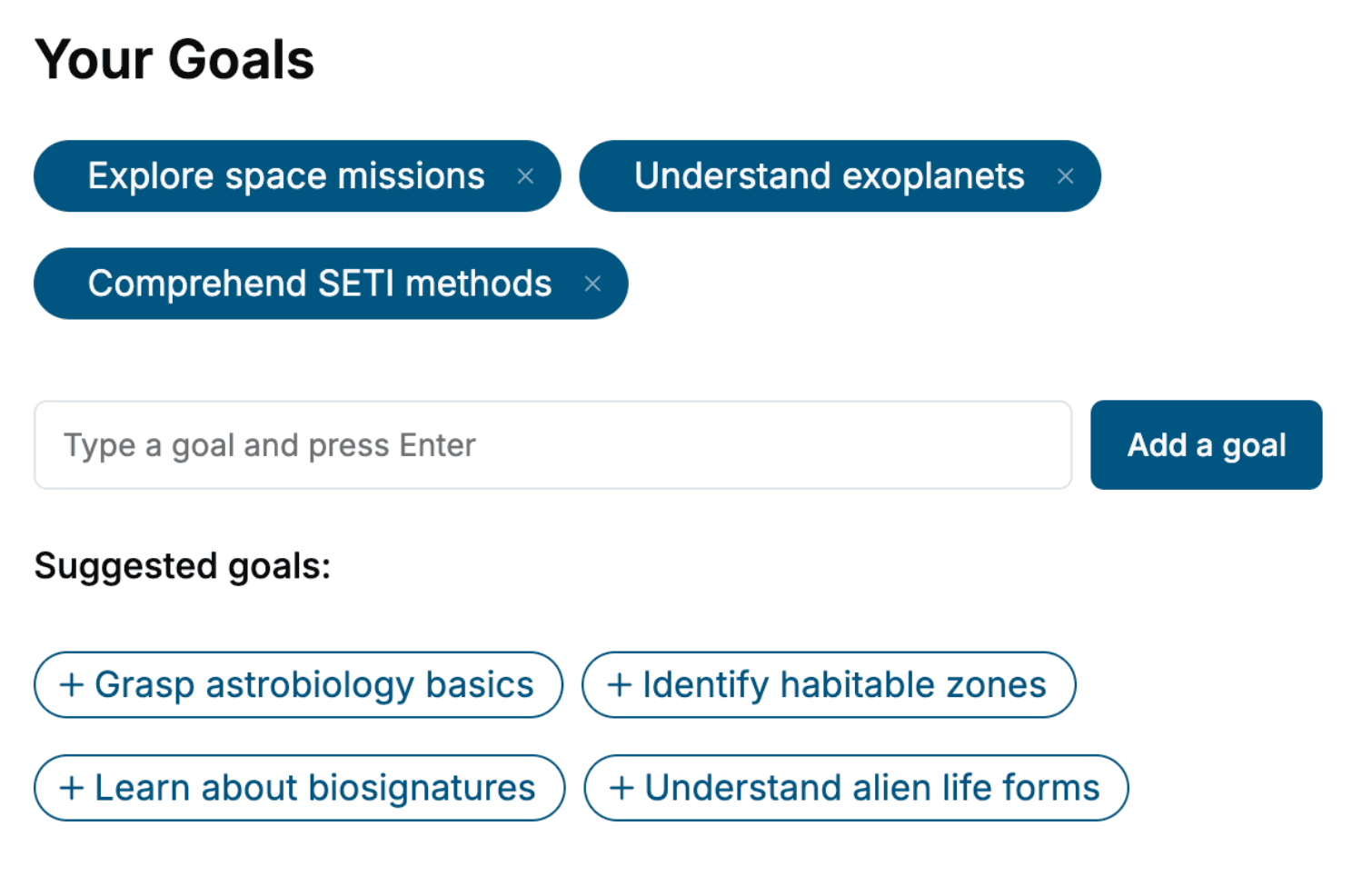
Select the focus of your Internet Explorer book and share your background
- 2. Personalize your book
Specify your goals and choose sub-topics to include
- 3. Get your tailored book
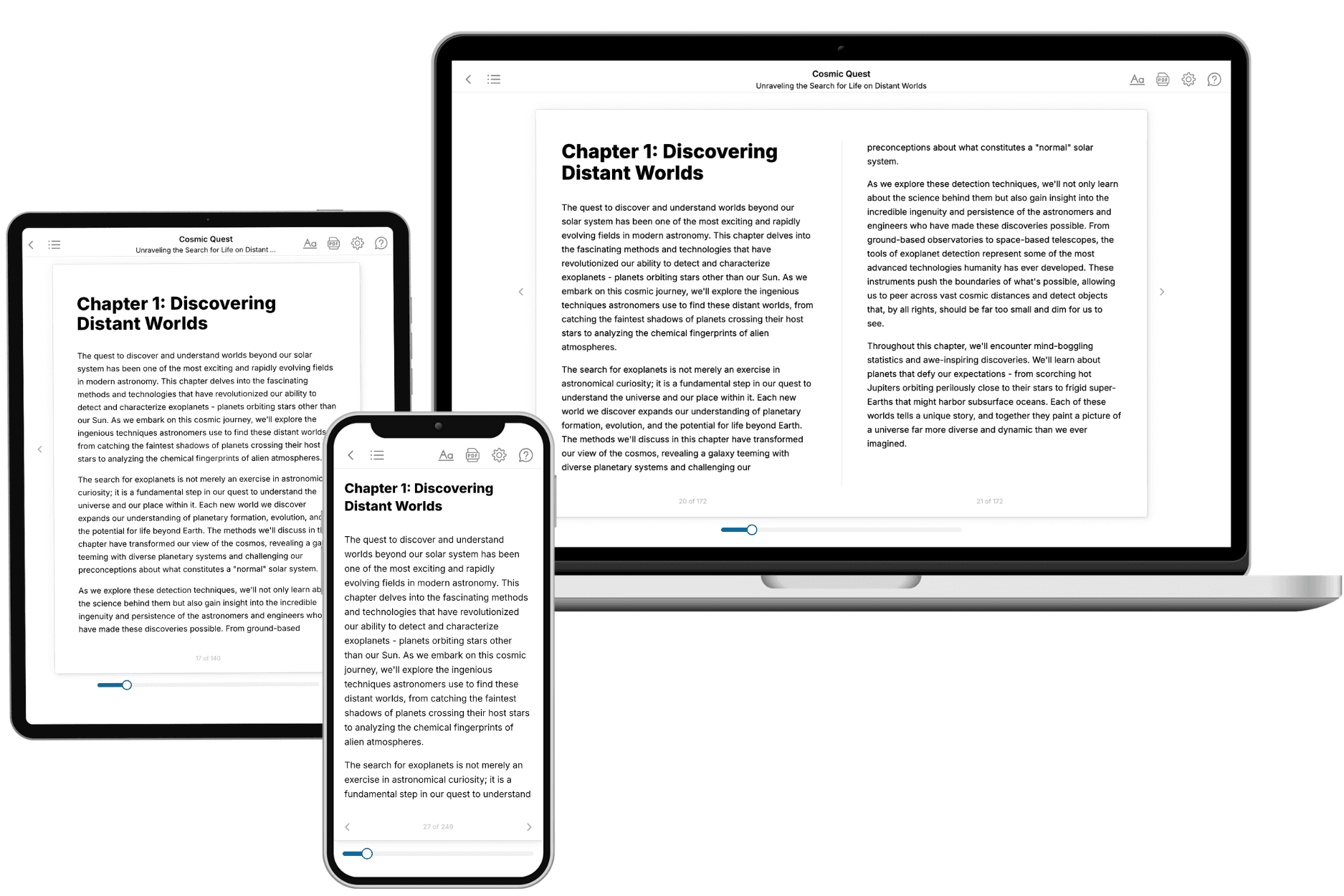
Your book is ready in 10 minutes. Read it online, download as EPUB or PDF, or send to Kindle.

Frequently asked questions
- What is TailoredRead?
TailoredRead creates complete, full-length nonfiction ebooks, written specifically for you. Tell us what you want to learn and why, and TailoredRead writes you a complete ebook on it, with charts, tables, and diagrams throughout. Read it online, on Kindle, or on any e-reader, or download it as a PDF or EPUB. Every book is written fresh the day you order it.
- How is the book tailored to me?
Before anything is written, you answer a few short questions about your goals, your background, and the topics you care about. Your book is then planned around your answers: written at your level, focused on your goals, and covering the topics you chose, instead of the one-size-fits-all book a store sells everyone.
- Will it read like generic AI content?
No. Your book isn't a chat transcript: it's planned chapter by chapter before a single word is written, told in a clear book voice, and explains ideas visually with charts, tables, and diagrams. After writing, every book goes through an editorial pass that polishes chapters so the book reads consistent from start to finish. Judge for yourself: browse thousands of sample books on our Explore Books page.
- How accurate is the content?
Our AI first checks whether your subject needs live research. Niche and fast-moving subjects are researched before writing, and the book plan and chapters are grounded in what it finds. After writing, every book goes through a quality pass that checks its facts and consistency, and researched books list their sources in a Notes section at the back.
- How long is the book?
You choose the length: Comprehensive (250-300 pages), Detailed (150-200 pages), Essential (70-100 pages), or Short (30-50 pages).
- Does the book include visuals?
Yes. Every book includes charts, tables, and diagrams: timelines, checklists, step-by-step guides, decision trees, comparison tables, matrices, and bar charts. A typical book includes dozens of these visual elements.
- Can I read it on Kindle? What formats can I download?
Yes. Every book can be read in our online reader or downloaded as a PDF or EPUB. The EPUB can be opened with Kindle, Apple Books, Kobo, and any e-reader. The Commercial and Author licenses also include an editable Word (DOCX) and Markdown download.
- How much does it cost?
About the price of a regular ebook. The exact price depends on your book's length and complexity, from $2 for the shortest books to $35 for the most comprehensive, and it's shown when you review your book, before you commit to anything. Each book is a one-time purchase, yours to keep, no subscription. Licenses that let you share, teach, or publish your book range from $35.99 to $49.99.
- Can I preview the book before purchasing?
Before you pay, you'll see what your book will cover: the title, a detailed description, the estimated length, and the complete chapter-by-chapter table of contents, so you know what you're getting before you decide. The full text itself is written after you purchase.
- How long does it take to create a book?
About 10 minutes. You can start reading the opening chapters while the rest is still being written.