Jira Mastery
A Comprehensive Guide for IT Project Managers
Are you struggling to keep your IT projects on track?
284 pages14 chaptersAug 27, 2025Project ManagementCreated by Carol
About this book
Many project managers find themselves drowning in a sea of tasks, unable to effectively coordinate their team's efforts. Jira Mastery: A Comprehensive Guide for IT Project Managers is your lifeline to project management success. This book takes you on a step-by-step journey through Jira's powerful features, from setting up your first project to creating custom workflows that perfectly match your team's needs. You'll discover how to create intuitive boards that give you a bird's-eye view of your project's progress, automate repetitive tasks, and generate insightful reports that will impress your stakeholders. Packed with practical examples and insider tips, this guide empowers you to harness Jira's full potential. You'll learn how to customize dashboards for at-a-glance project health checks, integrate Jira with your favorite tools, and implement best practices that will supercharge your team's productivity. Whether you're managing a small team or coordinating complex multi-team projects, Jira Mastery equips you with the knowledge and skills to excel in your role as an IT Project Manager.
Table of contents
- IntroductionWhy Jira for IT Project Management?, Book Overview and How to Use It, The Evolution of Jira in Project Management, Getting Started with This GuideRead below
- Chapter 1: Jira FundamentalsWhat is Jira?, Navigating the Jira Interface, Key Jira Terminology, Benefits of Using Jira for IT Projects
- Chapter 2: Setting Up Your First Jira ProjectCreating a New Project, Understanding Project Types, Configuring Project Settings, Inviting Team Members
- Chapter 3: Issue Management in JiraUnderstanding Issue Types, Creating and Editing Issues, Working with Issue Fields, Linking and Relating Issues
- Chapter 4: Jira Workflow BasicsUnderstanding the Default Workflow, Workflow Statuses and Transitions, Introduction to Workflow Schemes, Workflow Best Practices for IT Projects
- Chapter 5: Creating Effective Jira BoardsScrum and Kanban Board Types, Configuring Board Settings, Working with Columns and Swimlanes, Using Filters to Customize Board View
- Chapter 6: Customizing Fields in JiraUnderstanding Field Types, Creating Custom Fields, Configuring Field Behavior, Managing Field Context and Schemes
- Chapter 7: Advanced Workflow CustomizationCreating Custom Workflows, Configuring Workflow Transitions, Adding Conditions and Validators, Implementing Post Functions
- Chapter 8: Managing Permissions and RolesUnderstanding Permission Schemes, Configuring Project Roles, Working with User Groups, Implementing Issue Security Levels
- Chapter 9: Automating Processes in JiraIntroduction to Jira Automation, Creating Automation Rules, Working with Triggers and Actions, Using and Customizing Automation Templates
- Chapter 10: Customizing Jira DashboardsCreating a New Dashboard, Adding and Configuring Gadgets, Designing Dashboard Layout, Sharing and Permissions for Dashboards
- Chapter 11: Reporting and Analytics in JiraUsing Built-in Jira Reports, Creating Custom Reports, Introduction to Jira Query Language (JQL), Data Visualization Techniques
- Chapter 12: Integrating Jira with Other ToolsOverview of Jira Integrations, Integrating Jira with Confluence, Connecting Jira to Development Tools, Exploring Third-party App Integrations
- Chapter 13: Enhancing Jira with Add-onsNavigating the Atlassian Marketplace, Popular Add-ons for IT Project Management, Installing and Configuring Add-ons, Developing Custom Add-ons
- Chapter 14: Jira Best Practices for IT Project ManagersStructuring Projects Effectively, Optimizing Workflows for Efficiency, Fostering Team Collaboration in Jira, Scaling Jira for Growing Teams, Performance Tuning and Maintenance
- ConclusionKey Takeaways, The Future of Jira in IT Project Management, Continuous Improvement with Jira
- Glossary of Jira Terms
- Additional Resources
Introduction
In the fast-paced world of IT project management, staying organized and efficient is not just a luxury—it's a necessity. As projects grow in complexity and teams become increasingly distributed, the need for robust project management tools has never been more critical. Enter Jira, a powerful and versatile platform that has revolutionized the way IT projects are managed. This introduction will set the stage for your journey into Jira mastery, providing you with a solid foundation to build upon as you navigate through the intricacies of this indispensable tool.
Throughout this book, you'll discover how Jira can transform your approach to project management, streamline your workflows, and enhance collaboration within your team. Whether you're new to Jira or looking to deepen your existing knowledge, this comprehensive guide is designed to equip you with the skills and insights needed to excel in your role as an IT Project Manager. From setting up your first project to implementing advanced automation techniques, you'll gain a thorough understanding of Jira's capabilities and how to leverage them for maximum impact.
As we embark on this journey together, remember that mastering Jira is not just about learning a new tool—it's about adopting a mindset of continuous improvement and efficiency in your project management practices. The concepts and strategies you'll encounter in this book have been carefully curated to address the unique challenges faced by IT Project Managers, ensuring that you can immediately apply what you learn to your day-to-day operations.
Why Jira for IT Project Management?
In the realm of IT project management, the choice of tools can make or break a project's success. Jira stands out as a preferred solution for numerous reasons, each contributing to its reputation as a powerhouse in the industry. At its core, Jira offers unparalleled flexibility and customization options, allowing you to tailor the platform to your specific project needs. This adaptability is crucial in the ever-evolving landscape of IT, where no two projects are exactly alike.
One of Jira's most significant advantages is its comprehensive issue tracking system. This feature enables you to create, assign, and monitor tasks with precision, ensuring that nothing falls through the cracks. The ability to categorize issues, set priorities, and track progress in real-time provides a level of visibility that is essential for effective project management. Moreover, Jira's robust reporting capabilities allow you to generate insightful analytics, helping you make data-driven decisions and keep stakeholders informed.
Collaboration is another area where Jira excels. In today's increasingly remote work environment, having a centralized platform for team communication and coordination is invaluable. Jira facilitates seamless collaboration through features like comment threads, @mentions, and shared dashboards. This fosters a sense of unity and purpose among team members, regardless of their physical location.
Jira's integration capabilities further cement its position as a top choice for IT project management. The platform can easily connect with a wide array of development tools, version control systems, and other software in the Atlassian ecosystem and beyond. This interoperability creates a cohesive workflow, reducing the need for context switching and improving overall productivity. For instance, integrating Jira with Confluence allows for seamless documentation management, while connecting it with version control systems like Git enables automatic issue updates based on code commits.
Scalability is another crucial factor that sets Jira apart. Whether you're managing a small team or coordinating large, complex projects across multiple departments, Jira can accommodate your needs. As your organization grows, Jira grows with you, offering advanced features like portfolio management and cross-project reporting. This scalability ensures that your investment in learning and implementing Jira pays dividends well into the future.
Furthermore, Jira's commitment to agile methodologies makes it an ideal choice for IT projects. The platform offers out-of-the-box support for popular frameworks like Scrum and Kanban, complete with customizable boards, sprint planning tools, and burndown charts. This alignment with agile principles enables teams to adapt quickly to changing requirements and deliver value incrementally—a crucial advantage in the fast-paced world of IT development.
Security and compliance are paramount concerns in IT project management, and Jira addresses these with robust permission settings and audit logs. You can fine-tune access controls to ensure that sensitive information is only visible to authorized team members. This level of security granularity is especially important when dealing with projects that involve confidential data or regulatory compliance requirements.
Lastly, the vibrant community and extensive marketplace surrounding Jira provide a wealth of resources and add-ons to enhance its functionality. From time tracking plugins to advanced reporting tools, the Atlassian Marketplace offers a plethora of options to extend Jira's capabilities. This ecosystem ensures that you can continually optimize your project management processes as new challenges arise.
In essence, Jira's combination of flexibility, powerful features, collaboration tools, and scalability make it an unparalleled choice for IT project management. As you delve deeper into this guide, you'll discover how to harness these capabilities to drive your projects to success, streamline your workflows, and elevate your team's performance to new heights.
Book Overview and How to Use It
This comprehensive guide to Jira mastery is designed with your success as an IT Project Manager in mind. The book is structured to provide a logical progression from foundational concepts to advanced techniques, ensuring that you build a solid understanding of Jira's capabilities as you move through each chapter. Whether you're a Jira novice or looking to refine your existing skills, this book offers valuable insights and practical advice to enhance your project management prowess.
The journey begins with an exploration of Jira fundamentals, where you'll learn about the core components of the platform and how they fit together. This foundation is crucial for understanding the more complex features and workflows you'll encounter later. As you progress, you'll dive into the specifics of setting up projects, managing issues, and customizing workflows to match your team's unique processes. Each chapter builds upon the previous ones, gradually introducing more advanced concepts and techniques.
To make the most of this book, it's recommended that you approach it as both a learning tool and a reference guide. While reading from start to finish will provide a comprehensive education in Jira, each chapter is also designed to stand alone, allowing you to jump to specific sections as needed. This structure makes it easy to revisit topics or quickly find solutions to challenges you may encounter in your day-to-day work.
Throughout the book, you'll find practical examples, case studies, and hands-on exercises that illustrate how to apply Jira's features in real-world scenarios. These practical elements are designed to bridge the gap between theory and application, ensuring that you can immediately implement what you learn. Pay special attention to the "Best Practices" sections within each chapter, as these offer valuable insights drawn from experienced Jira users and can help you avoid common pitfalls.
The book also includes numerous screenshots and step-by-step instructions to guide you through complex processes. These visual aids are particularly helpful when learning about Jira's interface and configuration options. As you encounter these tutorials, it's highly recommended that you follow along in your own Jira instance, if possible. Hands-on practice is invaluable for cementing your understanding and building muscle memory for essential tasks.
In addition to the core content, you'll find "Pro Tips" scattered throughout the chapters. These nuggets of wisdom offer advanced strategies and lesser-known features that can significantly enhance your efficiency and effectiveness with Jira. Don't overlook these tips, as they often provide the key to unlocking Jira's full potential in your projects.
The latter part of the book delves into more advanced topics such as automation, custom reporting, and integrations with other tools. While these sections may seem daunting at first, they offer powerful ways to streamline your workflows and extract maximum value from Jira. Take your time with these chapters, experimenting with the concepts in a test environment before implementing them in your live projects.
Remember that mastering Jira is an ongoing process. As you work through this book, make note of areas where you'd like to deepen your knowledge further. The "Additional Resources" section at the end of the book provides a curated list of online tutorials, community forums, and official Atlassian documentation that can supplement your learning journey.
Lastly, don't hesitate to revisit chapters as your experience with Jira grows. You may find that certain concepts take on new meaning or relevance as you encounter different project scenarios. This book is designed to be a companion throughout your Jira journey, offering guidance and inspiration as you continually refine your project management skills.
The Evolution of Jira in Project Management
To truly appreciate the power and versatility of Jira, it's essential to understand its evolution in the landscape of project management tools. Jira's journey from a simple bug-tracking system to a comprehensive project management platform mirrors the changing needs of IT teams and the broader shift towards agile methodologies in software development and beyond.
Jira was first released by Atlassian in 2002, initially designed as an issue-tracking tool for software developers. Its name, derived from the Japanese word "Gojira" (Godzilla), was a playful nod to its creators' intent to create a bug-tracker that would crush all others. In its early days, Jira's primary focus was on helping development teams log and track software bugs efficiently. However, it quickly became apparent that the tool's flexible nature could be applied to a wider range of project management tasks.
As agile methodologies gained traction in the mid-2000s, Jira evolved to meet the changing needs of development teams. The introduction of Jira Agile (formerly GreenHopper) in 2009 marked a significant milestone, adding support for Scrum and Kanban boards. This expansion allowed teams to visualize their work, manage sprints, and track progress using agile metrics like burndown charts. The shift towards agile project management capabilities was a game-changer, positioning Jira as a leader in the rapidly growing market for agile tools.
The next major evolution came with the increasing adoption of DevOps practices. Recognizing the need for tighter integration between development and operations teams, Atlassian expanded Jira's capabilities to support the entire software development lifecycle. This included improved integrations with version control systems, continuous integration/continuous deployment (CI/CD) tools, and monitoring solutions. The launch of Jira Software in 2015 consolidated these features, providing a unified platform for planning, tracking, and releasing software.
As Jira's popularity grew beyond software development teams, Atlassian responded by creating specialized versions of the tool. Jira Service Desk (now Jira Service Management) was introduced in 2013 to cater to IT service management needs, while Jira Core was launched in 2015 to serve business teams outside of software development. These expansions demonstrated Jira's flexibility and its ability to adapt to diverse project management requirements across different industries and departments.
The rise of cloud computing and the increasing demand for flexible, scalable solutions led to the development of Jira Cloud. This offering provided teams with the ability to access Jira from anywhere, without the need for on-premises infrastructure. The cloud version also enabled faster feature updates and easier integrations with other cloud-based tools, further enhancing Jira's position as a central hub for project management and collaboration.
In recent years, Jira's evolution has focused on enhancing user experience, improving performance, and leveraging artificial intelligence and machine learning. The introduction of next-gen projects in Jira Cloud simplified project setup and management, making the platform more accessible to teams of all sizes. Features like smart suggestions for issue assignment and predictive sprint planning showcase Atlassian's commitment to incorporating cutting-edge technology to streamline project management processes.
The expansion of Jira's marketplace and ecosystem has been another crucial aspect of its evolution. The Atlassian Marketplace, launched in 2012, has grown to offer thousands of add-ons and integrations, allowing users to extend and customize Jira's functionality to meet their specific needs. This thriving ecosystem has been a key factor in Jira's ability to adapt to diverse project management scenarios and maintain its relevance in a rapidly changing technological landscape.
Today, Jira stands as a testament to the power of continuous evolution in software development. From its humble beginnings as a bug tracker, it has grown into a comprehensive project management solution capable of handling complex workflows across various industries. Its journey reflects the changing nature of work itself, from siloed, waterfall-style projects to the collaborative, agile, and often distributed teams of today.
As you embark on your journey to master Jira, keep in mind that you're not just learning a static tool, but rather engaging with a dynamic platform that continues to evolve. The skills and knowledge you gain will not only serve you in managing current projects but will also prepare you for the future of project management in an increasingly digital and agile world.
Getting Started with This Guide
As you embark on your journey to Jira mastery, it's important to approach this guide with the right mindset and preparation. This section will provide you with practical advice on how to make the most of the information presented in the following chapters, ensuring that you can effectively apply your newfound knowledge to real-world project management scenarios.
First and foremost, it's crucial to understand that mastering Jira is not an overnight process. Like any powerful tool, Jira has a learning curve, and true proficiency comes with practice and experience. As you work through this guide, be patient with yourself and allow time for concepts to sink in. Don't hesitate to revisit chapters or sections that you find challenging—often, ideas that seem complex at first become clearer with repeated exposure and practical application.
To get the most out of this guide, it's highly recommended that you have access to a Jira instance where you can practice the concepts and techniques discussed. If your organization already uses Jira, consider setting up a sandbox project where you can experiment without affecting live data. If you don't have access to a Jira instance, Atlassian offers free cloud trials that you can use for learning purposes. Hands-on experience is invaluable in cementing your understanding of Jira's features and workflows.
As you progress through the chapters, try to relate the content to your own project management experiences and challenges. Consider how the features and strategies presented could be applied to improve your current processes or solve specific problems you've encountered. This contextual thinking will help you internalize the information and make it more relevant to your day-to-day work.
Take advantage of the various learning aids provided throughout the book. Pay special attention to the examples, case studies, and practical exercises. These are designed to illustrate key concepts and provide real-world context for the information presented. When you encounter step-by-step instructions, follow along in your Jira instance to gain hands-on experience. The screenshots and diagrams are there to guide you through complex processes, so refer to them often as you navigate Jira's interface.
Don't skip over the "Best Practices" and "Pro Tips" sections scattered throughout the chapters. These contain valuable insights drawn from experienced Jira users and can help you avoid common pitfalls while optimizing your use of the platform. Often, these tips can be the difference between basic proficiency and true mastery of Jira.
As you work through the guide, keep a notebook or digital document handy to jot down questions, ideas, or concepts you want to explore further. This active note-taking will help reinforce your learning and provide a personal reference for future use. It's also a good idea to bookmark the "Additional Resources" section at the end of the book, as it contains links to official documentation, community forums, and other valuable sources of information that can supplement your learning.
Remember that Jira is a flexible tool that can be customized to fit various project management methodologies and team structures. As you learn about different features and configurations, consider how they might be adapted to suit your specific needs. Don't be afraid to experiment with different setups in your sandbox environment to find what works best for your team and projects.
Lastly, consider sharing your learning journey with colleagues or joining online Jira communities. Discussing concepts, sharing experiences, and learning from others can greatly enhance your understanding and provide valuable perspectives on how Jira is used in different contexts. The Atlassian Community forums, in particular, are an excellent resource for connecting with other Jira users and getting answers to specific questions.
By approaching this guide with an open mind, a willingness to experiment, and a focus on practical application, you'll be well on your way to becoming a Jira expert. Remember that mastery is a journey, not a destination. Even after completing this guide, continue to explore new features, stay updated on Jira developments, and refine your skills through ongoing practice and learning. With dedication and persistence, you'll soon find yourself confidently navigating Jira's complexities and leveraging its full potential to drive your IT projects to success.
This is the end of the free sample. The full book has 14 chapters.
Want this book written for you?
Tell us your goals and background, and get your own version of this book, tailored by AI to you.


Benefits of AI-tailored books
- Read one book, not ten:
- all the Project Management knowledge you need, gathered into a single book.
- Save days of learning:
- tell us your goals, choose your topics, and the whole book is built around them.
- Learn effortlessly:
- Project Management book written for your specific background and expertise.
- Understand at a glance:
- includes charts, tables, timelines, checklists, decision trees, and more.
- Stay current:
- written the day you order it, not years ago.
- Trust what you read:
- every book is checked for accuracy, with real research when your subject needs it.
Create your unique book in 3 steps
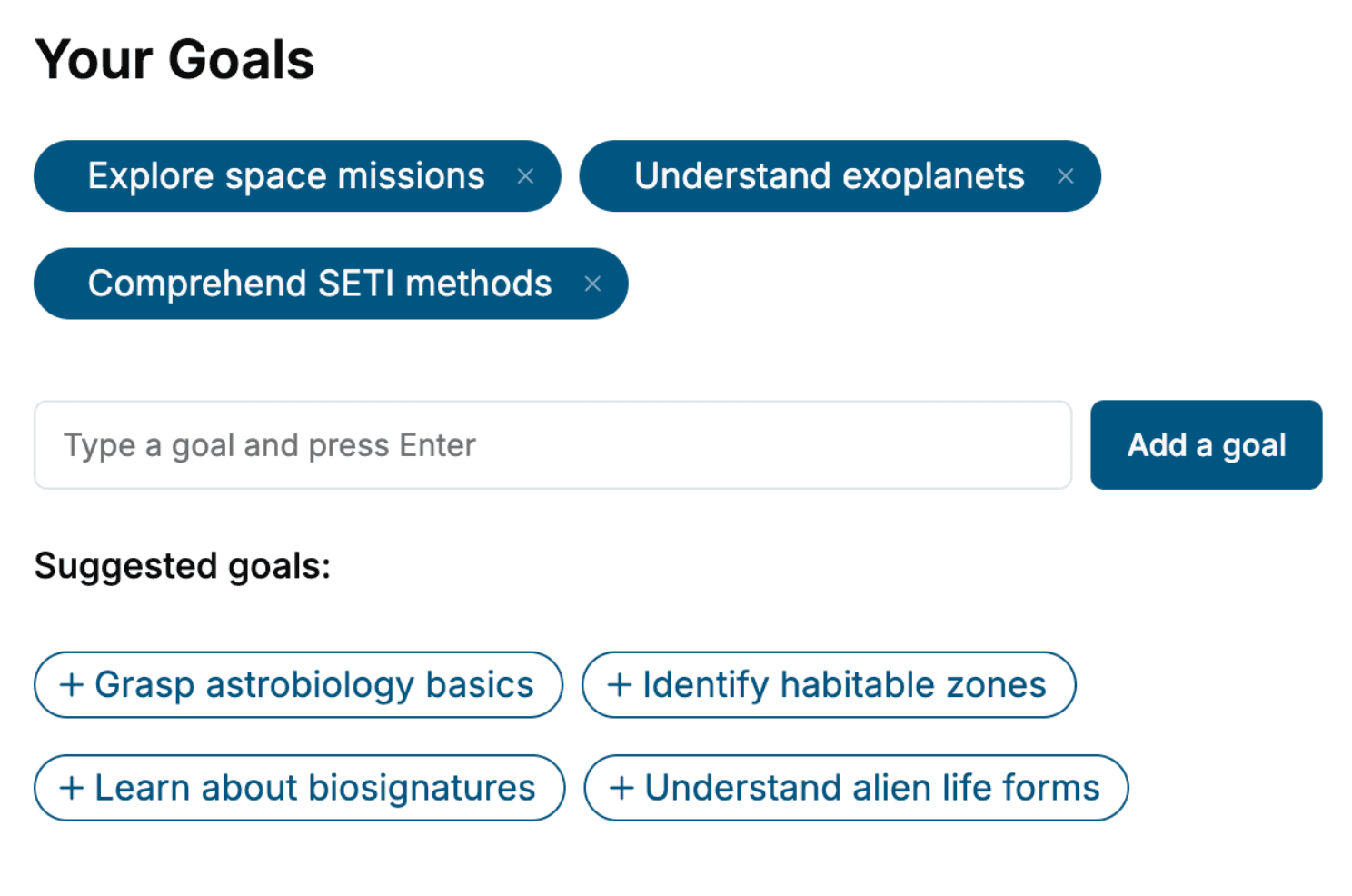
- 1. Select your focus
Select the focus of your Project Management book and share your background
- 2. Personalize your book
Specify your goals and choose sub-topics to include
- 3. Get your tailored book
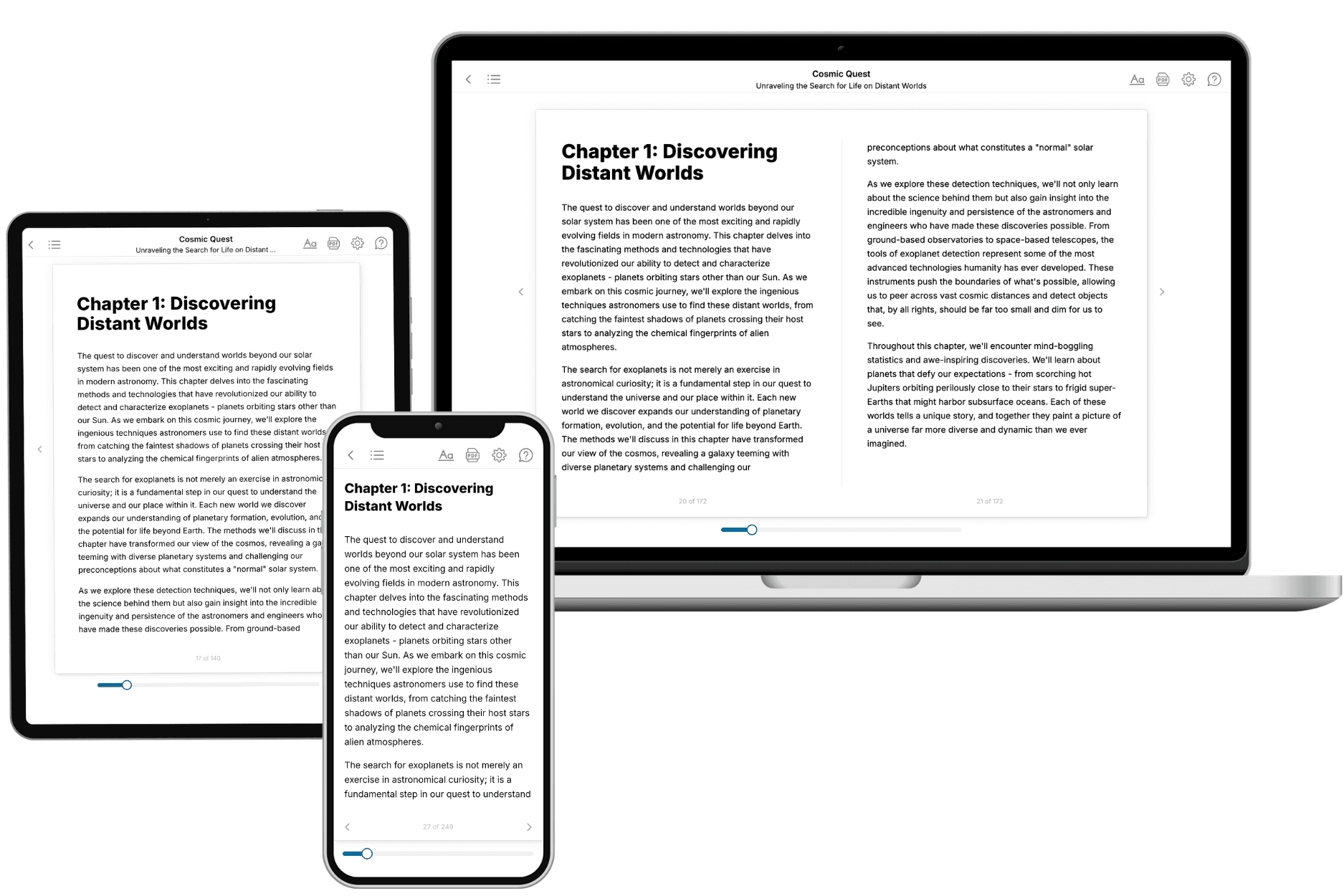
Your book is ready in 10 minutes. Read it online, download as EPUB or PDF, or send to Kindle.

Frequently asked questions
- What is TailoredRead?
TailoredRead creates complete, full-length nonfiction ebooks, written specifically for you. Tell us what you want to learn and why, and TailoredRead writes you a complete ebook on it, with charts, tables, and diagrams throughout. Read it online, on Kindle, or on any e-reader, or download it as a PDF or EPUB. Every book is written fresh the day you order it.
- How is the book tailored to me?
Before anything is written, you answer a few short questions about your goals, your background, and the topics you care about. Your book is then planned around your answers: written at your level, focused on your goals, and covering the topics you chose, instead of the one-size-fits-all book a store sells everyone.
- Will it read like generic AI content?
No. Your book isn't a chat transcript: it's planned chapter by chapter before a single word is written, told in a clear book voice, and explains ideas visually with charts, tables, and diagrams. After writing, every book goes through an editorial pass that polishes chapters so the book reads consistent from start to finish. Judge for yourself: browse thousands of sample books on our Explore Books page.
- How accurate is the content?
Our AI first checks whether your subject needs live research. Niche and fast-moving subjects are researched before writing, and the book plan and chapters are grounded in what it finds. After writing, every book goes through a quality pass that checks its facts and consistency, and researched books list their sources in a Notes section at the back.
- How long is the book?
You choose the length: Comprehensive (250-300 pages), Detailed (150-200 pages), Essential (70-100 pages), or Short (30-50 pages).
- Does the book include visuals?
Yes. Every book includes charts, tables, and diagrams: timelines, checklists, step-by-step guides, decision trees, comparison tables, matrices, and bar charts. A typical book includes dozens of these visual elements.
- Can I read it on Kindle? What formats can I download?
Yes. Every book can be read in our online reader or downloaded as a PDF or EPUB. The EPUB can be opened with Kindle, Apple Books, Kobo, and any e-reader. The Commercial and Author licenses also include an editable Word (DOCX) and Markdown download.
- How much does it cost?
About the price of a regular ebook. The exact price depends on your book's length and complexity, from $2 for the shortest books to $35 for the most comprehensive, and it's shown when you review your book, before you commit to anything. Each book is a one-time purchase, yours to keep, no subscription. Licenses that let you share, teach, or publish your book range from $35.99 to $49.99.
- Can I preview the book before purchasing?
Before you pay, you'll see what your book will cover: the title, a detailed description, the estimated length, and the complete chapter-by-chapter table of contents, so you know what you're getting before you decide. The full text itself is written after you purchase.
- How long does it take to create a book?
About 10 minutes. You can start reading the opening chapters while the rest is still being written.