Mac Mastery for Ministry
Streamline Your Workflow and Amplify Your Impact
Revolutionize your ministry work and personal productivity with "Mac Mastery for Ministry." This comprehensive guide is tailored for church family workers who want to harness the full power of their Mac.
284 pages14 chaptersFeb 24, 2025Personal Computing
About this book
You'll discover how to optimize your digital workflow, create compelling presentations, and manage church data with ease. From mastering keyboard shortcuts to setting up smart folders, this book covers everything you need to know to become a Mac power user. Dive into the world of Mac automation and learn how to save hours on repetitive tasks. Explore accessibility tools that can enhance your ministry's reach and inclusivity. Uncover the potential of Siri on Mac and discover how it can assist in your daily work. With practical tips on file organization, productivity apps, and advanced techniques, you'll be equipped to tackle any challenge that comes your way. By the end of this book, you'll have transformed your Mac into a powerhouse for ministry work. Your newfound skills will allow you to focus more on what truly matters - serving your church family and community - while your Mac takes care of the rest. Get ready to elevate your digital ministry and personal productivity to new heights!
Table of contents
- IntroductionWhy Mac for Ministry?, Book Overview and How to Use It, Setting Your Mac Mastery GoalsRead below
- Chapter 1: Mac Basics for MinistryUnderstanding the Mac Interface, Finder Essentials for File Management, Customizing System Preferences, Mastering Spotlight Search
- Chapter 2: Mastering Mac Keyboard ShortcutsEssential Mac Shortcuts for Daily Use, Finder-specific Shortcuts, Text Editing and Navigation Shortcuts, Creating Custom Shortcuts
- Chapter 3: Optimizing Finder for Ministry WorkMastering Finder Views, Using Tags and Labels Effectively, Setting Up Quick Actions, Customizing the Finder Sidebar
- Chapter 4: Mac File Organization for MinistryCreating an Efficient Folder Structure, Establishing File Naming Conventions, Leveraging Metadata for Better Organization, Archiving Strategies for Long-term Storage
- Chapter 5: Harnessing the Power of Smart FoldersUnderstanding Smart Folder Basics, Creating Smart Folders for Ministry Tasks, Using Advanced Search Criteria, Managing and Organizing Smart Folders
- Chapter 6: Keynote for Impactful Ministry PresentationsKeynote Basics for Beginners, Design Principles for Engaging Slides, Advanced Keynote Features for Dynamic Presentations, Collaborating and Sharing Keynote Presentations
- Chapter 7: Mac Automator Basics for Ministry TasksIntroduction to Mac Automator, Creating Your First Workflow, Automations for Common Ministry Tasks, Advanced Automator Techniques
- Chapter 8: Leveraging Mac Accessibility ToolsVoiceOver Basics for Screen Reading, Zoom and Magnification Features, Dictation and Text-to-Speech, Accessibility Keyboard Shortcuts
- Chapter 9: Essential Mac Productivity Apps for MinistryTask Management Apps, Note-Taking and Organization Apps, Communication and Collaboration Tools, Time Tracking and Focus Apps
- Chapter 10: Harnessing Siri on Mac for Ministry WorkSetting Up and Customizing Siri, Essential Siri Commands for Productivity, Creating Siri Shortcuts for Ministry Tasks, Integrating Siri with Other Mac Features
- Chapter 11: Mastering Mac Gestures and Trackpad ShortcutsBasic Gestures for Navigation, Advanced Gestures for Multitasking, Customizing Trackpad Gestures, Boosting Productivity with Gestures
- Chapter 12: Mac Terminal Basics for Power UsersIntroduction to the Mac Terminal, Essential Terminal Commands, File Management via Terminal, Terminal Shortcuts and Tips
- Chapter 13: Optimizing the Mac Notification CenterUnderstanding Notification Center Basics, Setting Up Useful Widgets, Managing Notifications Effectively, Using Focus Modes for Productivity
- Chapter 14: Enhancing Productivity with Menu Bar AppsEssential Menu Bar Apps for Ministry, Customizing Your Menu Bar, Organizing and Managing Menu Bar Icons, Creating Your Own Menu Bar Apps
- ConclusionRecap of Key Points, Resources for Continued Learning
- Glossary of Mac Terms
- Appendix: Troubleshooting Common Mac Issues
Introduction
Welcome to "Mac Mastery for Ministry: Streamline Your Workflow and Amplify Your Impact." This comprehensive guide is designed to empower you, a dedicated church family worker, to harness the full potential of your Mac for both personal productivity and ministry work. As someone with a postgraduate degree in Library & Information Management, you already possess a solid foundation in organizing information. Now, it's time to elevate your digital skills and transform your Mac into a powerful tool that will revolutionize your approach to ministry and personal tasks.
In today's fast-paced digital world, efficiency and effectiveness are paramount. Your role as a church family worker demands not only spiritual guidance and community support but also adept management of information, communication, and resources. By mastering your Mac, you'll be able to streamline your workflow, create more engaging presentations, manage church data with precision, and ultimately free up more time to focus on what truly matters - serving your congregation and community.
Throughout this book, you'll discover a wealth of techniques, shortcuts, and strategies that will take your Mac skills from intermediate to advanced. We'll explore everything from essential keyboard shortcuts that will save you hours each week, to sophisticated file organization systems that will keep your ministry data at your fingertips. You'll learn how to leverage powerful built-in Mac features like Automator and Accessibility tools, as well as how to choose and utilize the best third-party apps to enhance your productivity.
But this book is more than just a technical manual. It's a roadmap to digital empowerment in your ministry. As you progress through the chapters, you'll not only gain technical knowledge but also develop a mindset of continuous improvement and efficiency. You'll learn to approach your daily tasks with a new perspective, always looking for ways to optimize and automate. This shift in thinking will have a profound impact on your ministry work, allowing you to serve your community more effectively and with greater impact.
So, whether you're preparing for Sunday's sermon, organizing a community outreach event, or managing the church's administrative tasks, your Mac will become an indispensable ally in your mission. Let's embark on this journey of Mac mastery together, and unlock the full potential of your digital ministry.
Why Mac for Ministry?
You might be wondering, "Why focus on Mac for ministry work?" The answer lies in the unique combination of power, simplicity, and versatility that Mac computers offer. Apple's ecosystem provides a robust platform that can adapt to the diverse needs of modern ministry while maintaining an intuitive user experience. This balance makes Macs an excellent choice for church family workers who need to juggle multiple responsibilities efficiently.
First and foremost, Macs are renowned for their stability and security. In a ministry setting, where you're often handling sensitive information about church members or managing financial records, the built-in security features of macOS provide peace of mind. FileVault encryption, Gatekeeper, and regular security updates work together to keep your data safe from unauthorized access and potential threats. This allows you to focus on your ministry work without constantly worrying about digital security issues.
Another compelling reason to use a Mac for ministry is the seamless integration between hardware and software. Apple designs both the Mac hardware and the macOS operating system, resulting in a harmonious user experience. This integration extends to other Apple devices as well. If you use an iPhone or iPad alongside your Mac, features like Handoff and Continuity allow you to start a task on one device and seamlessly continue it on another. Imagine beginning a sermon outline on your iPhone while visiting a church member, then effortlessly picking up where you left off on your Mac when you return to your office.
Macs also come with a suite of powerful built-in applications that are particularly useful for ministry work. Pages, Numbers, and Keynote - Apple's equivalents to Word, Excel, and PowerPoint - offer robust features for creating documents, spreadsheets, and presentations. These applications are not only compatible with Microsoft Office files but also provide unique capabilities that can enhance your ministry-related tasks. For instance, Keynote's cinematic transitions and easy-to-use interface can help you create visually stunning presentations for sermons or church events.
The Mac's emphasis on visual quality extends beyond just presentations. With a high-resolution Retina display, Macs provide crisp, clear visuals that can be particularly beneficial when working with design elements for church bulletins, flyers, or social media content. The color accuracy and brightness of Mac displays ensure that what you see on screen closely matches what will be printed or displayed on other devices, reducing potential discrepancies in your visual communications.
Furthermore, Macs excel in multimedia handling, which is increasingly important in modern ministry. Whether you're editing videos for online sermons, touching up photos for the church website, or recording and editing podcasts for your congregation, Macs provide the tools and performance to handle these tasks efficiently. The built-in QuickTime Player and Photos app offer basic multimedia capabilities, while more advanced users can leverage professional-grade software like Final Cut Pro or Logic Pro X, which are optimized for Mac performance.
Accessibility is another area where Macs shine, aligning well with the inclusive nature of ministry work. macOS includes a wide range of accessibility features that can benefit both you and your congregation members. VoiceOver for the visually impaired, Switch Control for those with limited mobility, and features like Zoom and Dictation can make your digital ministry more accessible to all members of your community. These tools not only assist those with permanent disabilities but can also be helpful in situations where temporary limitations might arise.
The longevity and reliability of Mac hardware are additional factors that make it an excellent choice for ministry work. Macs are known for their durability and tend to have a longer lifespan compared to many Windows PCs. This longevity can be particularly beneficial for churches and ministries working with limited budgets, as it reduces the frequency of hardware replacements and upgrades. Moreover, Apple's commitment to supporting older hardware with new software updates means that your Mac can stay current and secure for many years.
Lastly, the Mac ecosystem offers a vast array of third-party applications specifically designed for productivity and organization - key aspects of effective ministry work. From task management apps like Things or OmniFocus to Bible study software like Accordance or Logos, the Mac App Store and independent developers provide tools that can significantly enhance your ministry workflow. Many of these apps are designed with the Mac user interface in mind, ensuring a consistent and intuitive experience across your digital toolset.
In essence, choosing a Mac for your ministry work means investing in a powerful, reliable, and versatile tool that can adapt to the multifaceted nature of modern church family work. As we delve deeper into this book, you'll discover how to leverage these inherent advantages of the Mac platform to streamline your workflow, enhance your productivity, and ultimately amplify your impact in your ministry and community.
Book Overview and How to Use It
"Mac Mastery for Ministry" is structured to provide a comprehensive, step-by-step guide to harnessing the full potential of your Mac for ministry work. The book is designed with your specific needs as a church family worker in mind, focusing on practical applications that will directly enhance your productivity and effectiveness in your role. Each chapter builds upon the previous ones, gradually increasing in complexity while reinforcing core concepts. This approach ensures that you'll develop a solid foundation of Mac skills while progressively exploring more advanced techniques.
The book begins with fundamental Mac concepts, ensuring that you have a strong grasp of the basics before moving on to more complex topics. Chapter 1, "Mac Basics for Ministry," covers essential interface elements, file management in Finder, and customizing system preferences to suit your workflow. This chapter serves as a refresher for those already familiar with Macs and a solid introduction for those newer to the platform. Even if you consider yourself an intermediate Mac user, don't skip this chapter - you might discover features or shortcuts you weren't aware of that could significantly improve your efficiency.
As you progress through the book, you'll delve into more specific areas of Mac functionality. Chapters 2 through 5 focus on core productivity skills: mastering keyboard shortcuts, optimizing Finder for ministry work, implementing effective file organization strategies, and harnessing the power of Smart Folders. These chapters form the backbone of your Mac mastery, providing you with the tools to navigate your digital workspace swiftly and keep your ministry files organized and easily accessible.
The middle section of the book, Chapters 6 through 9, explores applications and features particularly relevant to ministry work. You'll learn how to create impactful presentations with Keynote, automate repetitive tasks with Automator, leverage Mac's accessibility tools for inclusive ministry, and choose the best productivity apps to support your work. These chapters are designed to expand your Mac toolkit, introducing you to powerful features that can transform your approach to common ministry tasks.
The latter part of the book, Chapters 10 through 14, dives into more advanced topics that will truly elevate your Mac skills. You'll discover how to use Siri on your Mac, master gestures and trackpad shortcuts, explore basic Terminal commands, optimize your Notification Center, and enhance your productivity with Menu Bar apps. While these topics might seem daunting at first, they're presented in an accessible manner, with plenty of real-world ministry applications to illustrate their value.
Throughout the book, you'll find practical examples, step-by-step instructions, and tips specifically tailored to ministry work. Each chapter includes hands-on exercises that encourage you to apply what you've learned to your own Mac and ministry tasks. By actively engaging with these exercises, you'll reinforce your learning and start seeing immediate benefits in your daily work.
To get the most out of this book, it's recommended that you read it sequentially, as each chapter builds upon skills and concepts introduced in previous sections. However, the book is also designed to serve as a reference guide. Once you've read through it, you can easily return to specific chapters or sections when you need a refresher on a particular topic.
As you work through the book, keep your specific ministry needs in mind. Think about how each new skill or feature could be applied to your daily tasks, whether it's preparing sermons, organizing community events, managing church databases, or communicating with your congregation. The most effective learning happens when you can immediately apply new knowledge to real-world situations.
Don't hesitate to experiment with the techniques and tools introduced in the book. The more you practice and explore, the more comfortable and proficient you'll become with your Mac. Remember, mastering these skills is not about becoming a technology expert for its own sake, but about enhancing your ability to serve your community and fulfill your ministry goals more effectively.
Finally, consider this book as a starting point in your journey of digital ministry enhancement. Technology is constantly evolving, and new features and applications are regularly introduced. The skills and mindset you develop through this book will equip you to adapt to future changes and continue growing in your Mac proficiency.
By the time you reach the conclusion of "Mac Mastery for Ministry," you'll have transformed your relationship with your Mac. You'll work more efficiently, manage information more effectively, and have a new set of digital tools at your disposal to enhance your ministry work. Let's begin this exciting journey of discovery and empowerment, unlocking the full potential of your Mac for the benefit of your ministry and community.
Setting Your Mac Mastery Goals
Before diving into the wealth of Mac knowledge this book offers, it's crucial to take a moment to reflect on your current skills and set clear, achievable goals for your Mac mastery journey. Goal-setting is not just a personal development technique; it's a biblical principle. Proverbs 21:5 reminds us, "The plans of the diligent lead to profit as surely as haste leads to poverty." By setting intentional goals for your Mac learning, you're laying the groundwork for significant improvements in your ministry work.
Start by assessing your current Mac proficiency. Consider the tasks you perform regularly in your ministry role and how comfortable you feel accomplishing them on your Mac. Are there particular areas where you feel you're losing time or struggling with efficiency? Perhaps you find file management challenging, or maybe creating engaging presentations takes more time than you'd like. Identifying these pain points will help you focus your learning efforts where they'll have the most impact.
Next, think about the aspects of your ministry that could benefit most from improved Mac skills. Are you looking to streamline administrative tasks to free up more time for pastoral care? Do you want to create more professional-looking materials for church events or services? Are you hoping to better organize and analyze data about your congregation or community outreach efforts? By connecting your Mac mastery goals directly to your ministry objectives, you'll maintain motivation and see more meaningful results.
When setting your goals, use the SMART criteria: Specific, Measurable, Achievable, Relevant, and Time-bound. For example, instead of a vague goal like "Get better at using my Mac," you might set a SMART goal such as "Reduce the time spent on weekly sermon preparation by 25% within three months by mastering Keynote and implementing an efficient file organization system." This goal is specific (focuses on sermon preparation), measurable (25% time reduction), achievable (with the skills you'll learn in this book), relevant (directly impacts your ministry work), and time-bound (within three months).
Consider setting both short-term and long-term goals. Short-term goals might include mastering specific keyboard shortcuts within a week or setting up a Smart Folder system for your ministry files within a month. Long-term goals could involve automating a complex, recurring task using Automator within six months or becoming proficient enough with your Mac to train other church staff members within a year.
As you set these goals, be realistic about the time and effort you can dedicate to improving your Mac skills. Ministry work is demanding, and it's important to balance your desire for technological improvement with your other responsibilities. Consider blocking out specific times in your schedule for "Mac learning" sessions, perhaps 30 minutes to an hour a few times a week. Consistency is key in developing new skills, so regular, focused practice will yield better results than sporadic, lengthy sessions.
Don't forget to involve others in your goal-setting process. Share your Mac mastery goals with your church leadership team or fellow staff members. They may offer valuable insights into areas where improved Mac skills could benefit the wider church community. Additionally, sharing your goals creates accountability and may inspire others to join you on this learning journey, fostering a culture of continuous improvement within your ministry team.
As you progress through this book, regularly revisit and reassess your goals. Celebrate the milestones you achieve along the way, no matter how small they might seem. Each new skill mastered is a step toward more efficient and effective ministry. Be prepared to adjust your goals as you discover new possibilities or as your ministry needs evolve. The process of setting and working towards goals is as valuable as achieving them, as it cultivates a mindset of continuous learning and improvement.
Remember, the ultimate aim of mastering your Mac is not just personal productivity, but enhanced ministry impact. As you set your goals, keep in mind the people you serve and how your improved skills can translate into better support, communication, and outreach for your congregation and community. Let this be your motivation as you embark on this journey of Mac mastery.
To help you get started, here's a simple template for setting your Mac mastery goals:
- Current Mac Skill Level: (Beginner, Intermediate, Advanced in various areas)
- Top 3 Mac-related challenges in my ministry work:
- Challenge 1
- Challenge 2
- Challenge 3
- Short-term Goals (1-3 months):
- Goal 1
- Goal 2
- Goal 3
- Long-term Goals (6-12 months):
- Goal 1
- Goal 2
- Goal 3
- How achieving these goals will benefit my ministry:
- Planned learning schedule (e.g., 30 minutes every Tuesday and Thursday evening)
- Accountability partner or method:
Take some time to fill out this template before proceeding to the next chapter. By doing so, you're not just reading a book about Mac mastery; you're embarking on a personalized journey of growth and improvement that will have lasting benefits for your ministry. With your goals set and your motivation clear, you're ready to dive into the world of Mac mastery for ministry. Let's begin this exciting journey together!
This is the end of the free sample. The full book has 14 chapters.
Want this book written for you?
Tell us your goals and background, and get your own version of this book, tailored by AI to you.


Benefits of AI-tailored books
- Read one book, not ten:
- all the Personal Computing knowledge you need, gathered into a single book.
- Save days of learning:
- tell us your goals, choose your topics, and the whole book is built around them.
- Learn effortlessly:
- Personal Computing book written for your specific background and expertise.
- Understand at a glance:
- includes charts, tables, timelines, checklists, decision trees, and more.
- Stay current:
- written the day you order it, not years ago.
- Trust what you read:
- every book is checked for accuracy, with real research when your subject needs it.
Create your unique book in 3 steps
- 1. Select your focus
Select the focus of your Personal Computing book and share your background
- 2. Personalize your book
Specify your goals and choose sub-topics to include
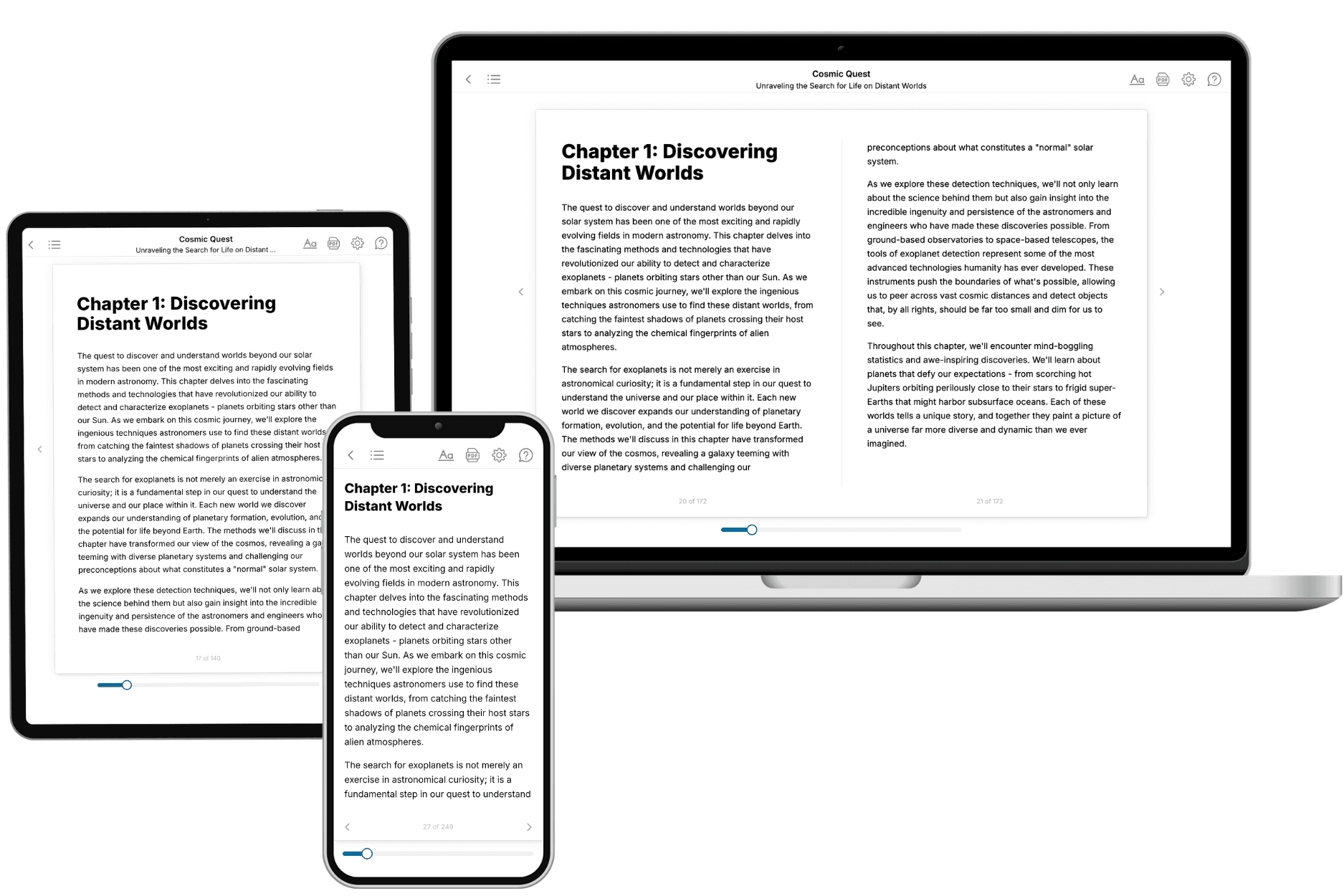
- 3. Get your tailored book
Your book is ready in 10 minutes. Read it online, download as EPUB or PDF, or send to Kindle.
Frequently asked questions
- What is TailoredRead?
TailoredRead creates complete, full-length nonfiction ebooks, written specifically for you. Tell us what you want to learn and why, and TailoredRead writes you a complete ebook on it, with charts, tables, and diagrams throughout. Read it online, on Kindle, or on any e-reader, or download it as a PDF or EPUB. Every book is written fresh the day you order it.
- How is the book tailored to me?
Before anything is written, you answer a few short questions about your goals, your background, and the topics you care about. Your book is then planned around your answers: written at your level, focused on your goals, and covering the topics you chose, instead of the one-size-fits-all book a store sells everyone.
- Will it read like generic AI content?
No. Your book isn't a chat transcript: it's planned chapter by chapter before a single word is written, told in a clear book voice, and explains ideas visually with charts, tables, and diagrams. After writing, every book goes through an editorial pass that polishes chapters so the book reads consistent from start to finish. Judge for yourself: browse thousands of sample books on our Explore Books page.
- How accurate is the content?
Our AI first checks whether your subject needs live research. Niche and fast-moving subjects are researched before writing, and the book plan and chapters are grounded in what it finds. After writing, every book goes through a quality pass that checks its facts and consistency, and researched books list their sources in a Notes section at the back.
- How long is the book?
You choose the length: Comprehensive (250-300 pages), Detailed (150-200 pages), Essential (70-100 pages), or Short (30-50 pages).
- Does the book include visuals?
Yes. Every book includes charts, tables, and diagrams: timelines, checklists, step-by-step guides, decision trees, comparison tables, matrices, and bar charts. A typical book includes dozens of these visual elements.
- Can I read it on Kindle? What formats can I download?
Yes. Every book can be read in our online reader or downloaded as a PDF or EPUB. The EPUB can be opened with Kindle, Apple Books, Kobo, and any e-reader. The Commercial and Author licenses also include an editable Word (DOCX) and Markdown download.
- How much does it cost?
About the price of a regular ebook. The exact price depends on your book's length and complexity, from $2 for the shortest books to $35 for the most comprehensive, and it's shown when you review your book, before you commit to anything. Each book is a one-time purchase, yours to keep, no subscription. Licenses that let you share, teach, or publish your book range from $35.99 to $49.99.
- Can I preview the book before purchasing?
Before you pay, you'll see what your book will cover: the title, a detailed description, the estimated length, and the complete chapter-by-chapter table of contents, so you know what you're getting before you decide. The full text itself is written after you purchase.
- How long does it take to create a book?
About 10 minutes. You can start reading the opening chapters while the rest is still being written.