Mastering Advanced FreeCAD Part Design
Parametric Workflows, Automation, and Manufacturing-Ready Design Techniques
Master the advanced capabilities of FreeCAD to design complex mechanical assemblies with precision, efficiency, and manufacturing readiness.
222 pages11 chaptersMar 2, 2026CAD
About this book
This comprehensive guide takes you beyond basic modeling to unlock parametric workflows, automation techniques, and professional-grade design practices that engineering teams use in production environments. You'll learn to harness Python macros and the FreeCAD API to eliminate repetitive tasks, create dimension-driven designs that update automatically, and develop custom workbenches tailored to your engineering domain. Discover advanced sketching geometry, loft and sweep operations, and tolerance stack analysis to ensure your designs are both innovative and manufacturable. Whether you're designing mechanical assemblies, sheet metal components, or complex fastener arrays, this book provides practical, hands-on techniques grounded in real-world engineering challenges. By the end, you'll have the expertise to create manufacturing-ready designs, automate technical drawing generation, and build custom tools that transform your team's productivity.
Table of contents
- IntroductionWhy Advanced FreeCAD Matters for Modern Engineering, What You'll Learn in This Book, How to Use This Book Effectively, Prerequisites and SetupRead below
- Chapter 1: Parametric Design FundamentalsCore Principles of Parametric Modeling, Capturing Design Intent in Your Models, Strategic Constraint Application
- Chapter 2: Advanced Sketch Geometry and TechniquesComplex Sketch Geometry Construction, Advanced Constraint Techniques, Optimizing Sketches for Performance
- Chapter 3: Dimension-Driven WorkflowsStrategic Dimensioning for Parametric Control, Linking Dimensions to Spreadsheet Parameters, Creating Design Variants Through Dimension Control
- Chapter 4: Advanced Modeling FeaturesMastering Loft Operations for Complex Shapes, Sweep Operations and Path-Based Modeling, Combining Features for Complex Geometries
- Chapter 5: Parametric Assembly and Array DesignParametric Bolt Hole Arrays and Fastener Patterns, Fastener Library Integration and Management, Assembly Constraints and Relationship Management
- Chapter 6: FreeCAD API and Python FundamentalsUnderstanding the FreeCAD API Architecture, Python Scripting Basics for FreeCAD, Manipulating Objects Through the API
- Chapter 7: Python Macro Automation and ScriptingCreating and Executing Macros, Common Automation Patterns and Workflows, Error Handling and Debugging Macros
- Chapter 8: Custom Workbench DevelopmentUnderstanding Workbench Architecture, Building Your First Custom Workbench, Adding Tools and Commands to Your Workbench
- Chapter 9: Sheet Metal Design and UnfoldingSheet Metal Design Fundamentals, Understanding Unfolding Logic and Bend Allowances, Preparing Sheet Metal Designs for Manufacturing
- Chapter 10: Tolerance Stack Analysis and Design ValidationTolerance Stack Analysis Concepts, Design Validation and Verification Methods, Ensuring Manufacturing Readiness
- Chapter 11: Technical Drawing AutomationAutomated Technical Drawing Generation, Automating Annotations and Dimensions, Maintaining Standards and Consistency
- ConclusionYour Path to FreeCAD Mastery, Next Steps and Continuous Learning
- Appendix: Resources and ReferenceFreeCAD API Quick Reference, Useful Macro Templates, Further Reading and Community Resources
Introduction
FreeCAD has come a long way from being a promising open-source experiment to becoming a serious tool in professional engineering environments. What started as a community-driven project has matured into a parametric 3D CAD platform capable of handling complex mechanical assemblies, sheet metal designs, and manufacturing-ready documentation. Engineers around the world are using it not just as a free alternative to commercial software, but as a genuinely capable platform that rewards deep knowledge with remarkable results.
The gap between knowing how to use FreeCAD and truly mastering it is wider than most people expect. Basic modeling skills get you through simple parts and straightforward assemblies. But when designs grow more complex, when tolerances matter, when drawings need to stay synchronized with models, and when repetitive tasks start eating into productive time, basic skills are no longer enough. That is exactly the gap this book is designed to close. The techniques covered here are the ones that separate engineers who use FreeCAD from engineers who leverage it.
This book is built around a core belief: advanced CAD proficiency is not about memorizing menus or learning tricks. It is about developing a systematic way of thinking about design. Parametric modeling, automation through Python scripting, tolerance-aware design, and manufacturing-ready documentation are not isolated skills. They are interconnected disciplines that, when combined, transform how you approach every engineering problem. The chapters ahead will build those disciplines layer by layer, with practical examples drawn from real engineering scenarios.
Whether you are designing a precision mechanical assembly, automating a repetitive drafting workflow, or building a custom workbench for your team, the goal is the same: to give you the knowledge and tools to work faster, smarter, and with greater confidence. Every concept in this book is grounded in what actually works in production engineering environments, not just in theory. By the time you reach the final chapter, you will have a fundamentally different relationship with FreeCAD and with parametric design as a whole.
Why Advanced FreeCAD Matters for Modern Engineering
The engineering landscape has shifted dramatically over the past decade. Product cycles are shorter, design iterations happen faster, and the pressure to deliver manufacturing-ready documentation without errors has never been higher. In this environment, the ability to build models that update automatically, generate drawings that stay synchronized, and automate repetitive tasks is not a luxury. It is a competitive necessity. Advanced FreeCAD skills directly address these pressures in ways that basic modeling simply cannot.
Consider a common scenario: a mechanical engineer designs a bracket with twelve bolt holes arranged in a circular pattern. The design gets reviewed, and the bolt circle diameter needs to change. In a basic workflow, that engineer manually repositions each hole, updates the drawing, and checks every dimension by hand. In a parametric workflow, changing a single spreadsheet value updates the model, the pattern, and the drawing simultaneously. The difference in time and error risk is enormous, especially when this kind of change happens multiple times across a project.
FreeCAD's open architecture is one of its most underappreciated strengths. Because the entire platform is built on Python and exposes a comprehensive API, engineers can automate workflows that would require expensive add-ons in commercial CAD packages. A Python macro that generates a family of parts from a parameter table, for example, can replace hours of manual modeling. This kind of automation is not reserved for software developers. With the right foundation, any engineer with basic scripting knowledge can build powerful tools tailored to their specific domain.
The manufacturing connection is equally important. A model that looks correct on screen but lacks proper tolerances, unfolding logic, or GD&T annotations is not truly ready for production. Advanced FreeCAD techniques bridge the gap between digital design and physical manufacturing. Tolerance stack analysis, sheet metal bend allowances, and automated drawing generation are all part of a workflow that ensures what you design is actually what gets built, within the constraints of real-world production variability.
There is also a collaboration dimension worth considering. When a team shares a FreeCAD project, consistent modeling practices, well-structured parametric models, and custom workbenches that enforce standards make collaboration far more effective. A custom workbench built for a specific engineering domain, such as structural steel or pneumatic systems, gives every team member access to the same tools and workflows. This consistency reduces errors, speeds up onboarding, and makes design reviews more productive.
Finally, the cost argument is straightforward but significant. FreeCAD is free and open source, which means the advanced capabilities covered in this book are accessible to individual engineers, small teams, and large organizations alike without licensing fees. For engineers working in resource-constrained environments, or for teams that want to reduce software costs without sacrificing capability, mastering FreeCAD at an advanced level is a high-return investment of time and effort.[1]
The bottom line is this: advanced FreeCAD proficiency is not about the software itself. It is about what the software enables you to do. Faster design cycles, fewer errors, better manufacturing alignment, and more powerful automation are the real outcomes. The chapters in this book are the roadmap to those outcomes.
What You'll Learn in This Book
This book covers eleven major topic areas, each building on the previous one. The progression is intentional. Parametric foundations come first because everything else depends on them. Automation and custom tooling come later because they require a solid understanding of how FreeCAD models are structured. Here is a clear picture of what each section delivers and why it matters.
Parametric Design Fundamentals (Chapter 1) establishes the mental model that underpins everything else. You will learn how to capture design intent in your models, apply constraints strategically, and build geometry that updates predictably when parameters change. This is not a review of basic sketching. It is a deep dive into how parametric relationships work and how to structure models so they remain stable through design iterations.
Advanced Sketch Geometry and Dimension-Driven Workflows (Chapters 2 and 3) take sketching far beyond simple rectangles and circles. You will learn to construct complex geometry using construction lines, symmetry constraints, and advanced constraint combinations. More importantly, you will learn to link sketch dimensions to spreadsheet parameters, creating a single source of truth that drives your entire model. This is the foundation of scalable, variant-ready design.
Advanced Modeling Features and Assembly Design (Chapters 4 and 5) cover the operations that unlock complex shapes and assemblies. Loft and sweep operations let you create organic and mechanical forms that basic extrusion cannot produce. Parametric bolt hole arrays and fastener library integration address one of the most common and time-consuming tasks in mechanical design. You will also learn how to manage assembly constraints and relationships in ways that keep complex assemblies stable and editable.
FreeCAD API and Python Automation (Chapters 6 and 7) are where the book shifts into a different gear. You will start with the architecture of the FreeCAD API and build up to writing macros that automate real engineering tasks. Specific examples include generating part families from parameter tables, automating repetitive feature creation, and building error-handling routines that make your macros robust enough for production use. No prior Python expertise is assumed, though basic familiarity with programming concepts will help.
Custom Workbench Development (Chapter 8) shows you how to package your automation work into a reusable, shareable tool. You will build a custom workbench from scratch, add commands and toolbars, and understand the architecture that makes FreeCAD's modular design so powerful. This chapter is particularly valuable for engineers who want to standardize workflows across a team.
Sheet Metal Design, Tolerance Analysis, and Technical Drawing Automation (Chapters 9, 10, and 11) address the manufacturing side of the workflow. Sheet metal unfolding logic and bend allowance calculations ensure your flat patterns are accurate. Tolerance stack analysis methods help you verify that your designs will function correctly within production variability. And technical drawing automation closes the loop by generating and annotating drawings that stay synchronized with your 3D models.
By the end of this book, you will have worked through a complete advanced engineering workflow, from parametric model creation through automation, assembly, manufacturing preparation, and documentation. The skills are cumulative and interconnected, which means the value compounds as you progress through the chapters.
How to Use This Book Effectively
This book is designed to be read sequentially, at least on the first pass. The chapters build on each other in a deliberate way. Concepts introduced in Chapter 1 are applied in Chapter 3. Scripting patterns from Chapter 6 are extended in Chapter 7 and used again in Chapter 8. If you skip ahead to a topic that interests you, you may find references to techniques or terminology that were introduced earlier. That said, if you have strong existing knowledge in a particular area, feel free to move through those sections quickly and spend more time where the content is new to you.
Each chapter follows a consistent structure. Concepts are introduced with clear explanations, followed by concrete examples that show the technique in action, and then practical guidance on how to apply it in your own work. Code examples are provided for all scripting and automation topics. These examples are meant to be run, modified, and experimented with. Reading code without running it is far less effective than working through it interactively in FreeCAD's Python console or macro editor.
The most effective way to use this book is with FreeCAD open alongside it. When a new technique is introduced, try it immediately on a simple model before moving on. This active practice approach is far more effective than passive reading, especially for topics like constraint strategies and API scripting where the nuances only become clear through hands-on experimentation. A good rule of thumb: if you can explain a technique to someone else after reading a section, you understand it well enough to move forward.
For the automation chapters specifically, consider keeping a personal macro library as you work through the material. Every time you write a macro that solves a real problem, save it with clear comments explaining what it does and why. Over time, this library becomes one of your most valuable engineering assets. Many engineers find that the macros they write while learning become the foundation of production tools they use for years.
Some readers will be working through this book as part of a team effort to standardize FreeCAD workflows. If that describes your situation, the chapters on custom workbench development and technical drawing automation are particularly worth discussing with your team as a group. The decisions made in those areas, such as naming conventions, parameter structures, and drawing templates, have long-term implications for how your team works together. Getting alignment early saves significant rework later.
Finally, do not skip the examples, even if they seem simple at first glance. The examples in this book are chosen because they illustrate principles that apply broadly, not just to the specific scenario shown. A bolt hole array example teaches pattern logic that applies equally to ventilation slots, mounting points, and structural grids. A sheet metal bend allowance example teaches calculation principles that apply to any material with elastic deformation. The specific scenario is the vehicle; the principle is the destination.
A practical tip: Create a dedicated FreeCAD project file for each chapter as you work through the book. Name it clearly (for example,
ch03_dimension_driven_practice.FCStd) and use it as your sandbox for that chapter's techniques. This gives you a clean reference file for each topic and makes it easy to revisit earlier work when later chapters build on it.
The pace at which you move through the material is entirely up to you. Some engineers will work through a chapter in an evening; others will spend a week on a single topic, building increasingly complex examples. Both approaches are valid. The goal is genuine understanding and practical skill, not speed. Rushing through advanced CAD techniques without internalizing them produces fragile knowledge that breaks down under real project pressure.
Prerequisites and Setup
This book assumes you already have a working foundation in FreeCAD. Specifically, you should be comfortable with the following before diving into Chapter 1:
- Creating and editing basic sketches in the Sketcher workbench, including lines, arcs, circles, and rectangles
- Applying basic constraints such as coincident, horizontal, vertical, and fixed
- Using core Part Design features including Pad, Pocket, Fillet, and Chamfer
- Navigating the 3D view, managing the model tree, and understanding how features stack in the Part Design workflow
- Saving, opening, and exporting FreeCAD files in standard formats
- Basic familiarity with Python syntax, including variables, functions, loops, and conditionals
If any of those areas feel shaky, it is worth spending time with introductory FreeCAD tutorials before starting this book. The FreeCAD documentation wiki and the official FreeCAD forum both have excellent beginner resources.[2] Trying to learn advanced techniques on top of an uncertain foundation leads to frustration. A few hours of review now will pay off significantly as the material gets more complex.
On the Python side, you do not need to be an experienced developer. The scripting chapters are written for engineers, not programmers. However, you should understand what a variable is, how a function works, and how a loop iterates. If those concepts are unfamiliar, a short Python tutorial (there are many free ones available online) will give you the foundation you need. The goal is not to make you a software engineer. It is to give you enough scripting fluency to automate your own engineering workflows.
Software version: The techniques in this book are written for FreeCAD 0.21 and later, including the 1.0 release series. Some API details and workbench behaviors differ between versions. If you are using an older version, most concepts will still apply, but specific menu locations, property names, or API calls may differ slightly. It is strongly recommended to use the most recent stable release to ensure the best compatibility with the examples provided.
To set up your environment effectively, here is what you need before starting:
- Install FreeCAD from the official website at freecad.org. Choose the stable release for your operating system (Windows, macOS, or Linux).
- Enable the Part Design and Spreadsheet workbenches if they are not already active. Go to Edit > Preferences > Workbenches to manage which workbenches are loaded at startup.
- Install the SheetMetal workbench through the Addon Manager (Tools > Addon Manager). This is required for Chapter 9.
- Set up a working directory on your computer where you will save all practice files. A clear folder structure (one subfolder per chapter) will keep your work organized.
- Open the Python console in FreeCAD (View > Panels > Python Console) and verify it is working by typing
print("FreeCAD ready")and pressing Enter. You should see the output appear in the console.
For the automation chapters, a basic text editor with Python syntax highlighting will make writing and editing macros much easier. Options like Visual Studio Code (free), Notepad++ (Windows, free), or any editor with Python support will work well. FreeCAD also has a built-in macro editor that is adequate for shorter scripts, though external editors offer better features for longer, more complex macros.
One additional setup step that pays dividends throughout the book: configure FreeCAD's backup settings to save automatic backups every few minutes (Edit > Preferences > General > Document). When experimenting with advanced features and scripting, it is easy to accidentally corrupt a model or trigger an unexpected error. Frequent backups mean you can recover quickly without losing significant work. This is a small habit that experienced FreeCAD users universally recommend.
With your environment set up and your foundational knowledge confirmed, you are ready to begin. The first chapter starts with parametric design principles, the conceptual core that everything else in this book depends on. Take your time with it. The engineers who get the most out of advanced CAD tools are almost always the ones who invest in understanding the underlying principles, not just the mechanics of clicking through menus. That investment starts now.
This is the end of the free sample. The full book has 11 chapters.
Want this book written for you?
Tell us your goals and background, and get your own version of this book, tailored by AI to you.






Benefits of AI-tailored books
- Read one book, not ten:
- all the CAD knowledge you need, gathered into a single book.
- Save days of learning:
- tell us your goals, choose your topics, and the whole book is built around them.
- Learn effortlessly:
- CAD book written for your specific background and expertise.
- Understand at a glance:
- includes charts, tables, timelines, checklists, decision trees, and more.
- Stay current:
- written the day you order it, not years ago.
- Trust what you read:
- every book is checked for accuracy, with real research when your subject needs it.
Create your unique book in 3 steps
- 1. Select your focus
Select the focus of your CAD book and share your background
- 2. Personalize your book
Specify your goals and choose sub-topics to include
- 3. Get your tailored book
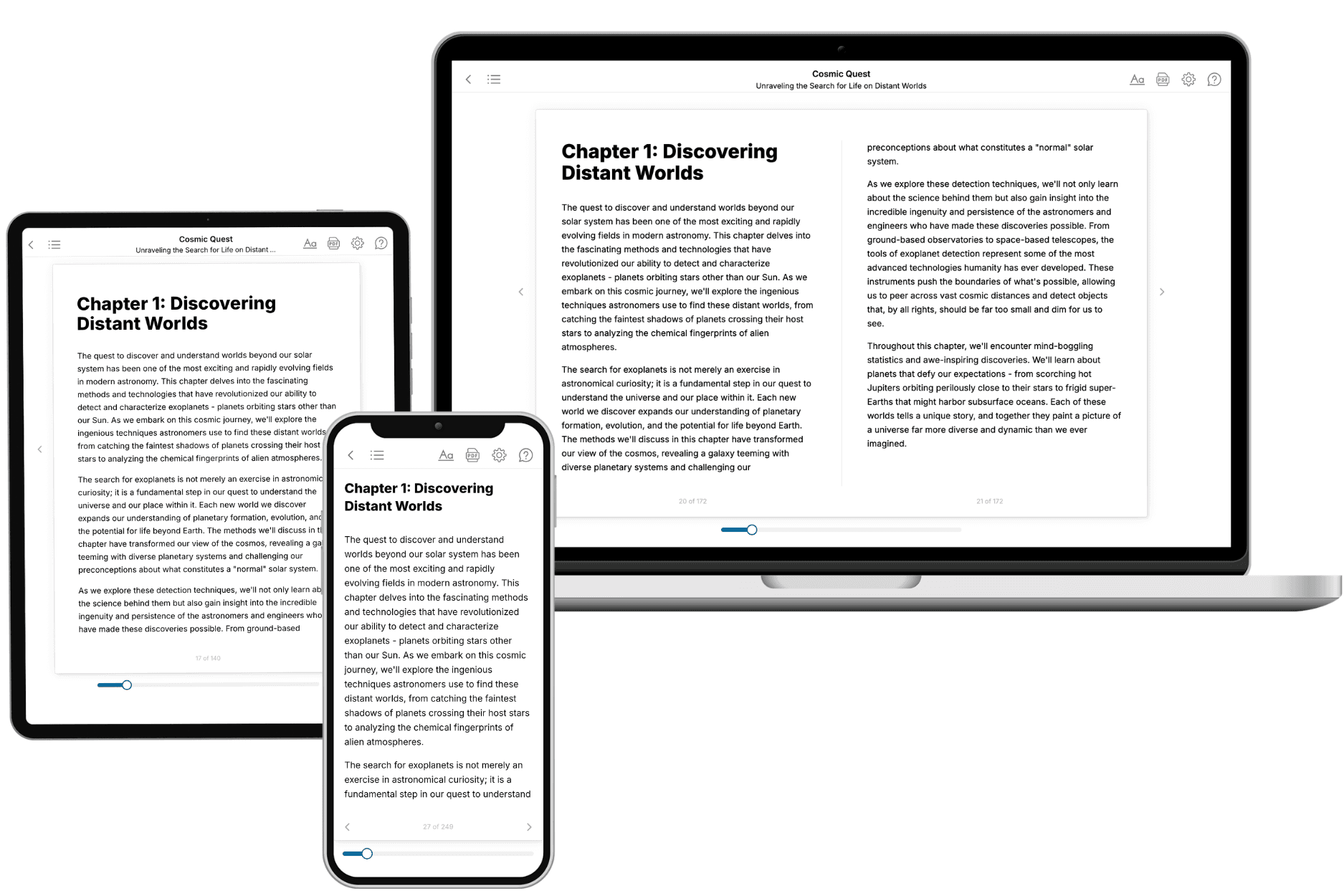
Your book is ready in 10 minutes. Read it online, download as EPUB or PDF, or send to Kindle.
Frequently asked questions
- What is TailoredRead?
TailoredRead creates complete, full-length nonfiction ebooks, written specifically for you. Tell us what you want to learn and why, and TailoredRead writes you a complete ebook on it, with charts, tables, and diagrams throughout. Read it online, on Kindle, or on any e-reader, or download it as a PDF or EPUB. Every book is written fresh the day you order it.
- How is the book tailored to me?
Before anything is written, you answer a few short questions about your goals, your background, and the topics you care about. Your book is then planned around your answers: written at your level, focused on your goals, and covering the topics you chose, instead of the one-size-fits-all book a store sells everyone.
- Will it read like generic AI content?
No. Your book isn't a chat transcript: it's planned chapter by chapter before a single word is written, told in a clear book voice, and explains ideas visually with charts, tables, and diagrams. After writing, every book goes through an editorial pass that polishes chapters so the book reads consistent from start to finish. Judge for yourself: browse thousands of sample books on our Explore Books page.
- How accurate is the content?
Our AI first checks whether your subject needs live research. Niche and fast-moving subjects are researched before writing, and the book plan and chapters are grounded in what it finds. After writing, every book goes through a quality pass that checks its facts and consistency, and researched books list their sources in a Notes section at the back.
- How long is the book?
You choose the length: Comprehensive (250-300 pages), Detailed (150-200 pages), Essential (70-100 pages), or Short (30-50 pages).
- Does the book include visuals?
Yes. Every book includes charts, tables, and diagrams: timelines, checklists, step-by-step guides, decision trees, comparison tables, matrices, and bar charts. A typical book includes dozens of these visual elements.
- Can I read it on Kindle? What formats can I download?
Yes. Every book can be read in our online reader or downloaded as a PDF or EPUB. The EPUB can be opened with Kindle, Apple Books, Kobo, and any e-reader. The Commercial and Author licenses also include an editable Word (DOCX) and Markdown download.
- How much does it cost?
About the price of a regular ebook. The exact price depends on your book's length and complexity, from $2 for the shortest books to $35 for the most comprehensive, and it's shown when you review your book, before you commit to anything. Each book is a one-time purchase, yours to keep, no subscription. Licenses that let you share, teach, or publish your book range from $35.99 to $49.99.
- Can I preview the book before purchasing?
Before you pay, you'll see what your book will cover: the title, a detailed description, the estimated length, and the complete chapter-by-chapter table of contents, so you know what you're getting before you decide. The full text itself is written after you purchase.
- How long does it take to create a book?
About 10 minutes. You can start reading the opening chapters while the rest is still being written.