Mastering CSS Animations
From Basic Transitions to Advanced Interactive Effects
Picture your websites coming alive with smooth, captivating animations that guide users effortlessly through your content.
300 pages17 chaptersSep 22, 2025CSS
About this book
Imagine creating interfaces where every hover effect, page transition, and interactive element feels polished and professional - the kind of web experiences that users remember and return to. This comprehensive guide takes you beyond basic CSS styling into the dynamic world of web animations. You'll discover how to craft everything from subtle micro-interactions that enhance usability to complex animated sequences that tell compelling visual stories. Whether you're building modern web applications, interactive portfolios, or engaging marketing sites, you'll learn to implement animations that not only look impressive but also improve user experience and site performance. Through practical examples and real-world projects, you'll master the art of timing, easing, and choreography that separates amateur animations from professional-grade effects. You'll explore advanced techniques like CSS transforms, keyframe animations, and performance optimization strategies that ensure your creations run smoothly across all devices and browsers. By the end of this book, you'll have the confidence and skills to create sophisticated animated interfaces that elevate your web development projects and set your work apart in today's competitive digital landscape.
Table of contents
- IntroductionThe Role of Animation in Modern Web Design, What You'll Learn in This Book, Prerequisites and Setup, How This Book Is OrganizedRead below
- Chapter 1: CSS Animation FundamentalsUnderstanding Web Animation Principles, Types of CSS Animations, How Browsers Handle Animations, Performance Considerations Overview
- Chapter 2: CSS TransitionsTransition Property Syntax, Animatable CSS Properties, Timing Functions and Easing, Transition Events and JavaScript Integration
- Chapter 3: Keyframe AnimationsCreating Keyframe Rules, Animation Properties and Values, Animation Direction, Fill Mode, and Play State, Building Complex Animation Sequences
- Chapter 4: CSS Transforms2D Transform Functions, 3D Transform Functions, Transform Origin and Coordinate Systems, Transform Performance Benefits
- Chapter 5: Timing and Easing MasteryUnderstanding Cubic Bezier Curves, Creating Custom Easing Functions, Animation Rhythm and Pacing, Tools for Perfecting Timing
- Chapter 6: Hover Effects and Micro-InteractionsAnimated Buttons and Links, Image Hover Effects, Card and Container Animations, Micro-Feedback and State Changes
- Chapter 7: Loading Animations and SpinnersCreating Basic Loading Spinners, Animated Progress Bars, Skeleton Loading Animations, Creative Loading Animations
- Chapter 8: Page and Section TransitionsFade and Slide Transitions, Content Reveal Animations, Scroll-Triggered Animations, Navigation and Menu Animations
- Chapter 9: Form and Input AnimationsInput Focus and Validation States, Floating Label Animations, Form Feedback and Error Animations, Submit Button and Success Animations
- Chapter 10: Layout and Grid AnimationsAnimating Flexbox Layouts, CSS Grid Animation Techniques, Responsive Animation Strategies, Preventing Layout Shifts During Animation
- Chapter 11: SVG and Icon AnimationsSVG Animation Fundamentals, Animating SVG Paths and Strokes, Icon Morphing and Transformations, Optimizing SVG Animations
- Chapter 12: Performance OptimizationGPU Acceleration and Hardware Optimization, Profiling and Debugging Animation Performance, Choosing Performance-Friendly Properties, Maintaining Smooth Frame Rates
- Chapter 13: Accessibility and User PreferencesRespecting Reduced Motion Preferences, Creating Accessible Animation Experiences, Focus Management During Animations, Inclusive Animation Design Principles
- Chapter 14: Browser Compatibility and FallbacksFeature Detection and Progressive Enhancement, Vendor Prefixes and Legacy Support, Graceful Degradation Strategies, Testing Across Different Browsers
- Chapter 15: CSS Animation Libraries and FrameworksOverview of Popular Animation Libraries, Building Custom Animation Utilities, Integration with CSS Frameworks, Performance Considerations with Libraries
- Chapter 16: Advanced Animation TechniquesAnimation Choreography and Sequencing, Physics-Based Animation Effects, Procedural and Generative Animations, Experimental CSS Animation Features
- Chapter 17: Real-World Animation ProjectsPortfolio and Showcase Animations, E-commerce Animation Patterns, Storytelling Through Animation, Brand-Focused Animation Design
- ConclusionKey Takeaways and Best Practices, Future of CSS Animations
Introduction
The web has evolved from static pages filled with text and images to dynamic, interactive experiences that respond to every click, hover, and scroll. At the heart of this transformation lies CSS animation—a powerful technology that breathes life into digital interfaces and creates the smooth, engaging experiences users have come to expect. Modern websites don't just display information; they guide users through carefully choreographed visual journeys that feel intuitive, responsive, and delightful. Whether it's a subtle button hover effect that provides instant feedback, a loading animation that keeps users engaged during wait times, or a complex page transition that seamlessly connects different sections of content, animations have become essential tools for creating professional web experiences.
The difference between a website that feels amateur and one that feels polished often comes down to the quality of its animations. Poor animations can make a site feel clunky and unprofessional, while well-crafted animations enhance usability, provide visual feedback, and create emotional connections with users. Consider the satisfaction of watching a smooth slide transition between images, the clarity provided by a progress bar that accurately reflects loading status, or the delight of interactive elements that respond naturally to user input. These moments of animation excellence don't happen by accident—they're the result of understanding fundamental principles, mastering technical implementation, and applying thoughtful design decisions that prioritize both aesthetics and performance.
This book serves as your comprehensive guide to mastering CSS animations, taking you from foundational concepts to advanced techniques used by professional web developers and designers. You'll discover how to create animations that not only look impressive but also serve practical purposes: improving user experience, providing clear feedback, guiding attention, and creating memorable interactions. Through hands-on examples, real-world projects, and detailed explanations of both the technical and creative aspects of animation, you'll develop the skills needed to elevate your web development projects and create interfaces that stand out in today's competitive digital landscape.
The Role of Animation in Modern Web Design
Animation in web design serves multiple critical functions that extend far beyond mere visual appeal. At its core, animation acts as a communication tool, providing users with immediate feedback about their interactions and helping them understand the relationship between different interface elements. When a user clicks a button and sees it depress slightly with a subtle shadow change, they receive instant confirmation that their action was registered. When content slides in from the side as they scroll, they understand that new information is being revealed in response to their behavior. These micro-interactions create a dialogue between the user and the interface, making digital experiences feel more natural and responsive than static alternatives.
The psychological impact of well-designed animations cannot be overstated. Research in user experience design consistently shows that smooth, purposeful animations reduce cognitive load by providing visual continuity between different states of an interface[1]. When a modal window fades in rather than appearing abruptly, users can better track the change and understand the new context. When navigation menus expand and contract with smooth transitions, users maintain their spatial awareness and feel more in control of their browsing experience. This continuity helps users build mental models of how interfaces work, leading to increased confidence and reduced frustration during their interactions.
Performance and accessibility considerations have become increasingly important as animation usage has grown. Modern users expect animations to run smoothly across all devices, from high-end desktop computers to budget smartphones. This expectation has driven the development of CSS animation techniques that leverage hardware acceleration and optimize for different screen sizes and processing capabilities. Additionally, the web community has recognized that not all users benefit from animated interfaces—some find excessive motion distracting or physically uncomfortable. This awareness has led to the adoption of accessibility standards that respect user preferences for reduced motion while still providing engaging experiences for those who enjoy animated interfaces.
The business impact of quality animations extends beyond user satisfaction to measurable outcomes like conversion rates, engagement metrics, and brand perception. E-commerce sites that implement smooth product image transitions and hover effects often see increased user engagement with product catalogs. Portfolio websites that showcase work through carefully choreographed reveal animations tend to hold visitor attention longer and create more memorable impressions. Corporate websites that use subtle animations to guide users through complex processes often experience higher completion rates for forms and multi-step interactions. These improvements occur because animations help reduce the perceived complexity of interfaces while making interactions feel more rewarding and less like work.
Animation also plays a crucial role in establishing brand identity and emotional connection. The timing, easing, and style of animations contribute to the overall personality of a website or application. A playful brand might use bouncy, energetic animations with quick timing and elastic easing curves, while a luxury brand might prefer slow, elegant transitions with smooth, linear progressions. Financial institutions often choose subtle, professional animations that convey stability and trustworthiness, while creative agencies might experiment with bold, experimental effects that showcase their innovative capabilities. These animation choices become part of the brand language, creating consistency across different touchpoints and reinforcing brand values through every interaction.
The technical landscape of web animation has matured significantly, with CSS animations now offering capabilities that previously required complex JavaScript libraries or Flash plugins. Modern CSS provides precise control over timing, easing, and sequencing, while browser support has reached a level where developers can confidently implement advanced animation techniques without worrying about compatibility issues. The introduction of CSS Grid and Flexbox has opened new possibilities for layout animations, while improvements in mobile browser performance have made complex animations viable on touch devices. This technical evolution has democratized animation creation, allowing developers with strong CSS skills to create sophisticated animated experiences without needing to master additional programming languages or frameworks.
Looking at current web design trends, animation has moved from being a nice-to-have enhancement to an expected component of professional web experiences. Users who encounter static interfaces often perceive them as outdated or unfinished, even when the underlying functionality is robust. This shift in expectations has made animation literacy essential for web developers and designers who want to create competitive digital products. The most successful modern websites seamlessly integrate animation into their user experience strategy, using motion to solve real usability problems while creating engaging, memorable interactions that encourage users to return and recommend the experience to others.
The integration of animation with responsive design principles has created new challenges and opportunities for web creators. Animations must now work effectively across a wide range of screen sizes, input methods, and performance constraints. A hover effect that works beautifully on a desktop computer with a mouse might need to be completely reimagined for a touch interface where hover states don't exist. Similarly, complex animations that run smoothly on high-resolution displays might need simplified alternatives for devices with limited processing power. This complexity has led to the development of progressive enhancement strategies that ensure all users receive appropriate animated experiences based on their device capabilities and preferences.
What You'll Learn in This Book
This comprehensive guide will transform your understanding of CSS animations from basic concepts to professional-level implementation techniques. You'll begin by mastering the fundamental differences between CSS transitions and keyframe animations, learning when to use each approach for maximum effectiveness. The book covers essential topics like timing functions, easing curves, and transform properties that form the foundation of smooth, performant animations. You'll discover how to create everything from simple hover effects that enhance user interactions to complex animated sequences that tell visual stories and guide users through multi-step processes.
The practical focus of this book means you'll work with real-world examples throughout your learning journey. Rather than abstract demonstrations, you'll build actual interface components that you can immediately apply to your projects:
- Interactive navigation menus that expand and collapse with smooth transitions
- Loading animations and progress indicators that keep users engaged during wait times
- Form enhancements including floating labels, validation feedback, and submission states
- Image galleries and carousels with smooth transitions between content
- Page transition effects that create seamless navigation experiences
- Micro-interactions that provide instant feedback for user actions
Performance optimization receives dedicated attention throughout the book, ensuring that your animations not only look great but also run smoothly across all devices and browsers. You'll learn which CSS properties are safe to animate without causing layout recalculations, how to leverage GPU acceleration for complex effects, and techniques for maintaining consistent frame rates even on lower-powered devices. The book covers debugging tools and profiling techniques that help you identify and resolve performance bottlenecks before they impact user experience. You'll also discover strategies for creating fallback experiences that ensure your sites remain functional even when animations can't run at full quality.
Accessibility considerations are woven throughout every chapter, reflecting the modern web development principle that great animations should enhance experiences for all users. You'll learn to implement the prefers-reduced-motion media query to respect user preferences, create alternative experiences for users who find motion distracting, and ensure that animated interfaces remain navigable with keyboard and screen reader technologies. The book demonstrates how to provide the same functional benefits of animation through alternative means, such as using color changes or text updates to convey state changes when motion is reduced or disabled.
Advanced techniques covered in later chapters will expand your creative possibilities and technical capabilities. You'll explore CSS transforms in depth, learning to create 3D effects, complex rotations, and perspective-based animations that add depth and sophistication to your interfaces. The book covers animation choreography—the art of timing multiple animations to work together harmoniously—and teaches you to create sequences that feel natural and purposeful rather than chaotic or overwhelming. You'll also learn about cutting-edge CSS features like scroll-triggered animations and container queries that enable responsive animation strategies.
Browser compatibility and progressive enhancement strategies ensure that your animations work reliably across different platforms and devices. The book provides comprehensive coverage of vendor prefixes, feature detection techniques, and graceful degradation strategies that maintain functionality when advanced animation features aren't supported. You'll learn to test animations across different browsers and devices, identify common compatibility issues, and implement solutions that provide consistent experiences regardless of the user's technical environment.
The integration of CSS animations with modern development workflows receives practical attention, including techniques for organizing animation code, creating reusable animation utilities, and integrating animations with popular CSS frameworks and build tools. You'll discover how to structure your stylesheets for maintainability, create animation libraries that can be shared across projects, and optimize your development process for efficient animation creation and testing. The book also covers collaboration strategies for working with designers and other developers on animation-heavy projects.
Real-world project examples demonstrate how to apply animation techniques in different contexts and industries. You'll see how e-commerce sites use animations to enhance product discovery and purchasing flows, how portfolio sites leverage motion to showcase creative work effectively, and how corporate websites employ subtle animations to improve usability without compromising professional appearance. These case studies include analysis of design decisions, technical implementation details, and performance considerations that influenced the final solutions. By studying these examples, you'll develop the judgment needed to make appropriate animation choices for your own projects.
Prerequisites and Setup
To get the most value from this book, you should have a solid foundation in HTML and CSS fundamentals. This includes understanding CSS selectors, the box model, positioning, and basic layout techniques like Flexbox or CSS Grid. You don't need to be an expert, but you should be comfortable reading and writing CSS rules, understanding how specificity works, and debugging basic styling issues using browser developer tools. If you can create responsive layouts and understand concepts like media queries and pseudo-classes, you have the necessary background to dive into CSS animations with confidence.
Your development environment should include a modern code editor with CSS syntax highlighting and auto-completion features. Popular choices include Visual Studio Code, Sublime Text, or Atom, each of which offers extensions specifically designed for CSS development. You'll benefit from having live reload capabilities that automatically refresh your browser when you save changes to your code, as animation development involves frequent iteration and testing. Browser developer tools will be essential for debugging animations, inspecting timing functions, and analyzing performance, so familiarity with Chrome DevTools, Firefox Developer Tools, or Safari Web Inspector will enhance your learning experience.
The browser landscape for CSS animations is quite favorable, with modern versions of all major browsers supporting the techniques covered in this book. However, you should have access to multiple browsers for testing purposes:
- Chrome or Chromium-based browsers (Edge, Opera) for their excellent animation debugging tools
- Firefox for its unique animation inspector and performance profiling capabilities
- Safari for testing WebKit-specific behaviors and mobile compatibility
- Mobile browsers through device testing or browser developer tools' device emulation
While not strictly required, having access to design tools can enhance your animation development process. Tools like Figma, Sketch, or Adobe XD allow you to prototype animations and experiment with timing and easing before implementing them in code. Many designers create animation specifications using these tools, so understanding how to interpret motion design mockups will be valuable for collaborative projects. Additionally, online tools like cubic-bezier.com for creating custom easing functions and animista.net for generating animation code can accelerate your development workflow.
Performance testing tools will become important as you progress through the book's more advanced chapters. Chrome DevTools includes excellent animation profiling capabilities, while tools like WebPageTest and Lighthouse can help you analyze the impact of animations on overall site performance. For mobile testing, having access to actual devices is ideal, but browser developer tools' device emulation features provide a good starting point for identifying potential performance issues on lower-powered hardware.
The code examples in this book use modern CSS syntax without vendor prefixes in most cases, focusing on current best practices rather than legacy compatibility. However, when working on production projects, you may need to add vendor prefixes for broader browser support. Tools like Autoprefixer can handle this automatically as part of your build process, allowing you to write clean, modern CSS while ensuring compatibility with older browsers. The book will note when vendor prefixes are particularly important for specific techniques.
File organization becomes increasingly important as you work with more complex animations. Consider setting up a project structure that separates animation-specific CSS from your main stylesheets, making it easier to manage and debug animation code. A typical structure might include:
project/
├── css/
│   ├── main.css
│   ├── animations.css
│   └── utilities.css
├── js/
│   └── animation-controls.js
└── index.htmlVersion control becomes particularly valuable when working with animations, as you'll often want to experiment with different timing values, easing functions, and animation sequences. Git or another version control system allows you to safely experiment with animation parameters while maintaining the ability to revert to previous versions if needed. Consider creating branches for major animation experiments, and commit frequently as you refine timing and easing values. This approach lets you compare different animation approaches and choose the most effective solutions for your specific use cases.
How This Book Is Organized
This book follows a carefully structured progression that builds your CSS animation skills systematically, starting with fundamental concepts and advancing to sophisticated techniques used in professional web development. The early chapters establish essential knowledge about how animations work in browsers, the differences between various animation approaches, and the performance implications of different implementation choices. This foundation ensures that you understand not just how to create animations, but why certain techniques work better than others and how to make informed decisions about animation implementation in your projects.
The first section covers CSS animation fundamentals, transitions, and keyframe animations—the core technologies that power all CSS-based motion effects. You'll learn the syntax and properties for both approaches, understand when to use transitions versus keyframes, and master timing functions that control the feel and personality of your animations. These chapters include extensive hands-on examples that demonstrate practical applications of each concept, from simple hover effects to complex multi-stage animations. Each technique is presented with complete code examples, visual demonstrations, and explanations of the underlying principles that make the animations effective.
The middle section focuses on practical application of animation techniques to common web interface patterns. These chapters are organized by use case rather than by technical feature, reflecting the way you'll actually apply animations in real projects:
- Hover effects and micro-interactions that enhance user interface elements
- Loading animations that improve perceived performance during wait times
- Page and section transitions that create smooth navigation experiences
- Form animations that guide users through input processes and provide feedback
- Layout animations that handle responsive design and content changes gracefully
Advanced technique chapters explore sophisticated animation concepts that separate professional-quality implementations from basic effects. You'll learn about CSS transforms and 3D animations, SVG animation integration, and complex choreography techniques that coordinate multiple animated elements. These chapters assume you're comfortable with the fundamentals and focus on pushing the boundaries of what's possible with CSS animations. The examples in these sections often combine multiple techniques and demonstrate how to create cohesive animated experiences that feel polished and intentional.
Performance and accessibility considerations are integrated throughout the book rather than relegated to separate chapters, reflecting the modern approach to web development where these concerns influence every implementation decision. However, dedicated chapters provide deep dives into optimization techniques, debugging strategies, and accessibility best practices. You'll learn to use browser developer tools effectively for animation debugging, implement performance monitoring, and create inclusive experiences that work well for users with different needs and preferences.
The final section addresses real-world concerns like browser compatibility, integration with development workflows, and collaboration with designers and other developers. These chapters cover topics that become important when moving from personal projects to professional development environments, including code organization strategies, testing approaches, and maintenance considerations for animation-heavy projects. You'll also explore how CSS animations fit into modern development stacks and how to integrate animation work with popular frameworks and build tools.
Each chapter follows a consistent structure designed to maximize learning effectiveness:
This structure allows you to understand both the technical implementation and the practical application of each animation technique.Concept Introduction: Clear explanation of the technique or principle being covered
Practical Examples: Multiple working code examples with detailed explanations
Variations and Alternatives: Different approaches to achieving similar effects
Performance Considerations: Impact on browser performance and optimization strategies
Accessibility Notes: How to ensure the technique works for all users
Browser Compatibility: Support levels and fallback strategies
Real-World Applications: How and when to use the technique in actual projects
The book is designed to work both as a sequential learning resource and as a reference guide for specific techniques. If you're new to CSS animations, reading through the chapters in order will provide the most comprehensive learning experience. However, if you have some animation experience and need to solve a specific problem, the detailed table of contents and index will help you quickly locate relevant information. Cross-references throughout the book connect related concepts and techniques, helping you understand how different animation approaches complement each other in complete interface designs.
Code examples throughout the book are available in multiple formats to support different learning styles and development workflows. Simple examples are presented inline within the text, while more complex demonstrations include links to live examples that you can interact with and modify. All code is written using modern CSS syntax and follows current best practices for maintainability and performance. When legacy browser support requires different approaches, alternative implementations are provided with clear explanations of the trade-offs involved in each approach.
Notes
Introduction
- 1. Page Laubheimer, The Role of Animation and Motion in UX, Nielsen Norman Group, 2020
This is the end of the free sample. The full book has 17 chapters.
Want this book written for you?
Tell us your goals and background, and get your own version of this book, tailored by AI to you.


Benefits of AI-tailored books
- Read one book, not ten:
- all the CSS knowledge you need, gathered into a single book.
- Save days of learning:
- tell us your goals, choose your topics, and the whole book is built around them.
- Learn effortlessly:
- CSS book written for your specific background and expertise.
- Understand at a glance:
- includes charts, tables, timelines, checklists, decision trees, and more.
- Stay current:
- written the day you order it, not years ago.
- Trust what you read:
- every book is checked for accuracy, with real research when your subject needs it.
Create your unique book in 3 steps
- 1. Select your focus
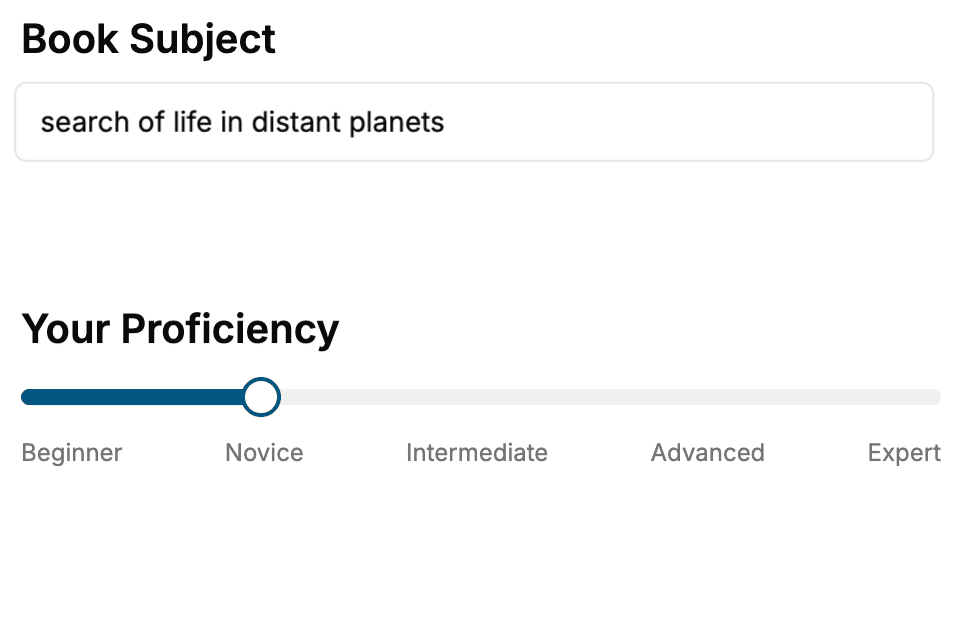
Select the focus of your CSS book and share your background
- 2. Personalize your book
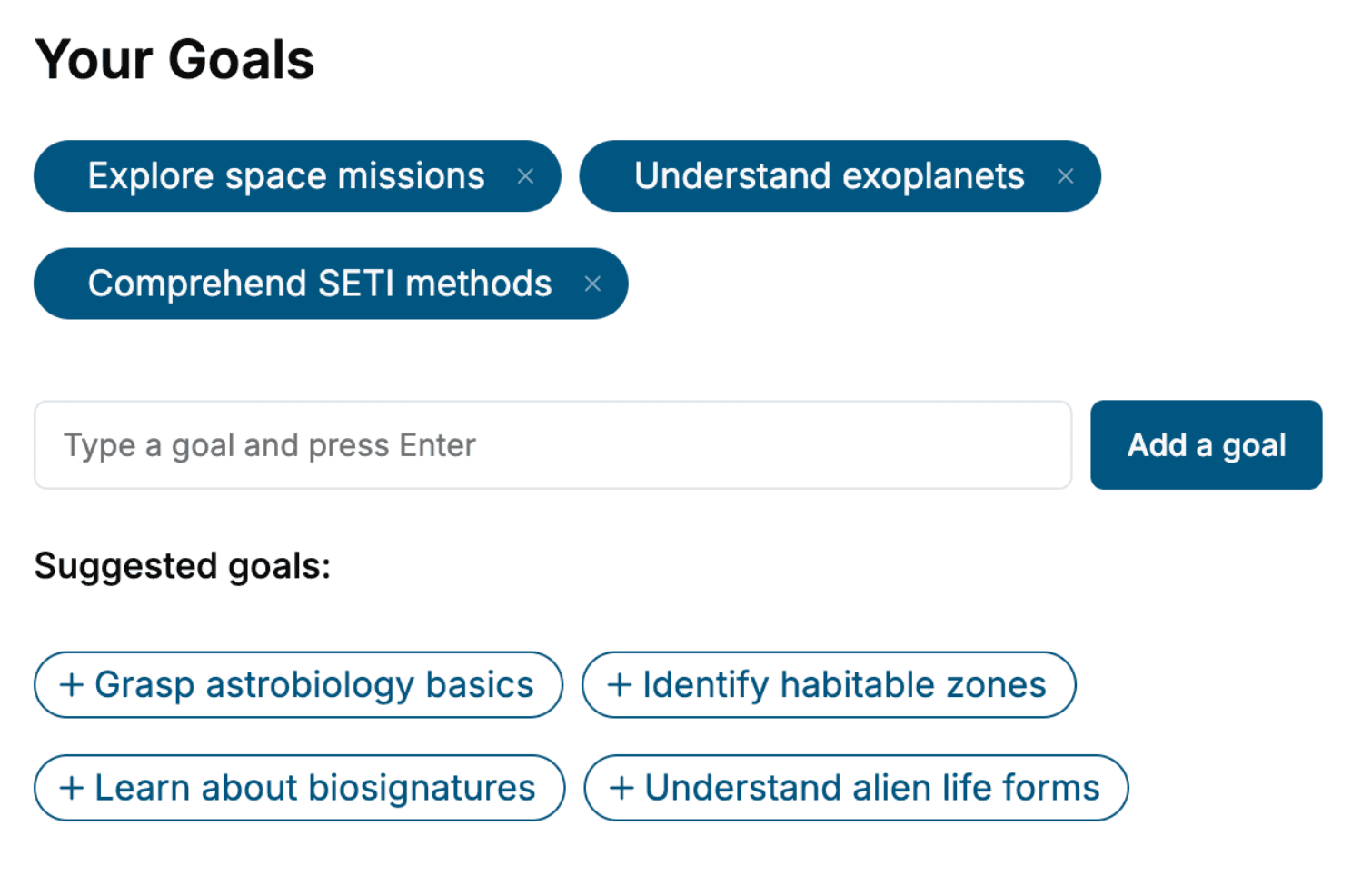
Specify your goals and choose sub-topics to include
- 3. Get your tailored book
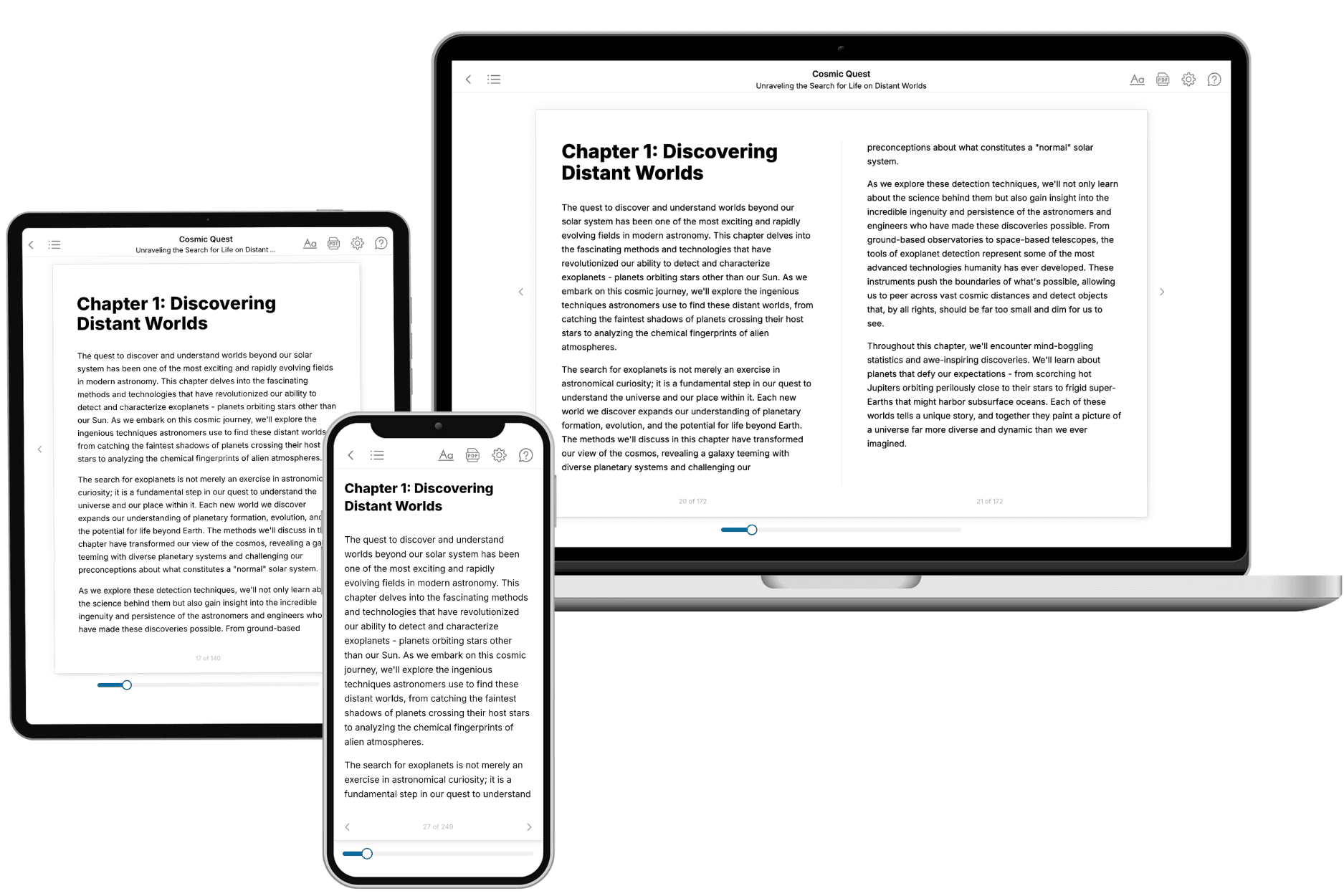
Your book is ready in 10 minutes. Read it online, download as EPUB or PDF, or send to Kindle.
Frequently asked questions
- What is TailoredRead?
TailoredRead creates complete, full-length nonfiction ebooks, written specifically for you. Tell us what you want to learn and why, and TailoredRead writes you a complete ebook on it, with charts, tables, and diagrams throughout. Read it online, on Kindle, or on any e-reader, or download it as a PDF or EPUB. Every book is written fresh the day you order it.
- How is the book tailored to me?
Before anything is written, you answer a few short questions about your goals, your background, and the topics you care about. Your book is then planned around your answers: written at your level, focused on your goals, and covering the topics you chose, instead of the one-size-fits-all book a store sells everyone.
- Will it read like generic AI content?
No. Your book isn't a chat transcript: it's planned chapter by chapter before a single word is written, told in a clear book voice, and explains ideas visually with charts, tables, and diagrams. After writing, every book goes through an editorial pass that polishes chapters so the book reads consistent from start to finish. Judge for yourself: browse thousands of sample books on our Explore Books page.
- How accurate is the content?
Our AI first checks whether your subject needs live research. Niche and fast-moving subjects are researched before writing, and the book plan and chapters are grounded in what it finds. After writing, every book goes through a quality pass that checks its facts and consistency, and researched books list their sources in a Notes section at the back.
- How long is the book?
You choose the length: Comprehensive (250-300 pages), Detailed (150-200 pages), Essential (70-100 pages), or Short (30-50 pages).
- Does the book include visuals?
Yes. Every book includes charts, tables, and diagrams: timelines, checklists, step-by-step guides, decision trees, comparison tables, matrices, and bar charts. A typical book includes dozens of these visual elements.
- Can I read it on Kindle? What formats can I download?
Yes. Every book can be read in our online reader or downloaded as a PDF or EPUB. The EPUB can be opened with Kindle, Apple Books, Kobo, and any e-reader. The Commercial and Author licenses also include an editable Word (DOCX) and Markdown download.
- How much does it cost?
About the price of a regular ebook. The exact price depends on your book's length and complexity, from $2 for the shortest books to $35 for the most comprehensive, and it's shown when you review your book, before you commit to anything. Each book is a one-time purchase, yours to keep, no subscription. Licenses that let you share, teach, or publish your book range from $35.99 to $49.99.
- Can I preview the book before purchasing?
Before you pay, you'll see what your book will cover: the title, a detailed description, the estimated length, and the complete chapter-by-chapter table of contents, so you know what you're getting before you decide. The full text itself is written after you purchase.
- How long does it take to create a book?
About 10 minutes. You can start reading the opening chapters while the rest is still being written.