Mastering CSS Responsive Images
Techniques and Strategies for Optimal Web Design
Create visually stunning and performant websites that adapt seamlessly to any screen size.
253 pages13 chaptersJan 27, 2025Web Design
About this book
This comprehensive guide to CSS responsive images will equip you with the skills to optimize your web designs for today's multi-device world. You'll learn how to implement flexible image solutions that enhance user experience, improve loading times, and maintain visual quality across desktops, tablets, and smartphones. Dive into the intricacies of responsive image techniques, from basic implementations to advanced strategies. Discover how to leverage the power of CSS to create fluid layouts, implement art direction, and optimize image delivery for various network conditions. Through practical examples and real-world scenarios, you'll gain the confidence to tackle any responsive image challenge. By the end of this book, you'll have a robust toolkit of CSS responsive image techniques at your disposal. You'll be able to create websites that not only look great on any device but also perform efficiently, providing your users with an exceptional visual experience regardless of their chosen platform.
Table of contents
- IntroductionThe Importance of Responsive Images in Modern Web Design, Book Overview and How to Use This Guide, Prerequisites and Required Knowledge, Setting Expectations: What You'll LearnRead below
- Chapter 1: Fundamentals of Responsive ImagesResponsive Design Principles, Understanding Image Formats for the Web, Resolution and Pixel Density Considerations, Benefits of Implementing Responsive Images
- Chapter 2: CSS Basics for Responsive ImagesCSS Units for Responsive Design, Introduction to Media Queries, Flexbox and Grid for Image Layouts, CSS Image Properties and Their Effects
- Chapter 3: Fluid Images with CSSThe Max-Width Technique, Percentage-Based Image Sizing, Using Viewport Units for Responsive Images, Preserving Aspect Ratios in Fluid Images
- Chapter 4: Responsive Background ImagesThe Background-Size Property, Working with Multiple Background Images, Using Media Queries with Background Images, Advanced Background Image Techniques
- Chapter 5: CSS Image Replacement TechniquesText-to-Image Replacement Methods, Using Icon Fonts and SVG for Responsive Icons, CSS Sprites for Performance Optimization, Accessibility Considerations in Image Replacement
- Chapter 6: Art Direction with CSSUnderstanding the Concept of Art Direction, CSS Techniques for Image Cropping, Adjusting Focal Points for Different Screens, Creating Dynamic and Creative Layouts
- Chapter 7: Responsive Typography and ImagesText Wrapping Around Responsive Images, Adjusting Font Sizes in Relation to Images, Maintaining Vertical Rhythm with Images, Implementing Responsive Image Captions
- Chapter 8: Performance Optimization for Responsive ImagesImage Compression Techniques, Implementing Lazy Loading with CSS, Caching Strategies for Responsive Images, Leveraging CDNs for Image Delivery
- Chapter 9: Responsive Images in CSS FrameworksWorking with Images in Bootstrap, Responsive Images in Foundation, Tailwind CSS Approach to Responsive Images, Building a Custom Responsive Image Framework
- Chapter 10: Advanced Responsive Image TechniquesHandling Retina and High-DPI Displays, SVG for Scalable Responsive Graphics, Using CSS Filters for Image Effects, Combining Variable Fonts with Responsive Images
- Chapter 11: Responsive Image Grids and GalleriesCreating a Responsive Masonry Layout, Building a Responsive Image Gallery, Optimizing Grid Performance, Designing Touch-Friendly Image Grids
- Chapter 12: Testing and Debugging Responsive ImagesCross-Browser Testing Strategies, Testing on Various Devices and Screen Sizes, Performance Auditing Tools and Techniques, Troubleshooting Common Responsive Image Issues
- Chapter 13: Future Trends in CSS and Responsive ImagesEmerging Image Formats and Their Impact, Upcoming CSS Features for Responsive Design, The Role of AI in Responsive Image Design, Strategies for Staying Updated with CSS Technologies
- ConclusionKey Takeaways, Next Steps in Your Responsive Image Journey
- AppendixAdditional Resources and Tools, Glossary of Terms
Introduction
Welcome to "Mastering CSS Responsive Images: Techniques and Strategies for Optimal Web Design." This comprehensive guide is designed to equip you with the knowledge and skills necessary to create visually stunning and highly performant websites that adapt seamlessly to any screen size. As the digital landscape continues to evolve, with users accessing content on a myriad of devices, the importance of responsive image design has never been more critical. This book will serve as your roadmap to mastering the art of implementing responsive images using CSS, ultimately improving website performance and user experience across various devices and screen sizes.
In today's multi-device world, responsive images are no longer a luxury but a necessity. They play a crucial role in ensuring that your web content looks great and performs well, regardless of whether it's viewed on a desktop computer, tablet, or smartphone. By implementing responsive image techniques, you'll be able to deliver optimized images that load quickly, maintain visual quality, and adapt to different screen resolutions and orientations. This not only enhances the user experience but also contributes to better search engine rankings and improved accessibility.
Throughout this book, you'll discover a wealth of CSS techniques and strategies for creating flexible, adaptable images that respond intelligently to different viewing contexts. From basic implementations to advanced strategies, you'll learn how to leverage the power of CSS to create fluid layouts, implement art direction, and optimize image delivery for various network conditions. By the end of this journey, you'll have a robust toolkit of CSS responsive image techniques at your disposal, enabling you to tackle any responsive image challenge with confidence and creativity.
The Importance of Responsive Images in Modern Web Design
In the ever-evolving landscape of web design, responsive images have emerged as a cornerstone of modern, user-centric websites. The proliferation of devices with varying screen sizes, resolutions, and capabilities has made it imperative for web developers and designers to adopt responsive image techniques. This shift is not merely a trend but a fundamental change in how we approach web design, ensuring that visual content adapts seamlessly to provide an optimal viewing experience across all devices.
One of the primary reasons responsive images are crucial is their impact on user experience. When images are not optimized for different devices, they can lead to a host of issues. On mobile devices, oversized images may cause slow loading times, excessive data usage, and poor layout rendering. Conversely, on larger screens, low-resolution images can appear pixelated and unprofessional. By implementing responsive image techniques, you ensure that your visual content looks crisp and clear on every device, from the smallest smartphone to the largest desktop monitor.
Performance is another critical factor that underscores the importance of responsive images. In an age where users expect web pages to load almost instantaneously, the size and quality of images can make or break your site's performance. Responsive image techniques allow you to serve appropriately sized images based on the user's device and network conditions. This means you can deliver high-quality images to users on fast connections and large screens, while serving smaller, more compressed versions to mobile users or those on slower networks. This adaptive approach significantly reduces page load times and bandwidth usage, leading to improved user satisfaction and potentially better search engine rankings[1].
From a design perspective, responsive images open up new possibilities for creative expression. With techniques like art direction, you can tailor the visual narrative of your website to different screen sizes. This might involve cropping images differently for mobile devices to focus on the most important elements, or even serving entirely different images that better suit the context of smaller screens. Such flexibility allows you to maintain the intended impact of your visual content across all devices, ensuring that your design vision is never compromised.
Accessibility is another crucial aspect that responsive images address. By providing alternative text and ensuring that images scale appropriately, you make your content more accessible to users with visual impairments or those using assistive technologies. Moreover, by optimizing image delivery, you also cater to users with slower internet connections or limited data plans, making your content more inclusive and accessible to a broader audience.
The importance of responsive images extends to the business side of web development as well. With mobile devices accounting for an increasingly large share of web traffic – over 50% globally as of 2021[2] – websites that fail to implement responsive design risk alienating a significant portion of their potential audience. This can lead to higher bounce rates, lower engagement, and ultimately, lost conversions or sales. By embracing responsive image techniques, you ensure that your website provides a consistent, high-quality experience to all users, regardless of their chosen device.
Furthermore, responsive images play a crucial role in search engine optimization (SEO). Search engines like Google consider page load speed and mobile-friendliness as ranking factors. By implementing responsive images, you improve both these aspects, potentially boosting your search engine rankings. Additionally, properly implemented responsive images with appropriate alt text can contribute to better image SEO, making your visual content more discoverable in image search results.
As we move towards a more visually-driven web, with high-resolution displays becoming increasingly common, the challenge of delivering crisp, fast-loading images across all devices becomes more complex. Responsive image techniques provide the tools to meet this challenge head-on, allowing you to future-proof your websites against the ever-evolving landscape of web-enabled devices.
In conclusion, the importance of responsive images in modern web design cannot be overstated. They are essential for creating websites that are fast, visually appealing, accessible, and effective across all devices. By mastering responsive image techniques, you position yourself at the forefront of web design, ready to create compelling, high-performance websites that meet the needs of today's diverse web users. As we delve deeper into this book, you'll gain the knowledge and skills to implement these crucial techniques, elevating your web design capabilities to new heights.
Book Overview and How to Use This Guide
"Mastering CSS Responsive Images" is structured to provide a comprehensive and practical approach to implementing responsive images using CSS. This guide is designed to take you on a journey from the fundamentals of responsive design to advanced techniques, ensuring that by the end, you'll have a robust understanding of how to create and implement responsive images effectively. The book is organized into logical chapters that build upon each other, allowing you to progressively enhance your skills and knowledge.
To get the most out of this guide, it's recommended that you approach it in a sequential manner, starting from the introduction and working your way through each chapter. However, if you're already familiar with certain concepts, feel free to jump to specific sections that interest you or address particular challenges you're facing in your projects. Each chapter is designed to be self-contained while also connecting to the broader narrative of mastering responsive images.
The book begins with an exploration of the fundamentals of responsive images, laying the groundwork for understanding why they're essential and how they fit into the broader context of responsive web design. You'll learn about different image formats, resolution considerations, and the core principles that guide responsive design. This foundation is crucial for grasping the more advanced concepts that follow.
As you progress, you'll dive into CSS basics specifically tailored for responsive images. This includes understanding CSS units, media queries, and layout techniques like Flexbox and Grid. These chapters will equip you with the essential CSS knowledge needed to implement responsive image solutions effectively. You'll explore fluid images, learning techniques to make images adapt seamlessly to different screen sizes while maintaining their aspect ratios.
The guide then delves into more specific applications of responsive images, such as working with background images, implementing image replacement techniques, and exploring art direction. These chapters provide practical strategies for common scenarios you'll encounter in web development projects. You'll learn how to create dynamic layouts that adjust not just the size of images, but also their composition and focus to suit different devices.
As the book progresses, you'll encounter more advanced topics such as performance optimization, working with CSS frameworks, and implementing responsive image grids and galleries. These chapters will help you refine your skills and tackle more complex responsive image challenges. You'll gain insights into optimizing image delivery, leveraging browser capabilities, and creating sophisticated responsive layouts.
Throughout the book, you'll find practical examples, code snippets, and real-world scenarios that illustrate the concepts being discussed. It's highly recommended that you experiment with these examples, modifying and adapting them to your own projects. Hands-on practice is crucial for internalizing the techniques and developing the intuition needed to implement responsive images effectively.
To make the most of this guide:
- Set up a development environment where you can experiment with the code examples provided. This could be a local setup on your computer or an online code editor.
- Take time to understand each concept before moving on. The chapters build upon each other, so a solid grasp of earlier concepts will make later chapters easier to comprehend.
- Apply what you learn to your own projects or create sample projects to practice. Real-world application is key to mastering these techniques.
- Use the provided resources and references to dive deeper into topics that particularly interest you or are relevant to your current work.
- Don't hesitate to revisit earlier chapters as you progress. Sometimes, concepts become clearer when viewed in the context of more advanced techniques.
The book also includes chapters on testing and debugging responsive images, which are crucial skills for ensuring your implementations work across different browsers and devices. You'll learn strategies for cross-browser testing, performance auditing, and troubleshooting common issues. These practical skills will be invaluable as you apply responsive image techniques in real-world projects.
Finally, the guide looks towards the future, exploring emerging trends in CSS and responsive images. This forward-looking perspective will help you stay ahead of the curve and adapt to new technologies and techniques as they emerge. The conclusion and appendix provide additional resources and a glossary of terms, serving as useful references as you continue your journey in mastering responsive images.
Remember, mastering responsive images is an ongoing process. Web technologies and best practices are constantly evolving, and part of being a proficient web developer is staying updated with these changes. Use this book as a foundation, but also cultivate the habit of continuous learning and experimentation. By the end of this guide, you'll have the knowledge and skills to implement responsive images confidently, creating websites that are visually appealing, performant, and accessible across all devices.
Prerequisites and Required Knowledge
Before diving into the intricacies of CSS responsive images, it's important to ensure you have a solid foundation in web development basics. While this book is designed to be accessible to intermediate-level web developers and designers, having certain prerequisites will greatly enhance your learning experience and ability to implement the techniques discussed. This section outlines the recommended knowledge and skills you should possess to get the most out of this guide.
First and foremost, a strong understanding of HTML is essential. You should be comfortable with:
- The structure of HTML documents
- Semantic HTML5 elements
- Basic attributes, especially those related to images (src, alt, width, height)
- The concept of the DOM (Document Object Model)
Equally important is a good working knowledge of CSS. You should be familiar with:
- CSS syntax and selectors
- The box model and layout basics
- Common CSS properties, particularly those related to sizing and positioning
- Basic responsive design concepts, including media queries
- An understanding of CSS specificity and the cascade
Some familiarity with JavaScript is beneficial, although not strictly necessary for most of the content in this book. JavaScript knowledge becomes more relevant when we discuss advanced techniques and performance optimization. If you have a basic understanding of:
- JavaScript syntax and data types
- DOM manipulation
- Event handling
- Asynchronous programming concepts (callbacks, promises)
A basic understanding of responsive web design principles is highly advantageous. This includes:
- The concept of mobile-first design
- Fluid grids and flexible layouts
- Viewport meta tag and its significance
- The differences between adaptive and responsive design
Familiarity with image formats and basic image editing skills can be very helpful. While not strictly necessary, knowledge of:
- Common web image formats (JPEG, PNG, GIF, SVG)
- Basic image optimization techniques
- Concepts like resolution, pixel density, and aspect ratio
- Basic usage of image editing software (e.g., Photoshop, GIMP)
A basic understanding of web performance concepts is beneficial. This includes:
- The impact of file size on load times
- The concept of browser rendering and reflow
- Basic performance metrics (e.g., page load time, time to first byte)
- Familiarity with browser developer tools
Lastly, while not a prerequisite, experience with version control systems like Git can be helpful, especially when working on larger projects or collaborating with others. Familiarity with the command line and basic server concepts can also be advantageous, particularly when we discuss deployment and testing strategies.
If you find that you're lacking in any of these areas, don't be discouraged. While having this foundation will make your journey smoother, the book is designed to be accessible to those with intermediate web development skills. Each chapter will provide context and explanations to help you understand the concepts, even if some of the prerequisites are new to you.
To prepare for this book, consider:
- Reviewing HTML and CSS basics if you feel rusty
- Experimenting with simple responsive layouts to familiarize yourself with media queries and fluid designs
- Exploring your browser's developer tools, particularly the elements inspector and network tab
- Reading up on basic web performance concepts and image optimization techniques
Remember, web development is a vast field, and no one is expected to know everything. This book is designed to guide you through the process of mastering CSS responsive images, building on your existing knowledge and introducing new concepts along the way. Approach the material with curiosity and a willingness to experiment, and you'll find yourself well-equipped to tackle the challenges of responsive image design.
Setting Expectations: What You'll Learn
"Mastering CSS Responsive Images" is designed to be a comprehensive guide that will transform your approach to handling images in web design. By the end of this book, you'll have acquired a robust set of skills and knowledge that will enable you to create websites with responsive images that look great and perform well across all devices. This section outlines the key learning outcomes and sets clear expectations for what you'll gain from this guide.
First and foremost, you'll develop a deep understanding of the principles behind responsive images. This isn't just about making images resize smoothly; it's about grasping the underlying concepts that drive responsive design. You'll learn:
- Why responsive images are crucial in modern web design
- How responsive images fit into the broader context of responsive web design
- The challenges posed by the diverse landscape of devices and screen sizes
- The impact of responsive images on user experience, performance, and SEO
You'll master a wide range of CSS techniques specifically tailored for responsive images. By the end of the book, you'll be proficient in:
- Using CSS units effectively for responsive sizing (%, vw, vh, em, rem)
- Implementing fluid images that adapt seamlessly to different container sizes
- Leveraging media queries to adjust image presentation based on device characteristics
- Creating flexible layouts using CSS Grid and Flexbox to accommodate responsive images
- Implementing advanced techniques like art direction and focal point adjustment
You'll gain practical experience with various responsive image scenarios, including:
- Optimizing background images for different screen sizes and resolutions
- Implementing responsive image galleries and grids
- Creating responsive hero images and banners
- Handling responsive images in complex layouts
- Integrating responsive images with responsive typography
Performance optimization is a critical aspect of responsive image implementation, and you'll learn strategies to ensure your images load quickly and efficiently. This includes:
- Techniques for image compression and format selection
- Implementing lazy loading for improved performance
- Leveraging browser caching effectively
- Optimizing image delivery using Content Delivery Networks (CDNs)
- Balancing image quality with file size for optimal performance
You'll explore advanced responsive image techniques that will set your designs apart:
- Implementing art direction for different screen sizes
- Using SVG for scalable graphics
- Applying CSS filters for dynamic image effects
- Creating responsive image maps
- Handling high-resolution displays (Retina and beyond)
Testing and debugging are crucial skills for any web developer, and you'll learn strategies specific to responsive images:
- Cross-browser testing techniques for responsive images
- Using browser developer tools to debug responsive image issues
- Implementing automated testing for responsive layouts
- Troubleshooting common responsive image problems
- Performance auditing tools and techniques for responsive images
Beyond technical skills, you'll develop a strategic approach to responsive image design:
- Understanding when to use different responsive image techniques
- Balancing aesthetics with performance in responsive design
- Developing workflows for creating and implementing responsive images efficiently
- Considering accessibility in responsive image design
- Staying updated with evolving responsive image technologies and best practices
Finally, you'll gain insights into the future of responsive images and CSS:
- Emerging image formats and their potential impact on responsive design
- Upcoming CSS features that may revolutionize responsive image handling
- The role of AI and machine learning in responsive image optimization
- Predictions for the future of responsive web design
- Strategies for staying ahead of the curve in web development
By the end of this book, you'll have transformed from someone with a basic understanding of CSS to a skilled practitioner of responsive image techniques. You'll be equipped to create websites that not only look great on any device but also perform efficiently and provide an exceptional user experience. Remember, mastering these skills is an ongoing journey, and this book will provide you with the foundation and tools to continue growing and adapting in the ever-evolving field of web design.
Notes
Introduction
- 1. Google Developers, "Web Vitals," 2021
- 2. Statista, "Percentage of mobile device website traffic worldwide from 1st quarter 2015 to 1st quarter 2021," 2021
This is the end of the free sample. The full book has 13 chapters.
Want this book written for you?
Tell us your goals and background, and get your own version of this book, tailored by AI to you.






Benefits of AI-tailored books
- Read one book, not ten:
- all the Web Design knowledge you need, gathered into a single book.
- Save days of learning:
- tell us your goals, choose your topics, and the whole book is built around them.
- Learn effortlessly:
- Web Design book written for your specific background and expertise.
- Understand at a glance:
- includes charts, tables, timelines, checklists, decision trees, and more.
- Stay current:
- written the day you order it, not years ago.
- Trust what you read:
- every book is checked for accuracy, with real research when your subject needs it.
Create your unique book in 3 steps
- 1. Select your focus
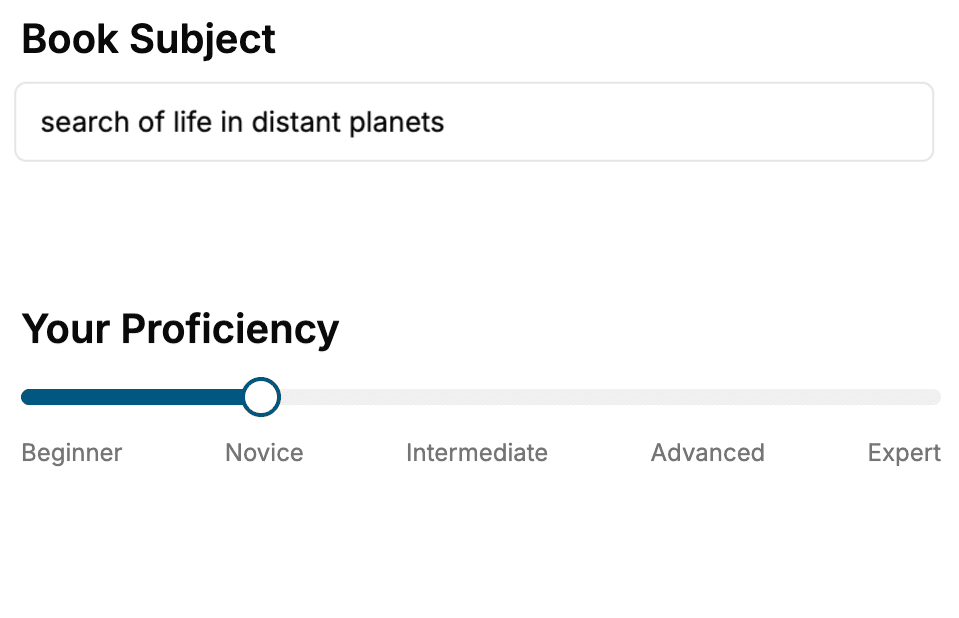
Select the focus of your Web Design book and share your background
- 2. Personalize your book
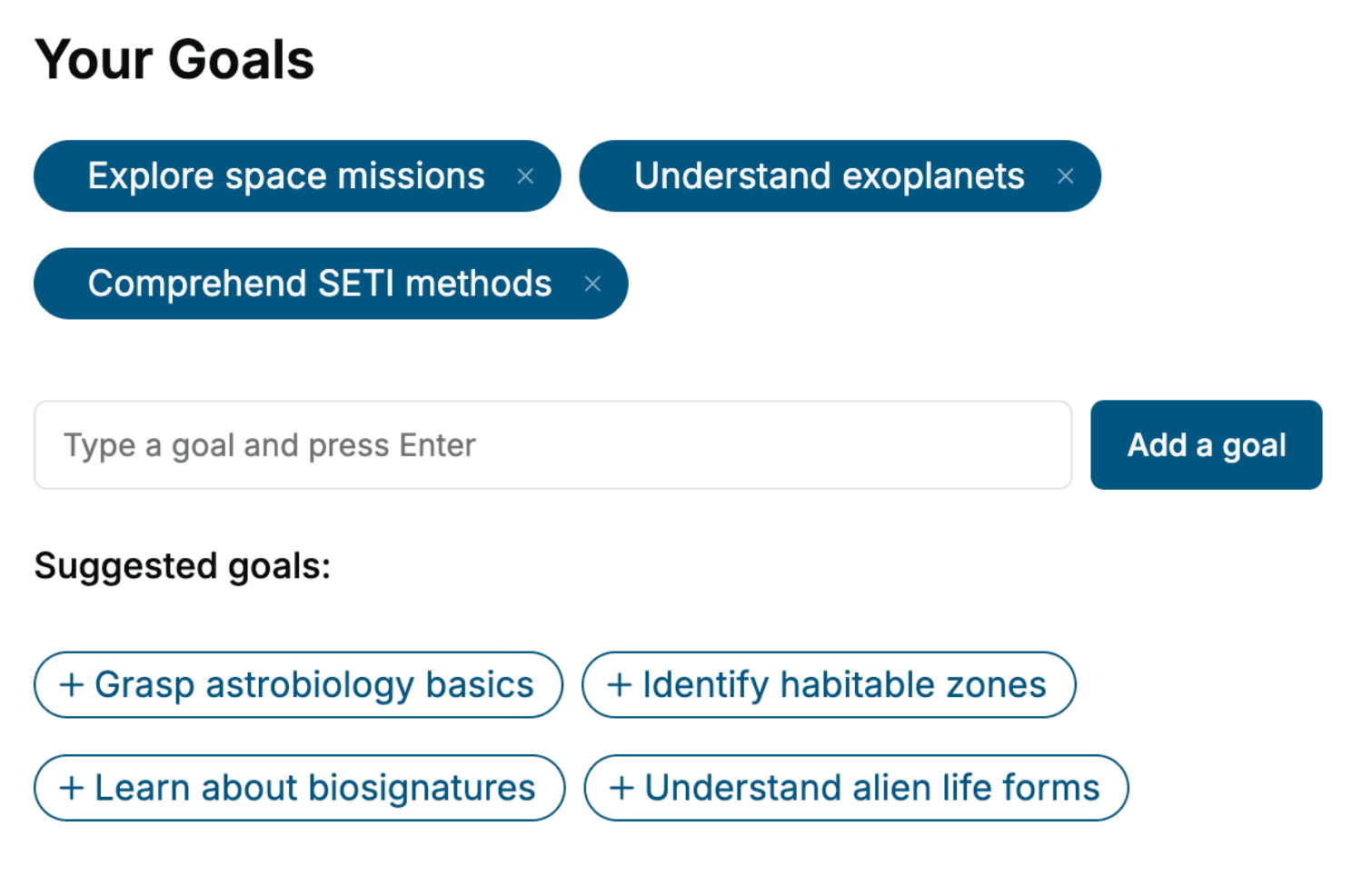
Specify your goals and choose sub-topics to include
- 3. Get your tailored book
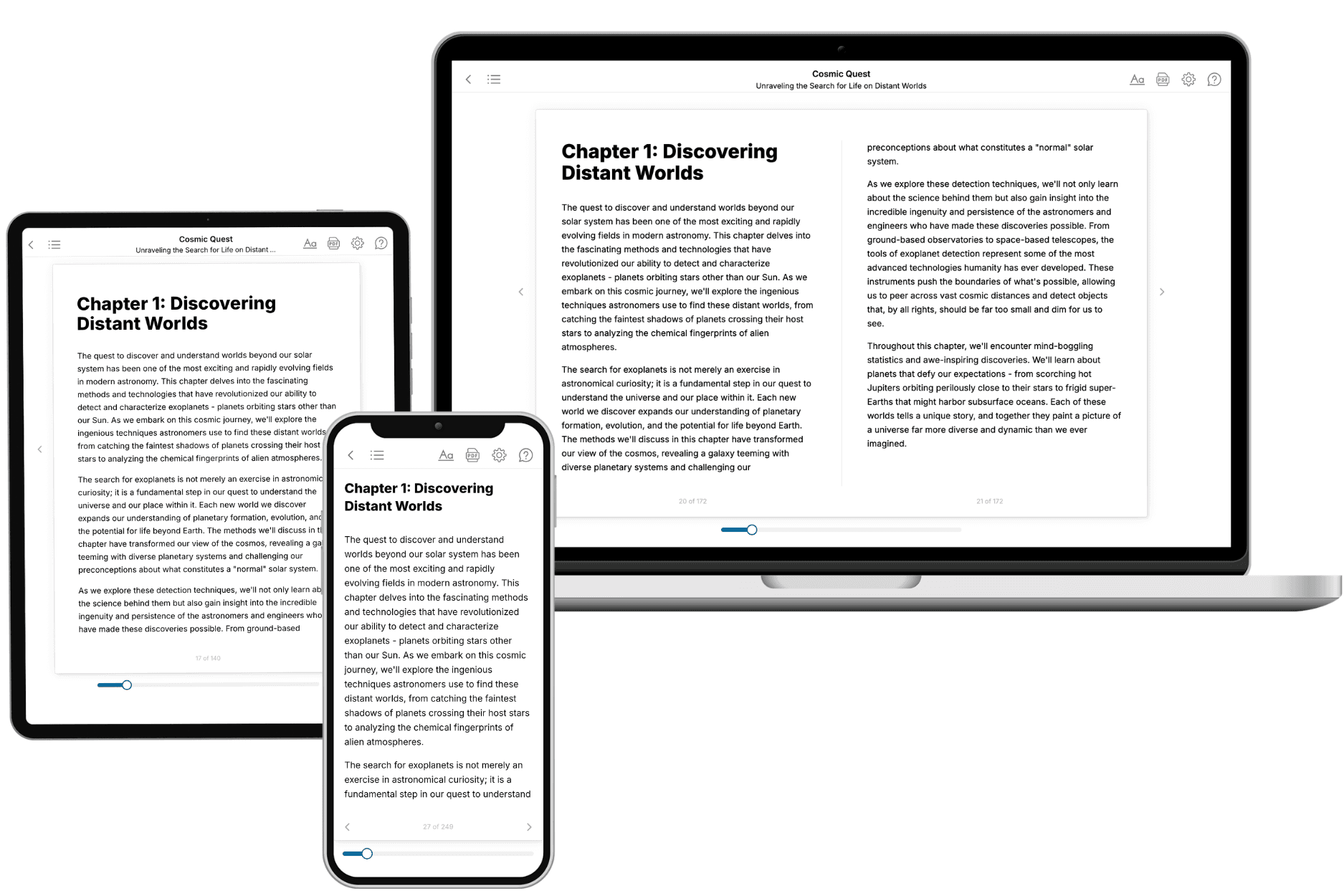
Your book is ready in 10 minutes. Read it online, download as EPUB or PDF, or send to Kindle.
Frequently asked questions
- What is TailoredRead?
TailoredRead creates complete, full-length nonfiction ebooks, written specifically for you. Tell us what you want to learn and why, and TailoredRead writes you a complete ebook on it, with charts, tables, and diagrams throughout. Read it online, on Kindle, or on any e-reader, or download it as a PDF or EPUB. Every book is written fresh the day you order it.
- How is the book tailored to me?
Before anything is written, you answer a few short questions about your goals, your background, and the topics you care about. Your book is then planned around your answers: written at your level, focused on your goals, and covering the topics you chose, instead of the one-size-fits-all book a store sells everyone.
- Will it read like generic AI content?
No. Your book isn't a chat transcript: it's planned chapter by chapter before a single word is written, told in a clear book voice, and explains ideas visually with charts, tables, and diagrams. After writing, every book goes through an editorial pass that polishes chapters so the book reads consistent from start to finish. Judge for yourself: browse thousands of sample books on our Explore Books page.
- How accurate is the content?
Our AI first checks whether your subject needs live research. Niche and fast-moving subjects are researched before writing, and the book plan and chapters are grounded in what it finds. After writing, every book goes through a quality pass that checks its facts and consistency, and researched books list their sources in a Notes section at the back.
- How long is the book?
You choose the length: Comprehensive (250-300 pages), Detailed (150-200 pages), Essential (70-100 pages), or Short (30-50 pages).
- Does the book include visuals?
Yes. Every book includes charts, tables, and diagrams: timelines, checklists, step-by-step guides, decision trees, comparison tables, matrices, and bar charts. A typical book includes dozens of these visual elements.
- Can I read it on Kindle? What formats can I download?
Yes. Every book can be read in our online reader or downloaded as a PDF or EPUB. The EPUB can be opened with Kindle, Apple Books, Kobo, and any e-reader. The Commercial and Author licenses also include an editable Word (DOCX) and Markdown download.
- How much does it cost?
About the price of a regular ebook. The exact price depends on your book's length and complexity, from $2 for the shortest books to $35 for the most comprehensive, and it's shown when you review your book, before you commit to anything. Each book is a one-time purchase, yours to keep, no subscription. Licenses that let you share, teach, or publish your book range from $35.99 to $49.99.
- Can I preview the book before purchasing?
Before you pay, you'll see what your book will cover: the title, a detailed description, the estimated length, and the complete chapter-by-chapter table of contents, so you know what you're getting before you decide. The full text itself is written after you purchase.
- How long does it take to create a book?
About 10 minutes. You can start reading the opening chapters while the rest is still being written.