Mastering Groovy in NetBeans
Elevate Your Software Development with Powerful Scripting Techniques
Dive into the world of Groovy scripting in NetBeans and discover how to supercharge your software development process.
253 pages13 chaptersJan 8, 2025Software Development
About this book
This comprehensive guide takes you on a journey from intermediate to advanced Groovy scripting, focusing on practical applications within the NetBeans environment. You'll explore the intricacies of Groovy syntax, learn to leverage its powerful features for automation and custom tool creation, and master the art of integrating Groovy scripts seamlessly into your NetBeans projects. Through hands-on examples and real-world scenarios, you'll gain the skills to streamline your workflow, enhance productivity, and create robust, maintainable code. By the end of this book, you'll have the confidence and expertise to tackle complex development challenges using Groovy in NetBeans. Whether you're automating repetitive tasks, creating custom build processes, or developing sophisticated plugins, you'll be equipped with the knowledge to take your software development skills to new heights.
Table of contents
- IntroductionWhy Groovy for NetBeans Development?, Book Overview and How to Use It, Setting Up Your Groovy Environment in NetBeansRead below
- Chapter 1: Groovy Basics for NetBeans UsersGroovy Syntax Essentials, Working with Groovy Data Types, Control Structures and Loops, Functions and Closures in Groovy
- Chapter 2: Object-Oriented Programming with GroovyClasses and Objects in Groovy, Inheritance and Polymorphism, Traits and Interfaces, Introduction to Metaprogramming
- Chapter 3: Advanced Groovy ConceptsFunctional Programming in Groovy, Deep Dive into Metaprogramming, Creating Domain-Specific Languages (DSLs), Concurrent Programming with GPars
- Chapter 4: Integrating Groovy with NetBeansSetting Up Groovy Projects in NetBeans, Leveraging NetBeans Editor Features for Groovy, Debugging Groovy Scripts in NetBeans, Unit Testing Groovy Code with NetBeans
- Chapter 5: Build Automation with GroovyIntegrating Groovy with Ant Scripts, Introduction to Gradle for NetBeans Projects, Creating Custom Build Tasks with Groovy, Continuous Integration using Groovy Scripts
- Chapter 6: Database Interaction with GroovyUsing JDBC with Groovy in NetBeans, ORM Tools: Hibernate and GORM, Database Migrations using Groovy, Integrating NoSQL Databases with Groovy
- Chapter 7: Web Development with Groovy in NetBeansIntroduction to Grails Framework, Building RESTful Services with Groovy, Using Groovy Templates for Web Pages, Integrating Groovy with JavaScript
- Chapter 8: Testing Strategies for Groovy CodeUnit Testing with Spock Framework, Integration Testing Groovy Applications, Performance Testing Groovy Scripts, Test-Driven Development in Groovy
- Chapter 9: Security Considerations in Groovy DevelopmentInput Validation and Sanitization, Secure Coding Practices in Groovy, Implementing Authentication and Authorization, Encryption Techniques with Groovy
- Chapter 10: Performance Optimization for Groovy ScriptsUsing NetBeans Profiling Tools for Groovy, Memory Management in Groovy Applications, Optimizing for Concurrent Execution, Implementing Caching Strategies
- Chapter 11: NetBeans Plugin Development with GroovyUnderstanding NetBeans Plugin Architecture, Creating Basic Plugins with Groovy, Developing Advanced NetBeans Plugins, Packaging and Distributing Groovy Plugins
- Chapter 12: Exploring the Groovy EcosystemPopular Groovy Libraries and Frameworks, Groovy Community and Resources, The Future of Groovy in Software Development, Career Opportunities for Groovy Developers
- Chapter 13: Real-World Projects with Groovy in NetBeansBuilding a Development Automation Tool, Creating a Data Analysis Application, Developing a Web Scraping Solution, Implementing a Microservices Architecture
- ConclusionKey Takeaways, Next Steps in Your Groovy Journey
- AppendixGroovy Cheat Sheet, NetBeans Shortcuts for Groovy Development
Introduction
Welcome to "Mastering Groovy in NetBeans: Elevate Your Software Development with Powerful Scripting Techniques." This comprehensive guide is designed to take your software development skills to the next level by harnessing the power of Groovy scripting within the NetBeans integrated development environment (IDE). As an intermediate software developer, you're about to embark on a journey that will not only enhance your coding abilities but also revolutionize the way you approach software projects.
In today's rapidly evolving tech landscape, the ability to write efficient, maintainable, and scalable code is more crucial than ever. Groovy, with its seamless Java integration and powerful scripting capabilities, offers a unique advantage to developers working in the NetBeans ecosystem. This book aims to bridge the gap between your current knowledge and the advanced techniques that will set you apart in the competitive world of software development.
Throughout this book, you'll discover how Groovy's concise syntax and dynamic features can significantly boost your productivity. You'll learn to leverage Groovy for everything from automating repetitive tasks to creating sophisticated build processes and developing custom tools that integrate seamlessly with NetBeans. By mastering Groovy in NetBeans, you'll be equipped to tackle complex development challenges with confidence and creativity.
As we delve into the intricacies of Groovy scripting, you'll find that this book is not just about learning a new language or tool. It's about adopting a mindset that embraces efficiency, flexibility, and innovation in software development. The skills you acquire here will not only make you a more proficient developer but also open up new career opportunities in the ever-expanding field of software engineering.
So, prepare to immerse yourself in the world of Groovy and NetBeans. Whether you're looking to streamline your workflow, enhance your project's build process, or create powerful custom plugins, this book will serve as your comprehensive guide. Let's begin this exciting journey to elevate your software development skills and unlock the full potential of Groovy in NetBeans.
Why Groovy for NetBeans Development?
In the vast landscape of programming languages and development tools, Groovy stands out as a particularly powerful ally for NetBeans users. This dynamic language, which seamlessly integrates with Java, offers a unique combination of features that make it an ideal choice for enhancing your development workflow in NetBeans. To understand why Groovy is such a valuable tool for NetBeans development, let's explore its key advantages and how they align with the needs of modern software developers.
First and foremost, Groovy's syntax is designed to be concise and expressive, allowing you to write more readable and maintainable code. This is particularly beneficial when working on large-scale projects in NetBeans, where code clarity can significantly impact team collaboration and long-term project sustainability. Groovy's ability to reduce boilerplate code means you can express complex logic in fewer lines, leading to more efficient development and easier debugging. For instance, a task that might require several lines of Java code can often be accomplished in a single line of Groovy, without sacrificing readability or functionality[1].
Another compelling reason to use Groovy in NetBeans is its seamless interoperability with Java. As a JVM language, Groovy can leverage the entire Java ecosystem, including libraries and frameworks, while offering additional features and syntactic sugar. This means you can gradually introduce Groovy into your existing Java projects in NetBeans without the need for a complete overhaul. You can start by using Groovy for specific tasks, such as build scripts or test cases, and progressively expand its usage as you become more comfortable with the language. This smooth integration path is particularly valuable for teams transitioning to more dynamic programming paradigms without disrupting their current development processes.
Groovy's dynamic nature is another significant advantage for NetBeans developers. Unlike statically typed languages, Groovy allows for more flexible and rapid development, which is especially useful during prototyping and exploratory programming phases. The ability to quickly write and execute scripts without the need for compilation can significantly speed up the development cycle. This dynamism, combined with Groovy's powerful metaprogramming capabilities, enables you to extend and customize NetBeans' functionality in ways that would be challenging or impossible with Java alone. For example, you can use Groovy to create domain-specific languages (DSLs) tailored to your project's needs, making complex operations more intuitive and less error-prone[2].
The extensive collection of built-in libraries and frameworks that come with Groovy is another compelling reason for its adoption in NetBeans development. Groovy provides powerful tools for tasks such as XML processing, database access, and web service integration, which are common requirements in many software projects. Libraries like Grape for dependency management and GPars for parallel programming can significantly enhance your development capabilities within NetBeans. These tools, combined with Groovy's concise syntax, allow you to accomplish complex tasks with minimal code, leading to increased productivity and reduced potential for errors.
Groovy's support for functional programming paradigms is particularly relevant in today's software development landscape. As modern applications increasingly require concurrent and parallel processing capabilities, Groovy's functional features, such as closures and higher-order functions, become invaluable. These features allow you to write more expressive and efficient code for handling collections, implementing callbacks, and managing asynchronous operations. In the context of NetBeans development, this translates to more robust and scalable applications that can better handle the demands of modern computing environments.
Furthermore, Groovy excels in the realm of build automation and continuous integration, which are critical aspects of modern software development workflows. Gradle, a powerful build automation tool written in Groovy, has gained significant popularity due to its flexibility and expressiveness. By leveraging Groovy for your build scripts in NetBeans, you can create more maintainable and adaptable build processes. This is particularly beneficial for large-scale projects where build complexity can become a significant challenge. Groovy's scripting capabilities allow you to easily customize and extend your build processes, integrating seamlessly with NetBeans' project management features[3].
The testing capabilities offered by Groovy are another compelling reason for its adoption in NetBeans development. Frameworks like Spock, which is built on top of Groovy, provide a highly expressive and powerful way to write unit tests. The ability to create more readable and maintainable test code can significantly improve the overall quality and reliability of your software projects. Additionally, Groovy's support for behavior-driven development (BDD) allows you to write tests that serve as living documentation, bridging the gap between technical and non-technical stakeholders in your projects.
Groovy's role in enabling rapid application development (RAD) is particularly valuable in the context of NetBeans. The language's concise syntax, combined with its dynamic nature, allows for quick prototyping and iterative development. This aligns well with agile methodologies, enabling you to quickly respond to changing requirements and deliver working software in shorter cycles. The ability to write and execute Groovy scripts directly within NetBeans means you can experiment with ideas and solve problems on the fly, without the need for a lengthy compile-deploy cycle.
Lastly, the growing ecosystem around Groovy provides NetBeans developers with a wealth of resources and community support. From extensive documentation to active forums and user groups, the Groovy community offers valuable assistance for developers at all levels. This supportive ecosystem ensures that you can find help when facing challenges and stay updated with the latest best practices and techniques in Groovy development. As Groovy continues to evolve, its integration with NetBeans is likely to become even more seamless, offering developers increasingly powerful tools for creating sophisticated software solutions.
In conclusion, Groovy's combination of Java interoperability, concise syntax, dynamic capabilities, and powerful libraries makes it an exceptional choice for enhancing your NetBeans development workflow. By adopting Groovy, you're not just learning a new language; you're equipping yourself with a versatile tool that can significantly boost your productivity, code quality, and ability to tackle complex software challenges. As we delve deeper into the intricacies of Groovy in NetBeans throughout this book, you'll discover how this powerful language can transform your approach to software development and open up new possibilities in your projects.
Book Overview and How to Use It
"Mastering Groovy in NetBeans" is designed to be your comprehensive guide to leveraging the power of Groovy within the NetBeans integrated development environment. This book is structured to take you on a journey from the fundamentals of Groovy scripting to advanced techniques that will elevate your software development skills. Whether you're looking to automate tasks, enhance your build processes, or create sophisticated plugins, this book will equip you with the knowledge and skills to achieve your goals.
The book is organized into logical chapters, each focusing on a specific aspect of Groovy development in NetBeans. We begin with the basics, ensuring you have a solid foundation, and progressively move towards more complex topics. This structure allows you to build your knowledge incrementally, with each chapter building upon the concepts introduced in previous sections. To get the most out of this book, it's recommended that you follow the chapters in order, especially if you're new to Groovy or looking to solidify your understanding of its core concepts.
Each chapter is designed to be both informative and practical. You'll find detailed explanations of concepts, accompanied by real-world examples and code snippets that you can try out in your NetBeans environment. These hands-on exercises are crucial for reinforcing your learning and helping you apply the concepts to your own projects. Don't hesitate to experiment with the code examples, modify them, and explore how changes affect the outcome. This active learning approach will deepen your understanding and help you develop problem-solving skills that are essential for real-world software development.
Throughout the book, you'll encounter various features designed to enhance your learning experience:
- Code Examples: Practical, executable code snippets that demonstrate key concepts and techniques. These are presented in a clear, easy-to-follow format that you can directly implement in NetBeans.
- Best Practices: Highlighted sections that provide industry-standard approaches and tips for writing efficient, maintainable Groovy code in NetBeans.
- Case Studies: Real-world scenarios that illustrate how Groovy can be applied to solve common development challenges in NetBeans projects.
- Deep Dives: Detailed explorations of complex topics, providing in-depth understanding for those looking to master advanced Groovy techniques.
- Tips and Tricks: Quick, actionable advice to boost your productivity and efficiency when working with Groovy in NetBeans.
To make the most of this book, it's recommended that you have NetBeans installed on your system, along with the Groovy plugin. This will allow you to follow along with the examples and immediately apply what you learn. Don't worry if you haven't set this up yet; we'll cover the installation and configuration process in the next section. As you progress through the book, try to apply the concepts to your own projects or create small practice projects. This hands-on approach will help solidify your understanding and make the learning process more engaging and relevant to your work.
While the book is designed to be comprehensive, it's also flexible enough to accommodate different learning styles and needs. If you're already familiar with certain aspects of Groovy, feel free to skip ahead to the chapters that are most relevant to your current projects or interests. However, even if you're an experienced Groovy developer, you may find value in reviewing earlier chapters, as they often contain tips and insights that can enhance your existing knowledge.
One of the key features of this book is its focus on practical application. Throughout the chapters, you'll find numerous opportunities to apply your learning to real-world scenarios. These practical exercises are designed to bridge the gap between theory and practice, helping you develop the skills needed to solve actual development challenges. Don't hesitate to spend extra time on these exercises, as they often provide the deepest insights and most valuable learning experiences.
As you work through the book, it's important to remember that learning a new language or enhancing your skills is a process that takes time and practice. Don't be discouraged if you find some concepts challenging at first. Programming is a skill that improves with practice, and each challenge you overcome will contribute to your growth as a developer. Take your time with difficult sections, revisit them if necessary, and don't hesitate to seek additional resources or community support if you need further clarification.
To further enhance your learning experience, consider the following strategies:
- Active Reading: Engage with the material by taking notes, highlighting key points, and summarizing concepts in your own words. This active approach to reading can significantly improve retention and understanding.
- Coding Practice: Set aside dedicated time to practice coding in Groovy. Try to implement the concepts you learn in small projects or by solving coding challenges. Websites like HackerRank or LeetCode offer problems that you can solve using Groovy to hone your skills.
- Peer Discussion: If possible, find a study group or coding partner to discuss the concepts you're learning. Explaining ideas to others and hearing different perspectives can deepen your understanding and expose you to new approaches.
- Project Application: Look for opportunities to apply Groovy in your current work projects, even in small ways. This real-world application will help you see the practical benefits of what you're learning and reinforce your skills.
- Continuous Learning: The field of software development is constantly evolving. Use this book as a foundation, but stay curious and continue to explore new developments in Groovy and NetBeans through online resources, conferences, and community events.
Remember, the goal of this book is not just to teach you the syntax and features of Groovy, but to empower you to become a more effective and efficient developer within the NetBeans environment. As you progress through the chapters, you'll not only learn about Groovy but also discover new ways to approach problem-solving and software design. This holistic approach to learning will serve you well beyond the scope of this book, enhancing your overall capabilities as a software developer.
Finally, don't underestimate the power of the Groovy and NetBeans communities. Both have active forums, mailing lists, and social media groups where developers share knowledge, ask questions, and discuss best practices. Engaging with these communities can provide valuable insights, help you stay updated with the latest developments, and even open up new career opportunities. Consider sharing your own experiences and insights as you progress through your Groovy journey – teaching others is often one of the best ways to solidify your own understanding.
As you embark on this learning journey, remember that becoming proficient in Groovy and leveraging its power in NetBeans is a valuable investment in your career as a software developer. The skills you acquire will not only make you more productive but also more versatile and innovative in your approach to software development. Embrace the challenges, celebrate your progress, and enjoy the process of mastering this powerful language and development environment. Let's begin this exciting journey into the world of Groovy in NetBeans!
Setting Up Your Groovy Environment in NetBeans
Before diving into the intricacies of Groovy development in NetBeans, it's crucial to set up your development environment correctly. This section will guide you through the process of installing and configuring NetBeans with Groovy support, ensuring you have a robust platform for the journey ahead. A properly configured environment will allow you to seamlessly follow along with the examples in this book and start building your own Groovy projects in NetBeans.
First, let's start with installing NetBeans. NetBeans is a free, open-source integrated development environment (IDE) that provides comprehensive facilities for software development. It supports multiple programming languages, including Java and Groovy. To install NetBeans:
- Visit the official NetBeans website (https://netbeans.apache.org/).
- Download the latest version of NetBeans IDE. Ensure you choose the version that includes Java SE support.
- Once the download is complete, run the installer and follow the on-screen instructions.
- During installation, make sure to select the Java SE option at minimum. You may choose additional components based on your development needs.
- Complete the installation process and launch NetBeans.
- Open NetBeans IDE.
- Go to Tools > Plugins in the main menu.
- In the Plugins window, click on the 'Available Plugins' tab.
- Search for "Groovy" in the search box.
- Find and select the "Groovy and Grails" plugin.
- Click 'Install' and follow the prompts to complete the installation.
- Restart NetBeans when prompted to apply the changes.
With NetBeans and the Groovy plugin installed, you now have the basic environment set up. However, to fully leverage Groovy's capabilities, you should also install Groovy itself on your system. This allows you to run Groovy scripts outside of NetBeans and ensures you have access to the latest Groovy features. Here's how to install Groovy:
- Visit the official Groovy website (http://groovy-lang.org/).
- Navigate to the Download section and choose the latest stable version of Groovy.
- Download the binary release appropriate for your operating system.
- Extract the downloaded archive to a location on your computer. For example, on Windows, you might extract it to C:\groovy.
- Add the Groovy bin directory to your system's PATH environment variable. This step varies depending on your operating system:
- On Windows: Edit the system environment variables and add the path (e.g., C:\groovy\bin) to the PATH variable.
- On macOS/Linux: Edit your shell's configuration file (e.g., .bash_profile or .zshrc) and add: export PATH=$PATH:/path/to/groovy/bin
- Open a new terminal or command prompt and type groovy -version to verify the installation.
- In NetBeans, go to Tools > Options (on macOS, NetBeans > Preferences).
- Navigate to Miscellaneous > Groovy in the Options window.
- Set the Groovy Home path to the directory where you installed Groovy.
- Click Apply and then OK to save the changes.
Now that you have NetBeans set up with Groovy support, it's time to create your first Groovy project:
- In NetBeans, go to File > New Project.
- Choose 'Groovy' from the categories and 'Groovy Application' from the projects.
- Click Next and give your project a name and location.
- Click Finish to create the project.
To ensure everything is working correctly, let's create a simple "Hello, World!" program:
- In your new Groovy project, locate the main Groovy script (usually named Main.groovy).
- Replace the contents of the file with the following code:
println "Hello, World from Groovy in NetBeans!" - Right-click on the file in the Projects pane and select Run File.
- You should see the output "Hello, World from Groovy in NetBeans!" in the NetBeans output window.
As you become more comfortable with Groovy development in NetBeans, you might want to customize your environment further. NetBeans offers various settings to enhance your productivity:
- Code Templates: Go to Tools > Options > Editor > Code Templates to create custom code snippets for Groovy.
- Keyboard Shortcuts: Customize keyboard shortcuts for Groovy-specific actions in Tools > Options > Keymap.
- Formatting: Adjust Groovy code formatting rules in Tools > Options > Editor > Formatting.
- Hints and Warnings: Configure Groovy-specific code hints and warnings in Tools > Options > Editor > Hints.
Remember, setting up your development environment is just the first step in your journey to mastering Groovy in NetBeans. As you progress through this book, you'll learn how to leverage this powerful combination to create efficient, maintainable, and sophisticated software solutions. Don't hesitate to revisit this setup section if you encounter any issues or need to reconfigure your environment in the future.
With your Groovy environment in NetBeans now set up and ready, you're well-prepared to dive into the exciting world of Groovy development. The following chapters will build upon this foundation, introducing you to Groovy's syntax, advanced features, and best practices for development within the NetBeans IDE. Get ready to enhance your software development skills and unlock the full potential of Groovy in NetBeans!
This is the end of the free sample. The full book has 13 chapters.
Want this book written for you?
Tell us your goals and background, and get your own version of this book, tailored by AI to you.


Benefits of AI-tailored books
- Read one book, not ten:
- all the Software Development knowledge you need, gathered into a single book.
- Save days of learning:
- tell us your goals, choose your topics, and the whole book is built around them.
- Learn effortlessly:
- Software Development book written for your specific background and expertise.
- Understand at a glance:
- includes charts, tables, timelines, checklists, decision trees, and more.
- Stay current:
- written the day you order it, not years ago.
- Trust what you read:
- every book is checked for accuracy, with real research when your subject needs it.
Create your unique book in 3 steps
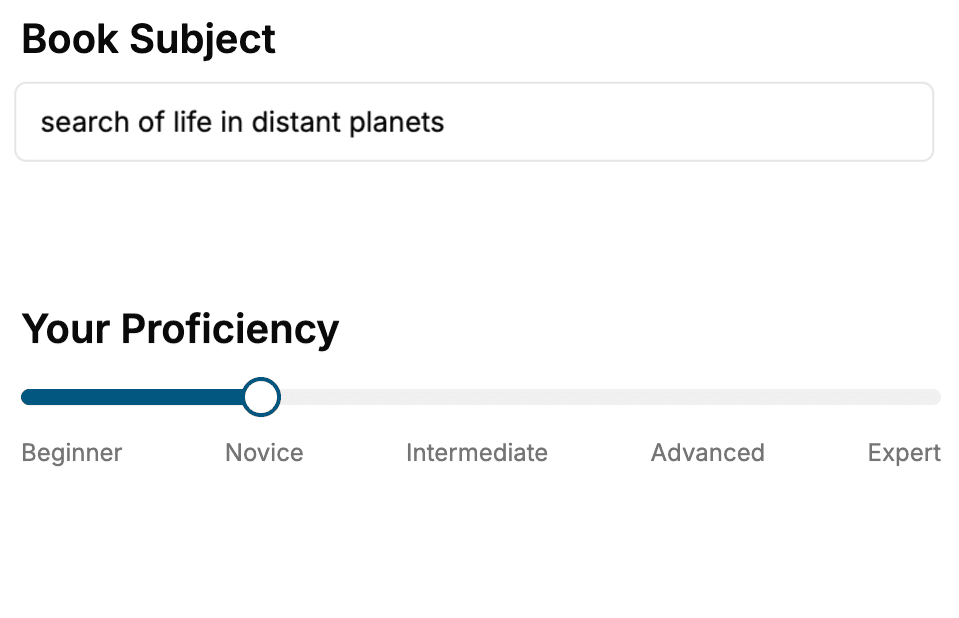
- 1. Select your focus
Select the focus of your Software Development book and share your background
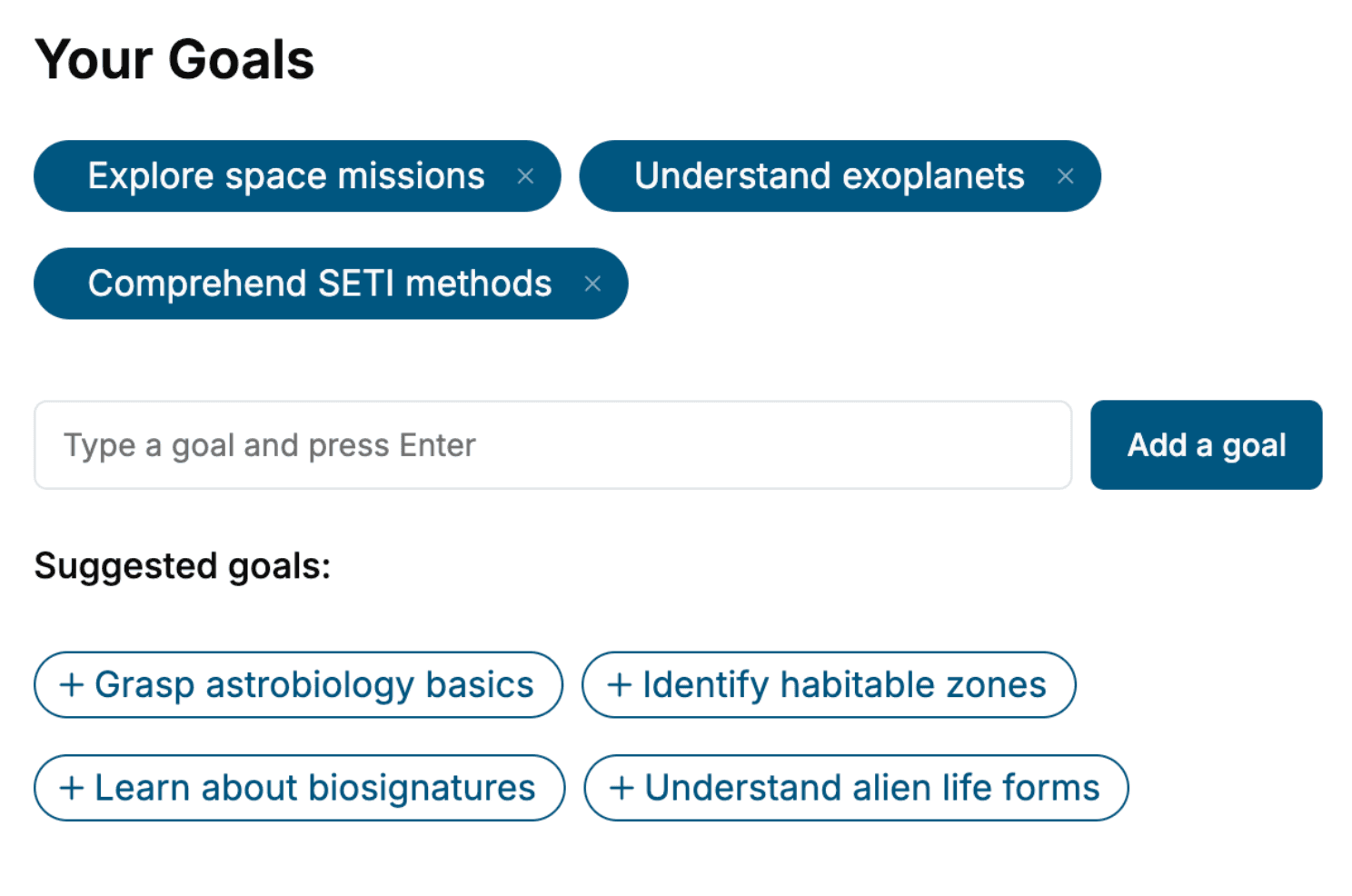
- 2. Personalize your book
Specify your goals and choose sub-topics to include
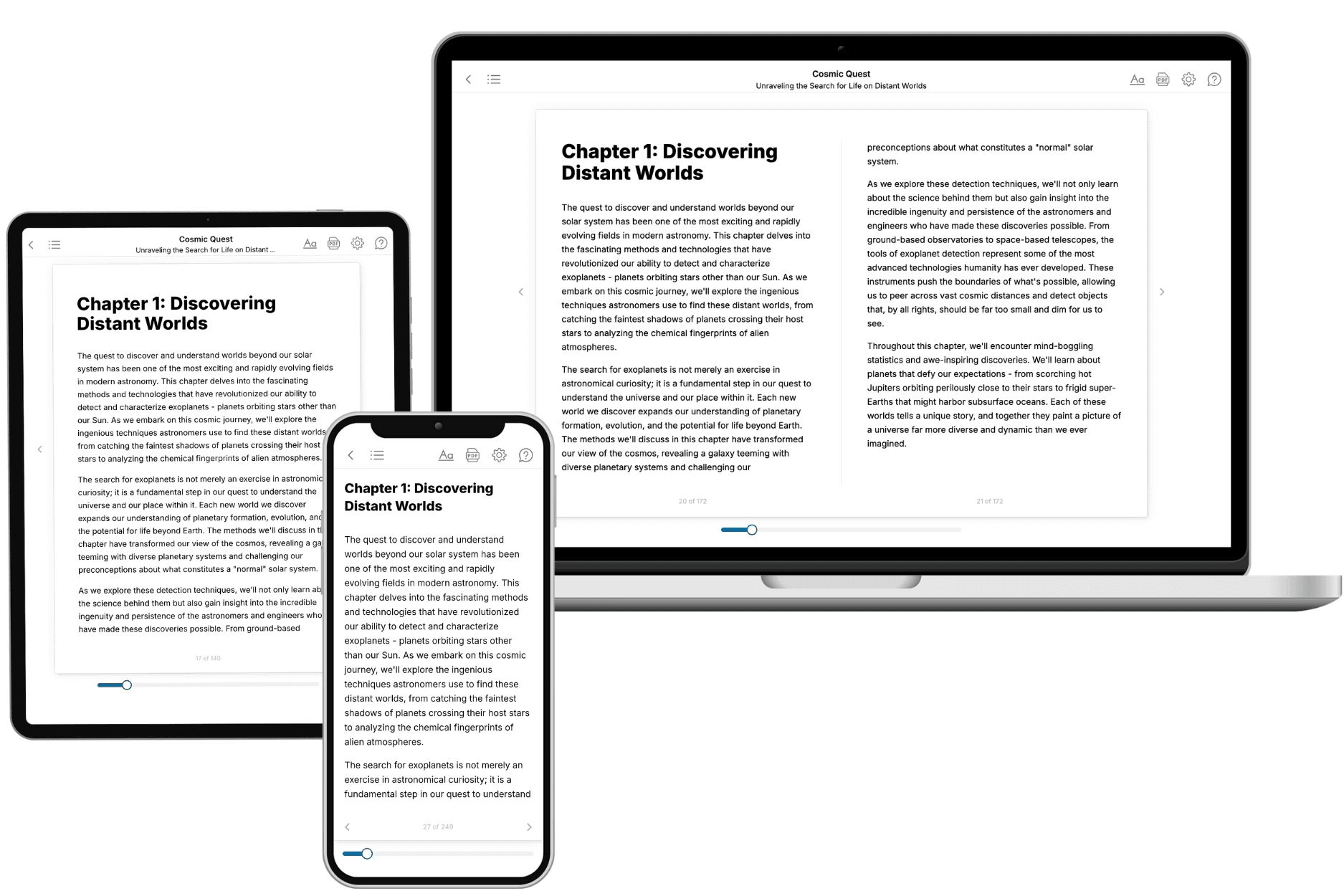
- 3. Get your tailored book
Your book is ready in 10 minutes. Read it online, download as EPUB or PDF, or send to Kindle.
Frequently asked questions
- What is TailoredRead?
TailoredRead creates complete, full-length nonfiction ebooks, written specifically for you. Tell us what you want to learn and why, and TailoredRead writes you a complete ebook on it, with charts, tables, and diagrams throughout. Read it online, on Kindle, or on any e-reader, or download it as a PDF or EPUB. Every book is written fresh the day you order it.
- How is the book tailored to me?
Before anything is written, you answer a few short questions about your goals, your background, and the topics you care about. Your book is then planned around your answers: written at your level, focused on your goals, and covering the topics you chose, instead of the one-size-fits-all book a store sells everyone.
- Will it read like generic AI content?
No. Your book isn't a chat transcript: it's planned chapter by chapter before a single word is written, told in a clear book voice, and explains ideas visually with charts, tables, and diagrams. After writing, every book goes through an editorial pass that polishes chapters so the book reads consistent from start to finish. Judge for yourself: browse thousands of sample books on our Explore Books page.
- How accurate is the content?
Our AI first checks whether your subject needs live research. Niche and fast-moving subjects are researched before writing, and the book plan and chapters are grounded in what it finds. After writing, every book goes through a quality pass that checks its facts and consistency, and researched books list their sources in a Notes section at the back.
- How long is the book?
You choose the length: Comprehensive (250-300 pages), Detailed (150-200 pages), Essential (70-100 pages), or Short (30-50 pages).
- Does the book include visuals?
Yes. Every book includes charts, tables, and diagrams: timelines, checklists, step-by-step guides, decision trees, comparison tables, matrices, and bar charts. A typical book includes dozens of these visual elements.
- Can I read it on Kindle? What formats can I download?
Yes. Every book can be read in our online reader or downloaded as a PDF or EPUB. The EPUB can be opened with Kindle, Apple Books, Kobo, and any e-reader. The Commercial and Author licenses also include an editable Word (DOCX) and Markdown download.
- How much does it cost?
About the price of a regular ebook. The exact price depends on your book's length and complexity, from $2 for the shortest books to $35 for the most comprehensive, and it's shown when you review your book, before you commit to anything. Each book is a one-time purchase, yours to keep, no subscription. Licenses that let you share, teach, or publish your book range from $35.99 to $49.99.
- Can I preview the book before purchasing?
Before you pay, you'll see what your book will cover: the title, a detailed description, the estimated length, and the complete chapter-by-chapter table of contents, so you know what you're getting before you decide. The full text itself is written after you purchase.
- How long does it take to create a book?
About 10 minutes. You can start reading the opening chapters while the rest is still being written.