Mastering Klipper, G-code, and Jinja2
The Complete Guide to Advanced 3D Printer Configuration and Automation
Most 3D printer users accept stock configurations and basic settings, never realizing how much performance and reliability they're leaving on the table.
238 pages13 chaptersJun 7, 20263D PrintingCreated by Marc
About this book
This comprehensive guide reveals how to harness Klipper's full potential through custom macros, advanced firmware configuration, and intelligent automation. You'll master Jinja2 templating to build intelligent, reusable macros that handle complex printing scenarios automatically. Learn to tune motion control systems, pressure advance, and thermal compensation for consistent quality. Discover how to integrate external hardware, automate calibration workflows, and implement multi-material printing without manual intervention. This book walks you through real-world configuration challenges: debugging printer issues, optimizing print speed safely, preventing failures before they happen, and building custom solutions that adapt to your specific hardware. Whether you're troubleshooting a problematic setup or developing advanced printer extensions, you'll find practical techniques grounded in deep system understanding. By the end, you'll have the knowledge and confidence to configure professional-grade printing systems, create sophisticated automation workflows, and solve complex printer problems that most users consider impossible.
Table of contents
- IntroductionWhy Klipper Matters for Advanced Printing, What You'll Learn in This Book, How to Use This GuideRead below
- Chapter 1: Klipper Firmware Architecture and Core ConceptsUnderstanding Klipper's Modular Architecture, Configuration System and File Structure, Host-to-MCU Communication and Real-Time Control
- Chapter 2: Custom G-code Macro Development FundamentalsMacro Syntax and Basic Structure, Variables, Parameters, and Scope Management, Macro Execution Flow and Command Sequencing
- Chapter 3: Jinja2 Template Syntax and Advanced LogicJinja2 Syntax Fundamentals and Filters, Conditional Logic and Control Flow in Macros, Loops, Iteration, and Dynamic Command Generation
- Chapter 4: Motion Control System Tuning and OptimizationStepper Motor Configuration and Tuning, Acceleration, Jerk, and Velocity Optimization, Resonance Compensation and Input Shaping
- Chapter 5: Thermal Systems and Temperature ManagementHeater Control Optimization and PID Tuning, Nozzle Temperature Management and Compensation, Thermal Compensation Systems and Monitoring
- Chapter 6: Advanced Bed Leveling and Mesh CompensationProbe Calibration Methods and Accuracy, Mesh Bed Leveling Configuration and Automation, Automated Leveling Workflows and Macros
- Chapter 7: Extruder Pressure Advance and Flow OptimizationPressure Advance Theory and Mechanics, Pressure Advance Calibration Techniques, Material-Specific Tuning and Profiles
- Chapter 8: Hardware Integration and Sensor ConfigurationSensor Types and Integration Methods, Hardware Communication Protocols and Debugging, Controlling External Devices and Peripherals
- Chapter 9: Multi-Material Printing and Filament ManagementMulti-Material Printer Setup and Configuration, Filament Change Automation and Macros, Material Profiles and Conditional Switching
- Chapter 10: Print Quality Optimization and Failure PreventionKey Quality Factors and Optimization Strategies, Print Failure Prevention and Early Detection, Print Speed Optimization and Safe Acceleration
- Chapter 11: Advanced Configuration and Custom SolutionsBuilding Custom Printer Profiles and Presets, Macro Reusability Patterns and Best Practices, Error Handling and Macro Robustness
- Chapter 12: Configuration Debugging and TroubleshootingDebugging Techniques and Tools, Common Configuration Issues and Solutions, Performance Monitoring and System Analysis
- Chapter 13: Maintenance Automation and System ManagementAutomated Maintenance Routine Scripting, Klipper Variable Management and Persistence, System Integration and Slicing Software Connection
- ConclusionYour Path to Mastery, Next Steps and Continued Learning
Introduction
Most 3D printer users hit a wall at some point. The printer works, prints come out reasonably well, and the basic settings feel familiar. But something is always slightly off: a corner that lifts, a layer that shifts, a stringing problem that no amount of temperature tweaking seems to fix. The instinct is to blame the hardware, buy a new part, or accept that this is just how 3D printing works. The truth is usually different. The real ceiling isn't the hardware. It's the configuration, and more specifically, the depth of understanding behind it.
Klipper firmware changed the game for desktop 3D printing in a fundamental way. By moving the heavy computational work off the microcontroller and onto a host computer, Klipper opened the door to a level of precision, flexibility, and programmability that older firmware architectures simply cannot match. But Klipper's power comes with a learning curve. The configuration system is expressive and deep. The macro language, built on Jinja2 templating, is genuinely capable of complex logic. And the sheer number of tunable parameters can feel overwhelming without a clear map through the territory.
This book is that map. It's written for people who already have Klipper running and understand the basics, but who want to go further. You want to write macros that actually think, not just execute a fixed sequence of commands. You want to understand why pressure advance works, not just copy a number from a forum post. You want your printer to handle edge cases automatically, recover from problems gracefully, and produce consistent results across different materials and conditions. That level of control is achievable, and this guide will show you exactly how to get there.
The approach throughout this book is practical and grounded. Every concept is connected to real configuration examples, real problems, and real solutions. Theory is included where it helps you understand why something works, because that understanding is what lets you adapt techniques to your specific hardware rather than blindly copying settings that may not fit your situation. By the time you finish, you'll have both the knowledge and the confidence to treat your printer as a programmable system rather than a black box.
Why Klipper Matters for Advanced Printing
To appreciate what Klipper offers, it helps to understand what came before it. Traditional firmware like Marlin runs entirely on the printer's microcontroller, a small chip with limited processing power and memory. Every calculation, every motion plan, every temperature check competes for the same constrained resources. This architecture works well enough for basic printing, but it creates hard limits on what's possible in terms of precision, speed, and programmability.
Klipper takes a different approach. The firmware splits its work across two systems: a low-level component that runs on the printer's microcontroller and handles only time-critical hardware signals, and a high-level host process that runs on a Raspberry Pi or similar single-board computer. The host handles all the complex math, motion planning, and configuration logic. This separation means Klipper can perform calculations that would be impossible on a microcontroller alone, including the kind of real-time resonance compensation that makes high-speed printing viable.[1]
The practical results of this architecture are significant. Klipper's input shaping feature, which compensates for mechanical resonance to reduce ringing artifacts, requires measuring vibration frequencies and computing filter coefficients in real time. That's computationally intensive work that runs smoothly on a Raspberry Pi but would be impossible on a typical printer microcontroller. Similarly, Klipper's pressure advance algorithm, which compensates for extruder pressure lag during acceleration and deceleration, benefits from the host's ability to look ahead in the print path and adjust extrusion rates accordingly.
Beyond raw performance, Klipper's configuration system is genuinely different from anything in traditional firmware. Instead of recompiling firmware to change settings, you edit a plain-text configuration file and restart the host process. This makes experimentation fast and safe. You can try a new acceleration value, test it, and roll back in seconds. More importantly, the configuration file supports a full macro language based on Jinja2 templating, which means you can write configuration logic that adapts to conditions, accepts parameters, and makes decisions at runtime.
Consider a concrete example of what this enables. A typical Marlin printer has a fixed start G-code sequence that runs the same way every time, regardless of what material you're printing, what temperature the bed is at, or whether the nozzle needs purging. A Klipper macro can check the current material profile, adjust the purge length based on nozzle temperature, skip the bed leveling step if the bed is already at temperature and was leveled recently, and send a notification when the print is ready to start. That's not a hypothetical. It's the kind of macro you'll be able to write by the time you finish this book.
The community around Klipper has also produced a rich ecosystem of extensions and tools. Moonraker provides a web API that lets external software interact with the printer. Mainsail and Fluidd offer browser-based interfaces with real-time monitoring. KlipperScreen adds a touchscreen interface. These tools integrate tightly with Klipper's macro system, meaning the automation you build in configuration files can trigger UI updates, send webhooks, and interact with external services. The printer stops being an isolated machine and becomes a connected, programmable device.
None of this means Klipper is the right choice for every situation. It requires a host computer, which adds cost and complexity. The initial setup is more involved than flashing Marlin. And the depth of the configuration system means there's more to learn. But for anyone serious about getting the most from their hardware, the tradeoffs are clearly worth it. The ceiling for what's achievable with Klipper is dramatically higher than with any traditional firmware, and this book will help you reach it.
Key advantage summary: Klipper's host-based architecture enables real-time input shaping, advanced pressure advance, a full Jinja2 macro language, live configuration reloading, and deep integration with web-based monitoring tools. These capabilities together make it the most powerful open-source 3D printer firmware available today.
One more thing worth noting: Klipper is actively developed and has a responsive community. The documentation is thorough, the GitHub issue tracker is active, and the Discord and Reddit communities are full of experienced users willing to help. When you run into a problem, which you will, because everyone does, you're not alone. The knowledge base around Klipper is one of its genuine strengths, and this book is designed to complement that community knowledge with structured, systematic coverage of the topics that matter most.
What You'll Learn in This Book
This book covers Klipper from its architectural foundations through to advanced automation and custom solution development. The goal isn't to catalog every configuration option, because the official documentation already does that well. Instead, the goal is to build genuine understanding of how the system works, why it works that way, and how to apply that understanding to real printing challenges. Here's a clear picture of what each major area covers.
The first section establishes the foundation. You'll get a clear picture of Klipper's modular architecture, how the host and microcontroller communicate, and how the configuration file system is structured. This isn't just background reading. Understanding the architecture directly informs how you write macros, how you debug problems, and how you reason about timing and sequencing in complex workflows. Many configuration mistakes come from misunderstanding how Klipper processes commands, and this section eliminates those misunderstandings early.
From there, the book moves into G-code macro development. You'll learn the syntax and structure of Klipper macros, how to work with variables and parameters, and how execution flow works when macros call other macros. This section builds the skills you need before diving into Jinja2 templating, because the templating layer sits on top of the macro system and makes much more sense once you understand what it's extending.
The Jinja2 section is one of the most important in the book. Jinja2 is a full-featured templating language, and Klipper exposes it in a way that lets you write macros with real conditional logic, loops, and dynamic content generation. You'll learn:
- How to use Jinja2 filters to transform and format values within macros
- How to write conditional logic that adapts macro behavior based on printer state
- How to use loops to generate repetitive command sequences dynamically
- How to access Klipper's printer object to read live sensor data and system state
- How to combine these tools into macros that handle complex, multi-step workflows
Motion control tuning covers stepper motor configuration, acceleration and velocity optimization, and resonance compensation through input shaping. This section goes beyond the basics of setting steps-per-millimeter. You'll understand how to measure and tune acceleration limits safely, how to use an accelerometer to characterize your printer's resonance frequencies, and how to configure input shaping to suppress ringing artifacts at high print speeds. These techniques can dramatically improve both print quality and print speed without hardware changes.
Thermal management is often underestimated as a source of print quality problems. This section covers PID tuning for heaters, nozzle temperature compensation strategies, and how to monitor thermal behavior to catch problems before they cause failures. You'll also learn how thermal expansion affects dimensional accuracy and what configuration options exist to compensate for it.
Bed leveling and mesh compensation get dedicated coverage because they're among the most impactful quality factors for most printers. You'll learn how to calibrate probes accurately, configure mesh bed leveling for different bed sizes and probe patterns, and automate the leveling workflow so it runs reliably before every print without adding unnecessary time. The section also covers how to use Jinja2 macros to make leveling decisions intelligently, such as skipping a full mesh probe when the bed temperature hasn't changed significantly since the last measurement.
Pressure advance and flow optimization address one of the most common sources of print quality problems: inconsistent extrusion during acceleration and deceleration. You'll understand the physics behind pressure advance, learn calibration techniques that work across different materials, and build material-specific profiles that apply the right settings automatically based on what you're printing.
The later chapters cover hardware integration, multi-material printing, print quality optimization, advanced configuration patterns, debugging techniques, and maintenance automation. Each of these areas builds on the foundation established in earlier chapters. By the time you reach the advanced configuration chapter, you'll have the tools to build genuinely sophisticated solutions: macros that handle filament changes automatically, maintenance routines that track usage and prompt for service, and configuration profiles that adapt to different hardware combinations without manual intervention.
Throughout all of this, the emphasis is on understanding over memorization. Settings that work perfectly on one printer may need adjustment on another. The goal is to give you the mental models and practical skills to figure out the right settings for your specific situation, not just to hand you a configuration file to copy.
How to Use This Guide
This book is designed to be read sequentially, at least for the first pass. The chapters build on each other in a deliberate way. The macro syntax chapter assumes you understand Klipper's architecture. The Jinja2 chapter assumes you're comfortable with basic macro structure. The advanced configuration chapter assumes you've worked through motion control, thermal management, and bed leveling. Jumping ahead is possible, but you'll get more out of each chapter if you've read what came before it.
That said, once you've read through the book once, it works well as a reference. Each chapter is organized so that specific topics are easy to find. If you're debugging a pressure advance problem six months from now, you can go directly to that chapter and find the relevant calibration techniques without rereading everything. The index and table of contents are structured with this reference use in mind.
The code examples throughout the book are meant to be used, not just read. The most effective way to learn Klipper configuration is to try things on a real printer. When a chapter introduces a new macro pattern, the best response is to open your configuration file and implement a version of it. You don't need to copy the example exactly. Adapting it to your specific hardware and use case is actually better, because that process forces you to understand what each part does.
Here's a practical approach to working through the book:
- Read the chapter once without stopping to implement everything. Get the overall picture first.
- Go back through the chapter with your configuration file open. Implement the examples that apply to your setup.
- Test each change before moving on. Klipper's live reload makes this fast. Use the console to verify that macros behave as expected.
- Note what doesn't work as expected and use the debugging chapter to investigate. Understanding why something fails is often more valuable than getting it right on the first try.
- Move to the next chapter once you're comfortable with the current one, even if you haven't implemented every technique. You can always come back.
Some chapters include calibration procedures that require physical access to your printer and some print time. The pressure advance calibration, resonance measurement, and bed leveling sections all fall into this category. Plan for these to take a print session or two. The time investment is worth it. A well-calibrated printer with properly tuned pressure advance and input shaping will outperform a poorly tuned printer with expensive hardware every time.
The book assumes you have a working Klipper installation with a basic configuration file already in place. You should be able to home the printer, heat the bed and nozzle, and run a basic print before starting. If you're still working through initial setup, the official Klipper documentation is the right starting point for that phase. This book picks up where the initial setup guide leaves off.
Hardware assumptions are kept as general as possible throughout the book. Most examples work on any Cartesian or CoreXY printer with a standard extruder setup. Where specific hardware matters, such as in the sensor integration chapter or the multi-material section, the relevant hardware requirements are called out clearly. You don't need a specific printer model to benefit from this book, but you do need a printer that runs Klipper and a host computer (typically a Raspberry Pi 3B or newer) to run the host process.[2]
A note on configuration file management: as you work through this book, your configuration file will grow significantly. It's worth setting up version control for your configuration files early, before you start making changes. A simple Git repository on your Raspberry Pi takes about five minutes to set up and will save you from losing working configurations when an experiment goes wrong. The maintenance automation chapter covers this in more detail, but don't wait until then to start. Set it up now.
Quick setup tip: Run
git init ~/printer_data/configon your Raspberry Pi to initialize a Git repository in your Klipper configuration directory. Commit your current working configuration before making any changes from this book. That gives you a clean restore point if anything goes wrong during experimentation.
Finally, approach this material with patience and curiosity. Klipper configuration is a skill, and skills take time to develop. You will encounter errors, unexpected behavior, and moments where something that should work doesn't. That's normal and expected. The debugging chapter exists precisely because these moments are part of the process. Every problem you work through deepens your understanding of the system, and that understanding compounds over time. The users who get the most out of Klipper aren't the ones who never make mistakes. They're the ones who treat mistakes as information and keep going.
The printer sitting on your desk is capable of significantly more than it's currently delivering. The configuration knowledge in this book is the key to unlocking that capability. Let's get into it.
Notes
Introduction
This is the end of the free sample. The full book has 13 chapters.
Want this book written for you?
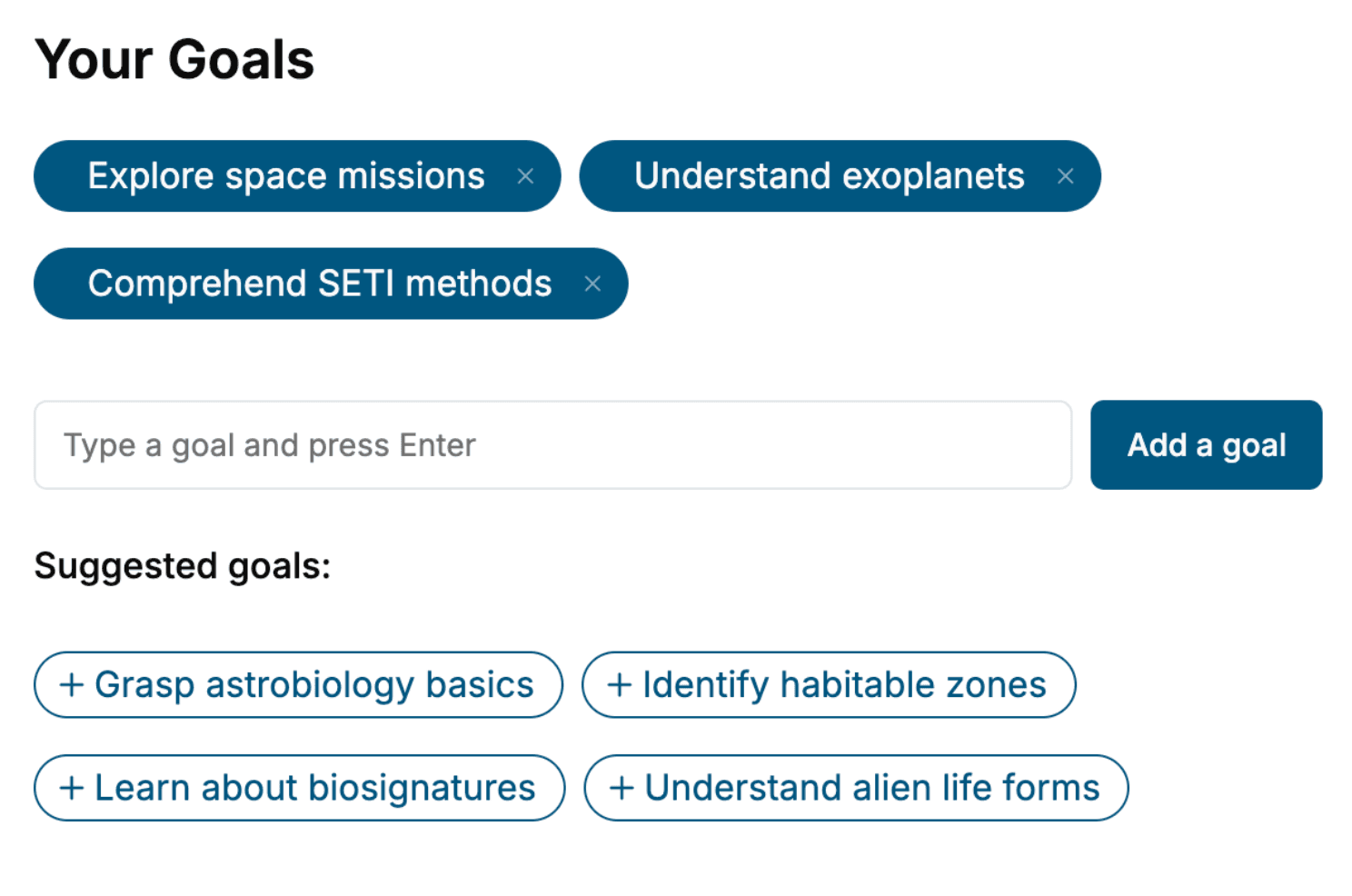
Tell us your goals and background, and get your own version of this book, tailored by AI to you.






Benefits of AI-tailored books
- Read one book, not ten:
- all the 3D Printing knowledge you need, gathered into a single book.
- Save days of learning:
- tell us your goals, choose your topics, and the whole book is built around them.
- Learn effortlessly:
- 3D Printing book written for your specific background and expertise.
- Understand at a glance:
- includes charts, tables, timelines, checklists, decision trees, and more.
- Stay current:
- written the day you order it, not years ago.
- Trust what you read:
- every book is checked for accuracy, with real research when your subject needs it.
Create your unique book in 3 steps
- 1. Select your focus
Select the focus of your 3D Printing book and share your background
- 2. Personalize your book
Specify your goals and choose sub-topics to include
- 3. Get your tailored book
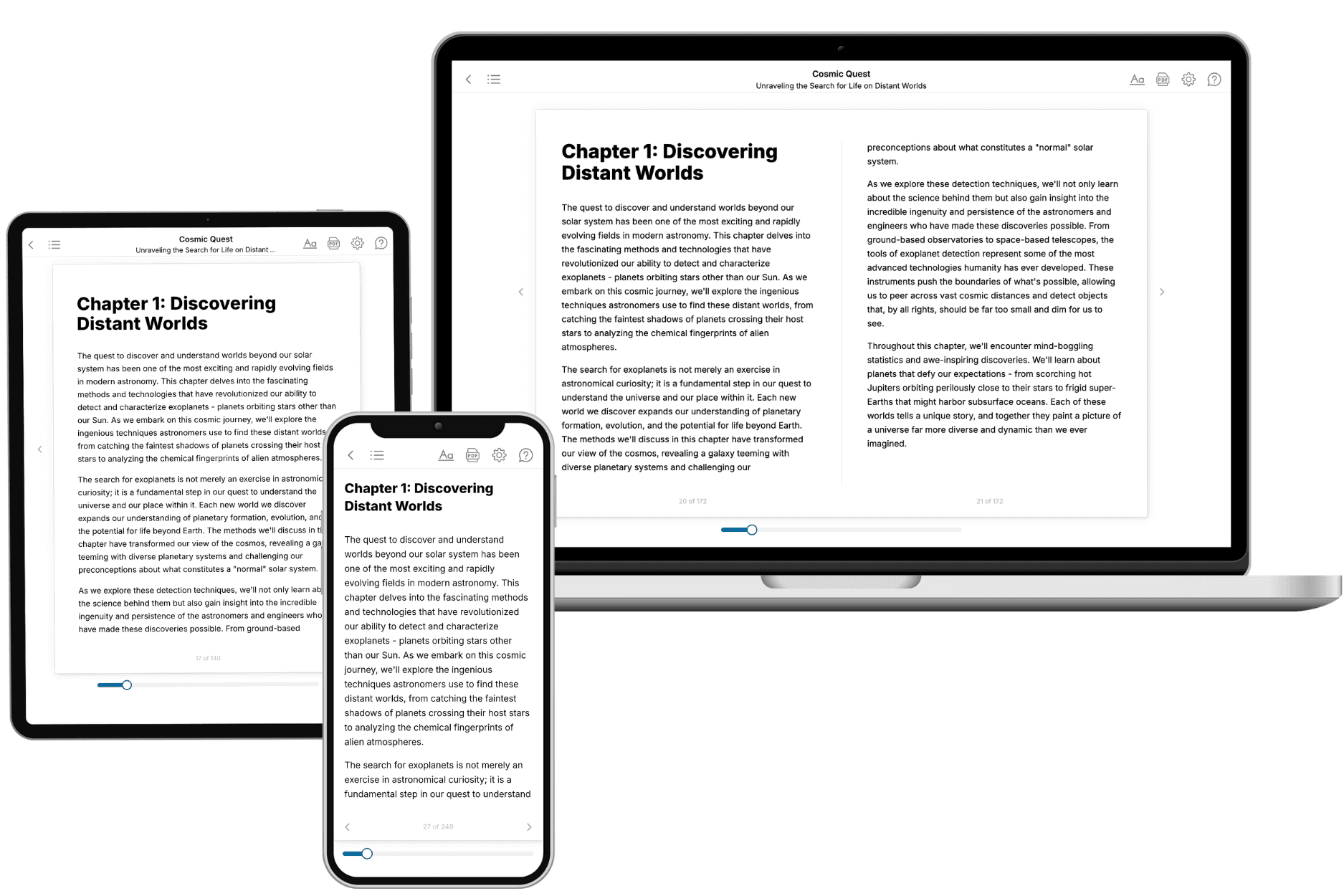
Your book is ready in 10 minutes. Read it online, download as EPUB or PDF, or send to Kindle.

Frequently asked questions
- What is TailoredRead?
TailoredRead creates complete, full-length nonfiction ebooks, written specifically for you. Tell us what you want to learn and why, and TailoredRead writes you a complete ebook on it, with charts, tables, and diagrams throughout. Read it online, on Kindle, or on any e-reader, or download it as a PDF or EPUB. Every book is written fresh the day you order it.
- How is the book tailored to me?
Before anything is written, you answer a few short questions about your goals, your background, and the topics you care about. Your book is then planned around your answers: written at your level, focused on your goals, and covering the topics you chose, instead of the one-size-fits-all book a store sells everyone.
- Will it read like generic AI content?
No. Your book isn't a chat transcript: it's planned chapter by chapter before a single word is written, told in a clear book voice, and explains ideas visually with charts, tables, and diagrams. After writing, every book goes through an editorial pass that polishes chapters so the book reads consistent from start to finish. Judge for yourself: browse thousands of sample books on our Explore Books page.
- How accurate is the content?
Our AI first checks whether your subject needs live research. Niche and fast-moving subjects are researched before writing, and the book plan and chapters are grounded in what it finds. After writing, every book goes through a quality pass that checks its facts and consistency, and researched books list their sources in a Notes section at the back.
- How long is the book?
You choose the length: Comprehensive (250-300 pages), Detailed (150-200 pages), Essential (70-100 pages), or Short (30-50 pages).
- Does the book include visuals?
Yes. Every book includes charts, tables, and diagrams: timelines, checklists, step-by-step guides, decision trees, comparison tables, matrices, and bar charts. A typical book includes dozens of these visual elements.
- Can I read it on Kindle? What formats can I download?
Yes. Every book can be read in our online reader or downloaded as a PDF or EPUB. The EPUB can be opened with Kindle, Apple Books, Kobo, and any e-reader. The Commercial and Author licenses also include an editable Word (DOCX) and Markdown download.
- How much does it cost?
About the price of a regular ebook. The exact price depends on your book's length and complexity, from $2 for the shortest books to $35 for the most comprehensive, and it's shown when you review your book, before you commit to anything. Each book is a one-time purchase, yours to keep, no subscription. Licenses that let you share, teach, or publish your book range from $35.99 to $49.99.
- Can I preview the book before purchasing?
Before you pay, you'll see what your book will cover: the title, a detailed description, the estimated length, and the complete chapter-by-chapter table of contents, so you know what you're getting before you decide. The full text itself is written after you purchase.
- How long does it take to create a book?
About 10 minutes. You can start reading the opening chapters while the rest is still being written.