Mastering Next.js Dynamic Imports
Build Faster, Smarter Applications with Code Splitting and Lazy Loading
Discover how to dramatically improve your Next.js application's performance by mastering dynamic imports.
176 pages8 chaptersJan 11, 2026Next.js
About this book
This practical guide walks you through implementing code splitting and lazy loading strategies that reduce bundle sizes and accelerate page load times. You'll learn when and how to use Next.js's dynamic() function, understand the technical mechanics behind module loading, and explore real-world patterns for optimizing both client-side and server-side rendering. Through hands-on examples and performance analysis techniques, you'll gain the skills to identify bottlenecks in your application and apply targeted dynamic import solutions. Whether you're building a small project or scaling a large application, this book provides the knowledge and confidence to make smart architectural decisions that keep your users happy and your applications fast.
Table of contents
- IntroductionWhy Performance Matters in Modern Web Development, What You'll Learn in This Book, How to Use This GuideRead below
- Chapter 1: Fundamentals of Module LoadingStatic Imports vs. Dynamic Imports, How Bundlers Process Your Code, Code Splitting Basics and Benefits
- Chapter 2: Next.js Dynamic Imports ExplainedUnderstanding the dynamic() Function, Server-Side Rendering Considerations, Implementing Loading States and Error Boundaries
- Chapter 3: Dynamic Component PatternsLazy Loading Components On-Demand, Conditional and Feature-Based Imports, Patterns for Modals, Drawers, and Overlays
- Chapter 4: Route-Based Code SplittingAutomatic Route-Based Code Splitting in Next.js, Optimizing Nested Routes and Layouts, Smart Prefetching Strategies
- Chapter 5: Advanced Dynamic Import TechniquesDynamic Imports with Named Exports, Webpack Magic Comments for Fine-Grained Control, Combining Dynamic Imports with SSR and SSG
- Chapter 6: Measuring and Analyzing PerformanceBundle Analysis Tools and Techniques, Monitoring Core Web Vitals, Identifying Optimization Opportunities
- Chapter 7: Real-World Implementation ExamplesE-Commerce Product Pages, Admin Dashboards and Data Visualization, Media-Heavy Applications
- Chapter 8: Best Practices and Common PitfallsWhen to Use Dynamic Imports (and When Not To), Avoiding Common Mistakes and Anti-Patterns, Testing Applications with Dynamic Imports
- ConclusionKey Takeaways and Next Steps, The Future of Code Splitting and Module Loading
- Appendix: Quick Reference GuideDynamic Import Syntax Reference, Next.js Configuration Options, Useful Resources and Further Learning
Introduction
Every second counts in web development. When a user clicks on your application, they expect an immediate response. Research shows that 53% of mobile users abandon sites that take longer than three seconds to load[1]. Yet many Next.js applications ship hundreds of kilobytes—sometimes megabytes—of JavaScript that users don't immediately need. Your homepage might load an entire charting library even though the charts only appear on a settings page. Your landing page might bundle a complex form validation library for a modal that most visitors never open. This unnecessary code bloats your initial bundle, slows down page loads, and frustrates users before they even interact with your application.
Dynamic imports offer a powerful solution to this problem. Instead of bundling everything upfront, you can split your code into smaller chunks and load them precisely when needed. Next.js makes this remarkably straightforward with its built-in dynamic() function, which handles the complexity of code splitting while maintaining compatibility with server-side rendering. When implemented strategically, dynamic imports can reduce your initial JavaScript bundle by 40-60%, dramatically improving load times and user experience. The technique isn't just about performance metrics—it's about creating applications that feel instant and responsive, even as they grow in complexity and feature set.
This book provides a comprehensive guide to mastering dynamic imports in Next.js applications. You'll move beyond basic tutorials to understand the underlying mechanics of module loading, learn when and how to apply dynamic imports effectively, and develop the skills to analyze and optimize your application's performance. Whether you're building a small project or maintaining a large-scale application, the patterns and techniques covered here will help you make informed architectural decisions that keep your bundles lean and your users happy. The goal isn't to dynamically import everything—it's to develop the judgment to know which parts of your application benefit most from lazy loading and which should remain in your initial bundle.
Why Performance Matters in Modern Web Development
Performance directly impacts every metric that matters for web applications. Conversion rates, user engagement, search rankings, and revenue all correlate strongly with load times. Amazon found that every 100ms of latency costs them 1% in sales[2]. Google discovered that increasing search results time by just half a second dropped traffic by 20%. These aren't isolated examples—study after study confirms that faster applications generate better business outcomes. When your application loads quickly, users stay longer, complete more actions, and return more frequently. Performance isn't a technical nicety; it's a fundamental requirement for success in competitive markets.
The performance challenge has intensified as applications have grown more complex. Modern web applications often include multiple third-party libraries, sophisticated UI components, analytics tools, and feature-rich functionality. A typical React application might bundle libraries for routing, state management, form handling, date manipulation, charts, animations, and dozens of other capabilities. Without careful optimization, these dependencies can easily balloon to several megabytes of JavaScript. Users on slower connections or less powerful devices experience this bloat most acutely, creating a performance gap that excludes significant portions of your potential audience.
JavaScript bundle size particularly impacts performance because browsers must download, parse, compile, and execute the code before your application becomes interactive. Unlike images that render progressively, JavaScript blocks interactivity until processing completes. A 500KB JavaScript bundle might take only two seconds to download on a fast connection, but parsing and compiling that code can add another two to three seconds on mid-range mobile devices. This creates a frustrating experience where users see content but can't interact with it—a phenomenon called the uncanny valley of web performance. Reducing bundle size through code splitting directly addresses this problem by minimizing the amount of JavaScript that must be processed before your application becomes usable.
Core Web Vitals have made performance even more critical by tying it directly to search rankings. Google now uses metrics like Largest Contentful Paint (LCP), First Input Delay (FID), and Cumulative Layout Shift (CLS) as ranking factors. Applications that load slowly or feel unresponsive get penalized in search results, reducing organic traffic. Dynamic imports help optimize these metrics by reducing the JavaScript that blocks initial rendering and interactivity. When you defer non-critical code, your application reaches meaningful paint and interactivity faster, directly improving the metrics that search engines measure.
The mobile-first reality of modern web development amplifies performance concerns. Over 60% of web traffic now comes from mobile devices, often on cellular connections with variable bandwidth and higher latency than broadband. Users in emerging markets may access your application on budget devices with limited processing power. A bundle size that feels acceptable on a desktop computer with fiber internet can be prohibitively slow on a mid-range phone over 3G. Performance optimization through dynamic imports isn't about shaving milliseconds for power users—it's about making your application accessible and usable for the majority of global internet users who don't have premium devices and connections.
Beyond user experience and business metrics, performance affects developer productivity and application maintainability. Large bundles slow down development builds, making the feedback loop between code changes and seeing results longer. They complicate debugging because more code means more potential interaction points and edge cases. Applications with poor performance characteristics often require extensive refactoring later, creating technical debt that compounds over time. By implementing dynamic imports from the start, you establish patterns that scale naturally as your application grows, preventing performance from becoming a crisis that requires emergency optimization efforts.
The competitive landscape makes performance a differentiator. When users have multiple options for similar functionality, they gravitate toward applications that feel faster and more responsive. Your application might have superior features, but if a competitor's loads in half the time, many users will never discover those features. Performance creates a first impression that colors the entire user experience. An application that loads instantly feels professional, polished, and trustworthy. One that stutters and delays feels unfinished and unreliable. In markets where user acquisition costs are high, losing potential customers to poor performance wastes marketing investment and opportunity.
Understanding why performance matters provides the motivation to invest time in optimization techniques like dynamic imports. The remainder of this book focuses on the how—the specific techniques, patterns, and strategies for implementing code splitting in Next.js applications. But the why should remain clear: performance optimization isn't premature optimization or unnecessary complexity. It's a fundamental aspect of building applications that succeed in real-world conditions with real users on real devices. Every kilobyte you defer loading is a fraction of a second you give back to your users, and those fractions accumulate into meaningful differences in experience and outcomes.
What You'll Learn in This Book
This book provides a structured path from fundamental concepts to advanced implementation patterns for dynamic imports in Next.js. You'll start by understanding how module loading works at a technical level, exploring the difference between static and dynamic imports and how bundlers like Webpack process your code. This foundation is essential because effective use of dynamic imports requires understanding what happens behind the scenes when you split code. You'll learn how JavaScript modules are resolved, bundled, and delivered to browsers, and how Next.js's build process transforms your code into optimized chunks that load on demand.
The core of the book focuses on practical implementation patterns using Next.js's dynamic() function. You'll learn how to lazy load React components, handle loading states gracefully, and implement error boundaries that catch failures during dynamic module loading. The book covers specific patterns for common scenarios:
- Loading heavy components like rich text editors or data visualization libraries only when users need them
- Implementing modals and drawers that don't bloat your initial bundle
- Conditionally loading features based on user permissions or feature flags
- Optimizing third-party library imports to minimize their impact on bundle size
- Combining dynamic imports with Next.js's server-side rendering capabilities
You'll develop skills in performance analysis and optimization. The book teaches you how to use bundle analysis tools to identify which parts of your application contribute most to bundle size, how to measure the impact of your optimization efforts, and how to monitor Core Web Vitals in production. You'll learn to read bundle visualizations, interpret performance metrics, and make data-driven decisions about where to apply dynamic imports. This analytical approach ensures you're optimizing the right things rather than prematurely splitting code that doesn't significantly impact performance.
Advanced chapters explore sophisticated techniques that go beyond basic component lazy loading. You'll learn about Webpack magic comments that give you fine-grained control over chunk naming and loading behavior. The book covers how to dynamically import named exports, not just default exports, and how to handle complex scenarios like importing multiple components from a single module. You'll discover how to combine dynamic imports with Next.js's static generation and server-side rendering features, ensuring your optimization strategies work correctly across different rendering modes.
Real-world case studies demonstrate how to apply dynamic imports to common application types. You'll see detailed examples of optimizing e-commerce product pages where heavy image galleries and review components can be deferred, admin dashboards where complex data visualization libraries should load on demand, and media-heavy applications where player components and editing tools benefit from lazy loading. These case studies include before-and-after performance metrics, showing the concrete impact of strategic code splitting on load times and user experience.
The book addresses testing and quality assurance for applications using dynamic imports. You'll learn how to write tests that account for asynchronous component loading, how to mock dynamic imports in test environments, and how to ensure your lazy-loaded components maintain the same functionality as statically imported ones. This coverage ensures that optimization doesn't come at the cost of reliability or maintainability. You'll also learn about common pitfalls and anti-patterns—situations where dynamic imports can actually harm performance or create worse user experiences than static imports.
Throughout the book, you'll build judgment about when to use dynamic imports and when to keep code in your main bundle. Not everything should be lazy loaded. Critical above-the-fold content, small utilities, and frequently used components often belong in the initial bundle. The book provides frameworks for making these decisions based on component size, usage frequency, and user interaction patterns. You'll learn to balance the benefits of smaller initial bundles against the costs of additional network requests and potential layout shifts during lazy loading.
By the end of this book, you'll have a comprehensive understanding of dynamic imports in Next.js and the confidence to implement them effectively in your applications. You'll know how to analyze your application's performance characteristics, identify optimization opportunities, implement appropriate code splitting strategies, and measure the results. More importantly, you'll develop the architectural thinking needed to build performant applications from the start, making smart decisions about module loading as your application grows and evolves. The techniques you learn here will serve you throughout your career as web applications continue to grow in complexity and performance expectations continue to rise.
How to Use This Guide
This book is structured to work both as a linear learning path and as a reference guide you can return to when facing specific optimization challenges. If you're new to dynamic imports or want a comprehensive understanding, read the chapters in order. Each chapter builds on concepts introduced in previous ones, creating a progression from fundamental principles to advanced techniques. The early chapters establish the mental models you need to understand how code splitting works, while later chapters apply those models to increasingly complex scenarios. This sequential approach ensures you develop both theoretical understanding and practical skills.
For experienced developers who already understand the basics, you can jump directly to chapters that address your current needs. Each chapter is relatively self-contained, with cross-references to related concepts in other sections. If you're specifically interested in optimizing route-based code splitting, Chapter 4 provides focused coverage of that topic. If you need to implement dynamic imports for a modal system, Chapter 3's component patterns will be most relevant. The appendix provides quick syntax references and configuration options that you can consult without reading the full chapters. This flexibility makes the book useful as an ongoing resource, not just a one-time read.
The code examples throughout the book use TypeScript and modern JavaScript syntax. All examples are complete and functional—you can copy them directly into your Next.js application and adapt them to your needs. The examples assume you're using Next.js 13 or later with the App Router, though most concepts apply to earlier versions with the Pages Router as well. Where significant differences exist between versions, the text explicitly notes them. You don't need to type out every example; the book's repository (referenced in the appendix) contains all code samples organized by chapter, allowing you to experiment with working implementations.
Each chapter includes practical exercises and optimization challenges that help you apply concepts to your own applications. These aren't abstract coding puzzles—they're realistic scenarios you'll encounter in production applications. After learning about component-level dynamic imports, for example, you'll work through identifying components in a sample application that would benefit from lazy loading. After covering performance analysis, you'll practice interpreting bundle visualizations and prioritizing optimization efforts. These exercises reinforce learning and help you develop the pattern recognition skills needed to spot optimization opportunities in your daily work.
The book emphasizes a pragmatic, results-oriented approach to optimization. Every technique includes discussion of when it's appropriate and when it's not. You'll find explicit guidance about tradeoffs—situations where dynamic imports add complexity without meaningful performance benefits, or where they might actually harm user experience. This balanced perspective helps you avoid the trap of over-optimization, where you spend time implementing sophisticated code splitting for components that don't significantly impact performance. The goal is to make you an effective optimizer, not just a knowledgeable one.
Performance metrics and benchmarks throughout the book provide concrete evidence of optimization impact. When the text claims that a particular technique can reduce bundle size by 40%, you'll see the actual before-and-after measurements from real applications. These metrics help you set realistic expectations for your own optimization efforts and provide baselines for comparison. However, the book also emphasizes that your specific results will vary based on your application's characteristics, your users' devices and connections, and your existing bundle composition. The metrics serve as guides, not guarantees.
As you work through the book, maintain a test application where you can experiment with the techniques covered. Ideally, use a real project you're currently developing or a representative sample of your typical work. This practical application context makes the concepts more concrete and helps you discover how dynamic imports fit into your existing development workflow. You'll encounter edge cases and integration challenges specific to your setup, and working through them will deepen your understanding beyond what reading alone provides. The book's examples provide starting points, but your own experimentation will cement the learning.
Finally, treat this book as the beginning of your performance optimization journey, not the end. Dynamic imports are one tool in a comprehensive performance strategy that also includes image optimization, caching, server-side rendering, and many other techniques. The appendix includes resources for further learning about related topics and staying current as Next.js and web performance best practices evolve. Web development moves quickly, and while the fundamental concepts in this book remain stable, specific APIs and tools will change. Use the principles and patterns you learn here as a foundation for continuous learning and adaptation as the ecosystem evolves.
This is the end of the free sample. The full book has 8 chapters.
Want this book written for you?
Tell us your goals and background, and get your own version of this book, tailored by AI to you.


Benefits of AI-tailored books
- Read one book, not ten:
- all the Next.js knowledge you need, gathered into a single book.
- Save days of learning:
- tell us your goals, choose your topics, and the whole book is built around them.
- Learn effortlessly:
- Next.js book written for your specific background and expertise.
- Understand at a glance:
- includes charts, tables, timelines, checklists, decision trees, and more.
- Stay current:
- written the day you order it, not years ago.
- Trust what you read:
- every book is checked for accuracy, with real research when your subject needs it.
Create your unique book in 3 steps
- 1. Select your focus
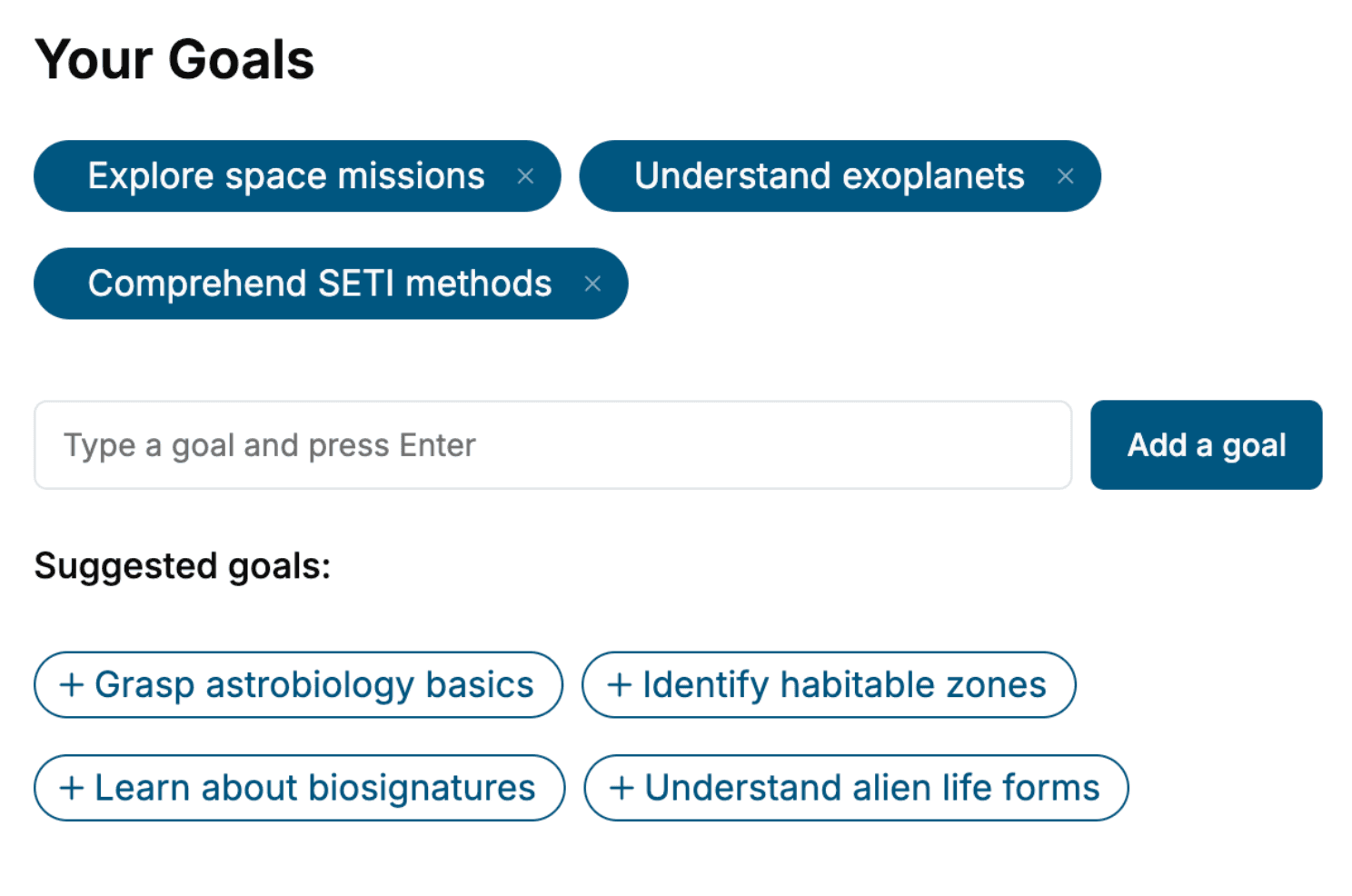
Select the focus of your Next.js book and share your background
- 2. Personalize your book
Specify your goals and choose sub-topics to include
- 3. Get your tailored book
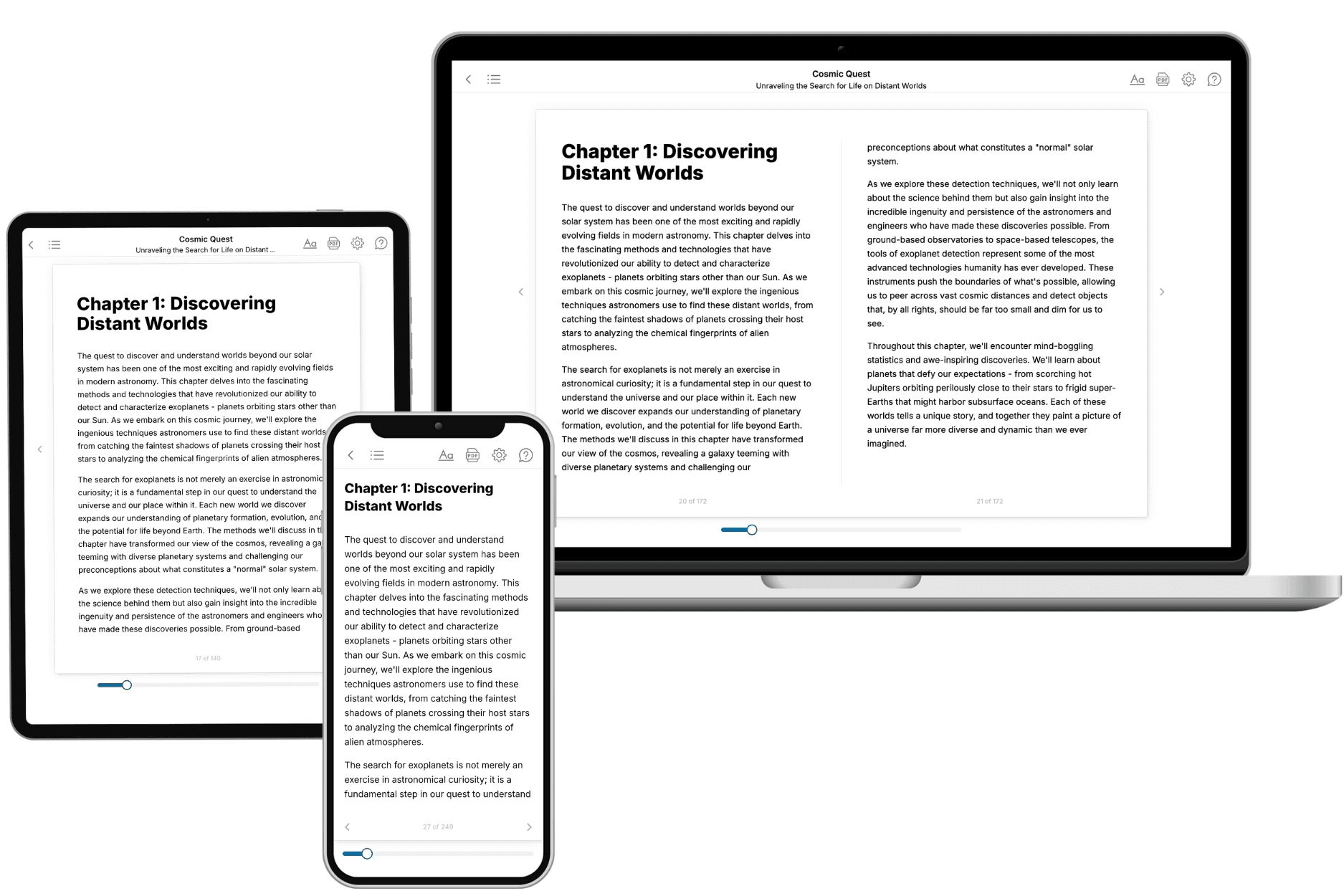
Your book is ready in 10 minutes. Read it online, download as EPUB or PDF, or send to Kindle.

Frequently asked questions
- What is TailoredRead?
TailoredRead creates complete, full-length nonfiction ebooks, written specifically for you. Tell us what you want to learn and why, and TailoredRead writes you a complete ebook on it, with charts, tables, and diagrams throughout. Read it online, on Kindle, or on any e-reader, or download it as a PDF or EPUB. Every book is written fresh the day you order it.
- How is the book tailored to me?
Before anything is written, you answer a few short questions about your goals, your background, and the topics you care about. Your book is then planned around your answers: written at your level, focused on your goals, and covering the topics you chose, instead of the one-size-fits-all book a store sells everyone.
- Will it read like generic AI content?
No. Your book isn't a chat transcript: it's planned chapter by chapter before a single word is written, told in a clear book voice, and explains ideas visually with charts, tables, and diagrams. After writing, every book goes through an editorial pass that polishes chapters so the book reads consistent from start to finish. Judge for yourself: browse thousands of sample books on our Explore Books page.
- How accurate is the content?
Our AI first checks whether your subject needs live research. Niche and fast-moving subjects are researched before writing, and the book plan and chapters are grounded in what it finds. After writing, every book goes through a quality pass that checks its facts and consistency, and researched books list their sources in a Notes section at the back.
- How long is the book?
You choose the length: Comprehensive (250-300 pages), Detailed (150-200 pages), Essential (70-100 pages), or Short (30-50 pages).
- Does the book include visuals?
Yes. Every book includes charts, tables, and diagrams: timelines, checklists, step-by-step guides, decision trees, comparison tables, matrices, and bar charts. A typical book includes dozens of these visual elements.
- Can I read it on Kindle? What formats can I download?
Yes. Every book can be read in our online reader or downloaded as a PDF or EPUB. The EPUB can be opened with Kindle, Apple Books, Kobo, and any e-reader. The Commercial and Author licenses also include an editable Word (DOCX) and Markdown download.
- How much does it cost?
About the price of a regular ebook. The exact price depends on your book's length and complexity, from $2 for the shortest books to $35 for the most comprehensive, and it's shown when you review your book, before you commit to anything. Each book is a one-time purchase, yours to keep, no subscription. Licenses that let you share, teach, or publish your book range from $35.99 to $49.99.
- Can I preview the book before purchasing?
Before you pay, you'll see what your book will cover: the title, a detailed description, the estimated length, and the complete chapter-by-chapter table of contents, so you know what you're getting before you decide. The full text itself is written after you purchase.
- How long does it take to create a book?
About 10 minutes. You can start reading the opening chapters while the rest is still being written.