Mastering SolidWorks Assemblies
Build Complex 3D Models with Confidence and Precision
Create professional-grade assemblies that work the first time.
207 pages11 chaptersMay 26, 2026SolidWorks
About this book
This comprehensive guide takes you beyond basic part insertion to show you how experienced engineers structure, constrain, and optimize complex multi-part designs in SolidWorks. You'll learn proven workflows for organizing assemblies, mastering mate relationships, managing performance, and preparing designs for manufacturing. Whether you're designing mechanical systems, consumer products, or industrial equipment, you'll discover practical techniques for handling hundreds of parts, creating design variations, and communicating your vision clearly. Each chapter builds on real-world scenarios, showing you not just how to use assembly tools, but when and why to use them. By the end, you'll approach assembly design with the confidence and efficiency of a seasoned professional, delivering higher-quality designs in less time.
Table of contents
- IntroductionWhy Assemblies Matter in Professional Design, What You'll Learn in This Book, How to Use This Guide EffectivelyRead below
- Chapter 1: Assembly Fundamentals and StructureUnderstanding Assembly Basics, Organizing Files and Folder Structures, Navigating the Assembly Interface, Best Practices for Assembly Setup
- Chapter 2: Inserting and Managing PartsAdding Parts to Your Assembly, Understanding Part Properties and References, Managing Multiple Components Efficiently, Handling External References and Dependencies
- Chapter 3: Mastering Mates and ConstraintsExploring All Mate Types and Their Applications, Coincident, Parallel, and Perpendicular Mates, Distance and Angle Mates for Precise Positioning, Advanced Mates: Tangent, Symmetric, and Width
- Chapter 4: Motion and Mechanical MatesMechanical Mates for Realistic Motion, Gear and Cam Mates for Complex Mechanisms, Creating Hinge Joints and Rotating Components, Troubleshooting Motion and Constraint Conflicts
- Chapter 5: Optimizing Assembly PerformanceUnderstanding Performance Bottlenecks, Using Lightweight Components and Suppression, Smart Reference Geometry for Efficiency, Strategies for Managing Large Assemblies
- Chapter 6: Top-Down Design WorkflowsUnderstanding Top-Down Design Philosophy, Creating and Using Skeleton Files, In-Context Editing and Part Creation, Capturing Design Intent in Assemblies
- Chapter 7: Configurations and Design VariationsCreating and Managing Configurations, Using Design Tables for Multiple Variants, Suppression Strategies for Variants, Best Practices for Configuration Management
- Chapter 8: Visualization and Design CommunicationCreating Compelling Exploded Views, Building Presentations and Animations, Rendering and Advanced Visualization, Preparing Assemblies for Documentation
- Chapter 9: Simulation and Motion AnalysisCreating Motion Studies and Animations, Collision Detection and Interference Checking, Basic Simulation for Assembly Validation, Analyzing and Interpreting Simulation Results
- Chapter 10: Advanced Assembly TechniquesStructuring Sub-Assemblies Effectively, Mirroring and Patterning Components, Using Smart Fasteners and Toolbox, Custom Properties and Metadata Management
- Chapter 11: Collaboration and Workflow ManagementCollaborating on Assemblies with Teams, File Management and Version Control, Pack and Go for Sharing and Archiving, Design Review and Feedback Processes
- ConclusionKey Takeaways for Assembly Mastery, Your Path Forward
Introduction
There is a moment that almost every SolidWorks user recognizes. You have been building individual parts with growing confidence, getting comfortable with sketches, features, and dimensions. Then someone hands you a project with thirty, fifty, or two hundred components that all need to fit together, move correctly, and survive a design review. Suddenly, the skills that felt solid start to feel thin. That gap between knowing how to model a part and knowing how to build a working assembly is exactly what this book is designed to close.
Assemblies are where product design becomes real. A single part is a building block, but an assembly is the actual product. It is where tolerances interact, where motion either works or binds, and where a small organizational mistake early on can cascade into hours of rework later. Professional engineers do not just insert parts and add mates. They think about structure, naming, reference geometry, and design intent before they place a single component. That kind of thinking is what separates a functional assembly from a fragile one.
This book is built around the way experienced engineers actually work, not just the way the software is documented. Each chapter focuses on a specific layer of assembly mastery, from the fundamentals of file organization and mate types all the way through top-down design workflows, performance optimization, and simulation. The goal is not to walk you through every menu option in SolidWorks. The goal is to give you a clear, practical framework for making smart decisions at every stage of the assembly process, so your designs come together faster, hold up under scrutiny, and are easier for others to understand and build on.
Whether you are designing a mechanical linkage, a consumer product enclosure, or a piece of industrial equipment, the principles in this book apply. The tools change depending on the complexity of your project, but the underlying logic stays consistent. By the time you finish, you will not just know more commands. You will think differently about how assemblies are structured, and that shift in thinking is what makes the real difference in professional-grade work.
Why Assemblies Matter in Professional Design
Most products that get manufactured are not single parts. They are collections of components that must fit together precisely, function reliably, and be assembled by someone on a production floor who was not involved in the design. The assembly model is the bridge between a designer's intent and a finished product. When that bridge is built well, manufacturing goes smoothly. When it is built poorly, problems show up at the worst possible time, usually after tooling has been cut or parts have been ordered.
Consider a simple example: a hinged enclosure for an electronic device. The enclosure has a base, a lid, two hinge pins, a latch mechanism, and a set of mounting bosses for a PCB. Each part might be straightforward on its own. But in the assembly, the hinge pin diameter must match the hinge bore, the lid must clear the PCB when it opens, the latch must engage at the right position, and the mounting boss heights must align with the board's standoff holes. None of those relationships exist in any single part file. They only exist in the assembly, and managing them correctly is what assembly modeling is all about.
Professional engineers use assemblies to validate designs before anything gets built. Interference checking catches overlapping geometry that would make parts impossible to assemble. Motion studies reveal whether a mechanism actually moves the way it was intended to. Exploded views communicate assembly sequences to manufacturing teams. These are not optional extras. They are core parts of a professional design workflow, and they all depend on having a well-structured, accurately constrained assembly model.
The stakes get higher as complexity increases. A small assembly with five parts is forgiving. A large assembly with three hundred parts is not. In large assemblies, poor file organization causes broken references. Redundant mates create conflicts that are hard to diagnose. Overly detailed components slow the software to a crawl. Engineers who understand how to structure assemblies from the start avoid these problems entirely. Those who do not spend a significant portion of their time fixing them instead of designing.
There is also a collaboration dimension that matters enormously in professional settings. Assemblies are rarely built by one person working alone. Multiple engineers may work on different sub-assemblies simultaneously. Suppliers provide component models that need to be integrated. Drafters create drawings from the assembly. All of these workflows depend on consistent naming conventions, clean file structures, and well-documented design intent. An assembly that only makes sense to the person who built it is a liability, not an asset.
A real-world example: A mechanical engineering team at a mid-sized equipment manufacturer reduced their design revision cycle by roughly 30% after standardizing their assembly file structure and mate strategy. The change was not about learning new tools. It was about applying consistent discipline to the tools they already had. The lesson is straightforward: good assembly habits compound over time, and the investment pays off on every project that follows.
Understanding why assemblies matter is the first step toward taking them seriously as a discipline. It is easy to treat assembly modeling as a secondary skill, something you pick up after mastering part modeling. But in professional product development, the assembly is often the primary deliverable. Parts exist to serve the assembly, not the other way around. Keeping that perspective in mind will shape how you approach every technique covered in this book.
Finally, assemblies matter because they are where design intent lives. A part can be dimensioned in many ways and still look the same. But an assembly captures relationships: this face is always flush with that face, this shaft always rotates about this axis, this gap is always 2mm regardless of how the surrounding parts change. Encoding those relationships correctly means your design responds intelligently to changes. Encoding them poorly means every change becomes a manual repair job. The difference between those two outcomes is what this book is fundamentally about.
What You'll Learn in This Book
This book covers the full spectrum of assembly modeling in SolidWorks, from foundational structure to advanced techniques used in professional engineering environments. It is organized so that each chapter builds on the one before it, but it is also designed so you can jump to specific topics when you need a focused reference. Here is a clear picture of what each major area covers and why it matters to your development as an assembly modeler.
The first section of the book focuses on structure and organization. Chapter 1 covers assembly fundamentals, including how SolidWorks manages assembly files, how the FeatureManager tree works, and how to set up a clean file and folder structure from the start. Chapter 2 goes deeper into inserting and managing parts, covering how to handle external references, manage component properties, and keep your assembly tree readable as it grows. These chapters lay the groundwork that everything else depends on.
The next section dives into mates and constraints, which are the core language of assembly modeling. Chapter 3 covers all standard mate types in detail, with specific guidance on when to use each one and common mistakes to avoid. Chapter 4 extends this into mechanical mates and motion, showing you how to model gear pairs, cam followers, hinges, and other mechanisms that actually move. Together, these two chapters give you complete control over how components relate to each other in three-dimensional space.
From there, the book moves into performance and workflow. Chapter 5 addresses one of the most practical challenges in professional assembly work: keeping large assemblies fast and responsive. You will learn how to use lightweight components, suppression, and smart reference geometry to maintain performance without sacrificing accuracy. Chapter 6 introduces top-down design, a workflow where you define the overall assembly structure before creating individual parts. This approach is widely used in professional settings because it ensures design intent is captured at the system level, not just the part level.
The middle section of the book covers design variations and communication. Chapter 7 explains configurations and design tables, which allow you to manage multiple product variants from a single assembly file. This is essential for product families, size variants, and modular designs. Chapter 8 covers visualization and communication, including exploded views, animations, and rendering. These tools transform your technical model into something that stakeholders, manufacturing teams, and customers can actually understand and act on.
The final section addresses simulation, advanced techniques, and collaboration. Chapter 9 covers motion studies and basic simulation, showing you how to validate your assembly's behavior before committing to manufacturing. Chapter 10 introduces advanced techniques including sub-assembly structuring, component patterning, smart fasteners, and metadata management. Chapter 11 closes the book with collaboration and workflow management, covering file sharing, version control, and design review processes that keep teams aligned on complex projects.
Across all of these chapters, the emphasis is on practical application. Every concept is illustrated with specific examples drawn from real assembly scenarios. You will see not just what a tool does, but when a professional would choose to use it and what the consequences of using it incorrectly look like. The goal is to give you both the knowledge and the judgment to make good decisions independently, not just to follow instructions.
By the end of this book, you will be able to:
- Set up assembly files and folder structures that scale cleanly to complex projects
- Apply the right mate types to achieve precise, stable component relationships
- Model mechanisms with realistic motion using mechanical mates
- Optimize large assemblies for performance without losing design fidelity
- Use top-down design workflows to capture system-level intent before building parts
- Manage multiple product variants efficiently using configurations and design tables
- Create exploded views, animations, and renderings that communicate your design clearly
- Run motion studies and interference checks to validate designs before manufacturing
- Collaborate effectively on shared assemblies using professional file management practices
These are not beginner skills. They are the capabilities that define a competent, professional assembly modeler. If you already have a foundation in SolidWorks part modeling and basic assembly concepts, this book will take you to the next level in a structured, practical way.
How to Use This Guide Effectively
This book is designed to work in two ways. You can read it cover to cover as a structured learning path, building your skills progressively from fundamentals to advanced techniques. Or you can use it as a targeted reference, jumping to specific chapters when you encounter a particular challenge in your work. Both approaches are valid, and the book is structured to support either one. That said, if you are new to assembly modeling at a professional level, reading the first four chapters in order will give you a much stronger foundation for everything that follows.
As you work through each chapter, the most important thing you can do is practice alongside the reading. SolidWorks is a hands-on tool. Reading about mates is useful, but actually applying a width mate to a real component and watching it constrain correctly is what makes the concept stick. For each major technique covered, try to find or create a simple assembly where you can apply it immediately. You do not need a complex project to practice. A few basic parts that let you experiment with the concept are enough to build genuine understanding.
Pay particular attention to the examples and scenarios throughout each chapter. These are not decorative. They are chosen to illustrate the specific situations where a technique is most valuable and where common mistakes tend to occur. When you see a scenario that resembles something in your own work, that is a signal to slow down and engage with it carefully. The closer a scenario is to your actual design context, the more directly applicable the lesson will be.
Each chapter also includes guidance on what not to do, not just what to do. These cautionary notes are based on the kinds of errors that show up repeatedly in professional assembly work. Redundant mates, broken external references, and poorly named components are not exotic problems. They are common ones, and knowing what causes them is just as important as knowing the correct technique. When you see a warning or a "common mistake" callout, treat it as seriously as the positive instruction.
If you are using this book as a reference during an active project, here is a practical approach to navigating it efficiently:
- Identify the specific challenge you are facing, such as a performance problem, a mate conflict, or a need to create design variants.
- Go to the relevant chapter using the table of contents. Each chapter title is descriptive enough to point you in the right direction.
- Scan the subchapter headings to find the specific section that addresses your issue.
- Read the full subchapter rather than just skimming for a quick answer. Context matters in assembly modeling, and the surrounding explanation often contains the detail that makes the solution work correctly.
- Apply the technique in your assembly and note any differences between your situation and the example in the book. Adapting a technique to your specific context is a skill in itself.
One practical note about software versions: SolidWorks is updated annually, and specific menu locations or interface details may vary slightly between versions. The core concepts and workflows covered in this book are consistent across recent versions of SolidWorks, but if a specific menu item or dialog looks slightly different in your version, the underlying logic will still apply. Focus on understanding the concept, and the interface details will fall into place.[1]
It is also worth setting realistic expectations about the learning curve. Some of the techniques in this book, particularly top-down design and configuration management, require a shift in how you think about the design process, not just how you use specific tools. That kind of conceptual shift takes time and repetition to internalize. Do not be discouraged if a technique feels awkward the first time you apply it. Most professional engineers report that top-down design, for example, felt counterintuitive until they had used it on two or three real projects. After that, it becomes a natural part of how they approach complex assemblies.
Finally, use the structure of this book to build a personal reference system. As you work through chapters, note the techniques that are most relevant to your typical projects. Mark the sections you want to revisit. Build a short checklist of the setup steps you want to follow at the start of every new assembly. The engineers who get the most out of resources like this one are not the ones who read the most carefully. They are the ones who translate what they read into consistent habits. That translation is entirely in your hands, and it is the most important work you will do with this material.
The chapters ahead are dense with practical knowledge, but they are written to be clear and direct. There is no unnecessary complexity here. Every concept is explained in plain terms, every technique is grounded in real scenarios, and every recommendation is based on what actually works in professional practice. The path from where you are now to confident, efficient assembly modeling is a clear one. This book is your map for that journey.
Notes
Introduction
- 1. Dassault Systèmes releases annual updates to SolidWorks. Core assembly functionality including mates, configurations, and motion studies has remained conceptually consistent across versions 2019 through 2024, though UI refinements occur with each release.
This is the end of the free sample. The full book has 11 chapters.
Want this book written for you?
Tell us your goals and background, and get your own version of this book, tailored by AI to you.


Benefits of AI-tailored books
- Read one book, not ten:
- all the SolidWorks knowledge you need, gathered into a single book.
- Save days of learning:
- tell us your goals, choose your topics, and the whole book is built around them.
- Learn effortlessly:
- SolidWorks book written for your specific background and expertise.
- Understand at a glance:
- includes charts, tables, timelines, checklists, decision trees, and more.
- Stay current:
- written the day you order it, not years ago.
- Trust what you read:
- every book is checked for accuracy, with real research when your subject needs it.
Create your unique book in 3 steps
- 1. Select your focus
Select the focus of your SolidWorks book and share your background
- 2. Personalize your book
Specify your goals and choose sub-topics to include
- 3. Get your tailored book
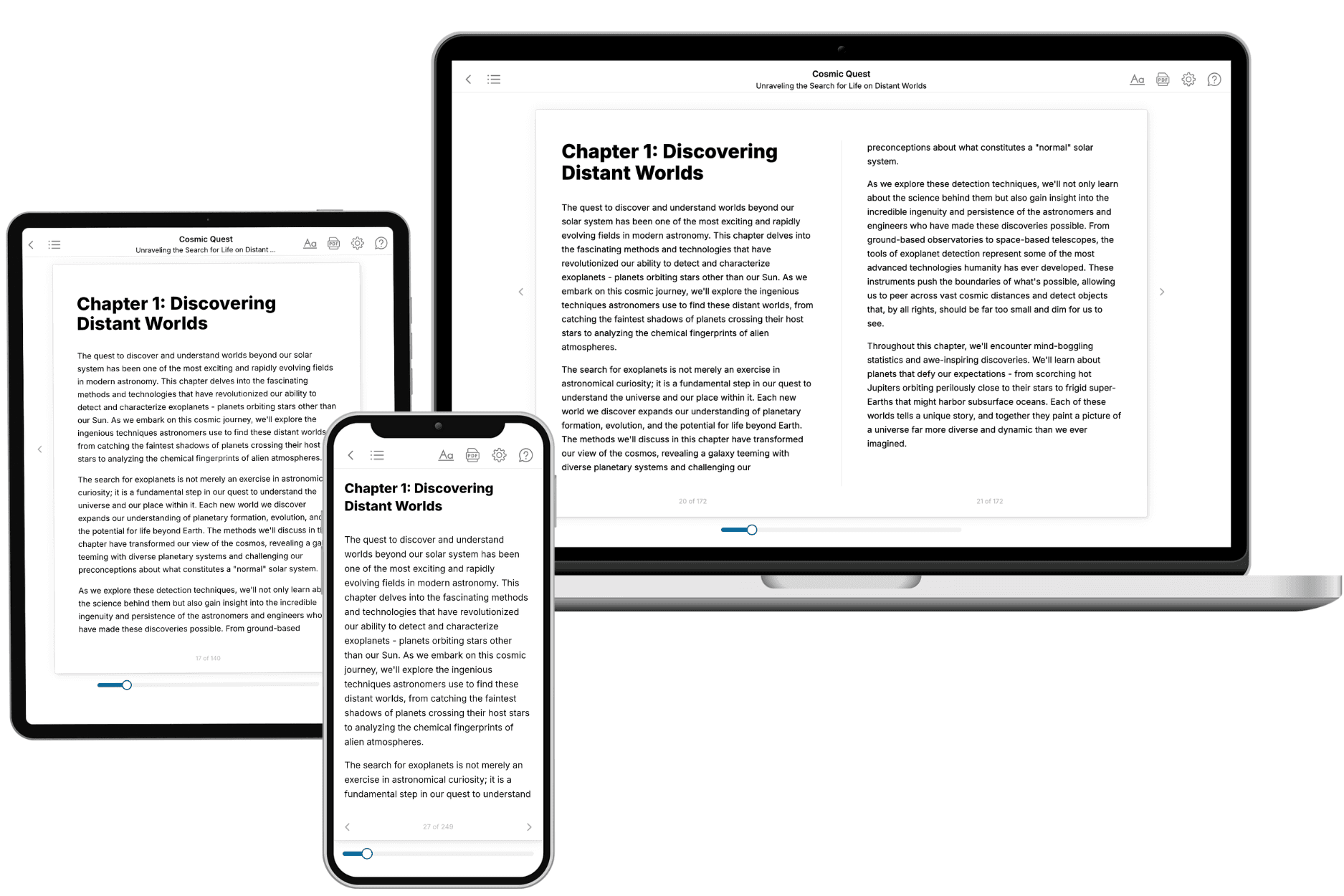
Your book is ready in 10 minutes. Read it online, download as EPUB or PDF, or send to Kindle.

Frequently asked questions
- What is TailoredRead?
TailoredRead creates complete, full-length nonfiction ebooks, written specifically for you. Tell us what you want to learn and why, and TailoredRead writes you a complete ebook on it, with charts, tables, and diagrams throughout. Read it online, on Kindle, or on any e-reader, or download it as a PDF or EPUB. Every book is written fresh the day you order it.
- How is the book tailored to me?
Before anything is written, you answer a few short questions about your goals, your background, and the topics you care about. Your book is then planned around your answers: written at your level, focused on your goals, and covering the topics you chose, instead of the one-size-fits-all book a store sells everyone.
- Will it read like generic AI content?
No. Your book isn't a chat transcript: it's planned chapter by chapter before a single word is written, told in a clear book voice, and explains ideas visually with charts, tables, and diagrams. After writing, every book goes through an editorial pass that polishes chapters so the book reads consistent from start to finish. Judge for yourself: browse thousands of sample books on our Explore Books page.
- How accurate is the content?
Our AI first checks whether your subject needs live research. Niche and fast-moving subjects are researched before writing, and the book plan and chapters are grounded in what it finds. After writing, every book goes through a quality pass that checks its facts and consistency, and researched books list their sources in a Notes section at the back.
- How long is the book?
You choose the length: Comprehensive (250-300 pages), Detailed (150-200 pages), Essential (70-100 pages), or Short (30-50 pages).
- Does the book include visuals?
Yes. Every book includes charts, tables, and diagrams: timelines, checklists, step-by-step guides, decision trees, comparison tables, matrices, and bar charts. A typical book includes dozens of these visual elements.
- Can I read it on Kindle? What formats can I download?
Yes. Every book can be read in our online reader or downloaded as a PDF or EPUB. The EPUB can be opened with Kindle, Apple Books, Kobo, and any e-reader. The Commercial and Author licenses also include an editable Word (DOCX) and Markdown download.
- How much does it cost?
About the price of a regular ebook. The exact price depends on your book's length and complexity, from $2 for the shortest books to $35 for the most comprehensive, and it's shown when you review your book, before you commit to anything. Each book is a one-time purchase, yours to keep, no subscription. Licenses that let you share, teach, or publish your book range from $35.99 to $49.99.
- Can I preview the book before purchasing?
Before you pay, you'll see what your book will cover: the title, a detailed description, the estimated length, and the complete chapter-by-chapter table of contents, so you know what you're getting before you decide. The full text itself is written after you purchase.
- How long does it take to create a book?
About 10 minutes. You can start reading the opening chapters while the rest is still being written.