Mastering Swing Timers
Elevate Your Java GUI Applications with Precise Timing Control
Are your Java Swing applications lacking that smooth, responsive feel?
269 pages14 chaptersJan 7, 2025Java
About this book
Imagine creating GUIs that react precisely when you want them to, animations that flow seamlessly, and background tasks that execute flawlessly without freezing your interface. "Mastering Swing Timers" is your key to unlocking the full potential of timing in Java GUI development. This book takes you on a deep dive into the world of Swing Timers, revealing how these powerful tools can revolutionize your approach to building dynamic, interactive applications. You'll discover how to harness the full capabilities of Swing Timers to create more engaging user experiences, optimize performance, and solve common timing-related challenges in GUI development. From basic concepts to advanced techniques, "Mastering Swing Timers" covers everything you need to know to become proficient in this essential aspect of Java Swing programming. You'll learn how to implement smooth animations, schedule recurring tasks, handle user input with precision, and create responsive interfaces that users will love. Whether you're building desktop applications, games, or complex visualization tools, this book will equip you with the knowledge and skills to take your Java Swing projects to the next level. Get ready to transform your static GUIs into dynamic, time-aware masterpieces that stand out in the world of software development.
Table of contents
- IntroductionThe Importance of Timing in GUI Applications, Overview of Swing Timers, How This Book Is StructuredRead below
- Chapter 1: Fundamentals of Java SwingSwing Architecture Overview, The Event Dispatch Thread (EDT), Basic Swing Components, Layout Managers in Swing
- Chapter 2: Introduction to Swing TimersWhat Are Swing Timers?, Types of Swing Timers, Timers vs. Threads, Common Use Cases for Swing Timers
- Chapter 3: Creating and Configuring Swing TimersThe Timer Constructor, Setting Up ActionListeners, Configuring Timer Properties, Setting Initial Delay
- Chapter 4: Controlling Swing TimersStarting and Stopping Timers, Restarting and Resetting Timers, Adjusting Timer Delay, One-Time Timer Execution
- Chapter 5: Handling Timer EventsThe actionPerformed Method, Event Handling Best Practices, Working with Multiple Listeners, Creating Custom Timer Events
- Chapter 6: Basic Animation with Swing TimersPrinciples of Animation in Swing, Creating Simple Movement, Implementing Color Transitions, Basic Sprite Animation
- Chapter 7: Advanced Animation TechniquesImplementing Easing Functions, Creating Particle Systems, Keyframe Animation, Basic Physics Simulation
- Chapter 8: Enhancing UI ResponsivenessImplementing Progress Indicators, Managing Background Tasks, Providing Timely User Feedback, Input Debouncing with Timers
- Chapter 9: Game Development with Swing TimersImplementing a Basic Game Loop, Timer-Based Collision Detection, Scorekeeping and Time Tracking, Managing Game States with Timers
- Chapter 10: Data Visualization and Swing TimersCreating Real-Time Charts, Handling Periodic Data Updates, Implementing Smooth Data Transitions, Building Interactive Visualizations
- Chapter 11: Performance OptimizationEfficient Use of Swing Timers, Memory Management Considerations, Minimizing CPU Usage, Using Profiling Tools for Optimization
- Chapter 12: Error Handling and DebuggingCommon Swing Timer Errors, Proper Exception Handling in Timers, Debugging Techniques for Timer Issues, Logging and Monitoring Timer Behavior
- Chapter 13: Best Practices and Design PatternsEffective Timer Management Strategies, Integrating Timers in MVC Architecture, Designing for Testability, Organizing Timer-Related Code
- Chapter 14: Advanced Topics in Swing TimersCreating Custom Timer Implementations, Timer Synchronization Techniques, Timers in Distributed Systems, Future Developments in Java Timing
- ConclusionKey Takeaways, Future Learning Paths
- AppendixSwing Timer API Reference, Sample Projects and Code Snippets
Introduction
Welcome to "Mastering Swing Timers: Elevate Your Java GUI Applications with Precise Timing Control." This book is designed to be your comprehensive guide to understanding and implementing Swing Timers in Java, a crucial skill for creating dynamic and responsive graphical user interfaces. As an intermediate Java developer with experience in Swing GUI development, you're about to embark on a journey that will significantly enhance your ability to create more sophisticated, efficient, and user-friendly applications.
In the world of software development, timing is everything. This is particularly true when it comes to creating graphical user interfaces that are not only functional but also engaging and responsive. Swing Timers are at the heart of this timing control in Java GUI applications, offering a powerful mechanism to schedule and execute tasks with precision. Whether you're looking to create smooth animations, implement background tasks, or simply improve the overall responsiveness of your application, mastering Swing Timers will provide you with the tools you need to take your Java GUI development skills to the next level.
Throughout this book, we'll explore the intricacies of Swing Timers, from basic concepts to advanced techniques. You'll learn how to leverage these tools to create applications that stand out in terms of performance, user experience, and code quality. By the end of this journey, you'll have a deep understanding of how to use Swing Timers effectively, enabling you to create Java applications that are not just functional, but truly exceptional.
The Importance of Timing in GUI Applications
In the realm of graphical user interfaces, timing plays a crucial role that often goes unnoticed by users but is fundamental to creating a smooth and responsive experience. Imagine a world where buttons take an eternity to respond, animations stutter and jerk, or background tasks freeze the entire application. Such an experience would quickly frustrate users and diminish the perceived quality of your software. This is where the importance of precise timing in GUI applications becomes evident.
Timing in GUI applications encompasses various aspects, from the responsiveness of user interactions to the smooth execution of animations and background tasks. It's the invisible conductor that orchestrates the symphony of user interface elements, ensuring that everything happens at just the right moment. Good timing can make an application feel snappy and professional, while poor timing can make even the most beautifully designed interface feel clunky and amateurish.
One of the primary areas where timing is critical is in user interaction. When a user clicks a button or selects an item from a menu, they expect an immediate response. Any delay between the action and the reaction can lead to a perception of sluggishness. Studies have shown that response times under 100 milliseconds are perceived as instantaneous by users, while delays of more than 1 second can break the user's flow of thought[1]. Implementing proper timing mechanisms ensures that your application can meet these stringent responsiveness requirements, providing a fluid and natural interaction experience.
Animations and visual effects are another area where timing is paramount. Smooth animations can greatly enhance the user experience, providing visual feedback and making the interface feel more dynamic and alive. However, poorly timed animations can have the opposite effect, appearing jarring or distracting. The human eye is incredibly sensitive to motion, and even slight inconsistencies in timing can be noticeable. By mastering timing control, you can create animations that are not only visually appealing but also serve to guide the user's attention and provide meaningful feedback about the state of the application.
Background tasks and data updates also rely heavily on proper timing. In many applications, there's a need to perform operations that shouldn't interfere with the main user interface thread. This could include fetching data from a server, performing complex calculations, or updating a progress bar. Without proper timing mechanisms, these tasks could cause the interface to freeze or become unresponsive. By implementing well-timed background operations, you can ensure that your application remains responsive even while performing intensive tasks.
Furthermore, timing is essential for creating efficient and performant applications. Poor timing can lead to unnecessary CPU usage, increased memory consumption, and even battery drain on mobile devices. By optimizing the timing of various operations, you can create applications that are not only responsive but also resource-efficient. This is particularly important in today's world, where users expect applications to be fast and efficient across a wide range of devices, from powerful desktop computers to resource-constrained mobile devices.
In the context of Java Swing applications, the importance of timing is amplified by the single-threaded nature of the Event Dispatch Thread (EDT). The EDT is responsible for handling all user interface events and updates, which means that any long-running operations on this thread can cause the entire application to become unresponsive. This is where Swing Timers come into play, offering a way to schedule and execute tasks without blocking the EDT, thus maintaining the responsiveness of the user interface.
Mastering timing in GUI applications also opens up possibilities for creating more advanced and interactive features. For instance, you can implement auto-save functionality that periodically saves user progress without interrupting their workflow. You can create dynamic data visualizations that update in real-time, providing users with live insights. You can even develop simple games or simulations that rely on precise timing for gameplay mechanics.
Moreover, good timing control contributes to the overall polish and professionalism of your application. It's often the subtle details that separate a good application from a great one. The way elements appear and disappear, the smoothness of transitions, and the responsiveness of controls all contribute to the user's perception of quality. By paying attention to these timing details, you can create applications that not only function well but also provide a delightful user experience.
As we delve deeper into the world of Swing Timers throughout this book, keep in mind the critical role that timing plays in creating exceptional GUI applications. The skills you'll learn will enable you to craft interfaces that are not just functional, but truly responsive, efficient, and enjoyable to use. With a solid understanding of timing principles and the tools to implement them effectively, you'll be well-equipped to take your Java Swing applications to new heights of quality and user satisfaction.
Overview of Swing Timers
Swing Timers are a fundamental component of the Java Swing toolkit, designed to address the critical need for precise timing control in graphical user interfaces. At their core, Swing Timers provide a mechanism for scheduling one or more tasks to be executed at specified intervals or after a delay. This capability is essential for creating dynamic, responsive, and efficient GUI applications. Before we dive into the intricacies of implementing and using Swing Timers, it's important to understand their basic structure, purpose, and how they fit into the broader context of Java Swing development.
At a high level, a Swing Timer is an object that generates one or more action events after a specified delay. These action events can be used to trigger specific behaviors in your application, such as updating the user interface, performing background tasks, or controlling animations. The key feature of Swing Timers is that they operate within the Event Dispatch Thread (EDT), which is crucial for maintaining thread safety in Swing applications. This design ensures that timer-triggered actions don't interfere with the normal processing of user interface events, helping to prevent freezes or unresponsiveness in your application.
One of the primary advantages of using Swing Timers is their simplicity and integration with the Swing framework. Unlike traditional threading approaches, which can be complex and error-prone, Swing Timers provide a straightforward way to introduce time-based behaviors into your applications. They abstract away many of the complexities of multi-threading, allowing you to focus on the logic of your application rather than the intricacies of thread management. This simplicity makes Swing Timers an excellent choice for a wide range of timing-related tasks in GUI applications.
Swing Timers are particularly useful for implementing recurring tasks. For example, you might use a Swing Timer to update a clock display every second, refresh data from a server at regular intervals, or create animation effects by gradually changing the properties of UI components. The ability to easily set up and control these recurring tasks is one of the key strengths of Swing Timers. You can start, stop, restart, and adjust the timing of these tasks programmatically, giving you fine-grained control over when and how often your timed actions occur.
Another important aspect of Swing Timers is their flexibility. While they are designed to work seamlessly with Swing components, they can be used in conjunction with any Java code that needs to be executed at timed intervals. This versatility makes them useful not just for UI-related tasks, but also for a variety of background operations that need to be performed periodically. For instance, you could use a Swing Timer to implement a simple auto-save feature in a text editor, or to periodically check for new messages in a chat application.
It's worth noting that Swing Timers are not intended for precise real-time operations or for tasks that require extremely high accuracy. While they are generally reliable for most GUI-related timing needs, their events are dispatched on the EDT, which can sometimes lead to slight variations in timing due to other UI processing tasks. For applications that require millisecond-level precision or real-time guarantees, other Java timing mechanisms might be more appropriate. However, for the vast majority of GUI applications, Swing Timers provide more than sufficient accuracy and reliability.
In terms of implementation, Swing Timers are part of the javax.swing package and are represented by the javax.swing.Timer class. Creating a basic Swing Timer involves specifying a delay (in milliseconds) and an ActionListener that defines what should happen when the timer "fires." This simple structure makes it easy to get started with Swing Timers, even for developers who are new to the concept of timed events in GUI programming.
As we progress through this book, you'll learn how to leverage the full power of Swing Timers to create more sophisticated and responsive applications. You'll discover how to fine-tune timer behavior, handle multiple timers efficiently, and integrate timer-based functionality seamlessly into your Swing applications. From basic usage to advanced techniques, mastering Swing Timers will provide you with a valuable tool in your Java GUI development toolkit.
It's important to understand that while Swing Timers are powerful, they are just one part of the larger ecosystem of Java GUI development. They work in concert with other Swing components and concepts, such as layouts, event handling, and custom painting. As you explore Swing Timers, you'll also gain insights into how they interact with these other elements, enabling you to create more cohesive and well-structured applications.
In the following chapters, we'll delve deeper into the specifics of working with Swing Timers. You'll learn about different types of timers, how to create and configure them, best practices for timer management, and advanced techniques for leveraging timers in complex GUI scenarios. By the end of this journey, you'll have a comprehensive understanding of how to use Swing Timers effectively, enabling you to create Java applications that are not just functional, but truly dynamic and responsive.
How This Book Is Structured
"Mastering Swing Timers" is designed to take you on a comprehensive journey through the world of timing control in Java GUI applications. The book is structured to provide a logical progression from fundamental concepts to advanced techniques, ensuring that you build a solid foundation before tackling more complex topics. This approach allows you to gradually develop your skills and understanding, with each chapter building upon the knowledge gained in previous sections.
We begin with an exploration of the fundamentals of Java Swing in Chapter 1, "Fundamentals of Java Swing." This chapter serves as a refresher for those already familiar with Swing and provides essential context for newcomers. It covers key concepts such as the Swing architecture, the Event Dispatch Thread (EDT), basic Swing components, and layout managers. Understanding these foundational elements is crucial for effectively implementing and working with Swing Timers.
Chapter 2, "Introduction to Swing Timers," dives into the core subject of this book. Here, you'll learn what Swing Timers are, the different types available, and how they compare to other timing mechanisms in Java. This chapter sets the stage for the more detailed explorations that follow, providing you with a clear understanding of why and when to use Swing Timers in your applications.
The next few chapters focus on the practical aspects of working with Swing Timers. Chapter 3, "Creating and Configuring Swing Timers," walks you through the process of setting up timers in your applications. You'll learn about the Timer constructor, how to set up ActionListeners, and how to configure various timer properties. Chapter 4, "Controlling Swing Timers," builds on this knowledge, teaching you how to start, stop, restart, and adjust timers programmatically. These chapters provide the hands-on skills you need to begin implementing timers in your own projects.
As you progress, the book delves into more advanced topics. Chapter 5, "Handling Timer Events," explores the intricacies of event handling in the context of Swing Timers. You'll learn best practices for managing timer events and how to create custom events for more complex scenarios. Chapters 6 and 7 focus on animation, with "Basic Animation with Swing Timers" covering fundamental animation techniques, and "Advanced Animation Techniques" exploring more sophisticated approaches like easing functions and particle systems.
The middle section of the book addresses practical applications of Swing Timers in various contexts. Chapter 8, "Enhancing UI Responsiveness," shows you how to use timers to create more dynamic and responsive interfaces. Chapter 9, "Game Development with Swing Timers," explores how timers can be used in creating simple games, while Chapter 10, "Data Visualization and Swing Timers," demonstrates techniques for creating real-time data visualizations.
As we approach the latter part of the book, the focus shifts to optimization and best practices. Chapter 11, "Performance Optimization," provides insights into making your timer-based code more efficient. Chapter 12, "Error Handling and Debugging," equips you with the skills to troubleshoot common issues when working with Swing Timers. Chapter 13, "Best Practices and Design Patterns," offers guidance on how to structure your code for maintainability and scalability when working with timers.
The book concludes with Chapter 14, "Advanced Topics in Swing Timers," which explores cutting-edge techniques and future developments in Java timing. This chapter is designed to inspire you to push the boundaries of what's possible with Swing Timers and to prepare you for emerging trends in GUI development.
Throughout the book, you'll find practical examples, code snippets, and exercises that reinforce the concepts being discussed. These hands-on elements are crucial for solidifying your understanding and helping you apply what you've learned to real-world scenarios. The book also includes case studies and real-world applications, demonstrating how Swing Timers are used in professional software development.
Each chapter is designed to be self-contained, allowing you to focus on specific areas of interest or to work through the book sequentially. However, the chapters are also interconnected, with later sections building upon concepts introduced earlier. This structure allows for both targeted learning and a comprehensive understanding of Swing Timers as you progress through the book.
In addition to the main content, you'll find an appendix that serves as a quick reference guide. This includes a comprehensive API reference for Swing Timers and a collection of sample projects and code snippets that you can use as starting points for your own development.
By structuring the book in this way, our goal is to provide you with a learning experience that is both comprehensive and practical. Whether you're looking to understand the basics of Swing Timers or to master advanced techniques, this book is designed to meet your needs and help you become proficient in creating dynamic, responsive Java GUI applications.
As you work through the chapters, remember that mastering Swing Timers is not just about understanding the API or memorizing code patterns. It's about developing an intuition for when and how to use timers effectively in your applications. The structure of this book is designed to help you build that intuition, providing you with the knowledge and skills to create truly exceptional Java Swing applications.
Notes
Introduction
- 1. J. Nielsen, Usability Engineering, Morgan Kaufmann, 1993
This is the end of the free sample. The full book has 14 chapters.
Want this book written for you?
Tell us your goals and background, and get your own version of this book, tailored by AI to you.


Benefits of AI-tailored books
- Read one book, not ten:
- all the Java knowledge you need, gathered into a single book.
- Save days of learning:
- tell us your goals, choose your topics, and the whole book is built around them.
- Learn effortlessly:
- Java book written for your specific background and expertise.
- Understand at a glance:
- includes charts, tables, timelines, checklists, decision trees, and more.
- Stay current:
- written the day you order it, not years ago.
- Trust what you read:
- every book is checked for accuracy, with real research when your subject needs it.
Create your unique book in 3 steps
- 1. Select your focus
Select the focus of your Java book and share your background
- 2. Personalize your book
Specify your goals and choose sub-topics to include
- 3. Get your tailored book
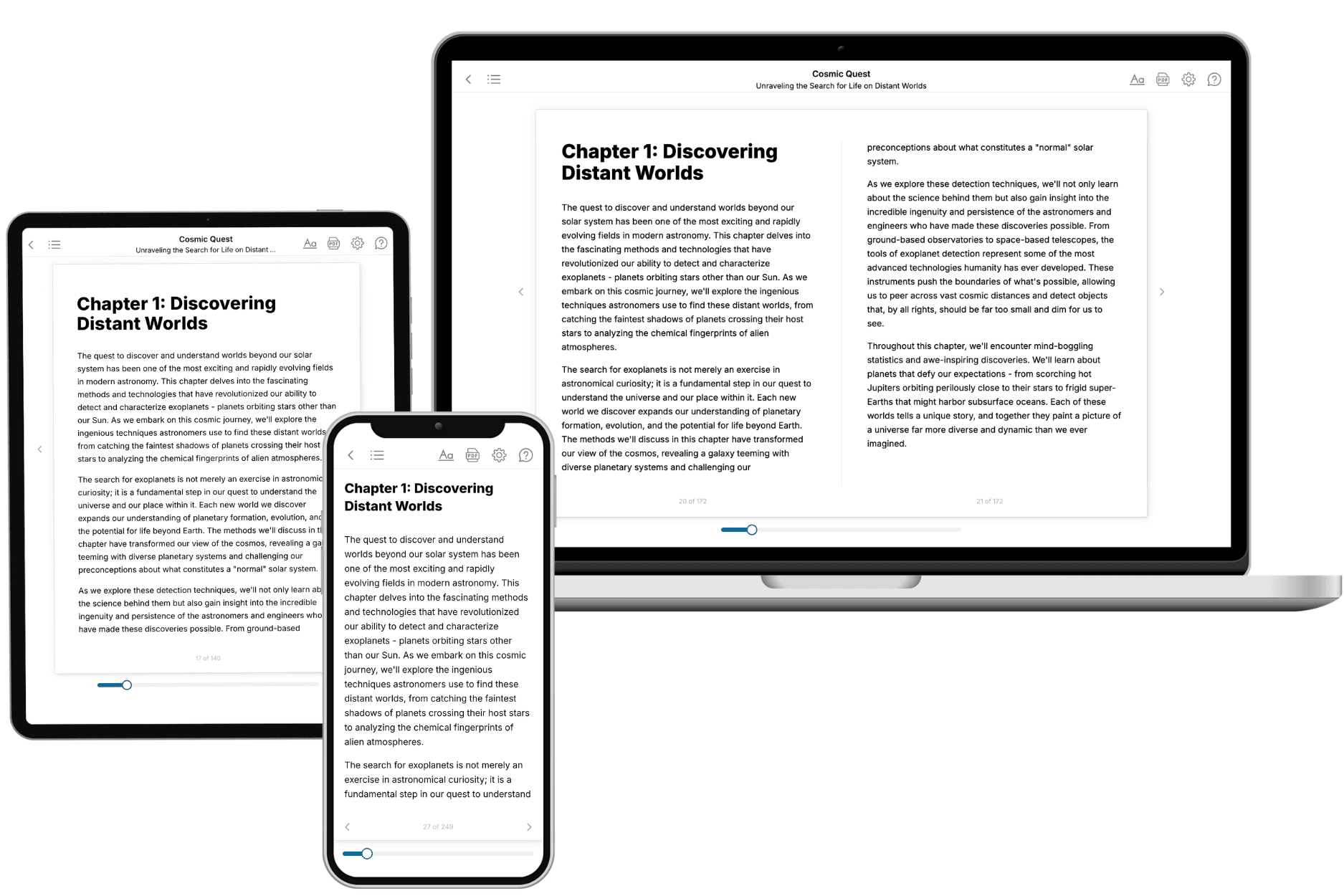
Your book is ready in 10 minutes. Read it online, download as EPUB or PDF, or send to Kindle.
Frequently asked questions
- What is TailoredRead?
TailoredRead creates complete, full-length nonfiction ebooks, written specifically for you. Tell us what you want to learn and why, and TailoredRead writes you a complete ebook on it, with charts, tables, and diagrams throughout. Read it online, on Kindle, or on any e-reader, or download it as a PDF or EPUB. Every book is written fresh the day you order it.
- How is the book tailored to me?
Before anything is written, you answer a few short questions about your goals, your background, and the topics you care about. Your book is then planned around your answers: written at your level, focused on your goals, and covering the topics you chose, instead of the one-size-fits-all book a store sells everyone.
- Will it read like generic AI content?
No. Your book isn't a chat transcript: it's planned chapter by chapter before a single word is written, told in a clear book voice, and explains ideas visually with charts, tables, and diagrams. After writing, every book goes through an editorial pass that polishes chapters so the book reads consistent from start to finish. Judge for yourself: browse thousands of sample books on our Explore Books page.
- How accurate is the content?
Our AI first checks whether your subject needs live research. Niche and fast-moving subjects are researched before writing, and the book plan and chapters are grounded in what it finds. After writing, every book goes through a quality pass that checks its facts and consistency, and researched books list their sources in a Notes section at the back.
- How long is the book?
You choose the length: Comprehensive (250-300 pages), Detailed (150-200 pages), Essential (70-100 pages), or Short (30-50 pages).
- Does the book include visuals?
Yes. Every book includes charts, tables, and diagrams: timelines, checklists, step-by-step guides, decision trees, comparison tables, matrices, and bar charts. A typical book includes dozens of these visual elements.
- Can I read it on Kindle? What formats can I download?
Yes. Every book can be read in our online reader or downloaded as a PDF or EPUB. The EPUB can be opened with Kindle, Apple Books, Kobo, and any e-reader. The Commercial and Author licenses also include an editable Word (DOCX) and Markdown download.
- How much does it cost?
About the price of a regular ebook. The exact price depends on your book's length and complexity, from $2 for the shortest books to $35 for the most comprehensive, and it's shown when you review your book, before you commit to anything. Each book is a one-time purchase, yours to keep, no subscription. Licenses that let you share, teach, or publish your book range from $35.99 to $49.99.
- Can I preview the book before purchasing?
Before you pay, you'll see what your book will cover: the title, a detailed description, the estimated length, and the complete chapter-by-chapter table of contents, so you know what you're getting before you decide. The full text itself is written after you purchase.
- How long does it take to create a book?
About 10 minutes. You can start reading the opening chapters while the rest is still being written.