Mastering System Center Operations Manager
A Practical Guide to Monitoring, Managing, and Optimizing Your Windows Server Infrastructure
Many organizations deploy System Center Operations Manager only to struggle with configuration complexity, alert overload, and underutilized capabilities.
238 pages11 chaptersJun 16, 2026Devops
About this book
This practical guide cuts through the confusion and shows you how to build a monitoring solution that actually works for your business. You'll learn how to architect SCOM for your specific environment, deploy agents efficiently, create meaningful rules and monitors, and integrate monitoring into your DevOps workflow. Whether you're managing a small Windows Server environment or a large enterprise infrastructure, this book provides step-by-step guidance, real-world examples, and proven strategies for maximizing SCOM's potential. Discover how to reduce alert noise, improve incident response times, and gain the operational visibility that transforms reactive firefighting into proactive management. From initial planning through advanced optimization, you'll have the knowledge to implement SCOM confidently and deliver measurable business value.
Table of contents
- IntroductionWhy System Center Operations Manager Matters, What You'll Learn in This Book, How to Use This GuideRead below
- Chapter 1: Understanding System Center Operations Manager FundamentalsSCOM Architecture and Core Components, Management Groups and Hierarchies, SCOM vs. Other Monitoring Solutions
- Chapter 2: Planning Your SCOM DeploymentAssessing Your Current Environment, Defining Clear Monitoring Objectives, Capacity Planning and Sizing, Designing Your Management Group Structure
- Chapter 3: Installing and Configuring SCOMPrerequisites and System Requirements, Step-by-Step Installation Process, Post-Installation Configuration and Optimization
- Chapter 4: Agent Deployment and ManagementUnderstanding Agent Architecture and Types, Deploying Agents at Scale, Agent Maintenance and Troubleshooting, Agentless Monitoring Strategies
- Chapter 5: Discovery and Monitoring ScopeUnderstanding the Discovery Process, Configuring Discovery Rules and Patterns, Managing Discovery Scope and Exclusions
- Chapter 6: Creating Rules and MonitorsUnderstanding Rules vs. Monitors, Building Effective Rules for Data Collection, Designing Monitors for Health State Management, Alert Tuning and Reducing False Positives
- Chapter 7: Management Packs and CustomizationManagement Pack Fundamentals, Importing and Configuring Management Packs, Creating Custom Management Packs
- Chapter 8: Reporting and DashboardingSCOM Reporting Capabilities and Tools, Building Custom Reports for Stakeholders, Creating Effective Dashboards and Views
- Chapter 9: Performance Tuning and OptimizationDatabase Optimization and Maintenance, SCOM Performance Tuning Best Practices, Scaling Your SCOM Environment
- Chapter 10: Integration with DevOps and CloudIntegrating SCOM into DevOps Workflows, Monitoring Hybrid and Cloud Environments, Automation and Orchestration Integration
- Chapter 11: Alerting, Notifications, and Incident ResponseConfiguring Alerts and Notification Channels, Notification Strategies and Escalation, Incident Response and Remediation
- ConclusionKey Takeaways for Your SCOM Journey, Next Steps and Continuous Improvement
- Glossary
- Further Reading and Resources
Introduction
Every IT team has a version of the same story. Servers go down in the middle of the night, and nobody finds out until users start calling the help desk the next morning. Or alerts fire constantly, dozens per hour, until the team learns to ignore them entirely. Or management asks for a report on infrastructure health, and the honest answer is that nobody really knows. These are not signs of a bad team. They are signs of a monitoring gap, and that gap is exactly what System Center Operations Manager is built to close.
System Center Operations Manager, commonly known as SCOM, is Microsoft's enterprise-grade monitoring platform for Windows Server environments. It gives IT teams real-time visibility into the health, performance, and availability of servers, applications, and services across an entire infrastructure. When it is configured well, SCOM transforms the way a team operates. Problems get caught before users notice them. Trends get spotted before they become outages. And the people responsible for keeping systems running can finally shift from reactive firefighting to proactive management.
The challenge is that SCOM is a powerful and complex platform. Many organizations install it, connect a few servers, and then find themselves overwhelmed by alert noise, confused by management packs, or unsure how to make the data meaningful. The tool gets blamed for being difficult, when the real issue is that nobody had a clear plan for how to use it. This book exists to change that outcome. It is a practical, step-by-step guide that takes you from understanding SCOM's foundations all the way through advanced optimization, integration, and reporting.
Whether you are deploying SCOM for the first time or inheriting an existing implementation that needs serious work, this guide meets you where you are. The goal is not to cover every feature in exhaustive technical detail. The goal is to give you the knowledge, frameworks, and real-world examples you need to build a monitoring solution that actually delivers value to your organization. By the time you finish this book, you will have a clear picture of how to make SCOM work for your specific environment, your team, and your business.
Why System Center Operations Manager Matters
Modern IT infrastructure is not simple. Even a mid-sized organization might run hundreds of Windows servers, dozens of applications, multiple databases, and a mix of on-premises and cloud workloads. Each of those components can fail, degrade, or behave unexpectedly. Without a centralized monitoring platform, the only way to know something is wrong is when someone reports a problem. That reactive model is expensive, stressful, and entirely avoidable.
The business case for monitoring is straightforward. Unplanned downtime costs organizations real money. According to research from Gartner, the average cost of IT downtime is approximately $5,600 per minute, though this varies significantly by industry and organization size.[1] Even if your environment is smaller and the financial stakes are lower, the operational cost of unplanned outages, including staff time, user productivity loss, and reputational damage, adds up quickly. A well-configured monitoring platform like SCOM pays for itself by catching problems early and enabling faster resolution.
SCOM matters specifically because it is purpose-built for Windows Server environments. While there are many monitoring tools available, SCOM integrates deeply with Microsoft's ecosystem. It understands Windows services, Active Directory, SQL Server, Exchange, IIS, and dozens of other Microsoft technologies out of the box. This native integration means you get meaningful, context-aware monitoring without having to build everything from scratch. Management packs, which are pre-built monitoring configurations, give you a head start on monitoring common workloads from day one.
Beyond basic availability monitoring, SCOM provides a health model that goes deeper than simple up-or-down checks. It tracks the internal state of components, correlates related events, and surfaces the root cause of problems rather than just the symptoms. For example, if a SQL Server database is running slowly because the underlying disk is under pressure, SCOM can surface both conditions and show how they relate. That kind of context dramatically reduces the time it takes to diagnose and resolve issues.
SCOM also serves as a central data collection point for performance metrics, event logs, and configuration data. This data feeds into reports and dashboards that give management and stakeholders a clear view of infrastructure health over time. Instead of answering questions about system reliability with guesswork, you can answer them with data. That shift from opinion to evidence changes how IT is perceived within an organization and strengthens the case for investment in infrastructure improvements.
For teams that are moving toward DevOps practices, SCOM fits into that model as well. It can integrate with ticketing systems, automation platforms, and cloud monitoring tools. Alerts can trigger automated remediation workflows. Monitoring data can inform deployment decisions. The platform is not just a passive observer; it can be an active participant in how your team responds to and manages change. That integration potential is one of the reasons SCOM remains relevant even as cloud-native monitoring tools have grown in popularity.
Finally, SCOM matters because visibility creates accountability. When everyone on the team can see the same health data, conversations about priorities become grounded in facts. When a server has been running at 95% CPU for three weeks, that is visible. When a service has had four outages in a month, that is visible too. Shared visibility leads to better decisions, faster escalations, and a culture where problems get addressed rather than ignored. That cultural shift is often the most underrated benefit of a well-implemented monitoring platform.
What You'll Learn in This Book
This book is organized to take you through the full lifecycle of a SCOM implementation, from initial planning through ongoing optimization. Each chapter builds on the previous one, but the structure also allows you to jump to specific topics if you are working on a particular challenge. Here is a clear picture of what each part of the book covers and what you will be able to do after reading it.
Chapter 1: Understanding SCOM Fundamentals lays the groundwork by explaining how SCOM is architected and what its core components do. You will learn what a management server is, how the operational database works, what agents do, and how all of these pieces fit together. You will also get a clear comparison of SCOM against other monitoring solutions, which helps you understand where SCOM excels and where other tools might complement it.
Chapter 2: Planning Your SCOM Deployment covers the critical work that happens before you install anything. This is where many implementations go wrong. Without a clear assessment of your environment and well-defined monitoring objectives, you end up with a deployment that is either too narrow to be useful or too broad to be manageable. This chapter walks you through capacity planning, sizing decisions, and how to design your management group structure for your specific scale and requirements.
Chapter 3: Installing and Configuring SCOM takes you through the actual installation process step by step. You will learn about prerequisites, system requirements, and the decisions you need to make during setup. The chapter also covers post-installation configuration, including the settings and optimizations that are easy to miss but make a significant difference in how well SCOM performs from day one.
Chapters 4 and 5 cover agent deployment and discovery. You will learn how to deploy agents efficiently across large environments, how to handle systems that cannot run agents, and how to configure discovery rules so that SCOM finds and monitors the right things without creating unnecessary noise. These chapters include practical guidance on managing discovery scope and handling exclusions.
Chapters 6 and 7 get into the heart of SCOM's monitoring capabilities. You will learn the difference between rules and monitors, how to build effective data collection rules, and how to design monitors that accurately reflect the health of your systems. Chapter 7 covers management packs in depth, including how to import and configure existing packs and how to create custom ones for applications and services that do not have off-the-shelf coverage.
The following chapters address the areas that turn a functional SCOM deployment into a genuinely valuable one:
- Chapter 8 covers reporting and dashboarding, showing you how to build reports and views that communicate infrastructure health to different audiences, from technical teams to business stakeholders.
- Chapter 9 focuses on performance tuning and optimization, including database maintenance, SCOM-specific tuning, and strategies for scaling as your environment grows.
- Chapter 10 explores integration with DevOps workflows and cloud environments, including hybrid monitoring scenarios and automation integration.
- Chapter 11 covers alerting, notifications, and incident response, giving you frameworks for reducing alert noise and improving how your team responds when something goes wrong.
Throughout the book, you will find concrete examples drawn from real-world scenarios. For instance, Chapter 6 includes a worked example of tuning a monitor for Windows Event Log alerts that was generating over 200 false positives per day in a production environment, and how a few targeted adjustments reduced that to fewer than five meaningful alerts per week. These kinds of specific, practical examples are woven throughout the book because theory without application is not enough.
By the end of this book, you will be able to design and deploy a SCOM environment that fits your organization's scale, configure monitoring that is meaningful rather than noisy, build reports that stakeholders actually find useful, and integrate SCOM into broader IT operations and DevOps workflows. You will also have a solid foundation for ongoing optimization as your environment evolves.
How to Use This Guide
This book is designed to be useful in more than one way. If you are starting a new SCOM deployment from scratch, reading it cover to cover in order is the best approach. Each chapter builds on the concepts introduced in the previous one, and the planning chapters in particular will save you significant rework later if you read them before touching any configuration. The sequence mirrors the natural lifecycle of a SCOM implementation.
If you are working with an existing SCOM environment, you can use this book as a reference and jump directly to the chapters most relevant to your current challenges. The table of contents is detailed enough to help you find specific topics quickly. For example, if your primary pain point right now is alert overload, Chapter 6's section on alert tuning and Chapter 11's coverage of notification strategies are the places to start. If your SCOM databases are growing out of control, Chapter 9 on performance tuning and database optimization is where you need to go.
Each chapter follows a consistent structure that makes it easy to extract actionable guidance. Concepts are introduced with enough context to understand why they matter, followed by practical steps and real-world examples. Key terms are highlighted in bold when they are first introduced, and important warnings or notes are called out clearly. This structure means you can skim a chapter to get the main points and then return to specific sections when you are ready to implement.
The book assumes you have intermediate familiarity with Windows Server environments. You should be comfortable with concepts like Active Directory, Windows services, SQL Server basics, and general networking. You do not need to be a SCOM expert to start, but some prior exposure to enterprise IT administration will help you get the most out of the material. If you encounter a term you are not familiar with, the glossary at the back of the book covers all key SCOM-specific terminology.
Practical exercises and configuration examples are included throughout the book. These are not abstract exercises. They are based on the kinds of tasks you will actually perform in a real SCOM environment. Where specific configuration values or settings are shown, they represent reasonable starting points for typical environments, but you should always validate them against your own infrastructure's requirements. Every environment is different, and good monitoring requires judgment, not just copy-and-paste configuration.
A note on versions: this book focuses on System Center Operations Manager 2019 and 2022, which represent the current mainstream deployment versions as of this writing. Most concepts and configurations apply across recent versions, but specific UI elements or feature availability may vary slightly. Where version-specific differences are significant, they are called out explicitly.
One of the most common mistakes people make when learning a complex platform like SCOM is trying to configure everything at once. The better approach is to start with a focused scope, get that working well, and then expand. This book reflects that philosophy. The early chapters help you build a solid foundation, and the later chapters help you extend and optimize from that foundation. Resist the temptation to skip ahead to advanced topics before the basics are solid. A well-tuned basic configuration will serve you far better than a poorly implemented advanced one.
You will also notice that this book frequently addresses the "why" behind recommendations, not just the "what." Understanding why a particular approach works helps you adapt it to situations that do not exactly match the examples in the book. SCOM environments vary enormously in scale, complexity, and organizational context. The goal is to give you the understanding to make good decisions in your specific situation, not just to follow a script that may not fit your needs.
Finally, treat this book as a starting point rather than a final word. SCOM is a living platform that Microsoft continues to update, and the broader monitoring landscape continues to evolve. The principles and frameworks in this book are designed to remain relevant even as specific features change, but staying current with Microsoft's documentation and the SCOM community is important for long-term success. Resources for further reading and community engagement are listed at the back of the book to help you continue learning beyond these pages.
The path from a struggling SCOM deployment to a genuinely effective monitoring platform is not short, but it is well-defined. Every step in this book is a step in that direction. The investment you make in understanding and properly configuring SCOM will pay dividends in reduced downtime, faster incident response, and a clearer picture of your infrastructure's health. That is a worthwhile outcome, and this guide is here to help you reach it.
Notes
Introduction
- 1. Gartner, "The Cost of Downtime," Gartner Research. Note: Figures vary by organization size and sector, 2014
This is the end of the free sample. The full book has 11 chapters.
Want this book written for you?
Tell us your goals and background, and get your own version of this book, tailored by AI to you.


Benefits of AI-tailored books
- Read one book, not ten:
- all the Devops knowledge you need, gathered into a single book.
- Save days of learning:
- tell us your goals, choose your topics, and the whole book is built around them.
- Learn effortlessly:
- Devops book written for your specific background and expertise.
- Understand at a glance:
- includes charts, tables, timelines, checklists, decision trees, and more.
- Stay current:
- written the day you order it, not years ago.
- Trust what you read:
- every book is checked for accuracy, with real research when your subject needs it.
Create your unique book in 3 steps
- 1. Select your focus
Select the focus of your Devops book and share your background
- 2. Personalize your book
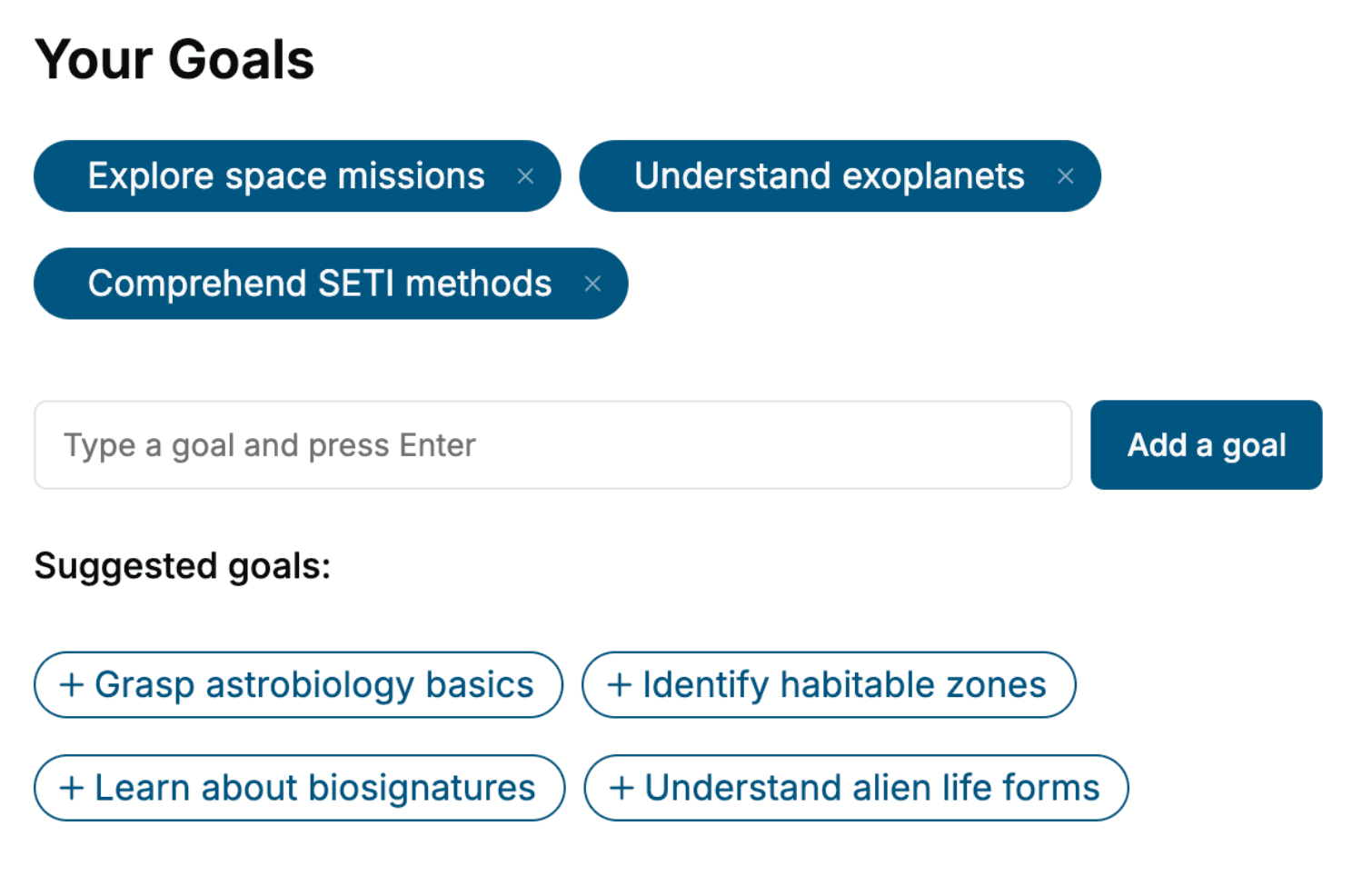
Specify your goals and choose sub-topics to include
- 3. Get your tailored book
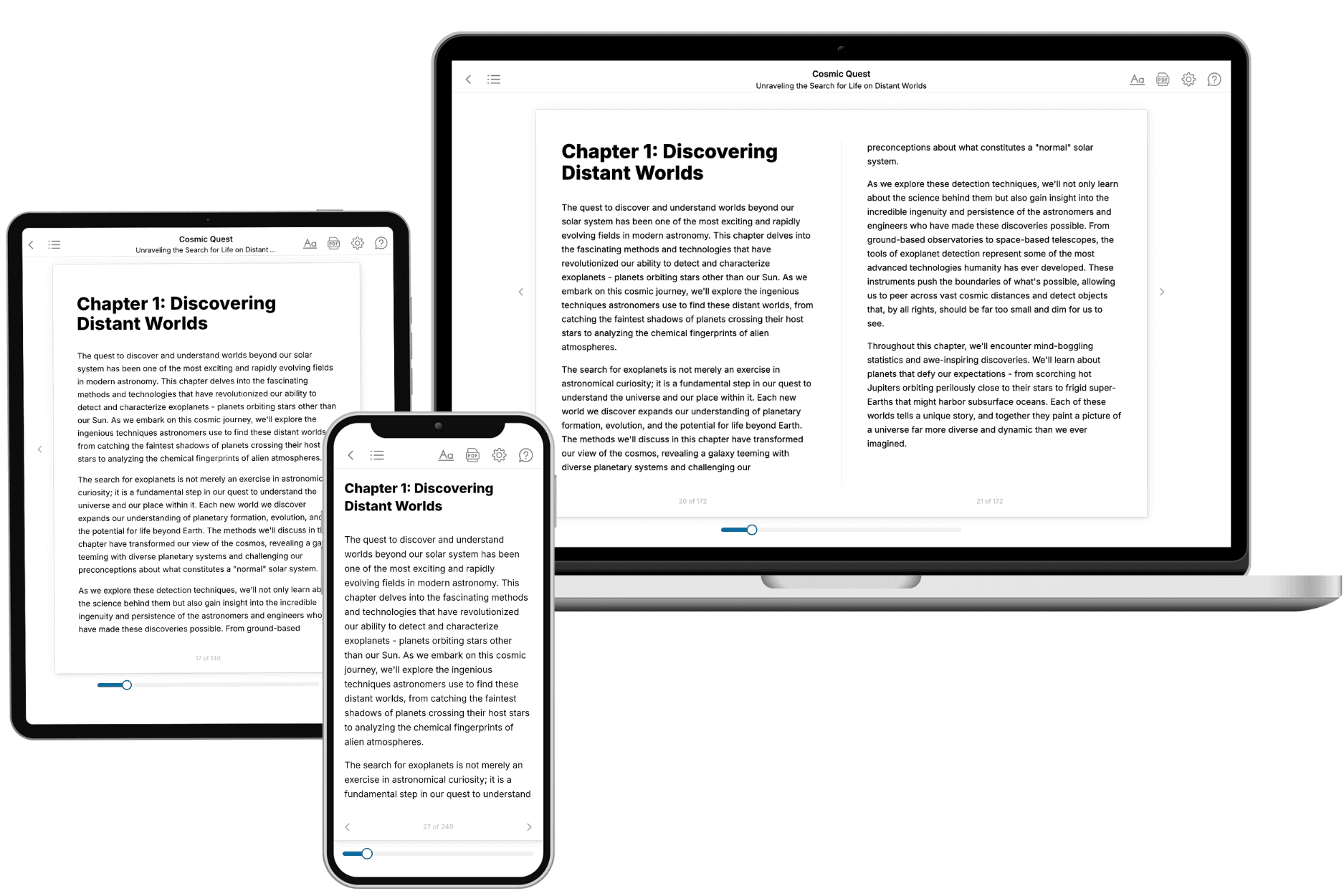
Your book is ready in 10 minutes. Read it online, download as EPUB or PDF, or send to Kindle.

Frequently asked questions
- What is TailoredRead?
TailoredRead creates complete, full-length nonfiction ebooks, written specifically for you. Tell us what you want to learn and why, and TailoredRead writes you a complete ebook on it, with charts, tables, and diagrams throughout. Read it online, on Kindle, or on any e-reader, or download it as a PDF or EPUB. Every book is written fresh the day you order it.
- How is the book tailored to me?
Before anything is written, you answer a few short questions about your goals, your background, and the topics you care about. Your book is then planned around your answers: written at your level, focused on your goals, and covering the topics you chose, instead of the one-size-fits-all book a store sells everyone.
- Will it read like generic AI content?
No. Your book isn't a chat transcript: it's planned chapter by chapter before a single word is written, told in a clear book voice, and explains ideas visually with charts, tables, and diagrams. After writing, every book goes through an editorial pass that polishes chapters so the book reads consistent from start to finish. Judge for yourself: browse thousands of sample books on our Explore Books page.
- How accurate is the content?
Our AI first checks whether your subject needs live research. Niche and fast-moving subjects are researched before writing, and the book plan and chapters are grounded in what it finds. After writing, every book goes through a quality pass that checks its facts and consistency, and researched books list their sources in a Notes section at the back.
- How long is the book?
You choose the length: Comprehensive (250-300 pages), Detailed (150-200 pages), Essential (70-100 pages), or Short (30-50 pages).
- Does the book include visuals?
Yes. Every book includes charts, tables, and diagrams: timelines, checklists, step-by-step guides, decision trees, comparison tables, matrices, and bar charts. A typical book includes dozens of these visual elements.
- Can I read it on Kindle? What formats can I download?
Yes. Every book can be read in our online reader or downloaded as a PDF or EPUB. The EPUB can be opened with Kindle, Apple Books, Kobo, and any e-reader. The Commercial and Author licenses also include an editable Word (DOCX) and Markdown download.
- How much does it cost?
About the price of a regular ebook. The exact price depends on your book's length and complexity, from $2 for the shortest books to $35 for the most comprehensive, and it's shown when you review your book, before you commit to anything. Each book is a one-time purchase, yours to keep, no subscription. Licenses that let you share, teach, or publish your book range from $35.99 to $49.99.
- Can I preview the book before purchasing?
Before you pay, you'll see what your book will cover: the title, a detailed description, the estimated length, and the complete chapter-by-chapter table of contents, so you know what you're getting before you decide. The full text itself is written after you purchase.
- How long does it take to create a book?
About 10 minutes. You can start reading the opening chapters while the rest is still being written.