Mastering Unity Tile Maps
Build Dynamic 2D Worlds with Confidence and Control
Create stunning 2D game worlds that run smoothly across all platforms.
191 pages9 chaptersMay 12, 2026Game Development
About this book
This comprehensive guide takes you from tile map fundamentals to advanced optimization techniques, equipping you with the knowledge to build anything from classic platformers to expansive roguelikes. You'll master the Tile Map component system, learn how to layer and organize complex environments, integrate physics seamlessly, and implement procedural generation for infinite worlds. Discover performance optimization strategies that keep your games running at 60 FPS, explore animation and visual effects that bring tiles to life, and unlock advanced techniques for dynamic environments. Whether you're building your first tile-based game or scaling to production-quality projects, this guide provides practical, hands-on solutions grounded in real-world development challenges. Move beyond basic grid layouts and create professional-grade tile map systems that players will love exploring.
Table of contents
- IntroductionWhy Tile Maps Matter in Modern Game Development, What You'll Learn in This Guide, How to Use This Book EffectivelyRead below
- Chapter 1: Tile Map FundamentalsUnderstanding Grid Systems and Coordinate Spaces, The Tile Map Component Architecture, Creating Your First Tile Map in Unity
- Chapter 2: Tile Assets and PalettesCreating and Configuring Tile Assets, Building Efficient Tile Palettes, Organizing Sprites for Optimal Performance
- Chapter 3: Layering and Depth ManagementWorking with Multiple Tile Map Layers, Mastering Sorting Order and Z-Depth, Creating Visual Hierarchy with Layers
- Chapter 4: Physics IntegrationSetting Up Colliders for Tile Maps, Optimizing with Composite Colliders, Physics Performance and Best Practices
- Chapter 5: Procedural Generation TechniquesCommon Procedural Generation Algorithms, Using Noise Functions for Natural Terrain, Implementing Runtime Tile Generation
- Chapter 6: Animation and Visual EffectsCreating and Managing Animated Tiles, Adding Visual Effects to Tile Maps, Integrating Custom Shaders with Tiles
- Chapter 7: Performance OptimizationImplementing Culling and Visibility Optimization, Optimizing Rendering Through Batching, Memory Management for Large Tile Maps
- Chapter 8: Dynamic Tile ModificationModifying Tiles at Runtime, Building Destructible and Interactive Environments, Managing Tile State and Data
- Chapter 9: Advanced Techniques and IntegrationIntegrating Pathfinding with Tile Maps, Custom Rendering and Shader Techniques, Saving and Loading Tile Map Data
- ConclusionYour Path to Tile Map Mastery, Next Steps in Your Game Development Journey
- Appendix: Quick Reference and ResourcesQuick Reference Guide, Further Learning Resources
Introduction
There is a moment every 2D game developer knows well. You have a character that moves, a camera that follows, and a blank scene staring back at you. The question is always the same: how do you fill that world efficiently, beautifully, and in a way that won't collapse under its own weight when the project grows? For decades, the answer has been tile maps. From the scrolling landscapes of early console platformers to the sprawling dungeons of modern roguelikes, tile-based environments have been the backbone of 2D game worlds. Unity's Tile Map system brings that same power into a modern, flexible workflow that scales from a weekend prototype to a full production release.
Unity introduced its built-in Tile Map tools in version 2017.2, and the system has matured significantly since then. What started as a relatively simple grid-painting tool has grown into a robust architecture that supports layered environments, physics integration, animated tiles, procedural generation, and custom scripting. Despite how capable the system is, many developers only scratch the surface. They paint a few tiles, add a collider, and move on. The deeper features, the ones that separate a functional game world from a truly polished one, often go unexplored simply because there hasn't been a clear, practical guide to walk through them.
This book is that guide. It is written for developers who already have a working knowledge of Unity and want to go deeper into tile map systems specifically. You won't find lengthy explanations of what a GameObject is or how to install Unity. What you will find is focused, practical instruction on every major aspect of the Tile Map system, from the fundamentals of grid coordinate spaces to advanced techniques like runtime tile modification and pathfinding integration. Each chapter builds on the last, but the structure also allows you to jump directly to the topic most relevant to your current project. Whether you are building your first tile-based platformer or optimizing a large procedurally generated world for mobile, this book has something concrete to offer you.
The examples and techniques throughout this book are grounded in real development scenarios. The goal is not to show you what is theoretically possible but to give you tools you can apply immediately. Code snippets are practical and ready to adapt. Concepts are illustrated with specific scenarios rather than abstract descriptions. By the time you finish, you will have a complete mental model of how Unity's Tile Map system works at every level, and you will know exactly how to use it to build the kind of game worlds you have been imagining.
Why Tile Maps Matter in Modern Game Development
Tile maps are not a legacy technique kept alive by nostalgia. They are a genuinely efficient solution to one of game development's most persistent challenges: how do you create large, detailed environments without consuming enormous amounts of memory and processing power? The answer lies in repetition. A tile map works by dividing the game world into a uniform grid and filling each cell with a reference to a small, reusable image. Instead of storing a unique texture for every square meter of your game world, you store a handful of tile images and a lightweight grid of indices pointing to them. The memory savings are dramatic, especially at scale.
Consider a practical example. A top-down RPG world that spans 200 by 200 tiles uses 40,000 grid cells. If each cell stored a unique 64x64 pixel texture, the memory cost would be enormous. With a tile map, those 40,000 cells might reference just 50 to 100 unique tile images. The grid itself is stored as a compact array of integers or asset references. The rendering system draws each visible tile using the same shared sprite data, which also enables GPU batching. The result is a large, detailed world that runs efficiently even on modest hardware.[1]
Beyond memory efficiency, tile maps offer a structural clarity that benefits the entire development process. When your world is built on a grid, collision detection becomes simpler. Pathfinding algorithms like A* operate naturally on grid data. Level design becomes faster because artists and designers can paint environments using a palette rather than placing individual objects. Procedural generation becomes tractable because generating a grid of tile indices is far simpler than generating freeform geometry. Every major system in a 2D game interacts more cleanly with a tile-based world than with an unstructured one.
The commercial success of tile-based games in recent years reinforces how relevant this approach remains. Titles like Stardew Valley, Celeste, Dead Cells, and Enter the Gungeon all use tile map systems at their core. These are not small indie experiments. They are polished, commercially successful games with millions of players. Each one demonstrates that tile maps, when used skillfully, can produce environments that feel rich, varied, and alive. The technique is not a limitation. It is a foundation.
Unity's Tile Map system fits naturally into this tradition while adding modern tooling on top. The Tile Palette window gives designers a visual painting interface. The Tilemap component integrates directly with Unity's physics, rendering, and animation systems. Scriptable Tile assets allow programmers to define custom tile behaviors in C#. The system is designed to be extended, which means the ceiling for what you can build with it is determined by your creativity and technical skill, not by the tool itself.
One area where Unity's tile maps particularly shine is in team workflows. Because tile assets are ScriptableObjects stored as project files, they integrate cleanly with version control systems like Git. Designers can work on tile palettes and level layouts while programmers work on tile behaviors and generation systems, with minimal risk of conflicts. This separation of concerns is a practical advantage that becomes more valuable as projects grow in scope and team size.
It is also worth noting what tile maps are not suited for. They work best for environments that have a natural grid structure: platformers, top-down RPGs, dungeon crawlers, strategy games, and puzzle games. They are less appropriate for games that require fully freeform terrain or complex 3D geometry. Knowing the boundaries of the tool is just as important as knowing its capabilities. For the genres and styles where tile maps fit, they are genuinely the best available approach in Unity's 2D toolkit.
What You'll Learn in This Guide
This book covers the full spectrum of Unity's Tile Map system, organized into a logical progression from foundational concepts to advanced techniques. Each chapter focuses on a specific domain, with practical examples and code that you can apply directly to your own projects. Here is a clear picture of what each part of the book covers and why it matters.
Chapter 1: Tile Map Fundamentals establishes the conceptual and technical foundation everything else builds on. You will learn how Unity's grid coordinate system works, how world space and cell space relate to each other, and how the three core components (Grid, Tilemap, and TilemapRenderer) fit together. This chapter also walks you through creating your first tile map from scratch, covering every step from importing sprites to painting your first tiles in the scene.
Chapter 2: Tile Assets and Palettes goes deeper into the building blocks of any tile map project. You will learn how to create and configure Tile assets, how to build efficient tile palettes that support fast level design, and how to organize your sprite sheets for optimal performance. This chapter pays particular attention to sprite atlas configuration, which has a direct impact on draw calls and rendering performance.
Chapter 3: Layering and Depth Management addresses one of the most common sources of confusion for developers new to tile maps. Managing multiple layers, controlling sorting order, and creating convincing visual depth requires a clear understanding of how Unity's rendering pipeline handles 2D objects. This chapter gives you that understanding and shows you how to use it to build environments with genuine visual hierarchy.
Chapter 4: Physics Integration covers the practical details of making tile maps interact correctly with Unity's physics system. You will learn how to configure Tilemap Collider 2D components, how to use Composite Colliders to dramatically reduce physics overhead, and how to handle edge cases like one-way platforms and sloped surfaces. Physics performance is a common bottleneck in tile-based games, and this chapter gives you the tools to avoid it.
Chapter 5: Procedural Generation Techniques is where the book moves into territory that can genuinely transform your development workflow. You will learn the most useful algorithms for generating tile-based worlds, including cellular automata for cave systems, random walk algorithms for dungeon corridors, and Perlin noise for natural terrain. The chapter includes complete, working C# implementations that you can integrate into your own projects immediately.
The remaining chapters cover animated tiles and visual effects (Chapter 6), performance optimization strategies including culling and batching (Chapter 7), dynamic tile modification and destructible environments (Chapter 8), and advanced integration topics like pathfinding, custom shaders, and save/load systems (Chapter 9). Each chapter is self-contained enough to serve as a reference when you need to solve a specific problem, but the full sequence builds a comprehensive skill set that covers professional-grade tile map development from end to end.
Throughout the book, you will encounter several recurring elements designed to make the content as useful as possible:
- Code examples that are practical, commented, and ready to adapt for your own projects
- Performance notes that flag decisions with significant runtime cost implications
- Common mistakes sections that describe the errors developers most frequently make and how to avoid them
- Real-world scenarios that ground abstract concepts in recognizable game development situations
By the end of this book, you will be able to design and implement tile map systems that are visually polished, physically accurate, and performant across platforms. You will understand not just how to use Unity's tile map tools but why they work the way they do, which is the knowledge that lets you solve problems the documentation doesn't cover and build systems that go beyond what the default tools provide out of the box.
How to Use This Book Effectively
This book is designed to work in two different modes depending on what you need. If you are new to Unity's Tile Map system or want to build a solid foundation before tackling more advanced topics, reading from Chapter 1 through Chapter 9 in order is the recommended approach. Each chapter assumes familiarity with the concepts introduced in previous chapters, and the progression is deliberate. Concepts introduced early reappear in more complex forms later, so the sequential path gives you the strongest overall understanding.
If you already have some experience with tile maps and are looking to solve a specific problem or fill a specific gap in your knowledge, the book works equally well as a reference. Each chapter is focused enough that you can jump directly to the topic you need. Looking to optimize physics performance on a large map? Go straight to Chapter 4. Need to implement a save system for your tile world? Chapter 9 covers that directly. The table of contents and the subchapter structure are designed to make targeted navigation easy.
To get the most out of the code examples, open Unity alongside the book and implement each example as you read it. Passive reading of code is far less effective than active implementation. Even if an example seems straightforward, typing it out and running it in your own project builds the kind of muscle memory and contextual understanding that makes the knowledge stick. When something doesn't work as expected, that friction is valuable. Debugging your own implementation of a concept is one of the fastest ways to develop a deep understanding of how it works.
The book assumes you are working with Unity 2021.3 LTS or later. Most of the content applies to earlier versions as well, but some features, particularly around the 2D Tilemap Extras package and certain physics optimizations, were introduced or significantly improved in the 2021 LTS cycle. If you are on an older version and encounter a feature that doesn't match your editor, checking the Unity changelog for your version is the quickest way to identify what's available to you.
A note on the 2D Tilemap Extras package: Unity's core Tile Map system is built into the editor, but several advanced tile types (including Animated Tiles, Rule Tiles, and Random Tiles) are distributed through the 2D Tilemap Extras package, available via the Package Manager. Several chapters in this book reference these tile types. To install the package, open the Package Manager (Window > Package Manager), switch to the Unity Registry, search for "2D Tilemap Extras," and click Install. This takes less than a minute and unlocks a significant portion of the system's capabilities.
Each chapter ends with a summary of the key concepts covered and, where appropriate, a set of practical exercises. These exercises are not busywork. They are designed to push you slightly beyond what the chapter explicitly demonstrated, encouraging you to apply the concepts in new contexts. Completing them is optional, but developers who work through them consistently tend to retain the material more effectively and feel more confident applying it under the pressure of a real project deadline.
One practical recommendation: create a dedicated Unity project for working through this book. Keep it separate from any active game project. This gives you a safe space to experiment, break things, and try variations without any risk to work you care about. Name your scenes clearly (for example, Chapter01_FirstTilemap, Chapter05_ProceduralCaves) so you can return to earlier examples easily. This project will become a personal reference library that you can draw on long after you finish the book.
It is also worth setting realistic expectations about the learning curve. Some of the topics in this book, particularly procedural generation, custom shaders, and pathfinding integration, are genuinely complex. If a concept doesn't click immediately, that is normal. The recommended approach is to implement the provided example first, get it working, and then read the explanation again. Understanding often follows working code rather than preceding it. Give yourself permission to move forward even when your understanding feels incomplete. Clarity tends to arrive with practice.
Finally, the game development community is one of the most generous and collaborative technical communities in existence. If you get stuck on something this book doesn't fully resolve, the Unity Forums, the Unity subreddit, and the official Unity Discord server are all active communities where experienced developers are genuinely willing to help. The knowledge in this book is a starting point, not a ceiling. The goal is to give you a strong enough foundation that you can keep learning, keep building, and keep pushing the boundaries of what you create.
With that, it's time to get started. The first chapter begins with the fundamentals of grid systems and coordinate spaces, which is the conceptual bedrock that everything else in this book rests on. If you have ever been confused about the difference between world position and cell position, or wondered why your tiles appear in unexpected locations, that chapter will resolve those questions clearly and permanently. Let's build something.
Notes
Introduction
- 1. Unity Technologies, "Tilemap overview," Unity Manual, 2023
This is the end of the free sample. The full book has 9 chapters.
Want this book written for you?
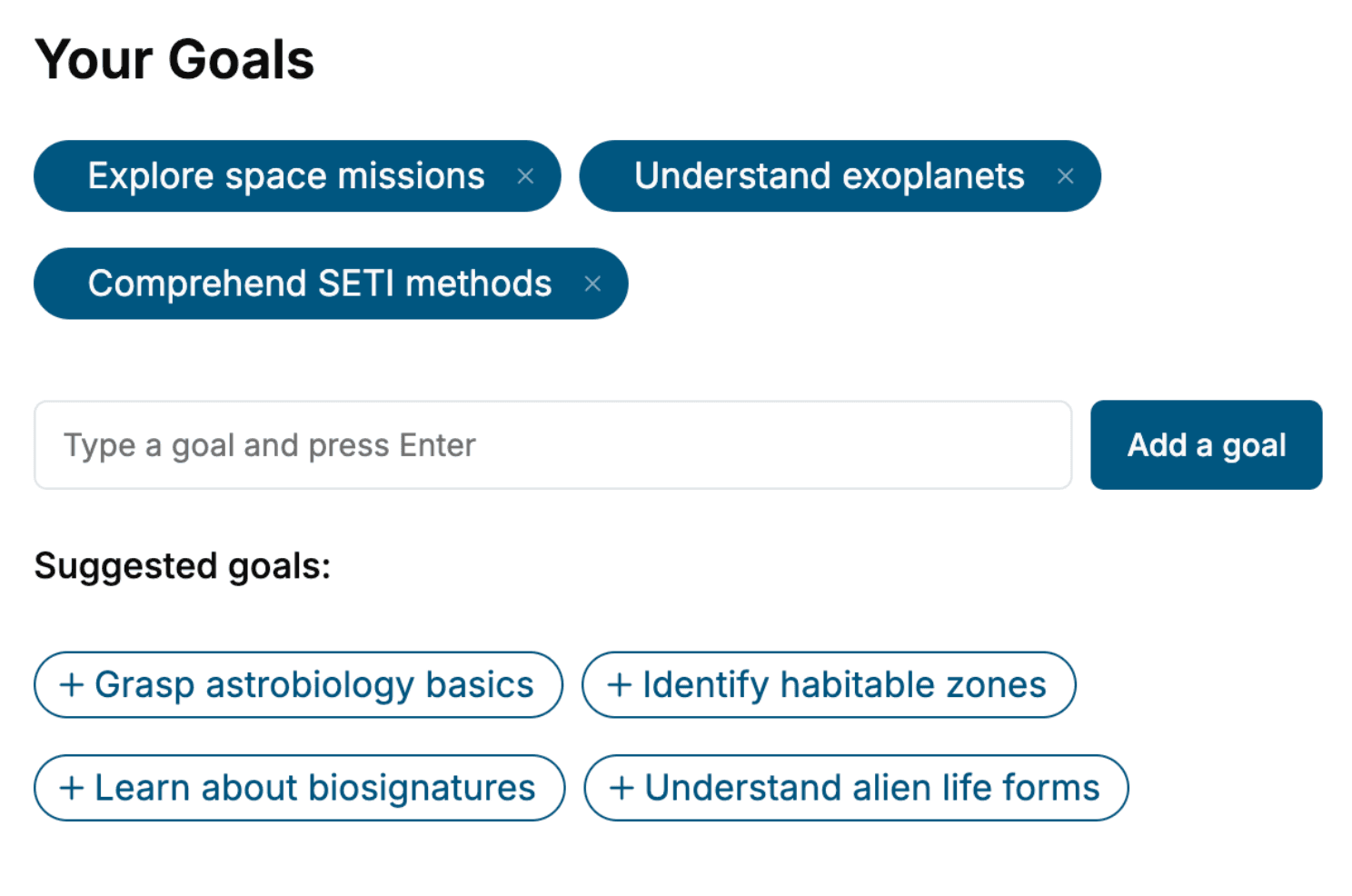
Tell us your goals and background, and get your own version of this book, tailored by AI to you.


Benefits of AI-tailored books
- Read one book, not ten:
- all the Game Development knowledge you need, gathered into a single book.
- Save days of learning:
- tell us your goals, choose your topics, and the whole book is built around them.
- Learn effortlessly:
- Game Development book written for your specific background and expertise.
- Understand at a glance:
- includes charts, tables, timelines, checklists, decision trees, and more.
- Stay current:
- written the day you order it, not years ago.
- Trust what you read:
- every book is checked for accuracy, with real research when your subject needs it.
Create your unique book in 3 steps
- 1. Select your focus
Select the focus of your Game Development book and share your background
- 2. Personalize your book
Specify your goals and choose sub-topics to include
- 3. Get your tailored book
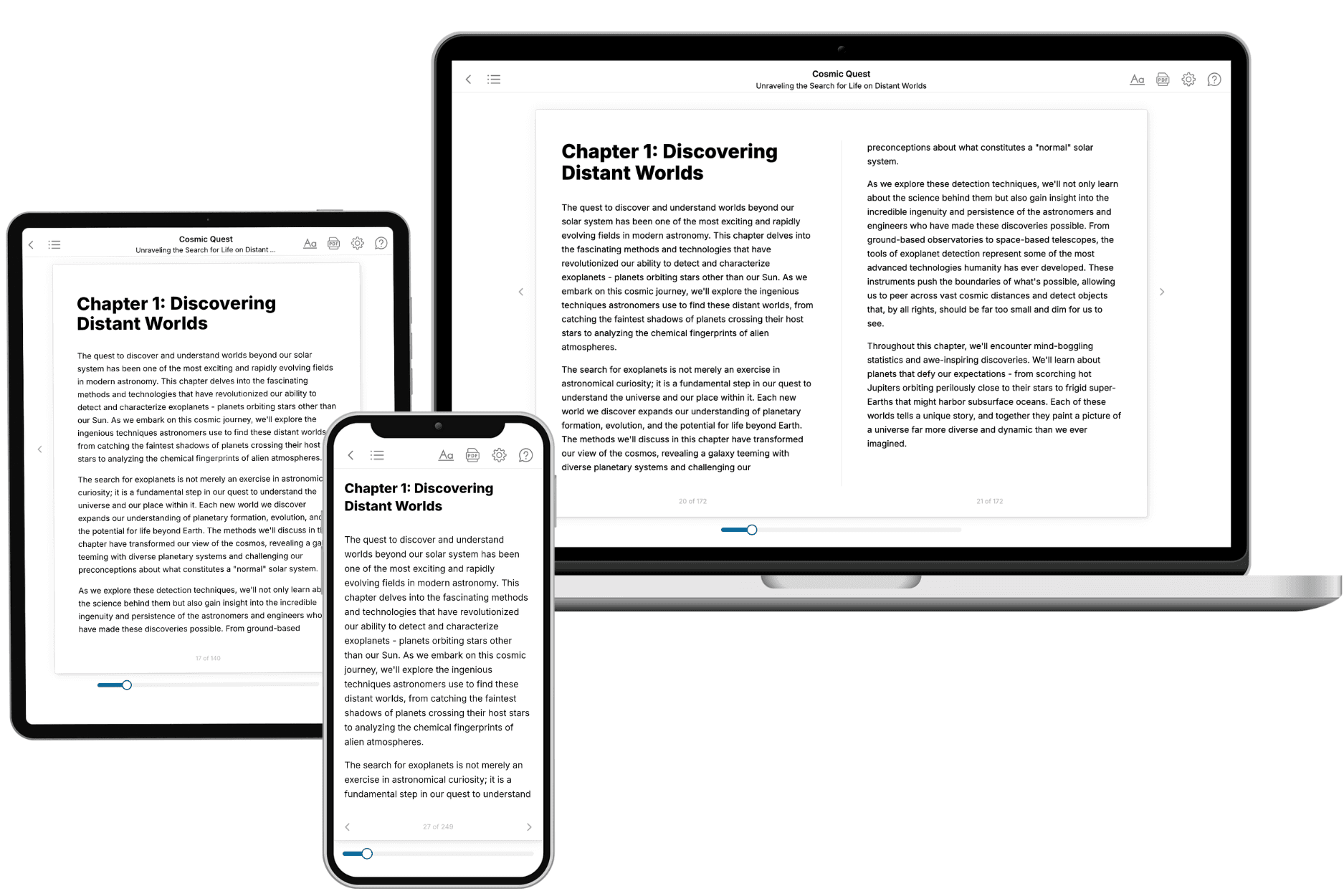
Your book is ready in 10 minutes. Read it online, download as EPUB or PDF, or send to Kindle.

Frequently asked questions
- What is TailoredRead?
TailoredRead creates complete, full-length nonfiction ebooks, written specifically for you. Tell us what you want to learn and why, and TailoredRead writes you a complete ebook on it, with charts, tables, and diagrams throughout. Read it online, on Kindle, or on any e-reader, or download it as a PDF or EPUB. Every book is written fresh the day you order it.
- How is the book tailored to me?
Before anything is written, you answer a few short questions about your goals, your background, and the topics you care about. Your book is then planned around your answers: written at your level, focused on your goals, and covering the topics you chose, instead of the one-size-fits-all book a store sells everyone.
- Will it read like generic AI content?
No. Your book isn't a chat transcript: it's planned chapter by chapter before a single word is written, told in a clear book voice, and explains ideas visually with charts, tables, and diagrams. After writing, every book goes through an editorial pass that polishes chapters so the book reads consistent from start to finish. Judge for yourself: browse thousands of sample books on our Explore Books page.
- How accurate is the content?
Our AI first checks whether your subject needs live research. Niche and fast-moving subjects are researched before writing, and the book plan and chapters are grounded in what it finds. After writing, every book goes through a quality pass that checks its facts and consistency, and researched books list their sources in a Notes section at the back.
- How long is the book?
You choose the length: Comprehensive (250-300 pages), Detailed (150-200 pages), Essential (70-100 pages), or Short (30-50 pages).
- Does the book include visuals?
Yes. Every book includes charts, tables, and diagrams: timelines, checklists, step-by-step guides, decision trees, comparison tables, matrices, and bar charts. A typical book includes dozens of these visual elements.
- Can I read it on Kindle? What formats can I download?
Yes. Every book can be read in our online reader or downloaded as a PDF or EPUB. The EPUB can be opened with Kindle, Apple Books, Kobo, and any e-reader. The Commercial and Author licenses also include an editable Word (DOCX) and Markdown download.
- How much does it cost?
About the price of a regular ebook. The exact price depends on your book's length and complexity, from $2 for the shortest books to $35 for the most comprehensive, and it's shown when you review your book, before you commit to anything. Each book is a one-time purchase, yours to keep, no subscription. Licenses that let you share, teach, or publish your book range from $35.99 to $49.99.
- Can I preview the book before purchasing?
Before you pay, you'll see what your book will cover: the title, a detailed description, the estimated length, and the complete chapter-by-chapter table of contents, so you know what you're getting before you decide. The full text itself is written after you purchase.
- How long does it take to create a book?
About 10 minutes. You can start reading the opening chapters while the rest is still being written.