Mastering User Profile Disks
A Complete Guide to Implementation and DevOps Integration in Windows Server 2012 R2
Picture your organization running smoothly with users seamlessly accessing their personalized desktop environments from any device, anywhere, while your IT infrastructure operates with the efficiency and reliability that modern business demands.
284 pages14 chaptersSep 28, 2025Windows Server
About this book
Your virtual desktop infrastructure delivers consistent performance, user profiles load quickly, and your DevOps pipeline automatically manages and maintains the entire system with minimal manual intervention. This comprehensive guide takes you through every aspect of implementing and managing User Profile Disks in Windows Server 2012 R2 environments. You'll discover how to design scalable profile management solutions that integrate seamlessly with modern DevOps practices, ensuring your infrastructure can grow with your organization's needs while maintaining optimal performance. From initial planning and architecture design to advanced troubleshooting and performance optimization, you'll learn proven strategies that have been tested in real-world enterprise environments. The book covers essential topics including storage configuration, automated deployment techniques, monitoring and maintenance procedures, and disaster recovery planning. Whether you're implementing User Profile Disks for the first time or looking to optimize existing deployments, this guide provides the practical knowledge and actionable insights you need to create a robust, efficient profile management system that supports your organization's productivity goals while reducing administrative overhead.
Table of contents
- IntroductionUnderstanding User Profile Disks, Business Benefits and Use Cases, DevOps Integration Opportunities, How to Use This BookRead below
- Chapter 1: User Profile Disk FundamentalsEvolution of Profile Management Solutions, User Profile Disk Architecture, Comparing UPD with Alternative Solutions, Technical Requirements and Prerequisites
- Chapter 2: Planning and Design ConsiderationsCapacity Planning and Sizing, Storage Architecture Design, Network Infrastructure Requirements, Scalability and Growth Planning
- Chapter 3: Infrastructure Setup and ConfigurationServer Environment Preparation, Storage System Configuration, Network Configuration and Optimization, Security Configuration and Hardening
- Chapter 4: User Profile Disk ImplementationRemote Desktop Services Configuration, Creating and Configuring User Profile Disks, Profile Template Management, User Assignment and Provisioning
- Chapter 5: Automation and ScriptingPowerShell Automation Scripts, Automated Deployment Procedures, Maintenance and Cleanup Automation, Automated Monitoring and Alerting
- Chapter 6: DevOps Integration StrategiesContinuous Integration and Deployment Pipelines, Infrastructure as Code Implementation, Version Control for Configuration Management, Automated Testing and Validation
- Chapter 7: Performance OptimizationStorage Performance Optimization, Network Performance Tuning, Caching and Acceleration Strategies, Resource Allocation and Load Balancing
- Chapter 8: Monitoring and ManagementPerformance Monitoring and Metrics, System Health and Availability Monitoring, User Experience Monitoring, Reporting and Analytics
- Chapter 9: Troubleshooting and Problem ResolutionCommon Issues and Solutions, Diagnostic Tools and Techniques, Log Analysis and Interpretation, Escalation and Support Procedures
- Chapter 10: Backup and Disaster RecoveryBackup Strategy Development, Recovery Procedures and Testing, Business Continuity Planning, Data Protection and Retention Policies
- Chapter 11: Migration StrategiesMigration Planning and Assessment, Profile Conversion and Data Migration, Phased Rollout Strategies, Rollback and Contingency Planning
- Chapter 12: Security and Data ProtectionAccess Control and Permissions, Encryption and Data Security, Audit Logging and Compliance, Security Monitoring and Incident Response
- Chapter 13: Advanced Implementation ScenariosMulti-Site and Distributed Deployments, Hybrid Cloud Integration, High Availability and Clustering, Custom Integration Solutions
- Chapter 14: Best Practices and RecommendationsOperational Excellence Guidelines, Maintenance and Lifecycle Management, Documentation and Knowledge Management, Continuous Improvement Processes
- ConclusionKey Takeaways and Success Factors, Future Technology Considerations
- Glossary
- Further Reading
Introduction
Modern organizations face unprecedented challenges in managing user environments across diverse computing platforms. The traditional approach of local user profiles creates significant administrative overhead, inconsistent user experiences, and scalability limitations that can hinder business productivity. As virtual desktop infrastructure becomes increasingly prevalent, the need for centralized, efficient profile management solutions has never been more critical. User Profile Disks represent a transformative approach to addressing these challenges, providing organizations with the tools needed to deliver consistent, high-performance user experiences while reducing operational complexity.
The evolution of workplace computing has fundamentally changed how users interact with technology resources. Remote work, bring-your-own-device policies, and cloud-first strategies have created environments where users expect seamless access to their personalized desktop environments from any location or device. Traditional profile management approaches struggle to meet these expectations, often resulting in slow logon times, data synchronization issues, and increased support costs. User Profile Disks offer a solution that bridges the gap between user expectations and technical capabilities, enabling organizations to deliver enterprise-grade profile management that scales with business needs.
This comprehensive guide addresses the complete lifecycle of User Profile Disk implementation, from initial planning and design through advanced optimization and DevOps integration. You will discover proven methodologies for architecting scalable profile management solutions, implementing automated deployment processes, and maintaining optimal performance in production environments. The content draws from real-world enterprise implementations, providing practical insights that can be immediately applied to your organization's infrastructure. Whether you are evaluating User Profile Disks for the first time or seeking to optimize existing deployments, this book provides the knowledge and tools necessary to achieve success.
Understanding User Profile Disks
User Profile Disks fundamentally change how Windows manages user profile data by creating dedicated virtual hard disk files for each user's profile information. Unlike traditional roaming profiles that copy data across the network during logon and logoff processes, User Profile Disks mount as virtual drives directly to the user's session, providing immediate access to profile data without lengthy synchronization delays. This approach eliminates many common profile management issues while delivering consistent performance regardless of profile size or network conditions. The technology leverages Windows Server 2012 R2's enhanced virtual disk capabilities to create a seamless user experience that feels identical to local profile access.
The architecture of User Profile Disks centers around individual VHDX files stored on centralized file shares, with each file containing a complete user profile including registry settings, application data, and desktop customizations. When a user logs into any session host server, the system automatically mounts their dedicated profile disk, making all profile data immediately available without network copying operations. This design provides several key advantages:
- Instant profile availability - No waiting for profile data to download
- Consistent performance - Profile access speed remains constant regardless of profile size
- Simplified backup - Each user's data exists in a single, easily manageable file
- Reduced network traffic - Only changed data blocks are transmitted across the network
- Enhanced reliability - Eliminates profile corruption issues common with traditional roaming profiles
The technical implementation of User Profile Disks integrates seamlessly with existing Active Directory infrastructure and Remote Desktop Services deployments. System administrators configure User Profile Disks through Group Policy settings and Remote Desktop Services collection properties, specifying storage locations, disk size limits, and user assignment criteria. The Windows operating system handles all mounting and dismounting operations automatically, ensuring users experience transparent access to their personalized environments. This integration approach minimizes the learning curve for IT staff while providing robust management capabilities through familiar administrative tools.
Storage efficiency represents another significant advantage of User Profile Disks compared to alternative profile management solutions. The VHDX format supports dynamic expansion, meaning profile disks only consume storage space equal to the actual data stored within them, plus minimal overhead for file system structures. This characteristic enables organizations to provision generous disk size limits without immediately consuming corresponding storage capacity. Additionally, the block-level nature of VHDX files enables efficient backup and replication operations, as only changed data blocks require processing during incremental backup cycles.
User Profile Disks also provide enhanced security capabilities through integration with Windows file system permissions and encryption technologies. Each profile disk inherits security settings from its storage location while maintaining user-specific access controls that prevent unauthorized access to profile data. Organizations can implement BitLocker encryption for profile disks stored on compatible storage systems, ensuring data protection both at rest and during network transmission. These security features enable User Profile Disks to meet compliance requirements in regulated industries while maintaining the performance characteristics that users expect.
The scalability characteristics of User Profile Disks make them particularly well-suited for large enterprise deployments and cloud-based virtual desktop infrastructure. Unlike roaming profiles that create exponential network load as user counts increase, User Profile Disks maintain consistent performance characteristics regardless of deployment size. The centralized storage model enables efficient resource utilization and simplified capacity planning, while the individual file structure supports granular management operations such as user-specific backup schedules or storage tier assignments. This scalability foundation supports organizations as they grow and evolve their virtual desktop infrastructure over time.
Modern User Profile Disk implementations benefit from integration with software-defined storage solutions and hyper-converged infrastructure platforms. These technologies provide the high-performance, resilient storage foundation that User Profile Disks require for optimal operation. Features such as automated tiering, deduplication, and compression can significantly improve storage efficiency while maintaining the performance characteristics that users expect. Understanding these integration opportunities enables organizations to design User Profile Disk solutions that leverage existing infrastructure investments while providing room for future growth and technology adoption.
The monitoring and management capabilities available with User Profile Disks provide IT teams with unprecedented visibility into user profile utilization and performance characteristics. Built-in Windows performance counters track disk mounting operations, storage utilization, and access patterns, enabling proactive capacity management and performance optimization. Third-party monitoring solutions can extend these capabilities to provide comprehensive dashboards and automated alerting for profile-related issues. This visibility enables IT teams to identify and resolve potential problems before they impact user productivity, supporting the overall reliability of virtual desktop infrastructure deployments.
Business Benefits and Use Cases
Organizations implementing User Profile Disks typically experience immediate improvements in user satisfaction and IT operational efficiency. The elimination of lengthy logon times directly translates to increased productivity, as users can begin working immediately upon accessing their virtual desktop sessions. A mid-sized financial services company reported reducing average logon times from 4-6 minutes with roaming profiles to under 30 seconds with User Profile Disks, resulting in an estimated 15-20 minutes of additional productive time per user per day. This improvement becomes particularly significant in environments with frequent session reconnections or users who access multiple applications throughout their workday.
Cost reduction represents another compelling business benefit of User Profile Disk implementations. Traditional roaming profile environments often require significant network bandwidth to accommodate profile synchronization traffic, particularly during peak logon periods. User Profile Disks eliminate this bandwidth requirement, enabling organizations to reduce network infrastructure costs or reallocate bandwidth to other business-critical applications. Additionally, the reduced complexity of profile management translates to lower administrative overhead, allowing IT staff to focus on strategic initiatives rather than troubleshooting profile-related issues. Organizations frequently report 40-60% reductions in profile-related support tickets following User Profile Disk implementations.
The flexibility provided by User Profile Disks enables organizations to support diverse work patterns and user requirements more effectively. Remote workers can access their complete desktop environments from any location with consistent performance, while office-based users benefit from the ability to move between different workstations without losing their personalized settings. This flexibility becomes particularly valuable in organizations with hot-desking policies, shared workstation environments, or users who require access to specialized applications from multiple locations. The consistent user experience provided by User Profile Disks supports business continuity initiatives and enables more flexible workforce management strategies.
Healthcare organizations have found User Profile Disks particularly beneficial for supporting clinical workflows that require rapid access to patient information systems. The instant profile availability enables healthcare providers to quickly access their personalized application configurations and workflow tools, reducing the time required to begin patient care activities. A large hospital system reported that implementing User Profile Disks reduced the time required for physicians to access electronic health records by an average of 2-3 minutes per session, translating to significant improvements in patient care efficiency. The reliability improvements also reduced the risk of profile corruption issues that could potentially impact access to critical patient information.
Educational institutions leverage User Profile Disks to provide students and faculty with consistent computing environments across campus computer labs and remote access systems. The technology enables personalized learning environments while maintaining the security and management capabilities that educational IT departments require. Students can save their work and application preferences in any campus computer lab, then access the same environment from their personal devices through remote desktop connections. This consistency supports more effective learning outcomes while reducing the support burden on IT staff who previously managed diverse profile synchronization issues across hundreds or thousands of user accounts.
Manufacturing and engineering organizations benefit from User Profile Disks' ability to support large application datasets and complex software configurations. Computer-aided design applications often create substantial profile data that traditional roaming profiles cannot efficiently manage. User Profile Disks enable engineers to maintain their complete application configurations, including custom toolbars, templates, and project references, without experiencing the performance degradation associated with large roaming profiles. A major aerospace manufacturer reported that User Profile Disks enabled their engineering teams to maintain 2-3 GB of application-specific profile data with logon times under 45 seconds, compared to 10-15 minute logon times with their previous roaming profile implementation.
The disaster recovery benefits of User Profile Disks provide organizations with enhanced business continuity capabilities. The centralized storage model enables efficient backup and replication of user profile data, while the individual file structure supports granular recovery operations. Organizations can implement automated backup schedules for profile disks and quickly restore individual user environments without affecting other users. This capability becomes particularly valuable during hardware failures, site disasters, or security incidents that require rapid restoration of user access to critical business applications and data.
Compliance and audit requirements in regulated industries benefit from the enhanced logging and monitoring capabilities available with User Profile Disks. The centralized storage model provides clear audit trails for user data access and modification activities, while the individual file structure enables precise control over data retention and disposal processes. Organizations can implement automated compliance reporting that tracks profile disk utilization, access patterns, and data lifecycle management activities. These capabilities support regulatory compliance initiatives while providing the documentation required for internal and external audit processes.
The scalability characteristics of User Profile Disks enable organizations to support rapid business growth without proportional increases in IT infrastructure complexity. New users can be provisioned with profile disks through automated processes, while existing users can be migrated between different session host servers without profile-related complications. This scalability supports merger and acquisition activities, seasonal workforce fluctuations, and geographic expansion initiatives. Organizations can confidently plan for user growth knowing that their profile management solution will scale efficiently with their business requirements.
DevOps Integration Opportunities
The integration of User Profile Disks with modern DevOps practices transforms profile management from a manual, error-prone process into an automated, reliable component of infrastructure operations. DevOps methodologies emphasize automation, monitoring, and continuous improvement, principles that align perfectly with the centralized, file-based nature of User Profile Disks. Organizations can leverage infrastructure as code practices to define profile disk configurations, storage requirements, and user assignment policies through version-controlled templates. This approach ensures consistent deployments across development, testing, and production environments while providing the audit trails and rollback capabilities that enterprise operations require.
Continuous integration and deployment pipelines can incorporate User Profile Disk management tasks, enabling automated provisioning and configuration of profile storage infrastructure. PowerShell Desired State Configuration (DSC) scripts can define the complete profile disk environment, including file share permissions, storage quotas, and Group Policy settings. These scripts integrate seamlessly with popular DevOps tools such as Azure DevOps, Jenkins, or GitLab CI/CD, enabling automated deployment of profile management infrastructure alongside application deployments. The result is a unified deployment process that treats profile management as a first-class component of the overall application delivery pipeline.
Monitoring and observability practices from the DevOps toolkit provide unprecedented visibility into User Profile Disk performance and utilization patterns. Modern monitoring solutions can track profile disk mounting times, storage utilization trends, and user access patterns, providing the data necessary for proactive capacity planning and performance optimization. Integration with tools like Prometheus, Grafana, or Azure Monitor enables real-time dashboards that display profile management metrics alongside application performance data. This comprehensive monitoring approach enables IT teams to identify and resolve profile-related issues before they impact user productivity, supporting the overall reliability goals of DevOps practices.
The immutable infrastructure principles common in DevOps environments align well with User Profile Disk architectures. Profile storage infrastructure can be deployed through automated processes that create consistent, reproducible environments. When updates or changes are required, new infrastructure can be deployed alongside existing systems, with user profile disks migrated through automated processes that minimize downtime and risk. This approach eliminates configuration drift and ensures that profile management infrastructure maintains consistent performance characteristics over time. Organizations can implement blue-green deployment strategies for profile storage infrastructure, providing zero-downtime updates and the ability to quickly rollback changes if issues arise.
Version control systems become powerful tools for managing User Profile Disk configurations and deployment scripts. Git repositories can store PowerShell scripts, DSC configurations, and documentation related to profile management infrastructure. This approach provides change tracking, peer review processes, and branching strategies that support safe experimentation with profile management configurations. Teams can implement GitOps workflows where changes to profile management infrastructure are triggered by commits to specific repository branches, ensuring that all changes follow established review and approval processes.
Automated testing frameworks can validate User Profile Disk deployments and configurations, ensuring that profile management infrastructure meets performance and reliability requirements before production deployment. Pester tests can verify that profile disks mount correctly, storage permissions are configured appropriately, and user assignment policies function as expected. These tests can be integrated into CI/CD pipelines, providing automated validation of profile management infrastructure changes. Load testing tools can simulate user logon patterns to validate that profile storage infrastructure can handle expected user loads without performance degradation.
Container orchestration platforms such as Kubernetes can manage the infrastructure components that support User Profile Disk deployments. While the profile disks themselves remain Windows-based, the supporting infrastructure including monitoring agents, backup systems, and management tools can be deployed as containerized applications. This approach provides the scalability, resilience, and resource efficiency benefits of container orchestration while maintaining compatibility with Windows-based profile management requirements. Organizations can leverage Helm charts or Kubernetes operators to deploy and manage the complete profile management infrastructure stack.
Security scanning and compliance validation can be automated through DevOps pipelines that regularly assess User Profile Disk configurations against organizational security policies. Tools such as PowerShell Security Scanner or custom compliance scripts can verify that profile storage permissions, encryption settings, and access controls meet security requirements. These scans can be integrated into continuous compliance workflows that automatically generate reports and alerts when configuration drift or security issues are detected. This automation ensures that profile management infrastructure maintains security compliance without requiring manual audit processes.
The data generated by User Profile Disk operations provides valuable insights for capacity planning and performance optimization when integrated with DevOps analytics platforms. Machine learning algorithms can analyze profile utilization patterns to predict storage capacity requirements, identify users who might benefit from profile optimization, and detect anomalous access patterns that might indicate security issues. This data-driven approach to profile management enables proactive optimization and capacity planning that supports business growth while maintaining optimal user experiences.
Disaster recovery and business continuity processes benefit significantly from DevOps automation applied to User Profile Disk management. Automated backup and replication processes can ensure that profile data is protected and available for rapid recovery. Infrastructure as code practices enable rapid reconstruction of profile storage infrastructure in alternate locations, while automated testing validates that recovered systems function correctly. These capabilities support comprehensive disaster recovery strategies that minimize downtime and data loss while providing the documentation and audit trails required for compliance and insurance purposes.
How to Use This Book
This book is structured to support both sequential reading and targeted reference use, accommodating different learning styles and implementation timelines. The content progresses logically from fundamental concepts through advanced implementation scenarios, with each chapter building upon knowledge established in previous sections. However, experienced administrators can jump directly to specific chapters that address their immediate needs, as each section includes sufficient context and cross-references to support standalone use. The practical, hands-on approach ensures that you can immediately apply the concepts and techniques presented, with real-world examples and step-by-step procedures throughout.
The early chapters establish the foundational knowledge necessary for successful User Profile Disk implementations. Chapter 1 provides comprehensive coverage of User Profile Disk fundamentals, including architecture details and comparison with alternative solutions. Chapter 2 focuses on planning and design considerations, covering capacity planning, storage architecture, and scalability requirements. These chapters are essential reading for anyone new to User Profile Disks or those planning new implementations. The content includes decision frameworks and assessment tools that help you evaluate whether User Profile Disks are appropriate for your specific environment and requirements.
The middle chapters provide detailed implementation guidance and practical procedures for deploying User Profile Disk solutions. Chapters 3 and 4 cover infrastructure setup and User Profile Disk implementation, providing step-by-step procedures for configuring storage systems, network infrastructure, and Remote Desktop Services components. Chapter 5 introduces automation and scripting techniques, while Chapter 6 focuses specifically on DevOps integration strategies. These chapters include extensive code examples, configuration templates, and troubleshooting guidance that you can adapt for your specific environment. The automation scripts and DevOps integration examples are designed to be production-ready with minimal customization.
The advanced chapters address optimization, management, and specialized implementation scenarios. Chapters 7 and 8 cover performance optimization and monitoring, providing techniques for maximizing User Profile Disk performance and implementing comprehensive monitoring solutions. Chapters 9 through 12 address troubleshooting, backup and recovery, migration strategies, and security considerations. These chapters are particularly valuable for organizations with existing User Profile Disk deployments or those planning large-scale implementations. The content includes advanced troubleshooting techniques, performance tuning methodologies, and security hardening procedures that reflect current best practices.
Each chapter includes practical elements designed to support immediate implementation:
- Step-by-step procedures with screenshots and command examples
- PowerShell scripts and automation templates ready for production use
- Configuration checklists to ensure complete and correct implementations
- Troubleshooting guides with common issues and proven solutions
- Performance benchmarks and optimization recommendations
- Security considerations and compliance guidance
The code examples and scripts throughout the book are designed for immediate use in production environments, with appropriate error handling, logging, and security considerations. All PowerShell scripts include parameter validation, help documentation, and examples of typical usage scenarios. The automation templates can be customized for your specific environment by modifying clearly marked configuration sections. Version control integration examples show how to manage these scripts and configurations using Git repositories and DevOps workflows.
Special attention has been given to addressing common implementation challenges and providing proven solutions. Each major topic includes a dedicated troubleshooting section with step-by-step diagnostic procedures and resolution techniques. The troubleshooting content is organized by symptom rather than by technology component, making it easier to quickly identify and resolve issues when they occur. Performance optimization recommendations are based on real-world testing and include specific metrics and benchmarks that you can use to validate your implementations.
The book's reference materials include comprehensive appendices with configuration templates, PowerShell script libraries, and troubleshooting quick-reference guides. These materials are designed to serve as ongoing references during implementation and operational phases. The glossary provides clear definitions of technical terms and acronyms, while the further reading section includes links to additional resources, Microsoft documentation, and community forums where you can find ongoing support and updates.
For organizations implementing User Profile Disks as part of broader virtual desktop infrastructure projects, the book provides guidance on integration with complementary technologies such as App-V, RemoteApp, and third-party VDI solutions. The content addresses common integration challenges and provides tested approaches for creating comprehensive desktop virtualization solutions. Project management considerations are included to help you plan and execute User Profile Disk implementations within larger infrastructure transformation initiatives.
The DevOps integration content is designed to be immediately actionable for organizations with existing DevOps practices, while also providing sufficient background for teams new to DevOps methodologies. The CI/CD pipeline examples include complete YAML configurations for popular platforms, while the infrastructure as code templates provide starting points for managing User Profile Disk infrastructure through automated processes. The monitoring and observability examples integrate with common DevOps toolchains, providing the visibility and automation capabilities that modern IT operations require.
This is the end of the free sample. The full book has 14 chapters.
Want this book written for you?
Tell us your goals and background, and get your own version of this book, tailored by AI to you.


Benefits of AI-tailored books
- Read one book, not ten:
- all the Windows Server knowledge you need, gathered into a single book.
- Save days of learning:
- tell us your goals, choose your topics, and the whole book is built around them.
- Learn effortlessly:
- Windows Server book written for your specific background and expertise.
- Understand at a glance:
- includes charts, tables, timelines, checklists, decision trees, and more.
- Stay current:
- written the day you order it, not years ago.
- Trust what you read:
- every book is checked for accuracy, with real research when your subject needs it.
Create your unique book in 3 steps
- 1. Select your focus
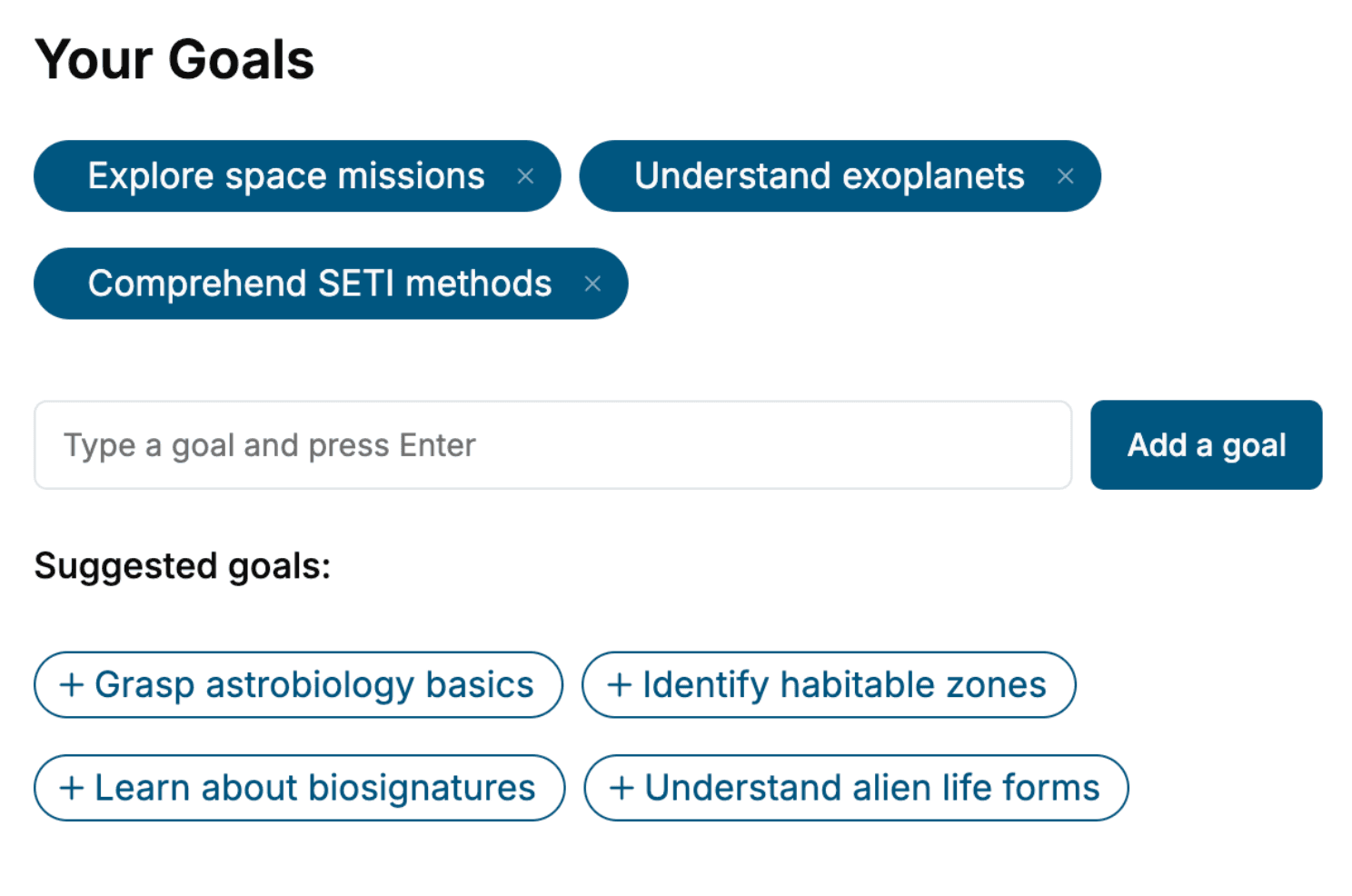
Select the focus of your Windows Server book and share your background
- 2. Personalize your book
Specify your goals and choose sub-topics to include
- 3. Get your tailored book
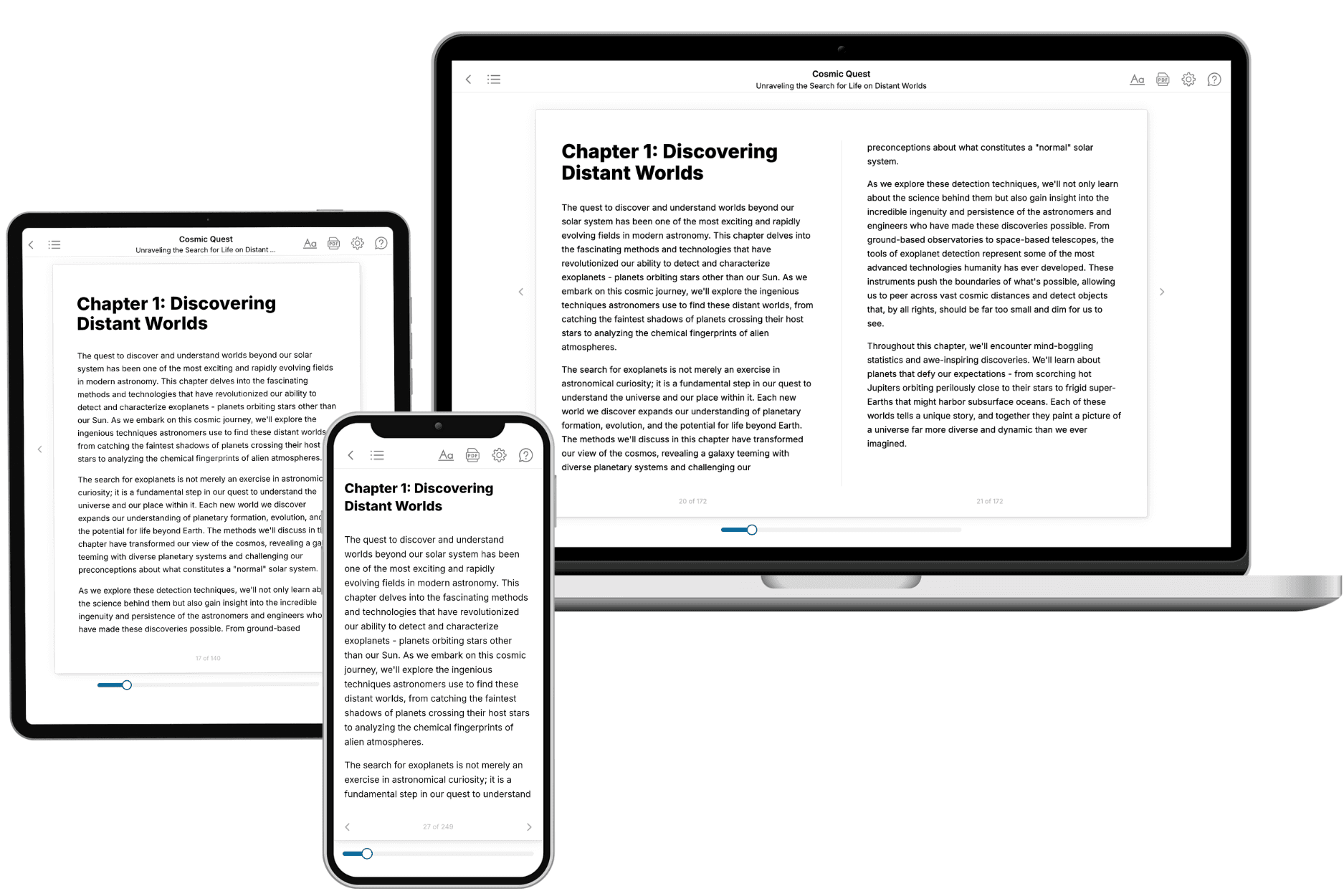
Your book is ready in 10 minutes. Read it online, download as EPUB or PDF, or send to Kindle.

Frequently asked questions
- What is TailoredRead?
TailoredRead creates complete, full-length nonfiction ebooks, written specifically for you. Tell us what you want to learn and why, and TailoredRead writes you a complete ebook on it, with charts, tables, and diagrams throughout. Read it online, on Kindle, or on any e-reader, or download it as a PDF or EPUB. Every book is written fresh the day you order it.
- How is the book tailored to me?
Before anything is written, you answer a few short questions about your goals, your background, and the topics you care about. Your book is then planned around your answers: written at your level, focused on your goals, and covering the topics you chose, instead of the one-size-fits-all book a store sells everyone.
- Will it read like generic AI content?
No. Your book isn't a chat transcript: it's planned chapter by chapter before a single word is written, told in a clear book voice, and explains ideas visually with charts, tables, and diagrams. After writing, every book goes through an editorial pass that polishes chapters so the book reads consistent from start to finish. Judge for yourself: browse thousands of sample books on our Explore Books page.
- How accurate is the content?
Our AI first checks whether your subject needs live research. Niche and fast-moving subjects are researched before writing, and the book plan and chapters are grounded in what it finds. After writing, every book goes through a quality pass that checks its facts and consistency, and researched books list their sources in a Notes section at the back.
- How long is the book?
You choose the length: Comprehensive (250-300 pages), Detailed (150-200 pages), Essential (70-100 pages), or Short (30-50 pages).
- Does the book include visuals?
Yes. Every book includes charts, tables, and diagrams: timelines, checklists, step-by-step guides, decision trees, comparison tables, matrices, and bar charts. A typical book includes dozens of these visual elements.
- Can I read it on Kindle? What formats can I download?
Yes. Every book can be read in our online reader or downloaded as a PDF or EPUB. The EPUB can be opened with Kindle, Apple Books, Kobo, and any e-reader. The Commercial and Author licenses also include an editable Word (DOCX) and Markdown download.
- How much does it cost?
About the price of a regular ebook. The exact price depends on your book's length and complexity, from $2 for the shortest books to $35 for the most comprehensive, and it's shown when you review your book, before you commit to anything. Each book is a one-time purchase, yours to keep, no subscription. Licenses that let you share, teach, or publish your book range from $35.99 to $49.99.
- Can I preview the book before purchasing?
Before you pay, you'll see what your book will cover: the title, a detailed description, the estimated length, and the complete chapter-by-chapter table of contents, so you know what you're getting before you decide. The full text itself is written after you purchase.
- How long does it take to create a book?
About 10 minutes. You can start reading the opening chapters while the rest is still being written.