Mastering Webcam Device Drivers
A Developer's Guide to Efficient Webcam Software Integration
Webcam functionality is a critical component in today's interconnected world, but developing reliable and efficient webcam device drivers remains a significant challenge for many software developers.
284 pages14 chaptersApr 13, 2025Device Drivers
About this book
This comprehensive guide tackles the complexities of webcam driver development head-on, providing you with the knowledge and skills needed to overcome common obstacles and create high-performance webcam software. From understanding the fundamentals of device driver architecture to implementing advanced features like auto-focus and exposure control, this book covers every aspect of webcam driver development. You'll learn how to optimize your code for various hardware configurations, ensure compatibility across different operating systems, and troubleshoot common issues that arise during the development process. Whether you're looking to enhance video conferencing applications, improve security camera systems, or integrate webcam functionality into custom software solutions, this book equips you with the tools and insights necessary to excel in the field of webcam device drivers. By the end of this guide, you'll have the confidence and expertise to tackle any webcam-related development challenge that comes your way.
Table of contents
- IntroductionThe Importance of Webcam Device Drivers in Modern Software, Overview of the Book's Contents, How to Use This Book EffectivelyRead below
- Chapter 1: Fundamentals of Webcam Device DriversUnderstanding Device Driver Basics, Webcam Hardware Architecture, Key Components of Webcam Device Drivers, The Lifecycle of a Webcam Driver
- Chapter 2: Setting Up the Development EnvironmentEssential Tools and Software for Webcam Driver Development, OS-Specific Development Environment Setup, Configuring Debugging Tools for Driver Development, Using Virtual Machines for Testing and Development
- Chapter 3: Webcam Driver Architecture DesignDesigning a Layered Driver Architecture, Implementing Hardware Abstraction Layers, Defining Driver Interfaces and APIs, Creating a Modular and Extensible Design
- Chapter 4: Webcam Initialization and ConfigurationDetecting and Identifying Webcam Hardware, Loading and Initializing the Driver, Configuring Webcam Device Parameters, Allocating System Resources for the Webcam
- Chapter 5: Implementing Data Capture and ProcessingDesigning the Video Capture Pipeline, Managing Capture Buffers and Memory, Implementing Basic Image Processing, Handling Different Video Data Formats
- Chapter 6: Video Streaming and TransmissionUnderstanding Video Streaming Protocols, Implementing Video Compression Algorithms, Integrating with Network Stacks, Optimizing for Low-Latency Streaming
- Chapter 7: Error Handling and RobustnessImplementing Robust Error Detection, Designing Recovery Mechanisms, Logging and Error Reporting, Building Fault-Tolerant Driver Components
- Chapter 8: Performance Optimization TechniquesReducing CPU Utilization, Optimizing Memory Usage, Implementing Efficient Multithreading, Leveraging Hardware Acceleration
- Chapter 9: Ensuring Cross-Platform CompatibilityUnderstanding OS-Specific Differences, Creating Platform Abstraction Layers, Maintaining API Compatibility Across Platforms, Cross-Platform Testing Strategies
- Chapter 10: Implementing Advanced Webcam FeaturesDeveloping Auto-Focus Capabilities, Implementing Exposure Control, Adding White Balance Adjustment, Integrating Motion Detection
- Chapter 11: Debugging and Troubleshooting TechniquesIdentifying Common Webcam Driver Issues, Using Debugging Tools and Techniques, Performance Profiling and Analysis, Strategies for Efficient Issue Resolution
- Chapter 12: Testing and Validation MethodologiesDeveloping a Comprehensive Test Plan, Implementing Unit Tests for Driver Components, Conducting Integration and System Testing, Performing Stress and Stability Testing
- Chapter 13: Security Considerations in Webcam DriversIdentifying Potential Security Threats, Implementing Secure Coding Practices, Ensuring User Data Protection and Privacy, Conducting Security Vulnerability Testing
- Chapter 14: Future Trends in Webcam TechnologyIntegrating AI and Machine Learning, Adapting to Higher Resolution and Frame Rates, Exploring 3D and Depth Sensing Capabilities, Keeping Up with Emerging Webcam Standards
- ConclusionKey Takeaways for Webcam Driver Development, The Importance of Continuous Learning and Adaptation
- AppendixCommon Webcam Specifications and Standards, Overview of Popular Webcam Driver APIs
- Glossary
Introduction
In the rapidly evolving landscape of digital technology, webcams have become an indispensable component of our daily lives. From video conferencing and online education to content creation and security surveillance, these small yet powerful devices have revolutionized the way we communicate, work, and interact with the world around us. At the heart of this technological marvel lies a critical piece of software that often goes unnoticed by the average user: the webcam device driver. This introduction aims to shed light on the importance of webcam device drivers in modern software, provide an overview of the book's contents, and guide you on how to effectively use this comprehensive resource to master the art of webcam driver development.
The Importance of Webcam Device Drivers in Modern Software
Webcam device drivers serve as the crucial bridge between hardware and software, enabling seamless communication between the physical webcam device and the operating system. These drivers are responsible for translating low-level hardware signals into a format that applications can understand and utilize. Without properly functioning device drivers, even the most advanced webcam hardware would be rendered useless, unable to capture or transmit video data effectively.
In today's interconnected world, the significance of webcam device drivers extends far beyond basic functionality. They play a pivotal role in ensuring optimal performance, compatibility, and security across a wide range of applications and platforms. As video-based communication continues to dominate both personal and professional spheres, the demand for high-quality, reliable webcam functionality has skyrocketed. This surge in demand has placed increased pressure on software developers to create robust, efficient, and versatile webcam device drivers that can meet the evolving needs of users and applications alike.
The importance of webcam device drivers is further underscored by the rapid advancements in webcam technology. Modern webcams are capable of capturing high-resolution video, adjusting to various lighting conditions, and even incorporating advanced features like facial recognition and motion tracking. These capabilities, however, can only be fully realized through well-designed and optimized device drivers. As a developer, your ability to harness the full potential of webcam hardware through effective driver implementation can significantly impact the user experience and overall success of software applications that rely on video input.
Moreover, the proliferation of different operating systems, hardware configurations, and software ecosystems has made the development of universally compatible webcam device drivers a complex challenge. Developers must navigate a maze of technical specifications, API standards, and platform-specific requirements to create drivers that function seamlessly across diverse environments. This complexity highlights the need for a deep understanding of both the underlying hardware architecture and the software interfaces that govern webcam functionality.
Security considerations have also become paramount in the realm of webcam device drivers. As webcams provide a direct window into users' private spaces, any vulnerabilities in the driver software could potentially be exploited by malicious actors. Developers must therefore be vigilant in implementing robust security measures, ensuring that webcam drivers not only function efficiently but also protect users' privacy and data integrity.
The role of webcam device drivers in enabling emerging technologies cannot be overstated. From augmented reality applications that rely on precise camera input to AI-powered video analytics systems, the quality and capabilities of webcam drivers directly influence the potential of these cutting-edge technologies. As a developer specializing in webcam device drivers, you are at the forefront of enabling these innovations, shaping the future of how we interact with and utilize visual technology.
Understanding and mastering the intricacies of webcam device driver development is not just a technical necessity; it's a strategic advantage in the current technological landscape. By developing expertise in this field, you position yourself to contribute significantly to a wide array of software projects and industries. Whether you're working on improving video conferencing solutions, enhancing security camera systems, or integrating webcam functionality into custom software applications, your skills in webcam driver development will be invaluable.
As we delve deeper into the world of webcam device drivers throughout this book, you'll gain insights into the fundamental principles, advanced techniques, and best practices that will enable you to create high-performance, reliable, and secure webcam software. By mastering these concepts, you'll be well-equipped to tackle the challenges and seize the opportunities presented by the ever-expanding role of webcams in modern technology.
Overview of the Book's Contents
This comprehensive guide is structured to provide you with a logical progression through the complex world of webcam device driver development. Each chapter builds upon the knowledge gained in previous sections, allowing you to gradually develop a deep understanding of the subject matter. The book is designed to cater to both beginners looking to establish a solid foundation in webcam driver development and experienced developers seeking to enhance their skills and stay updated with the latest trends and techniques in the field.
We begin by laying the groundwork with an exploration of the fundamentals of webcam device drivers. Chapter 1 introduces you to the basic concepts of device drivers, the specific architecture of webcam hardware, and the key components that make up a webcam driver. This foundational knowledge is crucial for understanding the more advanced topics that follow. You'll learn about the lifecycle of a webcam driver, from initialization to shutdown, and gain insights into how drivers interact with both hardware and the operating system.
With the basics established, Chapter 2 guides you through setting up an effective development environment for webcam driver creation. This practical chapter covers the essential tools and software you'll need, provides detailed instructions for configuring your development environment across different operating systems, and introduces you to debugging tools that will become indispensable in your development process. You'll also learn how to leverage virtual machines for testing and development, enabling you to work with multiple platforms and configurations efficiently.
Chapter 3 delves into the intricacies of webcam driver architecture design. Here, you'll learn how to create a robust, layered architecture that promotes modularity and extensibility. The chapter covers the implementation of hardware abstraction layers, the definition of clear driver interfaces and APIs, and strategies for creating a design that can adapt to future changes and requirements. This architectural knowledge will serve as the foundation for all your future webcam driver projects.
Moving into more specific aspects of driver development, Chapter 4 focuses on webcam initialization and configuration. You'll learn techniques for detecting and identifying webcam hardware, methods for loading and initializing drivers efficiently, and strategies for configuring device parameters to ensure optimal performance. This chapter also covers the critical task of allocating system resources for the webcam, ensuring that your driver operates smoothly within the constraints of the host system.
Chapter 5 tackles one of the core functionalities of webcam drivers: implementing data capture and processing. You'll explore the design of video capture pipelines, learn effective methods for managing capture buffers and memory, and gain insights into basic image processing techniques. This chapter also covers the handling of different video data formats, equipping you with the skills to work with a wide range of webcam hardware and software requirements.
Building on the data capture knowledge, Chapter 6 delves into video streaming and transmission. You'll gain a deep understanding of video streaming protocols, learn to implement various video compression algorithms, and explore techniques for integrating webcam drivers with network stacks. The chapter also covers optimization strategies for achieving low-latency streaming, a critical factor in many real-time video applications.
Chapter 7 addresses the crucial topic of error handling and robustness in webcam drivers. You'll learn how to implement robust error detection mechanisms, design effective recovery strategies, and create comprehensive logging and error reporting systems. This chapter emphasizes the importance of building fault-tolerant driver components, ensuring that your webcam software can handle unexpected situations gracefully.
Performance optimization is the focus of Chapter 8, where you'll explore techniques for reducing CPU utilization, optimizing memory usage, implementing efficient multithreading, and leveraging hardware acceleration. These skills are essential for creating webcam drivers that operate smoothly across a wide range of hardware configurations, from low-power mobile devices to high-performance workstations.
Chapter 9 addresses the challenge of ensuring cross-platform compatibility in webcam driver development. You'll gain insights into the differences between various operating systems, learn to create effective platform abstraction layers, and develop strategies for maintaining API compatibility across diverse environments. This chapter also covers cross-platform testing methodologies, ensuring that your drivers function reliably across multiple operating systems and hardware configurations.
As you progress through the book, Chapter 10 introduces you to the implementation of advanced webcam features. You'll learn how to develop auto-focus capabilities, implement exposure control, add white balance adjustment, and integrate motion detection functionality. These advanced features will set your webcam drivers apart, providing enhanced functionality and user experience.
Chapter 11 is dedicated to debugging and troubleshooting techniques specific to webcam drivers. You'll learn to identify common issues, utilize specialized debugging tools and techniques, perform performance profiling and analysis, and develop strategies for efficient issue resolution. This knowledge is invaluable for maintaining and improving your webcam driver projects over time.
The importance of thorough testing and validation is emphasized in Chapter 12. You'll learn how to develop comprehensive test plans, implement unit tests for driver components, conduct integration and system testing, and perform stress and stability testing. These methodologies will help ensure the reliability and robustness of your webcam drivers under various conditions.
Chapter 13 addresses the critical topic of security considerations in webcam driver development. You'll learn to identify potential security threats through threat modeling, implement secure coding practices, ensure user data protection and privacy, and conduct security vulnerability testing. In an era where privacy concerns are paramount, these skills are essential for creating trustworthy webcam software.
Looking towards the future, Chapter 14 explores emerging trends in webcam technology. You'll gain insights into the integration of AI and machine learning in webcam software, learn about adapting to higher resolution and frame rates, explore 3D and depth sensing capabilities, and stay informed about emerging webcam standards. This forward-looking chapter will help you prepare for the next generation of webcam technologies and applications.
The book concludes with a comprehensive summary of key takeaways and emphasizes the importance of continuous learning and adaptation in the rapidly evolving field of webcam driver development. Additionally, the appendices provide valuable reference material, including common webcam specifications and standards, and an overview of popular webcam driver APIs.
How to Use This Book Effectively
To maximize the benefits of this comprehensive guide on webcam device driver development, it's essential to approach the material with a structured and engaged mindset. This book is designed to be more than just a reference; it's a learning journey that will equip you with the knowledge and skills to excel in the field of webcam driver development. Here are some strategies to help you make the most of your reading and learning experience.
First and foremost, it's recommended that you read the chapters in sequential order, especially if you're new to webcam driver development. The book is structured to build your knowledge progressively, with each chapter laying the foundation for the concepts and techniques introduced in subsequent sections. However, if you're an experienced developer looking to brush up on specific topics, feel free to jump to the chapters that are most relevant to your current needs. The table of contents and index will help you quickly locate specific information.
As you read, take an active approach to learning. Don't just passively consume the information; engage with it. Take notes, highlight key concepts, and jot down questions or ideas that come to mind. This active engagement will help reinforce your understanding and make it easier to recall important information later. Consider keeping a dedicated notebook or digital document to organize your thoughts and insights as you progress through the book.
One of the most effective ways to solidify your understanding of the concepts presented is through practical application. Throughout the book, you'll find code examples, diagrams, and explanations of real-world scenarios. Take the time to work through these examples on your own development environment. Experiment with the code, modify it, and observe the results. This hands-on approach will help you internalize the concepts and gain practical experience in webcam driver development.
Don't hesitate to revisit earlier chapters or sections as you progress. Webcam driver development involves many interconnected concepts, and you may find that later chapters shed new light on earlier topics. This iterative learning process can help deepen your understanding and reveal connections you might have missed initially. Keep the book handy as a reference even after your first read-through; you'll likely find yourself returning to specific sections as you work on real-world projects.
Take advantage of the additional resources mentioned throughout the book. These may include online documentation, research papers, or community forums. Exploring these resources can provide additional context, alternative perspectives, and up-to-date information on the rapidly evolving field of webcam technology. Engaging with the broader developer community can also be invaluable for staying current and solving complex problems.
As you work through the book, try to relate the concepts to your own projects or experiences. If you're currently working on a webcam-related project, consider how you can apply the techniques and best practices discussed in the book to improve your existing code. If you're new to the field, think about potential projects or applications where you could implement what you're learning. This practical connection will make the learning process more relevant and engaging.
Don't rush through the material. Webcam driver development is a complex field, and it's important to take the time to fully understand each concept before moving on. If you encounter a particularly challenging section, take a break, review the prerequisites, and return with a fresh perspective. Remember, the goal is not just to read the book, but to develop a deep understanding that you can apply in real-world scenarios.
Consider forming a study group or finding a mentor in the field of device driver development. Discussing the concepts with peers or more experienced developers can provide valuable insights, help clarify difficult topics, and expose you to different perspectives and approaches. Sharing your knowledge by explaining concepts to others can also reinforce your own understanding.
Finally, remember that learning is an ongoing process, especially in a field as dynamic as software development. Use this book as a foundation, but stay curious and continue to explore new developments in webcam technology and driver development. Attend conferences, participate in online forums, and keep an eye on emerging standards and technologies. The field of webcam driver development is constantly evolving, and staying informed will help you remain at the forefront of this exciting area of technology.
By following these strategies and fully engaging with the material presented in this book, you'll be well on your way to mastering the art of webcam device driver development. Whether you're looking to specialize in this field or enhance your overall software development skills, the knowledge and techniques you'll gain from this comprehensive guide will prove invaluable in your professional journey. Embrace the learning process, stay persistent, and soon you'll find yourself confidently tackling complex webcam driver projects and contributing to the advancement of video technology.
This is the end of the free sample. The full book has 14 chapters.
Want this book written for you?
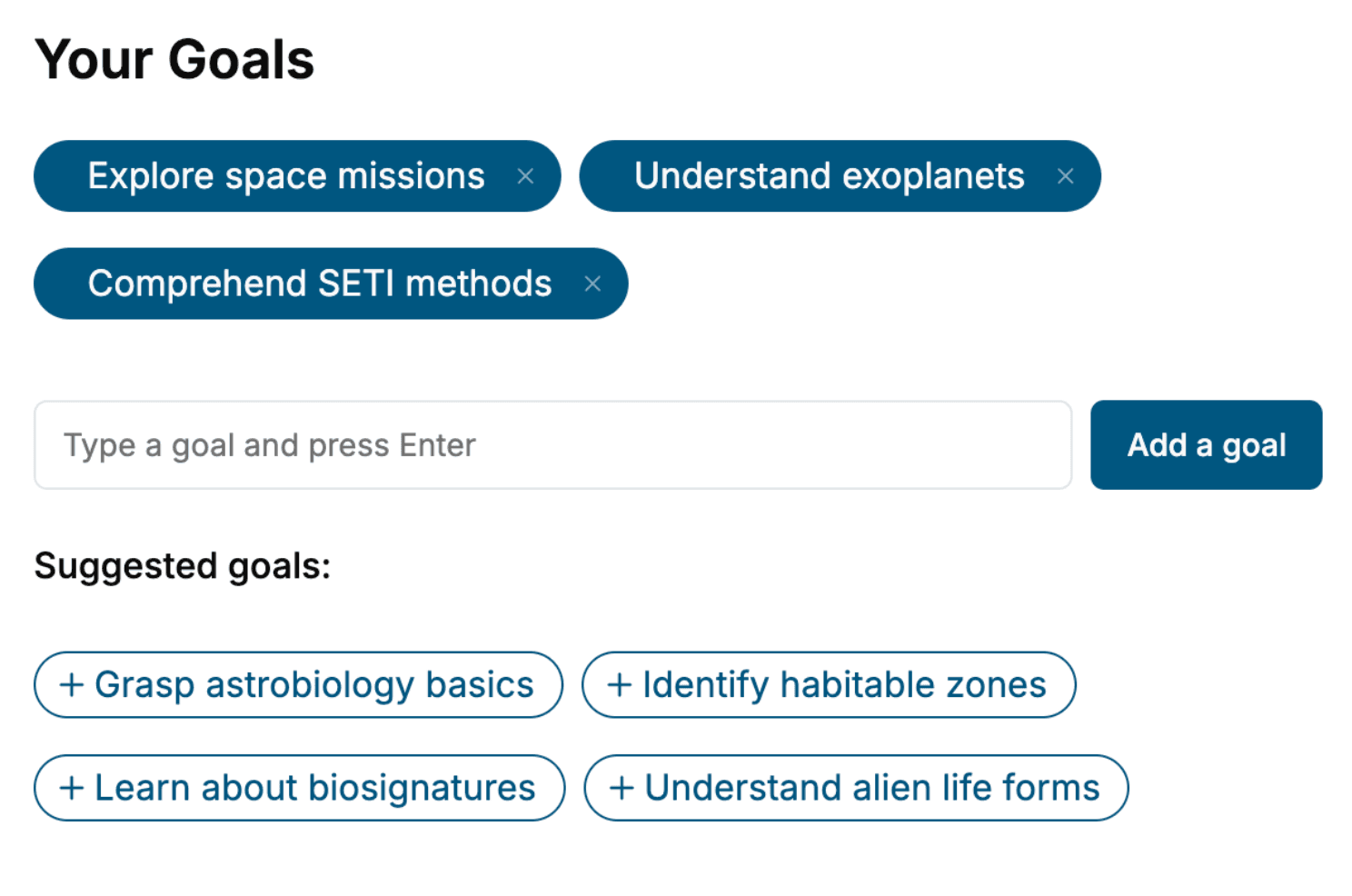
Tell us your goals and background, and get your own version of this book, tailored by AI to you.






Benefits of AI-tailored books
- Read one book, not ten:
- all the Device Drivers knowledge you need, gathered into a single book.
- Save days of learning:
- tell us your goals, choose your topics, and the whole book is built around them.
- Learn effortlessly:
- Device Drivers book written for your specific background and expertise.
- Understand at a glance:
- includes charts, tables, timelines, checklists, decision trees, and more.
- Stay current:
- written the day you order it, not years ago.
- Trust what you read:
- every book is checked for accuracy, with real research when your subject needs it.
Create your unique book in 3 steps
- 1. Select your focus
Select the focus of your Device Drivers book and share your background
- 2. Personalize your book
Specify your goals and choose sub-topics to include
- 3. Get your tailored book
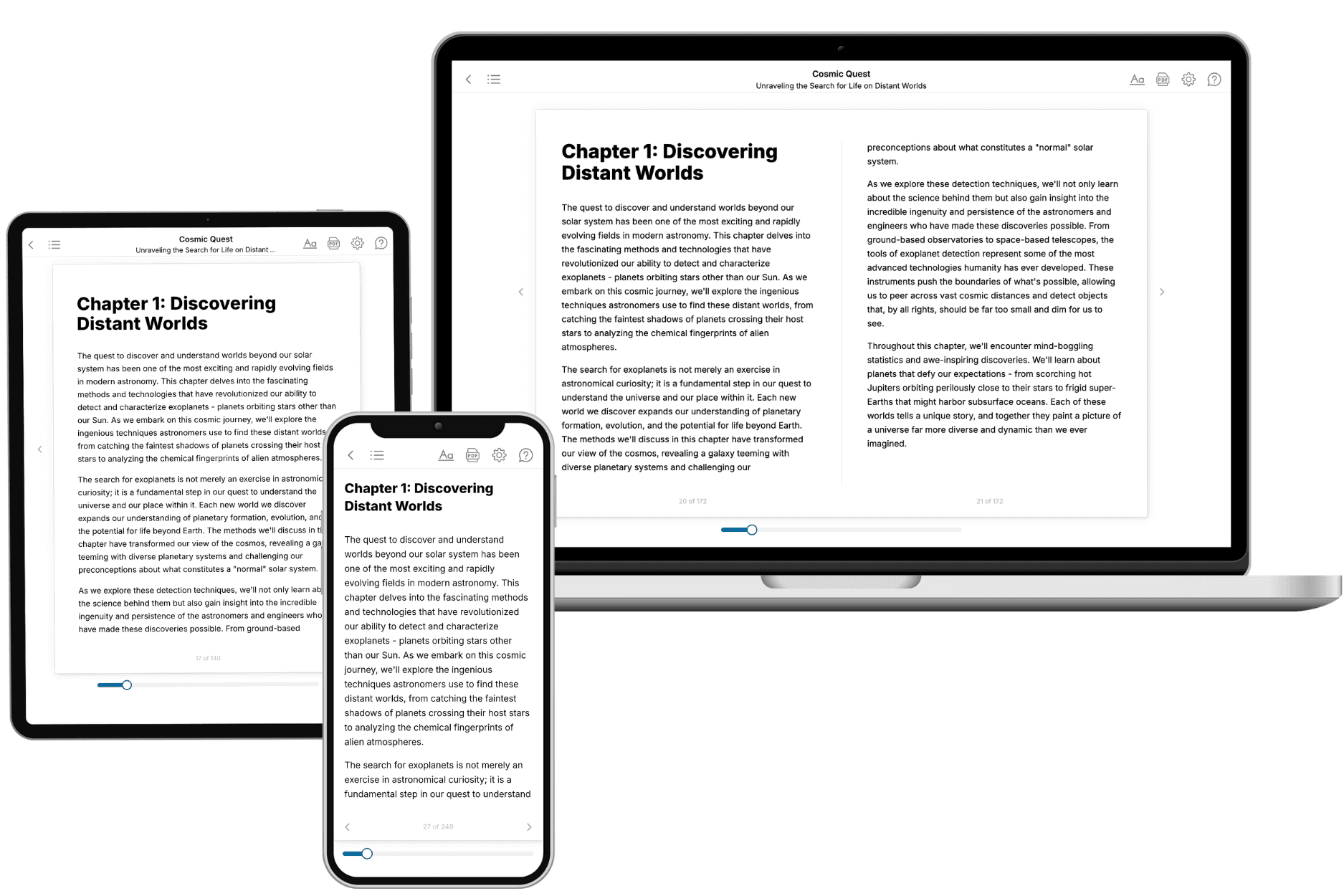
Your book is ready in 10 minutes. Read it online, download as EPUB or PDF, or send to Kindle.

Frequently asked questions
- What is TailoredRead?
TailoredRead creates complete, full-length nonfiction ebooks, written specifically for you. Tell us what you want to learn and why, and TailoredRead writes you a complete ebook on it, with charts, tables, and diagrams throughout. Read it online, on Kindle, or on any e-reader, or download it as a PDF or EPUB. Every book is written fresh the day you order it.
- How is the book tailored to me?
Before anything is written, you answer a few short questions about your goals, your background, and the topics you care about. Your book is then planned around your answers: written at your level, focused on your goals, and covering the topics you chose, instead of the one-size-fits-all book a store sells everyone.
- Will it read like generic AI content?
No. Your book isn't a chat transcript: it's planned chapter by chapter before a single word is written, told in a clear book voice, and explains ideas visually with charts, tables, and diagrams. After writing, every book goes through an editorial pass that polishes chapters so the book reads consistent from start to finish. Judge for yourself: browse thousands of sample books on our Explore Books page.
- How accurate is the content?
Our AI first checks whether your subject needs live research. Niche and fast-moving subjects are researched before writing, and the book plan and chapters are grounded in what it finds. After writing, every book goes through a quality pass that checks its facts and consistency, and researched books list their sources in a Notes section at the back.
- How long is the book?
You choose the length: Comprehensive (250-300 pages), Detailed (150-200 pages), Essential (70-100 pages), or Short (30-50 pages).
- Does the book include visuals?
Yes. Every book includes charts, tables, and diagrams: timelines, checklists, step-by-step guides, decision trees, comparison tables, matrices, and bar charts. A typical book includes dozens of these visual elements.
- Can I read it on Kindle? What formats can I download?
Yes. Every book can be read in our online reader or downloaded as a PDF or EPUB. The EPUB can be opened with Kindle, Apple Books, Kobo, and any e-reader. The Commercial and Author licenses also include an editable Word (DOCX) and Markdown download.
- How much does it cost?
About the price of a regular ebook. The exact price depends on your book's length and complexity, from $2 for the shortest books to $35 for the most comprehensive, and it's shown when you review your book, before you commit to anything. Each book is a one-time purchase, yours to keep, no subscription. Licenses that let you share, teach, or publish your book range from $35.99 to $49.99.
- Can I preview the book before purchasing?
Before you pay, you'll see what your book will cover: the title, a detailed description, the estimated length, and the complete chapter-by-chapter table of contents, so you know what you're getting before you decide. The full text itself is written after you purchase.
- How long does it take to create a book?
About 10 minutes. You can start reading the opening chapters while the rest is still being written.