Mastering Windows Azure Traffic Manager
Build Scalable, Resilient Applications with .NET Framework 4.5
Take your Azure applications to the next level by mastering intelligent traffic management and load balancing.
207 pages10 chaptersMay 27, 2026Microsoft Azure
About this book
This practical guide shows you how to leverage Windows Azure Traffic Manager to build highly available, globally distributed applications using .NET Framework 4.5. You'll learn to configure multiple routing methods, implement robust health monitoring, and handle failover scenarios that keep your applications running smoothly. Discover how to optimize performance across geographic regions, reduce latency for end users, and ensure your services remain accessible even during infrastructure failures. With real-world examples and step-by-step implementation guidance, you'll understand how to integrate Traffic Manager into your .NET applications, monitor performance metrics, and troubleshoot common issues. Whether you're building cloud-native applications or migrating existing systems to Azure, this book provides the technical depth and practical strategies needed to implement enterprise-grade traffic management solutions.
Table of contents
- IntroductionWhy Traffic Manager Matters in Modern Cloud Architecture, What You'll Learn in This Book, Prerequisites and SetupRead below
- Chapter 1: Fundamentals of Azure Traffic ManagerCore Concepts and Architecture, How DNS-Based Routing Works, Key Benefits and Use Cases
- Chapter 2: Routing Methods and Selection StrategiesPerformance-Based Routing for Latency Optimization, Weighted Routing for Traffic Distribution, Priority-Based Routing for Failover Scenarios, Geographic Routing for Regional Distribution
- Chapter 3: Configuring Traffic Manager ProfilesCreating and Configuring Profiles, Adding and Managing Endpoints, Optimizing Profile Settings and TTL
- Chapter 4: Health Checks and Endpoint MonitoringConfiguring Health Probes, Monitoring Strategies and Best Practices, Handling Failover and Recovery
- Chapter 5: Integration with .NET Framework 4.5Azure SDK for .NET Overview, Programmatic Configuration and Management, Implementing Traffic Manager in Client Applications
- Chapter 6: Advanced Configuration and ScenariosNested Traffic Manager Profiles, Multi-Region Deployment Patterns, Hybrid Cloud and On-Premises Integration
- Chapter 7: Performance Tuning and OptimizationReducing Latency and Improving Response Times, Optimizing Traffic Distribution Patterns, Caching and DNS Resolution Optimization
- Chapter 8: Monitoring, Diagnostics, and TroubleshootingCollecting and Analyzing Metrics, Diagnostic Logging and Event Tracking, Common Issues and Troubleshooting Techniques
- Chapter 9: Security and Compliance ConsiderationsSecurity Best Practices and Threat Mitigation, Meeting Compliance and Regulatory Requirements, Access Control and Authentication
- Chapter 10: Cost Management and OptimizationUnderstanding Traffic Manager Costs, Cost Optimization Strategies, Calculating ROI and Business Value
- ConclusionKey Takeaways and Next Steps, Staying Current with Azure Innovations
- Appendix: Quick Reference and ResourcesQuick Reference Guide, Additional Learning Resources, Glossary of Terms
Introduction
Building applications that stay fast, available, and reliable under real-world conditions is one of the most demanding challenges in modern software development. Users expect near-instant responses regardless of where they are in the world, and they have little patience for downtime or sluggish performance. For .NET developers working in Azure environments, meeting those expectations requires more than just writing good code. It requires a thoughtful approach to how traffic flows between users and the services that serve them.
Windows Azure Traffic Manager is one of the most powerful tools available for solving this problem. It operates at the DNS layer, meaning it intercepts domain name resolution requests and directs users to the most appropriate endpoint based on rules you define. Because it works at the DNS level, it requires no changes to your application code and remains completely transparent to end users. Yet behind the scenes, it can route traffic based on geographic location, endpoint health, latency measurements, or custom priority rules, giving you fine-grained control over how your application handles load and failure.
This book is a practical, hands-on guide to mastering Traffic Manager within the context of .NET Framework 4.5 applications. Whether you are designing a new globally distributed system or adding resilience to an existing Azure deployment, the concepts and techniques covered here will give you the foundation and the specific implementation knowledge to do it well. Each chapter builds on the last, moving from core concepts through advanced configuration patterns, integration with the Azure SDK for .NET, performance tuning, monitoring, security, and cost management. By the end, you will have a complete picture of how Traffic Manager fits into a production-grade Azure architecture.
Why Traffic Manager Matters in Modern Cloud Architecture
The cloud has fundamentally changed how developers think about infrastructure. In the early days of web development, high availability meant buying a second server and hoping the failover worked. Today, Azure offers data centers across dozens of regions worldwide, and the real challenge is not whether you can deploy to multiple locations but how you intelligently route traffic between them. Traffic Manager exists precisely to solve that routing problem at scale, without requiring complex application-level logic.
Consider a realistic scenario: a financial services company runs an ASP.NET Web API hosted in Azure's East US and West Europe regions. Without Traffic Manager, users in London and users in New York both resolve to the same endpoint, meaning one group always experiences higher latency than necessary. With Traffic Manager configured for performance-based routing, each user is automatically directed to the nearest healthy endpoint. The result is measurably lower response times for both groups, with no changes to the application itself.
Research from Akamai and Google has consistently shown that a 100-millisecond increase in page load time can reduce conversion rates by up to 7%.[1] For high-traffic applications, the latency savings from intelligent geographic routing translate directly into measurable business outcomes.
Beyond performance, Traffic Manager is a critical component of any serious high-availability strategy. When an endpoint becomes unhealthy, whether due to a deployment failure, a regional Azure outage, or a misconfigured service, Traffic Manager detects the problem through its health probe system and stops routing traffic to that endpoint. Failover happens automatically, typically within minutes, and users are redirected to a healthy alternative without any manual intervention. This kind of automated resilience is difficult and expensive to build at the application layer but straightforward to configure through Traffic Manager.
Traffic Manager also plays an important role in deployment workflows. Blue-green deployments, canary releases, and A/B testing scenarios all benefit from the ability to shift traffic percentages between endpoints using weighted routing. Instead of a risky all-at-once deployment, you can route 5% of traffic to a new version, monitor its behavior, and gradually increase the percentage as confidence grows. This approach reduces deployment risk significantly and gives teams a practical safety net during releases.
The DNS-based architecture of Traffic Manager has important implications for how it behaves in practice. Because DNS responses are cached by clients and intermediate resolvers, Traffic Manager does not intercept every individual HTTP request. Instead, it influences where requests go by controlling DNS resolution. This means it is not a traditional load balancer and should not be used as a substitute for one within a single region. Understanding this distinction is essential for designing systems that use Traffic Manager correctly alongside other Azure services like Azure Load Balancer and Application Gateway.
Modern cloud architecture increasingly demands that infrastructure decisions be made programmatically, through code and automation rather than manual portal clicks. Traffic Manager supports this through the Azure REST API and the Azure SDK for .NET, allowing developers to create profiles, add endpoints, and adjust routing rules as part of automated deployment pipelines. This programmability makes Traffic Manager a natural fit for DevOps workflows and infrastructure-as-code practices, which are covered in depth later in this book.
Finally, Traffic Manager matters because it is cost-effective. Running redundant infrastructure across multiple regions is not cheap, but Traffic Manager helps ensure that investment is used efficiently. By routing users to the most appropriate endpoint rather than overloading a single region, it reduces the need for over-provisioning. The service itself is priced based on DNS queries and health checks, making it one of the more affordable components in a typical Azure architecture relative to the value it provides.
What You'll Learn in This Book
This book is organized to take you from foundational understanding through practical implementation and into advanced optimization. Each chapter focuses on a specific aspect of Traffic Manager, with concrete examples, code samples, and configuration guidance throughout. The goal is not just to explain what Traffic Manager does but to show you exactly how to use it effectively in real .NET applications.
The first chapter covers the fundamentals of Azure Traffic Manager, including its core architecture, how DNS-based routing works under the hood, and the key scenarios where it provides the most value. If you are new to Traffic Manager, this chapter gives you the conceptual grounding needed to make sense of everything that follows. If you already have some experience with the service, it will fill in gaps and clarify common misconceptions about how DNS-level routing differs from traditional load balancing.
Chapter 2 dives into the four routing methods that Traffic Manager supports:
- Performance routing, which directs users to the endpoint with the lowest measured latency
- Weighted routing, which distributes traffic across endpoints according to assigned weights
- Priority routing, which sends all traffic to a primary endpoint and fails over to secondaries when needed
- Geographic routing, which maps users to endpoints based on their geographic location
Chapters 3 and 4 cover configuration and health monitoring in detail. You will learn how to create and configure Traffic Manager profiles through both the Azure Portal and the Azure SDK, how to add and manage endpoints, and how to tune settings like DNS time-to-live (TTL) for your specific use case. The health monitoring chapter explains how Traffic Manager's probe system works, how to configure it correctly, and how to design your endpoints to respond to health checks in a way that gives Traffic Manager accurate information about their status.
Chapter 5 is where the .NET Framework 4.5 integration comes together. You will see how to use the Azure SDK for .NET to manage Traffic Manager programmatically, including creating profiles, registering endpoints, and handling failover logic in your application code. Real code examples demonstrate how to wire these capabilities into a typical .NET application architecture, including Web API projects and Azure-hosted services.
The later chapters address advanced topics that matter in production environments:
- Chapter 6 covers nested profiles, multi-region deployment patterns, and hybrid cloud scenarios where some endpoints are on-premises
- Chapter 7 focuses on performance tuning, including latency reduction techniques and DNS caching strategies
- Chapter 8 walks through monitoring, diagnostics, and troubleshooting, with guidance on interpreting Traffic Manager metrics and resolving common issues
- Chapter 9 addresses security and compliance considerations, including access control and regulatory requirements
- Chapter 10 covers cost management, helping you understand Traffic Manager pricing and optimize your configuration to minimize unnecessary expenses
Throughout the book, you will find practical examples drawn from realistic application scenarios. Rather than abstract demonstrations, the examples reflect the kinds of decisions and trade-offs that come up in actual development and operations work. Where relevant, configuration snippets, code samples, and step-by-step procedures are included so you can apply what you learn directly to your own projects.
By the time you finish this book, you will be able to design a Traffic Manager configuration appropriate for your application's availability and performance requirements, implement that configuration using both the Azure Portal and the .NET SDK, monitor its behavior in production, and troubleshoot problems when they arise. You will also understand the cost implications of different configurations and how to make informed trade-offs between performance, resilience, and expense.
Prerequisites and Setup
This book is written for intermediate .NET developers who already have a working knowledge of Azure and cloud development concepts. You do not need to be an Azure expert, but you should be comfortable with the basics: creating Azure resources, understanding the difference between services like Azure App Service and Azure Virtual Machines, and navigating the Azure Portal. If you are brand new to Azure, spending a few hours with Microsoft's introductory Azure documentation before starting this book will make the content much easier to follow.
On the .NET side, the examples in this book use .NET Framework 4.5 and are written in C#. You should be comfortable with C# syntax, object-oriented programming concepts, and working with NuGet packages. Familiarity with ASP.NET Web API is helpful, since several examples use Web API projects as the application layer being managed by Traffic Manager. You do not need deep expertise in any of these areas, but a working familiarity will let you focus on the Traffic Manager concepts rather than getting distracted by the surrounding code.
To follow along with the hands-on examples, you will need the following tools and accounts set up before you begin:
- An active Azure subscription: A free trial account works for most examples, though some multi-region scenarios will incur small costs. You can sign up at azure.microsoft.com.
- Visual Studio 2013 or later: The examples were developed and tested with Visual Studio 2013, which has strong support for .NET Framework 4.5 and Azure development. Visual Studio 2015 or 2017 also work without issues.
- Azure SDK for .NET: Version 2.x of the Azure SDK is used throughout the book. It can be installed through the Visual Studio installer or downloaded from the Azure downloads page.
- Azure PowerShell or Azure CLI: Some configuration examples use PowerShell commands. Installing Azure PowerShell is recommended, though the Azure CLI can be used as an alternative for most tasks.
The NuGet packages used in the .NET code examples are listed at the start of each relevant chapter. The primary package for Traffic Manager management is Microsoft.WindowsAzure.Management.TrafficManager, which provides the client library for interacting with the Traffic Manager REST API from .NET code. You will also use Microsoft.WindowsAzure.Management for general Azure management operations and Microsoft.WindowsAzure.Common for shared infrastructure like authentication. These packages are available through the NuGet Package Manager in Visual Studio.
Authentication is an important setup consideration. The code examples in this book use certificate-based authentication with the Azure Service Management API, which is the standard approach for .NET Framework 4.5 applications targeting the classic Azure management APIs. You will need to generate a management certificate and upload it to your Azure subscription. The process is straightforward and is documented step by step in Chapter 5, but it is worth knowing in advance that this setup is required before the programmatic examples will work. If you prefer to use Azure Active Directory authentication instead, that approach is also discussed in Chapter 9 in the context of security best practices.
For the configuration examples that use the Azure Portal, the screenshots and instructions in this book reflect the Azure Portal interface as it existed at the time of writing. The Azure Portal is updated frequently, so the exact layout of some screens may differ slightly from what you see. However, the underlying concepts and settings remain consistent, and the field names and options described in the text will help you locate the right controls even if the visual layout has changed.
A note on terminology: Microsoft has used several names for this service over time, including "Windows Azure Traffic Manager" and simply "Azure Traffic Manager." This book uses both terms interchangeably, as they refer to the same service. Similarly, the terms "endpoint" and "target" are sometimes used interchangeably in Azure documentation. In this book, endpoint always refers to a destination that Traffic Manager routes traffic to, such as an Azure App Service instance, a cloud service, or an external URL.
Finally, a word about the scope of this book. Traffic Manager is one component in a larger Azure ecosystem, and a complete production architecture will involve many other services working alongside it. This book focuses specifically on Traffic Manager and its integration with .NET Framework 4.5 applications. Where other Azure services are relevant, such as Azure Load Balancer for within-region distribution or Azure Application Gateway for HTTP-level routing, they are mentioned in context. However, deep coverage of those services is outside the scope of this book. The goal here is to give you genuine mastery of Traffic Manager specifically, which is a deep enough topic to fill a book on its own.
With your environment set up and a clear picture of what lies ahead, you are ready to start building. The next chapter begins with the fundamentals: what Traffic Manager is, how it works at the architectural level, and why DNS-based routing is such a powerful approach to traffic management in distributed cloud applications. The concepts introduced there will serve as the foundation for everything that follows, so it is worth reading carefully even if you have some prior experience with the service.
Notes
Introduction
- 1. Akamai Technologies, The State of Online Retail Performance, Akamai.com, 2017
This is the end of the free sample. The full book has 10 chapters.
Want this book written for you?
Tell us your goals and background, and get your own version of this book, tailored by AI to you.


Benefits of AI-tailored books
- Read one book, not ten:
- all the Microsoft Azure knowledge you need, gathered into a single book.
- Save days of learning:
- tell us your goals, choose your topics, and the whole book is built around them.
- Learn effortlessly:
- Microsoft Azure book written for your specific background and expertise.
- Understand at a glance:
- includes charts, tables, timelines, checklists, decision trees, and more.
- Stay current:
- written the day you order it, not years ago.
- Trust what you read:
- every book is checked for accuracy, with real research when your subject needs it.
Create your unique book in 3 steps
- 1. Select your focus
Select the focus of your Microsoft Azure book and share your background
- 2. Personalize your book
Specify your goals and choose sub-topics to include
- 3. Get your tailored book
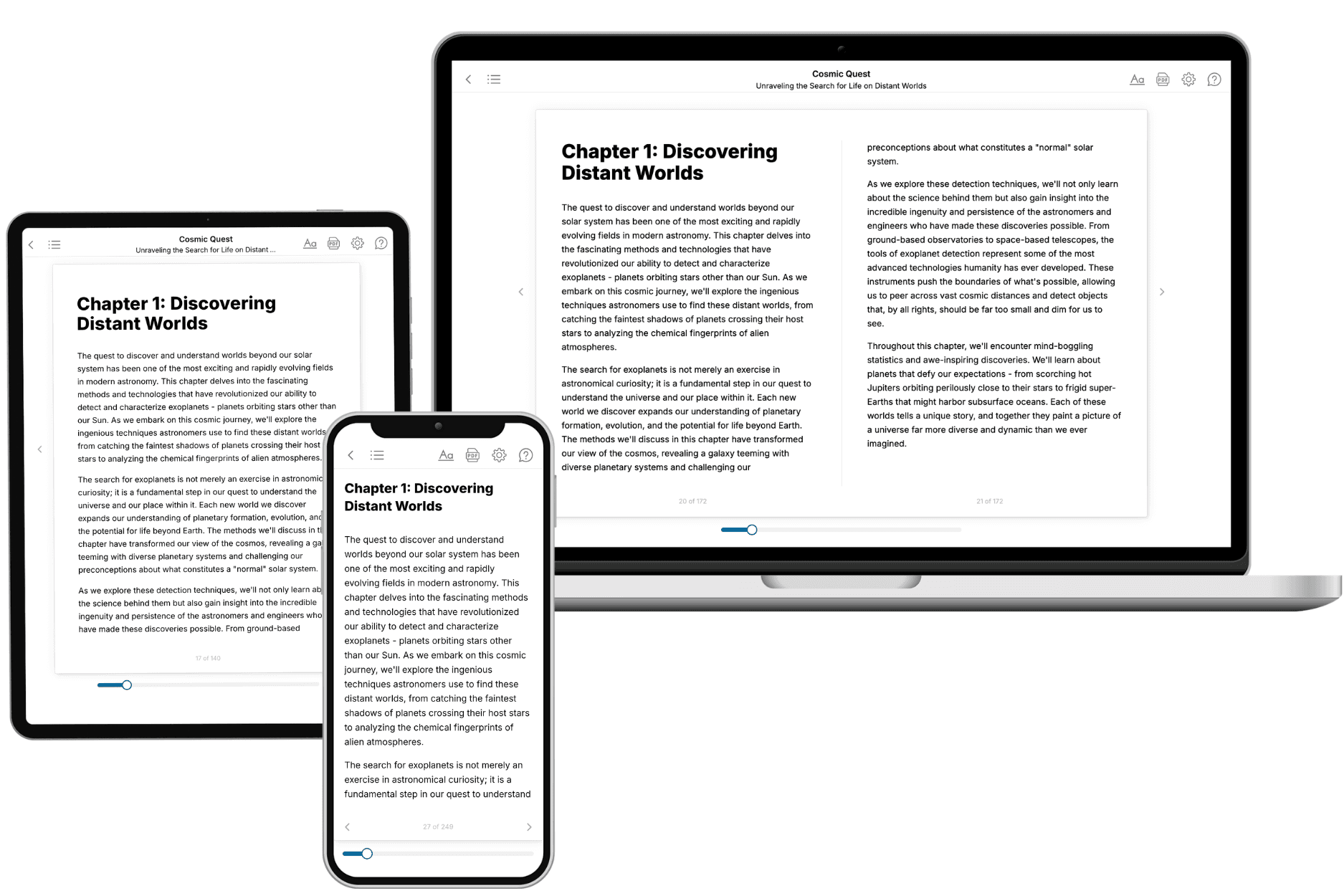
Your book is ready in 10 minutes. Read it online, download as EPUB or PDF, or send to Kindle.

Frequently asked questions
- What is TailoredRead?
TailoredRead creates complete, full-length nonfiction ebooks, written specifically for you. Tell us what you want to learn and why, and TailoredRead writes you a complete ebook on it, with charts, tables, and diagrams throughout. Read it online, on Kindle, or on any e-reader, or download it as a PDF or EPUB. Every book is written fresh the day you order it.
- How is the book tailored to me?
Before anything is written, you answer a few short questions about your goals, your background, and the topics you care about. Your book is then planned around your answers: written at your level, focused on your goals, and covering the topics you chose, instead of the one-size-fits-all book a store sells everyone.
- Will it read like generic AI content?
No. Your book isn't a chat transcript: it's planned chapter by chapter before a single word is written, told in a clear book voice, and explains ideas visually with charts, tables, and diagrams. After writing, every book goes through an editorial pass that polishes chapters so the book reads consistent from start to finish. Judge for yourself: browse thousands of sample books on our Explore Books page.
- How accurate is the content?
Our AI first checks whether your subject needs live research. Niche and fast-moving subjects are researched before writing, and the book plan and chapters are grounded in what it finds. After writing, every book goes through a quality pass that checks its facts and consistency, and researched books list their sources in a Notes section at the back.
- How long is the book?
You choose the length: Comprehensive (250-300 pages), Detailed (150-200 pages), Essential (70-100 pages), or Short (30-50 pages).
- Does the book include visuals?
Yes. Every book includes charts, tables, and diagrams: timelines, checklists, step-by-step guides, decision trees, comparison tables, matrices, and bar charts. A typical book includes dozens of these visual elements.
- Can I read it on Kindle? What formats can I download?
Yes. Every book can be read in our online reader or downloaded as a PDF or EPUB. The EPUB can be opened with Kindle, Apple Books, Kobo, and any e-reader. The Commercial and Author licenses also include an editable Word (DOCX) and Markdown download.
- How much does it cost?
About the price of a regular ebook. The exact price depends on your book's length and complexity, from $2 for the shortest books to $35 for the most comprehensive, and it's shown when you review your book, before you commit to anything. Each book is a one-time purchase, yours to keep, no subscription. Licenses that let you share, teach, or publish your book range from $35.99 to $49.99.
- Can I preview the book before purchasing?
Before you pay, you'll see what your book will cover: the title, a detailed description, the estimated length, and the complete chapter-by-chapter table of contents, so you know what you're getting before you decide. The full text itself is written after you purchase.
- How long does it take to create a book?
About 10 minutes. You can start reading the opening chapters while the rest is still being written.