Modular JavaScript Mastery
Harnessing the Power of ES6 Modules for Cleaner, More Efficient Code
Picture yourself confidently architecting large-scale JavaScript applications with ease, your code neatly organized into reusable, maintainable modules.
269 pages14 chaptersFeb 22, 2025JavaScript
About this book
This isn't just a dream – it's the reality that awaits you with ES6 Modules. "Modular JavaScript Mastery" is your comprehensive guide to harnessing the full potential of ES6 Modules. You'll dive deep into the intricacies of module-based development, learning how to structure your code for maximum efficiency and scalability. From basic syntax to advanced patterns, this book covers everything you need to know to elevate your JavaScript skills to the next level. By the time you finish this book, you'll have a solid grasp on importing and exporting modules, managing dependencies, and optimizing your build process. You'll be equipped with the knowledge to refactor existing projects into modular architectures and design new applications with a module-first mindset. Whether you're working on browser-based applications or Node.js projects, the skills you'll gain will be invaluable in today's modular JavaScript ecosystem.
Table of contents
- IntroductionWhy Modules Matter in Modern JavaScript, The Evolution of ES6 and Module Systems, What to Expect from This Book, Setting Up Your Development EnvironmentRead below
- Chapter 1: Understanding Module BasicsWhat is a Module?, Benefits of Using Modules, ES6 Module Syntax Overview, Module Scope and Closure
- Chapter 2: Mastering Export StatementsNamed Exports, Default Exports, Re-exporting Modules, Export Patterns and Best Practices
- Chapter 3: Importing Modules Like a ProImport Syntax and Variations, Working with Named Imports, Importing Default Exports, Using Import Aliases
- Chapter 4: Organizing Your ModulesFile and Folder Structure for Modules, Naming Conventions and Best Practices, Handling Circular Dependencies, Using Index Files for Module Grouping
- Chapter 5: Dynamic Imports and Code SplittingDynamic Import Syntax, Implementing Lazy Loading, Conditional Module Loading, Performance Benefits of Code Splitting
- Chapter 6: Working with Module BundlersIntroduction to Module Bundlers, Webpack Basics for ES6 Modules, Rollup: The ES6 Module Bundler, Parcel: Zero Configuration Bundling
- Chapter 7: ES6 Modules in the BrowserUsing <script type="module">, Browser Compatibility and Support, Optimizing Load Time with Module Preload, CORS and Modules
- Chapter 8: ES6 Modules in Node.jsNode.js Support for ES6 Modules, Differences Between CommonJS and ES6 Modules, Configuring package.json for ES6 Modules, Working with Mixed Module Systems
- Chapter 9: Advanced Module PatternsThe Revealing Module Pattern, Creating Singleton Modules, Factory Modules, Dependency Injection with Modules
- Chapter 10: Testing ES6 ModulesUnit Testing Individual Modules, Mocking Modules for Tests, Measuring Test Coverage for Modules, Integration Testing with Modules
- Chapter 11: Security Considerations for ES6 ModulesVerifying Trusted Sources, Content Security Policy and Modules, Sandboxing Untrusted Modules, Auditing Module Dependencies
- Chapter 12: Optimizing Module PerformanceTree Shaking for Dead Code Elimination, Effective Module Caching Strategies, Minification Techniques for Modules, Asynchronous Module Loading Patterns
- Chapter 13: Navigating the Module EcosystemUnderstanding npm and Module Management, Integrating Third-Party ES6 Modules, Publishing Your Own ES6 Modules, Module Versioning and Compatibility
- Chapter 14: The Future of JavaScript ModulesModule Proposals in the Pipeline, Modules and WebAssembly Integration, Module Workers and Parallel Processing, Preparing for Future Module Ecosystems
- ConclusionRecap of Key Concepts, Next Steps in Your Modular JavaScript Journey
- AppendixES6 Module Cheat Sheet, Recommended Tools and Resources
Introduction
Welcome to the world of ES6 Modules, a powerful feature that has revolutionized the way JavaScript developers structure and organize their code. As you embark on this journey through "Modular JavaScript Mastery," you're taking a significant step towards elevating your programming skills and embracing a more efficient, maintainable, and scalable approach to JavaScript development. This introduction will set the stage for your exploration of ES6 Modules, providing you with a solid foundation upon which to build your expertise.
In the rapidly evolving landscape of web development, staying ahead of the curve is crucial. ES6 Modules represent a paradigm shift in how we think about and implement JavaScript applications. They offer a standardized way to encapsulate functionality, manage dependencies, and create more robust codebases. Whether you're working on small projects or large-scale applications, the principles and techniques you'll learn in this book will prove invaluable in your day-to-day development tasks.
Throughout this book, you'll discover how ES6 Modules can help you write cleaner, more organized code. You'll learn to leverage the power of modular architecture to improve code reusability, enhance collaboration within development teams, and streamline the debugging process. By mastering ES6 Modules, you'll be equipped to tackle complex programming challenges with confidence and efficiency.
Why Modules Matter in Modern JavaScript
In the early days of JavaScript, developers faced numerous challenges when it came to organizing and structuring their code. The lack of a native module system led to the proliferation of global variables, naming conflicts, and difficulties in managing dependencies. As applications grew in complexity, these issues became increasingly problematic, hindering productivity and making codebases harder to maintain. The introduction of ES6 Modules marked a turning point in addressing these long-standing challenges.
Modules provide a way to encapsulate related functionality into discrete units of code. This encapsulation is crucial for several reasons. First, it helps prevent pollution of the global namespace. By keeping variables and functions within the scope of a module, you reduce the risk of naming conflicts and unintended side effects. This is particularly important in large-scale applications where multiple developers may be working on different parts of the codebase simultaneously.
Secondly, modules promote code reusability. When functionality is neatly packaged into modules, it becomes much easier to reuse that code across different parts of your application or even in entirely separate projects. This not only saves time but also encourages the development of more modular, composable architectures. You can think of modules as building blocks that can be assembled in various ways to create complex systems.
Another significant advantage of using modules is improved maintainability. When code is organized into logical, self-contained units, it becomes much easier to understand, debug, and modify. Each module can be reasoned about in isolation, which simplifies the process of updating or refactoring code. This modularity also facilitates better testing practices, as individual modules can be unit tested independently of the rest of the application.
Modules also play a crucial role in managing dependencies. With ES6 Modules, you can explicitly declare the dependencies of each module, making it clear what external code is required for a particular piece of functionality to work. This explicit dependency management helps in creating more robust and predictable applications. It also aids in optimizing load times and reducing the overall size of your JavaScript bundles through techniques like tree shaking, which we'll explore in later chapters.
In the context of modern development workflows, modules are essential for leveraging build tools and bundlers effectively. Tools like Webpack, Rollup, and Parcel are designed to work seamlessly with ES6 Modules, enabling advanced features such as code splitting, lazy loading, and optimized production builds. These capabilities are crucial for developing high-performance web applications that load quickly and use resources efficiently.
Furthermore, modules align well with modern JavaScript frameworks and libraries. Frameworks like React, Vue, and Angular all embrace modular architecture, and understanding ES6 Modules is key to working effectively with these tools. Even in vanilla JavaScript projects, adopting a modular approach can significantly improve code organization and scalability.
As web applications continue to grow in complexity, the importance of modular design becomes even more pronounced. Modules enable developers to break down large, monolithic codebases into smaller, more manageable pieces. This decomposition not only makes the development process more tractable but also allows for better separation of concerns, a fundamental principle in software design.
Lastly, the adoption of ES6 Modules represents a step towards a more standardized JavaScript ecosystem. Prior to ES6, various module systems like CommonJS and AMD were used, leading to fragmentation and compatibility issues. With ES6 Modules now supported natively in modern browsers and in Node.js, we're moving towards a more unified approach to modular JavaScript development across different environments.
In summary, modules matter in modern JavaScript because they address fundamental issues of code organization, reusability, and maintainability. They provide a standardized way to structure applications, manage dependencies, and optimize performance. As you progress through this book, you'll gain a deep understanding of how to leverage these benefits in your own projects, setting the stage for writing more efficient, scalable, and maintainable JavaScript code.
The Evolution of ES6 and Module Systems
To fully appreciate the significance of ES6 Modules, it's essential to understand the historical context and evolution of JavaScript module systems. The journey to ES6 Modules was a long and winding one, marked by various community-driven solutions and eventual standardization. This evolution reflects the growing needs of the JavaScript community and the increasing complexity of web applications.
In the early days of JavaScript, the language lacked a native module system. Developers relied on simple script tags to load JavaScript files, which led to all code being executed in the global scope. This approach quickly became problematic as applications grew in size and complexity. Issues such as naming conflicts, unintended variable overwriting, and difficulties in managing dependencies became commonplace. To address these challenges, developers began to devise various patterns and conventions.
One of the earliest attempts to create a module-like structure in JavaScript was the Immediately Invoked Function Expression (IIFE). This pattern involves wrapping code in a function that is immediately executed, creating a closure that provides a degree of encapsulation. While IIFEs helped mitigate some issues with global scope pollution, they didn't provide a standardized way to declare dependencies or export functionality.
As web applications became more complex, the need for a more robust module system became apparent. This led to the development of several module formats and loading systems. One of the most influential was CommonJS, which originated in the server-side JavaScript community. CommonJS introduced the concept of `require` statements for importing modules and `module.exports` for exporting functionality. This system became widely adopted in Node.js and influenced many subsequent module implementations.
Another significant development was the Asynchronous Module Definition (AMD) format, popularized by libraries like RequireJS. AMD was designed to address the needs of browser-based JavaScript, where asynchronous loading of modules is often necessary. It introduced a `define` function for declaring modules and their dependencies, allowing for more efficient loading of JavaScript in the browser environment.
The coexistence of different module systems led to fragmentation in the JavaScript ecosystem. Developers had to choose between different approaches or use tools to reconcile various module formats. This situation highlighted the need for a standardized, native module system in JavaScript itself. Enter ECMAScript 6 (ES6), also known as ECMAScript 2015.
ES6, released in 2015, introduced a host of new features to JavaScript, including a standardized module system. ES6 Modules were designed to address the shortcomings of previous approaches while providing a unified syntax that could work both in browsers and server-side environments. The new system introduced the `import` and `export` keywords, allowing for clear and concise module declarations.
Key features of ES6 Modules include:
- Static structure: The import and export statements are static, allowing for better static analysis and optimization.
- Named exports: Modules can export multiple named entities, improving granularity and clarity.
- Default exports: A module can have a single default export, simplifying the common case of a module with a primary function or class.
- Cyclic dependencies: ES6 Modules handle cyclic dependencies more gracefully than some previous systems.
- Asynchronous loading: While the syntax is synchronous, the system supports asynchronous module loading in browsers.
The adoption of ES6 Modules was gradual. Initially, developers needed to use transpilers like Babel to convert ES6 Module syntax into formats that could run in older environments. Over time, browser support improved, and today, all modern browsers support ES6 Modules natively. Node.js also added support for ES6 Modules, although it maintains compatibility with the CommonJS system.
The introduction of ES6 Modules has had a profound impact on the JavaScript ecosystem. It has influenced the design of build tools, bundlers, and frameworks. Tools like Webpack and Rollup are built around the concept of ES6 Modules, offering advanced features like tree shaking and code splitting. Modern JavaScript frameworks and libraries have embraced ES6 Modules, using them as the foundation for component-based architectures.
Since the introduction of ES6 Modules, the JavaScript module system has continued to evolve. Proposals for dynamic imports and module attributes have been introduced, aiming to address more advanced use cases and improve performance. These ongoing developments demonstrate that modular JavaScript development remains an active area of innovation.
Understanding this evolution is crucial for several reasons. It provides context for why certain design decisions were made in ES6 Modules. It helps you appreciate the advantages of the current system over previous approaches. And it prepares you for future developments in JavaScript module systems. As you delve deeper into ES6 Modules in the following chapters, keep this historical perspective in mind. It will enrich your understanding and help you make more informed decisions in your JavaScript development journey.
What to Expect from This Book
"Modular JavaScript Mastery" is designed to be your comprehensive guide to understanding and implementing ES6 Modules effectively in your JavaScript projects. This book is structured to take you on a journey from the basics of modules to advanced techniques and best practices. Whether you're new to modular programming or looking to deepen your existing knowledge, you'll find valuable insights and practical advice throughout these pages.
The book is organized into logical chapters, each building upon the knowledge from the previous ones. You'll start with the fundamentals of ES6 Modules, understanding their syntax and basic usage. From there, you'll progressively explore more advanced topics, culminating in a deep dive into the module ecosystem and future trends. Here's a brief overview of what you can expect from each section of the book:
1. Module Basics: You'll begin by learning the core concepts of ES6 Modules. This includes understanding what modules are, their benefits, and the basic syntax for importing and exporting code. You'll see how modules differ from traditional script loading and how they help in organizing code.
2. Export and Import Mastery: These chapters will delve deep into the various ways you can export and import code using ES6 Modules. You'll learn about named exports, default exports, and how to use aliases. Practical examples will demonstrate how to structure your modules for maximum flexibility and reusability.
3. Module Organization: Here, you'll explore best practices for organizing your modules. This includes file and folder structures, naming conventions, and strategies for managing larger codebases. You'll also learn how to handle circular dependencies and use index files effectively.
4. Dynamic Imports and Code Splitting: This section will introduce you to more advanced module techniques. You'll learn how to use dynamic imports for lazy loading and how to implement code splitting to optimize your application's performance.
5. Working with Module Bundlers: Modern JavaScript development often involves build tools. This chapter will guide you through using popular module bundlers like Webpack, Rollup, and Parcel with ES6 Modules.
6. Modules in Different Environments: You'll explore how ES6 Modules work in various environments, including browsers and Node.js. This section will cover browser compatibility, using modules in Node.js, and strategies for working with mixed module systems.
7. Advanced Module Patterns: Here, you'll learn about advanced module patterns and techniques. This includes implementing the revealing module pattern, creating singleton modules, and using dependency injection with modules.
8. Testing and Security: These chapters will cover best practices for testing modular code and address important security considerations when working with ES6 Modules.
9. Performance Optimization: You'll learn techniques for optimizing the performance of your modular JavaScript applications, including tree shaking, effective caching strategies, and asynchronous loading patterns.
10. The Module Ecosystem: This section will help you navigate the broader JavaScript module ecosystem. You'll learn about npm, integrating third-party modules, and even publishing your own modules.
11. Future Trends: The book concludes with a look at the future of JavaScript modules, discussing upcoming proposals and how to prepare for future developments in the ecosystem.
Throughout the book, you'll find:
- Practical examples and code snippets that demonstrate key concepts
- Best practices and design patterns for effective modular development
- Tips for avoiding common pitfalls and debugging modular code
- Insights into how modules integrate with modern JavaScript frameworks and libraries
- Exercises and challenges to reinforce your learning
By the end of this book, you'll have a comprehensive understanding of ES6 Modules and how to use them effectively in your JavaScript projects. You'll be equipped with the knowledge to structure large-scale applications, optimize performance, and leverage the full power of modular JavaScript development. Whether you're building complex web applications, Node.js services, or anything in between, the skills you'll gain from this book will be invaluable in your journey as a JavaScript developer.
Remember, learning is an active process. As you read through the chapters, try out the code examples, experiment with the concepts in your own projects, and don't hesitate to explore beyond what's covered in the book. The world of JavaScript modules is rich and constantly evolving, and this book aims to give you a solid foundation to continue growing and adapting as a developer.
Setting Up Your Development Environment
Before diving into the intricacies of ES6 Modules, it's crucial to set up a development environment that allows you to work efficiently with modern JavaScript. This section will guide you through the process of creating a workspace that's conducive to learning and experimenting with ES6 Modules. By following these steps, you'll ensure that you have all the necessary tools and configurations in place to make the most of the examples and exercises in this book.
1. Node.js and npm Installation: The first step is to install Node.js, which comes bundled with npm (Node Package Manager). Node.js is essential for running JavaScript on your machine and using various development tools. Visit the official Node.js website (https://nodejs.org) and download the latest LTS (Long Term Support) version for your operating system. Once installed, you can verify the installation by opening a terminal or command prompt and running:
node --version
npm --version2. Code Editor: While you can write JavaScript in any text editor, using a modern code editor with good support for ES6 and modules will significantly enhance your productivity. Some popular options include:
- Visual Studio Code: A free, open-source editor from Microsoft with excellent JavaScript support.
- WebStorm: A powerful IDE specifically designed for JavaScript development.
- Atom: A highly customizable editor with a strong community and plugin ecosystem.
- Sublime Text: A fast, lightweight editor popular among developers.
3. Browser: For testing modules in a browser environment, you'll need a modern web browser. While most current browsers support ES6 Modules, it's recommended to use the latest version of Chrome, Firefox, or Safari for the best compatibility and developer tools.
4. Git Version Control: While not strictly necessary for working with ES6 Modules, Git is an essential tool for any developer. It allows you to track changes in your code and collaborate with others. Download and install Git from https://git-scm.com/.
5. Setting Up a Project: Now that you have the basic tools installed, let's set up a simple project structure to work with ES6 Modules:
- Create a new directory for your project:
mkdir es6-modules-project && cd es6-modules-project - Initialize a new npm project:
npm init -y - Create a src directory for your JavaScript files:
mkdir src - Create an index.html file in the root of your project
- Create a main.js file in the src directory
6. Configuring package.json: Open the package.json file created by npm init and add the following line to enable ES6 Module support:
"type": "module"7. Basic HTML Setup: In your index.html file, add the following basic structure:
<!DOCTYPE html>
<html lang="en">
<head>
    <meta charset="UTF-8">
    <meta name="viewport" content="width=device-width, initial-scale=1.0">
    <title>ES6 Modules Project</title>
</head>
<body>
    <h1>ES6 Modules Project</h1>
    <script type="module" src="src/main.js"></script>
</body>
</html>type="module" attribute in the script tag, which is crucial for using ES6 Modules in the browser.
8. Local Development Server: To avoid CORS issues when working with modules, it's best to use a local development server. You can use the `http-server` package for this purpose:
npm install --global http-server
http-server9. (Optional) Babel Setup: If you want to use the latest JavaScript features or ensure compatibility with older environments, you can set up Babel:
npm install --save-dev @babel/core @babel/cli @babel/preset-env
npm install --save-dev @babel/node{
"presets": ["@babel/preset-env"]
}10. (Optional) ESLint Setup: For maintaining code quality and consistency, you can set up ESLint:
npm install --save-dev eslint
npx eslint --initWith this setup, you now have a development environment ready for working with ES6 Modules. You can start creating module files in your src directory and import them in main.js. As you progress through the book, you may need to install additional tools or configure your environment further, but this basic setup will serve as a solid foundation for learning and experimenting with ES6 Modules.
Remember, the key to mastering any programming concept is practice. Don't hesitate to experiment with different module structures, try out the examples in this book, and create your own projects. Your development environment is now set up to support your journey into the world of modular JavaScript development.
This is the end of the free sample. The full book has 14 chapters.
Want this book written for you?
Tell us your goals and background, and get your own version of this book, tailored by AI to you.






Benefits of AI-tailored books
- Read one book, not ten:
- all the JavaScript knowledge you need, gathered into a single book.
- Save days of learning:
- tell us your goals, choose your topics, and the whole book is built around them.
- Learn effortlessly:
- JavaScript book written for your specific background and expertise.
- Understand at a glance:
- includes charts, tables, timelines, checklists, decision trees, and more.
- Stay current:
- written the day you order it, not years ago.
- Trust what you read:
- every book is checked for accuracy, with real research when your subject needs it.
Create your unique book in 3 steps
- 1. Select your focus
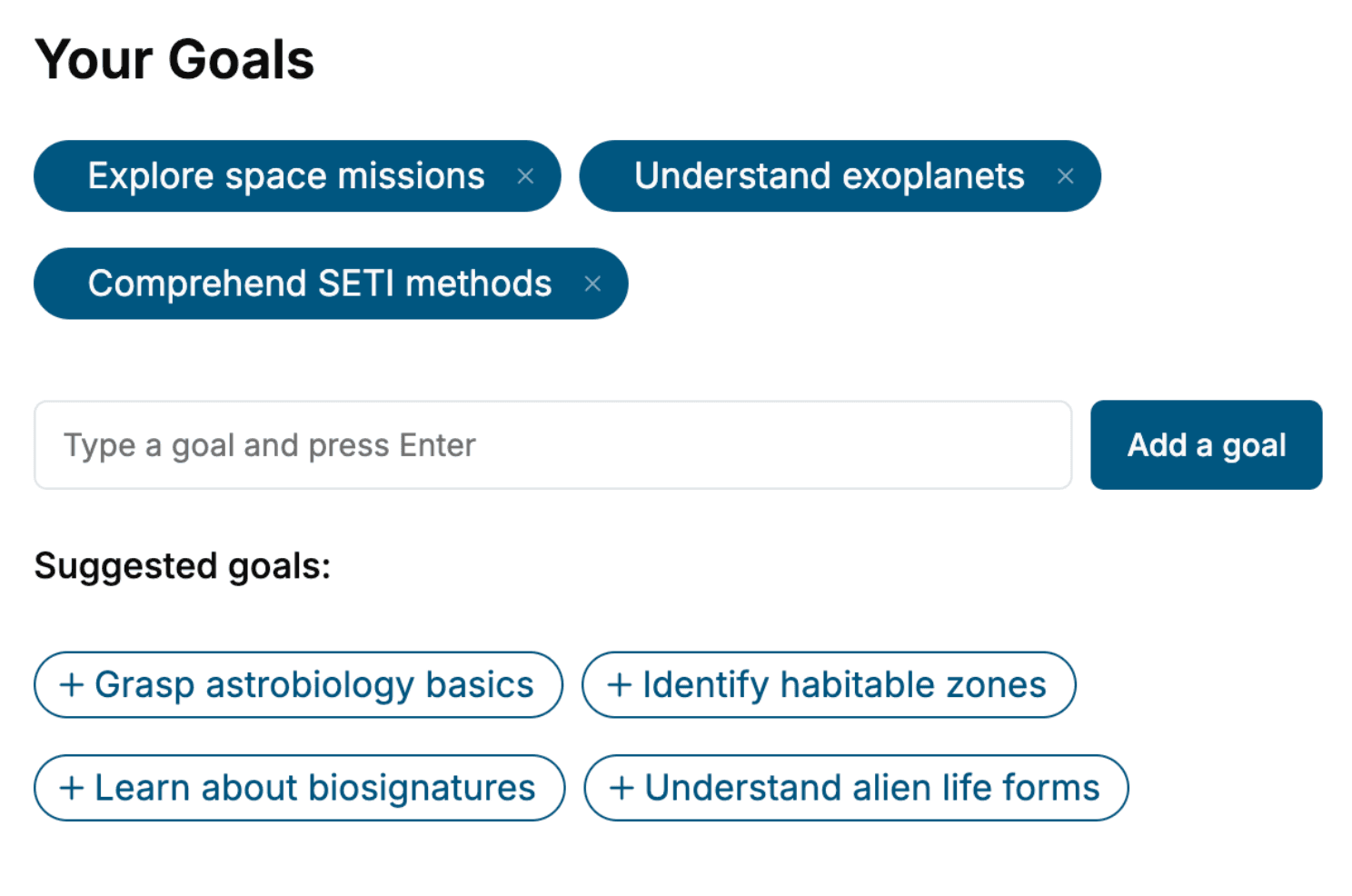
Select the focus of your JavaScript book and share your background
- 2. Personalize your book
Specify your goals and choose sub-topics to include
- 3. Get your tailored book
Your book is ready in 10 minutes. Read it online, download as EPUB or PDF, or send to Kindle.


Frequently asked questions
- What is TailoredRead?
TailoredRead creates complete, full-length nonfiction ebooks, written specifically for you. Tell us what you want to learn and why, and TailoredRead writes you a complete ebook on it, with charts, tables, and diagrams throughout. Read it online, on Kindle, or on any e-reader, or download it as a PDF or EPUB. Every book is written fresh the day you order it.
- How is the book tailored to me?
Before anything is written, you answer a few short questions about your goals, your background, and the topics you care about. Your book is then planned around your answers: written at your level, focused on your goals, and covering the topics you chose, instead of the one-size-fits-all book a store sells everyone.
- Will it read like generic AI content?
No. Your book isn't a chat transcript: it's planned chapter by chapter before a single word is written, told in a clear book voice, and explains ideas visually with charts, tables, and diagrams. After writing, every book goes through an editorial pass that polishes chapters so the book reads consistent from start to finish. Judge for yourself: browse thousands of sample books on our Explore Books page.
- How accurate is the content?
Our AI first checks whether your subject needs live research. Niche and fast-moving subjects are researched before writing, and the book plan and chapters are grounded in what it finds. After writing, every book goes through a quality pass that checks its facts and consistency, and researched books list their sources in a Notes section at the back.
- How long is the book?
You choose the length: Comprehensive (250-300 pages), Detailed (150-200 pages), Essential (70-100 pages), or Short (30-50 pages).
- Does the book include visuals?
Yes. Every book includes charts, tables, and diagrams: timelines, checklists, step-by-step guides, decision trees, comparison tables, matrices, and bar charts. A typical book includes dozens of these visual elements.
- Can I read it on Kindle? What formats can I download?
Yes. Every book can be read in our online reader or downloaded as a PDF or EPUB. The EPUB can be opened with Kindle, Apple Books, Kobo, and any e-reader. The Commercial and Author licenses also include an editable Word (DOCX) and Markdown download.
- How much does it cost?
About the price of a regular ebook. The exact price depends on your book's length and complexity, from $2 for the shortest books to $35 for the most comprehensive, and it's shown when you review your book, before you commit to anything. Each book is a one-time purchase, yours to keep, no subscription. Licenses that let you share, teach, or publish your book range from $35.99 to $49.99.
- Can I preview the book before purchasing?
Before you pay, you'll see what your book will cover: the title, a detailed description, the estimated length, and the complete chapter-by-chapter table of contents, so you know what you're getting before you decide. The full text itself is written after you purchase.
- How long does it take to create a book?
About 10 minutes. You can start reading the opening chapters while the rest is still being written.