The Office Admin Toolkit
A Practical Guide to Mastering Organization, Efficiency, and Technology in the Modern Workplace
In "The Office Admin Toolkit: A Practical Guide to Mastering Organization, Efficiency, and Technology in the Modern Workplace," readers will discover a comprehensive resource designed specifically for aspiring and entry-level administrators.
284 pages14 chaptersOct 3, 2024Office AdministrationCreated by Christo
About this book
This book serves as an indispensable companion for those looking to enhance their skills and excel in the dynamic world of office administration. Written in a clear, accessible, and engaging style, this guide takes a hands-on approach to mastering essential office skills. From implementing effective filing systems to navigating the latest office software, readers will gain practical knowledge that can be immediately applied in their daily work. The book covers a wide range of crucial topics, including digital organization, email management, inventory control, task prioritization, and document formatting. Each chapter is filled with real-world examples, step-by-step instructions, and practical tips that will help readers streamline office processes, improve decision-making, and enhance their problem-solving abilities. Whether you're new to office administration or looking to refine your skills, "The Office Admin Toolkit" provides the knowledge and tools necessary to become a more efficient, organized, and tech-savvy professional. By the end of this book, readers will have gained the confidence and expertise to tackle any administrative challenge and become an invaluable asset to their organization.
Table of contents
- IntroductionThe Evolving Role of Office Administrators, How to Use This Book, Self-Assessment: Where Are You Now?, Setting Your Professional Development GoalsRead below
- Chapter 1: Foundations of Office OrganizationCore Principles of Office Organization, Setting Up an Efficient Workspace, Time Management Techniques for Administrators, Essential Organizational Tools and Supplies
- Chapter 2: Mastering Filing SystemsThe Importance of Effective Filing, Creating and Maintaining Physical Filing Systems, Digital Filing Strategies, File Retention and Disposal Policies
- Chapter 3: Digital Organization StrategiesCreating an Effective Digital Folder Structure, File Naming Conventions and Best Practices, Utilizing Cloud Storage Solutions, Data Backup and Recovery Strategies
- Chapter 4: Effective Email ManagementOrganizing Your Inbox, Email Etiquette and Professional Communication, Email Productivity Tools and Techniques, Email Security and Privacy Best Practices
- Chapter 5: Essential Office Software SkillsWord Processing Fundamentals, Spreadsheet Basics and Data Analysis, Creating Effective Presentations, Collaboration and Project Management Software
- Chapter 6: Professional Document FormattingFormatting Business Letters and Memos, Creating Professional Reports, Developing and Using Document Templates, Proofreading and Editing Techniques
- Chapter 7: Data Entry and AccuracyFundamentals of Accurate Data Entry, Improving Typing Speed and Accuracy, Data Verification and Quality Control, Data Security and Confidentiality
- Chapter 8: Office Inventory ManagementBasics of Office Inventory Control, Setting Up an Inventory Management System, Ordering and Maintaining Office Supplies, Using Inventory Management Software
- Chapter 9: Task Prioritization and Time ManagementUsing Priority Matrices for Task Management, Time Blocking Techniques, Effective Delegation Strategies, Productivity Apps and Tools
- Chapter 10: Effective Communication in the OfficeVerbal Communication Skills, Written Communication Best Practices, Active Listening Techniques, Conflict Resolution and Mediation
- Chapter 11: Meeting Management and CoordinationPlanning and Scheduling Meetings, Creating Effective Meeting Agendas, Taking and Distributing Meeting Minutes, Managing Virtual and Hybrid Meetings
- Chapter 12: Customer Service for AdministratorsPrinciples of Excellent Customer Service, Handling Difficult Situations and Complaints, Follow-up and Feedback Techniques, Measuring and Improving Customer Satisfaction
- Chapter 13: Problem-Solving and Decision-MakingIdentifying and Defining Problems, Generating Creative Solutions, Decision-Making Models and Techniques, Implementing and Evaluating Solutions
- Chapter 14: Continuous Professional DevelopmentAssessing Your Skills and Knowledge Gaps, Finding Learning Opportunities, Networking and Professional Associations, Planning Your Career Growth
- ConclusionKey Takeaways, Creating Your Personal Action Plan
- Glossary of Office Administration Terms
- Additional Resources and Tools
Introduction
Welcome to "The Office Admin Toolkit: A Practical Guide to Mastering Organization, Efficiency, and Technology in the Modern Workplace." This comprehensive guide is designed to empower entry-level administrators and those seeking to enhance their professional capabilities in office administration. Whether you're just starting your career or looking to refine your skills, this book will serve as your indispensable companion on the journey to becoming a more effective, confident, and tech-savvy administrator.
In today's rapidly evolving workplace, the role of an office administrator has become increasingly complex and multifaceted. Gone are the days when basic filing and typing skills were sufficient. Modern administrators are expected to be proficient in a wide range of areas, from digital organization and software management to effective communication and problem-solving. This book aims to equip you with the knowledge, skills, and tools necessary to excel in this dynamic environment.
Throughout the following chapters, we will explore various aspects of office administration, focusing on practical, hands-on techniques that you can immediately apply in your daily work. We'll delve into the foundations of office organization, master filing systems both physical and digital, and develop strategies for effective email management. You'll learn essential office software skills, professional document formatting techniques, and best practices for data entry and accuracy. We'll also cover crucial soft skills such as task prioritization, time management, and effective communication.
As we progress through the book, you'll find that each chapter is designed to build upon the previous ones, creating a comprehensive toolkit that you can draw from in various situations. By the time you reach the conclusion, you'll have gained a holistic understanding of modern office administration and be well-prepared to tackle the challenges that come with this vital role.
Let's begin our journey by exploring the evolving role of office administrators, understanding how to make the most of this book, assessing your current skills, and setting clear professional development goals. These foundational steps will set the stage for your growth and success as you work through the subsequent chapters.
The Evolving Role of Office Administrators
The role of office administrators has undergone a significant transformation in recent years, driven by technological advancements, changing workplace dynamics, and evolving business needs. Today's administrators are no longer confined to traditional clerical duties; instead, they have become integral to the smooth operation of modern offices, often serving as the backbone of organizational efficiency and productivity.
In the past, office administrators primarily focused on tasks such as answering phones, typing documents, and maintaining physical filing systems. While these responsibilities remain important, the scope of the role has expanded dramatically. Modern administrators are now expected to be tech-savvy multitaskers, capable of juggling a wide array of responsibilities with ease and proficiency.
One of the most significant changes in the role of office administrators is the increased emphasis on technology. With the advent of digital tools and software solutions, administrators must now be adept at navigating various computer programs, managing digital files, and troubleshooting basic technical issues. This shift has transformed the way information is processed, stored, and retrieved, making digital literacy a crucial skill for today's administrators.
Another key aspect of the evolving administrative role is the growing importance of communication and interpersonal skills. Administrators often serve as the first point of contact for clients, vendors, and other stakeholders, making their ability to communicate effectively and professionally more critical than ever. They are frequently called upon to coordinate meetings, manage schedules, and facilitate smooth interactions between different departments or team members.
Problem-solving and decision-making have also become integral parts of the modern administrator's toolkit. As offices become more streamlined and efficient, administrators are often entrusted with greater responsibility in managing day-to-day operations. This includes identifying and resolving issues, making informed decisions, and contributing to process improvements that enhance overall workplace efficiency.
The rise of remote and hybrid work environments has further expanded the role of office administrators. They are now often responsible for coordinating virtual meetings, managing digital collaboration tools, and ensuring smooth communication between on-site and remote team members. This shift has required administrators to develop new skills in virtual team management and digital collaboration.
Data management and analysis have also become increasingly important aspects of the administrative role. With businesses relying more heavily on data-driven decision-making, administrators are often tasked with collecting, organizing, and presenting data in meaningful ways. This requires not only proficiency in spreadsheet software but also an understanding of basic data analysis techniques.
The evolving role of office administrators also encompasses a greater focus on project management. Many administrators now find themselves coordinating small to medium-sized projects, requiring skills in planning, organizing, and tracking progress. This expanded responsibility often involves working with cross-functional teams and managing multiple deadlines simultaneously.
As businesses become more environmentally conscious, many office administrators are taking on the role of sustainability champions within their organizations. This may involve implementing paperless systems, coordinating recycling efforts, or researching and suggesting eco-friendly office supplies and practices.
The increased complexity of regulatory compliance in many industries has also impacted the administrative role. Administrators often play a crucial part in ensuring that office procedures and document management practices align with relevant regulations and standards. This requires a basic understanding of compliance issues and the ability to implement and maintain appropriate record-keeping systems.
In light of these changes, continuous learning and adaptability have become essential traits for successful office administrators. The rapid pace of technological advancement and evolving workplace practices mean that administrators must be willing to embrace change and consistently update their skills to remain effective in their roles.
As we progress through this book, we will address these various aspects of the modern administrative role, providing you with the knowledge and tools to excel in this dynamic and challenging position. By understanding the evolving nature of office administration, you'll be better prepared to adapt to new responsibilities and position yourself as an invaluable asset to your organization.
How to Use This Book
"The Office Admin Toolkit" has been carefully designed to provide you with a comprehensive and practical guide to mastering the essential skills of modern office administration. To get the most out of this book, it's important to approach it with a strategic mindset and a commitment to applying what you learn. Here's a guide on how to effectively use this book to enhance your professional capabilities and advance your career as an office administrator.
First and foremost, it's crucial to understand that this book is not meant to be read passively. While you can certainly read it from cover to cover, the true value lies in actively engaging with the content and putting the concepts into practice. As you work through each chapter, take the time to reflect on how the information applies to your current role or the position you aspire to. Consider how you can implement the strategies and techniques in your daily work routine.
One effective approach is to treat this book as a workbook or a personal development guide. Keep a notebook or digital document handy as you read, jotting down key points, ideas, and action items. This active note-taking will help reinforce your learning and create a personalized reference guide that you can revisit in the future. Don't hesitate to highlight or bookmark sections that you find particularly relevant or that you want to revisit later.
Each chapter in this book is designed to build upon the previous ones, creating a comprehensive understanding of office administration. However, you don't necessarily need to read the chapters in sequential order. If there's a particular area where you feel you need immediate improvement, feel free to jump to that chapter first. The book is structured to allow for both linear and non-linear reading, depending on your specific needs and interests.
Throughout the book, you'll find practical exercises, case studies, and real-world examples. These are not mere fillers; they are carefully crafted learning tools designed to help you apply the concepts in practical situations. Take the time to work through these exercises, even if they seem challenging at first. They will help you develop critical thinking skills and give you hands-on experience with the techniques discussed.
Pay special attention to the "Key Takeaways" sections at the end of each chapter. These summaries distill the most important points and serve as quick reference guides. Consider creating flashcards or summary notes based on these takeaways to reinforce your learning and for easy review later.
As you progress through the book, try to implement what you're learning in your current work environment. Start small by choosing one or two techniques from each chapter to apply immediately. This gradual implementation will help you build confidence and see tangible improvements in your work performance. Keep track of your progress and note any challenges you encounter – this self-reflection will be valuable for your ongoing professional development.
Don't hesitate to revisit chapters or sections as needed. Office administration is a multifaceted field, and you may find that certain concepts become more relevant or clearer as you gain experience. This book is designed to be a long-term resource that you can return to throughout your career.
Take advantage of the additional resources and tools mentioned throughout the book. These may include online tutorials, software recommendations, or professional development websites. Exploring these resources will help deepen your understanding and keep you updated on the latest trends and best practices in office administration.
Consider forming a study group or finding a mentor to discuss the concepts presented in the book. Sharing ideas and experiences with others can provide valuable insights and help you see how different organizations apply these principles. This collaborative approach can also help keep you motivated and accountable in your learning journey.
As you near the end of the book, pay special attention to the chapter on continuous professional development. Use the strategies outlined there to create a long-term plan for your ongoing growth as an office administrator. Remember, the field of office administration is constantly evolving, and this book should serve as a foundation for your continuous learning and improvement.
Finally, don't be afraid to customize your approach to using this book. Everyone has different learning styles and professional needs. Adapt the strategies and techniques presented here to fit your unique situation and work environment. The goal is not just to absorb information, but to transform it into practical skills that enhance your effectiveness as an office administrator.
By approaching "The Office Admin Toolkit" with an active, engaged mindset and a commitment to applying what you learn, you'll be well on your way to becoming a more skilled, confident, and valuable office administrator. Remember, the journey to professional excellence is ongoing, and this book is your trusted companion along the way.
Self-Assessment: Where Are You Now?
Before diving into the wealth of information and strategies presented in this book, it's crucial to take a step back and assess your current skills, knowledge, and experience in office administration. This self-assessment will serve as a valuable starting point, helping you identify your strengths, recognize areas for improvement, and tailor your learning journey to your specific needs. By understanding where you are now, you'll be better equipped to set meaningful goals and track your progress as you work through "The Office Admin Toolkit."
To begin your self-assessment, consider your current role and responsibilities. Are you new to office administration, or do you have some experience under your belt? Think about the tasks you perform regularly and those you find challenging. Reflect on feedback you've received from supervisors or colleagues about your performance. This initial reflection will help you gain a broad overview of your current standing in the field.
Next, let's break down your self-assessment into key areas of office administration. For each of the following categories, rate your proficiency on a scale of 1 to 5, where 1 represents little to no experience or knowledge, and 5 represents expert-level skills:
- General office organization and time management
- Physical and digital filing systems
- Email management and professional communication
- Proficiency in office software (word processing, spreadsheets, presentations)
- Document formatting and proofreading
- Data entry accuracy and speed
- Inventory management
- Task prioritization and delegation
- Meeting coordination and minute-taking
- Customer service skills
- Problem-solving and decision-making abilities
- Adaptability to new technologies and processes
As you rate yourself in these areas, be honest and objective. Remember, the goal is not to judge yourself harshly, but to create an accurate picture of your current skill set. For each category, jot down specific examples of your experience or note any particular challenges you face. This detailed reflection will help you identify patterns and priorities for your professional development.
After completing this rating exercise, take a moment to analyze your results. Which areas stand out as your strengths? These are skills you can leverage and potentially share with others in your workplace. Which areas received lower ratings? These represent opportunities for growth and should be prioritized in your learning journey.
In addition to technical skills, it's important to assess your soft skills, which are equally crucial in office administration. Consider your abilities in:
- Verbal and written communication
- Active listening
- Teamwork and collaboration
- Adaptability and flexibility
- Attention to detail
- Initiative and proactivity
- Stress management
- Conflict resolution
Now, think about your current work environment and the specific demands of your role or the role you aspire to. How well do your current skills align with these requirements? Are there any gaps between your present abilities and what's expected of you? Identifying these gaps will help you focus your efforts on the most relevant areas for improvement.
Consider your career aspirations as well. Where do you see yourself in the next few years? What skills will you need to develop to reach your goals? This forward-thinking approach will help you prioritize your learning and ensure that your professional development aligns with your long-term career objectives.
As part of your self-assessment, it's also valuable to seek input from others. If possible, ask your supervisor, colleagues, or mentors for their perspective on your strengths and areas for improvement. Their insights can provide a more rounded view of your skills and may highlight areas you hadn't considered.
Remember that self-assessment is not a one-time exercise. As you progress through this book and apply new skills in your work, regularly revisit this assessment. Track your progress, celebrate your improvements, and identify new areas for growth. This ongoing self-reflection will help you stay motivated and focused on your professional development journey.
Lastly, approach this self-assessment with a growth mindset. Recognize that every skill can be improved with dedication and practice. View your current abilities not as fixed traits, but as starting points for growth. This positive, proactive attitude will serve you well as you work through "The Office Admin Toolkit" and continue to develop your skills as an office administrator.
By completing this thorough self-assessment, you've taken an important first step in your journey to becoming a more effective and confident office administrator. Use the insights you've gained to guide your focus as you progress through the book, and remember to celebrate your strengths while embracing opportunities for growth. Your commitment to self-improvement is a valuable asset that will serve you well throughout your career in office administration.
Setting Your Professional Development Goals
Now that you've completed a thorough self-assessment and have a clear picture of your current skills and areas for improvement, it's time to set meaningful professional development goals. Goal setting is a crucial step in your journey to becoming a more effective office administrator. Well-defined goals will provide direction, motivation, and a means to measure your progress as you work through "The Office Admin Toolkit" and apply its lessons in your daily work.
The process of setting professional development goals requires careful thought and planning. It's not just about identifying what you want to achieve, but also about creating a roadmap for how you'll get there. Let's explore a structured approach to setting and achieving your goals in office administration.
Start by reflecting on your self-assessment results and your career aspirations. What are the most critical areas where you need to improve? Which skills will have the biggest impact on your current role or the position you're aiming for? Consider both technical skills (like software proficiency or document management) and soft skills (such as communication or time management). Prioritize these areas based on their importance and urgency.
When formulating your goals, use the SMART criteria to ensure they are effective:
- Specific: Clearly define what you want to achieve. Instead of a vague goal like "improve my Excel skills," aim for something specific like "master pivot tables and advanced formulas in Excel."
- Measurable: Include concrete criteria for measuring progress. For example, "reduce email response time to within 24 hours for 95% of incoming messages."
- Achievable: Set goals that are challenging but realistic given your current situation and resources.
- Relevant: Ensure your goals align with your job responsibilities and career aspirations.
- Time-bound: Set a clear timeframe for achieving each goal. This creates urgency and helps you stay on track.
Based on these criteria, here are some examples of well-formulated professional development goals for an office administrator:
- "Complete an advanced Microsoft Excel course and apply at least three new functions in my weekly reports within the next three months."
- "Implement a new digital filing system that reduces file retrieval time by 50% within six months."
- "Improve my typing speed from 50 to 70 words per minute with 98% accuracy by practicing for 20 minutes daily over the next two months."
- "Lead and successfully coordinate three team meetings, including agenda creation and minute-taking, by the end of the quarter."
- "Reduce office supply costs by 15% in the next fiscal year by implementing a new inventory management system and negotiating with vendors."
Once you've formulated your goals, prioritize them based on their impact and urgency. While it's tempting to tackle everything at once, focusing on 2-3 key goals at a time is often more effective. This focused approach allows you to dedicate sufficient time and energy to each goal without feeling overwhelmed.
For each goal, create an action plan that outlines the specific steps you'll take to achieve it. Break down larger goals into smaller, manageable tasks. For example, if your goal is to implement a new digital filing system, your action plan might include steps like researching different systems, creating a proposal for management, setting up the chosen system, and training colleagues on its use.
Identify the resources you'll need to achieve each goal. This might include training materials, software, mentorship, or time allocated for learning and practice. Don't hesitate to seek support from your supervisor or HR department, especially if your goals align with organizational objectives.
Set milestones for each goal to track your progress. These intermediate targets will help you stay motivated and allow you to adjust your approach if needed. Celebrate these small wins along the way to maintain your enthusiasm and momentum.
Consider potential obstacles that might hinder your progress and develop strategies to overcome them. For instance, if time management is a challenge, you might need to block out specific times in your calendar for skill development or seek ways to delegate some of your current tasks.
Share your goals with your supervisor or a trusted colleague. This accountability can increase your commitment to achieving your goals and may open up opportunities for support or resources within your organization. Regular check-ins with your accountability partner can help you stay on track and provide valuable feedback.
As you work through "The Office Admin Toolkit," align your reading and learning with your established goals. Pay particular attention to chapters and sections that directly relate to your objectives. Take notes, complete exercises, and think about how you can apply the concepts to your specific goals.
Remember that goal setting is an ongoing process. Regularly review and adjust your goals as you progress and as your circumstances change. Be prepared to modify your objectives or timelines if necessary, but always keep pushing forward. Celebrate your achievements, no matter how small, and use them as motivation to tackle new challenges.
Lastly, maintain a growth mindset throughout your journey. View challenges as opportunities to learn and improve rather than as obstacles. Embrace feedback and be willing to step out of your comfort zone. Remember that becoming an exceptional office administrator is a continuous process of learning and adaptation.
By setting clear, actionable professional development goals, you're taking a proactive approach to your career growth. These goals will guide your learning journey through "The Office Admin Toolkit" and beyond, helping you transform from a good administrator into an outstanding one. Your commitment to continuous improvement will not only enhance your skills but also increase your value to your organization and open up new opportunities for career advancement.
This is the end of the free sample. The full book has 14 chapters.
Want this book written for you?
Tell us your goals and background, and get your own version of this book, tailored by AI to you.


Benefits of AI-tailored books
- Read one book, not ten:
- all the Office Administration knowledge you need, gathered into a single book.
- Save days of learning:
- tell us your goals, choose your topics, and the whole book is built around them.
- Learn effortlessly:
- Office Administration book written for your specific background and expertise.
- Understand at a glance:
- includes charts, tables, timelines, checklists, decision trees, and more.
- Stay current:
- written the day you order it, not years ago.
- Trust what you read:
- every book is checked for accuracy, with real research when your subject needs it.
Create your unique book in 3 steps
- 1. Select your focus
Select the focus of your Office Administration book and share your background
- 2. Personalize your book
Specify your goals and choose sub-topics to include
- 3. Get your tailored book
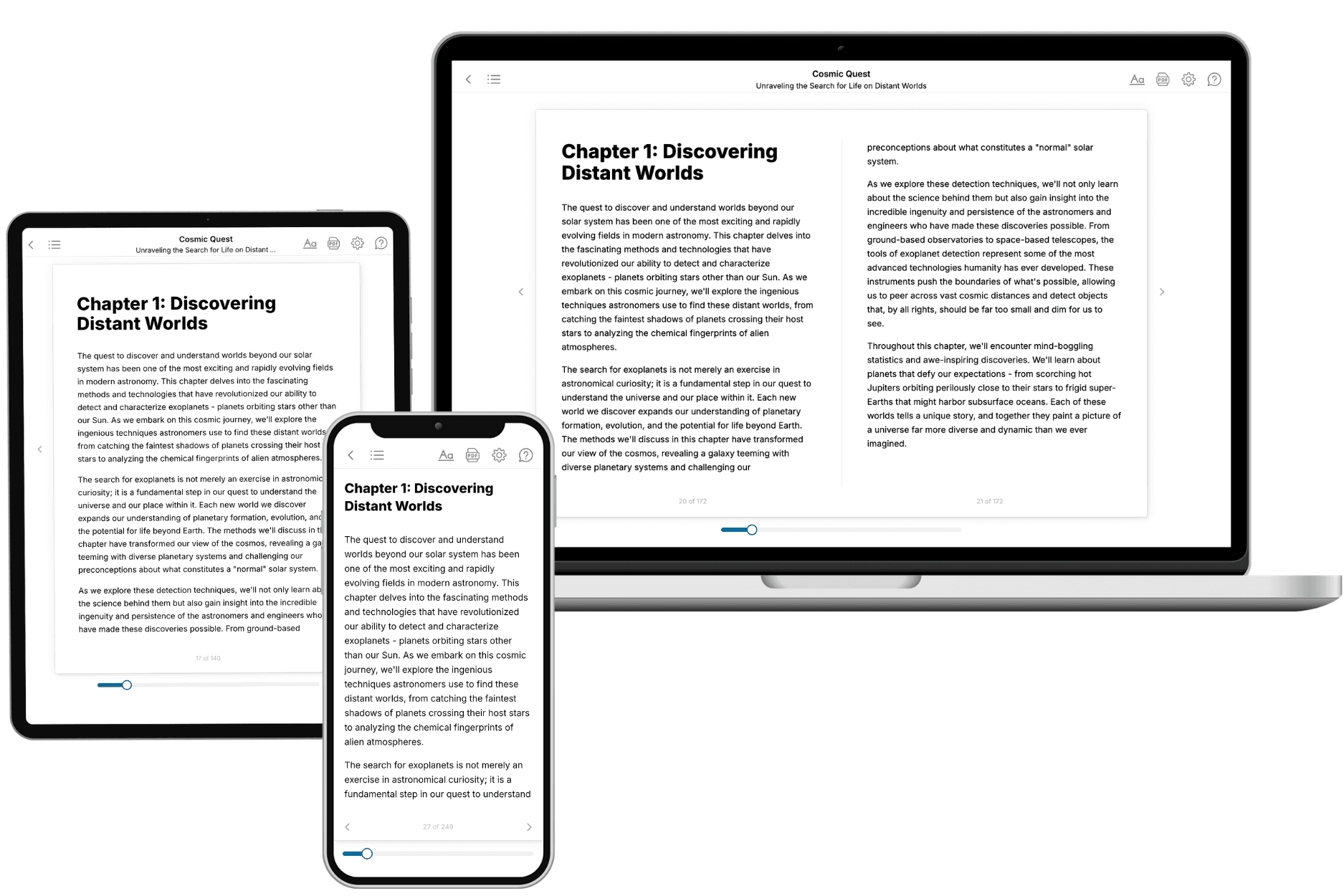
Your book is ready in 10 minutes. Read it online, download as EPUB or PDF, or send to Kindle.
Frequently asked questions
- What is TailoredRead?
TailoredRead creates complete, full-length nonfiction ebooks, written specifically for you. Tell us what you want to learn and why, and TailoredRead writes you a complete ebook on it, with charts, tables, and diagrams throughout. Read it online, on Kindle, or on any e-reader, or download it as a PDF or EPUB. Every book is written fresh the day you order it.
- How is the book tailored to me?
Before anything is written, you answer a few short questions about your goals, your background, and the topics you care about. Your book is then planned around your answers: written at your level, focused on your goals, and covering the topics you chose, instead of the one-size-fits-all book a store sells everyone.
- Will it read like generic AI content?
No. Your book isn't a chat transcript: it's planned chapter by chapter before a single word is written, told in a clear book voice, and explains ideas visually with charts, tables, and diagrams. After writing, every book goes through an editorial pass that polishes chapters so the book reads consistent from start to finish. Judge for yourself: browse thousands of sample books on our Explore Books page.
- How accurate is the content?
Our AI first checks whether your subject needs live research. Niche and fast-moving subjects are researched before writing, and the book plan and chapters are grounded in what it finds. After writing, every book goes through a quality pass that checks its facts and consistency, and researched books list their sources in a Notes section at the back.
- How long is the book?
You choose the length: Comprehensive (250-300 pages), Detailed (150-200 pages), Essential (70-100 pages), or Short (30-50 pages).
- Does the book include visuals?
Yes. Every book includes charts, tables, and diagrams: timelines, checklists, step-by-step guides, decision trees, comparison tables, matrices, and bar charts. A typical book includes dozens of these visual elements.
- Can I read it on Kindle? What formats can I download?
Yes. Every book can be read in our online reader or downloaded as a PDF or EPUB. The EPUB can be opened with Kindle, Apple Books, Kobo, and any e-reader. The Commercial and Author licenses also include an editable Word (DOCX) and Markdown download.
- How much does it cost?
About the price of a regular ebook. The exact price depends on your book's length and complexity, from $2 for the shortest books to $35 for the most comprehensive, and it's shown when you review your book, before you commit to anything. Each book is a one-time purchase, yours to keep, no subscription. Licenses that let you share, teach, or publish your book range from $35.99 to $49.99.
- Can I preview the book before purchasing?
Before you pay, you'll see what your book will cover: the title, a detailed description, the estimated length, and the complete chapter-by-chapter table of contents, so you know what you're getting before you decide. The full text itself is written after you purchase.
- How long does it take to create a book?
About 10 minutes. You can start reading the opening chapters while the rest is still being written.